


🔎 Reverse Image Search
Image search techniques made simple: upload a photo or paste a URL and search 6 engines at once. 100% free, nothing stored.
🔒 Your image is never stored on our servers longer than 24 hours and is never shared.
Mercari image search turns a photo into a list of matching second-hand listings — and, more usefully, into the prices those items actually sold for. It is the fastest way to answer the two questions every Mercari user asks: what is this item, and what is it worth? There is one catch that shapes everything in this guide: the photo search lives in the Mercari Japan app, not in the United States or United Kingdom apps.
Yes — in the Mercari Japan app you can search by photo, then filter the results to sold listings to see what the item actually sold for. The US and UK apps do not offer this photo search, so buyers and sellers outside Japan need the Global App, a proxy service, or Google Lens instead.
What Is Mercari Image Search?
Mercari image search is a visual search feature in the Mercari Japan app. You take a photo of an item, or choose one from your camera roll, and the app matches it against millions of live and sold listings, then shows you the items that look most similar. Mercari image search is the feature to reach for when you cannot describe an item in words — when a label is in Japanese, a model number has worn off, or you simply do not know what something is called.
Mercari introduced photo search in its Japan app in 2019, starting with iOS, according to Japanese tech news site ITmedia. Mercari later described the system behind it at the CVPR 2020 computer-vision conference, where the company said its index covers hundreds of millions of listing images. The scale is the point: Mercari says its Japan marketplace has passed 4 billion cumulative listings, and its Google Play listing says more than 20 million people use the app every month, so a photo search has an enormous pool of second-hand items to match against.
It helps to understand what the tool actually matches. Mercari image search ranks listings by how similar they look, not by whether they are the same product. A photo of one colourway of a trainer will also find other colourways, other sizes, and the same model in very different condition. That is not a fault in the tool — it is how visual search works — but it means the useful work happens after the search, when you narrow the matches down to the ones that are truly comparable. The rest of this guide shows you how.
How Do You Search Mercari by Image in the Japan App?
The photo search is an in-app feature, so start on your phone in the Mercari Japan app, updated to the latest version. The steps below follow the flow Mercari built into the app: choose the photo option from the search screen, point the camera or pick a saved photo, then crop to the item you want.
- Open the Mercari Japan app and tap the search bar at the top of the home screen.
- Choose the photo-search option, shown in Japanese as 「写真からさがす」 (search from a photo), or tap the camera icon beside the search bar.
- Take a photo of the item, or tap the gallery icon to pick a photo or a screenshot from your camera roll.
- If several things appear in the frame, drag the white frame so it covers only the item you want to find, then confirm.
- Look through the matching listings. Tap any result to open it, and use the filters — category, brand, price range, condition, and sold status — to narrow the list.
A good search photo makes a visible difference. Put the item on a plain background, fill the frame with it, and photograph it in bright, even light. One item per photo works best: a shelf full of objects forces the app to guess which one you mean, and the white crop frame can only do so much. If the first photo returns weak matches, try a different angle — a straight-on shot of the front of a bag, a trainer, or a camera usually beats a photo taken from above at an angle. Screenshots work too, which is handy when the item you want is in an Instagram post or a chat message, but crop the screenshot to the item first so the app is not distracted by captions and buttons.
One warning about the website: do the photo search in the app. Mercari built this feature for phones, and its newer price-check tool is app-only as well, according to Mercari’s own announcement. On a computer, jp.mercari.com is a keyword-search experience, so keep the photo on your phone for this job.
How Do You Check Sold Prices and Price Your Own Item?
Finding the item is only half the job. The price that matters is not what sellers are asking today — it is what buyers actually paid. Mercari image search helps here in two ways: the search results themselves can be filtered to sold listings, and the app has a dedicated price-check tool for sellers.
In July 2025 Mercari added a feature called 「相場検索」, which translates roughly as market-price search, to the Japan app. According to Mercari’s own announcement on 14 July 2025, it works like this:
- Tap the Sell tab, then tap 「相場を調べる」 (check the market price).
- Search by image or by keyword for the item you plan to sell.
- Choose the condition that matches your item.
- Mercari shows the market price worked out from recent similar listings, split into sold-out (売り切れ) and on-sale (販売中) prices, plus the delivery fee most sellers use for that item.
- If you are happy with the price, you can move straight to the listing screen, where the name, condition, and photo you searched with are already filled in.
For buyers, the same thinking applies in reverse. After an image search, filter the results to sold listings and look at what those items actually went for, rather than the asking prices on the listings still for sale. A sold price is the price shown on the listing when it sold; it does not include any shipping the buyer paid separately or any fees charged outside the listing, so treat it as the market value of the item itself, not the total cost of buying one.
Do not trust a single number. Take the median of a set of genuinely comparable sold listings — same model, same size, similar condition — and ignore the extremes. A very low price is often a single shoe rather than a pair, an empty box, a damaged item, or a replica, while a very high price may be a rare variant or a listing that was never going to sell. If you want a broader method for pricing from photos, our guide to finding the same product cheaper using a photo covers the same sold-versus-asking comparison on other marketplaces.
Worked Example: Pricing a Pair of Air Jordan 1s from One Photo
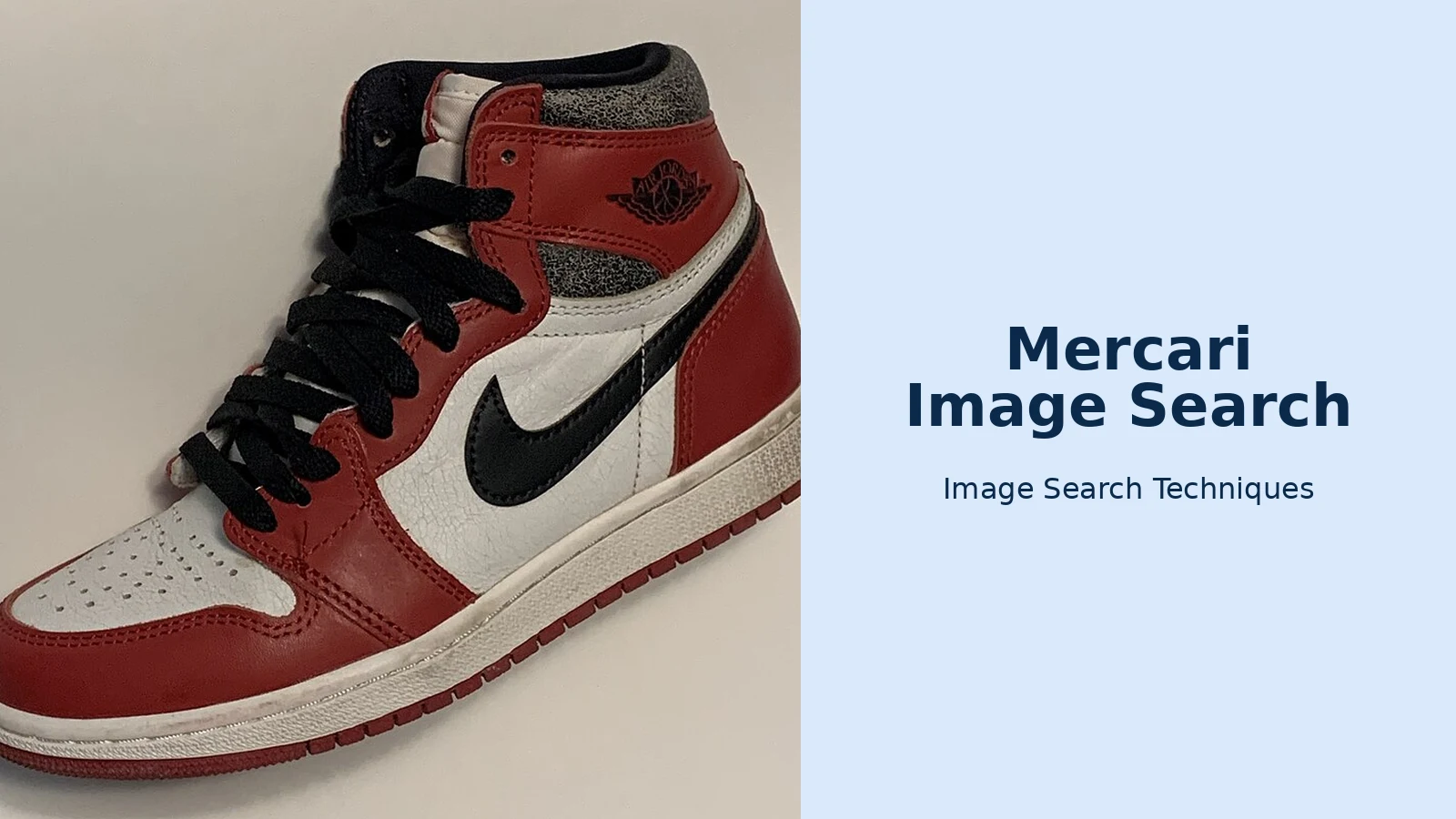
Theory is cheap, so here is a real run. FalconScrape, a scraping-tool company, published a walkthrough in which it ran a public Wikimedia Commons photo of a Nike Air Jordan 1 High through Mercari Japan’s image search and recorded exactly what came back. The numbers below are theirs, from that published run, and they show why filtering matters more than searching.
- The photo. A clean studio-style photo of an Air Jordan 1 High in the Chicago colourway, the same public photo used in the walkthrough.
- The raw result. The search returned 120 sold listings. Prices ranged from ¥2,500 to ¥94,426, with a median of ¥20,000. That range is so wide it is useless as a price — it mixes colourways, sizes, conditions, and even single shoes.
- Filter by model first. The photo shows the Chicago colourway, and the “Lost & Found” release was the one Mercari ranked first. Filtering the listing titles for “Lost”, “LOST”, or the Japanese 「ロスト」 kept 41 of the 120 rows. Those sold between ¥13,400 and ¥55,000, with a median of ¥27,800 — a far more useful number.
- Check the listing behind the number. One of the top matches, ranked seventh, was a 26.5 cm pair listed as 「NIKE AIR JORDAN 1 HIGH OG スニーカー 26.5cm」 in “no noticeable scratches or stains” condition, priced at ¥7,800. Same model, wrong size and a low price — useful only if your pair is also 26.5 cm and in that condition.
- Split by condition before trusting any median. In the published run, condition alone did not order the prices, because each condition group still mixed several models. Filter by model first, then compare conditions.
The lesson is simple: Mercari image search gives you the raw material for a price, not the price itself. The five minutes you spend filtering — model, size, condition, and a look at the photos of the cheapest and most expensive matches — are what turn 120 random results into a price you can act on. And before you pay Jordan money for any pair you find this way, run the photos through the checks in our guide to legit-checking sneakers from photos, because a photo search cannot tell a good replica from the real thing.
Can You Use Mercari Image Search in the US or UK?
Short answer: not directly. Mercari’s photo search is a Japan-app feature, and the US app has no public photo search, as FalconScrape notes in its walkthrough — its tool covers jp.mercari.com only for exactly that reason. What you can do depends on where you live, so here is the honest position for each market.
In the United States, the Mercari marketplace is still operating as a domestic buying and selling platform. Mercari’s June 2026 announcement about its Global App confirms the US marketplace continues alongside the new app, and under the fee structure that took effect on 6 January 2025, US sellers pay a flat 10% and buyers pay a flat 3.6%, according to Mercari’s published US fee structure. What the US app does not have is the photo search itself. If you want to buy a Japanese item you have photographed, the official route is the Mercari Global App, which Mercari launched in the United States on 17 June 2026, after launching it in Taiwan and Hong Kong on 30 September 2025. According to Mercari’s own press release, the Global App lets buyers browse and purchase items from Mercari and Mercari Shops in Japan, with built-in translation and local payment methods, and it passed one million registrations on 28 August 2026. Note the limit, though: the Global App is a way to buy from Japan, not a copy of the Japan app, so do not assume its search works the same way as the Japan app’s photo search.
In the United Kingdom, there is no Mercari app to open at all. Mercari closed its UK operation in 2019: buying and selling ended on 15 January and the app stopped working on 15 March, according to EcommerceBytes. The Global App is not available in the UK yet either — Mercari has launched it only in Taiwan, Hong Kong, and the United States so far, with plans to reach more than 50 countries and regions by 2028, according to its June 2026 press release.
The proxy route works from anywhere. Mercari lists dozens of officially linked cross-border operators — Buyee, ZenMarket, Neokyo, and FROM JAPAN are the names that come up most often — and they buy the item on your behalf using a Japanese account, receive it at a warehouse in Japan, and forward it to your address. That is the route to use if you find something on Mercari Japan through a photo search but cannot open a Japanese account yourself, because Mercari’s terms define a Japan-app user as a person living in Japan, and registration needs a Japanese phone number, address, and payment method.
The free workaround for everyone is to identify the item first, then search Mercari by keyword. Run the photo through Google reverse image search — our guide shows the phone and desktop steps — to get the brand, model name, and style code, then type those into the Mercari search box. Japanese sellers often include the English model name or style code in the title even when the rest is in Japanese, so a search for “Air Jordan 1 Lost Found 26.5cm” will find far more than a search for “red Nike trainers”. If you are new to the whole method, start with our guide to how to reverse image search any photo.
Mercari Image Search vs Google Lens vs eBay Image Search
No single tool wins every time. Mercari image search is the only one of the three that searches Mercari’s own sold listings, which is what makes it the best pricing tool — but only if you can use the Japan app. Google Lens works everywhere and identifies almost anything, but it cannot show you Mercari sold prices. eBay’s image search is the closest equivalent for Western buyers, because eBay’s sold-listings filter gives you the same kind of pricing data on a marketplace you can actually buy from.
| Tool | Where it works | Best for | Sold prices? | Main limit |
|---|---|---|---|---|
| Mercari image search | Mercari Japan app only | Pricing second-hand items from Japan | Yes — sold and on-sale | No US or UK photo search |
| Google Lens | Any phone or browser | Identifying an unknown item fast | No | No marketplace sold data |
| eBay image search | eBay app and site | Pricing items in the US and UK | Yes — sold listings filter | Weak on Japan-only items |
In practice, use them in sequence: Lens to identify the item, Mercari image search to price it if you can reach the Japan app, and eBay image search to price it if you cannot. Our guide to searching eBay by image shows the sold-listings filter that does the same pricing job on eBay.
Why Does Mercari Image Search Sometimes Find Nothing?
A blank result is usually a photo problem, not a missing item. Mercari’s own guidance for its scraping tool notes the same failure modes that apply in the app: photos with several products in one frame, collages, text overlays, and dark or blurry shots all confuse the matcher. Fix the photo before you blame the tool — one item, plain background, bright light, and the crop frame tight around the item.
Sometimes the item itself is the problem. A one-off handmade piece, a very new release, or a niche item may simply have no similar listing on Mercari Japan at the moment, and listings rotate fast — what has no match today may have five tomorrow. In that case, search the brand and model name in Japanese as well as English, try a different photo of the same item, and cross-check with Google Lens to confirm you have the right model name. And remember what a blank result does not mean: it does not prove the item is rare or valuable. It only proves Mercari found nothing similar for that photo, on that day.
FAQs
Can I search Mercari by image in the US app?
No. Mercari image search is a feature of the Mercari Japan app, and the US app has no public photo search. US buyers who want Japanese items can use the Mercari Global App, launched in the US in June 2026, or identify the item with Google Lens and then search Mercari US by brand and model name.
Does Mercari image search show sold prices?
Yes. In the Japan app you can filter image-search results to sold listings, and the market-price tool launched in July 2025 shows recent prices split into sold-out and on-sale. A sold price is the price on the listing when it sold, not including any shipping the buyer paid separately.
Do I need a Japanese account to use Mercari image search?
Yes, for the Japan app itself. Mercari’s terms define a Japan-app user as a person living in Japan, and registration needs a Japanese phone number, address, and payment method. Buyers abroad can use the Global App in the US, Taiwan, and Hong Kong, or order through an official proxy service instead.
Is Mercari image search free to use?
Yes, searching by photo in the Japan app costs nothing. Buying and selling fees are separate: in the US, sellers pay a flat 10% and buyers pay 3.6% under the fee structure in force since January 2025. Proxy services charge their own per-item fee on top of shipping.
