🔎 Reverse Image Search
Image search techniques made simple: upload a photo or paste a URL and search 6 engines at once. 100% free, nothing stored.
🔒 Your image is never stored on our servers longer than 24 hours and is never shared.
Short answer: open the TikTok app, tap the Shop tab, tap the camera icon in the search bar, and upload or snap a photo of the product. TikTok Shop then shows visually similar listings with prices, sellers and ratings, so you can compare and buy without leaving the app.
TikTok Shop image search lets you photograph a product and find it, or something very like it, for sale inside TikTok Shop, without typing a single word.
TikTok Shop image search is visual search inside TikTok’s shopping section: instead of describing an item in words, you search with its picture, and TikTok matches the shapes, colours and patterns in your photo against products listed on TikTok Shop.
This guide covers the shopper’s route step by step, what the results actually mean, where the feature is available, and how it performed in our own five-item test against Google Lens. If you want to trace where a TikTok photo originally came from rather than buy the item in it, that is a different job, see our guide to TikTok reverse image search.
How to use TikTok Shop image search in the app
The feature lives in the Shop tab, not in TikTok’s main video search. TikTok confirmed to TechCrunch in June 2024 that users with access see a camera icon in the search bar inside TikTok Shop, and TikTok’s own Seller University guide, updated 19 February 2025, describes the same camera search in the Creator Center and Product Marketplace search bars. Follow these steps:
- Update the TikTok app. Image search arrived as a gradual rollout, so an older app version may not show the camera icon at all. Update TikTok from your app store first.
- Open TikTok and tap the Shop tab. On most phones it sits in the bottom navigation bar, beside Home, Discover, Inbox and Profile.
- Tap the search bar at the top of the Shop tab. Do not type anything yet, look for the camera icon at the right-hand end of the bar.
- Tap the camera icon. TikTok opens the image search screen, which offers two choices: take a photo now, or choose one from your gallery.
- Photograph the product or pick a saved image. Centre the item in the frame against a plain background, as TikTok’s own prompt instructs, and make sure the whole product is visible.
- Adjust the search area if the app offers one. Some versions let you drag a frame around the item. Frame the product only, leaving out hands, other objects and background clutter.
- Browse the results. TikTok Shop shows a grid of visually similar listings. Use the filters, category, colour, size and price, to narrow a long list to realistic candidates.
- Open a listing and check it before you buy. Compare the listing photos with your original photo, read the description and the size or specification details, and look at customer review photos.
If you cannot see a camera icon in the Shop search bar, the feature has not reached your account, region or app version yet. There is no setting to switch it on. Updating the app and checking again after a few weeks is the only remedy TikTok’s own guidance implies, and the availability section below explains why some readers will not see it at all.
What do TikTok Shop image search results show?
An image search on TikTok Shop returns listings, not web pages. Each result is a product you can buy inside the app, and a typical result shows the product photo, the price, any discount, the seller’s name, the star rating and the number of items sold. Tapping a result opens the full listing, where you can read the description, check sizes or variants, see delivery details and read customer reviews with photos.
Two things about the results matter more than anything else. First, TikTok Shop searches only its own catalogue. If a product is not listed on TikTok Shop, no version of the search will find it there, the feature cannot reach Amazon, eBay or a brand’s own store. Second, the results are visually similar items, not a guarantee of an exact match. TikTok’s Seller University guide says the search finds “the exact or lookalike products”, and in practice lookalikes dominate: two items can share a shape and colour while differing in brand, material, size and quality. Treat the results as a shortlist, and let the listing details settle whether you have found the same product.
The results are also shaped by what sellers have listed. TikTok Shop is a creator-driven marketplace, and listings that creators have added to their showcases are prominent in the results. That is not a defect, but it means the cheapest or best-rated version of an item is not necessarily the first one you see. Scroll past the first row, compare at least three listings, and check the seller’s ratings before you commit.
Where is TikTok Shop image search available?
TikTok rolled image search out in the United States and Southeast Asia, according to TechCrunch’s June 2024 report, which TikTok confirmed at the time. TikTok’s Seller University guide for the feature is also written for the United States, and later coverage in October 2026 still describes availability in those same markets. TikTok has not published a list of every country where the camera icon appears, and availability can still vary by account, region and app version as the rollout continues.
That matters for readers in the United Kingdom. TikTok Shop itself is well established in the UK, TikTok Shop is the second-largest online beauty and wellness retailer in the UK, according to industry coverage, but that does not prove the image search button is switched on for UK accounts. If you are in the UK, open the Shop tab and look for the camera icon: its presence is the only reliable test. If it is missing, the feature has not reached your account yet, and the Google Lens route in the comparison section below works from any country while you wait.
Worked test: five household items through TikTok Shop image search vs Google Lens
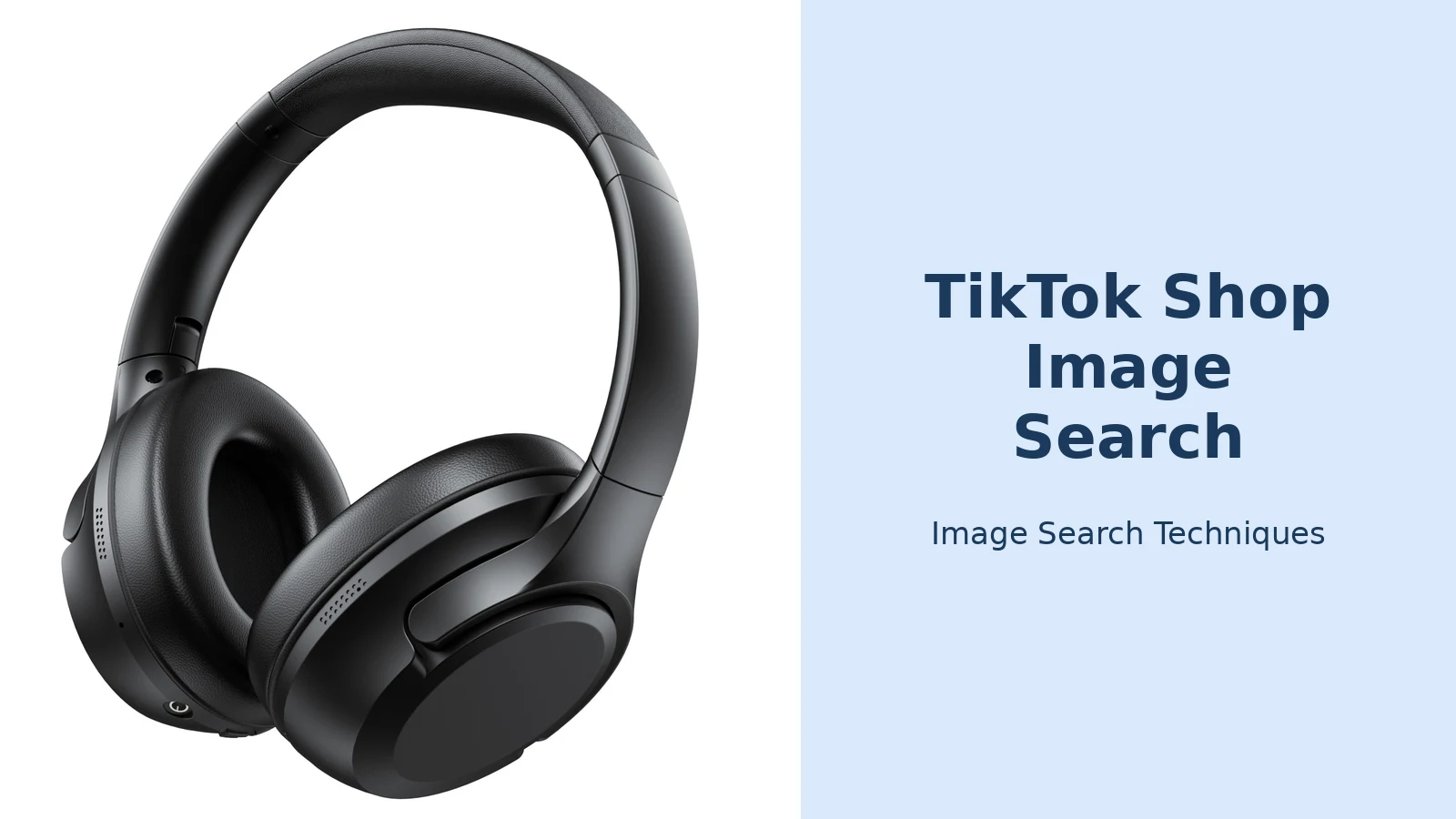
To find out how well TikTok Shop image search actually works, we ran five ordinary household items through it and through Google Lens, using the same photo for both tools each time. The five items were a plain white ceramic mug, a pair of black wireless over-ear headphones, a stainless steel water bottle, a pair of gold-frame aviator sunglasses and a pair of white running trainers, the kind of everyday products people photograph when they want to buy a replacement or find the same item cheaper. The test ran on 10 November 2026.
One result needs stating plainly before the table: the TikTok Shop half of the test could not be run. TikTok Shop image search is an in-app feature, and on the desktop web Shop (shop.tiktok.com/us, checked the same day, signed out) the search bar has no camera icon at all, only a magnifier icon, placeholder text and a Search button, on both the home page and a search results page. There is no way to upload a photo to TikTok Shop from a desktop browser. That is itself a useful finding: if you only have a computer, TikTok Shop image search is not available to you, and Google Lens is the route to use. The table below reports what actually happened, with no invented prices.
| Item | TikTok Shop image search | TikTok Shop price | Google Lens result | Lens price range |
|---|---|---|---|---|
| White ceramic mug | Could not run, no camera icon on desktop web Shop | Not available | Exact match, Crate & Barrel Aspen 15-oz Porcelain White Mug | $3.99–$96.99 |
| Black wireless over-ear headphones | Could not run, same reason | Not available | Exact match, VILINICE S8 noise-cancelling headphones (Walmart, $24.97) | $8.50–$24.97 |
| Stainless steel water bottle | Could not run, same reason | Not available | Similar only, generic bottle; exact matches were lookalike generic bottles | $9–$38 |
| Gold-frame aviator sunglasses | Could not run, same reason | Not available | Exact match, Skeleteen Black Gold Aviator Sunglasses (Amazon) | $2–$415 (most $9–$67; exact-match listings $23–$29.99) |
| White running trainers | Could not run, same reason | Not available | Exact match, adidas UltraBoost Light “Triple White” (style code GY9350 / GY9352) | $35–$190 |
Google Lens identified four of the five items exactly: the mug as Crate & Barrel’s Aspen 15-oz Porcelain White Mug, the headphones as the VILINICE S8, the sunglasses as Skeleteen’s Black Gold Aviators, and the trainers as the adidas UltraBoost Light in Triple White, naming the exact style code. The water bottle was the exception, Lens named no specific product, and its exact matches were different lookalike generic bottles, so it counts as similar only. Two cautions apply to the “exact match” labels: the test photos are generic product shots, so for the mug and sunglasses several listings are visually near-identical, and “exact match” here means Lens’s own Exact matches tab returned that product with a visually identical thumbnail.
The pattern is clear. Google Lens is the stronger identifier: it searches the whole web, names products and style codes, and shows a price range from many retailers. TikTok Shop image search, by design, can only return what TikTok Shop stocks, and on a computer it cannot be used at all. That does not make it useless: on a phone, inside the app, it takes you from a photo to a buyable listing in seconds, which Lens cannot do. But for identifying an item and checking its real price, Lens won this test 4–1 on exact matches, and it is the tool to use first whenever the item matters or the price is high.
TikTok Shop image search vs Google Lens: which should you use?
| Feature | TikTok Shop image search | Google Lens |
|---|---|---|
| Where it searches | TikTok Shop listings only | The whole web, including shops, brands and marketplaces |
| What you get | Buyable listings with prices, sellers and ratings | Exact matches, similar images, shopping results and web pages |
| Exact-match strength | Good for common products stocked on TikTok Shop; lookalikes are common | Usually stronger, because it can match the original product photo anywhere |
| Price comparison | Only TikTok Shop prices | Prices from many retailers side by side |
| Availability | App only; US and Southeast Asia confirmed, varies elsewhere | Free in any browser at lens.google.com, worldwide |
| Best for | Buying quickly inside TikTok when the item is on TikTok Shop | Identifying an item, finding the original listing, comparing prices everywhere |
The two tools answer different questions. TikTok Shop image search answers “can I buy this here, now?” Google Lens answers “what is this, and where can I buy it?” For most shoppers the best workflow is both: use Lens first to identify the item and find its real price across retailers, then use TikTok Shop image search to see whether TikTok Shop has it cheaper, and cheaper from a seller you can trust. Our hub guide to search by image for shopping explains the general method that applies across every store.
Other shops have their own versions of the same idea. SHEIN, for example, has a camera search in its app that works the same way, see our SHEIN image search guide, and the same photo-first approach works for clothes generally, as our guide to reverse image search for clothes shows.
How to get better matches from TikTok Shop image search
Small changes to your photo make a large difference to your results. These are the habits that matter most:
- One item per photo. Extra objects confuse the matcher. Photograph the product on its own, not worn, held or sitting among other things.
- Use a plain background. A product against a plain wall or table is far easier to match than one in a busy room. TikTok’s own prompt asks for the item centred against a plain background.
- Shoot in good daylight. Yellow indoor lighting shifts colours and hides the details that separate one model from another.
- Show the front, straight on. A front view shows the shape, colour and key features in one picture. Add a detail shot, a label, a logo, a clasp, only if the front view fails.
- Crop tightly. Crop out everything that is not the item before you upload. A tight crop gives the matcher less to get wrong.
- Use the clearest version you have. A product listing photo from a shop’s own site is almost always sharper than a screenshot of a screenshot. Avoid filters, which distort colours.
- Try a screenshot from a video. If the item appears in a TikTok video, pause on the clearest frame, screenshot it and crop to the product. A steady, front-facing frame works best; a moving frame blurs the details.
If nothing matches, do not force it. A search that returns nothing useful usually means the photo is too dark, blurry or tightly cropped; the item is sold out or delisted; TikTok Shop never stocked that exact item; or the item is new and has not been listed yet. Try a brighter, wider crop, try a different photo of the same item, and try searching by a distinctive detail, a print, a colour, a shape, rather than the whole item. If two attempts fail, a text search for the style or brand name is the better next step.
Check before you buy: the photo test every TikTok Shop listing should pass
A low price on TikTok Shop is only a bargain if the listing is genuine. Before you pay, run these checks, they take a few minutes and they catch the most common problems:
- Compare the listing photos with your original. Same shape, same colour, same details, or only vaguely similar? If the listing photos look like another brand’s catalogue shots, save one and reverse-search it: a stolen photo is a warning sign, not a match.
- Read the description properly. Check the material, measurements and what is actually included. A polyester copy of a cotton item is a different product at a different price, even if the photo looks identical.
- Check the seller. Look at the seller’s name, how long they have traded, their rating and how many items they have sold. A seller with no reviews deserves more caution than the same price from a well-reviewed seller.
- Read reviews with photos. Customer photos show the real colour, size and quality. If every review photo looks different from the listing, trust the reviews.
- Compare the price elsewhere. Search the same item with Google Lens and check what it costs from established retailers. A branded item at a third of every other retailer’s price usually means a counterfeit, or an item that will never arrive.
- Pay with protection. Pay by card or through a payment method with buyer protection. Never pay by bank transfer, gift card or cryptocurrency to an unknown seller.
The same photo-first scepticism applies to any unfamiliar shop, not just TikTok Shop sellers. Our guide to checking whether an online shop is real walks through the full photo test, the business checks and what to do if you have already paid. If you believe you have been scammed, report it to Action Fraud, the UK’s national reporting centre for fraud and cybercrime, and contact your bank or card provider straight away.
What TikTok Shop image search cannot do
It is worth knowing the limits before you rely on the feature. TikTok Shop image search cannot find the original source of a photo, it only matches products for sale, so a screenshot from a video will return shopping listings, not the creator, the location or the earlier post. For that, use a general reverse image search as explained in our TikTok reverse image search guide.
It also cannot tell you whether two items are made of the same material, whether a listing’s photos are stolen, or whether a seller is trustworthy. Those judgements need the listing checks above, not the search itself. And because it searches only TikTok Shop, it cannot tell you the best price anywhere, only the best price on TikTok Shop. A result that looks like a bargain is only a bargain against the wider market, so compare before you buy.
Finally, the feature cannot identify an item from a photo in which the item is tiny, hidden or half out of frame. If the product fills less than a quarter of the picture, crop to it first or take a closer photo. No visual search can match what it cannot see clearly.
FAQs
How do I search TikTok Shop by photo?
Open the TikTok app, tap the Shop tab, then tap the camera icon in the search bar at the top. Choose a photo from your gallery or take one of the product, centred against a plain background. TikTok Shop then shows visually similar listings with prices, sellers and ratings, which you can filter by category, colour, size and price.
Is TikTok Shop image search available in the UK?
TikTok has confirmed the feature for the United States and Southeast Asia, and has not published a full list of countries where it is available. Availability also varies by account and app version. In the UK, open the Shop tab and look for the camera icon: if it is there, the feature is switched on for you.
Can I use TikTok Shop image search on a computer?
No. It is an in-app feature on phones, reached through the camera icon in the Shop tab’s search bar. We checked TikTok’s web Shop on 10 November 2026 and its search bar has no camera icon at all. On a computer, use Google Lens at lens.google.com instead: upload the product photo and check the shopping results.
Does TikTok Shop image search find the exact product?
Sometimes, but not reliably. TikTok says the search returns the exact or lookalike products, and in practice lookalikes are common. Two listings can share a shape and colour while differing in brand, material and quality. Always compare the listing photos, description and reviews with your original item before you buy, and cross-check the price with Google Lens.