


🔎 Reverse Image Search
Image search techniques made simple: upload a photo or paste a URL and search 6 engines at once. 100% free, nothing stored.
🔒 Your image is never stored on our servers longer than 24 hours and is never shared.
You found the perfect photo on Pixabay. It fits your blog header, your product page, or your slide deck. Before you download it, one question matters: can I use a photo from Pixabay without paying, without credit, and without a legal headache later? The short answer is yes, in most cases, but the licence has edges that catch people out, and this guide reads the actual licence, checks one real photo live, and shows you where the line sits. If you are still building your general photo safety habits, our complete guide to protecting your photos online is the place to start.
Direct answer: Yes, in most cases. Pixabay lets you use its photos free for commercial and non-commercial use, without paying and without crediting the photographer. The licence has firm limits, though. You cannot sell the photo on its own, use it as a trademark, or rely on it to clear the people or logos in the frame.
That answer comes from Pixabay’s own pages, read on 22 November 2026. The licence summary sits at Pixabay’s Content License page, and the full terms were last updated on 20 October 2026. This article quotes those pages, not a roundup. It also tests the licence against one real photo, an Alpine hut shot published on 7 September 2026, and reverse searches it on Google Lens and TinEye, so you can see what the licence means for a photo you might actually download.
What the Pixabay licence actually allows
Pixabay’s Content License is generous, and that is why the site is so popular. The summary page lists three things you can do. You can use the content for free. You can use it without attributing the author, though credit is always appreciated. And you can modify or adapt the content into new works. That covers the common cases: a blog header, a website hero image, a social post, a slide deck, a YouTube thumbnail, or an illustration inside a paid article. Commercial use is allowed, and non-commercial use is allowed too.
The licence is a custom Pixabay document, not a Creative Commons licence, for anything published from 9 January 2019 onwards. That date matters, because it is the dividing line between two eras of Pixabay content, and the table below sets them out. The full licence grants an irrevocable, worldwide, perpetual, non-exclusive, royalty-free right to download, use, copy, modify or adapt the content for commercial or non-commercial purposes, as long as you stay out of the prohibited uses. Irrevocable means Pixabay cannot take the permission back for a photo you have already used under the licence. Royalty-free means no payment is due, now or later.
None of that makes the photo yours. You do not own the copyright, you cannot claim you took the photo, and you cannot stop anyone else using the same image. Pixabay photos appear on thousands of sites at once, so if you want an image nobody else has, a free stock photo is the wrong tool. What the licence gives you is permission to use the photo, within the limits below, and nothing more.
The three licence eras: which rules cover your photo
Pixabay has changed its licence twice, so the rules for a photo depend on when it was published. This is the Ranking Asset for this article, the table you should check before you use any Pixabay photo. The publish date is shown on the photo page, under the details section, and it decides which row applies.
| Era | Published | Licence | What it means for you |
|---|---|---|---|
| 1. The CC0 era | Before 9 January 2019 | CC0 1.0 Universal | Free for personal and commercial use, no credit needed. The photographer waived the copyright as far as the law allows. Even so, the people, logos and buildings in the photo are not cleared for you, and Pixabay’s own terms say so. |
| 2. The Pixabay Licence era | From 9 January 2019 | Pixabay Licence, the custom licence that replaced CC0 | Free commercial and non-commercial use, no credit needed, modification allowed. The five prohibited uses in the next section apply in full. This is the licence most Pixabay photos live under. |
| 3. The Content License, current | Today | Content License, as written in the Terms last updated 20 October 2026 | The same grant as era 2, in the current wording. Pixabay’s live pages give no start date for the Content License name, so do not rely on a date you see quoted in a roundup. Read the licence summary on the day you download. |
Two points in that table trip people up. First, the 9 January 2019 cut is about the photo’s publish date, not the date you download it. A photo published in 2018 is CC0 even if you download it today, and a photo published in 2026 is under the Content License even if the site looked the same in both years. Check the date on the photo page, not your memory of the site.
Second, CC0 is not a magic shield. Some guides say CC0 carries no conditions at all, and that overstates it. CC0 waives the photographer’s copyright, but it does not waive anyone else’s rights. A CC0 photo of a recognisable person in a compromising pose, or a CC0 photo with a car maker’s logo across the bonnet, still carries the same risks as a Content License photo. Pixabay’s terms say this plainly, in the section that warns about additional rights, and the warning applies expressly to CC0 content too. The licence era changes the copyright position. It does not change the people and brands in the frame.
What you cannot do with a Pixabay photo
The Content License summary lists five prohibited uses, and they are worth reading in full, because each one matches a mistake people actually make. Here they are, in plain words.
Do not sell or distribute the photo on a standalone basis. Standalone means no creative effort has been applied and the photo stays in substantially the same form. Downloading a Pixabay photo and selling it as a poster, a print, or a phone wallpaper is standalone use, and it is banned. So is selling an exact copy as a stock photo on another site. What counts as standalone is narrower than many people think. Using the photo in its original form, or only adding a filter, changing the colours, resizing it or cropping it, still counts as standalone. Combining it with other images, video, text or illustrations into a new creative work does not. A blog header that crops a photo and adds your headline is a new creative work. The same photo printed on a mug, on its own, is not.
Do not use trademarked content commercially for goods or services. If a photo contains a recognisable trademark, logo or brand, you cannot use it for commercial purposes in relation to goods or services, and you cannot print it on merchandise for sale. A photo of a branded coffee cup is fine as a blog illustration about coffee. The same photo on a bag of coffee beans you sell is not. The brand in the frame is the problem, not the photo itself.
Do not use content in an immoral or illegal way, especially content featuring recognisable people. This covers the obvious cases, like using a stranger’s photo to sell a dubious product, or using a photo of a child in an advert without any right to do so. It also covers using a photo to imply something untrue about the person in it.
Do not use content in a misleading or deceptive way. A photo used to imply a product does something it does not, or to fake an endorsement, breaks this rule. The licence is about honest use, and a photo that misleads the reader is outside it.
Do not use content as part of a trademark, design mark, trade name, business name or service mark. A Pixabay photo cannot be your logo. It cannot be part of your logo either, and it cannot be registered as a trademark. A logo has to be yours, and a free stock photo is, by definition, not yours alone.
Google’s own AI Overview for this question makes the same points, and it adds one more that matters. Pixabay search results include sponsored images from other stock agencies, and those images are not Pixabay content at all. They carry their own licences and their own fees, and downloading one by mistake does not make it free. Look for the sponsored label before you click, and treat anything with a watermark as a photo you have not paid for.
Worked example: one real Pixabay photo, checked on Lens and TinEye
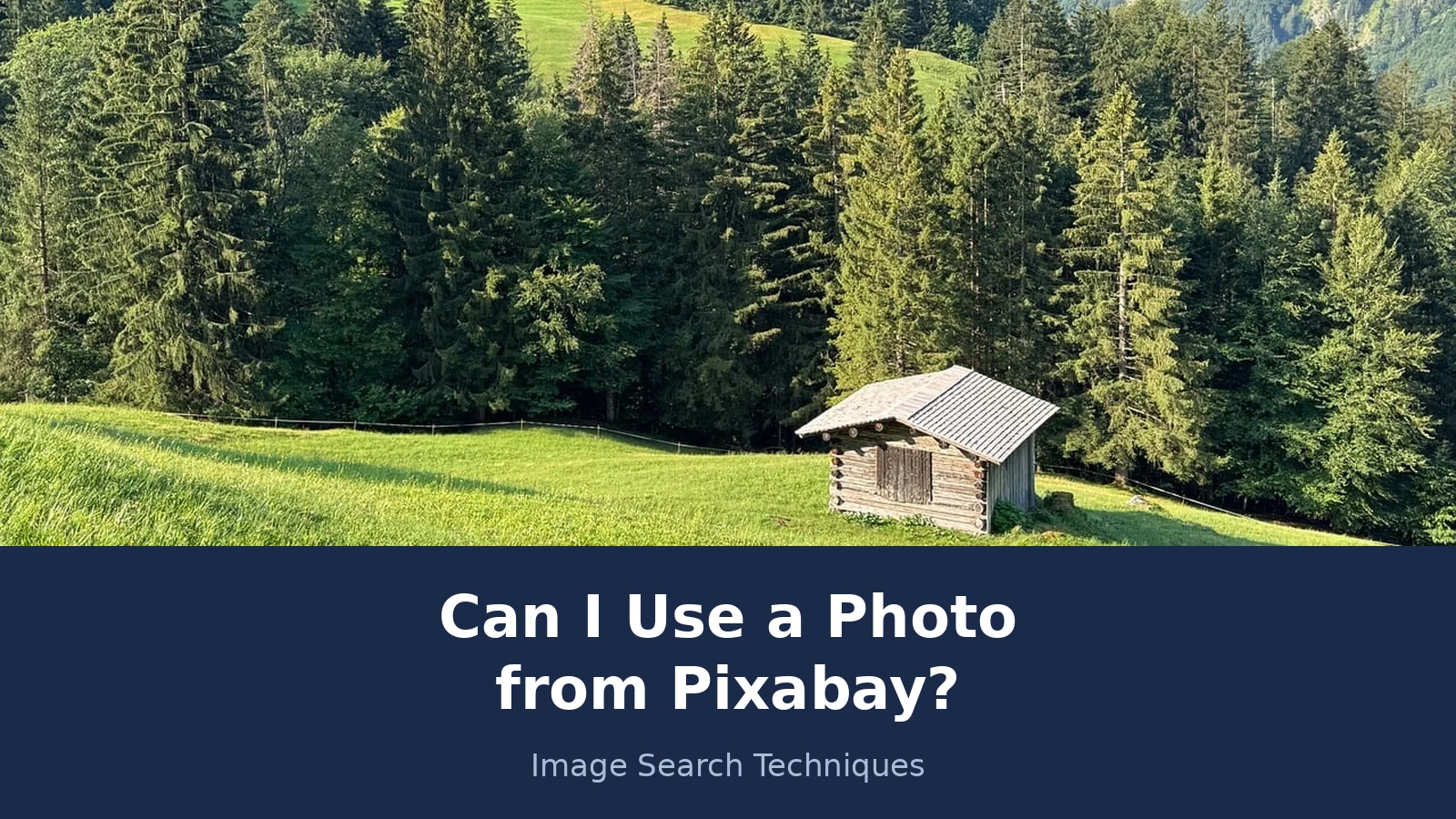
A licence is only useful when you can apply it to a real photo, so here is one, checked live on 22 November 2026. The photo is an Alpine hut on a sunny mountain meadow in the Allgau Alps, near Oberstdorf in Bavaria, Germany. It was published on Pixabay on 7 September 2026 by the photographer janfried, and it carries the Editor’s Choice mark. The licence line on the photo page reads “Free for use under the Pixabay Content License”. The photo was taken on an Apple iPhone 15 Pro, at 5712 by 4284 pixels, and at the time of checking it had 12,657 views and 14,259 downloads. It shows no identifiable person and no visible trademark, which makes it a clean test case. The asset page is https://pixabay.com/photos/mountains-mountain-landscape-forest-10459797/ and the image file is the 1280 by 960 rendition from Pixabay’s own content server.
The first check was Google Lens, run by pasting the image address into Lens. Lens recognised the image at once. Its own summary identified it and cited Pixabay, and the first visual match was the exact Pixabay asset page. Lens shows no numeric total on its tabs, so these are counts of the loaded lists. Visual matches: 60 entries, the first the exact Pixabay page, the rest mostly similar but different Alpine photos, plus a few exact copies on sites like Instagram, KlasCement and YouTube. Exact matches: 73 entries, with the true asset page third, listed as “Pixabay, Sep 7, 2026, 1280 by 960”, among many Pixabay language and category pages and social reposts. Both lists ran to the page footer with no more loading.
The second check was TinEye, run the same way, by pasting the image address into its search box. TinEye found nothing. Its result page reads that it searched over 86.9 billion images and did not find any matches for the image, probably because it has not yet crawled any page where the image appears. A zero is a zero, and it is reported as one. The photo is only about two and a half months old, so TinEye evidently had not crawled it yet, while Google had already indexed the Pixabay page. The two engines crawl different parts of the web, and that is why you should always try both before you draw a conclusion from a search.
What does the licence say about this photo? It was published in 2026, so it sits in the Content License era, not CC0. You can use it free on a blog, in a slide deck, or on a social post, without paying and without credit. You can crop it, resize it, and add text over it. You cannot sell it as a poster on its own, print it on a mug, or use it as your logo. And because the photo shows a mountain landscape with no people and no brands, the extra checks in the next section are short for this one. That is the point of the exercise. The licence read takes two minutes when the photo is clean, and it is the photos that are not clean where the time is well spent.
Run the same check on any Pixabay photo before you use it. Open the asset page, read the licence line and the publish date, then reverse search the image on Lens and TinEye. If Lens finds the photo on a stock site with a watermark, or on a page that claims it, stop and read that page. If TinEye finds nothing, remember that a zero is not proof the photo is safe. It only proves TinEye has not crawled it yet.
What the licence never covers: people, brands and buildings
This is the part most guides skip, and it is the part that causes real trouble. The Pixabay licence covers the photographer’s copyright. It does not cover anything else in the frame. Pixabay’s terms say that certain content may be subject to additional intellectual property rights, moral rights, proprietary rights, property rights and privacy rights, and that it is your responsibility to check whether third party consent or a licence is needed. The responsibility, in the terms’ own words, rests solely and exclusively with you.
Identifiable people. A photo of a recognisable person does not come with that person’s permission to use their face. A model release is a separate document, between the photographer and the person, and Pixabay does not give you a copy of it and does not promise one exists. Using a stranger’s photo in an advert, or in a way that suggests they endorse your product, can breach their privacy or publicity rights even when the photo licence is clean. Editorial use, like illustrating a news story, is usually safer than commercial use, but the line depends on where you are and what the photo shows, and this article is general information, not legal advice.
Trademarks, logos and brands. A logo on a shirt, a car badge, a shop sign, or a product on a table is someone else’s trademark. The Pixabay licence does not give you the right to use it commercially, and the prohibited uses say so directly. A photo of a branded product is fine as an illustration in a blog post about that product. The same photo on your own product packaging, or in an advert for a competing product, is a different matter.
Buildings and private property. Some buildings, artworks and private places carry their own rights, and photographing them does not clear those rights for commercial use. A famous skyline in a travel article is low risk. A photo of a distinctive private building used to sell a property service is not the same thing. If the building is the subject of your advert, check before you publish.
Moral rights. In the UK and in much of Europe, a photographer keeps moral rights even when the copyright is waived or licensed away. Those rights include being credited in some circumstances and objecting to derogatory treatment of the work. CC0 waives copyright as far as the law allows, but moral rights cannot always be waived, and the position differs by country. Treating a photo badly, like cropping it to change its meaning, can raise a moral rights question even when the licence looks clean.
The practical rule is simple. If a photo shows a person you can recognise, a brand you can read, or a building you can name, the Pixabay licence is only half the answer. Ask what else is in the frame, and whether you have the right to use that too. If you cannot answer that, pick a different photo. Pixabay has millions of them, and a landscape with no people and no brands, like the Alpine hut in our worked example, avoids the question entirely.
The zero-indemnity warning: Pixabay promises you nothing
Here is the sentence that should change how you use Pixabay. Pixabay offers you no indemnification. If someone sues you over a photo you downloaded from Pixabay, Pixabay will not pay your legal costs and will not defend you. The terms say the service and the content are provided “as is”, without warranty of any kind, and that Pixabay is not liable for loss of profit, revenue or data, or similar losses.
It goes further than that. The terms run the indemnity in the other direction. You agree to indemnify, release and hold harmless Pixabay from claims, damages, losses and liabilities that result from your violation of the terms, and from third party claims that arise from your use of the service. In plain words, if your use of a photo breaks the rules, or a third party complains about your use, you carry the cost, not Pixabay. Our main competitor on this topic, Lucky Graphics, only gives the general line that free licences warrant nothing, and quotes an indemnity figure from a paid service. It never states Pixabay’s own position, which is that the user indemnifies Pixabay, not the other way round.
Pixabay also disclaims any promise about consents. The terms say Pixabay does not warrant that any consents or licences have been obtained for the people, logos, brands or buildings in a photo, and that it expressly disclaims all responsibility and liability on that point. That is why the checks in this article matter. Nobody at Pixabay has checked whether the person in your photo agreed to be in an advert. That check is yours.
One more detail from the terms is worth knowing. They are governed by the laws of Germany, and the place of jurisdiction is Berlin. If a dispute ever reached a court, it would be a German court, under German law. That is not a reason to avoid Pixabay, but it is a reason to keep your records. Save the photo page address, the publish date, the licence line, and a screenshot of the licence summary on the day you download. If anyone questions your use later, that file is your evidence of what the licence said when you relied on it. This article’s own checks were made on 22 November 2026, against terms last updated on 20 October 2026, and licences do change, so a dated record is the only proof you have.
Blog header or product listing: two uses, two answers
The same photo can be legal in one place and a breach in another, so here is the worked licence read for the two uses people ask about most. Take the Alpine hut photo from our example, and run it through both.
Use one: a blog header. You run a travel blog and want the hut photo at the top of an article about walking in the Allgau Alps. The photo is Content License, published in 2026, with no people and no brands. You crop it to fit the header, add your article title over it, and publish. That is allowed. You have combined the photo with your text into a new creative work, so it is not standalone use. You do not need to pay, and you do not need to credit janfried, though a credit line is good practice and costs you nothing. One caution: if your blog post is a paid promotion for a walking holiday company, and the photo implies the hut is one of their properties, that is a misleading use, and the licence does not cover it.
Use two: a product listing. You sell walking gear and want the same photo on a product page for a rucksack. That is also allowed, as long as the photo illustrates the product in an honest way and does not claim the hut, the mountains or the landscape are part of what you sell. The risk rises if the photo shows a branded rucksack, a recognisable person wearing your competitor’s jacket, or a logo on a sign. Then the trademark and people checks apply, and you should pick a cleaner photo. And if you want the photo printed on the rucksack itself, or on a mug sold with it, that is standalone use and it is banned.
Now change the photo. Suppose it shows a recognisable hiker in branded kit, standing by a branded sign. The blog header is still probably fine as editorial illustration, because you are writing about walking, not selling the kit. The product listing is now risky, because the photo could imply the hiker endorses your rucksack, and the brand on the kit could imply a connection with that brand. Same photo, same licence, different answer. The licence does not change. The use does.
If you want a second opinion on the same question for the other free libraries, our guides on using Unsplash photos commercially and using Pexels photos commercially run the same checks against those sites’ licences, and the answers differ in the details. Shutterstock is a different case again, because it is a paid library, and our guide to using Shutterstock images on a blog explains why a paid licence changes the indemnity picture.
US fair use and UK fair dealing are not the same thing
This is where many guides go wrong, by treating American and British law as one thing. They are different doctrines, with different rules, and a use that is safe in one country can be a breach in the other. This section is general information, not legal advice, and if a photo matters to a big campaign, take the licence to a lawyer in your own country.
US fair use. In the United States, fair use is a broad, flexible defence. A court looks at four factors: the purpose and character of the use, the nature of the work, the amount used, and the effect on the market for the original. Commentary, criticism, news reporting, teaching and research are the classic fair use purposes. There is no safe percentage and no safe number of seconds or frames, despite what roundups claim. A screenshot used to criticise a film can be fair use, and a screenshot used as a free decoration on a commercial page usually is not. Fair use is a defence you argue after the event, not a permission you hold in advance, and it does not override a licence you have already agreed to.
UK fair dealing. In the United Kingdom, fair dealing is much narrower. It is a set of specific exceptions in the Copyright, Designs and Patents Act 1988, not a general fairness test. The main ones are fair dealing for criticism or review, for reporting current events, and for illustration for instruction, and each one is purpose limited. Fair dealing for criticism or review needs sufficient acknowledgement of the source, and the work must have been made available to the public. Fair dealing for instruction covers use in teaching, but only as far as is fair for that purpose. There is no general fair dealing exception for using a photo because it looks good on your blog, and there is no fair dealing right to use a screenshot as decoration. If your use does not fit one of the named exceptions, it is not fair dealing, however reasonable it feels.
What does this mean for a Pixabay photo? If you are in the UK, do not rely on fair dealing to save a use the Pixabay licence does not allow. The licence is your permission, and fair dealing is a narrow backup that probably does not apply to a blog header or a product listing. If you are in the US, fair use is broader, but it is still a defence, not a licence, and it does not help you if the photo contains a person or a trademark, because those are not copyright questions at all. The safest route in both countries is the same: use the photo within the Pixabay licence, and check the people and brands separately.
Credit on Pixabay: not required, but do it well
Credit is not permission, and on Pixabay it is not required either. The licence says attribution is not required, and that giving credit to the artist or to Pixabay is not necessary but is always appreciated. That is the whole rule. A credit line does not make an unlawful use lawful, and the absence of a credit line does not make a lawful use unlawful.
Even so, crediting is good practice, and it costs you nothing. It tells your reader where the photo came from, it gives the photographer a link back, and it shows you checked the source instead of grabbing the image from a search result. A good credit line for the photo in our worked example reads: “Photo by janfried on Pixabay”, with a link to the asset page. For a CC0 photo from before 2019, the same line works, and you can add “CC0” if you want to note the licence era. Keep the credit near the photo, not buried at the bottom of the page, and keep it accurate. A wrong credit, naming the wrong photographer or the wrong site, is worse than no credit at all.
One more credit trap to avoid. Some sites that look like Pixabay are not Pixabay. Search results for a Pixabay photo can include sponsored images from paid agencies, and those images carry watermarks and separate licences. If you download a sponsored image by mistake, crediting Pixabay does not make it free. Check the address bar, look for the sponsored label, and confirm the photo page is on pixabay.com before you use the image. Our guide on how to check a photo licence before you use it walks through that check step by step, and it applies to every free library, not just Pixabay.
The five-step check before you use any Pixabay photo
Run this check every time, even for a photo that looks harmless. It takes five minutes, and it is the difference between a photo you can defend and a photo you have to take down.
Step 1: Read the licence line on the photo page. Open the asset page and find the licence line and the publish date. The licence line tells you which licence applies, and the publish date tells you which era it sits in. If the page shows no licence line, or the photo is marked as sponsored content from another agency, stop. Do not use a photo you cannot trace to a licence.
Step 2: Look at what else is in the frame. Scan the photo for recognisable people, readable logos, brand names, car badges, shop signs and distinctive buildings. If you find any, decide whether your use needs a separate permission for them. A landscape with no people and no brands, like our Alpine hut, passes this step in seconds. A street scene with a dozen shop signs does not.
Step 3: Match the photo to your use. Ask whether your use is a new creative work or a standalone copy. A blog header with your headline over the photo is a new creative work. The same photo on a mug, a poster, or a wallpaper download is standalone, and it is banned. Ask whether your use implies an endorsement, a connection with a brand, or a claim the photo does not support. If it does, pick another photo.
Step 4: Reverse search the image. Upload the photo to Google Lens and to TinEye, or paste the image address into both. If Lens finds the photo on a paid stock site with a watermark, or on a page that claims ownership, stop and read that page. If TinEye finds nothing, remember that a zero only means TinEye has not crawled it yet. In our worked example, Lens found 60 visual matches and 73 exact matches, while TinEye found none, because the photo was only two and a half months old. Both results are honest, and both are useful.
Step 5: Save your record. Save the photo page address, the publish date, the licence line, and a screenshot of the licence summary on the day you download. Keep the photographer’s name and the asset page in the same file. Licences change, and the terms you relied on today may read differently next year. A dated record is the only proof you have of what the licence said when you used the photo.
If someone challenges your use of a Pixabay photo
Sometimes a challenge arrives even when you did everything right. A photographer may claim the photo is theirs and was uploaded to Pixabay without permission, a brand may object to its logo in your advert, or a person in the photo may ask you to take it down. Here is how to handle it.
First, do not argue by email. Take the photo down, or replace it, while you check the facts. A photo that stays up during a dispute causes more damage than a photo that comes down for a day. Second, pull out the record you saved in step 5. The asset page address, the publish date, the licence line and the dated screenshot of the licence summary are your evidence. Third, check the Pixabay asset page again. If the photo has been removed, that tells you something went wrong at the source, and you should not re-upload it from your own copy. Fourth, if the challenge is about a person or a brand in the photo, remember that the Pixabay licence never covered them. The licence is not your defence for that part, and you will need to settle it on its own terms.
If the challenge looks like a scam, treat it like one. A genuine rights holder writes from a real address, names the photo, and states what they own. A scammer sends a vague threat, demands a fee by an unusual route, and pressures you to pay today. Do not pay a fee you have not verified, and do not follow a link in the message to settle it. Look up the claimant yourself, through their own website, and reply through a channel you trust. The same photo check skills this site teaches for scam images apply to scam letters too.
Used carefully, Pixabay is one of the safest free photo sources on the web. The licence is broad, the rules are written down, and the photos are easy to check. The risks are not hidden, but they are real: the people and brands in the frame, the standalone ban, and the fact that Pixabay promises you nothing if it goes wrong. Read the licence line, check the frame, reverse search the image, and save your record. That is the whole job, and five minutes is a fair price for a photo you can keep using with confidence.
Can I use a Pixabay photo on my website for free?
Yes, in most cases. Pixabay lets you use its photos free for commercial and non-commercial use, without paying and without crediting the photographer. Check the licence line and the publish date on the photo page first, and stay out of the five prohibited uses, especially selling the photo on its own or using it as a trademark.
Do I have to credit the photographer on Pixabay?
No, credit is not required under the Pixabay Content License or under CC0 for photos published before 9 January 2019. Pixabay says giving credit is always appreciated, and it is good practice to name the photographer. A credit line does not make an unlawful use lawful, so check the licence and the frame first.
Can I sell a Pixabay photo as a poster or a print?
No. Selling a Pixabay photo on a standalone basis is banned, and that includes selling it as a poster, a print, a mug or a phone wallpaper. Only adding a filter, changing the colours, resizing or cropping still counts as standalone. Combining the photo into a new creative work, like a blog header with your own headline, is allowed.
Can I use a Pixabay photo with a person in it for an advert?
Not safely without more checks. The Pixabay licence covers the photographer’s copyright, not the person’s rights, and Pixabay does not promise that any consent was obtained. Using a recognisable person in an advert, or in a way that suggests they endorse your product, can breach their privacy or publicity rights even when the photo licence is clean.
Is a photo published before 2019 on Pixabay really free under CC0?
Yes, if its publish date is before 9 January 2019, it is CC0 content under the CC0 1.0 deed, free for personal and commercial use without credit. Check the publish date on the photo page, not the download date. Even a CC0 photo can show people, logos or buildings that need separate permission, so check the frame as well.
What should I check before using a Pixabay photo commercially?
Read the licence line and publish date on the photo page, scan the frame for recognisable people, logos and brands, and match the photo to your use so it is a new creative work, not a standalone copy. Then reverse search the image on Lens and TinEye, and save the page address and a dated screenshot of the licence summary.






