🔎 Reverse Image Search
Image search techniques made simple: upload a photo or paste a URL and search 6 engines at once. 100% free, nothing stored.
🔒 Your image is never stored on our servers longer than 24 hours and is never shared.
AI headshot apps ask for the most personal thing you own: your face. You upload a handful of selfies, pay a few pounds, and get back a set of polished studio portraits. The deal sounds simple. The privacy policy behind it is not. This guide reads the published policies of four named apps so you can see what they keep, what they train on, and how to get your face deleted.
The short answer: are AI headshot apps safe? Most promise not to train models on your photos and delete them within days or weeks, but the promises live in documents and sometimes contradict each other. One app has no privacy policy we could find. Read the policy before you upload, and never use an AI headshot for a passport photo.
An AI headshot app is a service that turns ordinary selfies into professional-looking portraits. You upload between 8 and 20 photos of yourself, pick a style, and the app trains a small personal model on your face, then generates new images of you in suits, office settings, or plain studio backgrounds. The product is the output. The price you pay with is the input: your face data. If your face is already circulating online, our face search and photo privacy guide shows how to check where it appears.
Are AI headshot apps safe?
There is no single answer, because the apps do not all do the same thing with your photos. Safety here is not about whether the app works. It is about four questions, and each app answers them differently: how long does it keep your selfies, does it train its models on them, who else sees them, and can you get them deleted.
The honest picture is mixed. The services we checked all say, in one document or another, that they do not use your photos to train general AI models. Remini says your images are not used to train its AI technologies unless you explicitly opt in. HeadshotPro says your data is not used to train AI models. Aragon AI says it does not use face data to train general purpose or foundation models. That is reassuring as far as it goes.
What is less reassuring is where those promises sit. For HeadshotPro, the no-training promise is on a compliance page and in an enterprise agreement, not in the privacy policy itself. For TryItOnAI, there is no training clause at all in the terms we could read, and no privacy policy we could find. A promise you cannot find in the policy is a promise you cannot hold the company to.
Retention is where the apps differ most. Remini deletes enhanced images after one day, but keeps AI generation uploads for up to 7 days without a subscription and 20 days with one, with an outer limit of two years. Aragon AI deletes face data within 30 days of delivering your headshots, and never keeps it longer than a year. HeadshotPro deletes the whole shoot 30 days after your headshots are ready. TryItOnAI stores generated headshots for 90 days and says nothing at all about how long it keeps the selfies you uploaded.
None of this makes any of these apps unsafe by itself. It means the risk is specific, not general, and you can only judge it by reading the policy of the app in front of you. That is what the rest of this guide does, clause by clause, with the companies’ own words.
What happens to your selfies after you upload them?
When you upload selfies to a headshot app, three things normally happen. First, your photos travel to the company’s servers, and usually on to a third-party AI provider that does the actual generation. HeadshotPro names Replicate, Fal.ai, OpenAI and Google Gemini as AI processors. Aragon AI names Anthropic, Astria, Fal.ai and Replicate. Your face leaves the app you downloaded and lands on infrastructure you never chose.
Second, the app builds a model of your face. That model is what lets it generate you in a suit you never wore, in an office you never visited. The model is derived from your photos, and it is the thing that matters most for privacy, because it encodes the measurements and characteristics of your face. The US Federal Trade Commission counts exactly that kind of data, a facial recognition template or faceprint, as biometric information, and says it will scrutinise unfair or deceptive collection and use of it. If you are worried your photos have already been used this way, here is how to check if your photos were used to train AI.
Third, the app stores your photos and your outputs for some period, then deletes them, or says it does. The periods vary wildly, as the table below shows. Deletion is also where the fine print hides: some apps delete automatically, some only when you ask, and some only delete the generated headshots while the originals sit elsewhere.
Worked example: what a reverse image search finds on a headshot-style photo
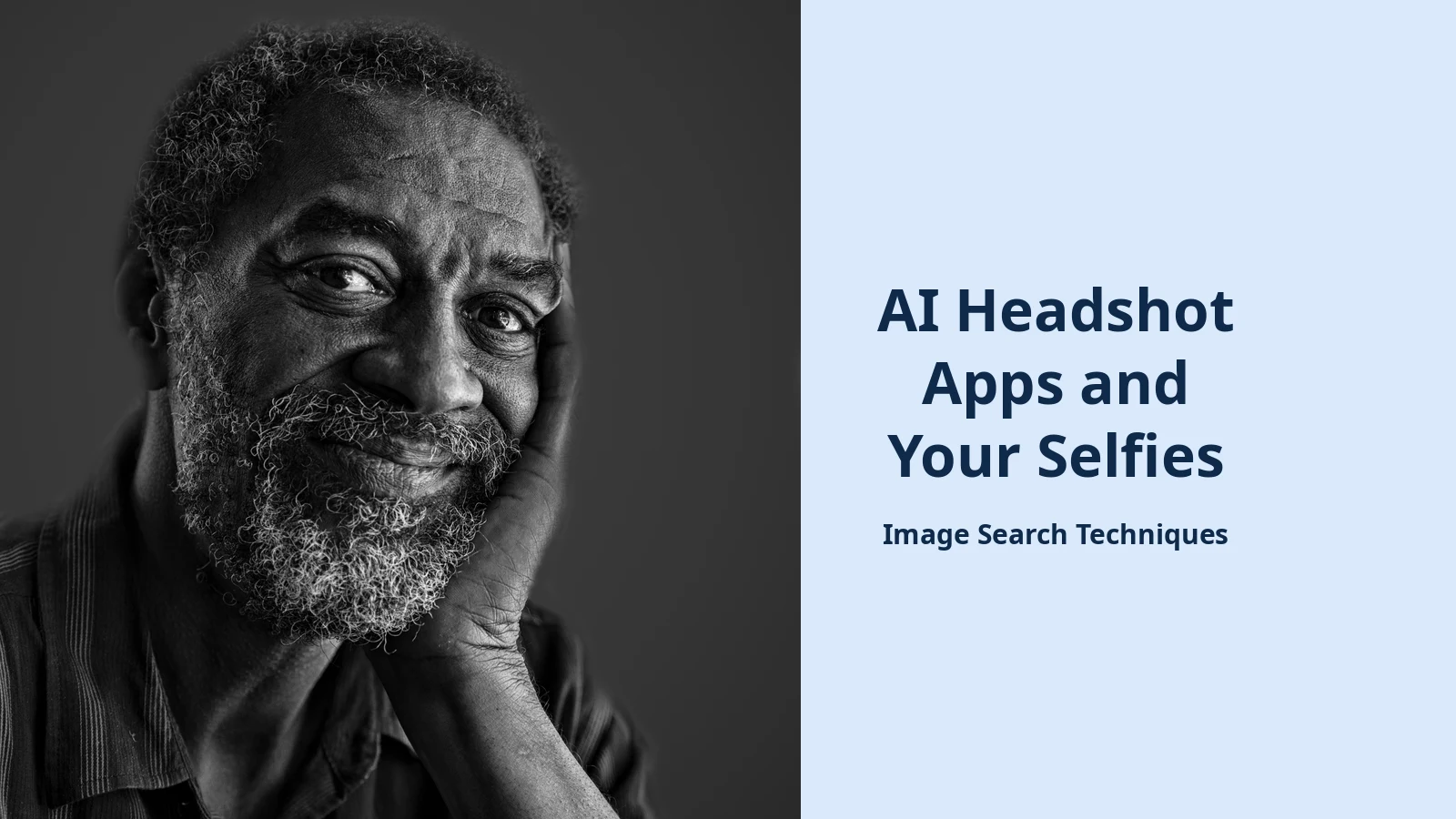
Before the policy detail, here is a test we ran ourselves on 13 November 2026, using this site’s own free reverse image search tool. We took a real public-domain portrait, a head-and-shoulders photo of a smiling bearded man, the exact kind of photo people upload to headshot apps, and searched for it by its image URL. No account was created and nothing was uploaded to any headshot app.
TinEye worked best. It returned 150 results after searching 86.7 billion images, and said the photo was first indexed on 4 July 2017. The earliest matches were the original Pixabay file, people-2442565__340.jpg, from that same day, followed by copies on MaxPixel and other free-image sites. TinEye did not identify the person in the photo, and the Wikimedia Commons source page did not appear on the first page of results.
Yandex also worked. It recognised the image as a black and white portrait, listed it in other sizes, and showed exact copies on several sites, including a Russian music site and a Brazilian psychology blog that had used the portrait to illustrate an article. Like TinEye, it did not name the person. Google Lens failed outright: Google’s unusual-traffic page blocked the search and asked for a CAPTCHA, which we did not solve, so no Lens results were obtained. Bing and Pinterest both failed in a different way: instead of a visual search they ran keyword searches, Bing for “Black And White Portrait Photography” and Pinterest for the image’s domain, and returned generic guides and unrelated pins.
Two of the six engines worked as true reverse image searches. That is the honest result, and it carries its own lesson: a headshot-style portrait that has ever appeared online can be traced to its earliest copies, and the engines that work best are not always the ones you expect.
The point of the test is simple. A portrait photo is not a private object once it has been published or shared anywhere. Search engines can find it, name the person in it, and trace it back to its source. A headshot app adds a second copy of your face to a second company’s servers. That is why the policy matters more than the price.
The five-clause check: how to read any headshot app’s policy in ten minutes
You do not need a law degree to judge a headshot app. You need five clauses, and you need to find each one in the company’s own published words. If a clause is missing, that is itself an answer: the company has not promised you anything on that point.
Work through them in order, before you upload anything.
- Retention period. How long does the app keep your uploaded selfies, and how long does it keep the generated headshots? Look for a number of days, not a phrase like “as long as necessary”. If the policy gives one period for uploads and another for outputs, note both.
- Training use. Does the app use your photos to train AI models? The words to look for are “train”, “improve our models” and “develop”. A promise that says “we do not train general models” still leaves room for other kinds of training, so read the sentence whole.
- Deletion route. How do you get your photos deleted? An in-app button, an email address, or a web form are all real routes. “Contact us” with no address is not. Note whether the policy states a timeframe, such as deletion within 14 days.
- Other processors. Which other companies receive your photos? A policy that names its AI providers and cloud hosts is more transparent than one that says only “third-party service providers”. The names matter, because your face data goes to them too.
- Output ownership. Who owns the generated headshots, and what licence does the app take over them? “You own the outputs” and “we may display your outputs in our gallery” can both be true at once. Read both halves.
Every figure in the table below was re-read from the live policy page on 13 November 2026 and is quoted, not characterised. Where a clause could not be found in the published policy, the table says so plainly.
What four named apps actually say in their policies
The table is the ranking asset for this article. It applies the five-clause check to Remini, HeadshotPro, Aragon AI and TryItOnAI, using only their published policy wording. Dates are the last-updated dates shown on the pages we read.
| Service (policy date) | Retention of your selfies | Training on your photos | Deletion route | Other processors named | Who owns the outputs |
|---|---|---|---|---|---|
| Remini (12 Feb 2026) | Enhanced images deleted after 1 day. AI generation uploads kept up to 7 days (no subscription) or 20 days (with subscription). Outer limit 2 years. | Not used to train AI unless you explicitly opt in. US face data excluded even with consent. | In-app privacy request (long-press four fingers, tap “Send a Privacy Request”). No timeframe stated. | Not named in the version read. Only “third-party AI service providers” in general terms. | You keep ownership. “We don’t sell, trade, or claim ownership of any of your images or videos.” |
| HeadshotPro (22 Oct 2026) | Whole shoot deleted 30 days after headshots are ready, with a warning email 7 days before (compliance page, not the privacy policy). Deletion within 14 days of a confirmed request. | Not stated in the privacy policy. Compliance page and service agreement say data is not used to train AI models. | Email support@headshotpro.com, or delete your account. Deletion within 14 days of a confirmed request. | Yes: Replicate, Fal.ai, OpenAI, Google Gemini for AI processing; Render, Vercel, Google Cloud, MongoDB, Cloudflare for hosting. | Assigned to the customer. “HeadshotPro hereby assigns to Customer any right, title, and interest” in the AI headshots. |
| Aragon AI (18 Mar 2026) | Face data deleted within 30 days of delivery, except for active subscribers. Never kept longer than 1 year. | No use of face data to train general purpose or foundation models. Providers contractually barred from doing so. | Delete content or close the account in settings, or use the privacy rights portal, or email support@aragon.ai. No fulfilment timeframe stated. | Yes: Anthropic (Claude), Astria, Fal.ai, Replicate for AI; AWS, Heroku, Vercel for infrastructure. Note the list gives “inference and training” as the purpose. | You own the outputs, but Aragon takes a broad licence, including display on its website and in promotional material. |
| TryItOnAI (terms 22 Mar 2023) | Generated headshots stored 90 days, then deleted. No retention period stated for the uploaded selfies. | Not stated. No training clause in the terms as read. | No route stated. Terms say only “We do not store image copies if the user deletes their data.” | Not stated. No sub-processors or AI providers named. | You own all rights, personal and commercial, perpetually. “We will not use your generated photos in advertisements.” |
Three things stand out from that table. First, retention ranges from one day to 90 days depending on the app and the kind of image, so “we delete your photos” can mean very different things. Second, the best-documented apps are also the most transparent about who else handles your face: HeadshotPro and Aragon AI name their AI providers, while Remini’s policy names none and TryItOnAI names none. Third, ownership is not the same as control. Aragon AI gives you ownership of the outputs and then takes a licence to display them in its own marketing, which is a trade most buyers will not notice unless they read the terms.
Worked example: auditing Remini’s policy clause by clause
Here is the five-clause check applied to one app, live, on 13 November 2026, so you can see what the exercise actually looks like. The policy read was Remini’s Android privacy policy on Bending Spoons’ support site, last updated 12 February 2026.
Retention. The policy separates two flows, and the numbers differ between them. It says: “Images and videos that you upload and enhanced images and videos are deleted after one (1) day from upload or enhancement.” For AI generation it says uploads are “retained for up to twenty (20) days (if you have a subscription to Remini) or up to seven (7) days (if you do not have a subscription to Remini)” and that “in any case, they will be deleted after two (2) years from the upload.” Face data used for enhancement is “deleted immediately after the enhancement”, and generated AI images are retained “up to seven (7) days from the generation”. The one-day figure and the 20-day figure are both real. They cover different features, which is why reading the policy beats reading a summary.
Training. The policy says: “Your images and videos aren’t used to train our AI technologies, unless you explicitly opt in for that.” The opt-in sits in the app’s privacy settings. The policy adds a carve-out for American users: “We don’t collect or use face data of US-based users to improve our photo-video editing and generative features, nor to train our photo-video editor algorithms.” That is a clear, testable promise, and it is stronger than a generic “we respect your privacy” line.
Deletion. The route is in-app only: long-press four fingers on any screen, tap “Send a Privacy Request”, and follow the instructions. The policy states no timeframe for completing the request. That is a gap worth knowing about before you need it, because a deletion request with no deadline is a request you cannot chase.
Processors. The version we read names no AI provider. It refers only to “third-party AI service providers that process images and related face data to deliver AI-powered features”. Third-party summaries quote the policy as naming Black Forest Labs, Google and OpenAI, but those names did not appear in the page we read, so we do not repeat them as fact. If the names matter to you, ask the company to confirm the current list in writing.
Ownership. This clause is the clearest of the five. The policy says: “We don’t sell, trade, or claim ownership of any of your images or videos, no matter whether you use Remini to edit your existing images or videos or to generate new ones.” That covers both your uploads and the generated headshots.
The audit took one policy page and about fifteen minutes. It found one strong promise on training, one clear promise on ownership, one confusing pair of retention numbers, one deletion route with no deadline, and one missing list of processors. That is a normal result. Most policies are a mix of clear promises and gaps, and the gaps are the part that matters.
How to get your face deleted from an AI headshot app
Deletion has two parts: the photos you uploaded, and the face model the app built from them. A good deletion request covers both. Use these steps in order.
- Download your outputs first. Save the headshots you want to keep. Once deletion runs, the app may remove the outputs too, and you will not get them back.
- Use the app’s own route. For Remini, use the in-app privacy request (long-press four fingers on any screen, then “Send a Privacy Request”). For HeadshotPro, email support@headshotpro.com or delete your account; the policy says deletion follows within 14 days of a confirmed request. For Aragon AI, delete the content or close the account in settings, or use the privacy rights portal at aragon.ai/privacy/rights-request, or email support@aragon.ai.
- Ask for the face model as well as the photos. Say plainly that you want your uploaded selfies, your generated headshots, and any face data or model derived from them deleted. Some policies delete the photos automatically but say nothing about the derived model unless you ask.
- Keep the confirmation. Save the email or screenshot that confirms your request, and the date you sent it. If the policy states a timeframe, such as HeadshotPro’s 14 days, put a reminder in your calendar for the day after it expires.
- Check again after the deadline. Sign back in after the stated period and confirm the photos and outputs are gone. If they are still there, reply to your original request rather than starting a new one, so the thread keeps its date.
- If the app has no deletion route, use data protection law. In the UK, you can ask for erasure of your personal data under UK GDPR. In the EU, the same right exists under GDPR. In the US, rights vary by state, and the FTC’s position is that a face photo and the data derived from it count as biometric information. The route is slower than an in-app button, but it exists, and it is the reason the policy’s deletion clause matters.
If you used TryItOnAI, note the gap in its terms: no deletion route, email address or timeframe is stated. The terms say only that the company does not store image copies if you delete your data. In that case, email the company’s published contact address, ask for deletion of uploads, outputs and derived face data, and keep the sent email as your record.
Can you use an AI headshot for a passport or ID photo?
No. This is the standing warning for this whole topic, and it is not a judgement call. An AI headshot must never be used for a passport or ID photo.
The UK rule is plain. GOV.UK’s passport photo guidance says your photo must be “unaltered by computer software”. An AI-generated headshot is by definition altered by software, so it fails the rule on its face. The US rule is even more direct. The US State Department says: “Do not use a photo you created or edited using artificial intelligence”, and adds that it checks all photos to ensure applicants are not using AI tools. A rejected passport photo costs you weeks, and the rejection is recorded against the application.
The same caution applies to other official photos. Work passes, professional licences and visa photos all require a true likeness taken recently, and an AI-generated image is neither. If your passport photo was rejected and you are trying to fix it, read our guide to fixing a rejected passport photo, which covers the official rules rather than shortcuts.
Safer ways to get a professional headshot
If the policy reading has put you off uploading your face to an app, you still have options that do not involve handing your biometrics to a third party.
The simplest is a real photo taken well. A phone camera in front of a plain wall, in daylight, with the lens at eye level, produces a perfectly usable LinkedIn photo. Ask a friend to take it rather than using a selfie, and keep the background uncluttered. No upload, no face model, no retention period to worry about.
A local photographer is the next step up, and it is cheaper than most people expect for a single headshot session. You keep the files, you choose what is published, and there is no terms page granting anyone a licence to display your face in their marketing.
If you do use a headshot app, use it with the checklist from this guide. Read the five clauses first, pick the app whose policy answers them best, upload the fewest photos it allows, and send the deletion request the day your headshots are ready. The apps are not all the same, and the policy is the only place the differences are written down. You can also opt your photos out of AI training where a service offers that choice, and if your face is already turning up in face search results, here is how to remove your face from FaceCheck ID.
And if you are worried about where your face already appears online, a reverse image search is the way to check. Run your own photo through the search tool on our homepage and see where it turns up before you upload it anywhere new.
Are AI headshot apps safe to use with your real photos?
Mostly yes, with conditions. The major apps promise not to train models on your photos and to delete them within days or weeks, but the promises sit in different documents and the retention periods vary from one day to 90 days. Read the policy of the app you choose before uploading, and delete your photos once your headshots are ready.
Do AI headshot apps keep your selfies after you get your headshots?
It depends on the app. Remini deletes enhanced images after one day but keeps AI uploads for up to 7 days without a subscription and 20 days with one. Aragon AI deletes face data within 30 days of delivery. HeadshotPro deletes the shoot after 30 days. TryItOnAI stores headshots for 90 days and states no period for the selfies.
How do I delete my photos from an AI headshot app?
Use the route in the app’s policy. Remini takes in-app privacy requests. HeadshotPro accepts an email to support@headshotpro.com or an account deletion, completed within 14 days. Aragon AI offers account settings, a privacy rights portal, or an email. Ask for your uploads, outputs and any face model to be deleted, and keep the confirmation.
Can I use an AI headshot for my passport photo?
No. GOV.UK requires passport photos to be unaltered by computer software, and an AI headshot is altered by software by definition. The US State Department says not to use a photo created or edited using artificial intelligence. A rejected photo delays your application, so use a recent real photo taken against a plain background instead.