


🔎 Reverse Image Search
Image search techniques made simple: upload a photo or paste a URL and search 6 engines at once. 100% free, nothing stored.
🔒 Your image is never stored on our servers longer than 24 hours and is never shared.
You list a product with photos you shot yourself. A week later the same photos appear in another seller’s eBay listing, selling the same item, sometimes at a lower price. Your work is doing their selling for them, and every sale they make from your photos is a sale you lose. This guide shows you how to get those photos taken down through eBay’s VeRO programme, step by step, with the exact form, the right reason code, and the evidence pack that makes a report stick. Etsy is the other big marketplace where the same theft happens: our guide to reporting stolen photos on Etsy walks through Etsy’s IP portal, the evidence pack and the counter-notice window.
Short answer: yes, you can report it. If you took the product photo yourself, you can report the listing through eBay’s Verified Rights Owner (VeRO) programme. File a Notice of Claimed Infringement (NOCI) with reason code 4.2 for a copied image, send it to the address eBay’s UK page gives, and eBay will remove the listing if the report is valid.
This guide is written for the brand owner, the maker, or the seller whose own photos have been taken. It is not a guide to avoiding VeRO strikes as a seller. That is the other side of the programme, and it is not covered here. Everything below was checked against eBay’s own VeRO pages on 14 November 2026, and where eBay’s own pages disagree with each other, this guide says so instead of picking one version and pretending the conflict does not exist. This is general information, not legal advice. If the listing is worth real money to you, a solicitor can advise on the claim itself, and this guide does not replace that advice.
VeRO stands for Verified Rights Owner. It is eBay’s programme for intellectual property owners to report listings that infringe their rights. A stolen product photo is a copyright matter, so it goes through VeRO, and the form you file is called a Notice of Claimed Infringement, usually shortened to NOCI. Our brand and business image protection guide explains the wider picture of keeping your product photos under your control. This article covers the eBay filing itself, from finding the copy to what happens after eBay acts.
How do I find my product photos on another seller’s eBay listing?
Start with a reverse image search of your own photo, not with a search of eBay. eBay’s own search will not show you a photo match. A reverse search will. Take the original file, the one straight from your camera or your product shoot, and run it through Google Lens and TinEye. Both are free, and they catch different copies, so use both. Then filter the results for ebay.co.uk and ebay.com, open each match, and note the item number and the listing URL. Screenshot the listing the same day, with the date visible, because a listing can be edited or ended while your report is still being prepared.
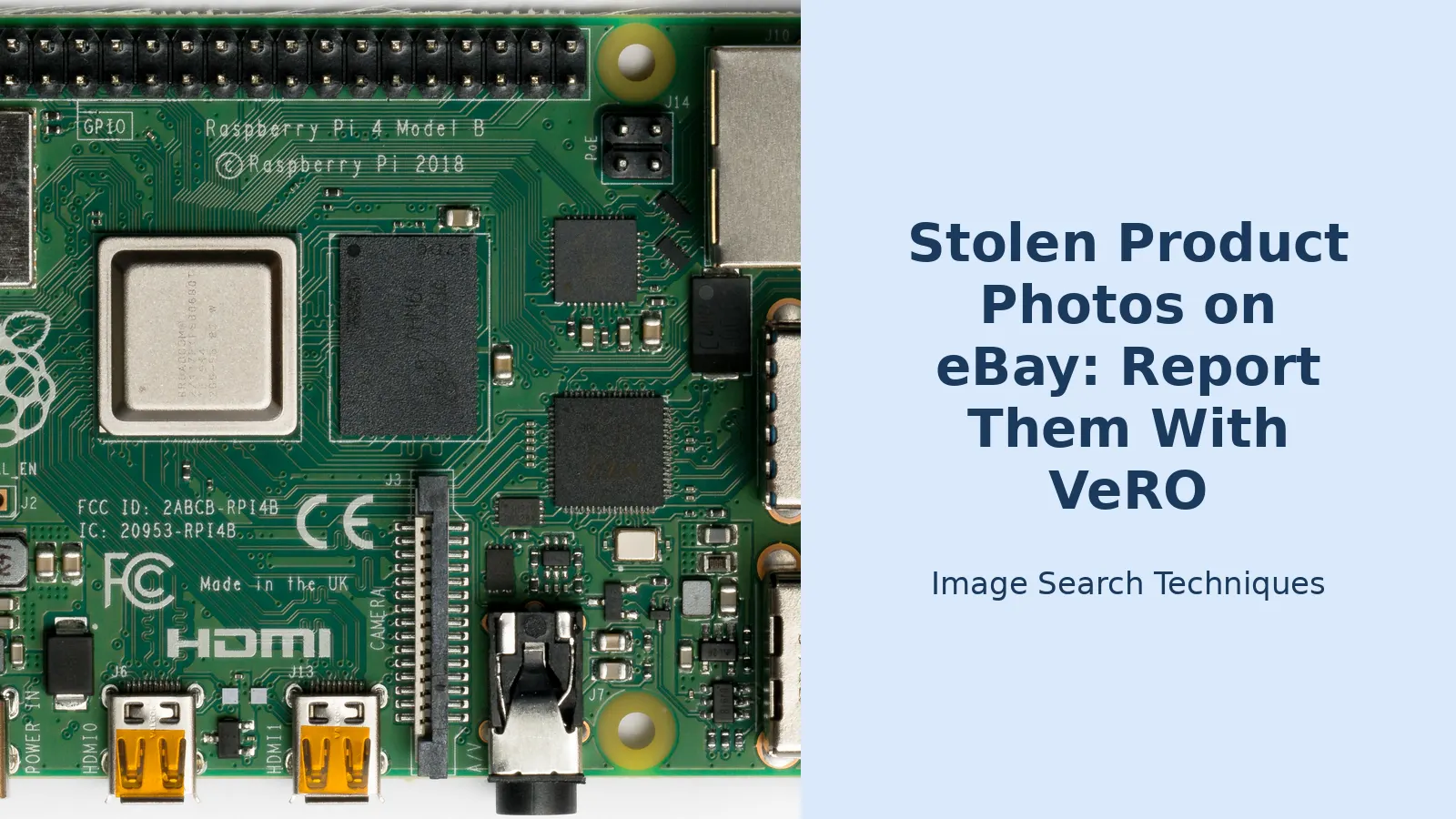
I ran this check on a real photo on 14 November 2026. The photo is a top-down shot of a Raspberry Pi 4 Model B, published on Wikimedia Commons by Laserlicht under a CC BY-SA 4.0 licence on 3 July 2019. I chose it because it is a plain product photo of exactly the kind a small electronics seller shoots for a listing, and because it has been online long enough for copies to spread. One honest caveat first: this photo is openly licensed, so many of the copies I found may be lawful reuse with attribution. That does not spoil the test. The test is whether reverse search finds the copies, and it did, on both engines I tried.
TinEye found 49 results across 86.7 billion images, first indexed on 2 July 2020. Thirteen of those results were on eBay domains, covering six distinct listings. Two were on eBay.co.uk. The first, item 326049253617, was first indexed on 28 July 2024 and had ended by the time I checked: a Khadas Edge2 Pro listing from seller Tech Leaf at £200, using the Pi photo as a comparison image rather than the main photo. The second, item 257169618211, first indexed on 9 January 2026, now redirects to an eBay catalogue page for an Adafruit DPI TFT Kippah. Google Lens found more than 400 exact matches and named the board correctly as a Raspberry Pi 4 Model B. Only one eBay result appeared in the loaded list: item 126038965610, a US listing from seller Science Purchase at $123.99, with 20 sold, where the photo is the second of eight pictures. TinEye also turned up edited versions of the same photo carrying “8GB” and “1GB” overlays, which is how sellers adapt a stolen photo to their own variant.
Two lessons follow. First, the photo does not have to be the main image to count. A comparison image, a variant image, or one photo buried in a gallery of eight is still your photo in their listing. Second, a clean result would not have cleared anything. Both engines miss copies that are cropped, edited, or listed privately, so no match means “not found”, never “not stolen”. If your own photo is a proprietary shoot, the same search on the same engines will find your copies the same way. A copied photo often sits inside a listing that is cloned wholesale, so read our copycat listings guide if the text, the layout, and the price all look familiar too.
Does VeRO cover a stolen product photo?
Yes, if you own the copyright in the photo. eBay’s own VeRO page puts it plainly: the programme allows intellectual property owners to report listings that infringe their IP rights. A product photo you took yourself is your copyrighted work. In the UK, copyright arises automatically when you create the photo. You do not need to register it, and you do not need a watermark on it, although a watermark helps you prove it later.
Three things are often confused with a stolen photo, and VeRO treats each one differently. First, a stolen item is not a VeRO matter at all. eBay’s UK VeRO page says you cannot use the programme to report a stolen item or property, because VeRO is for intellectual property rights only, and a stolen item should be reported to local law enforcement. If someone stole your stock and listed it, that is a police matter, not a NOCI. Second, an unauthorised seller is not necessarily infringing. eBay says so on its own page. A seller who bought your product legitimately and photographed it themselves has done nothing wrong, even if you would rather they did not sell it. The infringement is in the photo, not in the selling. Third, plain facts are not protected. Generic specifications, plain text facts, and standard catalogue details are generally not copyright protected, which is a point the AI Overview on this topic also makes. Nobody owns the words “4GB RAM” or the fact that a board measures a certain size. What you own is your photo: your angle, your lighting, your styling, your edit.
Two common cases sit on the borderline, so check them before you file. If you used a supplier’s photo with permission, the supplier owns the copyright, not you, and only the supplier can file. If you commissioned a photographer, check the contract: the photographer usually keeps the copyright unless the contract assigns it to you, so the filing may need to come from them or from you as their authorised agent. If you used a stock photo under a licence, the licence terms decide what you can do, and a licence that covers your own listing does not cover another seller’s listing.
What evidence do I need before I file?
VeRO is a paperwork process. eBay cannot see your camera roll, so the evidence pack you send is the whole case. Gather it before you touch the form, because a thin report is the most common reason a listing stays live. eBay’s own page lists three reasons a listing may stay up after a report: the report lacked evidence, the seller has permission, or the listing was taken down and relisted. The first of those is the one you control.
| Evidence | What to gather | Why it matters |
|---|---|---|
| Your original photo file | The file as it came from your camera or your shoot, with its metadata and date intact | Proves you created the image and when |
| Proof you published it first | Your own listing number, your website page, or a dated post showing the photo live | Shows the photo is yours and predates the copy |
| The infringing listing | Item number and full URL for every listing using the photo | eBay acts on item numbers, not on descriptions of a listing |
| Screenshots | Dated screenshots of the listing showing your photo in place | The listing can be edited or ended while your report is in progress |
| Your contact details | Name, company, address, phone, and email, plus a second email for communication with sellers | The NOCI form asks for both, and eBay shares your details with the seller |
| Proof of ownership | Contract or invoice if a photographer shot it for you, or the licence if it is a stock image | Shows you, not someone else, hold the rights you are claiming |
Keep the originals untouched. Do not crop, re-export, or rename the original file before you file, because the metadata inside it is part of your proof. Work from copies for the screenshots and the search, and keep the original file exactly as it was shot. If the same photo appears in five listings, list all five item numbers on the form. The UK NOCI form gives space for three entries per form, so a bigger batch may need more than one form, and each item must be tied to one reason code only.
How do I report stolen product photos on eBay with VeRO?
This is the filing workflow itself, and it is the ranking asset of this article: the evidence pack above, the steps below, and the reason code table that follows. Work through it in order. Skipping the ownership check and going straight to the form is how most failed reports happen.
- Confirm you own the rights. You took the photo, or you hold the rights by contract or assignment. If a photographer shot it, confirm in writing that you can act for them. If you are not the rights owner, stop here: ask the owner to file, or use eBay’s Report item route if the listing breaks eBay policy in another way.
- Decide between a one-off report and a VeRO profile. A single stolen photo needs only a NOCI. If this keeps happening, set up a VeRO participant profile, which is free. eBay’s UK page says to email askvero@ebay.com to start one, and the VeRO portal is where profiles are managed.
- Download the UK NOCI form. eBay’s UK VeRO page links to the Notice of Claimed Infringement form. The form is addressed to eBay International A.G., attention VeRO Programme. Read it before you fill it in, because it asks for two email addresses: one for communication with eBay, and one for communication with sellers.
- Fill in the owner details. Intellectual property owner, your name and title, company, address, city and postcode, telephone, and website. Use an email address you actually monitor, because eBay and the seller will both use it.
- Pick one reason code per item. For a stolen product photo, the code is 4.2 if only the image was copied, or 4.3 if the image and the text were both copied. The table below lists every code on the form, so you can see why 4.2 is the right one and the others are not.
- List the work infringed and the item numbers. Name the photo, give the region where your intellectual property is registered if that applies, and list the item number of each infringing listing. Associate each item with only one reason code, as the form itself instructs.
- Sign the declaration. The form asks you to declare, under penalty of perjury, that the use is not authorised and that you are authorised to act for the intellectual property owner. Read that line twice before you sign it. A false declaration is a serious matter, not a formality.
- Send it to the address eBay’s current page gives. This is the one step where eBay’s own pages disagree with each other, so the next section deals with it on its own.
- Keep copies and watch the listings. Save the completed form, the item numbers, and your screenshots. If the listing is taken down and the same photos come back under a new listing, report the new one too.
| Reason code | What it means | Use it when |
|---|---|---|
| 1.1 | Trademark: the item is counterfeit | The product itself is fake |
| 2.1 | Trademark: listing content unlawfully uses a trademark | Your brand name or logo is misused in the listing |
| 3.1 | Copyright: software licence terms violated | Software is the issue, not a photo |
| 3.2 | Copyright: the item is a counterfeit product | The product infringes copyright as a product |
| 4.1 | Listing contains an unlawful copy of copyrighted text | Only your words were copied |
| 4.2 | Listing contains an unlawful copy of copyrighted image | Only your photo was copied: the usual code for stolen product photos |
| 4.3 | Listing contains an unlawful copy of copyrighted image and text | Your photo and your listing text were both copied |
| 5.1 | Patent: the item infringes a patent | A patented invention is involved |
| 5.2 | Registered Design Right: the item infringes a registered design | A registered design is involved |
| 5.5 | Store name or user ID infringes a trademark | The seller’s shop name is the problem |
| 6.1 | Other: please specify | None of the above fits, and you can say why |
Notice what the table leaves out. There is no code for “the seller is not authorised to sell my product”. If the product is genuine and the seller photographed it themselves, there is no VeRO report to file, however much you dislike the listing. There is also no code for a stolen item. That is a police matter, as the last section but one explains. Picking the wrong code is the fastest way to have a good report treated as a bad one, so if your case is a copied photo and nothing else, use 4.2 and leave the rest of the table alone. The full NOCI form, with the codes on its second page, is published by eBay as a PDF: the UK Notice of Claimed Infringement form.
Which email address do I send the NOCI to?
This is the one question on which eBay’s own pages disagree, and no honest guide can pretend otherwise. Here is what each of eBay’s own pages says, checked on 14 November 2026. The UK VeRO page FAQ says to download the NOCI form and send it to askvero@ebay.com. The UK NOCI form itself, the PDF you actually fill in, gives the address as VeRO@ebay.co.uk. eBay’s export policy page gives vero@ebay.com, with a fax number. The US VeRO page gives askvero@ebay.com for VeRO, and names a separate DMCA designated agent at copyright@ebay.com for copyright notices in the United States. That is four addresses across eBay’s own pages, and the AI Overview on this topic repeats two of them, vero@ebay.com and askvero@ebay.com, as if they were interchangeable alternatives, without flagging the conflict at all.
The practical answer is to use the address printed on the form you file, and to check eBay’s current UK VeRO page on the day you send it. If you file the UK form, use the address on that form. If you file through the VeRO portal as a participant, follow the portal’s own instructions instead of emailing at all. Do not take the address from a third-party guide, and do not take it from an AI summary, because both repeat whichever address their source happened to use. The address matters less than the contents: a complete NOCI with the right code, the item numbers, and the evidence attached will reach the right team. An incomplete one sent to the perfect address will still fail. eBay’s main UK VeRO page is the place to start: eBay’s Verified Rights Owner (VeRO) programme page.
What happens after I file a VeRO report?
eBay reviews the notice first. If it deems the report credible, it may remove the listing. That is the sequence eBay’s UK page describes, and it publishes no timeframe for it. No eBay VeRO page checked on 14 November 2026 states how long a review takes, so any guide that promises removal in a set number of days is guessing. In practice, a complete report with the right code and the evidence attached is the fastest route, because there is nothing for the reviewer to come back and ask for.
Three things happen when a listing is removed. The seller is informed, and your details are shared with the seller as the rights owner, so expect to be contacted. That is part of the process, not a leak, and it is one more reason to use an email address you monitor rather than a personal one you never check. Repeated violations can lead to account restrictions or suspension for the seller. And if the same photos reappear in a new listing, report the new listing too: eBay’s own page says a listing may stay live because it was taken down and relisted, and the fix is a fresh report on the new item number.
If you made a mistake, you can retract the report. Email askvero@ebay.com with the item number and an explanation of why the report should be retracted, and eBay will review it and decide whether the listing can be reinstated. Use this if you reported a photo you did not own, or a seller who turns out to have had permission. Retracting quickly is far better than leaving a wrong report in place.
The seller has a route back as well, and you should know about it before you file. Under the US DMCA, a seller whose item was removed in the United States can file a counter-notice with eBay’s designated agent at copyright@ebay.com. eBay’s Seller Center explains that once it receives a valid counter-notice, it gives a copy to the VeRO participant and says the listing will be reinstated after 10 business days unless the participant tells eBay it has filed a court action to restrain the seller from relisting. That rule is a US DMCA rule, described on eBay’s Seller Center intellectual property page, and it is not stated on the UK VeRO page. If a seller sends you a counter-notice, take it seriously and get advice before the 10 days run out, because the listing comes back unless you act. eBay’s Seller Center also states the rule sellers are supposed to follow in the first place: any photos, videos, or descriptions should be original and should not be copied.
Should I ask for payment before I report the listing?
This is a real decision, and it is worth making deliberately rather than by accident. Once a listing is reported and removed, your leverage for a licence fee usually goes with it. That is the published guidance of Pixsy, a photo licensing enforcement service, from 4 November 2026: report first and the listing is gone, and with it goes most of your bargaining position. Pixsy’s stated typical licence fees run from $750 to $3,000, with an average of $1,500. Those are Pixsy’s figures, attributed here to Pixsy, not ours, and they describe what Pixsy says its cases settle for, not what any particular photo is worth.
So if the money matters more than the removal, consider a demand letter before you file the VeRO report. Our copyright demand letter guide covers what to do when someone uses your photo and what a letter should contain. If the removal matters more, because the listing is undercutting your price or confusing your buyers, file the VeRO report first and do not worry about the fee. You cannot have both the listing gone and the leverage that comes from it still being live. Decide which outcome you want, then pick the order that serves it. This is general information, not legal advice, and no figure in this section is a promise about what your photo is worth.
What if the photo is not mine to report?
Then VeRO is not your route, and filing anyway will fail. If the photo belongs to a supplier, a photographer, or a brand you stock, ask the rights owner to file, and offer them your evidence pack: your screenshots, the item numbers, and the dates. Rights owners often do not know their photos are being used, and a ready-made pack is the difference between a report that gets filed and one that never happens.
If you are a buyer who spotted the theft, the same applies. You can tell the rights owner, and you can use eBay’s Report item route if the listing breaks eBay policy in another way, but you cannot file a NOCI for someone else’s copyright. Do not message the seller to accuse them, and do not buy the item to “prove” anything. A public accusation against a seller who turns out to have had permission creates a problem for you, not for them, and a purchase adds nothing to a report that screenshots and item numbers do not already give you.
What mistakes get a VeRO report rejected?
Most failed reports fail on the same few points, and all of them are avoidable. The first is the wrong reason code: filing a counterfeit code such as 3.2 when the product is genuine and only the photo was copied. The photo code is 4.2, or 4.3 if the text went too. The second is reporting a stolen item through VeRO, which eBay’s page rules out in plain terms. The third is filing with no evidence: an item number on its own, with no original file and no proof of first publication, asks eBay to take your word for it, and eBay will not. The fourth is filing against a licensed use, for example a supplier photo the seller was given, or a stock image the seller licensed properly. Check the licence before you file, not after. The fifth is putting more than one reason code on one item, which the form itself forbids. One item, one code.
Prevention is cheaper than any report. Watermarking your photos before you publish them does not stop theft, but it makes the next theft easier to prove, because a cropped watermark is itself evidence that the photo was taken and altered. Our how to watermark your photos guide covers the methods that survive a crop and the ones that do not. And check other marketplaces while you are at it. If the same photos turn up on Etsy, the route there is different: Etsy has its own IP reporting portal, and its rules for AI-generated listing photos are a separate question covered in our Etsy AI photo rules guide. The eBay filing in this article gets your photos off eBay. It does nothing anywhere else, so the search does not end with one marketplace.
FAQs
Can I report a stolen product photo on eBay without a VeRO profile?
Yes. A one-off report needs only the Notice of Claimed Infringement form, not a participant profile. Download the UK form, fill in your details, pick reason code 4.2 for a copied image, list the item numbers, and send it to the address on the form. A profile is worth setting up only if the theft keeps happening.
How long does eBay take to remove a listing after a VeRO report?
eBay publishes no timeframe for a VeRO review. Its pages say eBay will review the notice and remove the listing if the report is credible. A full report moves fastest, because there is nothing for the reviewer to ask for. If the listing stays live, check whether the seller has permission or the listing was relisted, then re-report it.
What is reason code 4.2 on the eBay NOCI form?
Reason code 4.2 means the listing contains an unlawful copy of a copyrighted image. It is the code for a stolen product photo. Use 4.3 if the seller copied your image and your listing text together. Do not use a counterfeit code such as 3.2, because that claims the product itself is fake, which is a different complaint.
Can I report a listing that uses my photo but sells a genuine product?
Yes. VeRO protects the photo, not the product. If the seller is selling a genuine item but using your photo to do it, the photo is still yours and the report still stands. What you cannot report is a genuine product photographed by the seller themselves, because no image of yours has been copied in that case.
What happens if the seller files a counter-notice?
Under the US DMCA, a seller whose item was removed in the United States can file a counter-notice with eBay’s designated agent. eBay then gives you a copy and says the listing will be reinstated after 10 business days unless you have filed a court action. Take a counter-notice seriously and get advice before the 10 days run out.
Can I report stolen product photos on eBay if I am in the UK?
Yes. eBay has a UK NOCI form addressed to eBay International A.G., and UK copyright arises automatically when you take the photo, so no registration is needed. The form itself gives the address as VeRO@ebay.co.uk, while eBay’s UK VeRO page FAQ gives askvero@ebay.com, so check the current page and use the address on the form you file.






