🔎 Reverse Image Search
Image search techniques made simple: upload a photo or paste a URL and search 6 engines at once. 100% free, nothing stored.
🔒 Your image is never stored on our servers longer than 24 hours and is never shared.
Your Young Scot NEC photo is the one part of the application that can hold the whole card up. The National Entitlement Card, or NEC, is the card that gives 5 to 21 year olds in Scotland free bus travel and Young Scot discounts, and the photo on it has to meet passport standards. Get the photo wrong and the application stalls while you fix it. Get it right first time and the rest of the application is straightforward.
Short answer: A Young Scot NEC photo must be a recent, passport-style, head-and-shoulders photo, clear and in focus, with your eyes open and head showing. Take it with a phone or webcam when you apply online at getyournec.scot, or have it taken at a council office. Paper photos are 45mm by 35mm; digital uploads need at least 600 by 750 pixels.
This guide gives you the exact rules from the NEC website, the digital upload specs from getyournec.scot, and a fix for every reason a photo fails. There is no published list of rejection reasons from the NEC, so each fix below is matched to the rule it breaks, using the official wording checked on 17 November 2026.
What is a Young Scot NEC photo?
Definition: a Young Scot NEC photo is the passport-standard photograph attached to a Young Scot National Entitlement Card application. It proves the card belongs to the person holding it, and it is how a bus driver or a shop checks the card is yours. The card carries the Proof of Age Standards Scheme (PASS) hologram, so a photo that no longer looks like you can get the card refused as proof of age.
The NEC is Scotland’s National Entitlement Card. For young people aged 5 to 21 living in Scotland, the Young Scot NEC is also the free bus travel card. Young Scot itself does not issue the cards and cannot answer questions about a specific application. Your local council issues the card, and the Improvement Service runs the online application at getyournec.scot.
That split matters when something goes wrong. Photo rules come from the NEC, at nec.scot/proofs, while the online upload rules come from getyournec.scot. The two sets of rules agree on what a good photo looks like, but they measure it differently. The paper rule is a physical size. The online rule is a pixel size and a file size. Mixing the two up is the most common mistake in this guide, so keep them separate.
What photo does the NEC need?
The NEC website states that photographs included with applications must be of passport quality and standard. It then lists seven requirements, and every one of them is a pass or fail test. A photo that misses one of them is not a near miss. It does not meet the standard.
The seven paper rules are: passport photo sized at 45mm by 35mm; recent and resembling the applicant; in colour, clear and in sharp focus, with a clear difference between the face and the background; taken with eyes open and clearly visible, with no sunglasses or tinted glasses and no hair across the eyes; showing the full head, without any head covering unless worn for religious beliefs or medical reasons; taken with nothing covering the face; and a close-up of head and shoulders.
The online route has its own numbers. The getyournec.scot help pages give the digital upload rules, and they are stricter in some places than the paper rules. A photo taken within the last month counts as recent online, which is tighter than the paper rule’s plain word “recent”. The table below puts the two side by side so you can see which rule applies to your application.
| What is measured | Paper application | Online at getyournec.scot |
|---|---|---|
| Size | 45mm by 35mm | At least 600 by 750 pixels |
| File size | Not applicable | Between 50KB and 10MB |
| File types | Printed photo | JPG, JPEG, PNG or GIF only |
| How recent | Recent and resembling the applicant | Taken within the last month |
| Background | Clear difference between face and background | Plain, light-coloured background, no other people or objects |
| Lighting | Clear and in sharp focus | Good lighting, no shadows or reflections |
| Editing | Not stated | No filters, no effects, no editing of any kind |
| What not to upload | Not stated | No scanned passport photo, no photo of a photo |
Two traps sit in that table. First, the 45mm by 35mm figure is a paper size. It is not the size of a digital upload, and typing it into a photo editor will not help you. The digital test is 600 by 750 pixels at minimum. Second, the accepted file types are JPG, JPEG, PNG and GIF. A WebP file is not on the list, even though most phones and browsers handle WebP happily. Save your photo as a JPG before you upload it, or the form may refuse it. The same size logic applies to other official photo specs. Our guide to Canada visa photo requirements shows the same pattern: the paper size and the digital size are two different numbers, and the digital one is the one that trips people up. Voting has the same split: our voter authority certificate photo rules work through the Electoral Commission’s list, including the 750 by 600 pixel minimum for online applications.
What gets a Young Scot NEC photo rejected, and what is the fix?
The NEC publishes no list of rejection reasons, and no rejection rate. So this checklist works the other way round. Each row takes one official rule, states what breaks it, and gives the fix. Work down it before you submit, and you will have checked everything the NEC itself checks.
| Official rule | What breaks it | The fix |
|---|---|---|
| Passport photo sized, 45mm by 35mm | A print cut to the wrong size, or a digital file under 600 by 750 pixels | Print at 45mm by 35mm for a paper form. For the online form, use a file of at least 600 by 750 pixels and between 50KB and 10MB. |
| Recent and resembling the applicant | An old photo, or one taken before a big change in appearance | Take a new photo within the last month. West Lothian Council advises updating the photo at least every three years, or sooner if your appearance has changed a lot. |
| In colour, clear and in sharp focus | A black and white print, a blurry shot, or a photo taken in poor light | Use colour, stand in good daylight, hold the camera steady, and check the eyes are sharp before you submit. |
| Clear difference between face and background | A busy room, a patterned wall, or a background close to your skin tone | Stand against a plain, light-coloured wall with nothing behind you. No other people or objects in the frame. |
| Eyes open and clearly visible | Sunglasses, tinted glasses, hair across the eyes, or eyes half closed | Take glasses off unless you wear them every day, in which case keep them on. Push hair back from your eyes and look straight at the camera. |
| Full head shown | A hat, a hood, or a crop that cuts off the top of the head or the chin | Remove hats and hoods. Frame head and shoulders with space above the head and below the chin. |
| Head covering only for religious beliefs or medical reasons | A head covering worn for fashion or warmth | Keep a religious or medical head covering on, with the full face visible. Take any other covering off. |
| Nothing covering the face | A scarf, a mask, a hand, or a phone held in front of the face | Keep the face fully clear. No mask, no scarf pulled up, nothing held in front of you. |
| Close-up of head and shoulders | A full-body shot, or a photo taken from too far away | Fill the frame with head and shoulders. Face the camera and look directly at it. |
| No editing, no scan, no photo of a photo | A filtered selfie, a scan of a passport photo, or a photo taken of a printed photo | Upload the original digital file. No filters, no effects, no scan, and never photograph a printed photo. |
One row deserves extra attention, because it catches more people than any other. A scanned passport photo and a photo of a photo are both refused by the online form, even if the image itself looks fine. The rule exists because a scan or a re-photograph loses sharpness and adds glare, and the NEC cannot tell from it whether the photo is really you. If your only copy of a good photo is a print, take a fresh digital photo instead of photographing the print. It takes two minutes and it removes the problem entirely.
If your photo has already been turned down, do not guess at the reason. Work through the checklist above against the photo you sent, fix the row that fails, and send a new photo. You can change the photograph on your Young Scot NEC by contacting your local authority or online at getyournec.scot. An out-of-date photo can also get the card refused as proof of age, so the same checklist is worth running when you renew, not just when you first apply. Our hub guide on passport photo rejection fixes covers the same kind of rule-by-rule check for a UK passport photo, and the method is identical: match each failure to its rule, then fix that rule only.
How do I take a Young Scot NEC photo online?
Apply online at getyournec.scot. You will need a mygovscot myaccount to sign in, and a device with a camera or webcam, such as a phone, tablet or laptop. The camera takes your photograph during the application itself, so you do not need a photo file ready in advance. That is the simplest route, and it is the one the NEC points most applicants to.
Follow these steps in order.
- Register or sign in to your mygovscot myaccount. You must be 12 or older to hold your own myaccount and apply online. A child under 12 must be applied for by a parent or guardian.
- Start the Young Scot NEC application at getyournec.scot and have your proof of identity and proof of address ready. For an applicant aged 16 or over, that means a passport, a driving licence or a Yoti account for identity, and a Council Tax bill or a bank statement for address.
- When the form asks for a photo, use the device camera. Stand against a plain, light-coloured wall in good daylight, face the camera, and take a head-and-shoulders shot with no hat, no sunglasses and no filter.
- Check the result on screen before you move on. Eyes open, full head in frame, plain background, no shadows. If any row of the checklist above fails, retake it now. Retaking costs seconds. A rejection costs days.
- Finish the application and wait for approval. Allow up to ten working days from approval for the card to arrive.
A parent or guardian applying for a young person under 16 follows the same route but signs in with their own myaccount. They need their own proof of identity and address, proof of the child’s identity such as a passport or Young Scot card, the child’s birth or adoption certificate listing both names, and a recent digital image of the child showing head and shoulders, but only if the child is aged 11 or over. A child under 11 needs no digital photo in the online checklist. Note that an abbreviated birth certificate will not be accepted for this purpose, so use the full certificate.
If you have no device with a camera, you can still apply. Use any phone, tablet or laptop with a camera to take the photograph during the application, or apply directly with your local authority instead. You can book an appointment at a local authority customer service point, where a member of staff will take your photograph and help with the application. That in-person route is also the answer if the online photo keeps failing and you want someone to check it with you before it is submitted.
What if I have no photo ID for my Young Scot NEC?
The photo is not the only proof the NEC asks for. An application needs proof of person, proof of residence and proof of photograph, and the photograph proof is a separate item from the photo itself. The NEC accepts four documents as proof of photograph: a current passport, a photo driving licence, a PASS Accredited Card, or an E-Visa, and the E-Visa only counts for applications made directly from a local authority.
One exception is worth knowing. If you are applying for a young persons’ NEC to access the Young Persons’ Free Bus Travel Scheme, a passport is acceptable even if it is no longer in date, as long as it is valid and genuine and the photograph is still a true likeness of you. An expired passport does not work as photo proof for other NEC applications, so do not rely on it outside the bus travel scheme.
If you hold none of those four documents, you can use a Photo Referee instead. This is not a character reference, and it is not a friend vouching for you. A Photo Referee must be over 25, must know you and be able to confirm you are who you claim to be, must have no family or personal relationship with you and must not live with you, and must hold an occupation on the NEC’s approved list. The list covers about 50 roles, including teacher or lecturer, nurse, police officer, social worker, bank or building society official, MP or MSP, dentist, optician, pharmacist and local councillor. A youth worker is often the only referee a young person can find, and the NEC guide notes that youth workers may not fit the listed categories, so check with your local authority first if that is your situation.
The referee signs the application form and also signs the back of the photograph, endorsing it with the words “I confirm that this is a true likeness of” followed by your name, plus their signature and the date. They must also give a daytime work telephone number and agree to be contacted if the council needs to confirm any detail. The referee section of the form is kept for two years from the date of application. If you have no photographic ID at all, the Young Scot FAQ notes a second route: a birth certificate or similar document alongside a referee who confirms your likeness. Either way, the referee’s job is to tie your face to your name, and the council can ring them to check.
Worked example: checking a real photo against every NEC rule
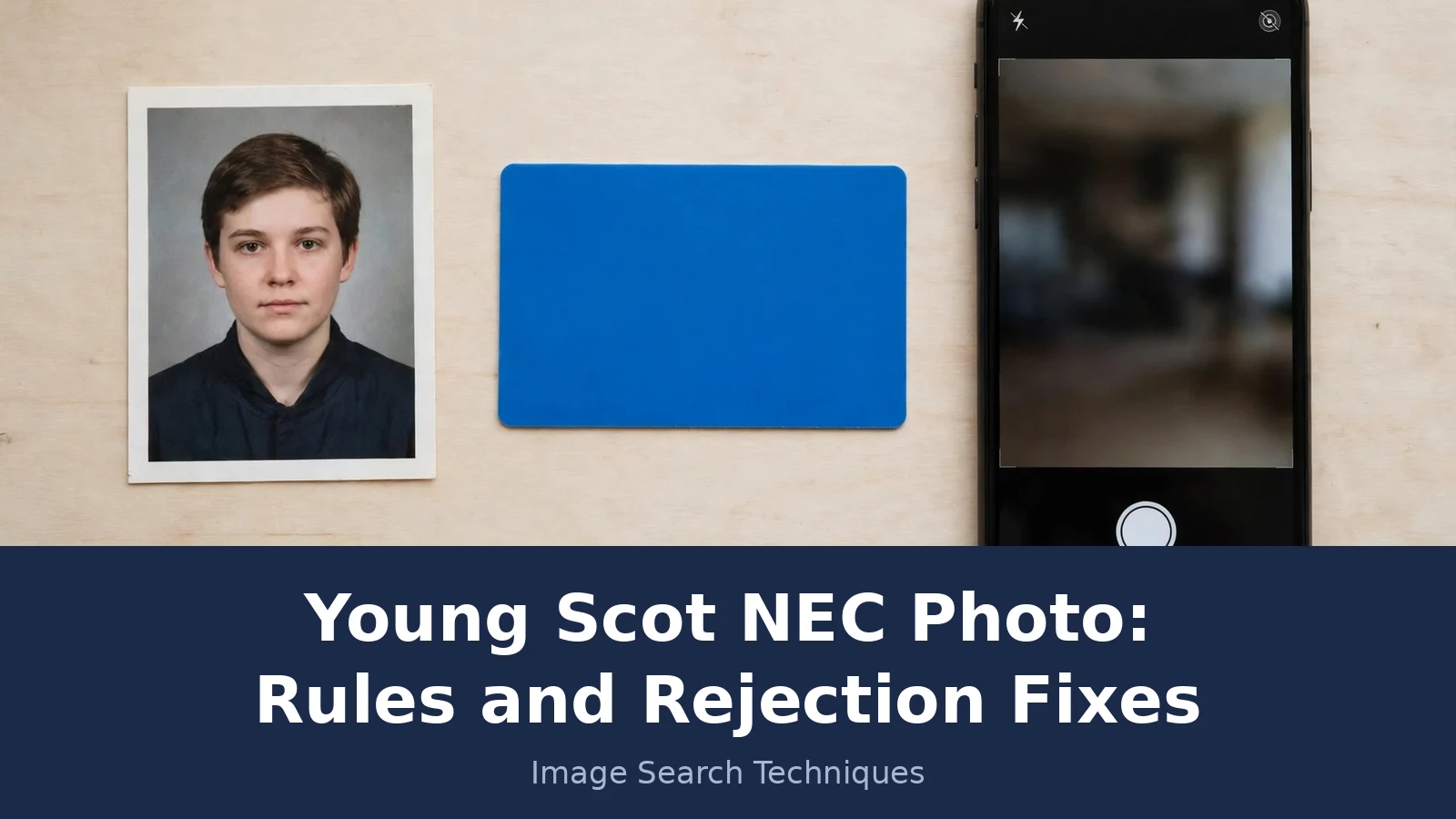
To test this guide properly, I checked a real photo against every rule above instead of describing the rules in theory. The photo is the passport-style portrait used in this article’s banner: a head-and-shoulders shot of a young person against a plain grey background, taken for this article in November 2026. The file I worked from measures 1920 by 1280 pixels and is 197,422 bytes, about 193KB. Here is how it scored, rule by rule.
| Rule checked | Result on the real photo |
|---|---|
| Size, at least 600 by 750 pixels | Pass. 1920 by 1280 pixels is well above the minimum. |
| File size, 50KB to 10MB | Pass. 197,422 bytes sits inside the range. |
| File type, JPG, JPEG, PNG or GIF | Fail. The file is WebP, which is not on the accepted list. It would need saving as a JPG before upload. |
| Taken within the last month | Pass. The photo was produced for this article in November 2026. |
| Plain, light-coloured background | Pass. A plain grey wall, with nothing behind the subject. |
| Good lighting, no shadows or reflections | Pass. Even daylight, no shadow across the face. |
| Head and shoulders, facing the camera | Pass. Head and shoulders fill the frame, subject looking directly at the camera. |
| Eyes open and clearly visible | Pass. Eyes open, no glasses, no hair across the eyes. |
| Full head shown, nothing covering the face | Pass. No hat, no head covering, nothing in front of the face. |
| No editing, no scan, no photo of a photo | Pass. An original digital file, not a scan or a re-photograph of a print. |
Nine rows pass and one fails, and the failing row is the one most people would never think to check. The photo itself is fine. The file type is not. That is exactly the kind of failure that wastes a week: the picture looks right on screen, the form refuses it or the application stalls, and the applicant blames the photo when the problem is the file. Saving the same image as a JPG fixes it in seconds, and the photo then passes all ten checks. Before you upload any photo you did not take yourself, run one more check on it. Use our free tool on the Image Search Techniques homepage to reverse image search the picture and see where else it appears online. A photo that turns up on stock sites or under someone else’s name is not your photo, and it should not go on your application. If you want the search to run on Google specifically, our Google reverse image search guide walks through the exact steps.
What do I do if my photo is rejected or my card never arrives?
Start with the checklist, not with a new application. Find the row your photo failed, fix that row, and submit a new photo through your local authority or online at getyournec.scot. Do not reapply from scratch. A second application can result in two cards being issued, which disrupts your access to Young Scot services and to free bus travel for under 22s.
If the card itself is the problem rather than the photo, the timing rule is simple. Allow up to ten working days, which is two calendar weeks, from the date your application was approved for the card to arrive. If it has been more than ten working days and nothing has arrived, contact the Improvement Service Helpdesk. The same ten working day figure applies to the review of the application in busy periods, so a short delay is normal and a long one is worth chasing. Young Scot cannot answer questions about a specific application, so the Helpdesk and your local authority are the right contacts, not Young Scot.
One last check is worth doing once the card arrives. Look at the photo on the card and ask whether it still looks like you. An out-of-date photo can get the card refused as proof of age, and councils advise updating the photo at least every three years or sooner if your appearance has changed a lot. Changing it is the same simple process: contact your local authority or update it online at getyournec.scot. A card with a photo that matches you is a card that works everywhere it is meant to.
FAQs
What size does a Young Scot NEC photo need to be?
For a paper application the photo must be passport sized at 45mm by 35mm. For the online application at getyournec.scot the digital photo must be at least 600 by 750 pixels, between 50KB and 10MB, and saved as JPG, JPEG, PNG or GIF. Do not use the paper size for a digital upload, and do not upload a WebP file.
Can I take my Young Scot NEC photo on my phone?
Yes. The online application at getyournec.scot uses your device camera to take the photograph during the application, so a phone, tablet or laptop all work. Stand against a plain, light-coloured wall in good daylight, face the camera, and take a head-and-shoulders shot with no hat, no sunglasses and no filter applied.
What happens if my Young Scot NEC photo is rejected?
The NEC publishes no list of rejection reasons, so check your photo against the official rules at nec.scot/proofs: size, recency, focus, background, eyes, full head and no face covering. Fix the rule that fails and submit a new photo through your local authority or online at getyournec.scot. Do not start a second application.
Can I use an expired passport as photo proof for my NEC?
Only for a young persons NEC used to access the Young Persons Free Bus Travel Scheme. In that case a passport is acceptable even if it is out of date, as long as it is valid and genuine and the photograph is still a true likeness of you. For other NEC applications the passport must be current.
Do under-11s need a photo for a Young Scot NEC?
No digital photo is listed for a child under 11 in the online application checklist. A parent or guardian applies for the child and needs a recent digital head-and-shoulders image only if the child is aged 11 or over. A child under 12 cannot apply online alone, because an online application needs a mygovscot myaccount.
How long does a Young Scot NEC take to arrive?
Allow up to ten working days, which is two calendar weeks, from the date your application was approved for the card to arrive. If it has been more than ten working days, contact the Improvement Service Helpdesk. Do not reapply, because a second approved application can result in two cards being issued.