🔎 Reverse Image Search
Image search techniques made simple: upload a photo or paste a URL and search 6 engines at once. 100% free, nothing stored.
🔒 Your image is never stored on our servers longer than 24 hours and is never shared.
You did not book an EasyJet flight, but a text headed LLOYDS says a payment of £587.65 is waiting for your code. Or it says a new device tried to add a payee to your account. Your first instinct is to call the number in the message and sort it out. Do not. That number reaches the scammer, not Lloyds. This guide reads a real fake Lloyds text message line by line, shows the checks that settle it in under a minute, and explains why the only safe check is the Lloyds app or lloydsbank.com typed in yourself.
The short answer: a genuine Lloyds text always includes your name and the last four digits of an account or card you hold with the bank, and it never sends you to a logon page or asks you to move money or make a test payment. Check the payment in the Lloyds app or on lloydsbank.com, typed in yourself. If it is not there, the text is fake. Forward it free to 7726 and delete it.
Every rule about what Lloyds does and does not do in this guide comes from Lloyds Bank’s own scam-messages page, read at write time on 25 November 2026. The example text is the one reported by BritBrief on 10 November 2026 and pictured in the Mirror the same day, during a live wave of fake Lloyds texts that is still running. If you have had a different version, the same checks still settle it.
The text doing the rounds right now
The current wave uses a payment you never made. The text arrives headed LLOYDS and says a payment to EasyJet needs your code. The published example reads: “LLOYDS: 478203 is your OTP code for the payment to easyJet.co.uk for GBP £587.65. If you don’t recognise this contact us on” and then gives a customer-service number. A second published version, pictured as a screenshot in the Mirror, is for £278.91 instead, and its code is different again. The code is generated fresh for each victim, so the digits themselves prove nothing. What gives the text away is everything around the code.
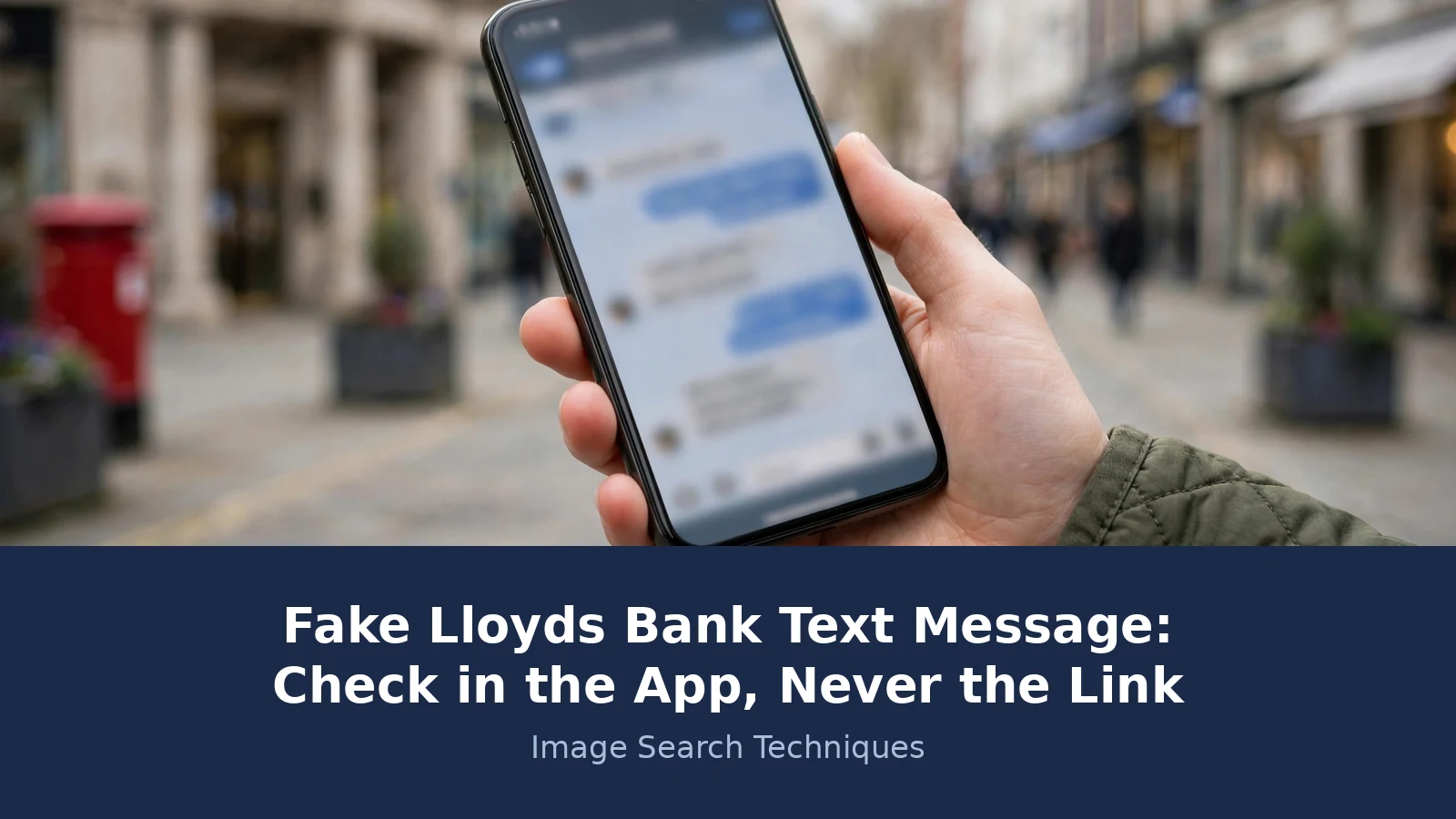
Read the screenshot version field by field. It arrives as an iMessage, not an SMS, from an iCloud email address, and the phone itself flags it: “The sender is not in your contact list”, with a Report Junk button underneath. The text names no one. It says “LLOYDS:” and then goes straight to the payment, with no name and no last four digits of any account or card. Lloyds says it will always include your name and the last four digits, so a message with neither has already failed the bank’s own test. Then comes the instruction that does the damage: call us, on the number printed in the message. That number is the trap. Calling it connects you to someone pretending to be Lloyds fraud staff, who will pressure you for logins, card details and real one-time codes.
To check the example honestly, I reverse-searched the Mirror screenshot itself, signed out, on 25 November 2026. Google Lens found 2 exact matches, the Mirror and the Daily Star, both dated 10 November 2026, and loaded 60 visual matches on the first view. TinEye searched more than 86.9 billion images and found 0 matches, which means it has not yet crawled any page carrying this image. A zero on TinEye is a zero.
| Step | What I did | What happened |
|---|---|---|
| 1. Source | Real published example screenshot from the Mirror, 10 November 2026, iPhone iMessage, 1,200 by 1,862 pixels | Payment of £278.91 to EasyJet, six-digit code, call-the-number instruction |
| 2. Lens | Reverse-searched the image URL, signed out | 2 exact matches, the Mirror and the Daily Star; 60 visual matches loaded, no headline total shown |
| 3. TinEye | Reverse-searched the same URL, signed out | 0 matches of more than 86.9 billion images searched; image not yet crawled |
| 4. Read | Read the wording against Lloyds’ own scam-messages page | No name, no last four digits, iCloud sender, call-the-number trap; fails every Lloyds test |
The reverse search proves the screenshot is a real published example of the scam, not a made-up one. The wording proves it is fake, and the next section gives you the read table to apply to any fake Lloyds text message you receive.
The Lloyds text read table
Use this table on any message claiming to be from Lloyds. One failed row is enough to stop. Two failed rows, and the message is fake beyond reasonable doubt. Poor spelling and grammar is a tell on its own: the NCSC lists spelling and grammar mistakes among the warning signs of a phishing message, so a text full of typos and awkward phrasing is a warning even before you check the sender or the link. Clean writing proves nothing on its own, so a polished message still needs the same app check.
| Check | What a genuine Lloyds message does | What the fake text does |
|---|---|---|
| Your name | Greets you personally by name, never “Dear Customer” or “Dear User” | Opens with “LLOYDS:” and no name at all |
| Last four digits | Quotes the last four digits of an account, savings account or credit card you hold | Quotes no digits, or digits that do not match any of your accounts |
| The payment | Only ever refers to a payment you actually started | Claims a payment you never made, to EasyJet or another retailer, to create panic |
| The code | A code only ever confirms an action you started yourself | Presents a six-digit code for a payment you did not start, then asks you to act on it |
| What it asks you to do | Never asks you to call a number printed in a message | Tells you to call a customer-service number printed in the text |
| Links | Never links directly to the Internet Banking logon page | Links to a lookalike logon page, or tells you to visit one |
| Money movement | Never tells you to move money to another account, and never asks for a test payment | Pressures you to move money or make a test payment once you call |
| Sender | Arrives through Lloyds’ own channels, not a stranger’s email address | Arrives by iMessage from an iCloud address your phone does not recognise |
Lloyds states the name-and-digits rule on its scam-messages page, and its personalisation note says it will always greet you by name and quote the last four digits of an account number, or part of your postcode if you do not yet hold an account. A text with no name and no digits has failed the test the bank itself sets. A text that does include a name and digits still needs the app check below, because scammers can learn a name from a data breach, and one correct detail does not make the rest of the message genuine.
What Lloyds actually does, in its own words
Lloyds publishes a list of things it will never do, and the list is the fastest way to settle a suspicious message. Lloyds will never send you to a web page that asks for your logon, personal or banking details. It will never link directly to its Internet Banking logon page. Any link in a genuine Lloyds message goes only to lloydsbank.com or to a trusted government or regulatory site. It will never tell you to move money to another account. It will never ask you to make a test payment online. And it will never ask you for a full password, a PIN, a security number, memorable information, or card details.
Two points on that list catch most victims. The first is the test payment. The scammer’s story is that a small payment proves your account is yours, or that moving money to a safe account protects it. Lloyds never asks for either, so any message that asks for a test payment is fake on that line alone, whatever else it says. The second is the phone call. Lloyds says it will never call to tell you to move money to another account, never ask you to share your full logon, account or security details, and never call to tell you about a fraud unless it has already tried email or text first. If a caller claims to be Lloyds and starts with a fraud warning you have never heard about, hang up. To check whether Lloyds really called you, hang up and dial 159 to talk with the bank. To contact Lloyds about a suspicious message, use the number on the back of your card, or dial 159, or 0800 917 7017 for credit card and Internet Banking fraud. Never use any number, link or email address printed in the suspicious message itself.
A second version of the same scam
The EasyJet payment text is the live version, but it is not the only Lloyds text in circulation. An older variant, first reported in 2020 and still the same pattern, reads: “ALERT FROM LLOYDS: New device attempted to set up a payee to XXX. If this was NOT you, visit:” and then gives a lookalike Lloyds address. The hook is different, a new payee instead of a payment, but the method is identical: urgency, a threat to your account, and a link or a number that leads to a fake Lloyds page asking for logins, passwords, account details, security codes and personal data. There is also an email version of the same scam, with the subject line “Alert: Document Report”, claiming the account was disabled until verified. The 2020 reporting estimated around 100 people had reported a fake Lloyds communication to one law firm alone, and the scam has run in waves ever since.
Treat the payee version with the same table. A genuine message about a new payee would still name you and quote the last four digits, and Lloyds never links directly to a logon page. If no new payee is listed in the app, none was set up.
The thread trick: even the sender name can lie
The hardest version of this scam to spot is the one that arrives in the right place. Scammers can spoof the sender name on a text, so that a fake message appears to be from your bank, and it may even appear in the same thread as genuine messages. Which? reported this in 2022, and Lloyds itself warned on Facebook in November 2026 that some texts look very real and may even appear in the same thread as genuine messages. That means the sender label at the top of your screen proves nothing. A message headed LLOYDS, sitting directly underneath a real Lloyds message, can still be fake.
This is why the name-and-digits test matters more than the sender name. A spoofed thread can copy the label, but it cannot fake the app check. If the payment or the payee is not in the Lloyds app, it did not happen, whatever thread the message arrived in.
The wave is widening beyond EasyJet
The EasyJet version is the most reported, but it is not the only retailer name the scammers use. Reports from late October 2026 describe the same Lloyds OTP pattern with payments to mobiles.co.uk instead, for amounts around £947 and £974, with the same call-the-number instruction. Other victims report a version naming Very.co.uk. A separate variant uses a Moroccan +212 mobile number as the sender, and another, reported in September 2026, claims to be from Lloyds Banking Group about an Argos payment of £479.99. The retailer name is only the bait. EasyJet, Very, mobiles.co.uk and Argos are all large names that make a payment claim feel plausible. The test does not change with the retailer: no name, no last four digits, and a payment you did not start means the message is fake.
One source note. The widening is attested by caller-report pages and victim reports dated 31 October 2026, quoted at snippet level, because the reporting site named in the research notes could not be verified in live search. If the retailer in your text is one you have never shopped with, that alone is a strong signal, but even a retailer you do use needs the app check.
The 60-second check
Do this in order, and do not skip a step because the message looks convincing.
- Stop. Do not tap any link, do not reply, and do not call any number printed in the message. A reply tells the scammer your number is live.
- Read it for a name and digits. A genuine Lloyds message greets you by name and quotes the last four digits of an account or card you hold. A message with neither has failed Lloyds’ own test.
- Open the Lloyds app yourself. Check recent payments and payees. If the payment or the payee in the message is not there, it did not happen. Type lloydsbank.com yourself if you prefer a browser, and never follow a link from the message to get there.
- Never share a code. A one-time code is yours alone. No genuine Lloyds contact will ever ask you to read one out, forward one, or type one into a page reached from a message. Our guide to the fake WhatsApp verification code text makes the same point for a different scam.
- If someone calls claiming to be Lloyds, hang up and dial 159. That is the number Lloyds itself gives for checking whether it really called you. Use the number on the back of your card if you prefer.
- Forward the text free to 7726, then delete it. Forwarding to 7726 reports the number to the UK mobile networks.
That is the whole check, and it takes less than a minute. The app is the settler. Everything else is only a reason to run the check, never a verdict on its own.
If you already called the number or shared details
Act at once, and do not be embarrassed into waiting. Call Lloyds on the number printed on the back of your card, or dial 159, and tell them exactly what happened: what you shared, whether you entered logins or card details, and whether you read out a one-time code. If you shared card details, ask them to freeze the card. If you shared logins, change them from the Lloyds app or from lloydsbank.com typed in yourself, not from any link in the message. For credit card and Internet Banking fraud, Lloyds lists 0800 917 7017. Check your recent transactions in the app for anything you do not recognise, and keep checking for a few days.
If money has been taken, report it to Report Fraud on 0300 123 2040 as well as to Lloyds. Report Fraud is the UK reporting service for fraud and cyber crime, and it replaced Action Fraud for reporting in December 2025, so older guides that still name Action Fraud are out of date. A report does not guarantee the money back, but it creates the record the bank and the police work from. Our fake bank card blocked text guide and our fake EE account text guide cover the same recovery steps for other versions of this scam.
How to report a fake Lloyds text
Forward the text free to 7726 and delete it. That is the report route for texts, and it is the one Lloyds itself gives. If the scam arrived by email instead, forward the email to emailscams@lloydsbanking.com and delete it. That address is the one on Lloyds’ current scam-messages page. An older address, emailscams@lloydsbank.co.uk, still appears in coverage from 2020, but it is not the address Lloyds gives now, so use the current one. Other suspected scams can go to report@phishing.gov.uk, the government’s phishing reporting address. If money was taken, report it to Report Fraud on 0300 123 2040, and tell Lloyds first so they can protect the account. The same 7726 route covers other brands too, as our fake O2 account text guide shows.
One more reporting note, from Which?’s scam alerts of 9 November 2026. A separate impersonation email, not a text, claims personal information is needed because Halifax and Lloyds Bank are integrating. The integration is real, which is what makes the email convincing, but the request is not. That email goes to report@phishing.gov.uk, not to 7726, because 7726 is for texts.
Can reverse image search check a suspicious message?
Yes, if the message includes a screenshot. Save the screenshot, then search it on Google Lens and TinEye and see where else it appears. In the test for this guide, the same fake Lloyds screenshot had already appeared in two national news pages on the same day, which confirmed it was a real published example of the scam and not a picture made up for this article. A match proves the image is reused, not that the message is real, so still run the app check. But a reverse search is useful when someone sends you a screenshot as proof: a search often shows the same image circulating for months, attached to different scams. A screenshot of a payment proves nothing on its own. It can be faked in seconds, and it can be reused for years, as the proof screenshots in our Photo Scams Complete Guide show.
That is the point this guide comes back to. A fake Lloyds text message is not a puzzle to solve by reading it cleverly. Check it in the app, then report it. The name-and-digits test catches most of them in seconds, the app check catches the rest, and 7726 is where they go afterwards.
Is a Lloyds text with a link always fake?
Not always, but treat any link with suspicion. Lloyds says it never links directly to its Internet Banking logon page, and any link in a genuine message goes only to lloydsbank.com or a trusted government site. Never tap a link in a text. Open the Lloyds app or type lloydsbank.com yourself instead.
Does Lloyds ever text me a one-time code?
Yes, Lloyds can text a code when you start a payment yourself, for example to confirm a purchase. The scam version is a code for a payment you never started, usually to EasyJet or another big retailer, with an instruction to call a number. A code for a payment you did not start is fake.
What if the text appears in the genuine Lloyds thread?
It can still be fake. Scammers can spoof the sender name, so a fake message may appear in the same thread as genuine Lloyds messages. The sender label proves nothing. Run the name-and-digits test, then open the Lloyds app yourself. If the payment or payee is not in the app, the message is fake.
I called the number in the text. What should I do now?
Hang up at once, then call Lloyds on the number printed on the back of your card, or dial 159, and tell them what you shared. If you gave card details, ask them to freeze the card. If you read out a one-time code, say so, because the scammer may use it immediately. Then forward the text to 7726.
Does Lloyds text about EasyJet payments?
Lloyds does not text you about a payment you never made, to EasyJet or anyone else. The current wave claims a payment of £278.91 or £587.65 to EasyJet needs your code, and tells you to call a number. If you did not book a flight, the text is fake. Check the Lloyds app: a real payment would be listed there.
How do I report a fake Lloyds text?
Forward the text free to 7726, then delete it. That reports the number to the UK mobile networks. If the scam arrived by email, forward it to emailscams@lloydsbanking.com, the address on Lloyds’ current scam-messages page. If money was taken, also report it to Report Fraud on 0300 123 2040.