🔎 Reverse Image Search
Image search techniques made simple: upload a photo or paste a URL and search 6 engines at once. 100% free, nothing stored.
🔒 Your image is never stored on our servers longer than 24 hours and is never shared.
Your phone buzzes with a WhatsApp code, and seconds later a message arrives: “Sorry, I sent my verification code to your number by mistake, please forward it to me.” It looks like a simple favour from someone you know. It is not. That six-digit code is the key to your WhatsApp account, and the moment you share it, your account is gone. This guide shows you how the scam works, how to spot it in seconds, and what to do if you already shared the code.
Short answer: a fake WhatsApp verification code text asks you to forward the six-digit code WhatsApp just sent you, usually claiming it was sent to you by mistake. Never share it. WhatsApp will never ask for your code, and no friend, family member or support agent ever needs it. Verify the request through another channel and report it inside WhatsApp.
What a fake WhatsApp verification code text looks like
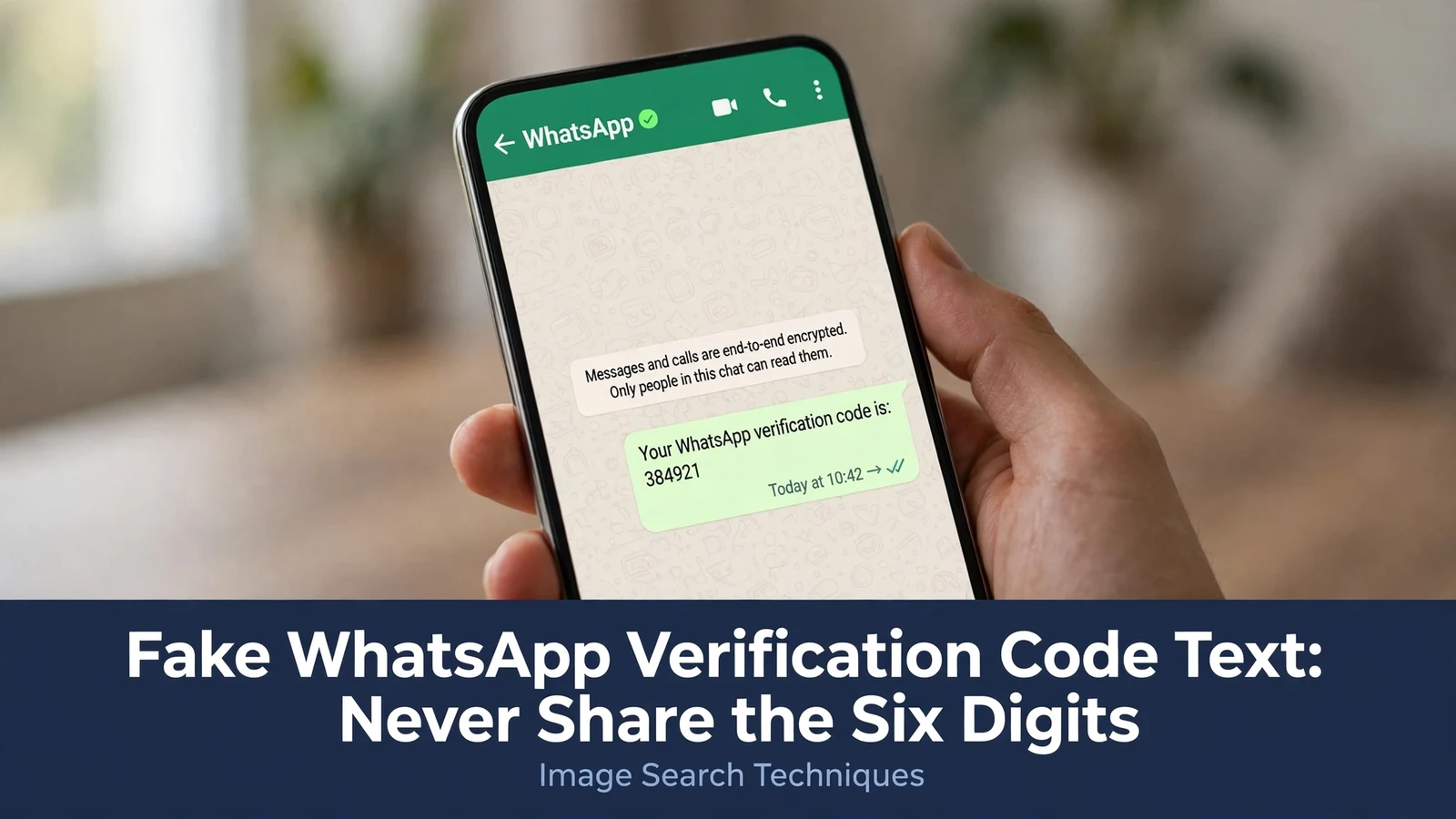
The scam always has the same shape. First, a code you did not ask for arrives by text. Then a message follows, asking you to send it back. The table below reads a typical example line by line, based on a published mock example from Scam Mirror, where the names and numbers are fictional.
| What the message says | What it really means |
|---|---|
| “Hi, sorry, I accidentally sent my WhatsApp code to your number” | The scammer triggered a real code to your phone. Nothing was sent by mistake. This is the trigger for the whole scam. |
| “Can you send me the 6-digit code you just got by SMS? I need it to log back in.” | This is the ask. The code registers WhatsApp on a new phone. Whoever holds it controls the account tied to your number. |
| “Who is this?” “It is Sarah from the school parents’ group. Please be quick, it expires.” | A familiar name and a deadline. The name is borrowed to make you trust the message, and the deadline stops you thinking. |
| The message arrives from a contact you know | That contact’s account is often already taken over. The scammer is writing from your friend’s account, which is why it looks genuine. |
| A code arrives but no message follows | Someone may have typed your number into WhatsApp by mistake, or a scammer may be testing it. Do nothing. A code alone cannot harm you if you never share it. |
The one thing every version has in common is the ask. A real WhatsApp registration message contains the code, says it is for WhatsApp registration, and says not to share it. The fake version does the opposite. It asks you to share it. That single difference settles the question every time.
How the scam works, step by step
Understanding the sequence makes the scam easy to spot, because it always runs in the same order.
Step 1: the scammer enters your number. The scammer types your phone number into WhatsApp on their own phone and asks for a registration code. WhatsApp sends a genuine six-digit code to your phone by text. The code is real. The request behind it is not.
Step 2: the scammer contacts you. Moments later a message arrives, often from a contact you recognise, saying the code was sent to you by mistake and asking you to send it back. It may come from a friend’s account that has already been taken over, which is why it feels trustworthy. Other versions claim to be a relative, a colleague, or someone from a school group.
Step 3: you share the code. If you forward the six digits, the scammer types them into WhatsApp on their phone. WhatsApp now believes they own your number, your account moves to their device, and you are logged out.
Step 4: the scammer uses your account. With your account in their hands, the scammer messages your contacts with the same trick, or with a money request. Your friends see a message from you, so they trust it, and one shared code can take over a whole circle of accounts in an afternoon.
Two variations exist. One sends a fake security alert, warning that your account will be suspended unless you follow a link to a fake WhatsApp login page that steals whatever you type. The other uses the “Call Me” option while your phone is busy, so the code is read out to your voicemail, which the scammer opens with the default PIN many people never change. Both end the same way: the scammer wants your code, and your code alone is enough.
What a real WhatsApp code message looks like
Knowing the genuine pattern helps, because the fake ask stands out against it. A real WhatsApp registration message arrives only when you, or someone using your number, has asked WhatsApp for a code. It contains six digits, it says the code is for WhatsApp registration, and it tells you not to share it. WhatsApp will never ask for your password, code or PIN through a message or a call, and WhatsApp will never call you to ask for the code.
That gives you a simple test. If a message asks you to share a code, it is not from WhatsApp, whatever name sits at the top of the chat. Support problems are handled inside the app, through Settings, then Help, then Contact us. No genuine contact ever needs your code, so no genuine contact will ever ask for it. That is the settler for this scam, and it never changes.
The same test separates this scam from its lookalikes. A message from a supposed relative asking for money is a different trick, covered in our Hi Mum WhatsApp scam profile photo guide, and a message claiming to be WhatsApp support is another, covered in our fake WhatsApp support profile photo check. This article stays with the verification code, because the code is the one thing the scammer cannot get without your help.
What happens if you share the code
Sharing the code hands your account to a stranger, and the damage starts at once. You are logged out on your own phone. The scammer can read your chats, see your groups, and message anyone in your contacts as if they were you. Your profile photo and name stay the same, so your contacts have no reason to doubt what they receive.
What follows is usually a money ask. The scammer messages your friends and family claiming an emergency or a bill that must be paid today, and asks for a transfer. Because the message comes from your number, people pay, and some victims only learn what happened when a relative calls to ask about it.
The scammer may also turn on two-step verification on your account, setting a PIN only they know. If that happens, you cannot simply re-register and take the account back. You have to wait out a seven-day lock before WhatsApp lets you register again without the PIN. Seven days locked out of your main way of talking to people is the part of this scam that catches most victims by surprise.
What to do if you already shared the code
Act fast. Speed matters here, because every minute the scammer holds your account is another minute they can message your contacts.
Re-register your number straight away. Open WhatsApp and register your number again with a fresh code sent by text. An account can only be registered with one phone number at a time, so re-registering logs the scammer out. WhatsApp’s guide to recovering a compromised account walks through the full steps.
If a PIN blocks you, wait out the seven days. If the scammer set a two-step verification PIN you do not know, WhatsApp will make you wait seven days before you can register again without it. There is no way around the wait, and WhatsApp cannot deactivate the account for you. Use the week to warn your contacts by phone call or another messaging app, so nobody pays a scammer writing as you.
Warn your contacts. Tell your friends and family, through a channel the scammer does not control, that your WhatsApp was taken over and that any money request from your number should be ignored. A short post on another social app, a group email, or a round of phone calls does the job.
Check your linked devices. Once you are back in, open Settings, then Linked Devices, and log out any session you do not recognise. Then turn on two-step verification, covered in the next section, so the same trick cannot work twice.
How to lock your account down so this cannot happen again
Three settings, set once, take the power out of this scam. They cost nothing and take about five minutes between them.
Turn on two-step verification. Open WhatsApp, go to Settings, then Account, then Two-step verification, and switch it on. You choose a six-digit PIN, and WhatsApp asks for it when you register your number. A scammer who tricks you into sharing a registration code still cannot take over your account without this PIN. Add an email address when you set it up, so you can reset the PIN if you ever forget it.
Change your voicemail PIN. If your carrier still uses a default voicemail PIN, change it to something only you know. The voicemail version of this scam works because the code is read out to a voicemail the scammer can open with the default PIN. A changed PIN closes that route completely.
Check linked devices regularly. Linked Devices shows every phone, computer and browser signed in to your WhatsApp. Check it once a month and log out anything you do not recognise. A session you did not open is a warning sign, and logging it out takes seconds.
WhatsApp also offers Scam Alert, which warns you when a message looks suspicious, plus further layers such as app lock and chat lock. Turn Scam Alert on if your version of the app offers it. None of these settings help if you share the code anyway, so the habit matters as much as the settings: a code is yours alone, and you never send it to anyone.
How to check a code request safely
When a code request arrives, pause before you reply. The scammer’s best weapon is urgency, and a pause defeats it. Did I ask WhatsApp for a code? Does the message ask me to share one? Is the sender rushing me? If you did not ask for a code and the message asks you to share one, stop. The request is fake, whatever name is on it.
Then verify the sender through another channel. If the message claims to be from a friend, call that friend on their normal number, or message them on a different app, and ask if they sent it. Do not reply inside the same chat to check, because if the account is taken over, the scammer will answer you.
You can also check a suspicious screenshot with a reverse image search before you trust it. We tested this on the published mock example of the scam chat from Scam Mirror, running the image through Google Lens and TinEye. Lens returned zero exact matches, and TinEye returned zero matches after searching more than 86.9 billion images. Both found only similar generic WhatsApp screenshots, not this image, which fits a labelled example made for a guide. The honest limit matters: zero matches does not prove a screenshot is genuine, only that this exact file has not been indexed. A real scam screenshot can also return zero matches if it was never published. Use the reverse search as one check among several, never as proof on its own. Our how to reverse image search guide shows the steps for Lens and TinEye.
Finally, look at the message itself. A code request from an unknown number, a new number claiming to be someone you know, or a message full of urgency and spelling mistakes all point the same way. Trust the pattern, not the name at the top of the chat.
How to report a fake WhatsApp verification code text
Reporting takes a minute, and it helps stop the same number reaching other people.
Block and report inside WhatsApp. Long-press the chat, then choose Block and report. WhatsApp receives the message and the sender’s details, and the sender can no longer contact you. You can also report from the contact’s own options inside the chat. This is the fastest route, and it is the one WhatsApp itself recommends.
Forward the text to 7726. If the code or the request arrived as an ordinary text message rather than inside WhatsApp, forward it free to 7726, the UK number for reporting spam and scam texts. Your mobile provider investigates the sender and may block the number. Ofcom, the National Cyber Security Centre and the mobile networks all recommend it.
Report it to Report Fraud. If you shared the code, lost money, or your account was taken over, report it to Report Fraud, the UK’s national reporting centre for fraud and cyber crime, on 0300 123 2040 or through their website. Keep any screenshots and the sender’s number for your report, but never share them publicly. You can find the reporting routes on the Report Fraud website.
Do not reply to the scammer, do not tap any link in the message, and do not share the message in a group to warn others, because the link or the number inside it can put other people at risk. Report it, block it, and move on. The full picture is in our complete guide to photo scams, and the same check-first habit works against fake bills too, as our fake utility bill photo check shows.
FAQs
Is a WhatsApp verification code text real?
A text containing only a code is usually real, and it arrives only when someone asked WhatsApp for a code with your number. The message becomes fake the moment someone asks you to forward that code. WhatsApp will never ask for your code, so any message asking you to share it is a scam, whatever name is on it.
What happens if I share my WhatsApp verification code?
Sharing the code lets the scammer register your number on their phone, which logs you out and gives them your account. They can read your chats and message your contacts as you. If they also set a two-step verification PIN, you must wait seven days before you can register again without it.
Can I get my WhatsApp account back after sharing the code?
Yes, in most cases. Re-register your number in WhatsApp with a fresh code, and the scammer is logged out, because an account can only be registered with one phone number at a time. If the scammer set a two-step verification PIN you do not know, you must wait seven days before registering again.
Why did I get a WhatsApp code I never asked for?
Someone typed your number into WhatsApp, either by mistake or on purpose. A scammer may be testing your number before sending the follow-up message that asks for the code. Do nothing with the code, share it with nobody, and watch for a message asking you to send it back.
Does two-step verification stop the WhatsApp code scam?
Yes, it stops the takeover itself. With two-step verification on, a scammer who tricks you into sharing a registration code still needs your separate six-digit PIN to register your number. Turn it on in Settings, then Account, then Two-step verification, and add an email address so you can reset the PIN.
How do I report a fake WhatsApp verification code text?
Block and report the chat inside WhatsApp, which sends the message and the sender details to WhatsApp. If it arrived as an ordinary text, forward it free to 7726. If you shared the code or lost money, report it to Report Fraud on 0300 123 2040 or through their website.