


🔎 Reverse Image Search
Image search techniques made simple: upload a photo or paste a URL and search 6 engines at once. 100% free, nothing stored.
🔒 Your image is never stored on our servers longer than 24 hours and is never shared.
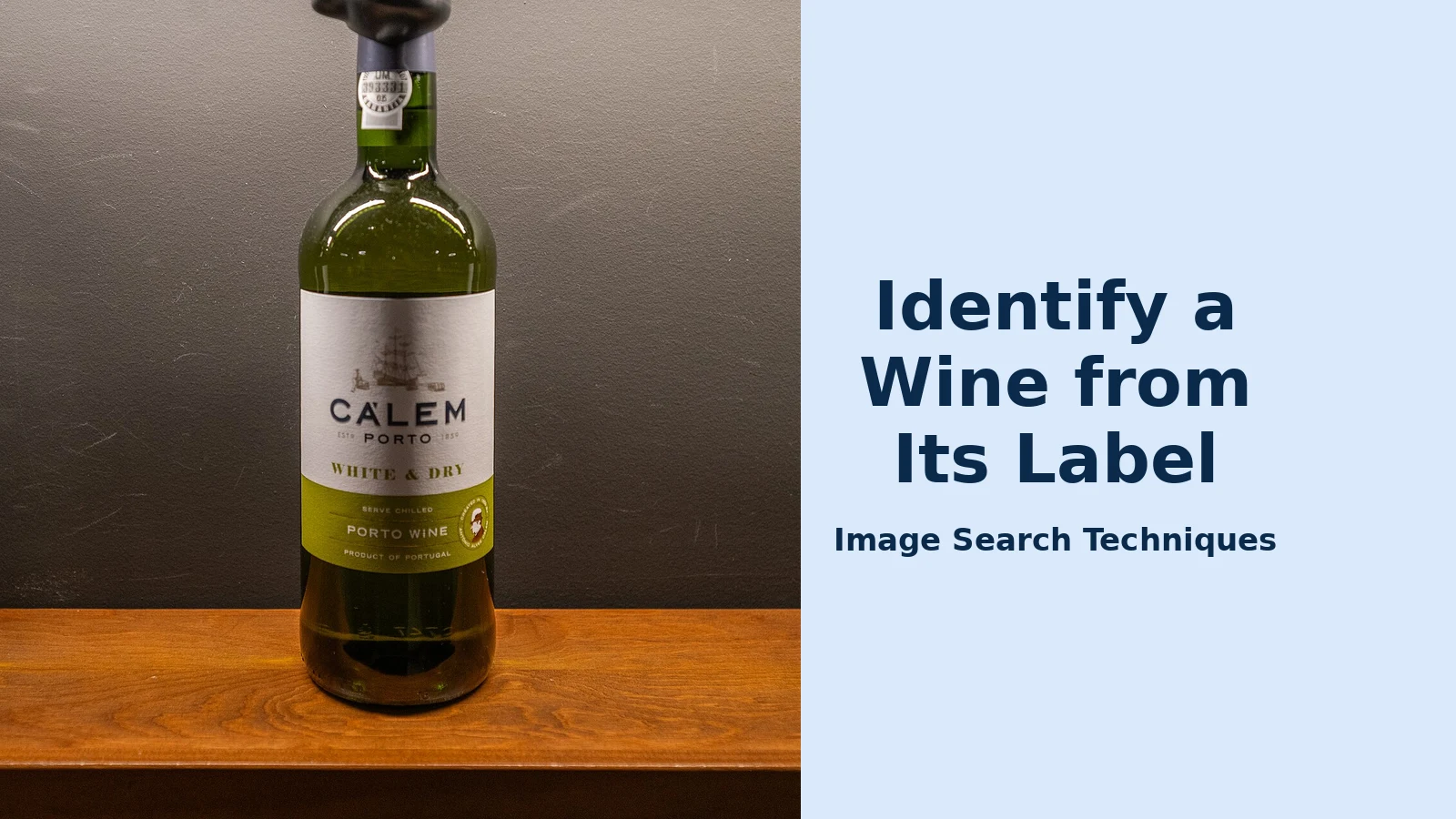
You are standing in a supermarket aisle holding a bottle you have never seen before. The label looks interesting, the price looks fair, but is the wine any good — and is that price fair? A wine label scanner answers both questions in seconds, and it is the trick behind the “wine label scanner identify wine by photo” search: a photo replaces the typing, and the app does the looking up. Point your phone at the label and you get the wine’s name, producer, vintage, community rating, tasting notes, food pairings and typical price, without typing a single word.
Direct answer: A wine label scanner is an app that identifies a bottle of wine from a photo of its label. Point your phone camera at the label, and within seconds it shows the wine’s name, producer, vintage, community rating, tasting notes, food pairings and typical price — no typing needed.
This guide shows you how to use a wine label scanner to identify wine by photo, step by step, using the three best free tools in 2026. You will learn which app to choose, what to do when a scan fails, and how much you can trust the rating and price on screen. The same idea works for other objects too — once you know the method, you can identify a banknote from a photo or identify food from a photo in much the same way.
What Is a Wine Label Scanner?
A wine label scanner is a phone app that uses image recognition to match a photograph of a wine label against a large database of wines. In one clean sentence: it is a camera that reads a label and looks the wine up for you.
The best-known example is Vivino. According to Vivino’s own About page, the company was founded in Copenhagen in 2010 by Heini Zachariassen and Theis Søndergaard, and its database now holds more than 20.5 million wines, with over 78 million users and more than 3.53 billion labels scanned. Those numbers matter, because a label scanner is only as good as its database: the more wines it knows, the more likely your bottle is in there.
Wine-Searcher works the same way but with a different strength. According to Wikipedia, as of November 2024 Wine-Searcher held approximately 20 million wine, beer and spirit listings across 126 countries, and its app includes a label-recognition tool that photographs a label to show prices and availability, including nearby shops.
A third option needs no wine app at all: Google Lens. It matches your label photo against images across the web, which often surfaces the wine’s name, producer page, reviews and shopping results. Our Google reverse image search guide explains the Lens method in full, and it is the same technique behind our general reverse image search guide.
All three tools share one idea: the label is the search query. You do not need to know the producer, the grape or the region. The photo does the work.
How Does a Wine Label Scanner Identify Wine by Photo?
The steps below use Vivino, the most widely used wine label scanner, but the routine is nearly identical in Wine-Searcher: open the app, tap the camera, photograph the label, read the result.
A worked example: a bottle of Yellow Tail Shiraz in the supermarket
Here is the method in action, using a bottle most supermarkets stock — a Yellow Tail Shiraz. The exact rating and price you see will differ by vintage, country and date, so treat the figures on your screen as live, not as fixed facts.
- Install Vivino and create a free account. Download it from the App Store or Google Play. The free version covers label scanning, ratings and tasting notes; Premium adds features such as scanning a whole restaurant wine list at once.
- Open the app and tap the camera icon. According to Vivino’s label-scanner guide, the camera icon sits at the bottom of the screen. You do not need to frame the label perfectly or hold the phone especially still.
- Point your phone at the front label. Fill most of the frame with the label, in bright, even light. Vivino says the wine is usually identified within a second or two, and the full profile then appears on screen.
- Read the result. For our Shiraz, the profile shows the wine’s name, producer (Casella Family Brands), region (South Eastern Australia) and vintage, plus a community rating on a 1.0 to 5.0 scale, tasting notes drawn from community reviews, suggested food pairings and a typical price. Check that the vintage on screen matches the bottle in your hand — Vivino warns that older vintages sometimes have separate entries.
- Decide before you buy. Compare the typical price with the shelf price, skim the tasting notes for flavours you like, and check the “Match for You” score, which Vivino personalises from wines you have rated before. If the rating is low or the shelf price is well above the typical price, put the bottle back.
- Save it to your journal. Add a quick rating and a note after you drink it. Vivino says this history is what powers the Match for You score — the more wines you log, the more precisely its recommendations reflect your actual taste.
The whole process takes under a minute. If you would rather not install a wine app, the same bottle can be checked with Google Lens: open Lens, photograph the label, and tap the matching result. For a photo you already have on your phone, you can also upload it through our free reverse image search tool on the homepage and follow the matching results to the wine’s producer or retailer page.
Which Wine Label Scanner App Is Best in 2026?
There is no single best app — it depends on what you want from the scan. Vivino is best for taste and ratings, Wine-Searcher is best for price, and Google Lens is best when you do not want another app. The table below compares them honestly.
| Tool | Best for | What you get | Price check | Cost |
|---|---|---|---|---|
| Vivino | Ratings and taste | Community rating, tasting notes, food pairings, Match for You | Typical price shown | Free; Premium extra |
| Wine-Searcher | Finding the best price | Prices from many merchants, critic scores, vintage data | Full price comparison | Free; Pro extra |
| Google Lens | Quick look-up, no app | Web matches, reviews, shopping results | Shopping results shown | Free |
| Apple Visual Intelligence | iPhone users, no app | Wine details from the camera or lock screen | Limited | Free on supported iPhones |
Vivino’s strength is its community. According to Vivino, its scanner draws on millions of reviews, so a popular wine’s rating reflects hundreds or thousands of tasters rather than one critic’s opinion. A Burgundy with 40,000 ratings carries far more weight than a small natural wine with 12, as Vivino itself points out in its scanner guide.
Wine-Searcher’s strength is price. Its database is built for comparing what the same bottle costs at different merchants, online and nearby, so it is the tool to open when you want to know whether the shelf price is fair. Its app has been on Google Play since November 2013, according to AppBrain.
Google Lens is the fallback that needs nothing installed. It is also the most useful when the wine is obscure, because it searches the whole web rather than one database — a small producer’s own website or a retailer’s listing may be the only match. Apple Visual Intelligence, mentioned in Vivino’s own guide, works similarly on supported iPhones: point the camera at a label from the lock screen or camera app and results are pulled from Vivino’s database without opening the app at all.
Our advice: keep Vivino for choosing what to drink and Wine-Searcher for checking what to pay. Together they cover both questions a shopper actually asks.
What Information Do You Get After Scanning a Wine Label?
A successful scan returns far more than a name. Here is what each part of the result means, based on what Vivino’s scanner guide says you see after a scan.
- Community rating: an average score from 1.0 to 5.0, drawn from the reviews in Vivino’s database. Always check how many ratings sit behind the number — a 4.5 from 12 people is not the same as a 4.5 from 40,000 people.
- Tasting notes: a flavour profile built from the words reviewers mention most often. Instead of one person’s opinion, you see what hundreds or thousands of tasters noticed — black cherry, oak, spice, and so on.
- Food pairings: suggested dishes matched to the wine’s style and grape variety. Useful when you are buying for a specific meal rather than browsing.
- Winery and region information: where the wine comes from, the grape varieties used, and background on the producer. This helps you learn what you like — if three wines you enjoyed all come from the same region, that is a pattern worth following.
- Your Match for You score: a personalised indicator of how likely you are to enjoy the wine, based on your rating history. According to Vivino, free users see a general indication while Premium members get an exact percentage for every wine.
- Typical price and where to buy: Vivino shows an average price and, in its marketplace, offers to buy. Wine-Searcher goes further, listing the same bottle at multiple merchants so you can compare.
- Vintage details: each vintage can have its own entry, ratings and profile, so always confirm the year on the bottle matches the year on screen.
None of these figures is permanent. Ratings drift as more people review a wine, and prices change by shop, country and season. Treat the scan as a snapshot taken at the moment you scanned, not as a fixed fact about the bottle.
What If the Scanner Cannot Identify Your Wine?
Even with over 16 million wines in its database, Vivino says some scans fail — particularly with small-production wines, very new releases or heavily worn labels. When that happens, work through these steps in order.
- Improve the photo first. Vivino’s own tips say lighting matters more than steadiness: a brightly lit label in natural light scans faster and more reliably than a dim one, even with a perfectly still hand. Get close enough that the label fills most of the frame, and wipe the bottle dry — condensation and glare are the two most common causes of a failed scan.
- Scan the part that remains. If a label is torn or partly obscured, Vivino advises scanning the part that is left. The producer name, vintage and appellation are usually enough for a match.
- Try the back label. Some bottles carry the producer and wine name more clearly on the back, or a barcode the app can read. A back-label scan sometimes succeeds where the front label failed.
- Search by name instead. Vivino says its label scanner and its text search pull from the same database, so if the wine is in there, typing the name will usually find it. Type the producer, the wine name and the vintage.
- Try a second tool. If Vivino fails, try Wine-Searcher or Google Lens. Different databases hold different wines, and a small producer missing from one may be listed in another.
- Submit the label for manual identification. According to Vivino, you can submit an unrecognised label and its team typically adds a match within a few hours. Once it is in the system, every future scan of that label works instantly.
- Check the vintage separately. If the app finds the wine but not your year, scan again or search the producer’s page for your vintage — older vintages sometimes have separate entries with their own ratings.
If no tool recognises the bottle at all, it is probably a very small-production wine, a supermarket own-label exclusive, or a brand-new release. In that case the label itself is your best source: read the producer, region, grape and vintage, then search those words together on the web.
Can You Trust a Wine Label Scanner’s Rating and Price?
Mostly yes — with two honest limits. First, a community rating measures popularity, not quality in any absolute sense. Vivino’s ratings come from everyday drinkers, which is exactly why they are useful for everyday buying, but they are not the same as a professional critic’s score. A wine can be a crowd favourite and still not suit your taste, and a wine with only a handful of ratings can be misleading in either direction. Always look at the number of ratings behind the score, and read a few tasting notes rather than trusting a single number.
Second, prices move. The price on your screen is a typical or average price, often from another country or another month. Wine-Searcher is the better tool here because it shows live prices from named merchants, but even those change. Use the scanner’s price as a guide — if the shelf price is far above it, ask why before you pay.
There are also things a scanner cannot do. It cannot tell you whether a bottle has been stored badly, whether a cork is faulty, or whether a wine is fake. For expensive bottles, buy from a reputable merchant and keep the receipt. And remember that a scan identifies the wine, not the bottle’s condition.
Used with those limits in mind, a wine label scanner is one of the most practical uses of image search there is: it turns a photo into a buying decision in under a minute, and it gets smarter the more wines you rate.
FAQs
Can I identify a wine from a photo of its label for free?
Yes. Vivino, Wine-Searcher and Google Lens all offer free label scanning. Vivino’s free version covers scanning, community ratings, tasting notes and food pairings, while its Premium tier adds features such as scanning a whole restaurant wine list and an exact Match for You percentage.
What is the best wine label scanner app?
Vivino is the best all-round choice because its database holds over 20.5 million wines, according to Vivino, and its community ratings reflect thousands of real drinkers. Wine-Searcher is better for price comparison, and Google Lens is best when you want a quick answer without installing another app.
Why can’t the scanner identify my bottle of wine?
Small-production wines, very new releases and worn or torn labels are the usual causes, according to Vivino. Improve the light, fill the frame with the label, try the back label, then search by name or try Wine-Searcher or Google Lens. You can also submit the label to Vivino for manual identification.
Can a wine label scanner tell me if a wine is fake?
No, not reliably. A scanner confirms the wine exists in its database and shows its rating and typical price, but it cannot verify the bottle in your hand is genuine. For expensive or collectable bottles, buy from a reputable merchant, check the capsule, cork and label details, and keep your receipt.
