🔎 Reverse Image Search
Image search techniques made simple: upload a photo or paste a URL and search 6 engines at once. 100% free, nothing stored.
🔒 Your image is never stored on our servers longer than 24 hours and is never shared.
Do not send it yet. A genuine identity check happens inside an app or website you opened yourself, never in a chat message, and it never asks you to photograph your passport and send the picture to a person. Pause, check who is asking and why, and run the five checks in this guide before you share anything.
A request for a selfie holding your ID feels routine now, and that is exactly why the selfie ID verification scam works so well. Banks, employers and government services all verify identity online, and most of them really do ask for a photo of your document and a picture of your face. The scam copies a real process so closely that the victim cannot tell where the genuine check ends and the fraud begins. This guide shows you how to tell the difference, how to check any request before you act on it, and what to do if you have already sent your documents.
What is a selfie ID verification scam?
A selfie ID verification scam is a fraud in which a criminal persuades you to send a photograph of yourself holding your identity document, or to complete a genuine verification process for the wrong person or purpose, so they can open accounts, claim benefits or take over services in your name.
The photo itself is the prize. A selfie holding a passport or driving licence gives a criminal three things at once: your face, your document details and proof that the two belong together. That combination is what identity checks are designed to confirm, so a stolen copy can be reused to pass checks elsewhere, open accounts, or create a verified account the criminal controls. The request usually arrives with a believable reason, a job offer, a benefits claim, a refund, a blocked account, and a deadline that discourages you from checking it.
How does the scam work?
There are three common forms, and they need different responses. Learning to tell them apart matters, because the second form can involve a genuine website, which means checking the web address alone will not protect you.
Form 1: The fake verification page
A text or email warns that your tax refund, benefits claim or account access is blocked until you verify your identity. The message carries a link to a page that copies the branding of a real service such as ID.me. The page asks for your email and password, then your Social Security number or national insurance number, a photograph of your driving licence or passport, and a selfie or short video. Everything you type goes to the criminal. MalwareTips documented this exact pattern in a fake ID.me IRS email case, where the button led to an attacker-controlled site rather than the official IRS or ID.me flow, and the page collected the full identity package in one sitting.
Form 2: The fake recruiter
A recruiter says you are nearly through the hiring process and there is one identity check left before the interview or onboarding can begin. The recruiter may send you to the genuine ID.me website, which makes the request look legitimate, but the verification is being set up for the wrong purpose, or under an account the recruiter controls. ID.me’s own scam guidance, quoted in a MalwareTips report I read on 12 November 2026, warns about fake job messages asking people to verify employment, follow a link or provide a selfie, and about letting someone else create or manage your ID.me Wallet. The danger is not a fake page. It is a real service being used for a purpose you never agreed to.
Form 3: The chat request
Someone in a WhatsApp, Telegram or Facebook chat asks you to send a selfie holding your passport or driving licence, often with a handwritten note or today’s date. The excuse varies: a landlord checking a tenant, a buyer confirming a seller, a “support agent” unblocking an account, a romantic interest proving who they are. No legitimate verification works this way. A photograph sent in a chat is a file the other person keeps, copies and reuses. It is never a verification.
What does a real identity check look like?
Real identity checks follow a fixed shape, and knowing it is the fastest way to spot a fake. I checked the current process against ID.me’s own Help Center on 12 November 2026, because ID.me is the service most often copied in these scams. This is how its self-service verification actually works:
- You start from the website of the organisation or agency you need to verify for, and you select the ID.me button there. The organisation sends you; no one sends you a link in a chat.
- You sign in to your existing ID.me Wallet, or create a new one yourself, and complete multi-factor authentication.
- You photograph your government-issued photo ID with your phone camera when prompted. Saved photos or files already on your device cannot be used.
- You record a video selfie so the service can confirm your face matches the photo on your ID.
- You enter your personal information, which may include your phone number, Social Security number and address.
- You review the information and select Allow to authorise sharing it with the organisation.
Three details in that list are the whole test. First, you open the organisation’s website yourself. Second, the photo is taken live inside the service, never sent as a file to a person. Third, you authorise sharing with a named organisation at the end. If any of those three is missing, the request is not a normal verification, whatever the message says.
| What to check | A real check | A scam |
|---|---|---|
| Where it starts | On the organisation’s own website | A link in a text, email or chat |
| Who opens it | You, by typing the address | You, by tapping their link |
| How the photo is taken | Live, inside the service | Sent as a file to a person |
| What it asks for | ID photo plus video selfie | Password or security code |
| Who the account belongs to | You, with your own email | Someone else, or unclear |
| Sharing | You authorise a named organisation | No clear purpose given |
ID.me’s own scam guidance also warns against sharing passwords or multi-factor authentication codes, and against letting someone else create or manage your Wallet. No legitimate support team will ask for your password or a security code, even if the person claims to be support. A code belongs to one specific account action, and sending it to another person can let them complete that action.
Is this identity verification request real? The decision checklist
Run through this checklist before you send anything or tap any link. One “no” is enough to stop. A genuine request passes all of them.
| Check | Pass | Fail |
|---|---|---|
| 1. Did you open it yourself? | Typed the address or used the app | Arrived by link in a message |
| 2. Is the organisation real? | Confirmed on its own website | Only the message says so |
| 3. Does the purpose fit? | Matches the service you need | Unrelated to the job or claim |
| 4. Is it your account? | Your email, your password | Someone else set it up |
| 5. Is the photo live? | Taken inside the service | Sent as a file in a chat |
| 6. Any password or code asked? | Never asked for by a person | Asked for in the chat |
| 7. Any pressure or deadline? | No rush, you can pause | Act now or lose the job |
| 8. Can you verify the person? | Through a published contact | Only through the same chat |
Two rules sit above the whole checklist, and they are absolute. Never send documents “to test” a request: a test copy is a real copy, and a scammer will use it exactly like a genuine one. And never upload a real ID image to any third-party “checker” tool that promises to tell you whether a verification page is genuine. No such tool can judge a page from your document, and the upload hands your identity to a stranger. If you want a second opinion, describe the request in words to someone you trust, with personal details removed, and let them judge the wording, not the document.
How can a reverse image search check the request?
A verification request usually comes with a face: a recruiter’s profile photo, a company logo, or a screenshot of the “verification” page. Each of those can be checked before you send anything, and the checks take minutes.
Start with the person’s photo. Save the profile picture and run a reverse image search on it. A genuine recruiter’s photo usually traces back to one real person with one consistent work history. A stolen photo turns up under different names, on stock sites, or on social profiles that have nothing to do with the company named in the message. If the photo appears on a dating profile, a model agency page and three different LinkedIn accounts, the person messaging you is not the person in the photo.
Next, check the company. Search the company name alongside the word “scam” and the recruiter’s name, then reverse-search any office or team photos on the company’s website. Cloned companies reuse real photographs with fake contact details, so a real-looking office photo does not prove the message is real, but a photo that belongs to a different company in a different country is a clear fail. Our job offer photo check guide walks through the same routine for hiring scams, and the recruiter angle of this scam is the same fraud wearing a different job title.
Finally, check the message itself. Screenshot the verification page or the chat message, crop out any personal details, and search for its exact wording. Scam scripts are reused, and the same “verify now” text often appears in fraud reports and forum warnings. Google reverse image search accepts an uploaded screenshot, so you can check an image of the page even when the page itself will not load for you.
Worked example: what a reverse search actually finds
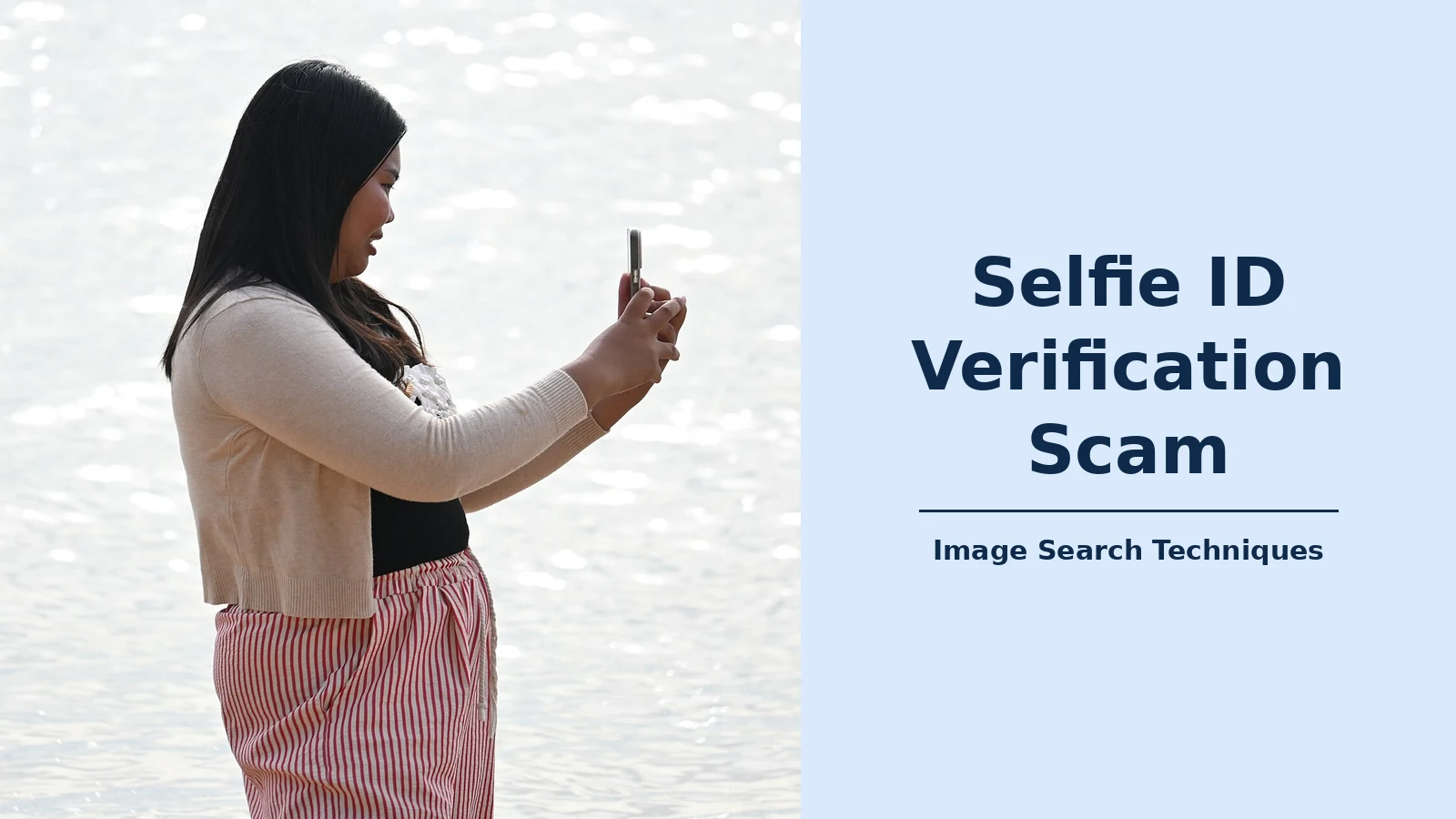
I tested this on 12 November 2026 with a real, freely licensed photograph of a woman holding up her phone to take a selfie by the water, the same kind of ordinary selfie-style photo a scammer might harvest and reuse. I ran the photo’s public web address through three search engines by URL, exactly as a reader would.
Google Lens refused the request outright: a 429 response with an “unusual traffic” CAPTCHA page, so no result at all. TinEye returned a 403, blocked as automated traffic, again with no result. Yandex Images loaded normally and returned a result page whose readable text included the words “selfie” and “Sattahip”, the location where the photo was taken, together with similar images. It did not name the photographer or the original file page in the text I could read from the signed-out fetch.
Two lessons follow. First, a selfie photo of an ordinary person is findable: Yandex recognised the scene and the location from the image alone, which is precisely why a selfie you send to a stranger can be traced, copied and reused. Second, no single engine is reliable on its own, two of the three were blocked on the day, so check with more than one engine and treat a “no result” as no information, not as proof the photo is safe. The same three-engine habit applies to a recruiter’s profile photo: a match anywhere is a warning, and a clean result on one engine proves nothing.
Should I send a photo of my ID?
Not in a chat, not by email, and not to test whether a request is genuine. The only safe place for a photo of your identity document is inside a verification flow you opened yourself, on the website of an organisation you have confirmed independently, where the photo is taken live by the service and never leaves it as a file you could forward.
There are three situations where people are most often caught. A recruiter asks for an ID selfie before an interview: pause and verify the employer through a published phone number or email address, not through the chat. A message says your benefits or refund will stop unless you verify today: open the agency’s website yourself and check your account there; the agency will show the same warning if it is real. A buyer, landlord or romantic interest asks for a selfie holding your passport to “prove” who you are, that is not a verification at all, and no genuine process asks for it.
If a real organisation genuinely needs your documents, it will still be there tomorrow after you have checked. A scammer’s deadline is the one thing that will not survive a night’s pause.
What if I already sent a selfie holding my ID?
Act quickly, in this order, and do not send anything else to the same person, not a second photo, not a code, not a password “to fix it”.
- Save the evidence. Screenshot the whole conversation, the profile, the link and any page you visited, before you block the account. Keep the original messages, not just your notes about them.
- Change the passwords on the email account and any other account that shares the same password, and switch on multi-factor authentication. If you shared a security code, change the password immediately and review recent sign-ins.
- Tell the real service. If the scam used ID.me, report the misuse through ID.me’s official help process and say clearly that you did not control the account, if that is what happened. Do not try to recover access through another link supplied by the recruiter.
- Report the fraud. In the US, use the FTC’s IdentityTheft.gov, which builds a personal recovery plan and an FTC Identity Theft Report from what you tell it. In the UK, report to Report Fraud at reportfraud.police.uk, the service that replaced Action Fraud’s website.
- Put a freeze or a flag on your credit file. In the US, place a credit freeze with Equifax, Experian and TransUnion, a freeze stops new accounts being opened in your name and costs nothing. In the UK, apply for Cifas Protective Registration, which places a warning flag on your name in the National Fraud Database for two years; Cifas charges £30 for the two-year registration.
- Watch your post and your accounts. Check your bank and credit card statements, and check your credit reports, for accounts or applications you do not recognise. The same caution applies to the card itself: never send a photo of your debit or credit card, because the number, expiry date and CVV in the picture are everything a fraudster needs to spend from your account. If a benefit claim, loan or account appears that is not yours, contact the organisation through its own published channel and dispute it.
- Warn the platform and the impersonated employer. Report the recruiter’s profile to the job site or chat app, and tell the real company its name is being used. You do not need to share your documents to do either of these: describe the request in words.
- Check whether your photo is circulating. If the selfie or document photo turns up elsewhere, our guide to removing your photos from Google explains the removal routes, and the face search and photo privacy guide covers the wider steps for getting your images taken down and keeping them out of face-search indexes.
A stolen selfie and ID photo can be used for months, not days, so keep the freeze or flag in place and keep checking your statements even after the first weeks pass quietly. The recovery steps above cost time, not money, apart from the UK Cifas registration, and they are worth doing even if nothing has gone wrong yet.
The rule to carry away is simple: a real identity check is something you start, on a website you opened, for an organisation you can name. Anything that arrives in a chat asking for your face and your documents is a request to check, not a request to obey.
Should I send a photo of my ID to a recruiter?
No, not in a chat or by email. A genuine employer verifies identity through its own hiring system or a named service you open yourself, never by asking for a photo of your passport in a message. Verify the employer through a published phone number first. If the recruiter cannot be confirmed that way, do not send the photo.
Is ID.me a scam?
No. ID.me is a legitimate identity verification service used by government agencies and other organisations. The scam is in how criminals misuse it: fake pages that copy its branding, and fake recruiters who guide victims through a real verification for the wrong purpose. Check the organisation and the purpose, not just the logo.
What if I already sent a selfie holding my passport?
Stop sending anything else, save screenshots of the conversation, and change your email password with multi-factor authentication switched on. Report it through the FTC’s IdentityTheft.gov in the US or Report Fraud in the UK, then freeze your credit file or register with Cifas. Watch your statements for accounts you did not open.
Can a scammer use my selfie and ID photo to open accounts?
Yes. A selfie holding a passport gives a criminal your face, your document details and proof they belong together, which is exactly what identity checks are designed to confirm. That combination can be used to open accounts, claim benefits or create verified accounts in your name, which is why the photo must never be sent in a chat.