


🔎 Reverse Image Search
Image search techniques made simple: upload a photo or paste a URL and search 6 engines at once. 100% free, nothing stored.
🔒 Your image is never stored on our servers longer than 24 hours and is never shared.
Short answer: there is no FLUX checker, and no single test can prove an image was made with FLUX. Black Forest Labs offers no detector or upload-to-check tool. A raw file from its API or Playground may carry a signed C2PA manifest you can verify, but most FLUX images carry no signal at all. The honest check is layered triage.
FLUX is the open-weight generator most likely to turn up in commercial and scam imagery with no platform label attached. That is the whole problem. Midjourney has Verify, Meta has its Content Seal checker, Apple marks its edits with SynthID. FLUX has none of that. What it has instead is a split: hosted outputs from BFL’s own pipeline can carry a signed provenance record, while the same model run locally on a home computer produces a file with nothing attached. This guide walks through the four layers in order, using two real FLUX images tested on 14 November 2026, and it is blunt about what each layer can and cannot prove.
Which FLUX made this image? FLUX.1, FLUX.2 and FLUX 3
Answer capsule: the version matters less than the pipeline, because the same model can leave a signed record or nothing at all depending on where it was run.
FLUX is a family of image models from Black Forest Labs, a German company founded by the researchers behind Stable Diffusion. The family has had three generations in just over two years, and the version note is worth keeping straight because detector pages and forum posts still talk as if FLUX.1 is the current model. It is not.
| Version | When it arrived | What changed |
|---|---|---|
| FLUX.1 | 1 August 2024 | 12 billion parameter suite: [pro] through the API, [dev] as open weights under a non-commercial licence, [schnell] under Apache 2.0. Later joined by FLUX.1 Kontext for editing and FLUX1.1 [pro]. |
| FLUX.2 | 25 November 2025 | 32 billion parameter [dev] open-weight model plus hosted [pro] and [flex]; [max] added 16 December 2025 and [klein] (4B and 9B) on 15 January 2026. Up to 10 reference images, editing up to 4 megapixels, a Mistral-3 24B vision-language text encoder, and much better typography. |
| FLUX 3 | Announced 23 July 2026, rolling out in pieces | One multimodal model trained jointly on image, video, audio and action. FLUX 3 Image reached the API and Playground on 1 October 2026 with JSON bounding boxes, native 4K output and up to 10 references. FLUX 3 Image Klein open weights followed on 15 October 2026. The full FLUX 3 Dev open-weight backbone was announced with no release date confirmed as of October 2026. |
Two things in that table matter for checking. First, every generation has an open-weight release, which means anyone can download the model and run it on their own machine. Second, FLUX.2 and FLUX 3 are far better at hands and text than FLUX.1 was, so the old visual tells (mangled fingers, garbled signs) fail far more often now. If a guide tells you to look for bad hands, it is describing 2024.
Is there a FLUX checker?
Answer capsule: no, and anyone selling you one is selling a guess.
BFL offers no detector page, no upload-to-check tool and no “was this made with FLUX” lookup. A search of BFL’s own documentation for detection or verification returns only one page, its help article on C2PA in FLUX-generated images, and that page points readers to the generic Content Credentials Verify tool, not to anything FLUX-specific. There is no public tool that can read the optional invisible watermark in FLUX.2’s reference code either, so even the signal that exists in theory has no reader you can use.
This corrects something worth stating plainly. The common claim that FLUX embeds no watermark at all is wrong as a blanket statement. BFL’s help page says Content Credentials are attached to all images from the BFL API, the Developer Playground and hosted integrations, plus an optional soft-binding invisible watermark that can help recover credentials after format stripping. What is true is that there is no FLUX checker, and that most FLUX images you meet online carry no signal at all. The rest of this guide is built on that distinction.
Step 1: Check for Content Credentials (C2PA) first
Answer capsule: a signed C2PA manifest is the strongest positive evidence you can get, and its absence means nothing at all.
Content Credentials is the C2PA standard for provenance: a signed manifest embedded in the file that records the claim generator, the model name and version, and a creation timestamp. BFL attaches one to every image from its API, Playground and hosted integrations. The manifest records the AI generative assertion, BFL as the claim generator with the software version, the creation time in UTC, and the FLUX model name and version, plus a hard-binding hash of the image. It records no prompts, keys, IP addresses or personal data.
To check a file, upload the original file (not a screenshot of it) to Content Credentials Verify, or run c2patool on it if you are comfortable with a command line tool. If the tool returns a manifest naming Black Forest Labs and a FLUX model, you have your answer: the image was made with FLUX through BFL’s hosted pipeline. That is about as close to proof as this topic gets.
If the tool returns “No Content Credentials found”, stop and read that result correctly. It proves nothing about origin. Any one of these removes the manifest: the image was made by running open-weight FLUX.1 [dev], FLUX.2 [dev] or FLUX 3 Image Klein locally, because BFL’s own help page states that self-hosted outputs are outside its signing infrastructure and BFL attaches no credentials to them; the image was made in a third-party app that does not preserve the manifest; the file was re-saved, cropped, screenshotted or uploaded to a social platform that strips metadata. BFL’s signing certificates are not available to third parties, so no other app can attach a genuine BFL signature either.
Two related points. First, SynthID says nothing here. FLUX is not a SynthID partner, and the word SynthID appears nowhere in the FLUX.1 [dev] or FLUX.2 model documentation or in BFL’s C2PA help page. Running a FLUX image through Google’s SynthID Detector tells you nothing about FLUX. Second, the soft-binding watermark BFL mentions is optional, has no public detector, and BFL itself says soft binding “improves resilience but cannot guarantee recovery”. Do not treat it as a check you can perform.
Step 2: Read the file itself
Answer capsule: open the file’s own data before you judge its pixels, but expect to find nothing, and read that nothing correctly.
A PNG file is a chain of chunks, and generated images sometimes leave their settings inside them. Stable Diffusion files famously carry their prompt and sampler settings in a text chunk. FLUX files do not do this in any reliable way. The useful check is simpler: look for any provenance at all, and note its absence honestly.
On 14 November 2026 we walked the PNG chunks of six files from BFL’s own FLUX.2 blog page, including the full multi-reference editing demo grid and a single green oak leaf cropped from it. Every file was the same story: header, image data, end marker, and nothing else. No JUMBF block (which is where a C2PA manifest lives), no XMP, no EXIF. One chart file carried a text chunk naming the plotting software, Matplotlib version 3.10.5, which is a charting tool, not a generator signature. The astronaut test image, a FLUX 1.1 Pro picture made in Le Chat and published on Wikimedia Commons as a CC0 file, carried no EXIF, no XMP and no C2PA either.
That is the normal state of a FLUX image found online. BFL’s blog samples are web re-encodes with provenance stripped, and most images you meet have been through the same treatment: downloaded, re-uploaded, compressed, screenshotted. We tried the live check too. On 14 November 2026, Content Credentials Verify would not return a result for either file: the upload attached, the page showed “Loading…”, then after about ten seconds it went back to the start screen, three attempts in all, with no result shown. That failure is not evidence either way. What is evidence is the file itself: neither file contains a JUMBF block, so there is no manifest for Verify to find, and Hive’s own demo reported “No Content Credentials found for this media” on both files. A blank result is a true statement about the file and no statement at all about where the picture came from.
You can run this check yourself without installing anything. On a PNG, a free chunk viewer or a tool such as ExifTool will list the chunks; on a JPEG, the same tools show EXIF and XMP. If you find a JUMBF block, verify it at Content Credentials Verify as in step 1. If you find nothing, move on to step 3. Do not write “no metadata, so it must be AI” in any report: a real camera photo stripped by a messaging app has no metadata either.
Step 3: Reverse search the image
Answer capsule: reverse search finds the seed image or the prompt gallery copy, and that is often the only hard evidence you will get.
FLUX images are usually posted somewhere first: the BFL blog, a model gallery, a prompt-sharing site, a social post. A reverse search looks for that earlier copy. If it finds the same image on BFL’s own blog or in a FLUX prompt gallery, the origin question is settled. If it finds the same scene as a real photograph, the image is probably a FLUX edit of that photo, which is exactly what FLUX.2’s multi-reference editing is built for. If it finds nothing anywhere, you have learned only that the image has not been indexed yet, or that it was cropped or flipped past recognition.
Run the original file, not a screenshot, through our reverse image search tool, which checks Google Lens, TinEye, Bing and Yandex together. If you have not run one before, our step-by-step guide to reverse image search walks through each engine. Upload the file rather than pasting a URL: hosted URLs fail more often than uploads do. If one engine is blocked by a CAPTCHA, run the others and say which one was blocked, rather than reporting a single engine as the whole result.
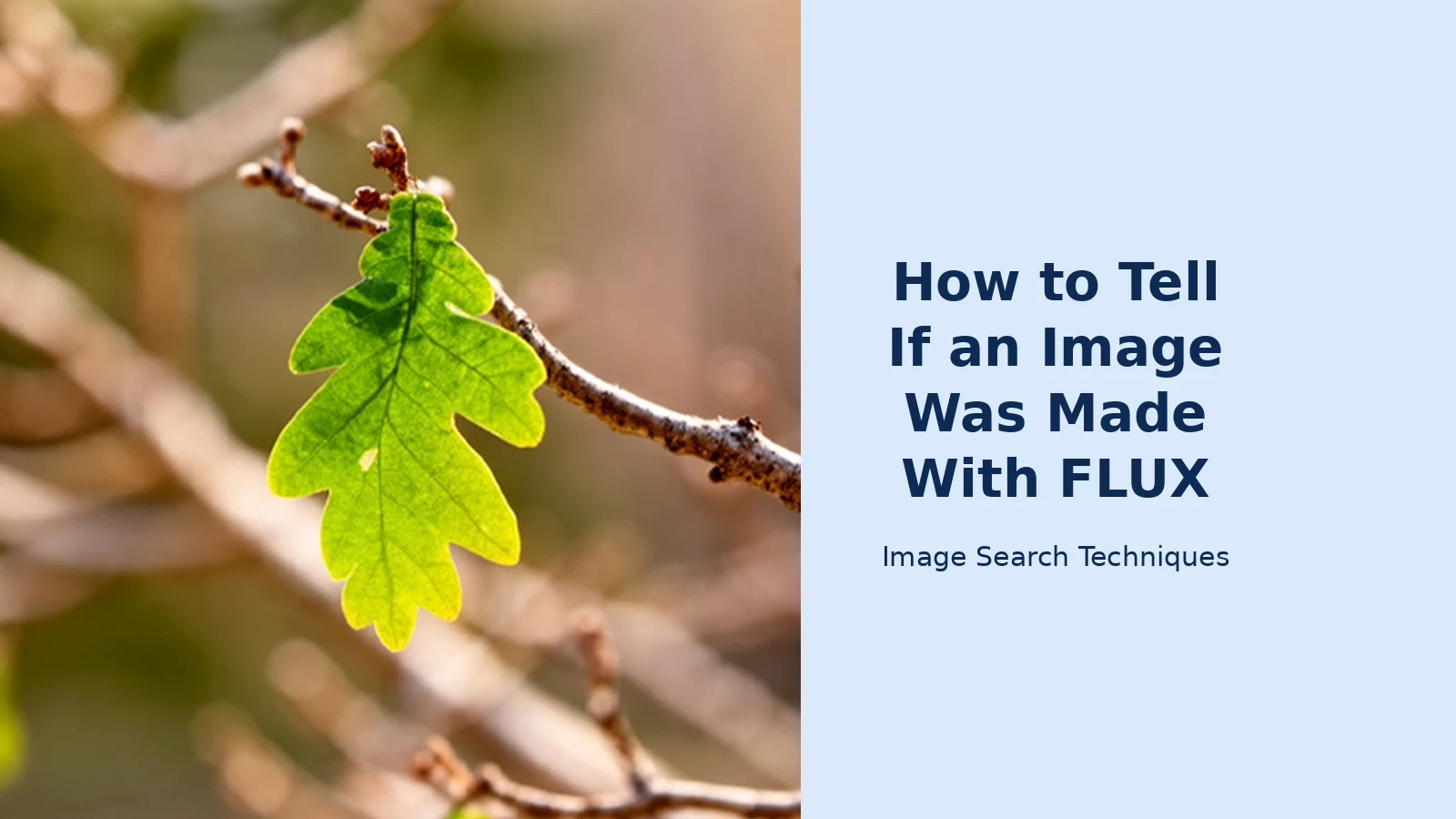
Worked example, performed 14 November 2026 on the green oak leaf cropped from BFL’s FLUX.2 blog demo grid (614 by 700 pixels, PNG):
| Engine | Exact matches | What it found |
|---|---|---|
| Google Lens | 0 | “No exact matches found.” Visual matches were generic oak-leaf pages only: a bur oak guide, oak-leaf stock photos, a tree identification guide. No FLUX or BFL source. No reCAPTCHA appeared. |
| TinEye | 0 | “TinEye searched over 86.7 billion images but didn’t find any matches.” No bfl.ai result. |
| Bing Visual Search | 0 | “Unable to find pages with this image.” Bing read the picture as “Oak Leaf Identification” and its results were generic oak-leaf pages. No FLUX or BFL source. |
| Yandex Images | 0 | Yandex shows no exact-match count. It read the picture as English oak and its Sites tab listed only pages with similar oak-leaf photos. No FLUX or BFL source. |
| Not a search | The tool’s Pinterest button opens a keyword search of the tool’s own domain, not an image search, so no exact-match count is possible from it. |
Read the table the right way round. A match to BFL’s blog page or to a FLUX gallery is positive evidence of FLUX origin. A match to a real photograph of the same leaf would point the other way, toward a FLUX edit of a real photo. A blank result on every engine proves nothing: the leaf crop is a small piece of a larger grid, and a crop that no engine has indexed yet is invisible to all of them. That is the honest limit of reverse search, and it is why this guide never lets one layer decide alone.
Step 4: Run two detectors on the same file
Answer capsule: run two independent detectors on the same file, write down both scores, and treat agreement as a signal and disagreement as a warning.
AI image detectors are statistical classifiers. They score pixels, not provenance, and they cannot tell FLUX from Midjourney from Stable Diffusion with any reliability. Their value is comparative: two detectors agreeing on the same file is a stronger signal than one detector alone, and two detectors disagreeing tells you the file sits near the boundary where these tools are weakest.
Use detectors that work without an account, and re-test availability on the day, because free demos change without notice. Hive’s free demo at hivemoderation.com runs with no account and returns a “likely AI-generated” percentage plus a deepfake percentage, and sometimes a likely model name. Our own Hive guide tested it live on 10 November 2026: a real photo scored 0%, an edited real photo scored 0%, and a known AI image scored 99.9%. Illuminarty’s free demo offers five free scans a day with a heatmap of regions that look AI-made. Our own test on 9 November 2026 found its demo reporting the service unavailable, and on 14 November 2026 the scores worked but the heatmap did not, the page showing “Service currently not available” throughout, so check it is actually running before you rely on it. Quillbot’s AI image detector is a usable backup: free with no account, it explicitly lists FLUX.1 Dev, FLUX.1 Schnell and FLUX Pro as covered generators, and it scores pixels only, ignoring metadata, EXIF, C2PA and invisible watermarks.
Every accuracy figure attached to a detector is a vendor claim, never a fact. Hive cites a study reporting 98.03% overall accuracy with 0.00% false positives on human art and 3.17% false negatives on AI images; a separate independent benchmark in 2026 reported 94% (47 out of 50). NewsGuard’s May 2026 audit found Hive flagged 0 of 15 real news photos. Those numbers describe other people’s test sets, not your file. What matters for your file is the score it returns and whether a second detector agrees.
Worked example, performed 14 November 2026 on the same two files as step 3:
| File (both genuine FLUX) | Hive free demo | Illuminarty free demo |
|---|---|---|
| Green leaf, FLUX.2 (614 by 700 PNG) | 5.6% likely AI-generated, 0% likely deepfake. Verdict: “not likely to contain AI-generated or deepfake content”. Top generation sources: Adobe Firefly 6.4%, FLUX.2 1%. | 3.9% AI probability, judged likely real. |
| Astronaut on horseback, FLUX 1.1 Pro (1024 by 768 WebP) | 99.9% likely AI-generated, 0% likely deepfake. Verdict: “likely to contain AI-generated or deepfake content”. Generation source: FLUX 99.9%. | 86.9% AI probability, judged likely AI. |
Read that table twice, because it is the whole article in miniature. Both detectors missed the leaf and both caught the astronaut, on two images that are both genuinely FLUX. The leaf is a crop of a larger demo grid, re-encoded for the web, and both classifiers read it as an ordinary photograph. The astronaut is a full, un-cropped FLUX 1.1 Pro output, and both classifiers caught it. Two detectors agreeing is a signal, but agreement on a miss is still a miss, and the leaf shows how easily a genuine FLUX image slips past both. Illuminarty’s heatmap was not available during this test: its “Show Localized” toggle was disabled and the page showed “Service currently not available” throughout, though the scores still returned. Hive’s demo also reported “No Content Credentials found for this media” on both files, which matches the file inspection in step 2.
Two cautions. First, a detector can be confident and wrong, especially on FLUX.2 and FLUX 3 output, which is photorealistic enough to sit inside the range of real photography. Second, a low score is not a clean bill of health: detectors are tuned against the generators they were trained on, and a model version released after the detector’s training data will score lower than it should. Never publish a detector score as a verdict on its own. Pair it with the C2PA check and the reverse search, and say which of the four layers agreed.
Step 5: Visual tells, and why they are the weakest evidence
Answer capsule: look at the picture last, not first, and never decide on looks alone.
The competitor page for this topic, EyeSift’s FLUX detector page, leans on visual tells: shallow depth-of-field bokeh uniformity, synthetic skin-pore micro-patterns, realistic hand and typography rendering. That language sounds precise, but the page shows no test behind it, and the advice it builds on those tells (demand camera RAW files and C2PA hardware-signed provenance chains) is unrealistic for an image found online. Nobody hands over RAW files for a picture in a scam message.
FLUX.1 earned its reputation partly because it rendered hands and text far better than the generators before it, and FLUX.2 and FLUX 3 are better still. That means the old tells fail in both directions now. A FLUX.2 image can have perfect hands and clean text, and a real smartphone photo can have the smooth skin and even background blur that detector pages describe as synthetic, because computational portrait mode does the same thing on purpose. EyeSift’s own page admits this: smartphone portrait-mode photos with aggressive neural depth blur and skin smoothing naturally converge on synthetic-like cleanliness.
Use visual tells only as a prompt to run the first four steps, never as the verdict. The tells worth a glance are: text that is almost right but misspelled in one place; a background that repeats a pattern too neatly; light that falls differently on the subject and the background; and a face that is a little too symmetrical, a little too smooth, with no stray hair or skin texture at all. Any one of these can also be a real photo with heavy retouching. If the C2PA check, the file, the reverse search and the detectors all come back empty, a visual hunch is not enough to call an image FLUX-made. Say so, and say what would change your mind: the original file, the source post, or the prompt gallery copy.
How to put the four layers together
Answer capsule: one positive layer can settle it, but only all four layers together can justify calling an image FLUX-made.
| What you found | What it means | What to do next |
|---|---|---|
| Signed C2PA manifest naming BFL and a FLUX model | Made with FLUX through BFL’s hosted pipeline. Strong positive evidence. | Record the manifest details and stop. You have your answer. |
| No C2PA, but reverse search finds the image on BFL’s blog or a FLUX gallery | FLUX origin, shown by the source rather than the file. | Save the source link as your evidence and note the version if the page names it. |
| No C2PA, no reverse-search match, both detectors score high | Probably AI-generated, possibly FLUX, but not proven. | Say “likely AI-generated” and name the scores. Do not name FLUX as fact. |
| No C2PA, no match, detectors disagree | Unresolved. The file sits where detectors are weakest. | Ask for the original file or the source post. Do not publish a verdict. |
| No C2PA, no match, both detectors score low | Nothing found, which proves nothing either way. | Say so plainly. A real photo and a fresh FLUX image look identical to these checks. |
The pattern to remember is the asymmetry. A positive result (a manifest, a gallery match) is evidence. A negative result (no manifest, no match, low score) is the absence of evidence, and on FLUX it is the expected result most of the time, because open-weight outputs carry no signature and most files online have been stripped by re-upload. Anyone who tells you a missing watermark proves a photo is real is selling certainty this topic does not offer.
Common mistakes when checking a FLUX image
Answer capsule: the most common mistake is treating a missing signal as a clean result.
- “No watermark means real.” Wrong in both directions. FLUX has no visible watermark to look for, and its C2PA manifest only exists on hosted outputs. A local FLUX run leaves nothing to find.
- Trusting one detector. A single score is one classifier’s opinion on pixels. Run two, on the same file, and report both. If they disagree, the answer is “unresolved”, not the score you liked.
- Trusting a SynthID result. FLUX is not a SynthID partner. A SynthID check on a FLUX image is the wrong tool for the file, and a negative result means nothing.
- Judging by hands and text. FLUX.2 and FLUX 3 render both well. The tells that caught FLUX.1 images in 2024 do not catch current output, and they misfire on real portrait-mode photos.
- Checking a screenshot instead of the file. A screenshot kills the C2PA manifest, the metadata and the file structure in one move. Always ask for the original file, and if you only have a screenshot, say which checks that rules out.
- Believing a vendor detector page. EyeSift’s FLUX page, last reviewed 17 May 2026, covers FLUX.1 and FLUX.2 only, shows no worked example, gives no C2PA verification route and never mentions that open-weight outputs carry no signature. Its triage advice is to demand RAW files, which no stranger on the internet will supply.
FLUX is the hardest mainstream generator to check, and that is not an accident. It is open-weight, it is photorealistic, and its provenance signal exists only on the hosted half of its output. The layered triage in this guide will not give you a yes-or-no answer for every image, and any guide that promises one is guessing. What it will give you is an honest reading: a manifest when one exists, a source when one can be found, two detector scores to compare, and a clear statement of what is still unknown. For most FLUX images found online, that honest reading is the best answer available, and it is a much better answer than a confident guess.
Start with the file, not the pixels. Check Content Credentials, read the file, reverse search it, and run two detectors. Write down what each layer said, including the ones that said nothing. Then decide what you can actually claim, and claim only that. If you are checking other generators too, our guide to telling if an image is AI-generated covers the same layered approach across all of them.
FAQs
Is there a free FLUX checker I can use?
No. Black Forest Labs offers no detector page, no upload-to-check tool and no lookup for FLUX images. The only official verification route is Content Credentials Verify, which reads the signed C2PA manifest on files from BFL’s own API or Playground. Detector sites that claim to check FLUX are guessing from pixels, not reading a FLUX signal.
Does every FLUX image carry a watermark?
No. There is no visible watermark on FLUX images. Files made through BFL’s API, Playground or hosted integrations carry a signed C2PA manifest, plus an optional invisible soft-binding watermark with no public reader. The same model run locally from open weights leaves nothing at all. A missing watermark is normal, and it proves nothing about the picture.
What does ‘No Content Credentials found’ mean?
It means the file carries no C2PA manifest, and nothing more. The image may have been made with open-weight FLUX on a local machine, made in a third-party app, re-saved, cropped, screenshotted or uploaded to a platform that strips metadata. A blank result is no information, so move on to reverse search and detectors.
Can an AI detector prove an image was made with FLUX?
No. Detectors score pixels and return a probability, not a provenance record, and they cannot reliably tell FLUX from Midjourney or Stable Diffusion. Run two detectors on the same file and write down both scores. If they agree, that is a signal worth noting. If they disagree, the file is unresolved, and no score should be published as a verdict.
Why did reverse image search find nothing for a real FLUX image?
Because the image had not been indexed yet. Our test on 14 November 2026 ran a genuine FLUX.2 leaf image through Google Lens, TinEye, Bing and Yandex, and none of the four returned an exact match, not even to BFL’s own blog page. A blank reverse search proves nothing, and it is why one layer never decides alone.
How can I tell FLUX.1, FLUX.2 and FLUX 3 apart?
You usually cannot tell from the pixels alone. The version comes from the source: a C2PA manifest names the model, and a gallery or blog page says which version made the image. FLUX.1 arrived in August 2024, FLUX.2 in November 2025 and FLUX 3 Image in October 2026. Newer versions render hands and text better, so old visual tells fail.






