


🔎 Reverse Image Search
Image search techniques made simple: upload a photo or paste a URL and search 6 engines at once. 100% free, nothing stored.
🔒 Your image is never stored on our servers longer than 24 hours and is never shared.
Someone is asking for a photo of your debit or credit card, a landlord, a buyer, a “bank” on WhatsApp, a new employer. Your instinct says no, and your instinct is right. A photograph of a card is not a picture of a piece of plastic. It is a copy of your payment credentials, readable by anyone who receives it, forwardable in one tap, and usable long after you delete the message.
Short answer: No. Is it safe to send a picture of your debit card? No, one photo of the front and back hands a stranger your 16-digit number, expiry date, CVV and name, which is everything needed to spend from your account online. Covering a few digits does not fix it, and no bank will ever ask for one by message.
A card photo is your payment credentials in picture form: everything printed on the card, readable by anyone who receives it. This guide explains what each detail unlocks, why the “cover the middle digits” trick fails, when a request is a scam, what to do if you already sent one, and what to send instead. It covers both US and UK rules, because the protection, and the amount you can lose, depends on where your account is.
What does a photo of your card actually show?
The front of a typical debit or credit card shows the 16-digit card number, your name, the expiry date, the issuing bank, and the network logo, Visa, Mastercard or American Express. It also shows the chip and the contactless symbol. On an American Express card the four-digit security code sits on the front too, not the back.
The back shows the magnetic stripe, the signature strip, and the three-digit CVV, the security code most online checkouts ask for. It also carries the bank’s customer-service number. A photo of both sides therefore contains every field an online payment form asks for, in a single image.
There is one more thing a card photo carries that people forget: metadata. A photo taken on a phone can embed the time it was taken and, if location is switched on, where it was taken. A card photo is sensitive twice over, the card details in the pixels, and the context in the file. Our guide to protecting your photos online explains how to strip that data before any photo leaves your phone.
What can a fraudster do with each detail?
A fraudster does not need your PIN, your card, or your permission to spend from your account. Online shopping, card-not-present spending, needs only the details printed on the card. What they can do depends on how much of the card your photo shows.
| What the photo shows | What a fraudster can do with it |
|---|---|
| Front only | Shop at checkouts that skip the CVV; test the card with small charges |
| Back only | Little alone, but it completes any front photo they already hold |
| Both sides | Full online spending, subscriptions, gift cards, travel bookings |
| Card plus ID selfie | Pass “verification” checks and impersonate you to banks and services |
With both sides, a fraudster can buy gift cards, book travel, sign up for subscriptions and order goods for delivery to a drop address, all before you notice. The first sign is often a small “test” charge of a pound or a dollar, made to check the card works before the big spending starts. That pattern, small charge, then large ones, is a classic sign your card details have been harvested.
The most dangerous combination is a card photo plus a selfie holding your ID. That pairing is exactly what “verification” scams ask for, and it lets a fraudster pass checks that a card photo alone cannot. Our selfie-with-ID scam guide explains why that request is a red flag on its own and what to do if you already sent one.
Is it safe to send a picture of your debit card with the middle digits covered?
No. And this is the myth that causes the most damage. The usual advice is to cover the middle eight digits and show only the first six and the last four. It feels safe. It is not, for four reasons.
First, the digits you leave visible are the most informative ones. The first six digits are the Bank Identification Number: they name the issuing bank, the card brand and the card type. The last four digits are the ones your bank itself uses to identify the card to you. Together they narrow any guessing enormously.
Second, the hidden digits can be guessed. Eight unknown digits sounds like a lot, but fraudsters do not guess by hand. They use automated “card testing” tools that fire thousands of small payment attempts at merchant checkouts, each trying a different combination. Many checkouts do not lock a card after a few failed attempts, so the missing digits are found by trial and error.
Third, covering digits in a photo is unreliable. A thumb slips, a shadow lifts, a filter sharpens, and the “hidden” numbers become readable. Photo-enhancement tools can recover partially covered print, and a recipient can simply ask you to “send a clearer one”, which is how a partial photo becomes a full one.
Fourth, the trick misses the point. The danger is not only the card number. If the back of the card is visible, the CVV is visible too, and a photo of the back plus a half-covered front is still a working set of credentials. And if the person asking is a scammer, no amount of covering helps: they will use whatever you send, then ask for the rest.
Masking like “•••• •••• •••• 1234” is how your bank displays your card inside its own app. That is display masking, a way of showing you which card you hold. It is not a safe way to share a photo of your card with another person.
Who asks for a photo of your card, and when is it a scam?
Real organisations almost never need a photo of your card, and no legitimate bank asks for one by message. The UK’s Financial Conduct Authority states plainly that a bank will never email or text you to ask for your personal information or account details. The same rule holds in the US: banks contact you through their own app or by phone on a number you already have, not by asking for card photos in a chat.
Here are the requests that arrive most often, and what they really are:
- “Bank security” on WhatsApp, text or email. A message claiming your account is locked, with a request for a photo of your card to “verify” it. This is a scam. Your bank already has your card details and has no reason to ask you for them.
- A marketplace buyer or seller. “Send a photo of your card so I know you’re real.” Sellers use fake payment screenshots and buyers use card-photo requests; both are ways of harvesting credentials. Real marketplaces verify identity inside their own apps, never by card photo.
- A landlord or letting agent. “Send a photo of your card for the holding deposit.” A genuine agent takes payment through a card machine, a bank transfer or a regulated deposit scheme, never a photograph of your card sent by message.
- A new employer or client. “We need your card photo for payroll setup.” Payroll needs your bank account number and sort code or routing number, typed into a secure form. It never needs a photo of your card.
- A dating match or new online friend. Card photos in a romance or friendship scam are used for spending first, and for identity theft second. If a match asks, stop talking and report the profile.
There is one narrow exception, and it is not really an exception: inside a fraud case you opened, your own bank may ask you to provide evidence through its app or at a branch. That is a secure upload inside a system you logged into yourself, never a photo sent by email, text or chat to someone who contacted you first. The rule is simple: if they contacted you and want a card photo, it is a scam. Hang up, open your banking app or call the number printed on the back of your card, and ask whether the request is real. Our complete guide to photo scams covers the wider family of photo-based tricks, from fake payment screenshots to impersonated profiles.
We tested it: what a reverse image search finds from a card photo
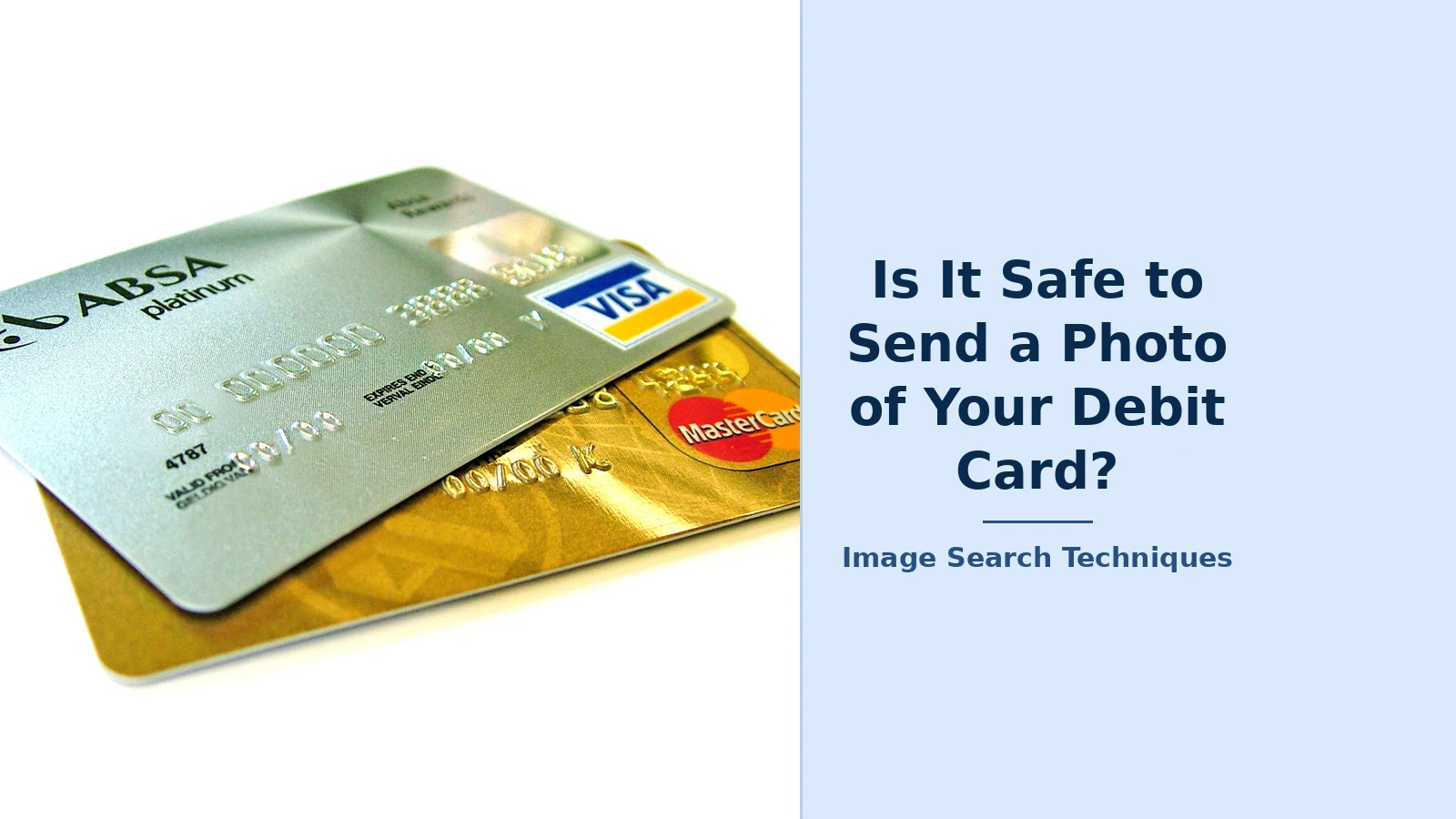
To show how exposed a card photo is once it exists as an image file, we ran a genuinely performed test on 12 November 2026. We took a public-domain photograph of two credit cards, the Wikimedia Commons image “Credit-cards.jpg”, a silver card layered over a gold card, and ran it through the free reverse image search tool on this site by pasting its URL. The tool is a link-out aggregator: it sends the image URL to each search engine in turn. Here is what each engine returned.
| Engine | Result |
|---|---|
| Google Lens | Worked, after a reCAPTCHA check. Identified “Credit cards”; exact matches included the Wikimedia original |
| Google Search by Image | Worked. AI Overview named the cards; top visual match was Wikipedia’s “Credit card” |
| TinEye | Worked. 2,619 results across 86.7 billion images; first indexed 5 Feb 2008; top result was the Wikipedia original |
| Bing | Worked, but misidentified it. Found 34 pages with this image; no Wikimedia page in the list |
| Yandex | Worked. Recognised it as a bank card; no Wikimedia page in its sites list |
| Failed. Opened a keyword search showing unrelated pins, not a visual search |
Two lessons matter for card photos. First, a card photo is findable: TinEye traced this one back to its Wikipedia original within seconds, and Google Lens listed exact matches across hundreds of pages. If a photo of your card is posted or leaked anywhere public, anyone can search it and find where it has appeared. Second, engines disagree: Bing and Yandex found the image on third-party pages but not on Wikimedia, so a clean result on one engine proves nothing. That is why our guide to removing your photos from Google recommends checking several engines and acting on the worst result, not the best one.
Already sent a photo of your card? Do this now
Speed matters more than anything else. A card photo can be used within minutes, and every hour you wait is an hour of spending. Work through these steps in order:
- Freeze or block the card immediately. Do it in your banking app, most banks now offer a one-tap freeze, or call the number on the back of the card. Freezing stops new spending while you sort out a replacement.
- Ask for a replacement with a new number. A reissue of the same number does not help: the number in the photo is still valid. Insist on a new card number, which kills the photographed one.
- Check your recent transactions today. Look for small test charges as well as large ones, and report anything you do not recognise the same day. In the US, how fast you report decides how much you can be made to pay, as the next section explains.
- Change your online banking password and switch on two-factor authentication if the same conversation involved any other personal details. A photo alone does not reveal your PIN, but scammers pair card photos with phishing for passwords.
- In the US: place a free fraud alert or credit freeze with Equifax, Experian and TransUnion, and report the incident to the FTC at ReportFraud.ftc.gov. If the scam happened online, also file a report with the FBI’s Internet Crime Complaint Center (IC3).
- In the UK: report to your bank first, then to Action Fraud, the national fraud reporting centre. If the photo included your ID as well, consider CIFAS Protective Registration, which flags your file so lenders take extra checks before opening credit in your name.
- Watch your statements for at least 60 days. Fraudsters often wait weeks before using harvested details, hoping you have stopped looking. Set up transaction alerts so every spend reaches your phone instantly.
Deleting the message does not unsend the photo. The recipient may have screenshotted it, forwarded it, or saved it to their camera roll before you deleted anything. That is why step one is freezing the card, not deleting the chat. If the photo also included a selfie holding your ID, treat it as identity theft, not just card fraud, the selfie-with-ID guide walks through the extra steps.
Who pays if the money goes? The US and UK rules, side by side
If money is taken with your card details, the amount you can be made to pay depends on the country, the card type, and, in the US, how quickly you report it. These are the rules as they stand in 2026.
| Situation | Most you can be made to pay |
|---|---|
| US debit card, reported within 2 business days | $50 (Regulation E) |
| US debit card, reported within 60 days of the statement | $500 (Regulation E) |
| US debit card, reported after 60 days | Uncapped for later transfers |
| US credit card | $50 by law; usually $0 under zero-liability policies |
| UK debit card | £35 before you report; £0 after (Payment Services Regulations 2017) |
| UK credit card | £50 before you report (Consumer Credit Act 1974) |
In the US, the Consumer Financial Protection Bureau’s Regulation E sets three tiers for debit cards: report the loss or theft within two business days of learning about it and your liability is capped at $50; report later but within 60 days of the statement showing the charge and the cap rises to $500; report after that window and transfers made after it closed can be yours without a cap. Credit cards are different and safer: federal law caps your liability at $50, and Visa and Mastercard both run zero-liability policies, so in practice cardholders usually pay nothing for unauthorised credit card spending. Read the tiers in the CFPB’s own text of Regulation E, section 1005.6.
In the UK, the Payment Services Regulations 2017 are simpler: your bank must refund an unauthorised transaction by the end of the next business day, and the most you can be asked to bear is £35 for losses before you reported the card, unless you acted fraudulently or with gross negligence, in which case the bank can refuse a refund. Once you have reported the card lost or compromised, your liability is zero. Credit cards fall under the Consumer Credit Act 1974, which caps your liability at £50 for unauthorised use before you report it. Which? confirms the £35 figure in its guidance updated in August 2026, and notes that many banks waive even that.
One important boundary: these caps cover unauthorised transactions, spending someone else made with your details. If you were tricked into sending money yourself, that is authorised push-payment fraud, and different rules apply. In the UK, banks must reimburse most victims of that fraud under Payment Systems Regulator rules; in the US, the protection is far weaker. The distinction is another reason to freeze the card fast: every unauthorised transaction you report promptly is a transaction the caps protect.
What to send instead of a card photo
Almost every legitimate reason for a card photo has a safer alternative. Use this table the next time someone asks:
| They asked for | Send this instead |
|---|---|
| Proof you own the card | The last four digits only, typed, never a photo |
| Proof of a payment | A statement screenshot with everything except the one line blacked out |
| Identity verification | Verify inside the official app, or show the card in person at a branch |
| A deposit or holding payment | Pay by transfer or card payment through the platform itself |
| Account confirmation | A small test payment the other side can confirm |
Two tools make card photos unnecessary in the first place. Apple Pay and Google Pay replace your real card number with a token, so the merchant never sees your actual details, which is why paying by phone is safer than photographing a card for a remote seller. And several banks now offer virtual or single-use card numbers for online shopping: a number that works once, for one merchant, and is useless if it leaks. If your bank offers virtual cards, use one whenever a website or a stranger asks for card details outside a checkout you trust.
The short version: a photo of your debit or credit card is a copy of your money, in a format designed to be forwarded. No genuine check needs it, no covering trick makes it safe, and the recovery, freeze the card, get a new number, report it the same day, is far more painful than the refusal. Say no, send the last four digits typed out if proof is truly needed, and keep the photo off your phone entirely.
FAQs
Is it safe to send a photo of the front of my debit card only?
No. The front alone shows your 16-digit number, your name and the expiry date, and some online checkouts accept a payment with just those details. A fraudster can test the card with small charges or pair the front with a CVV obtained another way. Never send a photo of a card to someone who contacted you first.
My bank asked me to send a photo of my card. Is that real?
No. A bank will never email, text or message you asking for a photo of your card or your card details, the Financial Conduct Authority states this plainly. If you get one, do not reply in that thread. Call your bank on the number printed on the back of your card and ask whether the message is genuine.
I already sent a photo of my card. What do I do first?
Freeze or block the card in your banking app now, then ask for a replacement with a new card number, a reissue of the same number does not help. Check transactions for test charges and report anything unfamiliar. Watch your statements for 60 days, then report it to Action Fraud in the UK or the FTC in the US.
Can someone use my card with just the number and expiry date?
Yes, at some merchants. Not every online checkout requires the CVV, and fraudsters use automated card-testing tools to try combinations until a payment goes through. The number and expiry date can also start subscriptions or add the card to some services. That is why even a front-only photo, or one with digits covered, is never safe to send.






