


🔎 Reverse Image Search
Image search techniques made simple: upload a photo or paste a URL and search 6 engines at once. 100% free, nothing stored.
🔒 Your image is never stored on our servers longer than 24 hours and is never shared.
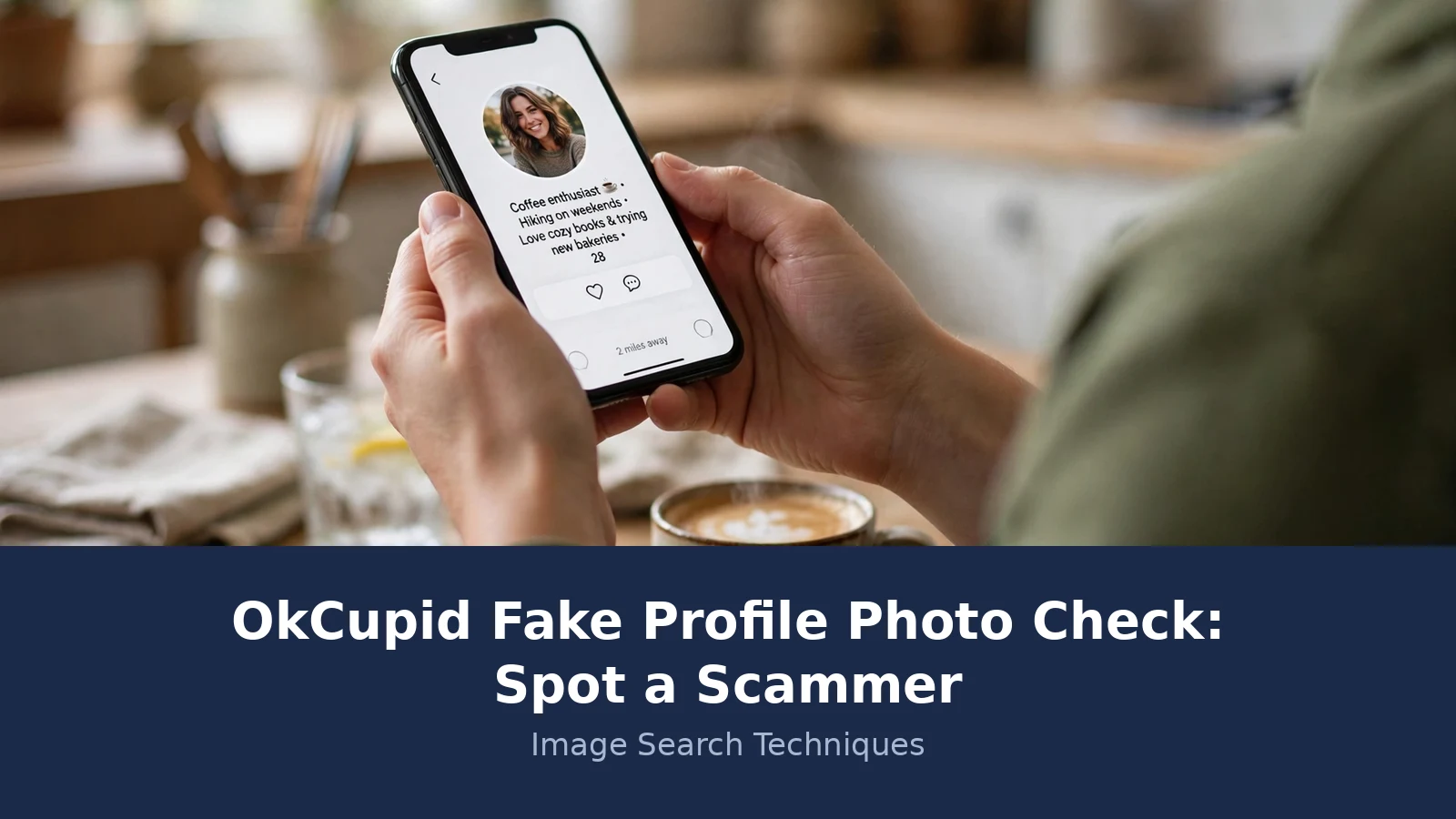
You matched on OkCupid. The photos look great, the chat flows, and then something small feels off. The job does not quite fit the photos. The story changes between messages. They want to move to WhatsApp after two days. The messages can be a tell, too: scammers reuse the same bio, prompt answers and opening lines across many accounts, and they flatter heavily or sound scripted from the first message. Before you send another reply, check the photos. A photo check takes five minutes, and it is the fastest way to find out whether you are talking to a real person or a stolen face.
Run an OkCupid fake profile photo check before you invest time or feelings. Screenshot the photos and reverse-search them with Google Lens and TinEye, check the blue Verified badge, look for AI tells and background clues, then report anything suspicious. No single test proves a profile is real or fake, so use the whole sequence.
Face-search tools such as PimEyes and ProFaceFinder work the other way round: they look for the same face across the web, which helps when a photo has been cropped or re-uploaded under a new name. A match still only proves the photo is reused, and a zero proves nothing on its own.
OkCupid is a big target for romance scammers because it is free to join, it works worldwide, and its profiles are photo led. The US Federal Trade Commission counted 64,003 romance scam reports in 2023, with reported losses of about $1.14 billion and a median loss of $2,000 per person. Those are only the cases people reported. The FBI’s Internet Crime Complaint Center put total reported cybercrime losses at $16.6 billion in 2024. Romance scams sit inside that number, and they work because the photos feel real long before the money request arrives.
Why does the photo check matter more on OkCupid than on other apps?
In short: OkCupid asks for no government ID when you join, so a convincing set of photos is the only thing standing between you and a scammer.
Signing up to OkCupid confirms an email address or a phone number. That is all. There is no identity document check at the door, and OkCupid says so itself in its own safety pages: “We do not conduct criminal background checks or identity checks on all users.” A government ID only enters the picture in narrow cases, such as appealing an age related ban, or if OkCupid suspects an account is inauthentic and asks for a photo ID or selfie check. In some markets there is an optional identity verification feature, but it is not the normal route in.
That leaves one routine check, and it is optional. Photo Verification asks you to record a short video selfie, and it compares that selfie with your profile photos. If it matches, you get a blue Verified badge. Plenty of genuine members never bother with it, so a missing badge proves nothing on its own. The badge is also a snapshot in time: it only proves the selfie matched the photos on the day of verification, so check the photos you see today the same way, not just the badge. But the gap matters: anyone can open an account with a stolen set of photos and start messaging within minutes, and nothing in the sign-up process will stop them. The photo check is your own version of that missing gate, and it works best when you run it before the conversation gets personal.
The Federal Trade Commission’s own advice backs the same order of work. Its February 2024 blog post on romance scams tells readers to do a reverse image search of a profile picture, and to treat a photo that belongs to another name as a sign of a stolen identity. The same post warns never to send money, crypto, gift cards, or bank transfers to anyone you have not met in person. You can read the FTC’s advice in full in its romance scam blog post.
What is the OkCupid fake profile photo check sequence?
In short: six steps, five minutes, in this order. Reverse-search the photos, check the badge, look for AI tells, read the background, read the profile, then report.
Do the steps in order. The reverse search comes first because it gives you facts, not feelings. The badge and the profile checks come after, because they only make sense once you know where the photos came from. This is the same family method we use across every dating app, and our guide to spotting a fake dating profile sets out the shared sequence in full. The table below is the OkCupid version of it.
| Step | What to do | What a fail looks like | What it proves |
|---|---|---|---|
| 1. Reverse-search every photo | Screenshot each profile photo and run it through Google Lens and TinEye | The same face appears as a stock model, under another name, or on a known scam profile | The photos are not theirs. It does not prove who runs the account. |
| 2. Check the Verified badge | Look for the blue Verified badge next to the name | No badge, or a badge on a profile whose photos still fail step 1 | The face in the photos matches a live video selfie. Nothing about name, age, or honesty. |
| 3. Look for AI tells | Zoom into hands, teeth, earrings, glasses, and backgrounds | Melted details, extra fingers, strange eye reflections, only glamour shots | The photo may be AI made. A clean photo proves nothing either way. |
| 4. Read the background | Check outlets, plates, signs, plants, and architecture against the claimed location | UK plug sockets behind someone who claims to live in Texas, or summer trees in a January photo | The story and the photo do not match. It is a clue, not a verdict. |
| 5. Read the profile | Look for one photo only, a blank bio, model looks, and a story that shifts | Three photos, all studio shots, no answers to your questions, urgent money story by week two | A pattern of scam behaviour. One odd detail alone means little. |
| 6. Report and block | Use the three dots on the profile, then Report, then Block | You hesitate because they seem nice | Nothing about them. It protects the next person they message. |
We used the same six steps for our Hinge fake profile check, and the method held up there too. The platform changes, the photos change, but the sequence stays the same: facts first, feelings second, report last.
One rule runs through every step. A match never proves a person is real, and a zero never proves a person is fake. A reverse search can prove a photo is stolen, because the same image cannot honestly belong to two different people. But a photo with no matches might be new, private, cropped, or flipped. Treat every result as evidence, not as a verdict, and let the steps add up before you decide.
How do you reverse-search an OkCupid profile photo?
In short: screenshot the photo, upload it to Lens and TinEye, and read what comes back before you reply to another message.
Start with the main profile photo, then work through the rest. Scammers often mix one stolen glamour shot with a few ordinary photos, so checking a single image is not enough. Run every photo you can see.
- Screenshot the photo. On the app, open the photo full screen and take a screenshot. On the web, right click and save the image. Do not crop it first. Cropping can hide the background details that give a stolen photo away, and it can also weaken the match.
- Run it through Google Lens. Go to lens.google.com, upload the screenshot, and open the Exact matches tab. Lens is good at finding the same photo on other pages, even when it has been resized or lightly edited. Note the names and sites attached to the matches, not just the count.
- Run it through TinEye. Go to tineye.com and upload the same screenshot, or paste the image address. TinEye sorts by oldest first, which helps you find where a photo first appeared. A photo first indexed years ago, now on a dating profile, is a strong warning sign.
- Search all six engines at once. Our own reverse image search guide walks through the full method, and the free tool on our homepage searches Google Lens, TinEye, Bing, Yandex, Pinterest, and more in one go. One engine can miss what another finds, so the extra engines are worth the extra minute.
- Search the words too. Put the profile name, username, phone number, or email address into a search engine and see where else it appears. A name that shows up on three dating sites in three cities is not one person with a busy social life. It is one photo set being reused.
Read the results slowly. A match on a stock site means the photo is a stock photo, and the person in it is a model, not your match. A match under a different name means the identity is borrowed. A match on a scam reporting forum means someone else already met this face and lost money to it. Any one of those is enough to stop the conversation and report the profile. A clean result is not a green light. It only means the search found nothing this time, so you move on to the next step instead of relaxing.
What did our test photo actually show?
In short: we ran a popular stock portrait through both tools, and both immediately showed it was not a real person’s dating photo.
For the worked example we picked a real photo, not a made up one. The portrait is “Smiling woman wearing white and black pinstriped collared top” by Stefan Stefancik, published on Unsplash on 5 December 2018. It shows a young woman with long brown hair in a black and white striped collared shirt, outdoors at sunset. It is a free stock photo under the Unsplash licence, and it is one of the most used portraits on the site: 448,653,641 views and 1,410,817 downloads at the time we checked. That popularity is exactly why we chose it. Scammers favour photos that look warm and ordinary, and this one looks like a real person on a normal evening out.
We ran the same image through TinEye and Google Lens on 16 November 2026, using the Unsplash image address. Here is what came back.
| Tool | Result | What it means |
|---|---|---|
| TinEye | 341 results. First indexed by TinEye on 6 December 2018. TinEye searched 86.7 billion images. 19 of the results were stock listings. | The photo has circulated for nearly eight years. Top matches included Adobe Stock, plus the same file reused on koyag.com, imagedetector.com, getcims.com, cdyala.com, businessemoi.com, txyber.com, helene-michel.de, displate.com, and wellnify.ai. |
| Google Lens | Exact matches on cosmetic clinic pages, photography blogs, and Unsplash collection pages. Lens shows no total count on its Exact matches tab, so we report the list, not a number. | Top exact matches included Epycure, ExpertPhotography, the Center for Aesthetic Medicine, Dr Jose Barrera, and Unsplash itself. The same face sells skin treatments and illustrates portrait tutorials. |
Now picture this face on an OkCupid profile. The bio says she is a nurse in Leeds, 29, new to the city, looking for something real. The reverse search says the photo is a stock portrait that has been downloaded 1.4 million times and used by skin clinics, blogs, and wallpaper sites. Those two stories cannot both be true. The photo is not hers, so the profile is built on a borrowed face, and that is enough to stop and report.
Notice what the search did not prove. It did not prove the person behind the account is a scammer, and it did not prove they will ask for money. It proved one thing: the photos are not theirs. That is the limit of the tool, and respecting that limit is what keeps the check honest. We ran the same method on a Match.com test profile using a different stock portrait, and TinEye returned 58 results there, with the same lesson: a popular free photo is a scammer’s easiest raw material.
How do you spot an AI-generated profile photo?
In short: look at the small details AI still gets wrong. Hands, teeth, earrings, glasses, and backgrounds give it away before the face does.
Stolen photos used to be the main problem. Now a scammer can also generate a face that has never existed, which means a reverse search can come back clean even when the person is fake. That is why the AI check sits right after the reverse search in the sequence. It catches the photos no search engine has seen before.
| Tell | What to look for | Why it matters |
|---|---|---|
| Melted details | Earrings that blend into skin, glasses with uneven arms, lanyards that dissolve into a shirt, jewellery that makes no sense | AI tools struggle with small, thin objects. Real photos have clean edges here. |
| Hands and fingers | Extra fingers, bent fingers, hands that merge with a cup or a phone | Hands are still the hardest thing for image generators to draw. Zoom in on every hand you can see. |
| Teeth and eyes | Too many teeth, teeth that blend together, eyes that reflect different rooms, pupils that are not the same shape | A real camera records one scene. A generated image can hold two. |
| Skin and background | Skin that looks airbrushed smooth, backgrounds that blur in odd places, text on signs that reads as nonsense | Generators smooth skin and invent background text. Real photos keep flaws and real words. |
| Too perfect, too consistent | Every photo is a glamour shot, same lighting, same angle, same heavy filter, no candid or casual photo at all | Real people have bad photos. A profile with only modelling shots is a set, not a life. |
A word of caution about AI detectors. Detector scores can mislead badly. In our own earlier testing, one well known detector scored a proven face swap as 0% AI, and scored a real photograph as 99.9% AI. Treat any detector result as one test on one image, never as proof, and never let a low score overrule what the reverse search and your own eyes found. The tells in the table above are more useful than a percentage, because you can see them yourself.
Video calls are the next step when the photos pass but your gut still says no. Ask for a live video call at a random time, and watch whether they agree. Excuses about a broken camera, bad signal, or workplace rules are common, and so are short calls that freeze whenever you ask the person to do something specific on camera, such as waving or holding up two fingers. A real person with honest intentions has no problem with a quick live call. A scammer has every reason to avoid one.
What does OkCupid’s blue Verified badge actually prove?
In short: the badge proves the person in the video selfie looks like the person in the photos. It proves nothing about their name, age, job, or honesty.
Photo Verification is OkCupid’s check that the photos on a profile are actually the person behind it. You record a short video selfie, OkCupid compares it with your profile photos using liveness detection, and if they match, your profile shows a blue Verified badge.
OkCupid describes the process in its own help centre. From your profile, tap the camera icon next to your name, tap the blue Verified badge, tap “Verify my photos”, then follow the prompts to record a short video selfie. The system uses liveness detection to make sure the video shows a real, live person, not a photo or a video of someone else. If the selfie does not match your photos, you get no badge, but your account is not flagged or banned, and you can try again with a different photo or video selfie. You can read the full steps in OkCupid’s Photo Verification help article.
The privacy detail matters too. OkCupid says your video selfie is not stored. It is immediately and securely destroyed after the verification check is complete, it is not shared with other members, and it is not used for any other purpose. Your profile photo is retained and used for in-app purposes. That is a better deal than some apps offer, and it is one reason the badge is worth looking for, even though it is optional.
But the badge has hard limits, and our guide to dating app photo verification badges sets them out across the major apps. A badge confirms one thing only: the face in the photos belongs to a live person who recorded a selfie. It does not confirm a legal name, an age, a location, a job, a marital status, or a reason for being on the app. A verified person can still lie about all of those, and a verified person can still be a scammer. The badge is a useful clue inside the sequence, not a verdict on its own.
The same logic runs the other way. A missing badge does not mean a profile is fake. Verification is optional, many genuine members never complete it, and failing the check does not flag or ban an account. So treat the badge as a plus point when it is there, and as a neutral fact when it is not. What should worry you is the combination: no badge, one glamour photo, a blank bio, and a fast push to move off the app. That stack is the pattern, and the pattern is what the sequence is built to catch.
How do you report, block, and recover if it is a scam?
In short: report first, block second, and never confront the person or send more money.
Reporting is quick, and it is confidential. The person you report is not notified. On the web, go to the person’s profile, click the three dots icon in the top right corner, and select Report. In the app, tap the three-dot icon in the top right corner of the profile and select Report. Then choose the reason for your report, add any detail that may help the review, and tap Submit. To report a single photo, tap it to view it full screen, tap the three dots, and select Report Photo. To report a message, tap the three dots next to the message and select Report. OkCupid’s team reviews the report and takes action if needed.
Blocking works from the same menu. Tap the three dots on the profile and select Block, or tap the three dots at the top of a conversation and select Block. Blocking stops both of you seeing each other’s profiles and stops messages in both directions, and the person you block is not notified. If you matched and want to cut the link, unmatch instead: go to your matches, tap the three dots next to their name, and select Unmatch. One quirk to know: you cannot block a member who has already blocked you, so report first if you want the profile reviewed.
Do not confront a suspected scammer. Do not tell them you ran a reverse search, do not demand an explanation, and do not try to trap them into admitting it. Confrontation gives them a chance to change the story, to guilt you into staying, or to move faster. It also puts you in contact with someone whose real identity you do not know. Report, block, and walk away. That is the whole job.
If you already sent money or personal photos, act now and do not send more. Stop all contact and keep every message, photo, and receipt, including screenshots of the profile and the payment. Tell your bank or payment provider straight away, because a fast report gives them the best chance of stopping or reversing a transfer. Then report the scam to the FTC at reportfraud.ftc.gov and to the FBI’s Internet Crime Complaint Center at ic3.gov. Both reports feed databases that law enforcement uses to spot patterns, and your report may be the one that links this photo set to other victims. Money that has gone to a scammer is rarely recovered in full, which is why the five minute check at the start is worth so much more than the recovery work at the end.
A fake OkCupid profile is not a puzzle to solve. It is a pattern to recognise early, with a reverse search, a look at the badge, and a careful read of the photos and the story. Run the sequence before you get invested, trust what the tools find, and do not let a clean result talk you out of the other checks. Five minutes at the start saves weeks of regret later.
The same sequence works on Zoosk. Our Zoosk fake profile photo check runs the same checks on Zoosk profiles, where the badge is a blue shield and the report route sits behind the three dot menu.
FAQs
Can a reverse image search prove an OkCupid profile is fake?
It can prove a profile is fake when the photo turns up on a stock site, a modelling portfolio, or under another person’s name. But a search with no matches proves nothing, because the photo may be new, private, cropped, or AI generated. Use the search as the first step, then check the badge, the AI tells, and the profile.
Does the blue Verified badge mean an OkCupid profile is safe?
No. The badge only proves the person in the video selfie looks like the person in the profile photos. It says nothing about their name, age, job, marital status, or honesty. A verified profile can still be a scam. Treat the badge as one clue inside the full check, never as a verdict on its own.
Why do scammers use stolen photos on OkCupid?
A warm, attractive photo earns trust fast and gets replies, and stock and model photos are free and easy to steal. OkCupid asks for no government ID when you join, so a convincing photo set is enough to open an account and start messaging. That is why the photo check matters more here than on apps with stricter sign-up checks.
What should I do if an OkCupid match refuses a video call?
Treat the refusal as a red flag, not as proof on its own. Ask once, at a random time, and watch what happens. Excuses about broken cameras or bad signal are a classic scammer pattern. Do not send money or personal photos, run the rest of the photo check, and report the profile if the other signs stack up.
Can I report an OkCupid profile just because the photo looks fake?
Yes. You can report a profile, a photo, or a message from the three dots menu, and your report is confidential. Choose the reason that fits best and add any detail that helps the review. OkCupid’s team reviews the report and acts if needed. Reporting a suspicious profile protects the next person that account messages.
I already sent money to an OkCupid match. What do I do now?
Stop sending money and cut off all contact. Keep every message, photo, and receipt, including screenshots of the profile and the payment. Tell your bank or payment provider immediately, then report the scam to the FTC at reportfraud.ftc.gov and the FBI’s IC3 at ic3.gov. Do not confront the scammer or send more money.






