


🔎 Reverse Image Search
Image search techniques made simple: upload a photo or paste a URL and search 6 engines at once. 100% free, nothing stored.
🔒 Your image is never stored on our servers longer than 24 hours and is never shared.
A Hinge profile can look completely convincing, six polished photos, three witty prompt answers, a job and a hometown that all sound plausible, and still belong to someone who stole every picture. Hinge’s design makes that harder to spot than on other apps, because you cannot search for a person by name and most Hinge profiles never appear in Google at all. That is why a hinge fake profile photo check is worth doing before you invest time, feelings or money in a match.
Short answer: to check a Hinge profile photo, screenshot it, crop the image tight to the person’s face, and run the crop through a reverse image search. If the same photo appears under a different name, on a stock-photo site or on another dating profile, the Hinge profile is almost certainly fake. If nothing comes back, the photo may be genuine, or simply never published anywhere else, so treat a no-result as inconclusive, not as proof the person is real.
A hinge fake profile photo check means testing whether the pictures on a Hinge profile belong to the person showing them, or whether they were taken from somewhere else on the internet. It is a photo check, not a background check: it answers one question, has this exact image appeared anywhere else online?, and that single answer is often enough to end a conversation with a scammer before it starts. This guide works through the whole routine, the Hinge-specific reasons the check matters, the four-step workflow, a real worked example, the photo red flags, and what Hinge’s own verification badge does and does not prove, so you can run a hinge reverse image search properly and read the result like a fact-checker, not a guesser.
Hinge is the third most popular dating app, with around 28 million users according to Business of Apps, and it is owned by Match Group, the same company behind Tinder and Match.com. We ran the same check on Match itself: see our Match.com fake profile photo check for the Match-specific steps and how to report a fake profile. That scale is exactly why scammers work it: a large pool of people who joined an app marketed as “designed to be deleted” tend to lower their guard faster than on apps with a reputation for casual encounters. The checks below cost nothing and take about two minutes.
What is a hinge fake profile photo check?
A hinge fake profile photo check is a reverse image search on a photo taken from a Hinge profile, used to find out whether that photo already exists somewhere else on the internet. The check has three possible outcomes, and each one means something different. A match to a stock-photo library, a model’s portfolio, another person’s social media account or a different dating profile is strong evidence the Hinge profile is fake, because a real person’s own photos do not normally appear under someone else’s name. A match to the same person under the same name on Instagram or LinkedIn is reassuring, because it shows the photos belong to a real, consistent identity. And no match at all is the outcome most people misunderstand: it proves nothing either way, because Hinge profiles are barely indexed by search engines and a scammer’s stolen photo may simply never have been published in a form the search engines have seen.
The check is different from the generic advice to “Google the person”, because there is usually no name to Google. Hinge shows a first name, an age and a handful of details, and none of those are verified. The photo is the one thing on the profile that can be tested against the rest of the internet, which is why the photo check is the strongest single step you can take before matching. Our guide to how to spot a catfish covers the wider set of warning signs across all dating apps; this guide is the Hinge-specific version, built around how Hinge actually works.
Why are fake Hinge profiles harder to catch than fake Tinder profiles?
Hinge’s design makes its profiles feel more trustworthy than a Tinder profile, and that feeling is precisely what scammers exploit. Understanding the mechanics explains why a photo check matters more here, not less. First, Hinge has no search bar: you cannot type a name and find a profile, and the only way to see someone inside the app is if the algorithm serves them to you as a potential match. Hinge removed its Explore feature in 2023, which closed off the last way of browsing profiles directly. Second, Hinge profiles are barely indexed by Google, so the name-and-city searches that sometimes expose a fake Tinder profile rarely work on Hinge at all. Third, Hinge requires six photos or videos and three written prompt answers before a profile can go live, which sounds like a high bar, but a scammer who has stolen a full set of photos from one real person’s Instagram can clear it in minutes, and the finished profile then looks more complete and more human than a thin Tinder profile ever would.
The fourth difference is the way Hinge asks you to interact. Instead of swiping, you like a specific photo or respond to a specific prompt, and the other person can reply to your comment. That photo-comment mechanic creates a small personal exchange before you have even matched, which builds trust quickly, and it is also the feature scammers use to open a conversation that feels personal from the first message. Finally, Hinge’s prompts give a fake profile a voice: three short answers, written once and reused across dozens of burner accounts, can make a stolen identity sound thoughtful, funny and local. None of this means Hinge has more fakes than other apps, in fact Hinge is generally regarded as having fewer fake profiles than most, because the six-photo rule and phone verification raise the cost of creating one, but it does mean the fakes that survive look more convincing, so the photo check is doing heavier work here than it does on Tinder. Our Tinder fake profile photo check shows the same workflow on an app where profiles are easier to cross-check; on Hinge, the screenshot-and-crop step below matters even more, because there is no easier route.
How do you run a hinge fake profile photo check in four steps?
Hinge does not let you save or download another person’s profile photos, and it does not offer a reverse image search of its own, so the whole check runs outside the app. The workflow is screenshot, crop, search, read, and the table below is the ranking asset for this article: keep it open while you work through a real profile.
| Step | What to do | What a good result looks like | What it means |
|---|---|---|---|
| 1. Screenshot | Open the profile full-screen and take a screenshot of the photo you want to check. Capture the whole photo, not a thumbnail, and screenshot each photo separately if you want to check more than one. | A sharp, full-size image of one profile photo. | A blurry or partial screenshot gives the search engine too little to match, so retake it rather than searching a bad image. |
| 2. Crop to the face | Crop the screenshot tight to the person’s face and shoulders. Cut out Hinge’s interface, the like button, the prompt text and any other person’s face. Save the crop as its own image. | One face, filling most of the frame, with no app interface visible. | Search engines match faces far better than full screenshots, and interface elements actively confuse the match. |
| 3. Reverse search | Upload the crop to Google Lens, then repeat the same crop on TinEye. Two engines, same image, because their indexes do not fully overlap. | A results page listing every page where the image appears. | One engine missing a match does not clear the photo; the second engine often catches what the first missed. |
| 4. Read the result | Open the matching pages and compare the name, the context and the date against the Hinge profile. | See the three readings below. | The result, not the search, is the verdict, and a no-result needs its own interpretation. |
Reading the result is the step most guides skip, so here are the three readings in full. A match under a different name, the photo appears on another dating profile, a social media account or a news article attached to a different person, means the Hinge profile is using a stolen photo, and you should report it and unmatch without messaging the person first. A match to a stock-photo site or a model’s portfolio means the same thing with even more certainty: nobody’s genuine dating photos come from a stock library. A match to the same name on a real-looking Instagram or LinkedIn is the reassuring outcome, and it is worth a quick look at that account’s history, a real account has years of posts, friends and comments, while a scammer’s decoy account is usually a few weeks old with a handful of photos. And no result at all is where Hinge differs from Tinder: on Tinder a no-result is mildly reassuring, because Tinder profiles and their photos are more widely indexed, but on Hinge a no-result is genuinely inconclusive. Hinge profiles are barely Google-indexed, so the search engines may never have seen this photo in this context even if it is stolen, and a scammer’s photo may have been cropped, flipped or filtered just enough to dodge an exact match. A no-result means “keep checking the other signs”, never “this person is real”.
Two practical details make the search itself work better. First, always search the crop, not the raw screenshot: a full Hinge screenshot contains the app’s interface, the heart button and the prompt text, and search engines try to match all of that at once, which weakens the face match. Second, search more than one photo from the same profile. A scammer usually steals a whole set from one real person, so if the first photo returns nothing, the third or fourth may be the one that has been published somewhere searchable. If you would rather run the search without juggling tabs, our free reverse image search tool on the homepage runs the same crop across several engines at once, upload the cropped face there and compare what each engine returns. If both engines return nothing, a face-search tool such as PimEyes checks the face itself against other public profiles, which sometimes catches a stolen photo that a plain image search missed.
Worked example: I reverse-searched a real profile-style photo, here is what happened
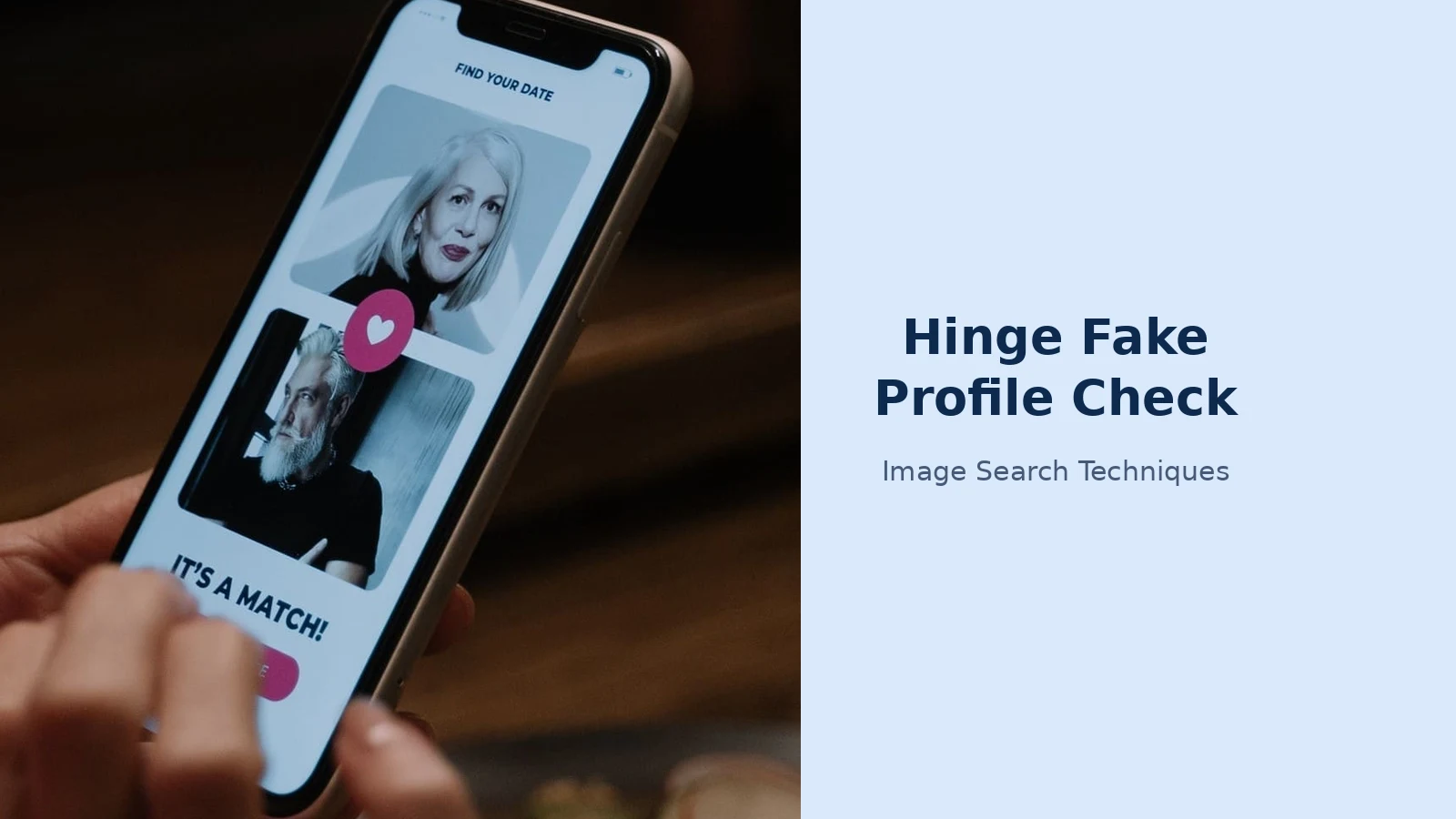
To show what the four steps actually return, I ran the workflow on a real photograph instead of describing it in theory. The test image was a tight face crop taken from a phone screen inside a stock photograph of a woman browsing a dating app, the same kind of screenshot crop a reader would make from a Hinge profile, with the same flaws: a slight screen glare, a small pink interface icon clipped at the top edge, and a low effective resolution. I uploaded that crop to Google Lens on 9 November 2026 and recorded what came back.
Lens returned no exact match at all. Its “Exact matches” tab said plainly, “No exact matches found”, which means no copy of that image was found anywhere on the web, even though the photograph it came from is publicly published. The “Visual matches” tab did better, but only in the loosest sense: it showed generic portraits of other bearded men, a Facebook photoshoot, an Alamy stock portrait of a mature man with a white beard, an agency portrait, none of them the same face, and the Pexels source of the photograph never appeared anywhere in the results. On a second load of the same search, the visual matches changed again, this time leading with shopping listings for black T-shirts: Lens had latched onto the dark T-shirt in the crop rather than the face. The AI Overview above the results only described the image generically, as a mature man with a full white beard wearing a black T-shirt, and asked what information I wanted about him.
That result is the most useful outcome this test could have produced, because it is the outcome readers will meet most often, and it proves the point the table above makes about no-results. The test photo was genuine and publicly published, yet Lens could not find its source from a phone-screen crop: the glare, the low resolution and the tight framing were enough to break the exact match, and the visual matches were lookalikes, not the same person. A scammer’s stolen photo that has been cropped, flipped or filtered will be harder still. So a no-result on a Hinge photo check must never be read as a clean bill of health, it means the search failed to find the photo, not that the photo is original.
Three lessons from that test are worth carrying into your own checks. First, a no-result is the normal outcome, not the exception: even a genuine, published photograph can return nothing from a phone-screen crop, so never treat silence as proof. Second, visual matches are lookalikes, not identifications: a page of similar bearded men proves nothing about the person in your crop, and a shopping tab full of T-shirts shows how easily Lens can match the wrong part of the image. Third, run the check on more than one photo and more than one engine: the first photo may return nothing while the third is the one that has been published somewhere searchable, and TinEye’s index does not fully overlap with Google’s, so the second engine often catches what the first missed. Let the pattern across the photos, not any single search, decide what you do next.
What are the Hinge catfish signs to look for in the photos and prompts?
A reverse image search catches stolen photos; the profile itself usually gives away the rest. These are the hinge catfish signs that show up again and again on fake Hinge profiles, and they are strongest in combination, one sign on its own is a reason to check, three together are a reason to walk away. Every photo looks like a modelling shoot. Real people have a mix: a good photo, a blurry holiday snap, a picture with friends where someone blinked. A profile where all six photos are studio-lit, perfectly composed and oddly impersonal is usually a stolen set. There is only one photo, or the photos do not match each other. Hinge requires six photos or videos, so a profile that looks thin has usually been padded with near-duplicates, screenshots of screenshots, or pictures of different people who merely look similar. Look for changing faces across the set: different jawlines, different ages, different skin tones. The prompt answers are vague enough to fit anyone. “I love to have fun”, “looking for my partner in crime” and “ask me anything” tell you nothing, and scammers reuse them because they work on everyone. A real person’s prompts mention something specific, a place, a team, a food, a hobby, that you can ask a follow-up question about. The Vitals and Virtues are empty. A profile with no job, no education, no hometown and no drinking or smoking preferences is a profile its creator did not bother to finish, which is what a mass-produced fake looks like. The photos and the story do not agree. A claimed Londoner whose photos show American number plates, a claimed nurse whose photos are all beach holidays, or a claimed 28-year-old whose photos span a decade of ageing are all mismatches worth one question in chat, and a scammer who stole the photos will not be able to answer it. Watch for photos that look AI-generated too: warped backgrounds, uneven earrings or glasses, skin that is too smooth, and light that does not match the scene are all signs worth one extra check, and a free AI image detector can confirm what your eyes suspect. Our Bumble fake profile photo check covers the same photo signs on Hinge’s closest rival, where the profile format is similar but the verification tools differ.
The conversation is the second test, and it is often the one that confirms what the photos suggested. A fake Hinge profile typically tries to move off the app within the first one or two messages, asking for your number or suggesting WhatsApp, because off Hinge there are no Safe Message Filters watching the chat, and Hinge’s own safety guidance warns about exactly this move. Scripted replies that do not quite answer what you asked, a refusal to answer a specific question about something visible in their own photos, and a permanent excuse for never doing a video call are the three classic tells. Try the specific-question test: pick a detail from their profile, such as a photo from a named city, and ask something only a person who was there could answer. A real person answers easily; a scammer ignores the question or replies with something vague. And never send money to a match: the FTC’s romance-scam guidance is blunt on this point, never send money or gifts to a sweetheart you have not met in person, and its advice includes doing a reverse image search of the person’s profile picture, which is the check this guide teaches.
What does Hinge’s Selfie Verified badge actually prove?
Many Hinge profiles now carry a Selfie Verified badge, and it is easy to read too much into it. Hinge’s own help centre, in its guide to protecting yourself from scammers on Hinge, explains the badge plainly: it helps show that a user’s photos match their face, though it does not confirm their name, age or other identity details. That is a narrower claim than most people assume. A badge proves that the person who created the account looks like the person in the photos, it does not prove the name is real, the age is real, the job is real, or the person is who they claim to be in any other respect. A scammer who steals a full set of photos cannot pass selfie verification, because their own face will not match the stolen photos, which is why the badge is a genuinely useful signal, but a real person with dishonest intentions can pass it without difficulty, and a verified profile can still be a romance scammer.
Hinge’s safety guidance adds five more checks that sit alongside the badge, and they are worth knowing because they describe how scammers actually behave on the app. Hinge advises daters to ask questions, because superficial answers expose a scammer faster than any tool; to take their time, because scammers want to move the chat away from Hinge’s Safe Message Filters; to treat any investment or crypto advice from a date as a reason to report immediately; to be suspicious of any story that needs money urgently, whether for a visa, surgery, a family emergency or a plane ticket; and never to send or receive money by wire transfer, money order, gift card or cryptocurrency, for any reason. Hinge’s help centre page on protecting yourself and other daters from scammers on Hinge, last updated in July 2026, is the authoritative version of that advice, and it is the page to read if anything in this guide and the app ever seem to disagree. The FTC’s guide to what to know about romance scams makes the same points from the consumer-protection side, including how to report a romance scam at ReportFraud.ftc.gov if you have already sent money.
What should you do if a Hinge profile fails the check?
If the photo search returns a stolen image, or the profile piles up enough red flags that you no longer trust it, act quietly and in this order. First, save evidence before you do anything else: screenshot the full profile, including the name, age, bio and every photo, and screenshot the matching page your reverse search found, because once the profile is reported and removed, that evidence is gone. Second, report the profile inside Hinge: open the profile or the chat, tap the three dots in the top right corner, choose Report, and select the reason that fits, “Fake Profile” or “Scam”, adding a short note if Hinge asks for one. Do not confront the person first; a warning gives them time to delete the profile before Hinge’s team can review it, and it can also invite abuse. Third, unmatch and block the profile so it cannot contact you again. Fourth, if money has changed hands, contact your bank or the payment company immediately and report the scam to the FTC at ReportFraud.ftc.gov, as the FTC’s guidance recommends. Hinge says its team reviews reports, and while you will not usually hear the outcome, the report still protects the next person who would have matched that profile. If you want the wider picture on dating-app scams, the investment variant, the military variant and the long-game romance scam, our photo scams complete guide covers the full set of photo-based scams across every platform, with the same check-first approach this guide uses for Hinge.
OkCupid works the same way. Our OkCupid fake profile photo check applies the same sequence to OkCupid profiles, including the exact Photo Verification steps and the report route.
FAQs
Can you reverse image search Hinge photos?
Yes, but not inside Hinge itself. Screenshot the profile photo, crop the image tight to the person’s face to remove Hinge’s interface, then upload the crop to Google Lens or TinEye, or to our free reverse image search tool. Hinge has no search bar and does not let you save profile photos, so the screenshot-and-crop route is the only way to run the check.
How can you tell if a Hinge profile is fake?
Look for a combination of signs: photos that all look like professional modelling shots, prompt answers so vague they could fit anyone, empty Vitals and Virtues, and a chat that rushes to move off Hinge or avoids video calls. Confirm your suspicion with a reverse image search on a cropped profile photo, a match under a different name or on a stock-photo site is strong evidence the profile is fake.
What does a no-result mean on a Hinge photo check?
On Hinge, a no-result is inconclusive, not reassuring. Hinge profiles are barely indexed by Google, so search engines may never have seen the photo, and scammers often crop, flip or filter stolen photos to dodge exact matching. Treat a no-result as “keep checking the other signs”, search a second photo, test the conversation, and ask for a video call before trusting the profile.
Should you ask a Hinge match for a video call before meeting?
Yes, a short video call is the strongest single verification step after the photo check, and Hinge’s own safety guidance recommends a phone or video call as a screening tool before meeting in person. A real person can usually manage one; a scammer will produce a run of excuses about a broken camera, bad internet or shyness. One excuse may be genuine, but a pattern of avoidance is a serious red flag.
Grindr works a little differently from Hinge: its profiles have no shareable link, and since January 2026 it blocks screenshots of photos sent in chat. If you use both apps, our guide to how to check a Grindr profile photo shows the capture workaround and the same three-engine reverse search.






