🔎 Reverse Image Search
Image search techniques made simple: upload a photo or paste a URL and search 6 engines at once. 100% free, nothing stored.
🔒 Your image is never stored on our servers longer than 24 hours and is never shared.
A text lands on your phone. It says you have an unpaid parking fine, gives you a short deadline, and asks you to tap a link and pay. The message looks official, and the threat of a bigger fine or court action makes your stomach drop. Before you tap anything, read this.
A fake parking fine PCN photo is a text or image claiming you owe a parking fine, pushing you to pay through a link. Councils never send a Penalty Charge Notice by text or email. A real PCN arrives on your windscreen or by post, so any fine that arrives by text is fake. Delete it.
That single fact settles most cases in seconds. The rest of this guide shows you how to read the message line by line, what a real council PCN actually looks like, and how to reverse search the photo or screenshot so you can prove it to yourself. If you want the wider picture first, our complete guide to photo scams covers the same tricks across letters, texts and emails.
The one fact that settles it: councils never text about a PCN
Every council that has warned about this scam says the same thing in plain words. Gateshead Council writes on its parking tickets page: “Gateshead Council will never text you about a PCN. You will only receive a PCN as a physical ticket on your vehicle or a letter to the registered keeper address associated with the vehicle.” Its local scams page repeats the warning and tells residents to ignore the texts and not click the link.
City of York Council said the same in a warning published in May 2026: “The Council never texts PCNs to people. They are fixed to a vehicle, occasionally given to the driver or posted.” In November 2026 the council warned again, after scammers texted parking fines and stuck fake QR codes on car park machines across the city. Chelmsford City Council puts it even more bluntly: “We will never send you a text or email about a PCN. If you receive any kind of texts or emails about a PCN, they will always be fake.”
This is not one council being cautious. Waverley, North Herts, Stevenage, Sheffield, Epping Forest, Central Bedfordshire, Rother and Wychavon have all published the same warning. The pattern is national, and the rule does not change from one town to the next. A council does not have your mobile number linked to your car, and it does not need one. It writes to the registered keeper at the address the DVLA holds, or it leaves a ticket on the windscreen.
So the test is simple. Did the fine arrive by text or email? Then it is not a council PCN, whatever name sits at the top of the message. Did it arrive on paper, on your windscreen or through your letterbox? Then it might be real, and it deserves a proper check against the real process below.
What a real council PCN looks like
A real Penalty Charge Notice is a civil penalty, not a criminal fine, and it follows a fixed shape. Knowing that shape is what lets you spot the fake, because the scam messages almost never match it.
First, the route. A council PCN is put on your windscreen by a civil enforcement officer, handed to you in person, or posted to the registered keeper. Camera enforced PCNs, for bus lanes or moving traffic, arrive by post. Nothing else is a delivery route. There is no text version, no email version and no QR code stuck on a machine that leads to a payment page.
Second, the number. Every PCN carries a unique reference that starts with a two or three letter prefix for the authority that issued it. Gateshead PCNs start GH. Wychavon PCNs start WH or ZW. Westmorland and Furness PCNs start VK. Sheffield PCNs start FD. If the message you received shows no PCN number at all, or a number with no recognisable prefix, that is a fail. The prefix is checkable: the issuing council publishes its own prefix, and the number is the key you use on the council payment page.
Third, the contravention code. A real PCN names the exact contravention as a two digit code, sometimes with a suffix letter. Code 01 means parked in a restricted street during prescribed hours, which is the yellow line offence. Code 05 means parked after the expiry of paid for time. Code 12 means parked in a residents or shared use bay without a valid permit. The code must match a real place, a real date and a real time, and it must match what you actually did. A scam text gives you none of this. It says you have a penalty charge, gives a date you do not recognise, and asks you to pay.
Fourth, the money and the clock. Outside London a council PCN is usually 50 pounds or 70 pounds, depending on the contravention. Pay within 14 days of a windscreen ticket, or 21 days if the PCN came by post, and the charge falls by half. You have 28 days to pay or challenge. If you do nothing for 28 days, the council sends a Notice to Owner, and after that a charge certificate adds 50 percent. Those figures come from GOV.UK and from the councils themselves, and they are printed on the notice. A scam text invents its own clock, usually hours, and its own amount, often 25 pounds, and it threatens a driving ban or court action the same day. An amount that ends in .99 is another tell, and so is awkward phrasing such as ‘payment channels’. A council PCN never threatens to ban you from driving.
Fifth, the payment route. You pay a real PCN on the website of the council named on the notice, by phone to the council, or by post. You type the council web address yourself. You never follow a link that arrived in a text. There is no national payment service for council parking penalties, which is exactly why the copycat sites exist.
One more distinction matters. If you hold a real paper PCN and want to use your own photos as evidence against it, that is a different job from checking a text. Our guide to using your photos as PCN evidence covers what to photograph and how to present it. This article stays with the fake message itself.
The PCN read table: six checks that expose the fake
Run any parking fine message through this table before you believe a word of it. A real PCN passes all six rows. A scam text fails the first row and usually fails most of the rest.
| What to read | A real council PCN | A fake PCN text or photo |
|---|---|---|
| Sender route | Paper ticket on the windscreen, handed to the driver, or posted to the registered keeper | Text message or email, often from a random mobile number or a name like DVSA |
| PCN number format | Unique reference starting with the council prefix, such as GH, WH, VK or FD, plus digits | No number at all, or a number that changes if you open the link twice |
| Contravention code | Two digit code, such as 01, 05 or 12, naming the exact offence, place, date and time | No code, or a vague claim such as an unpaid parking fine with no place or time |
| Deadline wording | 28 days to pay or challenge, 50 percent off if paid within 14 days, 21 days for postal PCNs | Hours to pay, today is the last day, pay now or face a ban, court or a bigger fine |
| Payment route | The council own website, typed in by you, or the council phone line or postal address | A link in the message, a shortened link, or a QR code leading to a copycat payment page |
| What a real council PCN looks like | Printed notice with the council name and logo, vehicle registration, contravention, amount and how to challenge | A phone screenshot or a copied GOV.UK style page that asks for your registration, then your card details |
Notice what the table does not ask you to judge. You do not need to decide whether the logo looks right or whether the spelling is good enough. Scammers now copy GOV.UK branding, colours and fonts closely, and Which? found the copycat site behind one wave of texts almost indistinguishable from the real thing. The route is the test. Text means fake, paper means check further.
Worked example: the DVSA text, read line by line
The clearest real example of this scam is published by GOV.UK itself. In September 2024 the Driver and Vehicle Standards Agency warned that scammers were sending texts about fake parking penalty charges, and it published the text word for word, spelling mistakes included. The GOV.UK page also shows a screenshot of the message as it arrived on a phone. That screenshot is the image we reverse searched for this article, and the source is the GOV.UK warning page.
Here is the message as GOV.UK quotes it: “Dvsa notice for you: You have a parking penalty charge due on 2024/9/30. If you do not pay your fine on time, Your car may be banned from driving, you might haeve to pay more, or you could be taken to court. Please enter your license plate in the link after reading the information, Check and pay parcking penatly charge. Thank you again for your copperation. Dvsa.”
Read it against the table, field by field.
The sender. The message claims to be from the DVSA. The DVSA does not issue or deal with parking fines, and GOV.UK says so in the same warning. Parking fines are a council matter, or a private operator matter on private land. A message that names the wrong authority fails at the first word. The misspelt sender name, “Dvsa”, is a second giveaway, but you do not need it. The authority alone is enough.
The charge. The text says you have a parking penalty charge due on 2024/9/30, with no place, no time, no contravention code and no PCN number. A real PCN always names the place, the date and the time of the alleged contravention, because that is what you are being asked to answer for. A date on its own, with no location, is not a charge. It is a hook.
The threats. Your car may be banned from driving, you might have to pay more, or you could be taken to court. None of this matches the real process. A council PCN cannot ban you from driving. Non payment leads to a Notice to Owner, then a charge certificate adding 50 percent, then registration of the debt and enforcement agents. That ladder takes weeks and it is all in writing. A threat of a ban today is invented, and it is there to make you pay before you think.
The deadline. The date 2024/9/30 is a single due date with no discount window and no challenge route. A real PCN gives you 28 days, a 14 day discount, and a written challenge process. The scam gives you a cliff edge and no way to argue. That shape, pay now or else, is the shape of every version of this scam.
The payment route. The message asks you to enter your number plate in a link and pay. The link is the trap. Which? followed the link in a later wave of the same scam and found a convincing copy of a GOV.UK page. Typing in any registration number, even random characters, produced a bogus PCN number and a 25 pound fine. The page then asked for name, address and card details. A real council never asks you to enter your registration on a page you reached from a text. You go to the council site yourself.
The spelling. “Haeve”, “parcking penatly”, “copperation”. The errors are real and they are in the GOV.UK quote, not added by us. A message that opens with a generic greeting such as Dear Motorist, instead of naming you or your vehicle, is another sign, because a real PCN names the registered keeper and the vehicle. They help, but do not rely on them. Later versions of this scam are written cleanly, and Which? warned in July 2026 that the messages were becoming more convincing, with cleaner design and fewer obvious errors. The route test still catches them. The spelling test will not, for long.
GOV.UK also published the follow up messages the scammers send. One calls itself the “DVSA Fixed Penalty Office” and says today is the last day to pay because of long term delinquency. Another says your car will be banned from tomorrow and the ticket will go to court. A third pretends to be from the EWHC and says prosecution is being prepared. None of these bodies sends parking fines by text, and none of them uses that language. The reminders are designed to wear down anyone who ignored the first message.
Reverse search the fake parking fine PCN photo before you believe it
If the fine arrives as a photo, a screenshot of a ticket, or an image in a message, reverse search the image before you act on it. The check takes a minute, and it often shows the same image has been used in scam warnings, news stories or other reports.
Save the image to your device first. If it arrived in a chat, save the original file, not a screenshot of your screen, so you keep the best quality. Crop it to the message or ticket alone, cutting out your phone frame and any chat background. Then upload it to Google Lens in your browser. Lens will show visually similar images and pages where the same image appears. Then try TinEye, which reports exact copies and where they sit online.
For this article we reverse searched the GOV.UK screenshot of the DVSA scam text, the image published on the GOV.UK warning page. Google Lens showed 15 exact matches, 14 Facebook posts and one London Evening Standard article, and 60 visual matches listed on the page, including the GOV.UK warning itself, Fleet World, Which.co.uk and Reddit r/drivingUK. Lens shows no total count, so those are the results listed on the page, not a full total. TinEye found 6 copies across the 86.9 billion images it has searched, first indexed on 25 September 2024, on gov.uk, thesun.ie, thesun.co.uk and dailymail.co.uk. What matters is what those matches show: the same screenshot appears on GOV.UK and in news and scam warning pages, all describing the same fake text. An image that appears in scam warnings is not a fine. It is evidence that the message is a known scam.
A zero is also useful. If Lens and TinEye find nothing, that does not prove the message is real. It only means the engines have not indexed a copy of that image. New scam images start with zero matches, and a cropped or re-saved copy can dodge a match. So treat the reverse search as one check among several, not as the verdict. The route test, text means fake, is the verdict. The reverse search is the confirmation that helps you trust it.
Do not upload a photo that shows your own number plate, address or bank details to a public search engine. Crop those out first. And do not try to identify a person from a photo in a scam message. The check is whether the image is reused, never who the person in it is.
The copycat website behind the link
The text is only the first half of the scam. The second half is the website the link opens, and it is the part that steals the money.
Which? examined the link in the July 2026 wave and found a very convincing copy of the official GOV.UK site, complete with accurate logos, branding and font. The copy even linked to real GOV.UK pages about parking fines and challenging a ticket, so it felt genuine while you moved around it. The only sign it was fake was the web address itself. Real government pages sit on gov.uk. The copycat sat on a different domain, and an older version used a shortened link from a QR code service.
Once you typed in a vehicle registration, the fake site invented a PCN number and a 25 pound fine, then asked for your name, address and card details. The location it showed matched the area the reader was in, which suggests the page used the reader location to look local. That is why the scam feels personal even though it is sent to thousands of people at once. The same trick appears in the fraud reporting site Fraud Fighters, which notes the fake notice is often 25 pounds and the page asks for card details after the registration.
The defence is dull and it works. Never follow a payment link from a message. If you think you might have a real fine, type the council web address yourself, or search for the council name and go to its own site. Check the address bar before you type anything. If it does not end in gov.uk or the council own domain, close the page. A genuine council payment page will ask for the PCN number printed on your paper notice and your vehicle registration, and it will show you the photographs the officer took. A copycat page asks for your card before it shows you anything real.
Council PCN or private parking charge: do not mix them up
Not every parking demand is a council PCN, and the difference matters when you check one. A council Penalty Charge Notice is a civil penalty issued by a local authority for parking on public land, a yellow line, a bay, a permit area or a council car park. A private Parking Charge Notice is an invoice from a company for parking on private land, such as a supermarket, retail park or hospital car park. The words look alike and the scammers count on that.
Both are sent by post or left on the vehicle. Neither is sent by text. Private operators also do not have your phone number, so a text claiming to be from ParkingEye, RingGo or a private firm is fake in the same way. The private charge has its own appeal route, through POPLA or the IAS depending on the trade body, and it cannot add points to your licence. A council PCN goes to the council first, then to the Traffic Penalty Tribunal outside London or London Tribunals in London.
If the message names a private company and a council in the same breath, or it mixes the two, that is another fail. Real notices name one issuer, one contravention and one route to pay or challenge. Our guide to checking a fake speeding fine letter shows the same one artefact, one check method applied to a different letter, and it is worth reading if your household gets several of these in a year.
What to do if the text already arrived
Do not tap the link. Do not reply. Do not enter your registration, your name or any card details. Delete the message once you have reported it, so nobody else in the household taps it by mistake. If you already entered card or personal details on the page the text led to, contact your bank or card issuer right away and tell them what happened.
Forward the text to 7726, free, to report it to your mobile provider. That number works across UK networks and it is the route the councils, Which? and the National Cyber Security Centre all give. If the message came by email, forward it to report@phishing.gov.uk instead.
If you lost money, call your bank or card provider at once and ask them to block or reverse the payment. Then report the fraud to Report Fraud, the UK national reporting service for fraud and cyber crime, at reportfraud.police.uk. Keep screenshots of the message and the website it led to, because the report will ask for them. If someone comes to your home to collect money or cards, call 999. In Scotland, report fraud to Police Scotland on 101.
Do not use the reporting route printed in older warnings. Some council pages and older GOV.UK pages still name Action Fraud, which was the old reporting service. Report Fraud replaced it as the national route, and Chelmsford Council links to it directly from its parking fine scams page. Use Report Fraud and nothing else.
If you clicked the link but entered nothing, you are probably fine, but change the passwords for your email and banking if you are worried, and run a security scan on your phone. If you entered card details, treat it as urgent: call the bank first, then report. The same steps apply to the other text scams doing the rounds. Our check of the fake bank letter photo and our winter fuel payment scam text check use the same method: read the artefact, check it against the real process, and report it through the right route.
What to do if you think you really have a fine
Ignore the text completely and check on your own terms. Go to the website of the council where you parked, typed in by you, and look for its pay or challenge a PCN page. You will need the PCN number from the paper notice and your vehicle registration. If you have no paper notice, and no ticket on your windscreen, and nothing in the post, there is almost certainly no fine. Councils do not chase a PCN by text because you missed a letter. They send a Notice to Owner by post.
GOV.UK has a single starting page for parking fines and penalty charge notices at gov.uk/parking-tickets. It explains the 28 day window, the 14 day discount, the charge certificate and how to challenge each type of ticket. Use it as the neutral reference, then go to your own council site to pay or challenge. Do not search for a payment page and click the first result. Copycat sites buy adverts and rank for payment searches, and that is the second way people lose money after the text itself.
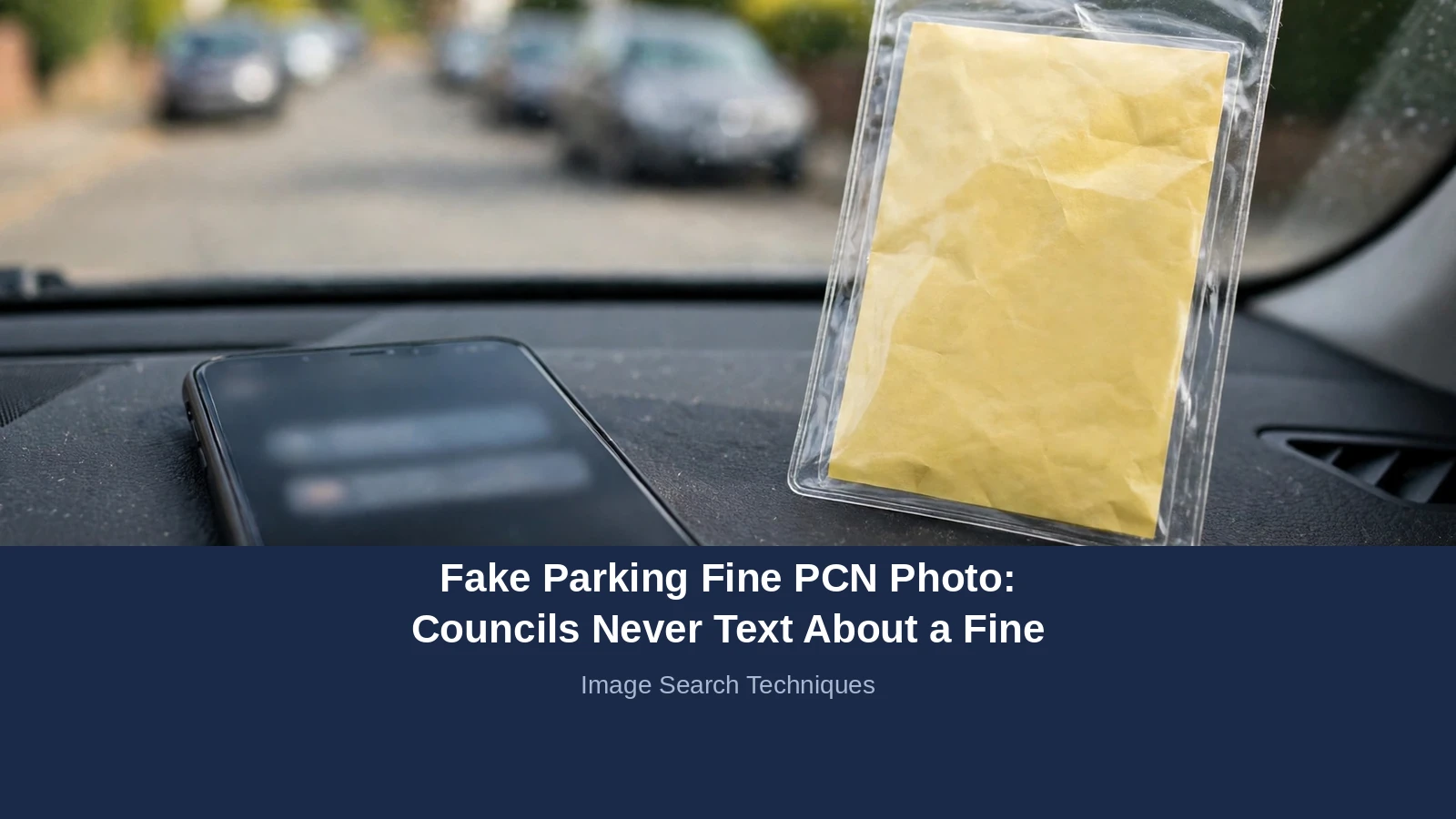
One last check. If the message arrived as a photo of a ticket on a windscreen, look at the photo closely. A real windscreen PCN sits in a yellow or white plastic wallet, shows the council name, the PCN number, the contravention code, the date, time and place, and the amount with the discount. A photo that shows only part of a ticket, or a ticket with no council name, or a ticket that does not match where you parked, is not proof of anything. Reverse search the photo, read it against the table above, and check the PCN number on the council site yourself. If the number does not exist on the council system, the ticket does not exist either.
Can a council send me a parking fine by text message?
No. Councils in the UK never send a Penalty Charge Notice by text or email. Gateshead, York, Chelmsford and many other councils all say so on their own websites. A real PCN is put on your windscreen, handed to you, or posted to the registered keeper. Any parking fine that arrives by text is fake, whatever name it uses.
How do I check if a parking fine text is real?
Read the route first, not the logo. A real PCN arrives on paper and carries a unique number starting with the council prefix, a two digit contravention code, the place, date and time, and a 28 day payment window. A text has none of that. Ignore the message, then check on the council own website, typed in by you.
What does a real PCN number look like?
A PCN number starts with a two or three letter prefix for the authority that issued it, followed by digits. Gateshead numbers start GH, Wychavon numbers start WH or ZW, Westmorland and Furness numbers start VK, and Sheffield numbers start FD. The prefix is published by the council, and the number is what you enter on the council payment page.
How much is a council parking fine and how long do I have to pay?
Outside London a council PCN is usually 50 or 70 pounds, depending on the contravention. You have 28 days to pay or challenge, and paying within 14 days of a windscreen ticket, or 21 days for a postal PCN, cuts the charge by half. After 28 days unpaid, a Notice to Owner arrives, then a charge certificate adds 50 percent.
I clicked the link in a fake PCN text. What should I do now?
Do not enter details and close the page. If you gave card details, call your bank or card provider at once and ask them to block or reverse the payment. Forward the text to 7726, then report the fraud to Report Fraud at reportfraud.police.uk and keep screenshots. If you entered nothing, change your email and banking passwords to be safe.
Where do I report a fake parking fine text in the UK?
Forward the text to 7726 to report it to your mobile provider, and report the fraud to Report Fraud at reportfraud.police.uk. If you lost money, tell your bank first. In Scotland, report fraud to Police Scotland on 101. Do not use the old Action Fraud route printed in older warnings, as Report Fraud is now the national reporting service.