🔎 Reverse Image Search
Image search techniques made simple: upload a photo or paste a URL and search 6 engines at once. 100% free, nothing stored.
🔒 Your image is never stored on our servers longer than 24 hours and is never shared.
Midjourney makes some of the most convincing AI images on the internet. A portrait, a landscape or a product shot made with it can look like a real photograph at first glance, and there is no watermark in the corner to give it away. So how do you tell? There is no single button that settles it. You need several checks, and you need to know what each one can and cannot prove.
Short answer: Upload the image to Midjourney’s own verification tool at midjourney.com/verify, search the public gallery at midjourney.com/explore, reverse-search it on Google Lens, TinEye and Yandex, read its metadata, and look for the Midjourney house style. A positive result from Verify confirms Midjourney made it. A negative result proves nothing, because the hidden marker can be stripped by editing, compression or a screenshot.
This guide walks through each check in order, with two real Midjourney images put through all of them. It also clears up a genuine confusion in the guides ranking today: some claim Midjourney images carry C2PA Content Credentials, and some say they carry nothing at all. Both claims are wrong in an interesting way, and the truth matters, because it decides which checks are worth your time.
What Midjourney is. Midjourney is an AI image generator. You type a text prompt, and it returns a grid of images, usually four at a time. It runs through its website and through Discord. The current default model is V8.2, which became the default on 24 July 2026, according to Midjourney’s own version page. V7 was the default before it, from June 2025 to June 2026. Model versions matter here, because the visual tells changed as the models improved.
Can you tell if an image was made with Midjourney?
Yes, sometimes, and never with one check alone. That is the honest answer, and it is also the answer Google’s AI Overview gives for this exact question. The Overview lists the verification tool, the metadata check, the cinematic look, skin and lighting, fine details, AI detectors, and reverse search. Every one of those points is covered below, in our own words, with a real test behind each one.
The reason no single check settles it is simple. Midjourney does not stamp its images with a visible watermark, and it does not embed C2PA Content Credentials, the open provenance standard that Google, OpenAI and Adobe use. What it does embed, in its own words, is “a small ID tag hidden inside the file”. That tag is what its verification tool looks for. But the tag is fragile. Edit the file, compress it, or screenshot it, and the tag can be lost. So a clean result on every check is the normal result for a real Midjourney image that has been passed around the internet. Only a positive result means something definite.
Answer capsule: Several checks together can confirm a Midjourney image, but no single check, and no clean result, can rule Midjourney out.
What does Midjourney actually mark on its images?
Before you test anything, it helps to know what you are looking for. There are three things people expect to find, and only one of them is real.
No visible watermark
Midjourney puts no logo, badge or corner mark on the images you download. Every source we checked agrees on this: Midjourney’s own help pages, the faxtr.com guide that ranks for this question, and the Viovenia metadata guide published in November 2026. If an image has a visible “Midjourney” mark on it, someone added it afterwards.
No C2PA Content Credentials
Midjourney does not embed C2PA Content Credentials. Its Content Authenticity help article never mentions C2PA at all, and it describes only the hidden ID tag. Viovenia’s November 2026 review of the format lists Midjourney as having no C2PA manifest, and Google’s own AI Overview for the C2PA question states the same. One third-party table, from Photo Investigator, claims Midjourney v6 and v7 images carry a C2PA manifest “since early 2026”. That claim stands alone. It is contradicted by Viovenia, by Google’s Overview, and by Midjourney’s own pages, which claim only the proprietary tag. Treat the C2PA claim as unproven, and do not rely on a C2PA check to catch a Midjourney image. A clean result on contentcredentials.org/verify is the expected result for a genuine Midjourney image, and it proves nothing either way.
A hidden ID tag, and only that
Midjourney’s own wording, in its Content Authenticity help article, is that “every image Midjourney delivers has a small ID tag hidden inside the file”. Verification checks whether that tag matches a Midjourney image or video. A positive result verifies only that Midjourney made the file, not that it is original or authentic. A negative result does not mean Midjourney did not make it, because the tag can be lost when a file is edited, compressed or screenshotted. The uploaded file is only inspected, never stored, and verification is free with no account needed. That is the whole marking system. Everything else in this guide is detective work around it.
| Marker | Midjourney images | What a clean result means |
|---|---|---|
| Visible watermark or logo | None | Normal. Proves nothing. |
| C2PA Content Credentials | None, per Midjourney’s own docs | Normal. Proves nothing. |
| SynthID pixel watermark | None (that is Google’s system) | Normal. Proves nothing. |
| Hidden Midjourney ID tag | Yes, in the delivered file | Tag may have been stripped. Proves nothing. |
| Camera EXIF data | Usually none | Normal for AI images. Proves nothing alone. |
Answer capsule: Midjourney images carry one hidden marker, its own ID tag, and no open-standard provenance at all, so most “clean” checks are expected, not informative.
Check 1: Run the image through Midjourney Verify
This is the most direct check there is, and it is free. Go to midjourney.com/verify, upload the image, and the tool checks it for the hidden ID tag. You do not need an account. It accepts images and video, up to 20 MB. Our own Midjourney Verify guide covers the tool step by step, so this article does not repeat it.
Read the result the way Midjourney tells you to. A positive result means Midjourney made the file. That is a confirmation, and it is the strongest result any check in this guide can give. A negative result means the tag was not found, and that is all it means. The image may still be Midjourney made, with the tag lost to an edit, a recompression, or a screenshot. Treat a negative as “no information”, not as “not Midjourney”. This is the single most common mistake in the guides ranking today: presenting a clean Verify result as proof the image is real. It is not.
Answer capsule: Verify is the only check that can confirm a Midjourney image, and its negative result confirms nothing.
Check 2: Search Midjourney’s public gallery
Images made on a Basic or Standard Midjourney plan are public by default, and they appear in the public gallery at midjourney.com/explore. If the image you are checking is one of them, a match there is decisive: the gallery page shows the exact prompt, the model version, the maker, and the date. That is more than a yes or no. It is the image’s birth certificate.
You can browse the gallery without an account. The “Top month” grid loads, and clicking an image opens its job page with the full prompt and parameters, no login needed. We confirmed this on 19 November 2026. One limit is worth knowing. The faxtr.com guide says you can “browse and search without an account”. Browsing, yes. Searching, no: in our logged-out test the search box was disabled, with the placeholder “Log in to start creating”, and the filter button was disabled too. So use the gallery by browsing and by following links, not by typing a search.
There are two more limits. Images made in Stealth Mode, available to paid subscribers, and images made in private channels do not appear in the public gallery. And a gallery match only helps if the image is public. A private image will never turn up there, however long you look. A match confirms Midjourney. No match, like every negative in this guide, confirms nothing.
Answer capsule: A public gallery match shows the prompt, model and maker, which is the fullest confirmation after Verify, but the gallery only holds public images, and its search needs a login.
Check 3: Reverse-search the image
Reverse search answers a different question from Verify. It does not ask “did Midjourney make this?” It asks “where has this image been before?” That turns out to be just as useful. Run the image through Google Lens, TinEye and Yandex, and look for three things.
First, the earliest copy. TinEye sorts by oldest first, so use it to find where the image first appeared. If the earliest copy sits on a Midjourney gallery page, a Midjourney Discord post, or a social account that posts AI art, that is strong evidence. If the earliest copy is a news photo, a stock photo, or a photographer’s portfolio, the image is probably a real photograph that someone is mislabelling.
Second, grids and runs of near-identical variations. Midjourney returns images in grids, usually four at a time, and users often post the whole grid or several variations from one prompt. A reverse search that returns a grid of four near-identical images, or a run of images with the same scene and slightly different details, is a Midjourney fingerprint. Real photographs do not come in batches of four near-identical versions.
Third, the absence of an original photograph. If Lens and Yandex return only AI art pages and no camera original, that leans Midjourney, but it is a lean, not a proof. A real photo can also be hard to trace. Report what the engines return, including zeroes. A zero on TinEye means the image has not been indexed, not that it does not exist. Our worked example below shows exactly that happening. For the step-by-step method, see our how to reverse image search guide.
Answer capsule: Reverse search finds the earliest copy and the batch fingerprint, which is often the best evidence when the hidden tag is gone.
Check 4: Read the metadata
A real photograph usually carries camera EXIF data: the camera make and model, the lens, the exposure settings, the date. An AI-generated image has no camera, so it usually has no camera EXIF data at all. That is the check Google’s AI Overview suggests, and it is a useful first filter. Open the file’s properties on Windows, or Get Info on a Mac, or an EXIF viewer on your phone, and look at what is there. An empty metadata panel leans AI. A panel naming a Canon, Nikon or Sony camera leans real photograph.
There are two claims about Midjourney metadata that need care. The first is that the full prompt is embedded in the file’s EXIF or IPTC fields. No Midjourney-owned page says this, and we could not verify it. The only third-party claim we found, in Viovenia’s FAQ, is narrower: that Midjourney writes details such as the username and job ID into EXIF and IPTC fields. Username and job ID, not the prompt. Treat the “full prompt in the metadata” claim as unproven.
The second claim is that older Midjourney versions wrote an EXIF Software field reading “Midjourney v6.1”. Photo Investigator reports this for older versions. It is plausible for images downloaded in that era, and it would be a strong indicator if you find it, but it is a third-party observation, not a Midjourney statement, and it does not apply to current V8 images. In our own test, the Midjourney image we downloaded carried no EXIF entries at all, which is the usual case. A Software field naming Midjourney is a strong tell when present. Its absence is normal and proves nothing.
Answer capsule: No camera EXIF leans AI, and a Software field naming Midjourney is a strong tell, but most Midjourney images carry no metadata worth reading.
Check 5: Read the Midjourney house style
Midjourney images have a look. It is not a proof, and it gets weaker with every model version, but it is still the check most people reach for first, and Google’s AI Overview lists it twice: the cinematic look, and skin and lighting. Learn what to look for.
The grade is the first thing. Midjourney images are often glossy and cinematic, with dramatic directional lighting, shallow depth of field, and a faintly painterly sheen. Skin looks smooth and airbrushed, with a glow that real skin rarely has, and with uniform micro-texture, meaning no sensor grain and no pores where you would expect them. The image looks “too perfect”, over-lit and over-polished, like a film still rather than a snapshot.
Then look at the fine details, especially hands, fingers, eyes, teeth and jewellery. Midjourney still fuses fingers, bends railings, mismatches earrings and eyes, and puts too many teeth in a smile. Check the background too: crowds that melt into each other, text on signs that almost reads, railings that bend where they should stay straight. One warning: V8 renders legible quoted text, so gibberish text on a sign is a weaker tell than it used to be. Do not rely on it alone.
Finally, ask whether the image looks like something a news outlet would publish. A dramatic, perfectly lit image of an event that no credible outlet has published is worth checking, not believing. That is a habit, not a test, but it catches more fakes than any detector.
Answer capsule: The cinematic grade, airbrushed skin and fused details are real tells, but V8 has weakened several of them, so style alone never settles it.
Check 6: Try an AI detector, and know what a score means
Third-party AI detectors, including Sightengine’s Midjourney detector, can identify patterns specific to Midjourney images. Google’s AI Overview suggests them, and they have their place, as one signal among several. But a detector score is never proof, and the scores can mislead badly. We have seen this on our own site: in an earlier test, Hive scored a proven face swap as 0% AI and a real photograph as 99.9% AI. One test on one image, reported honestly, is useful. A score presented as a verdict is not.
Use a detector like this. Run the image through one detector, note the score, and treat it as a hint that agrees or disagrees with the other checks. If Verify says Midjourney made it, the detector score does not matter. If every other check is blank and the detector says 90% AI, you have a suspicion, not a finding. Never publish a claim that an image is Midjourney made on a detector score alone. For the wider method, see our guide to how to tell if an image is AI generated, and for the provenance standard Midjourney does not use, see our Content Credentials check.
Answer capsule: A detector score is a hint, not a verdict, and it can be wrong in both directions.
Worked example: two real Midjourney images through every check
Theory is cheap. Here is what actually happened when two genuine Midjourney images were put through every check in this guide on 19 November 2026. Both images have known provenance, so there is no guessing about whether they are Midjourney made. They are. The question is whether the checks can tell.
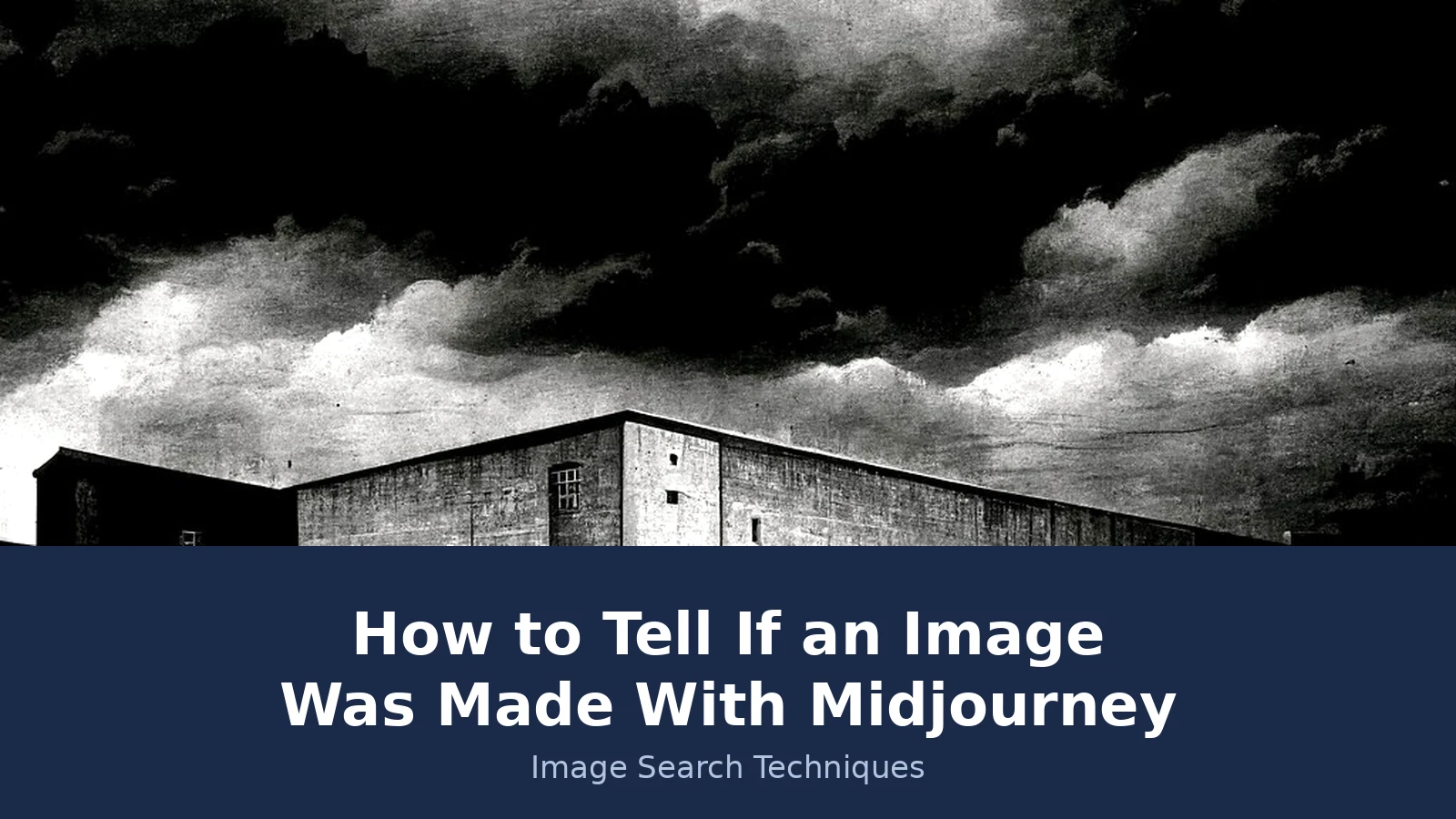
Image 1: the warehouse. A black-and-white industrial warehouse under storm clouds, one of a Flickr set titled “Midjourney: 25 variations of an industrial warehouse” by Kevin Dooley, CC BY licence, 1,024 by 576 pixels. This is also the image at the top of this article. Its metadata read returned zero EXIF entries: no camera, no software field, nothing at all.
Image 2: the Oldtimer. A vintage-style photograph of a convertible car with a young couple, generated with Midjourney v4 from the prompt “nostalgic car, cabrio, young lovers, cruising, cotton field, vintage photo”, 10 February 2023, by Chikorita on Wikimedia Commons, CC BY-SA 4.0, 1,344 by 1,024 pixels. The prompt, the version and the date are all recorded on the file page, so its origin is documented, not assumed.
| Check | Warehouse image | Oldtimer image |
|---|---|---|
| Midjourney Verify | “Midjourney marker: Not found” and “Midjourney metadata: Not found” | Not tested: Verify takes a file upload only, and the file could not be attached in the test |
| Metadata read | Zero EXIF entries | Not tested locally (file could not be downloaded; Wikimedia rate-limited the test machine) |
| Google Lens | 1 exact match, 60 visual matches, none Midjourney related; Lens did not identify it as Midjourney | Failed twice by URL: “No image at the URL” |
| TinEye | 0 matches across 86.8 billion images | 1 result: an Adobe Stock listing, first indexed 28 February 2023 |
| Yandex | Tagged only as a building; 55 similar images, no exact match to its Flickr source | Tagged “convertible car” and “road trip”; 40 similar images; first result was its own file page |
Read that table carefully, because it is the most important part of this article. Not one of the four tools identified either image as Midjourney made. Verify, the official tool, returned “Not found” on both of its checks for a genuine Midjourney image. That is not a failure of the test. It is the finding. The warehouse file had passed through Flickr, which re-encodes uploads, and re-encoding is one of the ways Midjourney itself says the marker is lost. The file may also predate the marker entirely: Midjourney says files created before it began adding markers never carried one. Either way, a negative Verify result on a real Midjourney image is not a rare edge case. It happened on the first image we tried.
The reverse searches were no better at naming the maker. Lens found one exact match for the warehouse image, a Polish blog about warehouse safety equipment, and 60 visual matches of other warehouses and industrial buildings. TinEye found nothing at all for it, across 86.8 billion images. Yandex recognised only that it showed a building. For the Oldtimer, TinEye’s single result was an Adobe Stock listing, which means the image is now being sold as stock, labelled as generative AI. Yandex did find the Oldtimer’s own Wikipedia and Commons pages, which at least proves the image is known, but it never said the word Midjourney. And Lens failed on the Oldtimer outright, twice, with a “No image at the URL” error, a reminder that the tools themselves break.
So the honest summary of the test is this. Every check in this guide that could be run was run on two images that are certainly Midjourney made. The one check that can confirm a Midjourney image, Verify, said “Not found” on the image it could test. The metadata read, with zero EXIF entries, leaned AI, and Yandex found the Oldtimer’s own file page, but none of them named Midjourney. If these two images had arrived with no provenance, no check in this guide would have confirmed them. That is why the method is a stack of checks, and why a clean result must never be read as proof an image is real.
Answer capsule: Two genuine Midjourney images passed every check without being identified, including a “Not found” from Midjourney’s own tool, which is exactly why no clean result proves an image is real.
What a clean result does and does not prove
Put the checks together and the picture is clear. A positive Verify result proves Midjourney made the file. A public gallery match proves it too, and adds the prompt and model version. An earliest copy on a Midjourney page, or a grid of near-identical variations, is strong evidence. A detector score is a hint. Everything else, a clean Verify, a clean C2PA check, empty metadata, no gallery match, no reverse-search hits, is the normal result for a genuine Midjourney image that has been edited, compressed, screenshotted or kept private. Absence of a mark proves nothing, because Midjourney marks little or nothing in the first place.
That is also why the faxtr.com guide, the strongest competitor for this question, is worth beating rather than copying. It is a good guide: its six steps are sound, and its “marks nothing” thesis is nearly right. But it never mentions Midjourney Verify, which is the one check that can confirm an image. It claims the gallery can be searched without an account, which we found is not true while logged out. And its “embeds no provenance at all” line overstates the case against Midjourney’s own hidden ID tag. Our guide keeps what faxtr gets right, adds the Verify test with a real result, corrects the gallery claim, and resolves the C2PA conflict against Midjourney’s own documentation. That is the difference a performed test makes.
So the method, in one paragraph: start with Verify, because only it can confirm. Then search the public gallery, because a match tells you the prompt and the model. Then reverse-search for the earliest copy and the batch fingerprint. Then read the metadata, then the style, then a detector, in that order. If all six come back blank, say so honestly. “I could not confirm this image” is a finding. “This image is real” is not, and no check in this guide lets you say it.
Answer capsule: Confirm with Verify or the gallery, support with reverse search and style, and never call an image real because every check came back clean.
FAQs
Can Midjourney Verify tell me if an image is AI generated?
Verify tells you only whether Midjourney made the file, by checking for its hidden ID tag. A positive result confirms Midjourney made it. A negative result means the tag was not found, which can happen after editing, compression or a screenshot, so it does not prove the image is a real photograph.
Do Midjourney images have a watermark?
No. Midjourney puts no visible watermark, logo or badge on the images you download. It also embeds no C2PA Content Credentials and no SynthID pixel watermark. The only marker is a hidden ID tag inside the file, which its own verification tool reads. A visible Midjourney mark on an image was added by someone else.
Can you search Midjourney’s gallery without an account?
You can browse the public gallery at midjourney.com/explore without an account, and open a job page to see its prompt, model version and maker. But the gallery search box is disabled while logged out, so you cannot type a search. Images made in Stealth Mode or private channels never appear in the public gallery.
What is the current Midjourney model version?
V8.2 is the current default model, released as the default on 24 July 2026, according to Midjourney’s own version page. V7 was the default before it, from June 2025 to June 2026. The model matters because visual tells changed as the models improved, and V8 renders legible text where older versions produced gibberish.
Can Google Lens tell if an image was made with Midjourney?
Lens cannot tell you directly, but it can show you where the image has appeared before. If the earliest copy sits on a Midjourney gallery page, or the results show a grid of near-identical variations, that is strong evidence. Lens also shows whether a real original photograph exists, which would argue against a Midjourney origin.
Does a clean detector result mean an image is real?
No. A detector score is a hint, not a verdict, and scores can be wrong in both directions. A genuine Midjourney image can score low, especially after editing or compression, and a real photograph can score high. Use a detector as one signal alongside Verify, the gallery, reverse search and metadata, never as proof on its own.