


🔎 Reverse Image Search
Image search techniques made simple: upload a photo or paste a URL and search 6 engines at once. 100% free, nothing stored.
🔒 Your image is never stored on our servers longer than 24 hours and is never shared.
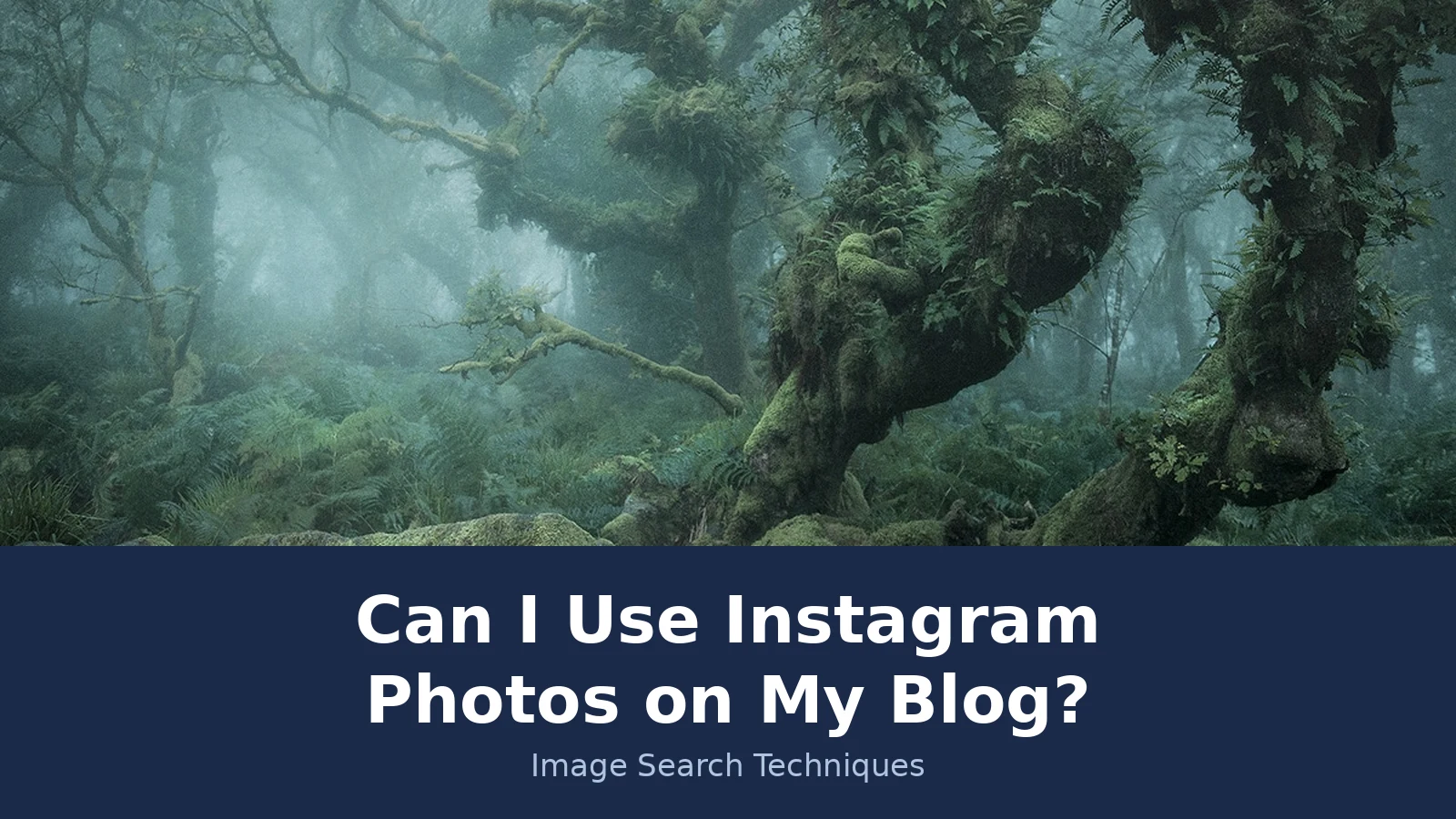
Can I use Instagram photos on my blog? It is the question every blogger asks sooner or later, usually while staring at the perfect photo. You are writing a post about Dartmoor, and there it is on Instagram: a misty wood, twisted oaks, fog hanging between the branches. It would sit beautifully at the top of your post. The account that shared it is a travel curation page, not the photographer. Can you just take it?
Short answer: No, you cannot use someone else’s Instagram photos on your blog just because the post is public. The photographer owns the copyright from the moment the photo is taken, and posting it on Instagram changes nothing about that. You need the photographer’s permission, or you need to use Instagram’s official embed for a public post.
This article is general information, not legal advice. Copyright law differs between countries, and the answer always depends on the facts of the photo and the use. If a lot depends on one image, talk to a lawyer where you are.
Who owns a photo once it is on Instagram?
Answer capsule: The photographer owns it. Instagram gets a licence to run its service. You get nothing.
Copyright starts the moment a photo is taken and saved. Nobody has to file anything, add a copyright symbol, or write “all rights reserved”. The US Copyright Office puts it plainly: a work is protected “the moment it is created and fixed in a tangible form”. The photographer is the owner from that second, and posting the photo on Instagram does not hand that ownership to Instagram or to anyone scrolling past it.
What Instagram does get is a licence, and the Instagram Terms of Use spell it out. Section 4.3, “Permissions You Give to Us”, says: “We do not claim ownership of your content, but you grant us a license to use it.” That licence is non-exclusive, royalty-free, transferable, sub-licensable and worldwide, and it covers hosting, using, distributing, modifying, running, copying, publicly performing or displaying, translating and creating derivative works. It ends when the content is deleted from Instagram’s systems.
Licence, not ownership. A licence is permission to use something under set terms. Ownership stays with the person who made it. Instagram’s licence lets Instagram run its service. It does not let you, or any other user, reuse the photo on a blog.
The Terms make the same point from the other side. Section 4.2, “How You Can’t Use Instagram”, says you cannot do anything that “violates someone else’s rights, including intellectual property rights”. And section 7.2 adds that the agreement “does not give rights to any third parties”. So the licence flows from the photographer to Instagram. Nothing in it flows on to you.
That matters because the account that posted the photo is often not the person who took it. Curation accounts, travel pages and repost accounts share other people’s work all day. The person who posted it cannot give you rights they do not hold, so permission has to come from the photographer, not from the reposter. If you want the full method for tracing a photo back to the person who took it, our guide to how to check if an image is copyrighted walks through it step by step.
Does a public post mean the photo is public domain?
Answer capsule: No. Public means visible. Public domain means no one owns the copyright. They are different things.
This is the mix-up behind most Instagram photo problems. A public post is one anyone can see. A public domain photo is one no one owns any more, so anyone can use it for any purpose without permission or payment. Posting a photo where the world can see it does none of the things that put a work into the public domain.
A photo enters the public domain in only a few ways. The copyright expires, which in the US is generally life plus 70 years for works made after 1 January 1978. The owner dedicates it explicitly, for example with a CC0 dedication. Or the work never qualified for copyright in the first place. An Instagram upload is none of those. The photo stays copyrighted, the photographer stays the owner, and the only new wrinkle is that Instagram now holds a licence to use it.
One edge case is worth knowing. Purely AI-generated images with no meaningful human input likely have no copyright at all, according to the US Copyright Office report from 2025. That is a narrow point about machine-made images, and it does not help with a photograph someone took on Dartmoor. A photo taken by a person is protected whether it was posted on Instagram, printed in a book, or left on a memory card.
Private accounts deserve a sentence of their own. If you can only see a photo because you follow a private account, do not reproduce it anywhere else. That photo was shared with followers only, and taking it to a public blog goes well beyond what the poster agreed to. Ask the photographer directly instead, and accept a no.
Embed, download or screenshot: what is the difference?
Answer capsule: Embedding borrows the post. Downloading and screenshotting copy it. Only the first avoids making a copy, and even that is not settled law.
Bloggers usually meet an Instagram photo in one of three ways, and the law treats them as three different acts. The table is the heart of this article, so read it before you touch any photo.
| Route | What happens | What it does not do | When it is OK |
|---|---|---|---|
| Official embed | Instagram’s code shows the live post on your page | It stores no copy on your server | Public post, embeds switched on |
| Download and re-upload | You save the file and host it yourself | It is still copying, credit does not cover it | Only with the photographer’s permission |
| Screenshot | You copy the image plus Instagram’s frame | It is still copying, and the quality is worse | Only with the photographer’s permission |
The official embed is the only route that does not put a copy of the photo on your server. You paste the embed code from the post on instagram.com, and your page shows the live post with the creator’s username and a link back to Instagram. It only works for public accounts that have embeds switched on, and the owner can switch embeds off at any time. If the post is deleted, the embed goes blank on your page too.
Whether embedding is safe in law is unsettled in the US, and that is worth saying plainly. In Hunley v. Instagram (9th Circuit, 2023), the court held that embedding does not infringe the display right under the “Server Test”, because no copy is stored on the embedder’s server. In Goldman v. Breitbart (Southern District of New York), a court reached the opposite conclusion. No Supreme Court decision has resolved the split. Asking the photographer first removes the question entirely, which is why it is still the best route even when you embed.
Downloading and re-uploading is straightforward copying. You save the file, you put it on your server, you display it to your readers. That is exactly what the photographer’s exclusive rights cover, so it needs permission. A credit line underneath does not change that, and neither does the fact that the photo was easy to download.
A screenshot is the same act with a worse result. It copies the image and the Instagram frame around it, at lower quality, and cropping the username out of the shot does not help you. It removes the one thing that pointed back to the photographer, and it does nothing about the copying itself. If you would not download the photo, do not screenshot it either.
Our parallel guides cover the same question on the other platforms bloggers raid most often. The rules rhyme, but the details differ, so read the one that matches your source: can you use Pinterest images on a blog, and can you use images from Google on a blog.
How do I find the original photographer of an Instagram photo?
Answer capsule: One search is rarely enough. TinEye found the photographer through filenames and dates, Lens named the place but not the person, and Yandex never ran.
Here is the test we ran on 19 November 2026, on a real photo, so you can see what each engine actually does. The scenario is the one from the start of this article. A blogger writing about Dartmoor finds a misty Wistman’s Wood photo on @Earth, a travel curation account that reposts other people’s landscape photos. The caption names the original photographer as @neiljburnell, a Devon photographer called Neil Burnell, and a YouTube video by Gabriel Bailey, “Recreating @Earth’s Instagram Photo” (14 October 2021), confirms the same credit in its description. The question is whether a reverse image search can prove that trail on its own.
We ran the photo through three engines. The photo is the first image from Burnell’s “Mystical” series of Wistman’s Wood, an ancient oak woodland on Dartmoor, as published by My Modern Met on 14 January 2019 with Burnell’s permission.
TinEye worked best. It reported 117 results after searching 86.8 billion images, and said the photo was first indexed on 12 September 2018. Sorted by oldest, the first result is a Flickr copy dated 12 September 2018. The trail then names the photographer through filenames: a Wired result is named “01_NeilBurnell_Mystical…”, and the My Modern Met result carries the filename wistmans-wood-mystical-photos-neil-burnell-1.jpg. The same filename turns up on painting-box.com, mossandfog.com and newsd.co. So TinEye found Neil Burnell, Wistman’s Wood and My Modern Met. What it did not find is any instagram.com result at all. Filtering its results by instagram.com returned no matches, because TinEye does not index Instagram posts. The search proves the photo’s trail across the open web, not the Instagram post itself.
Google Lens half worked. Its upload-by-URL page recognised the scene as Wistman’s Wood in Devon, famous for its moss-covered, twisted oak trees, and its visual matches listed mymodernmet.com, wired.com, 500px.com and flickr.com. But it showed no exact-match or visual-match counts, and it named no photographer and no original source. Clicking the Exact matches tab took us to Google’s unusual-traffic page, so that part of the test stopped there. Lens named the place, not the person.
Yandex did not run at all. Its image search could not fetch the photo from mymodernmet.com and answered “Couldn’t find image at the specified address” twice. That is a failed run, not a zero. It showed no similar images and assigned no tags, because the search never executed.
The method that works, step by step, is this. Save the best copy of the photo you can, for the search only. Run it through TinEye first and sort the results by oldest, because the earliest copy is usually closest to the photographer. Read the filenames and the domains, not just the thumbnails: a filename with a name in it is often the whole answer. Open the earliest credible page and read the caption, byline and credit line around the image. Then search the photographer’s name on its own, and check their own site or portfolio. If the trail ends at a chain of reposts with no name anywhere, stop and treat the photo as unusable until the photographer says otherwise.
One more check costs nothing. Instagram strips EXIF data on upload, so the file you download from Instagram rarely carries the camera, author or copyright fields. If you ever get the original file from the photographer’s site or by email, check its metadata first. It often names the author outright.
How do I ask for permission, and what should I keep?
Answer capsule: Ask the person who took the photo, in writing, before you publish. Keep the yes where you can find it.
Asking is simpler than most bloggers expect, and a short message is enough. Send a direct message or an email to the photographer, not to the repost account. Say what the photo shows and where you found it. Say exactly where it will appear: your blog, with the post URL if you have it. Say how you will use it: an illustration in the article, not in paid ads and not in print, unless you ask again. Say how you will credit them, and then do it. Then ask for a quick yes in reply.
Keep the reply. Screenshot it or save the email in one folder, along with the post link and the date. Messages can be deleted later, accounts can change names, and a saved yes is the difference between a five-minute check and a long argument. If the photographer asks for a fee, that is normal. Licensing fees vary by use, duration and business, and a small blog illustration usually costs far less than a takedown fight.
Silence is not permission. If the photographer does not reply, do not use the photo. A “no” is a no, and a “yes, but only on Instagram” is not a yes for your blog. Each use needs its own agreement, so a yes for one post does not cover the next one.
Credit is the second half of the job, and it is not a substitute for the first half. A good credit names the photographer, links to the source, and names the licence if there is one. Our guide to how to credit a photo properly covers the wording and the placement, and the rule underneath it is simple: credit is a courtesy and an obligation on top of permission, never a replacement for it.
Can fair use or fair dealing cover my blog?
Answer capsule: Fair use is a defence you argue in court, not a permission slip. Fair dealing is narrower still. Neither is a safe plan for illustrating a blog.
Fair use is a US doctrine, and the US Copyright Office fair use page lists the four factors courts weigh: the purpose and character of the use, including whether it is commercial; the nature of the copyrighted work; the amount and substantiality of the portion used; and the effect of the use on the potential market for or value of the work. The Copyright Office stresses that courts decide fair use case by case and that there is no formula. A blog that uses a whole photo commercially, to illustrate a post and keep readers on the page, scores badly on the first, third and fourth factors.
The courts have narrowed the doctrine for photography in recent years. In Andy Warhol Foundation v. Goldsmith (2023), the US Supreme Court held against fair use where a photo was used for a similar commercial purpose to the original. That does not decide your blog, but it shows the direction of travel: using someone’s photo to illustrate the same kind of subject it was taken for is a hard fair use argument to win.
UK fair dealing is a different doctrine, and it is narrower. It covers criticism, review and news reporting, among a small set of purposes, and the use must be fair and must acknowledge the source. Using a photo as decoration on a blog post is not criticism or review of that photo. Do not borrow American fair use arguments and apply them to a UK blog, and do not borrow UK fair dealing arguments and apply them to a US one. They are separate doctrines with separate rules.
Instagram’s own help pages are blunt about the excuses that do not work. Giving credit to the copyright owner, adding a disclaimer that you did not intend to infringe, and believing the use is fair use are all listed as things that do not by themselves protect you. If your plan for a photo rests on one of those, you do not have a plan.
What happens if I use a photo without permission?
Answer capsule: The usual first step is a takedown, not a lawsuit. Take it down fast and keep the exchange polite.
Most cases start with a DMCA takedown notice to your host, and the host removes the post or the image. The photographer can also ask for a licence fee for the use that already happened, or for damages. Under US law, statutory damages run from $750 to $30,000 per work, and up to $150,000 where the infringement was wilful, for works registered before the infringement or within three months of publication, plus attorney’s fees in some cases. Where the work was not registered in time, the photographer can still claim actual damages and profits. Stripping a watermark or removing copyright metadata is a separate violation under 17 USC 1202, and Instagram strips EXIF data on upload anyway, so a file with no credit line in it proves nothing about who owns it.
If someone contacts you about a photo, do not argue and do not ignore them. Thank them for getting in touch and check the post they mean. If you cannot show permission, remove the photo from your website straight away. If the request involves money or legal claims, talk to a lawyer before agreeing to anything. A fast, polite removal resolves most of these cases. A slow, defensive reply makes them worse.
The other risk is quieter and harder to fix. A photographer who finds their work used without asking is unlikely to say yes next time, and a blog with a reputation for taking photos does not get offered good ones. Permission is a relationship as much as a legal step.
What about my own Instagram photos on my blog?
Answer capsule: Your own post is usually safe to show. The risk hides in what other people made inside it.
Posts you created yourself are generally yours to show on your own website. Instagram does not take ownership of them, and the licence you granted goes to Instagram, not away from you. But an Instagram account is often a mix of content from many hands, so check what is inside each photo before you feature it.
A freelance photographer you hired usually keeps the copyright and gives you a licence, so read the contract or the invoice. Does the licence name websites, or only social media? Is there a time limit? Is a credit required? Having paid for a shoot and posted the photos on Instagram does not by itself tell you whether they can also live on your website.
Photos customers took of your product, food or venue belong to the customers who took them, even after you shared one on your account. Ask permission in writing before a commercial website shows it, and say exactly where it will appear. The same goes for a photo an employee took outside their normal duties, and for artwork or a mural that fills the frame of your own shot.
Two more traps catch bloggers. A photo showing a recognisable person raises a separate question from copyright: the right of publicity. A recognisable person in a photo needs the subject’s consent for commercial use, and permission from the photographer does not automatically cover the people in it. Be careful with children and with anything that looks like an endorsement. And a Reel with music from Instagram’s audio library carries audio rights that may not extend to playback on your own website, so check before you feature Reels on a commercial page.
For the wider picture on keeping your own work safe, our guide to protecting your photos online covers watermarks, takedowns and the steps to take when someone else uses your photos.
A quick checklist before you publish
Answer capsule: If any box is empty, do not publish the photo yet.
Run through this list for every Instagram photo before it goes on your blog.
- Who took it? Name the photographer, not just the account that reposted it.
- Do I have permission in writing, from the photographer, for this blog?
- Does the permission cover the use I have planned, including any ads or print?
- Is the account public, and are embeds switched on, if I am embedding?
- Is anyone recognisable in the photo, and do I have their consent for commercial use?
- Have I credited the photographer by name, with a link to the source?
- Is the permission saved with the post link and the date, where I can find it?
If the answer to the first question is “I don’t know”, the reverse search in this article is your next step. If the answer to the second is “no”, the message to the photographer is your next step. Everything else is paperwork, and it takes less time than fixing a takedown.
FAQs
Can I use Instagram photos on my blog if I give credit?
No. Credit is not permission. A credit line names the photographer, which is polite and often required, but it does not give you the right to copy or display the photo. You still need the photographer’s permission, or you need to use Instagram’s official embed for a public post. Credit on top of permission is the right combination.
Can I embed an Instagram post on my blog?
Yes, for public posts where the owner has embeds switched on. Paste Instagram’s embed code and your page shows the live post with the creator’s username and a link back. The owner can switch embeds off, and a deleted post leaves a blank space. The US legal position is unsettled, so asking first is still the safest route.
Can I screenshot an Instagram photo for my blog?
No, not without permission. A screenshot is still a copy of the photo, plus Instagram’s frame around it, at lower quality than the original. Cropping the username out of the shot does not help, because it removes the credit and does nothing about the copying. The same permission rule applies as for downloading.
Can I use Instagram photos on my blog for non-commercial use?
Non-commercial use helps a fair use argument in the US, but it does not make the use safe on its own. Courts weigh four factors, and using a whole photo still counts against you. UK fair dealing is narrower and does not cover using a photo as decoration. Permission is still the reliable route, commercial or not.
How do I find who took an Instagram photo?
Reverse search the image on TinEye or Lens, sort the results by oldest, and read the filenames, captions and credit lines on the earliest pages. Instagram strips EXIF data on upload, so the file rarely names the photographer. In our own test, TinEye traced a reposted Wistman’s Wood photo to photographer Neil Burnell this way.
What if the Instagram account is private?
Do not use the photo. A private post is shared with followers only, and taking it to a public blog goes beyond what the poster agreed to. The poster’s privacy setting is a clear signal about where the photo belongs. Ask the photographer directly instead, and accept it if they say no.






