🔎 Reverse Image Search
Image search techniques made simple: upload a photo or paste a URL and search 6 engines at once. 100% free, nothing stored.
🔒 Your image is never stored on our servers longer than 24 hours and is never shared.
No single clue proves a product photo is AI generated. Check the hands, the text, the seams, the shadows and the background together, then run a reverse image search and a detector, and treat the result as a suggestion, never as proof. A real photo can look wrong, and an AI photo can look perfect.
A product photo can look perfect and still be fake. AI image tools now make studio clean listing photos in seconds, and a shopper cannot tell from the thumbnail alone whether the shoes, the watch or the sofa in the picture exists at all. The general method behind this guide is covered in our guide to how to tell if an image is AI generated, which applies the same checks to any photo, not just product shots.
This guide shows you how to tell if a product photo is AI generated, step by step, using one known AI product photo and one real product photo side by side. Both photos show the same kind of product, a white sneaker held in a hand, and both went through the same six checks, the same detector and the same reverse image searches. You will see exactly where the AI photo gives itself away, and where it does not.
Why is it so hard to tell if a product photo is AI generated?
Product photos are the easiest kind of photo for AI to fake well, and the hardest kind for a shopper to check. A listing photo has a plain background, soft studio light and no people in the frame most of the time, so the usual AI tells, odd faces and warped hands, often never appear. The generator only has to draw one object, and it has seen millions of product photos to copy.
Sellers have real reasons to use AI photos. A small shop may not own the product yet, a dropshipper may never touch it, and a studio shoot costs money. Some sellers are open about it and label the image as AI generated. Others are not, and the photo is the only thing standing between you and a purchase. That is why the check matters, and why it has to be a check of several things at once, not one magic tell. Shoppers talking about this online report the same pattern: AI product photos are now common on e-commerce sites, and in some cases they fool people better than real photos do. Tools such as Midjourney are built for exactly this kind of image, and our guide to how to tell if an image was made with Midjourney shows what that tool’s output looks like up close.
There is one more reason the check is hard. A real photo can look wrong and an AI photo can look perfect. A real listing photo can be badly lit, badly cropped or heavily retouched, and a good AI photo can have clean stitching and readable text. If you judge by one detail, you will get it wrong as often as you get it right. The method in this guide accepts that from the start.
What should you check first in a product photo?
Start with your eyes, not with a tool. Open the largest version of the photo you can get, zoom in, and work through the six checks in the table below. Do them in order. The first three checks, hands, text and seams, catch most bad AI photos on their own. The last three, shadows, background and price, catch the good ones.
| Check | What to look for | What it means when it is wrong |
|---|---|---|
| 1. Hands and fingers | Count the fingers. Look at the thumb, the knuckles and where the hand grips the product. Fingers should bend the way fingers bend, and the grip should match the weight of the object. | Extra fingers, missing fingers, fingers that melt into the product or a thumb on the wrong side are strong AI signs. Hands are still the hardest thing for image generators to draw. |
| 2. Text and logos | Read every word and every logo on the product, the tag and the box. Real brand marks are crisp and spelled correctly. Check the letters one by one. | Gibberish letters, a logo that is almost a real brand but not quite, a number that means nothing, or text that fades into a pattern are strong AI signs. Generators invent text that looks right at a glance. |
| 3. Seams and stitching | Follow one seam or one row of stitching from one end to the other. On a real product the stitching is even, the seam meets the edge cleanly, and the pattern repeats. | Stitching that stops halfway, changes spacing, or turns into a smudge is an AI sign. Generators draw the idea of stitching, not real stitching, and the pattern breaks when you look closely. |
| 4. Shadows and reflections | Find the light source. Every shadow should fall the same way, and a shiny surface should reflect what is actually in front of it. | Shadows pointing in two directions, a shadow with no object to cast it, or a reflection showing a room that is not there are AI signs. One light, one set of shadows is the rule for a real studio shot. |
| 5. Background consistency | Look at the edges of the product and the space behind it. A real background is boring and consistent, and the product edge is sharp all the way round. | A background that melts, bends or changes texture behind the product, or an edge that fades into the background, is an AI sign. Pay attention to the corners of the frame. |
| 6. Price-too-good check | Compare the price with the same product from a known retailer. A real bargain is possible, but a famous product at a third of its usual price is not. | A price far below the normal range does not prove the photo is AI, but it is the context that makes the other five checks matter. AI photos and too-good prices travel together on scam listings. |
Work through the whole table before you decide anything. One odd detail is a curiosity. Three odd details in different rows is a pattern, and a pattern is what you act on.
The worked example: one AI sneaker photo against one real sneaker photo
To show the six checks working, I tested two photos of the same kind of product. Photo A is a white running sneaker with red accents held in a hand. It is AI generated. I generated it for this test, it has never been published anywhere, and I know its origin because I made it. Photo B is a pair of white and grey sneakers held in a hand. It is a real photograph, taken by Wallace Chuck on 20 November 2019 with a Nikon D3300, and published on Pexels as photo 3261069. Both photos went through the same six checks, the same detector and the same reverse image searches, and the results are reported exactly as they came back.
Hands and fingers: the AI photo nearly passes
Photo A, the AI photo, shows a hand gripping the sneaker by the heel. The thumb sits on the outside of the shoe, the fingers wrap over the top, and the grip looks natural at first glance. Count the fingers and the hand is plausible, which is exactly the point of the lock on this article: a good AI photo can look perfect, and this one nearly does. Look longer and the skin is too smooth, with freckles that sit on the hand like a pattern rather than real skin, but nothing in the hand alone would convict it.
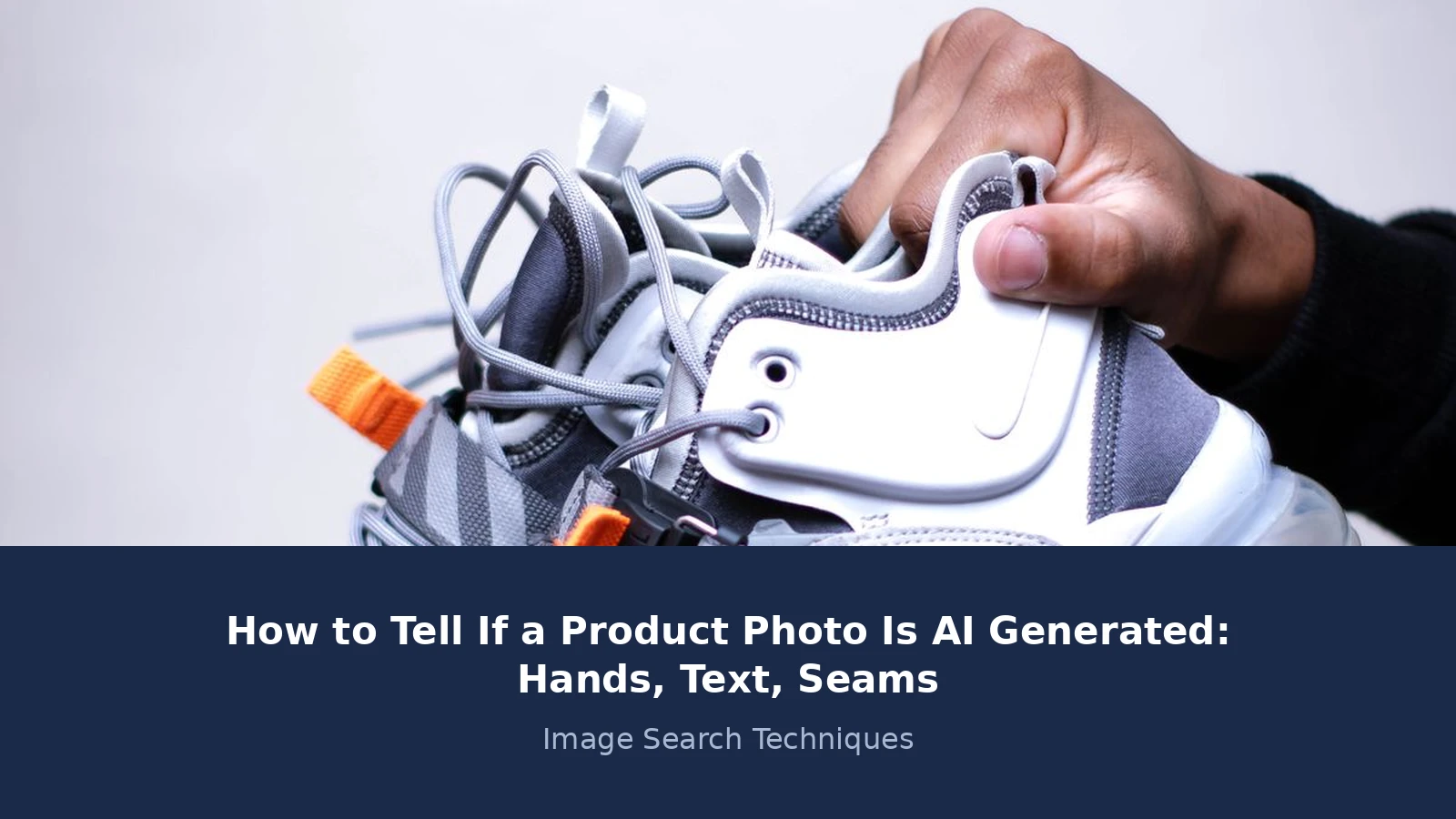
Photo B, the real photo, shows a hand gripping a pair of sneakers. The thumb presses into the shoe, the knuckles crease, the skin has texture and the grip matches the weight of two shoes. The laces hang loose and tangled, which is the kind of small mess a generator rarely draws. The hand is the least interesting thing about the real photo, and that is normal. In a real photo, the hand is boring. In an AI photo, the hand is often the most interesting thing, because it is where the generator works hardest and still slips.
Text and logos: where the AI photo gives itself away
Photo A has a large red logo on the side of the shoe. It looks like a brand mark, a swoosh-like shape with stripes, but it belongs to no real brand. The tongue tag carries a red label with the number 7 on it, and the heel tab carries another small mark that reads like a 7. Neither means anything. The shoe has the idea of branding without any actual brand, which is what a generator produces when it is not allowed, or not able, to copy a real trademark. At thumbnail size the logo looks real. Zoomed in, it is decoration pretending to be a logo.
Photo B has a real Nike swoosh on the side of the shoe, the word AIR on the strap buckle, and readable stitching around the sole. The branding is consistent across the shoe: the same mark, the same style, the same placement a real Nike shoe has. A generator can copy a famous logo, so a correct logo does not prove a photo is real, but an invented logo that looks almost real is a strong sign the photo is not.
Seams and stitching: the mesh test
Photo A has a mesh upper with a neat, regular pattern of holes. It is too regular. Real mesh has small variations, a thread out of place, a hole that is slightly larger than its neighbours. The AI mesh repeats perfectly across the whole shoe, like wallpaper. The stitching around the sole is smooth and even, with no thread ends and no variation, which looks tidy and is wrong for the same reason. Real stitching is even, but it is never perfect. The same check works for zippers, straps and buckles: follow one zipper from end to end, and check that the teeth line up and the pull sits where a real pull would sit. A warped zipper, a strap that passes through a buckle that does not exist, or a shape that does not line up with the rest of the product is the same kind of failure.
Photo B has stitching you can follow: the seam around the sole, the stitching on the strap, the edge of the air unit in the heel. The sole has scuffs, the suede has marks, and the laces are not threaded symmetrically. These are small defects, and they are the point. A real product has a history, even a short one. An AI product has none, so the generator fills the gap with perfect surfaces.
Shadows, reflections and background: both photos pass
Photo A has a plain light grey background, soft even light and one soft shadow under the shoe. Nothing in the background contradicts the photo. This is the check the AI photo passes cleanly, and it is a useful warning: a plain background is easy for a generator, so a clean background tells you nothing on its own. Do not clear a photo because the background looks fine.
Photo B also has a plain light background and soft light. The background is slightly uneven, with a faint change in tone from one side to the other, which is what a real studio wall looks like. The air unit in the heel reflects the light in a way that matches the room. Both photos pass this check, which is why the table has six rows and not one.
The price check and the verdict on the two photos
Neither photo came with a price, because both were tested as images, not as listings. The price check is a listing check, not a photo check, and it only works when you have a listing to compare. The lesson still stands: if either photo appeared on a listing at a third of the normal price for the shoe it shows, that price would matter more than any single detail in the photo. Photo A shows a shoe that does not exist, from a brand that does not exist, so there is no normal price to compare it with, and that is itself the warning.
The verdict on the two photos is a suggestion, not a proof. Photo A looks AI generated on the text, the seams and the too-perfect surfaces, and I know it is AI generated because I made it. Photo B looks real on the branding, the stitching, the scuffs and the loose laces, and I know it is real because of its camera data and publication history. The checks pointed the right way on both photos, and they did it without any tool at all.
What did the AI detector say about the two photos?
After the visual checks, I ran both photos through the Hive AI detector, one test on each image, and recorded the scores exactly as they came back.
| Photo | Hive AI generated | Hive deepfake | Hive verdict |
|---|---|---|---|
| Photo A, the AI sneaker | 96.8% | 0% | This input is likely to contain AI-generated or deepfake content. Hive also listed meta at 99.3% as a generation source. No Content Credentials were found on the file. |
| Photo B, the real Pexels sneaker | 0.1% | 0% | This input is not likely to contain AI-generated or deepfake content. The top source listed was stablediffusionxl at 0.2%. No Content Credentials were found on the file. |
Hive classified both photos in the direction their origins point, and the gap between the scores is wide, 96.8% against 0.1%. That is reassuring, but it is still only a probability. A detector can be wrong in both directions, and earlier tests on this site have shown a proven face swap scoring 0% AI while a real photo scored 99.9% AI. The score is a check, not a verdict, and it never replaces the visual checks above.
Hive is not the only detector. Illuminarty and Sightengine work the same way, estimating a likelihood rather than giving a verdict, and our guide to AI or Not walks through a second detector the same way, so you can compare two tools on the same image. Be careful with the detectors themselves: some detector sites are misleading, and a tool that always says AI, or always says real, is telling you about itself, not about your photo.
Read those scores the way the detector itself asks you to read them. Hive says its detection is probabilistic, which means the score is a probability, not a fact. A high score means the image looks like the AI images the detector was trained on. A low score means it does not. Neither score proves what the image is. The detector is one more check, not a judge, and it sits after the visual checks, not before them.
That order matters. If you run the detector first and it says 99 percent AI, you stop looking, and you miss the chance to learn what an AI photo actually looks like. If you run it last, it either agrees with your eyes, which is reassuring, or it disagrees, which is useful, because a disagreement tells you to look again. A detector that disagrees with a careful visual check is a reason to be careful, not a reason to ignore your eyes.
How to reverse image search a product photo
A reverse image search is the check the visual table cannot do. It answers a different question: has this exact photo appeared anywhere before, and if so, where? An AI photo made for one listing has no history, so a reverse search finds nothing, or finds only lookalikes. A real product photo often has a history, on the photographer’s page, on a stock site, or on an older listing.
To run the check, save the product photo to your device, then open Google Lens and upload it. Lens shows exact matches first, then visually similar images. Open TinEye next and upload the same photo. TinEye searches its own index of billions of images and reports how many matches it found and when the photo was first indexed. Write down both counts before you decide anything. Google also offers its own version of this check. Its About this image tool shows when Google first saw a similar image, which pages use similar versions, and whether the image was captured with a camera or generated with AI, where that detail is known.
| Photo | Google Lens exact matches | Google Lens visual matches | TinEye |
|---|---|---|---|
| Photo A, the AI sneaker | 0. Lens said: No exact matches found. This could mean the image is unique or has not been widely shared yet. | 59 entries listed on the page as loaded. Google shows no total figure, and the list includes duplicates. Top result: a Flipkart listing for TurnX sports running shoes. Lens described the shoe only in generic terms, a white athletic running shoe with a mesh upper, and named no brand or model. | 0 matches. TinEye searched over 86.9 billion images and found none. |
| Photo B, the real Pexels sneaker | 86 entries listed on the page as loaded. The second result is the original itself, the Pexels photo dated 21 November 2019. | 60 entries listed on the page as loaded. Top result: GOAT, selling a Nike Air Force 270 Wolf Grey AH6772-002 for $477. Lens named the shoe Nike Air Force 270 Wolf Grey AH6772-002. | 7 results, first indexed 2 July 2020. First result is a Shutterstock stock photo of shoes. |
The two photos have opposite histories. The AI photo has no history at all: no exact match on Lens, no match on TinEye, and no brand or model named. The real photo has a history: the Pexels original, a TinEye trail back to July 2020, and a Lens result that names the shoe. One detail is worth noting honestly. Lens named the shoe in Photo B a Nike Air Force 270 Wolf Grey AH6772-002, while the Pexels page titles the same photo as a Nike Air Force 1. The two names disagree, so at least one of them is wrong about the model, and that is a useful reminder that a listing title and a search result can both be wrong about the same shoe.
Read the results with care. A reverse search that finds the photo on a stock site like Pexels or Unsplash tells you the photo is a stock photo, not that the listing is honest. A seller can use a real stock photo to sell a product they do not have. A reverse search that finds nothing tells you the photo is new or rare, not that it is AI generated. The search is a check on the photo’s history, and the history is only one part of the picture.
There is one result that should make you stop. If the same photo appears on several listings under different seller names, different prices and different product names, the photo is being reused, and the listing is not showing you its own product. That is true whether the photo is AI or real, and it is a stronger warning than any detector score.
What about Content Credentials and the AI label?
Some product photos now carry Content Credentials, a tamper-evident record attached to the file that says which tool made it or edited it. You can check for it with the free Content Credentials checker, or by looking at the file’s metadata. If the credentials say the image was made with a named AI tool, believe them. If the credentials are missing, believe nothing, because most photos have no credentials at all, and a screenshot strips them.
Our guide to checking Content Credentials on a photo walks through the check step by step. It is a quick check, and it is worth doing, but it only helps when the credentials are present. A photo with no credentials is not suspicious on its own. Most real product photos have none either.
Marketplaces are starting to label AI images on the listing itself, and social apps label AI photos in the feed. A label is useful when it is there. Its absence is not evidence, because labels depend on the seller or the uploader being honest, and on the platform detecting the image at all. Treat a label as a bonus, not as the check.
What should you do before you buy?
Put the checks together into a short routine you can run on any listing in two minutes. First, zoom into the photo and run the six checks in the table. Second, reverse image search the photo on Lens and TinEye and note what comes back. Third, run one detector on the photo and note the score without treating it as proof. Fourth, compare the price with a known retailer, and read the seller’s reviews and return policy. If three or more of those steps raise a flag, do not buy from that listing, or ask the seller for a real photo of the actual item, taken on a plain surface with a piece of paper showing today’s date next to it. A real seller with the real product can do that. A seller using AI photos cannot.
If you are a seller, the same routine protects you. Use real photos of the real product, even if they are plain phone photos, and say so in the listing. A plain real photo sells better than a perfect fake one, because buyers have learned to distrust perfection. If you use AI photos to show a colour or a style you do not stock, label them as AI generated. The label costs you nothing and it keeps the listing honest. Using AI photos to mislead a buyer is not a grey area: the FTC has said that using AI tools to trick, mislead or defraud people is illegal, and it took action against sellers making deceptive AI claims in its Operation AI Comply crackdown.
When a photo passes every check and still feels wrong
Sometimes a product photo passes all six checks, the detector is unsure, the reverse search finds nothing, and the photo still feels wrong. Trust that feeling enough to do one more check, but do not trust it as a verdict. Feelings are not evidence, and a real photo can feel wrong for innocent reasons, a strange angle, an unusual colour, or a product you have never seen before.
The extra check is simple: search for the product itself, not the photo. Type the product name and the model into a search engine and look for the same product from a retailer you trust. If the product exists, with the same shape, the same logo and the same details, the photo is probably real. If the product does not exist anywhere except on that one listing, the photo is probably AI, and the product with it. A product that exists only in one photo is the clearest warning of all, because it means there is no real thing behind the picture.
That is the real skill here. Telling if a product photo is AI generated is not about spotting one glitch. It is about building a small case from several small pieces of evidence, the hands, the text, the seams, the shadows, the background, the price, the history and the detector, and then deciding what to do with the case you have built. No single piece proves anything. Together, they are usually enough.
Can you tell if a product photo is AI generated just by looking at it?
Sometimes, but not reliably. Bad AI photos give themselves away through garbled text, wrong hands, broken stitching and impossible shadows. Good ones pass a quick look, which is why this guide checks six things at once, then adds a reverse image search and a detector. One detail is never enough, and a careful look beats a glance every time.
What is the most reliable sign a product photo is AI generated?
There is no single reliable sign, and that is the honest answer. The strongest pattern is several failures together: invented text or a made-up logo, stitching that breaks, and shadows that point the wrong way. Add a reverse search with no history and a high detector score, and the case is strong, but it is still a suggestion, not proof.
Do AI detectors prove a product photo is fake?
No. A detector gives a probability, not a verdict. Hive scored our known AI sneaker photo 96.8% AI and our known real photo 0.1% AI, but detectors can be wrong in both directions. Earlier tests on this site saw a face swap score 0% AI and a real photo score 99.9% AI. Use the score as one check among several.
Can a real product photo fail an AI check?
Yes. A real photo can look wrong: bad light, heavy retouching, a strange angle, or a low resolution file. A real photo can score high on a detector, and a new real photo returns no reverse search matches, just like an AI photo. So neither a zero result nor a high score is proof on its own.
What should I do if a listing uses an AI generated photo?
Ask the seller for a real photo of the item, from another angle, or a video. Check the price against a known retailer, read the seller reviews and the return policy before you pay. If the seller cannot show the real product, do not buy. If you already paid and the item does not match, raise it with the platform.
Does a reverse image search prove a photo is AI generated?
No. A reverse search shows the photo’s history, not its origin. Our AI sneaker photo returned no matches on Lens and none on TinEye, because it had never been published. A real photo returns the same result. The search is useful when it finds the photo reused across many listings, which means the seller is not showing the product.