🔎 Reverse Image Search
Image search techniques made simple: upload a photo or paste a URL and search 6 engines at once. 100% free, nothing stored.
🔒 Your image is never stored on our servers longer than 24 hours and is never shared.
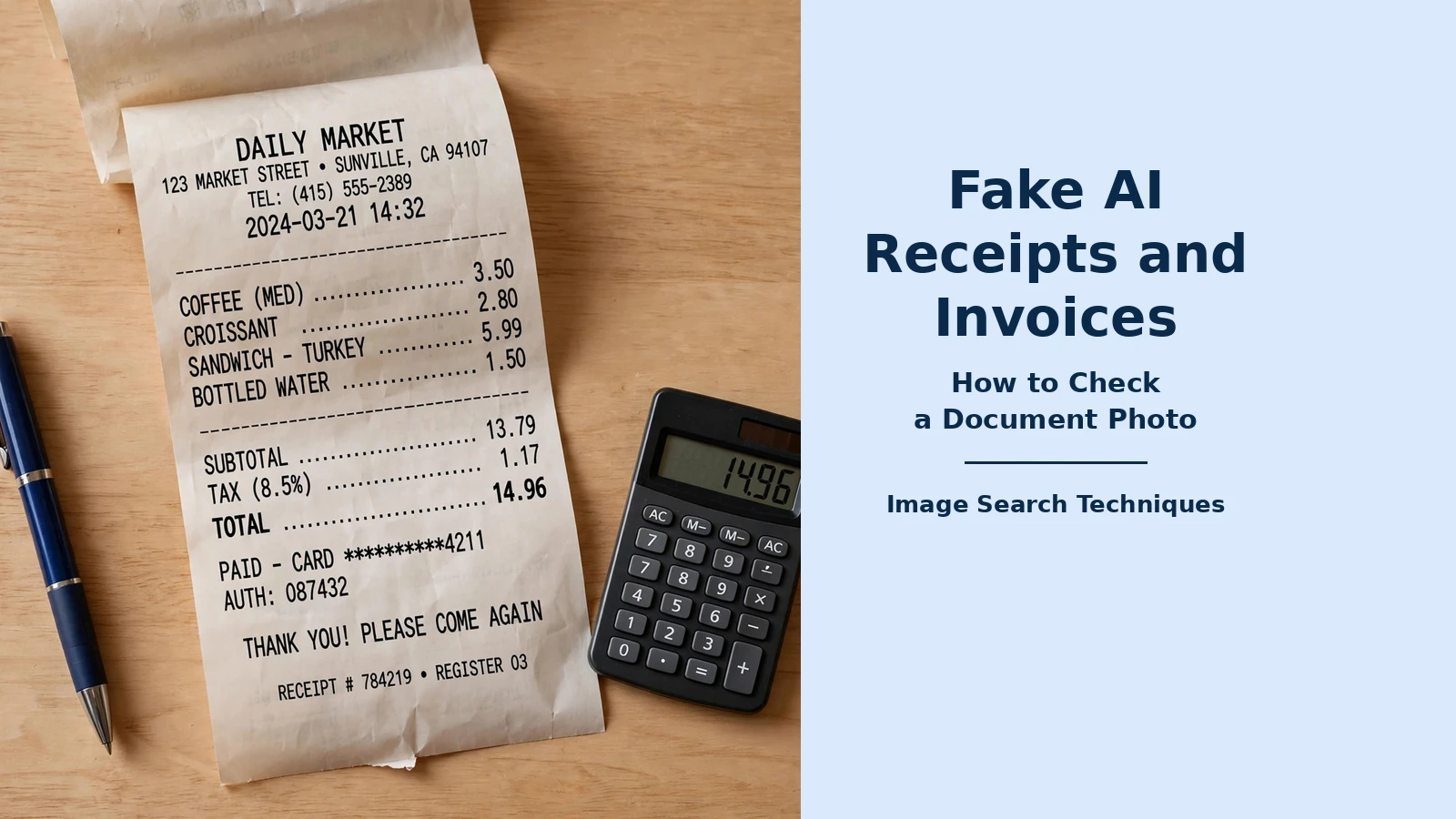
A photo of a receipt used to be reasonable proof that money had been spent. That assumption no longer holds. Image generators can now produce a complete receipt or invoice from a single typed prompt, merchant name, itemised lines, tax and a total, in seconds, and the result looks like a photograph of a real till slip. A PayPal invoice is a different document from an AI-made receipt: our guide to a PayPal invoice scam shows how to check the screenshot and the note. If you approve expenses, pay a landlord’s bill or reimburse a client, you need a check that works on the facts behind the picture, not on how convincing the picture looks.
Quick answer: Check a fake AI receipt by adding up the lines yourself, confirming the merchant really exists and trades at the address shown, and reverse-searching the logo and layout. A tidy-looking image proves nothing on its own. If the arithmetic, the merchant or the template fails, ask for the card statement or the original document before you pay.
This guide is for employers checking expenses, landlords and clients handed a document photo, and anyone asked to reimburse a cost they did not witness. It covers purchase receipts and invoices only, and it sits inside our complete guide to photo scams, which covers the wider family of faked images. The method below is the same one used in the worked audit later in this article, on a real supermarket receipt.
What is an AI-generated receipt? An AI-generated receipt is a receipt image produced wholesale by an image generator, rather than edited from a real document. Nothing on it was ever printed, scanned or photographed at a till. The merchant, the items, the prices and the tax line are all invented together, which is why the older checks for edited photos miss it.
Why does a fake AI receipt look so convincing now?
Fake receipts used to be made by editing a real one: changing a total in photo software, or cutting and pasting lines from another slip. That kind of forgery left traces, mismatched fonts, a total that no longer added up, a shadow that did not belong. A generated receipt has none of those problems, because nothing on it was ever real. The generator draws the whole document at once, so the font is consistent, the columns line up and the paper even carries plausible creases, stains and camera blur.
The scale of the change is visible in the only figures this article relies on. AppZen’s expense-platform data, reported by Forbes in June 2026, shows that AI-generated receipts rose from 0% of the fake receipts AppZen flagged in March 2025 to 70.8% by mid-May 2026. In the 12 months to 15 May 2026, AppZen detected 1,471 AI-generated receipts from 745 employees at 174 companies, representing $148,143 in claimed expenses, with a median claim of about $32. Those figures describe fakes that were detected and flagged, not confirmed financial losses, and AppZen itself cautions that a flagged receipt is evidence that a document failed a check, not proof of intent. Read the full breakdown in AppZen’s guide to the four types of receipt fraud.
The small size of the claims is part of the problem. A median claim of about $32 sits below the threshold at which most expense reports are reviewed closely, so a generated receipt does not need to survive expert scrutiny, it only needs to look ordinary enough to pass a busy approver. That is also why visual inspection alone has stopped working as a defence. As Ian Pay, head of data analytics and tech at the ICAEW, puts it, even when AI adds wear and tear, it often does so uniformly, while real receipts have quirks, smudges and folds that are hard to replicate, yet he also notes that a generated receipt can still be “fairly easy to spot” if you know what to look for, starting with whether it carries all the usual information, dates and numbers. The ICAEW’s full discussion is in its guide to spotting an AI-generated receipt.
The practical consequence is simple: stop asking whether the image looks real, and start asking whether the purchase it describes was real. The rest of this guide is that check, in order.
What is the difference between a forged, an altered and a duplicate receipt?
Not every false receipt is made the same way, and the check that catches one type can miss another. AppZen’s classification, which this guide follows, splits receipt fraud into four types. Knowing which type you are looking at tells you where to press.
| Type | What it is | What usually gives it away |
|---|---|---|
| Forged | The whole document is invented, usually now by an image generator. The purchase never happened. | The merchant does not exist, the items do not match what it sells, or the template matches no genuine receipt from that business. |
| Altered | A real receipt is edited: the amount changes, a personal item is removed, or the date moves into an open reporting period. | The merchant checks out, so only the arithmetic or the internal consistency of the document gives it away. |
| Duplicate | The same genuine cost is claimed twice, across reporting periods, across employees, or once as a receipt and again as a card line. | Nothing is wrong with the document itself. Only comparing claims against each other, and against card data, reveals it. |
| Misrepresented purpose | The document is real, unaltered and correctly claimed, but the business purpose attached to it is false, a family dinner logged as a client meeting, for example. | Only a line-by-line reading of the document against the stated purpose catches it. No image check can. |
Altered documents are the one type where the older visual checks still earn their keep, because an edit leaves a seam. Our guide to the signs a photo has been edited explains what to look for, inconsistent fonts on one line, a shadow that falls the wrong way, or a total printed in a slightly different weight from the lines above it. A fully generated receipt has no seam to find, which is why the arithmetic and merchant checks in the next section matter more than the picture itself.
Two types need no image skill at all. A duplicate is caught by comparing claims, not by staring at the receipt, so keep a simple log of who claimed what and when. A misrepresented purpose is caught by reading the items against the story: a hotel folio that lists a pet boarding charge described as lodging, or a restaurant bill for a family-sized meal claimed as a meeting for two. If the items and the purpose do not fit, ask about the purpose, not the photo.
How do you check a receipt photo step by step?
An AI generated receipt check is a sequence, not a single trick. Work through the steps in order, and stop as soon as one fails, a receipt that fails any single step does not need the rest of the audit to justify asking for more evidence.
- Transcribe every line. Type out the merchant name, address, date, time, each item with its quantity and price, the tax lines and the total. Transcribing forces you to actually read the document, and it exposes the small inventions, a quantity that does not match its line price, or an item the shop does not sell, that a glance skips over.
- Add the lines up. Multiply every quantity by its unit price, then add the lines and compare with the printed subtotal. Then add subtotal and tax and compare with the grand total. Generators usually get this right, which is exactly why a correct total proves nothing on its own, but a wrong one ends the check immediately.
- Check the tax. Multiply the taxable amount by the stated rate and compare it with the printed tax. On a UK receipt, look for a VAT number and check that the rate shown is one the business would actually charge on those goods. Where the receipt splits tax by rate, each band must reconcile separately, as the worked example below shows.
- Check the merchant exists. Search the merchant name together with the town shown on the receipt. Does a real business trade at that address? Does it sell the items listed? Does the phone number on the receipt belong to it? A receipt from a shop that has no listing, no website and no reviews is not automatically fake, small traders exist, but it needs a second source before you pay it.
- Check the date, time and sequence. Is the date in the past, and does it fit the claim? Does the receipt number look like the merchant’s format, and does it sit sensibly beside other receipts from the same place? A date after the claim was submitted, or a receipt number of “000001” from a busy supermarket, is worth a question.
- Reverse-search the logo and layout. Crop the logo and search it, then crop a distinctive block of the layout and search that too. A genuine template appears on other real receipts from the same business; a generated one appears nowhere, or only on other suspicious documents. The full method is in the reverse-search section below.
- Ask for a second source. A card or bank statement line for the same amount and date, an order confirmation, or the original paper receipt. One independent record that agrees with the photo is worth more than ten minutes of staring at the image. If the person cannot produce one, that is information too.
To spot fake invoice fraud, run the same seven steps and add three invoice-specific checks. First, compare the invoice number with earlier invoices from the same supplier, a genuine sequence has no gaps and no sudden change of format. Second, never pay new bank details from the invoice alone; confirm them through a phone number or address you already had on file. Third, check the supplier’s registered address and trading name against its own website or a business register, not against the letterhead on the document you are checking.
Worked example: can a real supermarket receipt pass the same audit?
The best way to learn the audit is to run it on a document that is definitely genuine. The receipt used here is a real Lidl supermarket receipt from Winschoten in the Netherlands, photographed by its owner and published on Wikimedia Commons. Two photographs of the same receipt were used: one shows the middle of the slip with sixteen item lines, and the other shows the VAT summary, barcode, store code and date at the foot. The receipt is dated 19 April 2019, the photographs were taken on 29 April 2019, and the camera recorded its own metadata, an Elephone P8 Mini, with GPS coordinates in Winschoten. A ten-day gap between the purchase and the photograph is normal for a kept receipt, and it is not a red flag on its own.
| Audit step | What was found on the real receipt | Result |
|---|---|---|
| Quantity lines | Two quantity lines are readable: 4 × €0.21 prints as €0.84, and 3 × €0.92 prints as €2.76. Both multiply correctly. | Pass |
| Visible lines added up | The sixteen readable lines, soup balls, mandarins, sugar waffles, iced tea, cola, chicken pieces, cherry tomatoes, sliced meats, vanilla yoghurt, vanilla custard and bananas, add to €23.11. | Pass, partial |
| VAT, 9% band | Ex-VAT €33.47 at 9% gives €3.01 of tax (33.47 × 0.09 = 3.0123), and €33.47 + €3.01 = €36.48, exactly as printed. | Pass |
| VAT, 21% band | Ex-VAT €0.74 at 21% gives €0.15 of tax as printed, and €0.74 + €0.15 = €0.89, exactly as printed. Straight multiplication gives €0.16, a one-cent difference that comes from VAT being rounded per line on Dutch receipts rather than on the band total. | Pass, with a one-cent rounding note |
| Grand total | €36.48 + €0.89 = €37.37, the total the receipt must carry. The sixteen visible lines total €23.11 because the photograph is a crop of the middle of the slip, so lines above and below it are not visible. The gap is explained by the crop, not by an error. | Pass, partial |
| Merchant exists | Lidl is a real supermarket chain, and a Lidl store in Winschoten is a real, photographed shop, the same photographer’s other pictures show its shelves, products and loyalty scheme. The receipt closes with Lidl’s Dutch slogan, “De hoogste kwaliteit voor de laagste prijs”. | Pass |
| Date, store code, barcode | Printed date 19.04.19, store code 0232, transaction 810686/01, and a printed barcode are all present and in the format a Dutch supermarket receipt uses. | Pass |
| Logo and template reverse search | Run on 10 November 2026. TinEye searched the receipt photo and returned 0 matches across over 86.6 billion images, it had not crawled any page carrying the image, so the check is uninformative rather than a pass. Google Lens loaded the photo and read its text, but its Exact matches and Visual matches tabs failed on three attempts with “No image at the URL”, and the search then expired, so Lens returned no matches at all. The two photographs are also crops that do not show the Lidl logo header, so there was no logo to search. | Inconclusive |
| File metadata | The Commons file page records the camera, the time the photographs were taken and the GPS location. That record belongs to the photograph, not to the receipt, so it supports the photo’s own history and says nothing about the purchase itself. | Pass, limited value |
The verdict is a useful one for a checker to remember: a genuine document can still leave parts of the audit inconclusive. This receipt passes every arithmetic and merchant check it was possible to run, and the two checks that could not be run are honest gaps, not failures. A generated receipt behaves the other way round, it usually looks perfect and fails the moment you test it against the world outside the image. That asymmetry is the whole method: a pass means the document survived contact with reality, and an inconclusive step means you say so and ask for the second source, not that you quietly treat it as a pass.
How can you reverse-search a receipt logo or template?
A fake receipt photo is often built from a real template, or from a logo copied from the internet, and that borrowing is traceable. Start by cropping the logo tightly, with no surrounding text, and searching it in Google Lens. Then crop a distinctive block of the layout, the header with the address, or the footer with the tax summary, and search that as well. If the template is genuine, other real receipts from the same business should appear in the results. If nothing appears anywhere, the template may have been invented along with the rest of the document.
TinEye is the better tool for the second question, which is whether this exact image has appeared before. Upload the cropped logo or the whole receipt photo and look for earlier copies. A logo that appears only on the document you are checking, and nowhere on the merchant’s own website or listings, deserves a question. A receipt photo that appears on a free template site, or on another person’s expense claim, is a finding in itself. Our guide to how to tell if a photo is real walks through both engines step by step, including what to do when an engine returns no matches at all.
Two honest limits apply. First, a receipt photographed as a tight crop may show no logo at all, as in the worked example above, and then this check cannot run, record that, and lean harder on the arithmetic and merchant checks. Second, a clean result is not a clean bill of health: a generator can invent a logo that matches nothing, and a real business can have a new template that has not been photographed yet. The reverse search is one check among ten, and it is at its most useful when it finds something, a copied logo, a reused template, or the same receipt claimed by someone else.
What should you do when a receipt fails the check?
Start by asking, not accusing. A failed check is evidence that a document failed a check, not proof of intent, and AppZen’s own guidance is to query first rather than accuse on a first occurrence, a genuine lost receipt recreated with AI looks identical to a fabricated one, and the person’s explanation usually settles the question. Write down which check failed, the value of the claim and the comparison that supports the finding, then ask the person for the second source: the card statement, the original paper, or confirmation from the merchant.
Escalate on repetition, not on a single failure. One wrong total is a mistake or a bad photograph. The same person failing the same check across several claims, or several small claims all sitting just below the review threshold, is a pattern, and a pattern across quarters is the strongest evidence a reviewer will ever have. That is why the log matters: without a record of earlier findings, including ones resolved in the person’s favour, a pattern is invisible.
If you are a landlord or a client rather than an employer, the same sequence applies with smaller tools. Ask for the original document or a statement line, and if the amount matters, contact the merchant directly using details from its own website, not from the receipt. If money has already been paid on a document that now fails the check, contact your bank promptly, keep the image and every message about it, and in the UK report the matter to Action Fraud. A single failed check should never be used on its own to accuse someone of fraud, in writing or in person, it justifies asking for better evidence, and the answer to that request is usually what decides the matter.
What is the 10-point receipt checklist?
This is the ranking asset for this guide: the full audit in reusable form. Run it on every receipt photo above your approval threshold, and keep the completed checklist with the claim. A receipt that passes all ten is worth paying; a receipt that fails even one is worth a question.
| # | Check | A pass looks like |
|---|---|---|
| 1 | Lines add up | Every item line, added together, equals the printed subtotal. |
| 2 | Quantities multiply | Every quantity × unit price equals its printed line price. |
| 3 | Tax reconciles | Taxable amount × stated rate equals the printed tax, in each band separately. |
| 4 | Totals reconcile | Subtotal + tax equals the grand total, with no unexplained gap. |
| 5 | Merchant exists | A real business trades under that name at the address shown. |
| 6 | Merchant sells the items | The goods or services listed are things that business actually sells. |
| 7 | Date and sequence fit | The date is in the past, fits the claim, and the receipt number matches the merchant’s format. |
| 8 | Numbers are present | A VAT number, and a company or registration number where the business should have one, is shown in the right format. |
| 9 | Logo and template match | The logo and layout appear on genuine receipts or listings from the same business. |
| 10 | A second source agrees | A card or bank line, order confirmation or the original paper confirms the same amount and date. |
One boundary matters. This guide covers purchase documents only, receipts and invoices for things bought. Tenancy documents are a different problem with different tells, and our guide to checking tenant documents covers them separately. Photographs of damaged goods sent with an insurance claim are different again, and belong in our guide to verifying insurance claim photos. Payment-app screenshots, a “payment sent” screen offered as proof of payment, are a third case, covered by our guide to fake payment screenshots for sellers. Link the right guide to the right document, and do not reuse this checklist where it does not belong.
FAQs
Can you spot a fake AI receipt just by looking at it?
Not reliably. A generated receipt can carry convincing creases, stains and blur, and the usual visual tells, wrong fonts, crooked columns, no longer appear, because the whole document is drawn at once. Looking helps only as a first pass: check the arithmetic, confirm the merchant exists, and reverse-search the template before you decide.
Does correct arithmetic prove a receipt is genuine?
No. A generator usually adds its own lines up correctly, so a correct total only clears one of the ten checks. The checks that catch a generated receipt are the ones outside the image: whether the merchant exists and trades at the address shown, whether the template matches a genuine receipt, and whether a second source confirms the payment.
What should I ask for instead of a receipt photo?
Ask for the original receipt, a card or bank statement line showing the same amount and date, an order confirmation from the merchant, or confirmation from the merchant itself. One independent record that agrees with the photo is worth more than a close reading of the image, and a person with a genuine purchase can produce one of these.
Can an AI-generated receipt ever be used honestly?
Yes, in one narrow case: recreating a lost receipt for a purchase that genuinely happened. The problem is that an honest recreation looks identical to a fabricated one, so treat it as a claim to verify rather than as proof. Ask for the card statement or merchant confirmation, and check your employer’s or client’s policy before accepting any recreated document.