


🔎 Reverse Image Search
Image search techniques made simple: upload a photo or paste a URL and search 6 engines at once. 100% free, nothing stored.
🔒 Your image is never stored on our servers longer than 24 hours and is never shared.
You can check it, but not the way most guides tell you. AI-generated dating profile photos have never been posted anywhere, so reverse image search finds nothing, and that blank result is itself the clue. Run the no-match protocol: read the photo set for generation tells, run one detector, then ask for a live photo. One blank search proves nothing.
That first paragraph is the whole method in short. The rest of this guide shows you how to run it, step by step, without paying for a lookup service and without accusing a real person of being fake. The focus here is AI-generated dating profile photos: pictures of people who do not exist, made by an image generator and uploaded as if they were selfies. They are different from stolen photos, and the difference matters, because the check that catches a stolen photo is exactly the check a generated photo defeats.
Before we start, one boundary. This guide is for defensive checking only: you are deciding whether to keep talking to someone, not building a case against them. Never name or accuse a real person or profile in public on the strength of a photo check. A detector score, a blank search and a funny-looking earring are clues, not a verdict. The endpoint of every check in this guide is a live photo or a short video call, and that is the part that settles it.
What is an AI-generated dating profile photo?
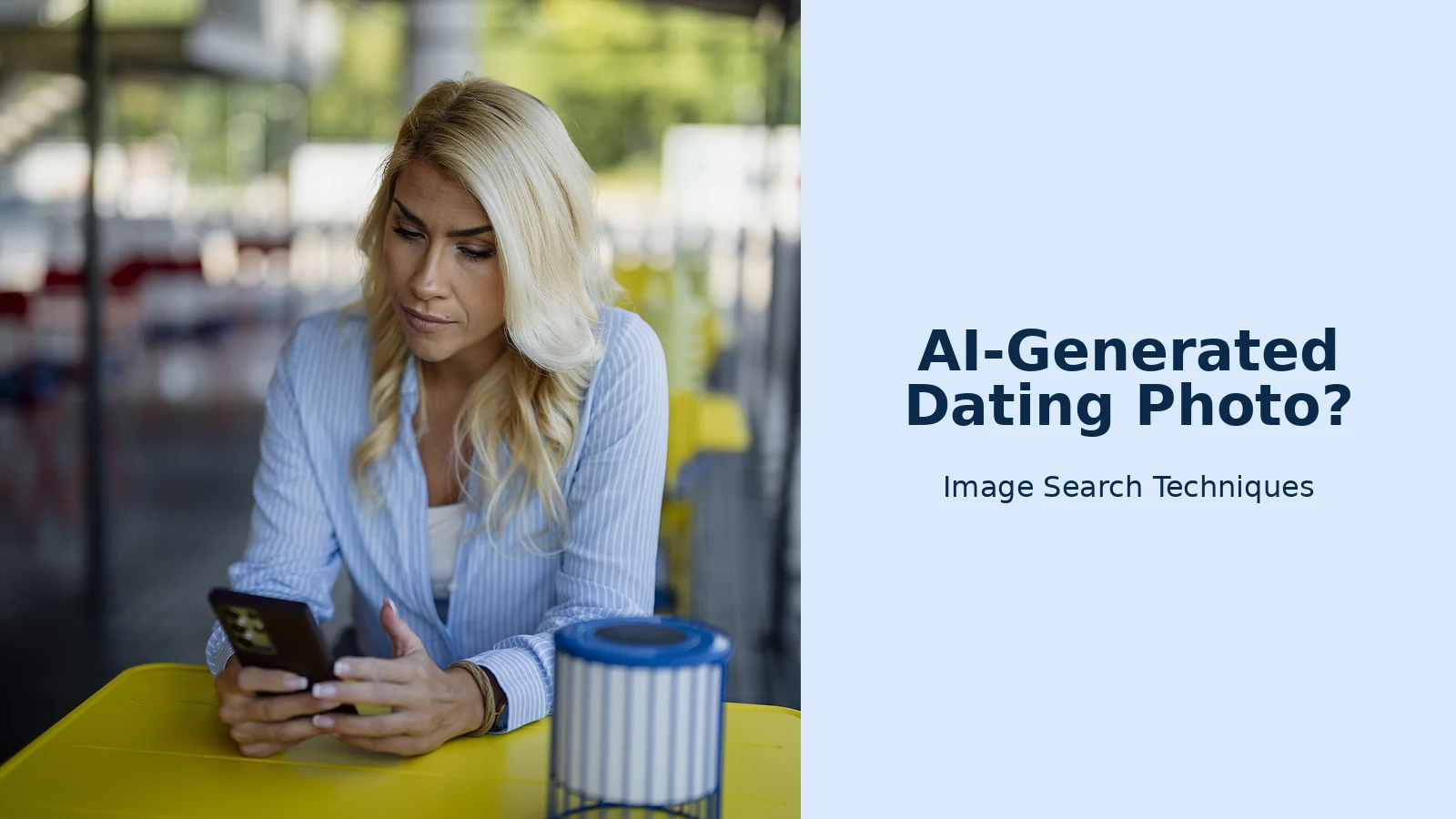
An AI-generated dating profile photo is a picture of a person who does not exist, created by an image generator from a text prompt and presented as a real dating profile picture. The face, the hair, the clothes and the background were all invented in the same pass, which is why the photo can look like a perfectly normal selfie while having no history at all. No camera took it, no friend tagged it, and no social account ever posted it.
That last point is the one that breaks the usual advice. The standard first step for checking a dating profile, the one the FTC itself recommends in its romance scam advice, is a reverse image search of the profile picture. It works well on stolen photos, because a stolen photo has a past: it appears under another name, on a stock site, or on an influencer account. A generated face has no past. When you search it, you get nothing, and nothing is the correct answer for a picture that was made five minutes ago. The mistake is reading that blank result as a clean bill of health. It is not. It is the moment to switch methods, and the rest of this guide is the method you switch to.
It helps to know why scammers like generated faces. A stolen photo can be traced back to its owner, and the owner sometimes finds out and complains. A generated face belongs to nobody, so nobody comes looking for it. It also never ages badly and never appears in two places at once, which makes it easy to reuse across many fake profiles. The photo is not the scam itself. The scam is what comes after: trust, then a story, then a request for money. The photo is just the door. Our job is to check the door properly.
Why does reverse image search find nothing on a generated face?
Reverse image search works by matching the pixels you upload against an index of images that search engines have already crawled. Google Lens, TinEye, Bing and Yandex all work this way, and they are only as good as their index. A real photo of a real person usually exists somewhere else on the web: the same shot on a social profile, a similar shot from the same shoot, or the original on a stock library. A generated face has never been crawled because it has never been published. There is nothing to match against, so the engines return similar-looking strangers, stock portraits, or nothing at all.
That is also why a blank result can mislead you in both directions. A real person who keeps a low profile online can return a blank search too, especially if their photos are new and have never been indexed. And a scammer using a stolen photo that has been flipped or cropped can dodge a plain search as well. Flipped and cropped copies of stolen photos are a separate case with their own method, and they are not what this guide covers. The point here is narrow: when the face was generated, the search comes back empty because the face is new, and the empty result is a signal to keep checking, not a reason to stop.
Our face search and photo privacy guide explains how the engines build their indexes and what a match actually means. The short version is that a match is strong evidence and a non-match is weak evidence. It tells you the photo has no public history, and nothing more. Everything after this section is about what to do with that weak evidence, and how to combine it with stronger checks until you have a real answer.
What is the no-match protocol?
When reverse image search returns nothing, run this protocol in order. Each step is cheap, and each one answers a different question. No single step is a verdict. The verdict comes from the combination.
- Search every photo, not just the first. Save each photo on the profile and run it through reverse search separately. Scammers often mix one generated portrait with stolen photos, or one real photo with generated ones. A single match on any photo in the set changes the whole picture, so check them all before you draw any conclusion.
- Read the whole photo set as a set. Look at the photos together, not one by one. Are they all the same kind of shot, the same light, the same level of polish? Real profiles are messy: a bad angle, a friend in the frame, a photo from three years ago. A generated set is usually too consistent, and the next section shows you what to look for.
- Count the photos. A profile with one photo, or two near-identical portraits, deserves more suspicion than a profile with six varied photos. One photo is the minimum a scammer needs, and it is also the minimum that gives you nothing to cross-check. This is the one-photo rule, covered in full below.
- Run one AI detector on the clearest portrait. A detector reads the pixels for generation patterns and returns a score or a verdict. Use it as one signal, not as a judge. The detector section below explains which tools are free and where they go wrong.
- Ask for a live photo. This is the endpoint check. Ask for a photo taken now, showing something specific: the person holding up three fingers, or a spoon, or today’s newspaper. A real person can do this in seconds. A scammer with a generated face cannot, because the face does not exist to hold anything up. If they refuse, stall, or send another polished portrait instead, you have your answer.
- Ask for a short video call before you meet or send anything. Five minutes is enough. A real person can usually manage it. The FTC puts it plainly in its romance scam advice: never send money or gifts to a sweetheart you have not met in person. A video call is the cheapest way to make sure the person is a person.
Here is the protocol as a table, so you can run it in under ten minutes.
| Step | What it answers | Pass | Fail |
|---|---|---|---|
| 1. Search every photo | Is any photo stolen? | No matches, or matches that fit the story | A match under another name |
| 2. Read the set | Do the photos look like one real life? | Mixed shots, friends, places, dates | Identical portraits, studio light throughout |
| 3. Count the photos | Is there enough to check? | Several varied photos | One photo, or two near-identical portraits |
| 4. Run a detector | Do the pixels look generated? | Low AI score, consistent with a real photo | High AI score, plus other fails |
| 5. Ask for a live photo | Does this person exist right now? | A fresh photo, as asked, within minutes | Refusal, delay, or another old portrait |
| 6. Video call | Is the person on the screen the person in the photos? | Yes, face and voice match the profile | Always an excuse: broken camera, bad signal |
The honest limit, stated plainly: a blank search alone proves nothing. It is the combination that matters. A blank search plus a one-photo profile plus a refused live photo is a strong case for walking away. A blank search on a six-photo profile with friends, places and a quick video call is a normal result for a private person. Keep the two cases apart and you will rarely go wrong.
How do you spot AI-generated dating profile photos in a set?
Look at the set, not the single image. One generated portrait can be flawless. A set of four or five generated portraits usually gives itself away, because the generator repeats its habits across every frame. Here is what to look for, in the order that matters.
Light that never changes. Real photos taken over months have different light: harsh noon sun in one, warm evening light in another, a flash photo indoors. Generated sets often share the same soft, even, flattering light in every shot, as if every photo came from the same studio on the same afternoon. When the light is identical across a beach, a restaurant and a living room, something is off.
Backgrounds that melt. Look past the face. Generated backgrounds often contain objects that make no physical sense: a railing that bends into a wall, a window that opens onto nothing, a bookshelf with spines that are not quite books, a street sign with letters that are almost words. Zoom in on the edges of the frame, where generators are at their weakest. Real photos have boring, consistent backgrounds. Generated ones have interesting mistakes.
Accessories that do not match. Earrings are the classic tell: one earring a hoop, the other a stud, or one missing entirely. Glasses with frames that change thickness halfway round, or lenses that do not sit in front of the eyes. A watch that melts into a wrist. A necklace that disappears into a collar. No single mismatch proves anything, but two or three across the set is a pattern.
Hands, when you can see them. Generators still struggle with hands, though they are better than they were. Count the fingers. Look at the joints. Look for a hand that fades into a sleeve or a table. Many generated dating photos avoid the problem entirely by cropping at the shoulders or hiding the hands, which is itself a small tell when every photo does it.
Text that is almost words. A T-shirt slogan, a shop sign, a book title, a tattoo: generated text often looks like letters at a glance and falls apart when you read it. If the text in the background reads like a foreign language you almost recognise, the image was probably generated.
The stock-model pattern. Every photo is a good photo. Perfect skin, perfect hair, perfect framing, no bad angles, no laughing mid-sentence shot, no photo a friend took while the person was not ready. Real people have at least one unflattering photo on their profile, because real life is unflattering. A profile where every shot could be a magazine cover is a profile worth checking twice.
None of these tells is a verdict on its own. Filters and beauty modes can smooth real skin, and a professional photoshoot can make a real person look like a model. That is why the tells sit in the middle of the protocol, not at the end. They raise suspicion. The live photo settles it.
What does a one-photo profile tell you?
A profile with a single photo tells you that you have almost nothing to check. That is the whole problem. With one photo, you cannot compare light across shots, you cannot see friends or places, and you cannot tell whether the face is consistent across different days. A scammer needs only one good image to open a profile, and a generated face gives them an endless supply of them. A real person with one photo is usually just lazy about their profile, or private, or new to the app. You cannot tell the two apart from the photo alone, which is why the one-photo rule is simple: a one-photo profile gets the full protocol, every time, before you move the conversation anywhere.
Count the photos before you read the bio. Six photos with a mix of settings, friends and years is a normal profile. Three photos that are all headshots in similar light is a thin profile. One photo is a flag, not a conviction. Run the search on it, run a detector on it, then ask for the live photo. If the person is real, the live photo takes seconds and the worry ends. If they cannot produce one, the profile has told you everything it is going to tell you.
The same logic applies to profiles where every photo is a near-identical portrait: same angle, same smile, same background blur, just a different top. That is not a photo set. It is one photo repeated with small changes, and it deserves the same treatment as a single photo. Our Tinder fake profile photo check covers the app-specific side of this, including the video selfie check Tinder now asks new users for, and it is a useful companion to this guide.
Can an AI detector settle it?
A detector can help, but it cannot settle it. An AI image detector reads the pixels of a photo and returns a score or a verdict: probably human, uncertain, or probably AI. It is looking for patterns left by image generators, patterns too small for the eye to see. That makes it the right tool for exactly the case this guide covers, the blank reverse search, because it does not need the photo to have a history. It only needs the file.
Use a free detector, and use one, not five. Hive offers free AI detection tools that check an uploaded photo or a URL, and our Hive AI detector guide walks through the check. Upload the clearest portrait from the profile, not a screenshot of the app, because a screenshot loses the original file data and adds compression that muddies the result. Crop to the photo itself and avoid capturing the app interface around it.
Now the limits, because they matter more than the score. First, a detector can be wrong in both directions. A real photo that has been heavily filtered, beautified or upscaled can come back as uncertain or probably AI. A generated photo that has been lightly edited or compressed can come back as human. Second, a detector cannot tell you who someone is or what they want. A stolen real photo will correctly come back as probably human, which is why the detector is step four of the protocol, not step one. Third, detectors are trained on the generators of today, and generators change every few months, so a detector’s accuracy is a moving target. Treat the score as one clue, and let the reverse search, the live photo and the money rule do the heavy lifting. For the full picture on what detectors can and cannot do, our guide to telling if an image is AI-generated covers the main tools and their limits.
One more caution. Never accuse someone on the strength of a detector score. If you tell a real person their photos are fake because a free tool said so, you have insulted someone for no reason, and you have also told a scammer exactly which tool to test their next photo against. Keep the result to yourself. Ask for the live photo, and let the person pass or fail that instead.
How do you ask for a live photo without sounding like an interrogator?
Ask early, ask lightly, and ask for something specific. The request works best before the conversation gets deep, when it still feels like normal dating behaviour. Something like: “Send me a photo of you right now holding up three fingers, I want to see if you are as real as you look.” Or: “Take a quick selfie with a spoon on your head, I dare you.” The exact prop does not matter. What matters is that it is specific, it is now, and it cannot be answered with a photo that already exists.
A real person will usually laugh and send it within minutes, or send a short video instead. That is a pass, and the worry ends there. Watch for the three failure patterns. First, the refusal with a story: the camera is broken, the phone is old, the lighting is bad, they are at work, they will do it tomorrow. Tomorrow never comes. Second, the stall: they change the subject, ask you a question instead, or send a voice note to buy time. Third, the substitute: they send another polished portrait, or a photo you have already seen, or a picture of someone else entirely. Any of these is a fail, and a fail on the live photo is the strongest single signal in this whole guide, because it is the one check a generated face cannot pass.
Never ask for an intimate photo as a test. That is not a check, it is a request a scammer can use against you, and it puts you at risk. A hand gesture, a kitchen spoon or a thumbs up is enough. Keep the request friendly and public-safe, and keep it inside the dating app, where the report and block tools work. If they move the conversation to another app before you have verified them, treat that as a flag on its own: scammers prefer to talk where the dating app cannot see them.
What are the red flags that matter more than the photo?
The photo is the door. The scam is the conversation. Even a perfect photo check is useless if you ignore what the person does next, so here are the flags that matter more than any detector score.
The money turn. Every romance scam ends the same way: a request for money. A plane ticket, a medical bill, a customs fee, a crypto investment, a gift card code. The FTC puts it plainly in its romance scam advice: never send money or gifts to a sweetheart you have not met in person. The moment money is mentioned, the photo question is settled. Stop, save the messages, and report the profile.
The move off the app. They want to talk on WhatsApp, Telegram or email, quickly, before you have met. Off the app, there is no report button that works and no safety team watching. Keep the conversation in the dating app until you have met in person.
No video call, ever. They always have a reason: broken camera, bad connection, working offshore, in the military. A real person can usually manage five minutes. If every call fails, the person on the other end is not the person in the photos.
Love bombing. The relationship moves very fast and very secretly. Big declarations in the first days, plans to meet that keep slipping, and a request not to tell your friends or family. Report Fraud’s romance fraud page notes that fraudsters work hard to make urgency and secrecy feel normal, and that for almost a third of those targeted the fraud spans more than a year. Talk to someone you trust. A second opinion helps.
Details that do not add up. The job does not fit the photos. The location does not fit the background. The story changes between messages. Search the job title plus the word scammer, as the FTC suggests, and see if other people have posted the same story. Our guide to spotting a catfish covers the conversation-side checks in full, and it pairs with this guide: photos here, words there.
What should you do if the profile fails the check?
Stop replying, save the evidence, report the profile in the app, and block the account. Do not send money, gift cards or crypto, whatever the story is. Do not try to trap the scammer or keep chatting to gather evidence: that is how people get drawn in, and it is not your job. If you sent money, contact your bank at once and tell them you paid a scammer, then report it to Action Fraud on 0300 123 2040, or to the FTC at ReportFraud.ftc.gov if you are in the US.
Save screenshots of the profile, the photos and the messages before you block, because blocking can delete your copy of the conversation. Keep them somewhere safe, and share them only with the app’s safety team, your bank, or the police. Do not post them publicly, and do not name the person in a public post. The photos may belong to a real person whose pictures were stolen, and that person has done nothing wrong.
If you are unsure, talk to someone you trust before you decide. Show a friend the profile and the photos, and tell them what the checks found. A second pair of eyes is often enough to break the spell of a fast-moving conversation. And if the profile passed every check, including the live photo and the video call, then enjoy the date. A clean check is a good reason to relax, not a reason to keep hunting for problems.
We tested it: one real photo, one AI-generated face
Everything above is the method. This is the proof it works the way I describe, run on 13 November 2026 through the reverse image search tool on this site. I used two photos. Photo A is a real photo of a real woman, the Wikimedia Commons picture “Smiling woman holding a cup and a bottle of beer”, published years ago. Photo B is an AI-generated portrait of a fictional woman in a park, made for this test and never posted anywhere. I ran each photo through every engine the tool offers, one by one, and recorded exactly what happened.
| Engine | Real photo (Photo A) | AI-generated portrait (Photo B) |
|---|---|---|
| Google Lens | 0 exact matches. Lens picked out the Beerlao bottle instead of the face, and its results were Beerlao product pages. A reCAPTCHA had to be cleared first. | 0 exact matches. Lens picked out the navy T-shirt instead, and its results were T-shirt shopping pages. A reCAPTCHA had to be cleared first. |
| TinEye | Found it. 3 results, searched over 86.7 billion images. Result one was the Wikimedia Commons original, first indexed 20 March 2019. | 0 matches. TinEye searched over 86.7 billion images and found nothing at all. |
| Bing Visual Search | 1 page with this image: a Ranker article from 18 May 2015. Bing misread the photo as “Pernambuco Beer” and its other matches were similar women with beer, not the same photo. | 0 pages with this image. Results were only similar stock photos of different women in parks. |
| Yandex | Found it. Copies in 7 sizes including the 3100 by 3100 original, 8 sites listed, first site Wikimedia Commons. | 0 exact copies. The closest similar image was a different AI portrait made from the same prompt, with a neutral expression, a dark top and a grey background, not the test photo. |
| Did not run a visual search. The tool’s Pinterest button opens a keyword search for the tool’s own domain, returning 23 unrelated pins. | Same result. A keyword search for the tool’s own domain, not a search of the image. |
Three lessons fall out of that table. First, the engines disagree with each other, even on a real photo that has been public for years. TinEye and Yandex found the Commons original. Bing found one reuse on Ranker and missed the original. Lens found nothing, because it locked onto the beer bottle instead of the face. If you run one engine and stop, you can easily reach the wrong conclusion, so run at least two, and TinEye plus Yandex is a good pair for this job.
Second, the AI portrait behaved exactly as the protocol predicts: no engine found an exact copy, and TinEye and Lens both said so in plain words. But the Yandex result carries a warning. It surfaced a lookalike portrait made from the same prompt, a different face with the same description. Similar is not the same image. If you ever see a “similar” result and call it a match, you have accused the wrong person, so check the face, the clothes and the background before you believe a similar result.
Third, the tool itself has quirks worth knowing. Its Google and Lens buttons lead to the same Google Lens page, so they are one engine, not two. Its Pinterest button is not a reverse image search at all, it searches Pinterest for the tool’s own domain name. And Lens asked for a reCAPTCHA on every fresh attempt, three times out of three. None of that changes the conclusion, but it is the honest picture of how the test ran. Both test photos were removed from the tool when the test finished.
Common mistakes when checking dating photos
The most common mistake is stopping at the blank search. A blank result feels like good news, so people stop there and start trusting the profile. It is not good news. It is an unanswered question, and the protocol above is the answer. The second mistake is the opposite: treating a detector score as a verdict and accusing a real person of being fake. Detectors are wrong often enough that an accusation based on one score is unfair, and it is also useless, because it tells you nothing about the person’s intentions.
The third mistake is checking only the first photo. Scammers mix their sets: one generated portrait, one stolen photo, one real-looking casual shot. Check every photo, because one match changes everything. The fourth mistake is asking for proof in a way that hands the scammer something useful. Never ask for a photo of an ID document, a bank card, or anything with personal details. The live photo test needs a hand gesture, not a document. And the last mistake is paying for a lookup service before trying the free checks. Reverse search is free. Hive’s detector tools are free. A video call is free. Paying for a people-search site buys you very little that the free checks do not already give you, and it hands your money and your details to a company you have never vetted.
The same protocol applies on Coffee Meets Bagel, with one extra constraint: the app sends a small daily batch and each bagel expires in 24 hours, so the check has to happen before you like, not after you match. Our guide to Coffee Meets Bagel fake profiles covers the app-specific version.
eharmony is stricter still: there is no public profile search, so the check happens once, at first match, and the questionnaire answers double as a consistency test. Our eharmony fake profile photo check walks through that closed-system workflow.
Can reverse image search find an AI-generated dating photo?
Usually not. A generated face has never been posted anywhere, so there is nothing in the search engines’ indexes to match against, and the search comes back blank. That blank result is a clue, not a clean bill of health. Run the no-match protocol instead: read the photo set, run one detector, then ask for a live photo.
Does a blank reverse search mean the photo is AI-generated?
No. A blank search only means the photo has no public history, and a real person who keeps a low profile online can return a blank search too. Treat it as a prompt to keep checking, not as proof. Combine it with the photo-set tells, a detector score and the live-photo request before you decide anything.
Can I check a dating profile photo for free?
Yes. Reverse image search costs nothing, and Hive offers free AI detection tools that check an uploaded photo or a link. A video call is free too, and it is the strongest check of all. Do not pay for a people-search or lookup service before you have tried the free checks, because they rarely add anything the free steps miss.
What should I ask for if I suspect the photos are fake?
Ask for a live photo taken now, showing something specific: the person holding up three fingers, or a spoon, or today’s newspaper. A real person can do this in seconds. If they refuse, stall, or send another polished portrait instead, treat that as the strongest signal in this guide and stop there.
Should I report a profile if I only suspect the photos are AI?
Yes, if the signals add up: a blank search, a one-photo profile, generation tells in the set, and a refused live photo together are good grounds for an in-app report. Report the profile and block the account, but do not accuse the person publicly. The photos may belong to a real person whose pictures were stolen.
Do dating apps check photos for AI themselves?
Some do, but only in part. Tinder asks new users in the UK and California for a video selfie through its Face Check, which checks that the person is live and matches their photos. That helps, but it does not judge whether a profile photo is AI-generated. Your own check still matters, so run the protocol before you meet anyone.






