


🔎 Reverse Image Search
Image search techniques made simple: upload a photo or paste a URL and search 6 engines at once. 100% free, nothing stored.
🔒 Your image is never stored on our servers longer than 24 hours and is never shared.
Run your hero photo through a reverse image search. A cloned property listing shows your stolen photos under a different agent name, price or phone number on a site you never listed on. Cloned photos are the student letting scam as well: our student letting scam photo check reverse-searches a real student room photo and shows what a hit looks like. Save screenshots, keep your originals, report the copy to the portal with your proof pack, and most clones come down in days.
It usually starts with a phone call. Someone rings your office about a house you marketed six months ago, or a landlord asks why their property is listed with another agent at a lower rent. You check, and there it is. Your photos, your floor plan, your description, under a name you have never heard of. Nobody in your office posted it. That is a cloned listing, and for an estate or letting agent it is a business problem, not a curiosity. Your photos are doing work for someone else, and every enquiry they collect is an enquiry you never see.
This guide is written for the agency side. It covers how to find every copy of your listing photos, how to tell a genuine clone from a legitimate syndicated copy, what evidence the portals actually want, and how to get the copy taken down. If you are a renter who found a suspicious listing, that is a different check, and this article will not try to cover it. If you are buying a home rather than listing one, the photo problem is different again: our guide to checking a virtually staged property listing photo covers the buyer-side checks for digitally added furniture and the disclosure rules. For the wider picture, our complete guide to protecting your photos online covers watermarking, takedowns and removal routes across every surface.
What a cloned listing is: a listing that reuses your property photos, and usually your description too, on a site or account you did not authorise, with different contact details, a different price, or a different agent name attached. The photos are real. The listing is not yours.
How do you know a cloned property listing is using your stolen photos?
A clone rarely announces itself. Most agents find out by accident, weeks after the copy went live. The signs below are worth a proper check the moment any one of them appears, because a clone that sits unchallenged for a month has had a month to collect deposits and enquiries in your name.
Start with the obvious one. A member of the public contacts you about a property you are not marketing, quoting a price or a rent that is not yours. Take that call seriously even if the caller sounds confused. They may have found the clone before you did, and they are handing you the link.
Then there is the version of your own listing that looks almost right. Same hero shot, same kitchen, same garden, but the agent name is different, the phone number is a mobile you do not recognise, and the price is a few thousand lower, or the rent is a few hundred lower. Cloners drop the price on purpose. A bargain pulls enquiries fast, and enquiries are the point. The property itself is bait. The money comes from deposits, holding fees and viewing fees paid to someone who has no property to show.
Another tell is timing. Your instruction ended, the property sold or let, and the photos should have gone quiet. Instead the same set appears on a classifieds site or a social media page, sometimes months later, sometimes in a different town with the address changed. Sold and let properties are prime targets because the photos are polished, the agent has stopped watching them, and nobody is expecting new enquiries. Old listings keep your photos live long after the sale, which is why it is worth knowing how to get photos of a sold house removed from Rightmove and Zoopla as well as how to find the clones.
Watch for your photos turning up where you never listed. A clone does not have to sit on a portal. It can sit on Facebook Marketplace, Gumtree, a free classifieds site, or a one-page website built to look like an agency. The common thread is always the same: your images, someone else’s contact details.
One more sign, and it is easy to miss. Your own listing starts getting odd enquiries. People ask about a viewing time you never offered, or a price you never quoted, or they mention speaking to “your colleague” by a name nobody in your office uses. Those callers have been talking to the clone. Log every one of them. Their messages are evidence, and they also tell you which photos the cloner is using.
Is it a clone, or is it just syndication?
Before you report anything, you need to be sure the copy is not one of your own. Most agencies syndicate. Your CRM pushes each new instruction to Rightmove, Zoopla and OnTheMarket, and often to your own website and a handful of smaller sites at the same time. Those copies are legitimate. They carry your branding, your phone number and your price. A clone looks similar at a glance, which is exactly why agents waste time reporting their own listings, or worse, ignore a real clone because they assume it is a feed.
The table below is the fastest way to tell them apart. If a copy fails two or more rows, treat it as a clone and start the evidence pack.
| Check | Syndication (your own copy) | Clone (someone else’s copy) |
|---|---|---|
| Agent name | Your agency name, spelled right | A different agency, a person’s name, or no agency at all |
| Contact details | Your office number and email | A mobile number, a free email address, or a messaging app handle |
| Price or rent | Matches your listing exactly | Usually lower, sometimes much lower, to pull enquiries |
| Address | Matches your listing | Often vague, shortened, or moved to a nearby town |
| Photos | Your full set, in your order | Your set, sometimes cropped or reordered, sometimes mixed with other photos |
| Description | Your text, or a shortened version of it | Your text copied word for word, or rewritten just enough to dodge a text search |
| Listing date | Same day as your instruction went live | Days or months later, often after your listing ended |
Two details deserve extra attention. First, the price. A clone is almost always cheaper than the real listing. That is not a mistake. A lower price is the hook, and it is also the easiest thing to spot when you compare two listings side by side. Second, the contact details. A legitimate syndicated copy never asks a caller to message a personal WhatsApp number or pay a holding deposit by bank transfer to an individual’s name. If you see that, you are looking at a clone, and the person behind it is collecting money.
There is one grey area worth naming. Some agencies share photos legitimately: a joint sole agency, a developer’s marketing suite, or a relocation agent using your images with permission. If you have an agreement like that, check it before you report. A report filed against a partner wastes everyone’s time and strains the relationship. If there is no agreement, there is no grey area.
How do you run the monthly audit?
Finding clones is not a one-off job. It is a routine, and it works best when it is small, regular and assigned to one person. The audit below takes about twenty minutes per batch of new instructions, and it catches most clones while they are still fresh.
The agency audit cadence: run the hero shot of every new instruction through a reverse image search on the day it goes live, then run the full set again at the end of the first month. After that, run the hero shot of every live instruction once a month, and re-check any instruction the week after it sells or lets, because that is when cloners pick the photos up.
Here is the sequence, step by step.
- Pick the hero shot first. The lead photo is the one cloners always take, because it is the one that sells the listing. Save it from your own website or CRM, not from a portal, so you are searching with the clean original.
- Run it through a reverse image search. Use our free tool on the homepage, which checks Google Lens, TinEye, Bing, Yandex and Pinterest in one pass. Open every result that shows your photo on a site you do not recognise.
- Run two or three interior shots as well. Interiors are the tells. A cloner can crop a hero shot, but a full set of interiors is much harder to disguise, and interior shots are where mismatches show up: the same kitchen under a different address, the same living room with a different agent’s watermark, the same bedroom in two towns at once.
- Compare every match against the syndication table above. Note the site, the agent name, the price, the phone number and the date. A match on your own portal feed is fine. A match anywhere else goes on the clone list.
- Screenshot everything before you report it. Capture the full page, the address bar and the date. Clones disappear the moment the person behind them realises they have been spotted, and a report without screenshots is much weaker than one with them.
- Log it in one place. A simple sheet works: property address, photo searched, date, site found, agent name, price, contact details, and whether it was reported. Over a few months this sheet becomes your record of which of your photos get targeted, and it makes the next audit faster.
One habit makes the whole audit easier: keep your originals. Every instruction should have a dated folder with the original photo files, exactly as they came from the camera or the photographer, with their metadata intact. Do not overwrite them with the portal-sized versions. The originals are your proof that the photos are yours, and they are the first thing a portal asks for. The same discipline applies to floor plans and descriptions: keep the original files, dated, in the same folder.
What does a reverse image search actually tell you?
A reverse image search does not prove who owns a photo. It shows you where a photo appears online, and that is usually enough to find a clone. But the results are not always tidy, and an agent who expects a clean list of matches will misread them. So here is a real test, run on a real property photo, with the results reported exactly as they came back.
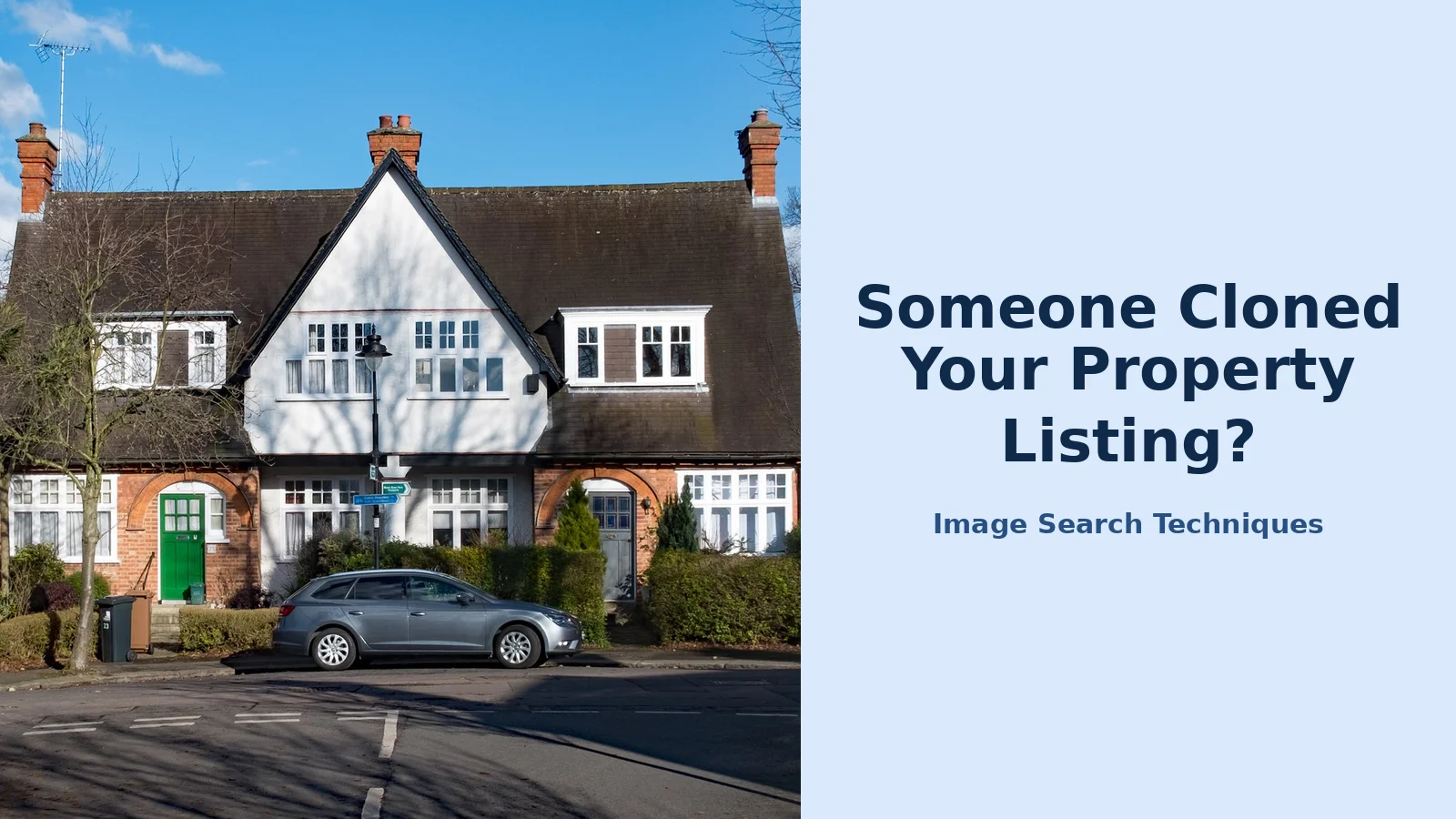
The test photo is a front view of semi-detached houses on Neville Road, Ealing, London, photographed by Jim Osley on 7 March 2018 and published on Geograph under a Creative Commons Attribution-Share Alike 2.0 licence. It is a plain, ordinary property photo, the kind any agent might use, and it has sat on Wikimedia Commons for years. If any photo should be easy for the engines to find, it is this one. The search was run on 13 November 2026 through the reverse image search tool on this site.
| Engine | Exact matches | Original page found? | What actually happened |
|---|---|---|---|
| Google Lens | 0 | Not verified | reCAPTCHA cleared after three rounds, then the results page failed with “Something went wrong / No image at the URL”. Retried once with a fresh search. Same failure. |
| TinEye | 0 | No | Ran cleanly. “TinEye searched over 86.7 billion images but didn’t find any matches.” |
| Bing | 0 | No | Returned visually similar houses only. “Unable to find pages with this image.” Misidentified the photo as “Station House, Haydn Road”. |
| Yandex | 0 | No | Read the location as London. About ten similar house photos, none of them the Neville Road file page. |
| 0 | No | The tool’s Pinterest button is a keyword search, not a visual search. It returned unrelated pins. |
Not one engine found the original page. That result matters, and it cuts both ways. A blank result does not prove a photo is clean, and it does not prove a listing is genuine. It proves that the engines have not indexed that copy, or that the upload token expired, or that the photo is simply not in their index yet. The Neville Road photo has been public since 2018 and still returned nothing. Your listing photos, which may only have been live for a few weeks, can easily return nothing too.
So what should an agent take from this? Three things. First, run more than one engine, because they index different parts of the web and they fail in different ways. TinEye and Bing ran cleanly here while Lens failed outright. Second, search more than one photo from the set. A hero shot can come back blank while an interior shot finds the clone, because the cloner may have cropped the hero and left the interiors untouched. Third, treat a match as evidence and a blank as nothing at all. A match on a site you do not control is something you can act on. A blank search is a reason to search again next month, not a reason to relax.
There is one more honest limit to state. A reverse search finds copies of the photo you already have. It cannot find a clone that used a different photo of the same property, or a clone that edited your photo heavily enough to break the match. That is why the audit pairs the search with the other checks in this guide: the price comparison, the contact details, and the reports from the public. No single check catches everything. Together, they catch most of it.
What goes in the evidence pack?
Portals do not take listings down because you say the photos are yours. They take them down because you can show it. The evidence pack is a short set of files that answers the three questions every portal asks: are these your photos, is this your listing, and is the copy unauthorised. Put it together before you report, not after, because a complete report gets actioned faster than one that needs two rounds of follow-up emails.
| Item | What to include | Why the portal wants it |
|---|---|---|
| Your original photo files | The full-resolution originals from the camera or photographer, with metadata intact, dated | Proves you hold the source files the clone was copied from |
| Your live listing URL | The link to your own listing on your website or a portal, with the same photos | Shows the photos in their legitimate home, under your name |
| The clone’s URL | The full link to the cloned listing, plus screenshots of the whole page with the address bar visible | Identifies exactly which listing must come down |
| Side-by-side comparison | Your photos next to the clone’s photos, with the matching images marked | Makes the copying obvious at a glance |
| Instruction evidence | The instruction date, the property address, and the agreement or CRM record showing you market the property | Proves you are the agent for that property |
| Contact mismatch note | The clone’s phone number, email and price, written out next to yours | Shows the clone is not a syndicated copy of your listing |
| Enquiry messages | Any messages from the public who contacted you about the clone | Shows real people were misled, which speeds up the portal’s response |
Keep the pack small. Seven items, one folder, clearly named files. A portal case handler works through dozens of reports a day, and a tidy pack gets read first. Name the files plainly: original-hero.jpg, your-listing-url.txt, clone-screenshot.png, and so on. If the portal’s form only accepts one attachment, send the comparison screenshot and offer the rest by email in the message itself.
One more thing belongs in the pack, and it is the easiest to forget: the date. Screenshot the clone with the date visible, and note the date you found it. Cloners delete listings fast once they are reported, and a dated screenshot is the only copy that survives. If the matter ever reaches the police, that date is part of the record.
How do you get a clone taken down on each portal?
The takedown route is different on every portal, and the difference matters. On one portal the report button is on the listing itself. On another there is no button at all, and the only route is an email. Knowing the route before you need it saves the half hour you would otherwise spend hunting through help pages while the clone keeps collecting enquiries. Every route below was checked live on 13 November 2026.
| Where the clone sits | How to report it | What happens next |
|---|---|---|
| Zoopla | Open the cloned listing, scroll to “More information”, click “Report this listing“, fill in the form and click “Report error”. Say the listing uses your photos without permission and that it may be a fake listing. | The Compliance Team is notified. The form is on the website only, not the app. |
| Rightmove | There is no report link on a listing page. Use the Safety and Security Centre and email fraud@rightmove.co.uk, or call 01908 712300. Attach your evidence pack. | Rightmove’s fraud team reviews it. Give them the clone’s reference number if the listing shows one. |
| OnTheMarket | There is no report link on a listing page. Use the general contact form and choose the category “Report a problem with a location”. The message is limited to 480 characters, so keep it short and offer the evidence pack by email. | The message goes to their support team. Follow up by email if you hear nothing in a few working days. |
| Facebook or Marketplace | Report the listing or profile for fraud, and separately report your photos through the copyright form if you own them. Save the report reference numbers. | Facebook reviews the report. A copyright report usually moves faster than a general fraud report. |
| Gumtree or a classifieds site | Use the “report this ad” link on the ad itself, and state plainly that the photos are yours and the listing is unauthorised. | The ad is reviewed and usually removed if the photos match your originals. |
| A standalone website | Report it to the hosting company and to Google through the legal removal troubleshooter, with your evidence pack attached. | The host or Google can remove the page or delist it. This route is slower, so start it first. |
A few practical points. Report the clone on every surface where it appears, not just the biggest one. A cloner who loses a Zoopla listing will keep the Facebook copy running if nobody reports it. When you report, use the words the portal uses: “fake listing” on Zoopla, “fraud” on Rightmove. And keep a note of every report you file, with the date and the reference number. If the clone reappears under a new account, which happens, your notes turn a fresh report into a repeat-offender report, and portals treat those differently.
Do not contact the cloner yourself. It is tempting to message the number on the clone and demand the listing come down, but it tells the cloner you have found them, and it gives them time to move the photos to a new account before the portal acts. Let the portal do the contacting. Your job is the evidence, not the confrontation.
What if the clone is taking deposits?
Some clones are not just using your photos. They are taking money. A prospective tenant pays a holding deposit, or a buyer pays a reservation fee, to someone who has no property to let or sell. That changes the matter from a copyright problem into a fraud, and the response changes with it.
The scale is worth stating plainly, because it explains why portals act fast when you report properly. The FBI’s Internet Crime Report 2025 records 12,368 real estate fraud complaints and 275,110,419 dollars in losses in 2025. Those are reported cases only. Most victims never report, so the real total is higher. Your photos are the bait in a crime that size, which is why the evidence pack and the portal report matter as much as they do.
If you have evidence that someone paid money to the clone, report it to the police as well as to the portal. In the UK that means Action Fraud, and you should keep the crime reference number with your evidence pack. Tell the portal you have reported it, and give them the reference number. A fraud report with a police reference is treated more urgently than a copyright complaint on its own. If any of the people who paid were your own clients or contacts, tell them directly and quickly, in writing, that the listing is not yours and that they should not pay anything further.
There is one thing to avoid here. Do not try to recover the money yourself, and do not promise a victim you can get it back. That is for the police and the banks. Your part is the evidence: the screenshots, the dates, the messages, and the proof that the photos are yours. Keep it all, even after the listing comes down, because a fraud case can take months and the portal will not keep the listing live for you to re-check.
What mistakes do agents make with cloned listings?
Property photos are not the only business images that get stolen. Our brand protection guides cover fake shops using your product photos and competitors stealing before-and-after job photos, and the same evidence-pack method in this guide works for both.
Most clones survive longer than they should because of avoidable mistakes, not because the portals are slow. The common ones are worth naming, because they are all easy to fix.
The first is waiting. An agent spots a clone, means to deal with it on Monday, and by Monday the clone has taken three deposits. Report the same day you find it. The evidence pack takes an hour to put together the first time and twenty minutes after that, and the portal cannot act until you report.
The second is reporting without proof. A report that says “those are my photos” with no originals attached is a claim, not evidence. Attach the originals, the screenshots and the comparison. Portals remove listings on evidence, and a complete pack is the difference between a removal in days and a request for more information that sits unanswered.
The third is checking only the hero shot. Cloners crop, flip and reorder the lead photo precisely because they know agents search it. The interior shots are where they get lazy. Run the full set, not just the first image, and run it again a month later, because a clone that was not there in week one can appear in week five.
The fourth is assuming the portal will find the rest. Report every copy you find, on every site. A clone on Zoopla and the same photos on Facebook are two reports, not one, and the second one will not be filed by itself.
The last mistake is the quietest one: deleting your own old listings and throwing the photos away. Sold and let properties are the cloners’ favourite source, because the photos are professional and nobody is watching them. Keep the originals, keep the dated folders, and keep the monthly audit running even for instructions that closed months ago. A photo you deleted is a photo you cannot prove is yours.
Cloned listings are a routine cost of marketing property online now. They are not going away, and no single tool stops them. What works is the routine in this guide: a monthly audit, a tidy evidence pack, and a report filed the day you find a copy. The portals have the routes. Your photos, your originals and your screenshots are what make those routes work. Start with the hero shot of your newest instruction today, and the next clone will be a report you file, not a phone call you dread.
How do I know if my property listing has been cloned?
Your photos appear under a different agent name, price or phone number on a site you never listed on. Look for a lower price than yours, a mobile number instead of your office number, and enquiries about viewings you never offered. Run your hero photo through a reverse image search and compare every match with your own listing.
How is a cloned listing different from syndication?
Syndication is your own listing pushed to other sites by your CRM, with your agency name, price and phone number. A clone reuses your photos with different contact details, a lower price, and a vague or changed address. If two or more of those details differ from your listing, treat it as a clone and start your evidence pack.
How often should an agency check its listing photos?
Run the hero shot of every new instruction on the day it goes live, then run the full set again at the end of the first month. After that, check the hero shot of every live instruction once a month. Re-check an instruction the week after it sells or lets, because cloners pick up photos after a listing ends.
What should I do first when I find a cloned listing?
Screenshot the whole page with the address bar visible, and save the clone’s URL, price and contact details. Then pull together your original photo files, your own listing link and a side-by-side comparison, and report the copy to the portal with that evidence pack. Do not message the cloner yourself, because that warns them to move the photos elsewhere.
Can I report a cloned listing on Rightmove?
There is no report link on a Rightmove listing page, so use the Safety and Security Centre instead. Email fraud@rightmove.co.uk or call 01908 712300, attach your evidence pack, and give them the clone’s reference number if the listing shows one. Zoopla is easier: every listing page has a Report this listing link that notifies its Compliance Team.
What if someone paid a deposit to the clone?
Report it to the police and to the portal, and keep the crime reference number with your evidence pack. In the UK that means Action Fraud. Tell the portal you have reported it and give them the reference number, because a fraud report is treated more urgently than a copyright complaint. Do not try to recover the money yourself.






