


🔎 Reverse Image Search
Image search techniques made simple: upload a photo or paste a URL and search 6 engines at once. 100% free, nothing stored.
🔒 Your image is never stored on our servers longer than 24 hours and is never shared.
Direct answer: Yes, you can remove photos of your house from Rightmove and Zoopla, including the floor plan and description, but not the sold price: that is Land Registry data, which both portals must keep. Ask your estate agent first; if they will not act, contact the portal with the property link, your address and proof that you own it.
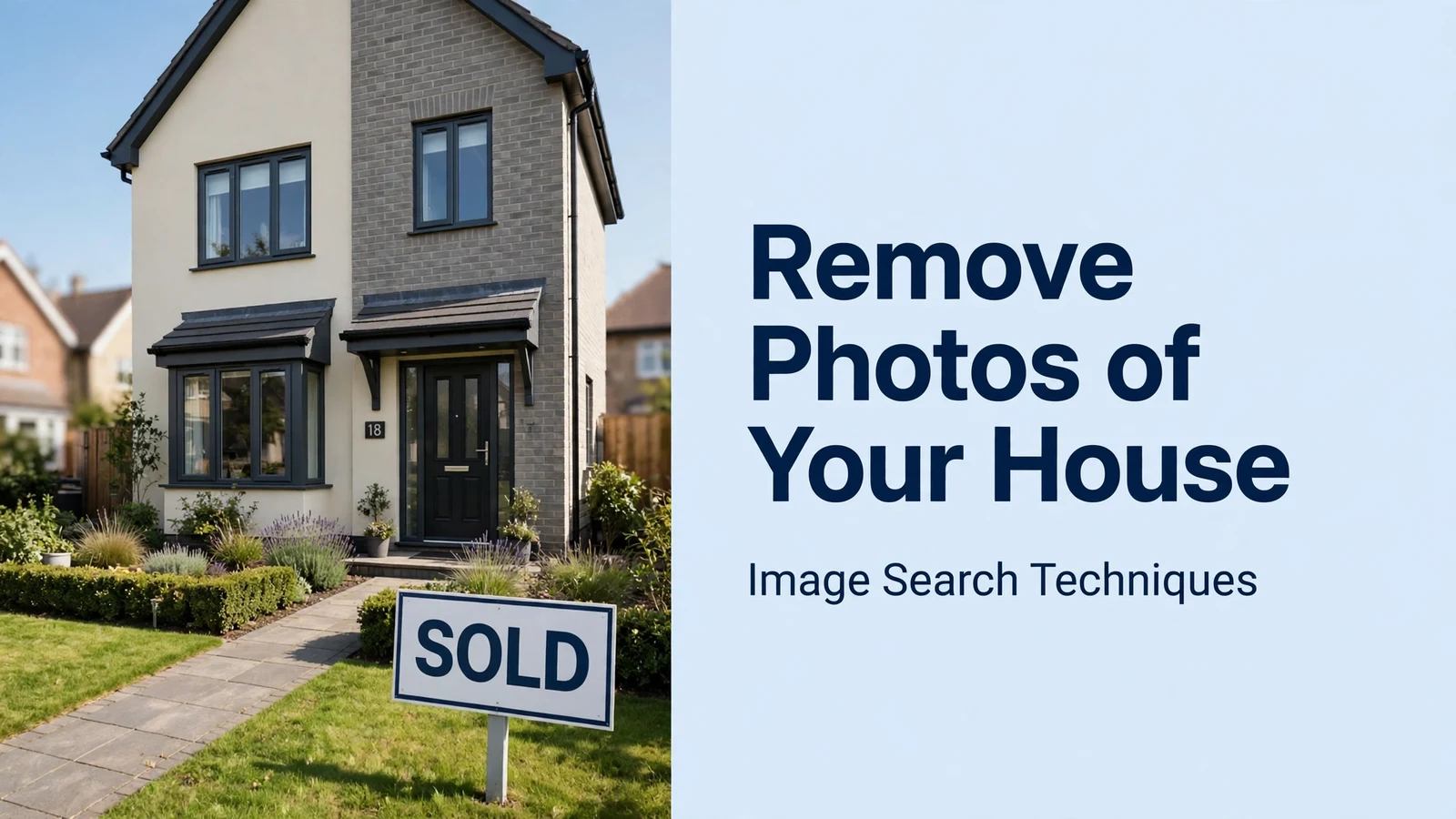
You sold the house, moved out, redecorated your life, and yet the inside of your old home is still on public display. Estate agent photos still online after a sale are the most common version of this problem: anyone who types your old address into Rightmove or Zoopla can walk through your former living room, kitchen and bedrooms in photographs, read the floor plan, and see exactly what you sold it for.
This guide explains what you can actually get removed, what you cannot, and the exact route for each portal. The honest headline first: the sold price is public record and stays. The photos, the floor plan and the description can go, but only if you ask, and only if you ask the right party in the right way. For the wider picture, stopping your photos being reused anywhere online, see our complete guide to protecting your photos online.
A “sold prices” page is not the same thing as a listing. A listing is the marketing advert your estate agent created: photos, floor plan, description, asking price. A sold-prices page is the historical record of the sale: the address, the date and the price paid. The two are handled differently, and that difference decides what comes down.
If your house is in the United States rather than the UK, the portals and the steps are different. Our guide to removing house photos from Zillow, Redfin and Realtor.com covers the US owner routes, including the MLS step that stops the photos coming back.
What can you actually remove from Rightmove and Zoopla?
The short version: the pictures can go, the price cannot. Rightmove’s own help pages state that the sold prices it shows come from HM Land Registry and the Registers of Scotland, and that it displays pictures from the last time the property was listed for sale or rent. The same help page says plainly that if you are concerned about the old pictures shown, Rightmove can remove the pictures from the tracked property and the site. Zoopla’s position is the same in substance: its help centre states that sold price data comes from the Land Registry and cannot be amended, while its estimates, generated by an automated valuation model, cannot be manually changed by users or by Zoopla itself.
So before you write to anyone, sort your request into the two buckets. In the “can be removed” bucket: interior and exterior photographs, the floor plan, and the written description from the old listing. In the “cannot be removed” bucket: the sold price, the sale date, and the fact that the property sold. If your real objection is that people can see what you paid, no portal will fix that for you, that information is public record, and it is also published by HM Land Registry itself through GOV.UK’s sold-prices search.
There is one more thing worth knowing before you start. The photos were usually taken and supplied by the estate agent, and the agent, or the photographer they hired, generally owns the copyright in them. That does not mean you have no route: the portals have removal processes for owners, and they do act on them. But it does mean that threatening copyright action over photos you did not take is a weak lever. The stronger lever is simpler: you are the owner, the photos show the inside of your home, and you want them taken down.
How do you remove photos of my house from Rightmove?
Start with the estate agent who sold the house. This is the fastest route, and it is the one Rightmove itself points vendors and landlords to: if the property is being actively marketed, contact the agent directly. The agent controls the listing on Rightmove’s system and can withdraw or amend it. Ask in writing, email, not a phone call, and keep the message short and specific: the property address, the Rightmove property link, and a clear request to remove the photos, floor plan and description from the sold-prices page and from any tracked-property view. Give them a week, then chase once.
If the agent will not act, or the agency has closed, or you bought the house and the seller’s agent will not speak to you, go to Rightmove directly. Rightmove’s published site terms list two addresses for property-data concerns: dataquality@rightmove.co.uk for concerns about property data on the site, and sold.prices@rightmove.co.uk where you have concerns about historical property information and can prove a valid association with the property. Rightmove’s Help Centre also points homeowners to its customer support address, customersupport@rightmove.co.uk. Use the sold-prices address for a sold property, and include three things: the full address, the URL of the Rightmove page showing the photos, and the words “sold price images” so the request is routed correctly. Say plainly that you are the current owner, that the photos show the interior of your home, and that you are asking for the images, floor plan and description to be removed, not the sold price, which you understand cannot be removed.
You may be asked for proof of ownership. That is normal: the portal needs to know you are entitled to ask. A Land Registry title document, a completion statement from your solicitor, or a council tax bill in your name at the address are the usual forms of proof. Do not send identity documents to an agent you have not verified, and never send ID copies to an unverified advertiser or third party who offers to “sort it” for you.
What should you expect on timing? Homeowners who have done this report that Rightmove typically responds within a few working days and removes the photos shortly after. If you hear nothing after a week, follow up once, then re-send to the other address. Rightmove also has a “track this property” feature for homeowners: if you track your own home, you can ask for the old pictures to be removed from the tracked property as well as from the site, which is the wording Rightmove’s own help page uses.
How do you remove photos from Zoopla?
To remove photos of your house from Zoopla, the route is the same in principle, but Zoopla is less transparent about it. As with Rightmove, the estate agent is the first port of call: the agent supplied the listing, and the agent can ask Zoopla to remove it. If the agent will not help, contact Zoopla directly through its Help Centre, where you can submit a request about your property. Zoopla’s support team has told homeowners that it cannot amend sold price data received from the Land Registry, but that is the price, not the photos. Be explicit in your request that you are asking about the photographs, floor plan and description, not the sold price or the estimate.
Zoopla’s help pages explain where its numbers come from: its estimates are produced by an automated valuation model powered by Hometrack, drawing on HM Land Registry and Registers of Scotland sold prices, survey records, live listings and Energy Performance Certificates, and Zoopla says new data cannot be manually fed into that model, so do not waste your request asking for the estimate to be changed. Ask only for what can change: the images and the old listing text.
One honest warning: Zoopla has a reputation for being slower and less cooperative than Rightmove on this. Some homeowners report being told that only the listing agent can authorise removal. If that happens, put your request in writing through the Help Centre, attach your proof of ownership, and state clearly that you are the current owner and that the photographs show the interior of your home. Keep a copy of everything. If the agent has gone out of business, say so, the portal can still act, but it needs to know there is no agent to refer you back to.
Can the sold price itself ever be removed?
No, not from Rightmove, Zoopla or anywhere else that republishes it. The sold price is not the portal’s data to delete. In England and Wales, every residential sale is recorded by HM Land Registry, and the price paid is public information: anyone can search it by address on GOV.UK’s sold-prices service. Rightmove says the same thing in its help pages, property sales information is public, so it cannot be taken down after a sale, while the description, images and floor plan can be removed. Zoopla’s support team has given homeowners the same answer about Land Registry data.
The same logic applies to the estimate. Zoopla’s estimate is generated by its automated valuation model and, as its help centre states, cannot be manually amended, by you or by Zoopla. Rightmove’s estimate is calculated by machine-learning models using public data sets, including Land Registry sold prices, and surveyor data. Neither portal will change a number on request, and neither should: the figures are derived from public records, not from anything you supplied.
There is one narrow exception worth knowing about. If the sold price shown is wrong, because the Land Registry record itself is wrong, or because the portal has attached the wrong price to your address, that is a data correction, not a removal. In that case, contact the portal with evidence of the correct figure, and the Land Registry if the source record is wrong. The portals update automatically when corrected Land Registry data reaches them.
Where else are your house photos living? A worked check
Removing the photos from Rightmove and Zoopla is only half the job. The same marketing photographs are routinely copied onto other property sites, valuation sites, search results and social media. Before you write to anyone, it helps to know where the photos actually are, and a reverse image search is the fastest way to find out.
To show how this works in practice, I ran a real property-style photograph through all three search engines on 11 November 2026, no logins, just the image URL. The stand-in was a Pexels living-room photograph (photo 28549934, by Jakub Zerdzicki, published 22 September 2024): the kind of bright, furnished interior shot an estate agent would use. The results show why one engine is never enough.
Google Lens loaded 247 exact-match links, I counted them, because Google shows no total, but the Pexels source page was not among them. The top matches were technology articles reusing the image to illustrate TV-as-monitor guides, from How-To Geek and Navbharat Times. Lens had also auto-cropped to the tablet in the foreground at first, and for that crop it reported no exact matches at all; only after expanding the crop to the full image did the matches appear. Lesson: always check Lens’s crop box before trusting a “no match” result. Our Google reverse image search guide explains the crop step in detail.
TinEye found 9 results across 86.7 billion images searched, first indexed 24 September 2024. Three were stock agencies selling the same image, Shutterstock, Alamy and Adobe Stock, and the rest were blogs and news sites that had copied it, including one Brazilian site whose filename still contains the Pexels photo ID. TinEye did not list the Pexels source page itself.
Bing Visual Search listed 21 pages with this image, and it was the only engine that found the source: entry 18 of 21 was the Pexels page for the same photograph, in its Spanish form, dated 23 September 2024. The English Pexels page did not appear. Bing’s top matches were again unrelated articles reusing the image, from smart-home guides to a Turkish television article.
Three lessons for your own home. First, run all three engines: in this test Bing found the source while Lens and TinEye missed it, and in earlier tests the position has been reversed. Second, watch the crop: Lens can silently search a detail instead of the whole room. Third, expect reuse you never authorised, stock agencies, blogs and foreign-language sites all held copies of a two-year-old living-room photograph. Each of those is a separate removal request, and the portals are only the start. The same reuse happens with rental adverts, so if you are letting rather than selling, read how to check a rental listing’s photos before you pay, and if you are new to the process, our step-by-step guide to reverse image search walks through all three engines.
Run the same check on your own home’s photos. Save one interior photograph from the sold listing, the living-room shot is usually the most widely reused, and search it on Google Lens, TinEye and Bing Visual Search. Note every site that shows it, then work through the list: the agent’s own website, the portal, then the aggregators. Most will remove the images on the same written request. A few will ignore you; those go to the bottom of the list, and you revisit them once the big portals are done. The same reverse search works on an aerial shot too: if a drone photo of your house turns up on a listing or a pilot’s site, the removal steps are the same, starting with the site that hosts it.
What if the agent or the portal will not act?
Most requests succeed, but not all, and not quickly. If the agent ignores you, write once more, then go to the portal directly: you do not need the agent’s permission to contact Rightmove or Zoopla about your own home. If the portal ignores you, re-send the request with your proof of ownership attached and a clear subject line, for example “Request to remove sold property photographs, [your address]”. A dated paper trail matters if you need to escalate.
If the photographs show the inside of your home and identify where you live, the request has a data-protection dimension: the images are personal data in the sense that they relate to an identifiable household. You can raise that with the portal, and if the portal still refuses, you can complain to the Information Commissioner’s Office, the UK data-protection regulator. This is not legal advice, and an ICO complaint is a slow route, but it is a real one, and portals know it. Keep your expectations honest: the ICO can look at whether the portal handled your request properly, but it cannot order the Land Registry to delete the sold price, because that price is public record.
What you should not do is pay anyone who offers to “scrub” your house from the internet. There is no service that can delete Land Registry data, and no third party can force a portal to act faster than you can yourself. The removal routes in this guide are free, and anyone charging for them is selling you your own email.
How do you stop it happening next time?
The easiest removal is the one you never need. If you are about to sell, raise photographs with your estate agent before the listing goes live, not after completion. Ask the agent, in writing, to remove the listing photographs, floor plan and description from the portals once the sale completes, and to confirm when that has been done. Some agents do this automatically; many do not, and the listing then sits on the sold-prices pages for years.
If you are buying, raise it before exchange. Ask your solicitor or your own agent to ask the seller’s agent to take the photographs down on completion. You cannot put that obligation into the purchase contract itself, the agent is not a party to it, but a written request made at the right time is usually honoured, and it is far easier than chasing a portal months later.
Finally, deal with the other public photograph of your home while you are at it: Google Street View. The Street View image of your house is a separate problem with a separate fix, blurring, and it is covered in our guide to blurring your house on Google Street View. Apple Maps, Bing and Mapillary hold their own copies, and a Google blur changes nothing on them, as our guide to blurring your house on Apple Maps, Bing and Mapillary explains. A house with no interior photographs and a blurred Street View image is a much smaller target for anyone browsing your address.
Portal-by-portal removal table
| Portal | Contact route | What can be removed | What cannot be removed |
|---|---|---|---|
| Rightmove | Estate agent first; then sold.prices@rightmove.co.uk (historical sold-price pages) or dataquality@rightmove.co.uk (property-data concerns) | Photos, floor plan, description | Sold price, sale date |
| Zoopla | Estate agent first; then Zoopla Help Centre, submit a request | Photos, floor plan, description | Sold price, estimate |
| HM Land Registry (via GOV.UK) | No removal route, public record | Nothing | Sold price, sale date |
| Other property sites | Each site’s own contact or help form | Photos, floor plan, description | Price history copied from Land Registry |
| Google search results | Only after the source page is changed | Cached images fade once the source is gone | Nothing directly, Google reflects the source |
Work through the table top to bottom: agent, Rightmove, Zoopla, then the smaller sites a reverse image search turns up. Check each page again a week after your request, and search your address again after a month, cached copies in search results fade once the source page no longer shows the photographs.
FAQs
Can I remove photos of my house from Rightmove?
Yes. Ask the estate agent who sold the house first, then email Rightmove at sold.prices@rightmove.co.uk with the property link, your address and proof of ownership. Rightmove’s own help pages confirm old pictures can be removed from a property and the site. The sold price stays, because it is Land Registry data.
Can Zoopla remove photos of my house?
Yes, in principle. Ask the listing agent first, then contact Zoopla through its Help Centre with a written request and proof that you own the property. Ask specifically for the photos, floor plan and description. Zoopla cannot change the sold price or the estimate, which come from Land Registry data and an automated model.
Why is my house still on Rightmove after I sold it?
Rightmove keeps a sold-prices record after every sale, including the old listing photographs, floor plan and description. The record is not removed automatically when the sale completes. You have to ask the agent or Rightmove to remove the images; the sold price itself remains because it is public Land Registry data.
Can I remove the sold price of my house from the internet?
No. The price you paid is recorded by HM Land Registry and is public information, searchable by address on GOV.UK. Rightmove, Zoopla and every other site that shows it are republishing that public record. What you can remove is the visual record: the photographs, floor plan and description of your home.






