🔎 Reverse Image Search
Image search techniques made simple: upload a photo or paste a URL and search 6 engines at once. 100% free, nothing stored.
🔒 Your image is never stored on our servers longer than 24 hours and is never shared.
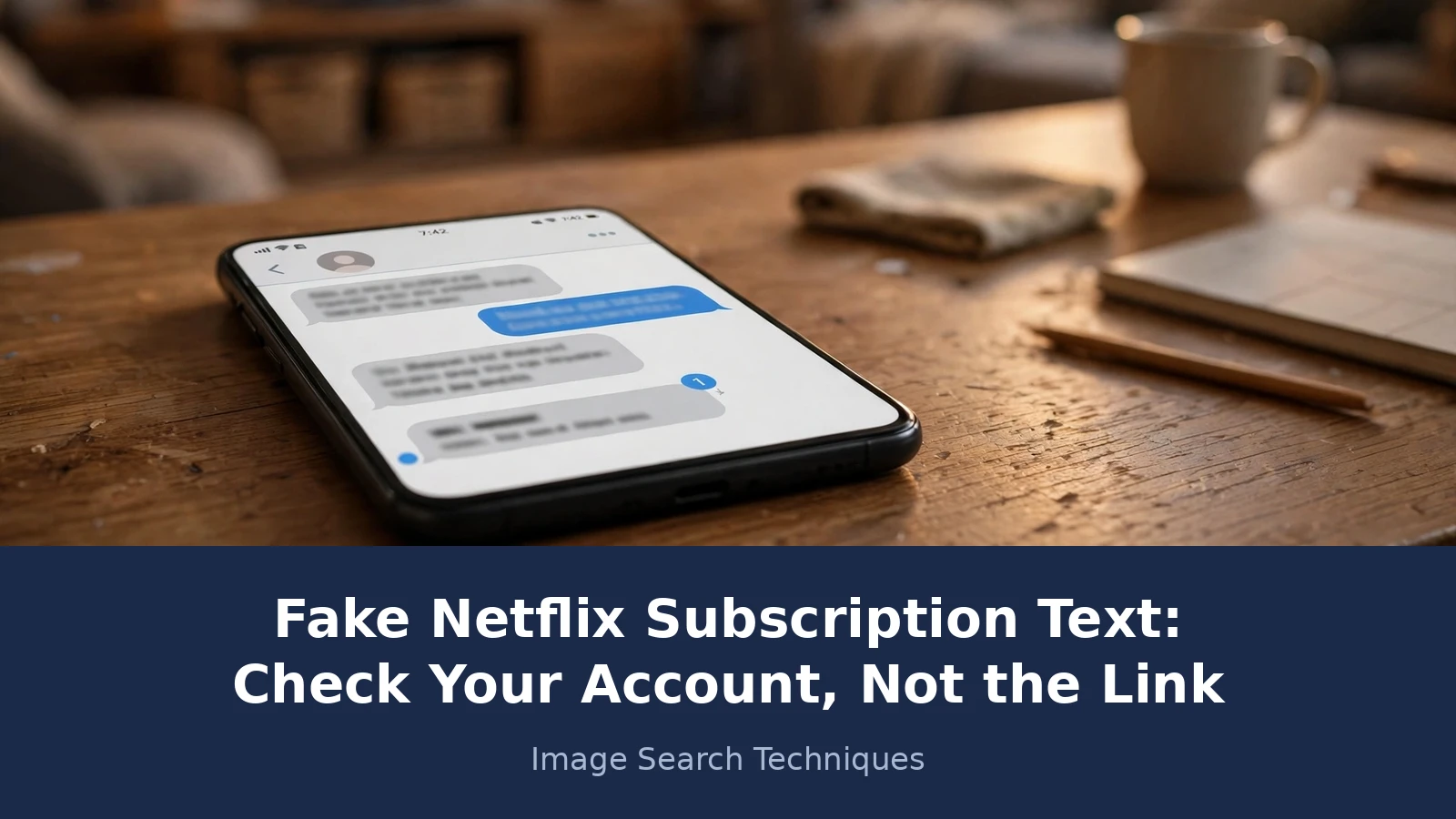
You are watching Netflix as normal, and a text arrives saying your subscription has expired and you must renew within 24 hours or lose your account. It gives you a link to fix it fast. That link is the trap, not the test. The real check takes a minute, costs nothing, and uses your Netflix account, opened by you. This is one of the message checks in our complete guide to photo scams, and the same check works for every brand that texts you about an account.
The short answer
Short answer: A fake Netflix subscription text pretends your subscription has expired and pushes you to renew through its link. Netflix will never ask for your card number, bank details or password in a text, and never asks for payment through another website. If a text asks for any of those, it is not from Netflix. Check your Netflix account instead.
What the fake Netflix subscription text looks like
The Netflix subscription scam text is a Netflix smishing message. Smishing is a scam text message, and this one borrows the name of a service most households already pay for, so the reader is primed to act before thinking. It does not need to be clever. It needs a deadline, a link, and a reader in a hurry. Read it field by field and the pattern shows itself.
| What the text says | What it means | What to do |
|---|---|---|
| Your Netflix subscription has expired | The expiry claim, which is the hook. It makes you think you are about to lose something you already pay for. | Ignore the claim. Check your account in the Netflix app instead. |
| Renew in 24hrs to keep your account | A deadline of hours, designed to stop you checking. Real renewals never need a tap within a day. | Do nothing fast. A real billing problem waits while you check. |
| A link to renew or update your details | The trap itself. The link leads to a fake Netflix login or payment page that copies your details. | Never tap it. Open the Netflix app yourself, or type netflix.com yourself. |
| Sent from a sender named Netflix | A sender name can be spoofed, so the name at the top of the message proves nothing. | Judge the text by what it asks for, not by who it claims to be. |
| It asks for card details or your password | This is the one thing that settles it. Netflix never asks for these in a text. | Close the message, report it, and delete it. |
One detail is worth saying plainly. Some guides claim Netflix never texts about billing, and repeat it as a rule you can use to judge every message. That is not what Netflix says, and using it as a test will mislead you. Netflix’s own rule is about what it will never ask for, not about the topic of a text. We come back to the exact wording below, because getting this wrong is how a real message gets ignored and a fake one gets trusted.
The renewal trap: this is not the payment-failed text
The subscription text and the payment-failed text look like cousins, and they are often lumped together, but they are different artefacts with different wording, and the difference matters. That is the Netflix renewal text scam in one line: an expiry claim, a deadline, and a link. The payment-failed text says a payment did not go through and asks you to update your payment method. That artefact has its own check on this site, in our fake Netflix payment failed check, and we do not repeat it here.
The subscription text says something else. It says your subscription has expired, or is about to, and you must renew it now. There is no failed payment in the story, only an ending subscription and a short deadline. That is why the check is different too. A payment-failed claim can be tested against your bank. An expiry claim can only be tested against your Netflix account, because only Netflix knows your plan, your billing date, and whether your subscription is active. The renewal wording is also why this text works so well. A payment failure sounds like a problem with your card, which many people would check with their bank. An expired subscription sounds like a problem with your account, and the link offers to fix it in one tap.
The same renewal trick appears in email form for other services. Our fake Spotify renewal email check shows the same pattern: a renewal deadline, a link, and a login page that is not the real one. The brand changes, the check does not. Open the account yourself, and never renew through a link in a message.
Here is Netflix’s actual rule, from its own phishing help page. Netflix says: “We will never ask you to share your personal information in a text or email. This includes: credit or debit card numbers, bank account details, Netflix passwords.” It also says it will never ask for payment through a third-party vendor or website, and that a text or email asking for your Netflix account email, phone, password or payment method probably did not come from Netflix. Notice what the rule covers. It covers what Netflix asks for, not what it texts about. A text can mention billing, a subscription or a renewal and still be real, if it asks for nothing. A text that asks for your card number or your password is fake, whatever it is about. That is the test. Some guides shorten this to “Netflix never sends text messages regarding billing failures”, but Netflix’s own page never says that, so do not use that version. The asking test is the one Netflix itself gives you, and it is the one this article uses throughout.
The 60-second check: your Netflix account, opened yourself
This is the Netflix account text check, and it takes about a minute. Do it before you tap anything, reply to anything, or call any number in the message.
- Do not tap the link. Leave the text where it is. Do not reply to it either. A reply tells the sender the number is live.
- Open the Netflix app on your phone or TV, or type netflix.com into your browser yourself. Use the app you already have, or the address you type. Never follow a link from the message to get there.
- Sign in and open your account page. Check your membership and billing. Look for three things: is your plan active, when is your next billing date, and is there a payment problem shown on the page.
- Compare. If the account page shows an active plan and a normal billing date, with no payment problem, the text is fake. Your subscription has not expired. If the account page does show a problem, fix it inside the app or on netflix.com, never through the text.
- Check Netflix account in the app first, every time. Make it a habit, not a one-off. The same minute of checking settles every subscription, renewal and billing text, whichever brand sends it.
If you are not sure where the account page is, sign in on the Netflix website and look for your profile, then Account, then Membership and Billing. Netflix’s own phishing help page gives the same advice in its own words: if you get a text asking for your account email, phone, password or payment method, it probably did not come from Netflix, so go to the company website directly instead of clicking a link you are not sure about.
Five signs the text is fake
Any one of these is enough to stop. You do not need all five.
1. It asks for card details, bank details or your password. This is the Netflix rule, and it is absolute. Netflix will never ask for these in a text or an email. A message that asks for them is not from Netflix, whatever name sits at the top of it.
2. It asks you to pay through another website. Netflix never asks for payment through a third-party vendor or website. A link that takes you to a payment page with a strange address is a fake, even if the page looks like Netflix. Real billing happens on netflix.com or in the app.
3. It gives you hours, not days. “Renew in 24hrs to keep your account” is the classic line. Real subscriptions do not end without warning and then demand a renewal inside a day. The deadline is there to make you tap before you think.
4. The only way forward is the link. A real account problem can be checked in the app. A fake one can only be “fixed” by tapping the link in the text. If the message offers no other route, that is the tell. The link is the product the scammer is selling.
5. It tells you nothing you can check. The text names no plan, gives no billing date, and mentions no detail that only Netflix would know about your account. It is generic on purpose, so the same text can be sent to thousands of numbers. A message that could have been sent to anyone probably was.
Two things are not signs, and treating them as signs will mislead you. The sender name is not a sign: a sender that reads “Netflix” can be spoofed, so a real-looking sender proves nothing, and a strange-looking sender is not needed for a fake. The topic is not a sign either: a text about billing or a subscription is not automatically fake, because Netflix does send genuine billing, account and sign-in messages. What settles it is always the same question: does it ask for personal details, payment details, or payment through another website. If yes, it is fake.
What to do if you already clicked or paid
If you tapped the link, do not panic, but act in this order. First, if you entered your Netflix password on the linked page, change it now, in the Netflix app or on netflix.com typed yourself, and change it anywhere else you used the same password. Reused passwords are how one bad tap becomes several bad accounts. Second, sign out of all devices in your Netflix account, so any session the scammer opened is closed. Netflix’s own help page gives exactly this advice for anyone who clicked a suspicious link. Third, if you entered card or bank details, contact your bank or card issuer straight away and tell them what happened, so they can watch the account or block the card. Our fake bank card blocked text check explains how banks handle this, and the first step is always the number on the back of your card, never a number from a text. Fourth, run a security check on your phone if the link asked you to download anything. A real Netflix message will never ask you to install an app from outside the official app stores.
If you only tapped the link and entered nothing, the risk is much lower, but still change your password if the page asked for it, and still report the text. And if you are not sure whether you entered anything, assume you did and work through the steps above. It costs a few minutes and it closes the door properly.
How to report a fake Netflix text
Reporting takes a minute and it helps in two ways: it warns Netflix, and it feeds the spam filters that protect the next person. Do all three of these, in this order.
Forward the text to 7726. That is the free number for reporting spam texts in the UK, and it works on all the main networks. Forward the message to 7726, then delete it. Do not reply to the sender, and do not tap anything in the message first. If you want to report a Netflix subscription text in the UK, this is the first step, and the same number works for every brand, not just Netflix.
Forward it to phishing@netflix.com. That is Netflix’s own address for suspicious emails and texts. Netflix asks you to forward the message and then delete it. If a forwarded email is rejected, Netflix says it already has a copy, so do not send it again.
Report it to Report Fraud. Report Fraud is the UK’s reporting service for fraud and cyber crime, at reportfraud.police.uk, or by phone on 0300 123 2040. In Scotland, report through 101. Do not report it to Action Fraud: that service was replaced by Report Fraud on 4 December 2025, and several older guides still print the old name. The same pattern runs through other account texts too. Our fake EE account text check uses the same three steps, because the reporting route is the same whichever brand the scammer borrows.
Worked example: the real subscription text, read line by line
Every guide in this series is built on a real example, not an invented one, and this article is no different. The best published example of the subscription wording comes from PanicVault, in its guide to Netflix phishing updated on 6 March 2026. Its seventh pattern, “The Subscription Expiry Scam (SMS / Smishing)”, calls this “probably the most common variant in 2026” and gives the wording as published: “Your Netflix subscription has expired. Renew in 24hrs to keep your account: [link]”. Be honest about what this is: PanicVault presents it as a common pattern, not as a screenshot of one message received by one person, and it shows a “[link]” placeholder rather than a fake domain. That is still a real published example of the wording, and it is the wording every other guide quotes only in payment-failed form, which is why this article owns the renewal variant.
Read it line by line. “Your Netflix subscription has expired” is the hook, written to sound like a fact about your account. It is a claim, and the only place to test it is your Netflix account page. “Renew in 24hrs to keep your account” is the deadline, short on purpose: long enough to feel possible, short enough to stop you checking. “Keep your account” is the threat underneath: do this or lose something. The link is the only action offered, which is the fourth sign from the list above. A real Netflix billing problem gives you the app, the website, and time. This text gives you one link and one day.
There is also a real screenshot of the same family of text. Online Threat Alerts published one on 14 January 2022, timestamped Friday, January 14, 2022, 2:10 PM. The message reads: “Netflix: Please update your membership with us to continue watching.” followed by a fake domain, aifu12.com/XKeXKFcpBY, shown here in plain text, not as a link. Its wording is membership continuation rather than explicit expiry, so it is the screenshot evidence for the family, while PanicVault gives the exact expiry wording. Look at the fake domain and the tell is visible: Netflix’s real domain is netflix.com, and this one is a short nonsense name with a random string after it. That random string is there to make the link look specific and official. It does the opposite, once you know to look for it.
We reverse searched the Online Threat Alerts screenshot to see how far a photo check gets you with this one. Google Lens found no exact matches at all, and said so plainly: “No exact matches found. This could mean the image is unique or has not been widely shared yet.” It loaded 60 visual match cards, but every one was a topical Netflix scam page, a Facebook post, a Reddit thread, a YouTube video or a security guide, not a duplicate of the screenshot itself. TinEye searched over 86.9 billion images and found no matches either. Both results are zeroes, and we report them as zeroes. That is itself a useful finding: this screenshot has not been shared widely enough for a reverse image search to settle anything, so a photo check cannot prove this text real or fake. The account check can, and it takes a minute. That is why this article puts the account first and the reverse search second. The same page carries 43 reader reported variants, including payment failed and renew variants, which shows how wide this family is, and why one check has to work for all of them.
The gap this article fills is visible once you compare it with the guides already ranking. The freshest guides all quote payment failed examples and none quotes a subscription expiry text. None shows a real screenshot, none runs a reverse image search on one, and none gives the UK reporting route in full. This article does all four, and it corrects the one claim the other guides repeat without checking: Netflix never said it does not text about billing. It said it never asks for your details in a text. That distinction is the whole check.
Is this Netflix text real?
Probably not. If it asks you to renew through a link, or asks for your card number, bank details or password, it is not from Netflix. Open the Netflix app yourself and check your membership and billing page. If your plan is active and no payment problem is shown, the text is fake. Forward it to 7726 and delete it.
Does Netflix send text messages about subscriptions?
Netflix does send genuine billing, account and sign-in messages, so the topic proves nothing. What matters is what it asks for. Netflix will never ask for your card number, bank details or password in a text, and never asks for payment through another website. If a text asks for any of those, it is fake. Check your account instead.
What is the Netflix text message scam?
It is a smishing scam: a fake text that pretends to be from Netflix and pushes you to tap a link and enter payment details. The versions claim your subscription expired, a payment failed, or your account will be suspended. The link leads to a fake page that steals what you type. Check your Netflix account in the app instead.
Is the 7726 text legit?
Yes. 7726 is the free number for reporting spam texts in the UK. Forward the text to 7726 and then delete it. It is a reporting route, not a sender, so a scam text will never come from 7726. If a message claims to be from 7726 and asks you to tap a link, treat it as a scam too.
I clicked the link in a fake Netflix text. What do I do now?
Change your Netflix password straight away, in the app or on netflix.com typed yourself, and change it anywhere else you used the same password. Sign out of all devices in your Netflix account. If you entered card or bank details, contact your bank or card issuer at once. Then forward the text to 7726 and to phishing@netflix.com, and delete it.
How do I report a fake Netflix subscription text?
Forward the text to 7726, then forward it to phishing@netflix.com and delete it. You can also report it to Report Fraud at reportfraud.police.uk, or by phone on 0300 123 2040. In Scotland, report through 101. Do not reply to the sender, and never tap the link in the message. Reporting helps the spam filters protect the next person.