🔎 Reverse Image Search
Image search techniques made simple: upload a photo or paste a URL and search 6 engines at once. 100% free, nothing stored.
🔒 Your image is never stored on our servers longer than 24 hours and is never shared.
You found a drone in a drawer, or you are looking at one in a second-hand listing, and you need its name. A photo is often all you have. The good news is that a photo is usually enough to identify a drone model from a photo, as long as it shows the right details. Read the arms, the camera and the model text first, then run the image through a reverse search to confirm what you think you see.
Short answer: Photograph the drone from above with its arms unfolded, plus a close shot of any printed text on the arms or body. The model name is usually printed on a front arm. Then reverse-search the photo to confirm the match. A photo names the model family, not the exact variant.
This guide covers civilian consumer drones only: DJI, Autel, HoverAir, Parrot and similar brands. It does not cover military drones, and it will not help you track, intercept or follow a drone. If you found a drone, the right move is to hand it to the police or lost property, not to power it on and browse through its memory card. That part is covered near the end.
What “model” means here. A model is the name the maker sells the drone under, such as DJI Mavic Air 2. It is the name a seller lists, the name a repair shop asks for, and the name spare parts are sold under. It is not the same as the serial number, which is unique to one aircraft, and it is not the same as the variant. Two drones can share a model name and still differ inside, so treat a photo match as a strong suggestion, then confirm it.
What can a photo actually tell you about a drone?
Answer capsule: A good photo can tell you the brand, the model family and often the exact model. It cannot tell you the serial number, the firmware version, or who owns it.
Start with what is realistic. A clear photo of the top of a drone, with the arms out, shows the shape of the frame, the shape of the camera, the colour of the body and the printed text. That is usually enough. The same method works for other gadgets too: our guide on how to identify a phone model from a photo follows the same idea, camera layout and printed marks first, search second.
What a photo cannot do is just as important. It cannot prove the exact variant. A DJI Mini 4 Pro and a DJI Mini 4 Pro with a different battery look the same from above. It cannot prove the drone is genuine either. Clone frames copy the shape of popular models, and a photo of a clone will match the real thing in a reverse search. And it cannot tell you who the drone belongs to. A visual match is not proof of ownership, and it is certainly not a reason to publish a found drone’s location or any owner data you manage to dig up.
So the honest claim is this. A photo gets you to the model family in most cases, and to the exact model when the printed text is readable. Everything after that needs a second check: the battery label, the maker’s site, or the app.
The limits are where people get caught out, so they are worth stating here too. A photo cannot prove the exact variant. Storage, battery size, regional version and bundled accessories do not show in a photo. It cannot prove the serial number, which is the only identifier that ties one aircraft to one registration. It cannot prove the firmware version or the flight history, which a buyer sometimes cares about more than the model. It cannot prove who owns the drone, and a visual match is never proof of identity or ownership. And it cannot prove a drone is genuine. Clone frames copy the shape of popular models closely enough to fool a reverse search, so a match to a DJI page does not prove the drone in the photo is a DJI.
Keep those limits in mind through the rest of this guide. The method below is a starting point, not a verdict. Use it to narrow the field, confirm the model against the maker’s own pages, and then check the battery label, the serial number and the app before money changes hands.
What should you photograph first? The six marks that matter
Answer capsule: Six marks decide most identifications: arm shape, camera and gimbal, prop guards, battery shape, printed model text, and the maker’s label.
Before you search anything, take the right photos. One wide shot from above will not do it. You need the details, and each one rules models in or out. Work through the table below with the drone in front of you, or with the photo you already have.
| Mark | What to look for | What it proves |
|---|---|---|
| Arm shape | Folding arms that tuck against the body, or fixed arms that stay out | Folding arms point to the Mavic, Mini and Air families. Fixed arms point to FPV quads, cinewhoops and toy drones. |
| Camera and gimbal | A camera on a three-axis gimbal under the nose, a fixed camera, or a mount for a separate action camera | A gimbal camera means a camera drone. A bare mount means the camera was the owner’s own add-on, so the drone is harder to name. |
| Prop guards | Full guards around every propeller, partial guards, or none at all | Full ducted guards point to cinewhoops and indoor drones. No guards at all is normal on camera drones and racing quads. |
| Battery shape | The shape of the battery and how it slots into the body, plus any printed code on its label | Battery shape narrows the family fast, because each model has its own battery. The label code confirms it when the drone is in your hand. |
| Printed model text | Words or numbers printed on the arms or the body, read in a close-up photo | This is the closest thing to a direct answer. DJI prints the model on a front arm on most models, and on the body for some, such as the Avata. |
| Maker’s label | The brand mark, the model line on the maker’s site, and the registration marking if one is printed | Confirm the text against the maker’s own model pages. A registration marking tells you the drone was registered, not which model it is. |
Take the photos in this order if the drone is in your hand. First, the whole drone from above with the arms unfolded and the camera facing you. Second, a close-up of each front arm, where the model text usually sits. Third, the camera and gimbal from the front. Fourth, the battery, out of the drone, label up. Fifth, the underside, where makers often print the serial number and the weight. Five photos take two minutes and they save you from guessing later.
If all you have is a single photo from a listing, work with what is there. Check which of the six marks are visible and which are missing, then say so. A listing photo that hides the arms is a weak basis for an identification, and a seller who will not send a close-up of the model text is telling you something.
How do you read the model text on the arms and body?
Answer capsule: Unfold the arms, point the camera at yourself, and read the front arm. That is where DJI prints the model on most of its drones.
DJI’s own support page, “How to Find My Aircraft or Remote Controller Model?”, gives the method plainly: unfold the aircraft arms, with the camera facing you, and the model is right there on the aircraft arm. DJI uses the Mini 4 Pro as its example. Some models print it on the body instead, for example the DJI Avata. You can read the full page on DJI Support if you want the maker’s own wording.
One thing the DJI page does not say is worth noting. It does not list the battery compartment as a place to find the model name. One version of Google’s AI Overview for this question does suggest checking the battery compartment. Treat a sticker there as a serial number to check against the maker’s records, not as the model name. The model name belongs on the arm or the body.
Other makers follow the same habit. Autel prints the model on the arm or the body shell. HoverAir prints it on the body. Parrot prints it on the underside. The habit is consistent enough that “read the arm first” is a good rule for almost any consumer drone, whatever the brand.
Watch out for two traps. First, the text is often small and grey on grey, so a photo taken in dim light will not show it. Angle the drone towards a window and take the close-up again. Second, some sellers photograph the drone with the arms folded. Folded arms hide the text completely, which is why the first photo in your set should always show the arms out.
Knowing the maker’s current line-up helps you place what you read. DJI’s camera drone pages list the Mavic, Air, Mini, Flip, Avata and Inspire lines, and the DJI home page also lists the Neo. If the text on the arm says “Air 3S”, you already know it sits in the Air line, and the rest of the check is about confirming the exact model rather than starting from nothing.
How do you identify a drone model from a photo with a reverse search?
Answer capsule: Upload the photo to Yandex Images first, then Google Lens, then TinEye. Compare what each returns against the maker’s own pages, and trust agreement between two engines more than one engine alone.
Reverse search is the confirmation step. You have a guess from the marks. Now test it. Use more than one engine, because they index different parts of the web and they fail in different ways. Our main guide to how to reverse image search covers the general method; the steps below are the drone version of it.
- Start with Yandex Images. Go to yandex.com/images, click the camera icon, and paste the image address or upload the file. Yandex is often the strongest engine for product photos, and it returns a tag line that names what it thinks the object is. Note the tags, the similar images on the first screen, and the sites listed.
- Try Google Lens next. Go to lens.google.com and upload the photo or paste its address. Lens shows exact matches and visual matches. If it returns an error instead of results, say so and move on. An error is not a zero, and it does not mean the drone does not exist.
- Check TinEye last. Go to tineye.com and search by image address or upload. TinEye tells you how many images it searched and when it first indexed the photo, which is useful for finding the original source of a listing photo.
- Compare the results with the maker’s pages. Open the model’s page on the maker’s own site and check the arm shape, the camera, the battery and the colour against your photo. If two engines agree and the maker’s page matches, you have a solid identification.
- Record what each engine said. Write down the counts, the names and the failures. A zero from one engine and a match from another is normal, and it is worth reporting honestly rather than smoothing over.
Use the best photo you have for the search, not a screenshot of a screenshot. A cropped close-up of the drone alone works better than a wide shot with half the garden in it. If the photo is a listing image, download the original file rather than screenshotting it, because compression blurs the very text you need.
Worked example: a DJI Mavic Air 2 photo, searched live
Answer capsule: Yandex named the exact model, TinEye found nothing, and Google Lens failed to run at all. One engine agreeing is not a verdict, so the identification rests on the photo’s own marks plus the Yandex result.
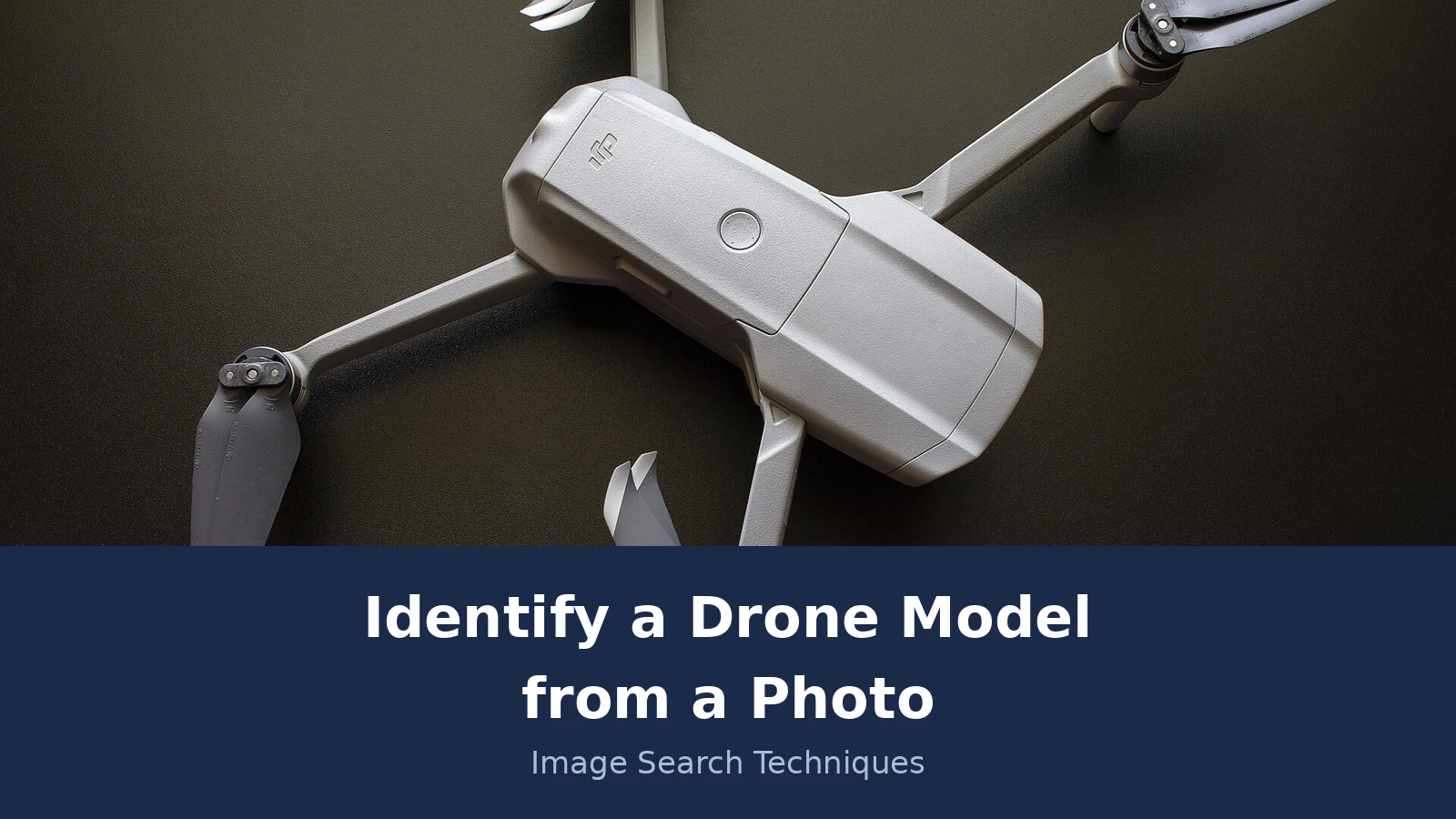
Here is the method applied to a real photo, with honest results. The test photo is “DJI Mavic Air 2 Drone” on Wikimedia Commons, by Cullen Steber (user C294), dated 29 September 2021, under a CC BY-SA 4.0 licence. The original file is 5,472 by 3,648 pixels. It shows the drone from above, arms unfolded, on a dark surface. The DJI mark is visible on the body, the camera sits under the nose, and the grey folding arms are clear. It is the kind of photo a seller might use, which is why it makes a fair test.
The photo was searched on 20 November 2026, using the image address. The results were not what a tidy guide would want, and that is exactly why they are worth reporting.
Google Lens failed. Three attempts, three failures. Each time the Exact matches tab showed the same error: “Something went wrong. No image at the URL. Try again with a different URL or image.” The attempts used three different addresses for the same file: the Commons file path address, the direct upload address, and the 1,600 pixel thumbnail address. In each case the All tab showed an empty AI Overview and a disabled “Expired visual search” button. A small thumbnail of the drone did appear in the Lens interface, but the search itself returned no results. That is a failure in this session, not a zero, and the article says so plainly. Lens sometimes refuses a Wikimedia address, and there is no honest way to turn that into a count.
TinEye returned an honest zero. Its result page said it searched over 86.8 billion images and found no matches. No first-indexed date was shown, because the image is not in TinEye’s index at all. TinEye did not name the model and did not return the Wikimedia source page. A zero like this does not mean the drone does not exist. It means this copy of the photo has never been crawled by TinEye, which is common for a Commons file that is not widely reused.
Yandex Images worked, and it is the only engine that did. Its tags read “dji mavic air 2, dji drone, dji mavic air, dji mavic 2 pro, mavic air 2”. Its main heading was “Mavic”. The “in other sizes” list included the original 5,472 by 3,648 size, which is a strong sign it found the same file. The first screen showed 20 similar thumbnails, all grey Mavic-style drones, with the first appearing to be the same image. The sites tab listed 5 entries across 3 domains: the Wikipedia mobile file page for this exact photo, the Commons category page for the DJI Mavic Air 2 twice, and two entries from a Russian site about Mavic Air 2 topography. So Yandex did name the exact model, and it did return a Wikimedia source, even though the top result was the mobile file page rather than the exact Commons file address.
What does that add up to? The photo’s own marks point to a Mavic Air 2: folding grey arms, a gimbal camera under the nose, and the DJI mark. Yandex agrees and names the exact model. TinEye’s zero and Lens’s failure do not contradict that; they tell you about the engines’ indexes, not about the drone. If you were buying this drone second-hand, the next step would be to ask the seller for a close-up of the front arm text and a photo of the battery label, then check both against DJI’s own Mavic Air 2 page. That is the difference between a likely match and a confirmed one.
One more check costs nothing, and it only works in one direction. If the photo was taken by the drone itself, open the original file in an EXIF viewer and look at the camera model field. DJI photos carry a camera code there, such as FC8482 on a Mini 4 Pro sample, not the drone’s marketing name, so you still have to match that code against the maker’s own specs. A photo of a drone taken on a phone tells you about the phone, not the drone, and messaging apps often strip the metadata, so use the original file.
What if the drone is a custom build or has no markings?
Answer capsule: A drone with no printed model is often a custom or DIY build, and the identification shifts from a model name to a parts list.
Not every drone has a model name to find. The strongest thread on this question anywhere online is a Reddit post in r/drones from March 2025, where a user asked how to work out the models of four found drones from a single photo. The commenters did not name a model at all. They said the drones were custom or DIY builds, pointed out the GPS dome antennas on raised sticks and a deadcat-style frame, and suggested possible Tarot or Team Blacksheep clones, or ZMR 250 clones. One commenter suggested a Google reverse search. Nobody gave a method, nobody worked an example, and nobody covered consumer DJI drones. That thread is the competition for this article, and it shows how thin the existing answers are.
Custom builds are the hard case. A builder buys a frame, motors, speed controllers and a flight controller separately, so there is no single model name printed anywhere. What you can do is identify the parts. Photograph the motors from above and from the side, the speed controllers, the flight controller board, and any writing on the frame. Search each part separately. A motor marked with a size and a KV rating, such as 2207 and 1750KV, narrows the build down a long way. The frame shape narrows it further: a deadcat frame, where the front arms angle back, is a recognisable shape with a name of its own.
Be honest about the limit. With a custom build, the right answer is usually a parts list and a likely frame, not a model name. Saying “this looks like a 5 inch freestyle build on a deadcat frame” is useful and true. Inventing a model name for it would not be. If the drone is a clone of a known frame, say it is a clone, and say which frame it copies, rather than naming the original as if it were one.
The same caution applies to toy drones and unbranded models. Many are sold under a dozen names by different sellers, and a reverse search will return several different names for the same shape. In that case the shape is the identification, and the name on the box is whatever the seller printed. Do not present one seller’s name as the model.
What should you do once you know the model?
Answer capsule: If you found the drone, hand it to the police or lost property without powering it on. If it is yours, check whether its weight means it needs registering.
If you found a drone
Finding a drone is different from identifying one you own. The identification steps above still work, and knowing the model helps the police or the owner describe it. But the first steps are about privacy and the law, not about the model name.
Do not power the drone on to look through its photos or video. The memory card may hold someone’s private photos, including photos of their home and family. Browsing through them is a privacy intrusion, and it is not needed to identify the model. The model is printed on the outside of the aircraft. If you have already powered it on by accident, stop, and do not copy or share anything from it.
Do not publish the drone’s location, a photo of its serial number, or any owner data you find on it. A serial number can be used to make a false ownership claim, and a location can bring the wrong people to the spot. If you post about the find at all, keep it general: the area, the model if you know it, and the fact that it is with the police or lost property.
Hand the drone to the police or to lost property, and give them the model name if you have worked it out. That is the route that actually reunites a drone with its owner. The registration marking, where one is printed, belongs to the operator, and the police can check it through the proper channels. That is their job, not a job for a public post.
If the drone photographed your house rather than landing in your garden, that is a different problem, and it has its own guide. Our article on a drone photo of your house and your privacy rights covers the removal routes through the platform, the ICO and the police, and what UK law does and does not give you.
If the drone is yours, do you need to register it?
In the UK, a drone from 250 g to under 25 kg needs a Flyer ID and an Operator ID. Lighter drones with a camera need a Flyer ID and usually an Operator ID too.
Knowing the model matters here, because the model tells you the weight, and the weight decides what the UK Civil Aviation Authority requires. The CAA page on registering to fly drones and model aircraft states the rule plainly: if your drone or model aircraft weighs from 250 g to less than 25 kg, you must get a Flyer ID and an Operator ID. You can read the full rule on the CAA website.
The nuance matters, so do not flatten it. A drone from 100 g to less than 250 g also needs a Flyer ID. It needs an Operator ID too if it has a camera, which almost every camera drone does. Without a camera, the Operator ID is optional in that weight band. Under 100 g, a Flyer ID is not required, though the CAA recommends one, and an Operator ID is optional. The DJI Neo, at 135 g, sits in the middle band: it needs a Flyer ID, and because it has a camera it needs an Operator ID as well.
Two figures from the CAA are worth knowing before you start. A Flyer ID is valid for 5 years. An Operator ID costs £12.34 per year and is valid for 1 year. Both come from the CAA’s own pages, and both are current at the time of writing in November 2026. If either figure has changed by the time you read this, the CAA page is the authority, not this article.
Registration is also a reason to identify the model properly before you buy. A second-hand listing that calls a drone “a DJI Mini” without saying which Mini leaves you guessing about the weight, and the weight decides the registration. Ask the seller for the exact model and the weight on the label, then check both against the maker’s page before you pay.
If you want the same method for other gadgets, the shopping guide on how to find an item by image applies the same steps to products of all kinds, and our guide to identifying a car from a photo shows how the same visual-marks approach works on a different machine entirely.
FAQs
Can I identify a drone model from a photo of just the box?
Partly. The box usually prints the model name and a photo of the drone, which is enough to name the model family. But a box alone cannot prove the drone inside matches it, and second-hand boxes are often mismatched. Ask for a photo of the drone itself, with the arms unfolded, before you buy.
Where is the model name printed on a DJI drone?
On most DJI models it is printed on a front aircraft arm. DJI’s own support page says to unfold the arms, with the camera facing you, and the model is right there on the arm. Some models print it on the body instead, for example the DJI Avata. The battery compartment is not the model-name location.
Why did Google Lens fail on my drone photo?
Lens sometimes refuses an image address, especially a Wikimedia Commons address, and returns a ‘No image at the URL’ error instead of results. That is a failure, not a zero, and it says nothing about the drone. Try uploading the file directly, or use Yandex Images, which handled the same photo in our test.
What if my drone photo has no markings at all?
It may be a custom or DIY build, where no single model name exists. Identify the parts instead: photograph the motors, speed controllers and flight controller, and search each one. The frame shape, such as a deadcat layout, narrows it down. Report a parts list and a likely frame, not an invented model name.
Can I identify a military drone from a photo?
This guide does not cover military drones, and you should not try to identify weaponised or military aircraft from a photo. The method here is for civilian consumer drones only, such as DJI, Autel and HoverAir. Military identification is a different subject with different risks, and it is out of scope here.
Do I need to register a drone I identified from a photo?
In the UK it depends on the weight. From 250 g to under 25 kg you need a Flyer ID and an Operator ID. From 100 g to under 250 g you need a Flyer ID, and an Operator ID too if it has a camera. Under 100 g neither is required.