


🔎 Reverse Image Search
Image search techniques made simple: upload a photo or paste a URL and search 6 engines at once. 100% free, nothing stored.
🔒 Your image is never stored on our servers longer than 24 hours and is never shared.
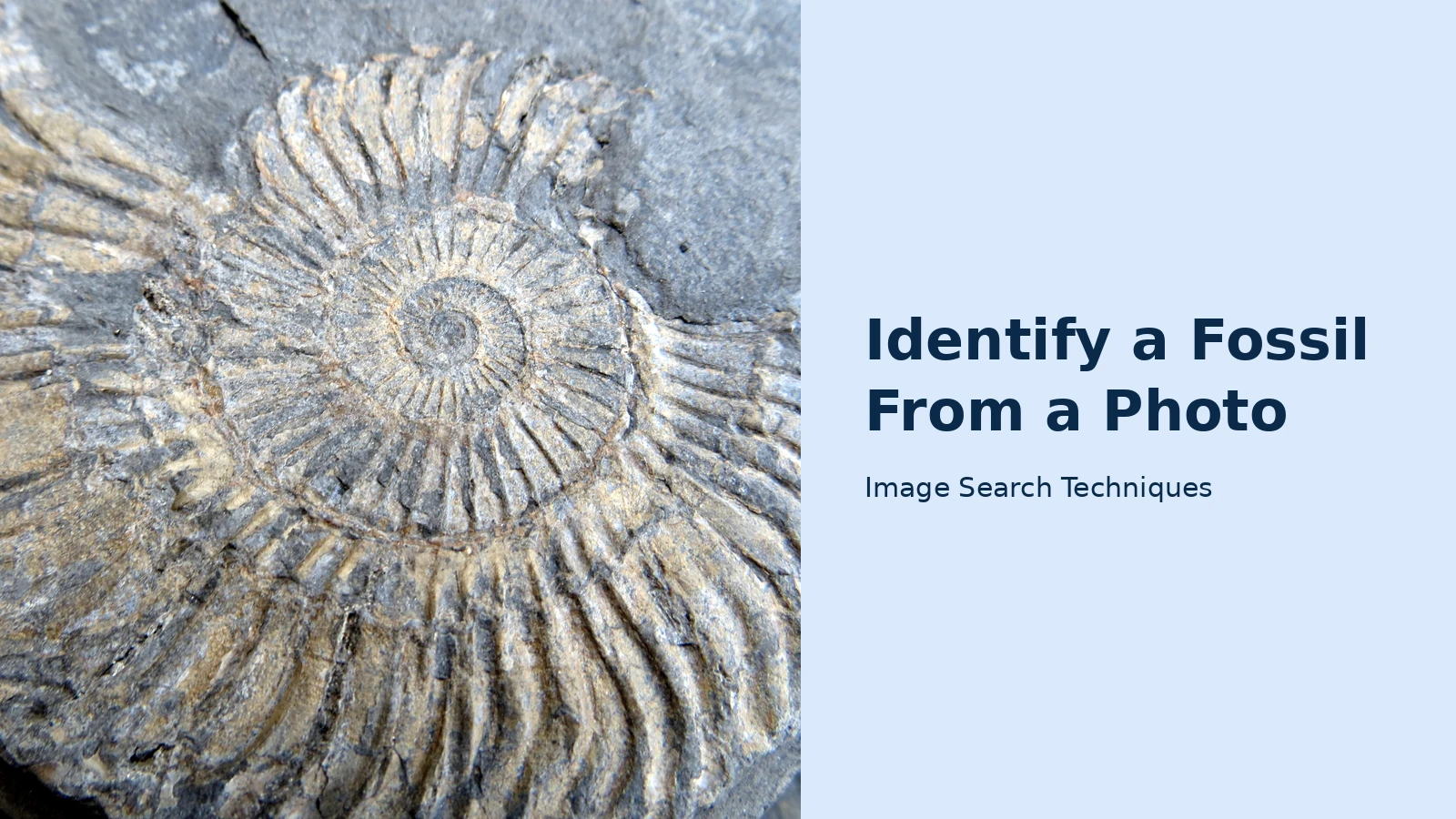
Yes, you can identify a fossil from a photo. Run a reverse image search on a clear close-up, then match the shape, ribs, sutures and host rock against a common-finds table. A photo usually names the group, ammonite, brachiopod, shark tooth, rather than the exact species, and where you found it matters as much as the picture.
A fossil is the preserved remains or traces of an organism that lived long ago, turned to stone in the rock around it. That definition is the whole method in miniature: the photo shows the shape, but the rock, the place and the age of the ground narrow the answer from hundreds of possibilities to a handful. If you are starting from a mystery object of any kind, our what is this picture guide covers the general method; this guide applies it to fossils, first proving the find is a fossil at all, then photographing it properly, then searching it with three free engines, then checking the result against the common finds and the collecting rules.
Is it a fossil at all?
Before naming anything, answer the prior question. Most “fossils” people photograph turn out to be something else: a modern shell, a concretion, a piece of slag, or a rock with an interesting pattern. A photo match alone cannot settle this, because a search engine will happily match a modern shell to a fossil shell. Work through the tests below first, they are the Ranking Asset’s second half, and they take two minutes at the kitchen table.
The fossil-or-rock test list
- Weight and feel. A fossil is usually stone, so it feels heavier and colder than a modern shell of the same size, and it does not feel light, papery or chalky the way a fresh shell does.
- Look for symmetry and repetition. Ribs, segments, growth lines or a repeated pattern that runs evenly across the object point to an organism. Random blobs, swirls and dendritic patterns usually do not.
- Check the matrix. Is the object embedded in rock, or sitting loose on top of it? A shape that is part of the rock, an impression, a cast, a mineral-filled mould, is far more likely to be a fossil than a loose object that could have washed in yesterday.
- Scratch test, gently. A fingernail will not scratch a mineralised fossil the way it scratches a modern shell. Do not gouge the specimen; a light touch on an unimportant edge is enough.
- Look for the diagnostic feature. Every common group has one: suture lines on a coiled shell, three lobes on a trilobite, stacked disks on a crinoid stem, a crown and root on a tooth. If you cannot find any diagnostic feature, the photo probably cannot identify it either.
- Ask what the rock is. A coiled, ribbed shell in Cretaceous chalk is almost certainly an ammonite; the same shape in a Paleozoic limestone is more likely a nautiloid, as the RockHoundR fossil identifier guide explains. The host rock is evidence, not background.
- Compare with a modern shell. Hold a beach shell next to your find. Modern shells are usually lighter, glossier and thinner, with sharper edges and no mineral infilling. If your find looks like a stone version of a shell, that is a good sign, but only a starting point.
If the object fails most of these tests, it is probably a rock, a concretion or a modern shell, and that is a useful answer. Photographing it and searching anyway is still worth doing, because the search results will often show you what the lookalike actually is. But do not force an identification onto an object that has no diagnostic feature: a photo ID is a starting point, and the RockHoundR guide is honest about the same limit, photo identification is solid for distinctive groups and weaker for incomplete or eroded material.
How do you photograph a fossil so a search can read it?
A reverse image search can only match what it can see. Fossils are the worst case for a camera: low contrast, no colour, fine detail that vanishes in shadow. Four habits fix most failures, and they cost nothing.
- Use diffuse daylight. Photograph outside on an overcast day, or in shade. Direct sun and flash both wash out the shallow relief that carries the diagnostic features, and flash flattens ribs and sutures into a white blur.
- Show the diagnostic feature close up. For a coiled shell, that means the suture lines and the ribs. For a tooth, the crown and the root. For a crinoid stem, the stacked disks. Take one whole-specimen shot and one close-up of the feature itself.
- Add a scale. Put a coin or a ruler beside the specimen. Many small fossils are only 2–20 mm across, and size is often what separates one species from another, the Orvik fossil identifier guide makes the same point. Without scale, an engine cannot tell a 5 mm brachiopod from a 5 cm one.
- Photograph both sides and the matrix. The back of a shark tooth looks nothing like the front, and the rock around a fossil tells the search (and any expert you later ask) what ground it came from. A shot of the surrounding rock or bedding plane helps determine the stratigraphy and age, as the IdentifyRock guide explains.
Do not photograph through glass, and do not crop out the diagnostic feature to make the picture prettier. A slightly ugly photo that shows the sutures beats a beautiful one that hides them. If the specimen is still in the ground, photograph it in place first, that picture is your record of where it came from, and it is the picture a museum will ask for if the find turns out to be significant.
How do you identify a fossil from a photo with reverse image search?
Reverse image search compares your photo with billions of indexed images and returns the pages that use the same or a similar one. For fossils that is powerful: museum collections, university pages, fossil forums and dealer listings all publish labelled photographs, and a match can hand you the name, the age and the formation in one click. The same workflow powers our general guide to how to reverse image search, here it is tuned for fossils.
- Upload the close-up, not the wide shot. Start with the photo that shows the diagnostic feature. A wide beach shot gives the engines scenery to match instead of a fossil.
- Run Google Lens first. Lens is the strongest on visual similarity: it will usually name the group (“ammonite”) even when it cannot find your exact photo, and its “exact matches” list shows which pages reuse the same image. Crop inside Lens to the fossil only if the first search returns scenery.
- Run TinEye second. TinEye is the strictest on exact matches and it reports when each copy was first indexed, which helps you find the original source page, often a museum database or a Wikimedia Commons file page with a proper label.
- Run Bing Visual Search third. Bing labels what it thinks the object is and shows “pages with this image”. It is the most likely of the three to misread a fossil, which is itself useful information, as the worked test below shows.
- Compare the three answers, then check them against the table. If two engines agree on a group and the host rock and the shape in the common-finds table agree too, you have a working identification. If they disagree, trust the table and the rock, not the engine that sounds most confident.
- Ask an expert for anything unusual. A photo ID is a starting point, not a species-level call. The RockHoundR guide says the same: confirm with reference fossils in a local museum collection or a state geological survey publication before committing to a species name.
One warning: an AI fossil identifier app will give you a confident-sounding answer from a single photo, and that confidence is not evidence. Apps such as RockHoundR’s free identifier (three identifications a day per device, no sign-up) and IdentifyRock return ranked candidates with an age and a host rock, which is genuinely useful, but they cannot see the rock in your hand, the weight, or the place you found it. Treat any app result the way you treat a search-engine result: a lead to check, not a verdict. The same caution applies to asking a chatbot to name a fossil from a photo; our guide to identifying a photo with ChatGPT and Gemini explains where AI image identification helps and where it guesses.
What did the three search engines actually find?
To test the workflow honestly, I ran the same real photo through all three engines on 11 November 2026, with no logins: a Wikimedia Commons photograph described as “Ammonite fossil from Kilve beach in Somerset, England”, taken on 24 April 2013. Kilve sits on Jurassic rocks, so a coiled shell found there should be a Jurassic ammonite, the engines had a fair chance.
| Engine | What it called it | Exact matches | Source page found? |
|---|---|---|---|
| Google Lens | , (blocked) | , | No, Google’s “unusual traffic” page stopped the search; a reCAPTCHA was rejected and no Lens results were seen |
| TinEye | Matched the image, no name given | 10 results, 86.7bn images searched, first indexed 7 Jan 2015 | Partly, a Wikimedia Commons copy (120px thumbnail) was the first result, but neither the full file page nor the original Flickr page appeared |
| Bing Visual Search | “Ammonite Fossil”, a fossilised ammonite in a rock matrix, an extinct marine cephalopod with a spiral shell | 6 pages with this image | No, the six pages were viajeaeden.es, margatecaves.co.uk, theoldie.co.uk, brewminate.com, tempiprofondi.blogspot.com and study.com |
The verdict is mixed, and the mix is the lesson. Bing named the fossil correctly, the only engine to do so, but found only six pages and missed the source. TinEye was the most thorough at tracing copies: its ten results included the Commons copy plus reuse on redbrick.me, mentalfloss.com, the Cincinnati Museum Center’s girls.cincymuseum.org, and jezebel.com, yet it too missed the original Flickr page. Lens, the engine most people reach for first, returned nothing at all this time, blocked by Google’s own traffic check. No engine reached species level, and none could tell you the fossil came from Kilve’s Jurassic rocks: that context came from the photo’s own description, not from any search result. Use all three, expect disagreement, and let the table and the rock, not the most confident engine, settle the identification.
What are the most common fossils you will find?
Most casual finds come from a short list. The RockHoundR guide puts it plainly: the fossils that turn up while walking a creek, quarry or beach come from a much shorter list than the two billion years of Earth history they span. Learn this table and you will recognise most of what you pick up.
| Fossil | What to look for | Typical age | Typical host rock | Common confusion |
|---|---|---|---|---|
| Ammonite | Coiled, ribbed shell; complex suture lines on weathered surfaces | Mesozoic | Marine limestone and chalk | Nautiloid (simple sutures, Paleozoic) |
| Belemnite | Bullet-shaped, smooth calcite guard, often cigar-like | Carboniferous to Cretaceous | Marine shale and limestone | A stone bullet or a worn pebble |
| Brachiopod | Shell with bilateral symmetry running through the hinge, not between the valves | Cambrian to Recent; peak Paleozoic | Marine limestone and shale | Clam or cockle (symmetric between the valves) |
| Crinoid stem | Stacked disk segments, like a tiny column of poker chips; a central hole | Paleozoic onwards | Limestone and shale | A screw thread or a modern bead |
| Shark tooth | Distinctive crown and root; serrated or smooth blade | Devonian to Recent | Phosphate, marine sandstone, beach gravels | A modern shark tooth (white; fossils are darkened) |
| Trilobite | Segmented body in three lobes, head to tail and side to side | Paleozoic | Marine shale | A woodlouse or an insect impression |
| Bivalve / gastropod | Familiar shell shapes, mineralised and heavy; often in clusters | All ages | Marine limestone, chalk, clay | A modern beach shell |
| Petrified wood | Growth rings and cell structure preserved in stone; feels like quartz | Devonian to Pliocene | Continental sandstones and ash deposits | Ordinary banded rock |
Two of these deserve a closer look, because they cause most misidentifications. First, the ammonite–nautiloid pair: both are coiled cephalopod shells, and the difference is the suture line, the wavy seam where the shell’s internal walls meet the outer wall. Ammonites have complex, frilly sutures; nautiloids have simple, gently curved ones. A photo that shows the sutures clearly can separate them; a photo that does not, cannot. Second, the brachiopod–clam pair: both look like shells, but a brachiopod’s symmetry runs through the hinge while a clam’s runs between the two valves. Turn the specimen over and look at the hinge line, that one detail settles it.
Age matters as much as shape. A shark tooth from a Cenozoic phosphate bed and a shark tooth from a Jurassic clay are both shark teeth, but they are not the same animal, and the age of the ground is what tells you which. That is why the worked test above records the find’s location: Kilve beach in Somerset sits on Jurassic rocks, so a coiled shell found there is far more likely to be a Jurassic ammonite than anything else. The same logic applies to plants and trees, our guide to reverse image search for plants and our guide to identifying a tree from a photo both lean on the same principle: the place narrows the answer before the picture does.
What do fossil identifier apps add, and where do they fall short?
Three free routes exist alongside the search engines, and each has a clear limit worth knowing before you rely on it.
- RockHoundR fossil identifier. Free in the browser, no sign-up, three identifications a day per device. It reads diagnostic features, sutures, segmentation, growth rings, tooth root and crown, and returns three ranked candidates with geological age, typical host rock and a similar fossil to rule out. Its own accuracy section is honest: strong on distinctive groups such as ammonites, trilobites, shark teeth, crinoid stems and petrified wood; less reliable on isolated bone fragments, partial trilobites without the head, and trace fossils that need outcrop context.
- IdentifyRock fossil identifier. Also free in the browser with no sign-up, and it asks for the stratigraphy, where the specimen was found, because, as its guide says, a fossil found in Devonian limestone differs vastly from one in Eocene clay even if they look similar. It returns a likely phylum, class and genus. The daily allowance is described as generous; unlimited identifications are a paid upgrade.
- Orvik fossil identifier. A free online tool and database that gives photo-based ID techniques and visual cues, and recommends combining an AI suggestion with field notes and published keys. Its guide is the most useful of the three on photography: diffuse light, a scale, dorsal, ventral, lateral and oblique close-ups of the diagnostic feature, and a shot of the surrounding rock.
What none of them can do is replace a physical inspection. A photo cannot show weight, hardness, or the exact bed the fossil came from, and a worn specimen can fool every tool at once. The honest workflow is: photograph well, search with the three engines, check the table, try one app as a second opinion, and take anything unusual, or anything that looks like a bone, a tooth or a vertebrate, to a museum. Which brings us to the rules.
What are the rules before you pick a fossil up?
Collecting rules vary by land ownership and country, and some sites and finds are protected. This section is general information, not legal advice, and the safe rule is simple: photograph in place where collection is not clearly allowed, and leave significant or vertebrate-looking finds for a museum.
In the UK, the starting point is the UK Fossils Code of Conduct: plan before you go, check permissions and local rules, and remember that access to a footpath, beach or open land does not automatically give permission to remove fossils. Fossils in the ground belong to the landowner, and protected sites, including Sites of Special Scientific Interest (SSSIs), can have particular restrictions and consent requirements. North Norfolk District Council’s fossil collecting guidance, published in July 2026, states the position plainly for its coast: it is illegal to dig into cliffs within an SSSI without explicit permission from Natural England, fossils within a cliff belong to the landowner, and loose items found on the beach can generally be collected, though some beaches are privately owned, so permission may still be required.
Scotland has its own code. The Scottish Fossil Code, summarised by NatureScot in its guidance on safeguarding Skye’s fossil heritage, asks collectors to seek permission, access land responsibly, collect responsibly, seek advice on exceptional finds, label everything, and consider donating to an accredited museum. Skye carries an extra layer: a Nature Conservation Order from 2019 protects vertebrate fossils, including dinosaur remains, on parts of the island’s coast. If you find something unusual, exceptionally preserved or potentially important, the UK Fossils code says to photograph it, record its position and contact a local museum, site warden or specialist, and not to attempt a difficult excavation yourself.
Three practical rules follow from all of that. First, collect only loose material from the beach or from fallen blocks; never hammer bedrock or cliffs, and never dig into a cliff face. Second, record where and when you found each specimen, a photograph of the spot and a grid reference or What3Words location are what give a fossil its scientific value, as North Norfolk’s guidance notes. Third, if the find looks like a bone, a tooth, a skull or anything vertebrate, or if it is large, unusually complete or something you cannot name, photograph it in place and contact your local museum before touching it. A photo is the one souvenir that is always legal to take home, and it is often the most useful one.
For the full detail, read the UK Fossils Code of Conduct before your next trip, and check the local rules for the specific beach or cliff you plan to visit, rules differ between places and countries, and permission at one site never implies permission at another. Google’s own guide to searching with an image covers the mechanics of the Lens side of the workflow if you want the official steps.
FAQs
Can Google Lens identify a fossil from a photo?
Yes, for distinctive groups. Lens usually names the group, ammonite, brachiopod, shark tooth, and its exact-match list can lead to the labelled source page. It struggles with worn specimens and rarely reaches species level, so check its answer against the shape, the sutures and the host rock before trusting it.
How can I tell if a rock is a fossil or just a rock?
Run the fossil-or-rock tests: weight and feel, even symmetry or repetition, a diagnostic feature such as sutures or segments, and whether the object is part of the rock rather than lying on it. A modern shell is light and glossy; a fossil is heavy, mineralised and stone-cold. If no diagnostic feature survives, a photo probably cannot identify it either.
What is the best fossil identifier app?
RockHoundR’s free browser identifier is the strongest free starting point: no sign-up, three identifications a day, three ranked candidates with age and host rock. IdentifyRock and Orvik are useful second opinions. Treat every app result as a lead to check against a table or a museum, never as a final verdict.
Is it legal to take fossils from a UK beach?
Often, but not everywhere. Loose beach finds can generally be collected, yet fossils in cliffs belong to the landowner, digging into an SSSI cliff without Natural England’s permission is illegal, and some beaches are privately owned. Check the local code before you go, photograph significant finds in place, and report them to a local museum.






