


🔎 Reverse Image Search
Image search techniques made simple: upload a photo or paste a URL and search 6 engines at once. 100% free, nothing stored.
🔒 Your image is never stored on our servers longer than 24 hours and is never shared.
Direct answer: To identify a tree from a photo, photograph three things, a leaf, the bark and the overall shape, then match them against a trusted guide or run the leaf photo through reverse image search. Leaf shape names the tree in summer, bark and buds take over in winter, and a second clue always beats a single photo.
That walk in the park, the tree overhanging your garden fence, the sapling you cannot name in a new house’s garden The same method works closer to the ground too: if the mystery plant is a weed in the lawn rather than a tree, our guide to identifying a weed from a photo covers the three shots and the feature checks that name it., most of us meet a tree we want to name long before we meet a botanist. The good news is that you do not need a degree to identify a tree from a photo. You need the right photos, taken in the right order, and a method for checking what you think you see. This guide gives you that method: three independent clue families (leaf, bark and winter buds), a photo workflow that works with a phone camera, a genuinely performed reverse image search test on a real oak photo, and a worksheet you can reuse on any tree.
What tree identification from a photo means: naming a tree species from visible features in a photograph, leaf shape, bark texture, buds, fruit and overall form, rather than from a laboratory test or a DNA sample. A photo ID is a strong working identification when two or more clues agree, and a guess when only one clue is visible.
One warning before you start: a photo can name a healthy tree, but it cannot diagnose a sick one and it cannot tell you whether any part of a tree is safe to eat. If the tree looks diseased, our guide to identifying a plant disease from a photo explains what the visible signs mean and when to get a professional in. Nothing in this article is a foraging guide, and no edibility conclusion should ever come from a photo ID.
What should you photograph first to identify a tree?
Start with the leaf, then the bark, then the whole tree, in that order. Most identification guides, including the Woodland Trust’s, work the same way: the more features you can see, the more accurate your identification will be. The Woodland Trust notes that the UK has at least fifty species of native trees and shrubs, plus many more introduced non-native trees, so a single blurry photo of a distant canopy will rarely be enough. Three clear photos usually are.
Take the photos in this order:
- One leaf, flat and well lit. Pick a mature leaf from a low branch, place it against a plain background such as your palm or a pale wall, and photograph it straight on. Include the leaf stalk (the petiole) and, if you can, the twig it joins, the way leaves attach is itself a clue.
- A patch of bark at chest height. Fill the frame with bark, and take a second shot showing the trunk from a few steps back so the bark pattern and the tree’s size are both visible. Bark changes as a tree ages, so photograph low down and higher up if you can reach.
- The whole tree. Step back far enough to capture the crown shape, spreading, narrow, layered or domed, and note what is around it: hedgerow, parkland, woodland or water’s edge. Habitat is a genuine clue; some species are far more likely near water or in scrubland than in a formal garden.
- Anything extra the season offers. Flowers in spring, fruit or seeds in autumn, catkins, cones or buds in winter. Photograph them too, even if you do not know what they are yet. If the flower is the mystery rather than the tree, our guide to identifying a flower from a photo covers blooms on their own.
Photograph in daylight, avoid harsh flash, and keep your hand steady, a sharp leaf edge matters more than a pretty composition. If you are using reverse image search later, the leaf photo is the one to search first, because search engines match leaf shapes far more reliably than whole-tree shots. The same photo-first approach works beyond trees: our guide to reverse image search for plants covers the method for garden plants and wildflowers too.
How do you identify a tree by its leaf?
Leaf shape is the fastest route to a name in spring, summer and early autumn, and tree identification by leaf photo is the most common way people start. Begin with the simplest question: is the leaf simple or compound? A simple leaf is one undivided blade, even if its edges are deeply lobed, oak, sycamore and field maple are all simple leaves. A compound leaf is divided into separate leaflets along a central stalk: ash and rowan are pinnate (feather-shaped, leaflets in pairs), while horse chestnut is palmate (palm-shaped, like fingers from one point).
That distinction alone rules out half the candidates. Then look closer:
- Edge (margin): smooth, toothed (serrated), wavy or lobed? Beech leaves have wavy edges, while hornbeam leaves, easily confused with beech, have serrated edges. That one detail separates the pair.
- Shape: round, triangular, heart-shaped or long and narrow? Aspen leaves are very rounded, birch leaves are triangular, lime leaves are simple and heart-shaped with a pointed tip, and willow leaves are long and thin.
- Arrangement: do leaves grow opposite each other on the twig, or alternately? Opposite leaves narrow the field fast, ash, sycamore and Norway maple are opposite, while oak, birch and lime are alternate.
- Base and stalk: elms have unequal leaf bases, where the leaf meets the stalk unevenly on each side. English oak has round-lobed leaves with a notably short leaf stalk.
- Underside and texture: hairy, smooth, glossy or dull? Turn the leaf over; the underside often carries the deciding detail.
Do not trust a single leaf. Pick three or four from different parts of the tree, leaves in shade can look different from leaves in sun, and young leaves differ from mature ones. If all of them agree on shape, edge and arrangement, you have a leaf clue you can rely on. And remember that lobed is not the same as compound: sycamore and field maple look divided, but their leaves are simple leaves with a lobed margin, as the Woodland Trust’s guide to identifying trees explains.
What does bark tell you about a tree?
Bark is the clue that works all year round, and learning to identify a tree by bark is what turns a summer-only skill into a year-round one. Bark has three qualities to record: colour, texture and pattern. Ask yourself: is it smooth, fissured, peeling or plated? Grey, white, red or green? Does it shed in flakes, split into ridges, or carry horizontal lines?
Some barks are unmistakable once you have seen them:
- Silver birch: silvery-white bark that peels in papery layers like tissue paper, turning black and rugged at the base of older trees.
- Wild cherry: smooth, deep reddish-brown bark with prominent horizontal lines.
- English oak: grey-brown bark that becomes rugged and deeply fissured with age.
- Ash: pale brown to grey bark, smooth when young and fissured as the tree matures.
- Beech: smooth grey bark that stays smooth even on large, old trees, a rare trait that makes beech easy to spot.
- Apple: grey bark with bumps, scales or ridges.
Two cautions keep bark clues honest. First, bark develops over time as a tree ages, so a young oak’s bark looks nothing like a veteran’s; always look at the bark all the way up the tree, because it can vary between the base and the crown. Second, bark alone rarely names a tree with certainty, it is a supporting witness, not the whole case. Pair it with the leaf in summer or the buds in winter, and it becomes decisive. If you are stuck on a tree whose bark you cannot place at all, our what is this picture guide covers the general method for identifying anything in a photo, including how to search by the features you can describe.
How do you identify a tree in winter with no leaves?
Winter is the real test, and it is also where most guides give up, but a bare tree still carries three readable clues: buds, twigs and shape. To identify a tree in winter, start with the buds. They sit on the twigs all winter, and their arrangement, shape and colour are often species-specific.
First, the arrangement. Buds at the tip of a twig are terminal buds and are usually the largest; buds along the twig are lateral buds, and they sit in one of three patterns:
- Opposite: buds in pairs directly either side of the stem, ash, sycamore, dogwood, spindle and Norway maple.
- Alternate: buds in turn on opposite sides of the stem, rowan, hawthorn, hazel, elms and limes.
- Spiral: buds whorling alternately around the stem, oaks, aspen and blackthorn.
Then the buds themselves. Ash buds are particularly distinctive in being purple-black, if you see large, sooty-black buds in opposite pairs on grey twigs, you are almost certainly looking at ash. Horse chestnut buds are large and sticky to the touch. Beech buds are long, sharply pointed and angled away from the twig. Oak buds cluster at the end of the twig and sit at an angle, while willow buds hug the twig tightly. Twigs add more: spines point to hawthorn or blackthorn, corky ridges to alder or field maple, and hairy twigs to several species including hazel.
Finally, step back and read the shape. A silver birch is narrow with a light, airy crown; an oak spreads broadly; a cedar of Lebanon carries its branches in flat horizontal layers; a Scots pine has a towering straight trunk with a sparse crown. Coppiced or pollarded trees, hazel, hornbeam, beech and willow are often managed this way, grow many stems from the base instead of one tall trunk, which changes the shape entirely. Winter identification is slower, but it is also more satisfying: when leaf, bark and bud clues all point the same way, the identification is solid.
How do you use reverse image search to identify a tree from a photo?
A tree identifier from a photo is usually just a reverse image search with a good photo behind it. Google Lens is the strongest starting point for living things, because it returns named species rather than only visually similar pictures. Here is the workflow that works best:
- Search the leaf first. Upload or paste the URL of your flat, well-lit leaf photo into Google reverse image search. Lens usually names a species in its AI overview or in the top results, check whether the name matches what your own leaf clues suggest.
- Crop to the clue. If the first search returns garden furniture and fences, crop the image tight around the leaf or the bark patch and search again. A cropped search forces the engine to match the feature, not the background. Our step-by-step how to reverse image search guide covers cropping and searching by image URL on every device.
- Cross-check with a second engine. Run the same photo through TinEye and Bing Visual Search. TinEye tells you where the exact image has appeared before, useful if your photo came from someone else, while Bing often surfaces different identification pages. If two engines agree on a species, trust it more than either one alone.
- Confirm against a trusted source. Take the name Lens suggests and check it against the Woodland Trust’s species pages or another authority. Look at their photos of the leaf, bark and buds: do they match all three of your photos, or only one? A name that matches one clue and contradicts two others is a wrong name.
- Use the official route for search-by-URL. Google’s own help pages explain how to search with an image on Google, including pasting an image link, the method to use when the photo is already online and you do not want to download it first.
Specialist plant ID apps such as iNaturalist and Pl@ntNet can also help, and they have one advantage over a general search: their suggestions come with a community or a model trained specifically on plants. Treat any app’s first suggestion as a hypothesis, not a verdict, confirm it with the leaf, bark and bud checks in this guide before you record the name anywhere that matters.
Worked test: an oak leaf photo through three search engines
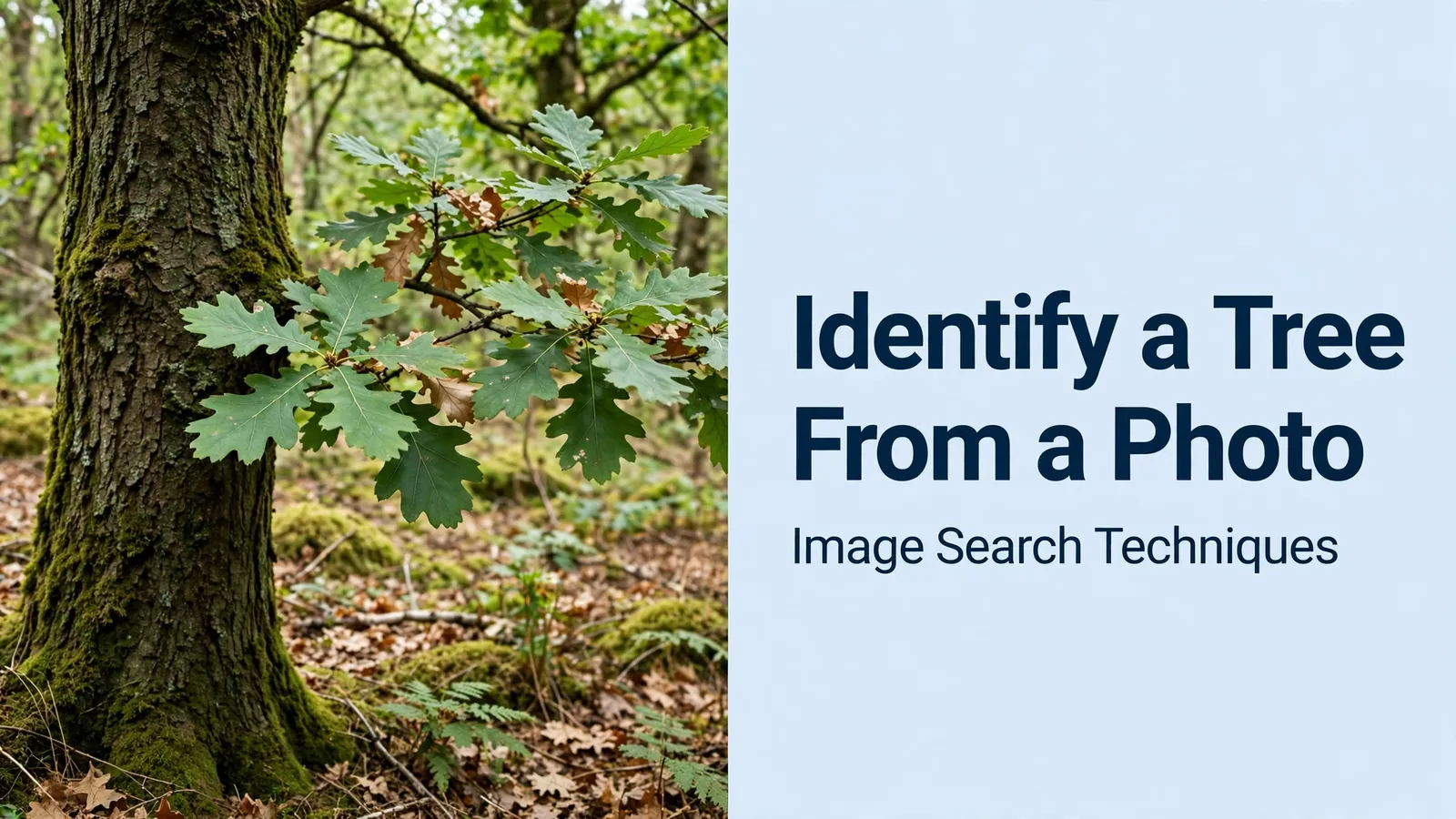
To test the workflow in this guide honestly, I ran one real photo through all three search engines on 11 November 2026, with no logins. The test photo is a Pexels image of English oak leaves (photo 13815505, by Linken Van Zyl, 29 September 2022), a close-up of green, round-lobed leaves against blurred mountains. I already knew the species from the photo’s own description, so the test measured what each engine could tell me, not whether I could guess.
Google Lens named it first and explicitly. After a robot check, Lens showed an AI overview describing “the lobed, bright green leaves of an oak tree, such as an English oak (Quercus robur) or Garry oak (Quercus garryana)”. Its “About this image” note called it a stock photo of English oak leaves. Lens reports no numeric match total; its exact-matches tab showed seven Pexels “English Oak” search pages, and its visual matches led with Pexels’ English oak collection and a Garry oak native-plant spotlight. The honest catch: Garry oak was offered as an equally possible alternative, and related searches included white oak and bur oak, different species. Lens got the genus right and the species nearly right, but it could not settle English oak against Garry oak from this one photo alone.
TinEye found nothing, and that is expected. TinEye does not identify species; it finds exact copies of an image. It searched over 86.7 billion images and reported zero matches, because it had not yet crawled any page carrying this photo. Below the result it showed sponsored similar stock images, none of them oak. TinEye’s job here is provenance, not identification: had the photo been reused on a nursery or scam listing, TinEye would have found the copies. For naming a tree, it contributes nothing.
Bing stayed generic. Bing’s direct image-URL route failed and returned a “Page not found” error, so I pasted the same image link through Bing’s own “search using an image” dialogue, which worked. Bing labelled the photo “Oak Tree”, generated the query “Oak Tree Identification”, and described the leaves accurately, but it never named English oak or Quercus robur. It reported 14,200 results for that generated query, which is a web-results count rather than an image-match count, and “Pages with this image” found nothing. Its first visual match was a pin oak (Quercus palustris) urn, a different species, though the same search surfaced genuinely useful identification guides, including an oak-types guide and a leaf, acorn and bark guide.
The lesson matches the worksheet: Lens alone gave a near-answer that still needed a second clue. The photo’s round lobes and short stalks, the English oak markers from the leaf section, are what separate it from the Garry oak Lens also suggested. One engine plus one visible clue beats either alone, and a photo that only ever gets a genus-level answer (“oak”) is still a useful result: it tells you which guide to open next.
Your three-clue worksheet and the lookalike pairs to watch for
Every tree identification gets easier with a routine. Use this worksheet on each new tree, it is the Ranking Asset for this guide, and it works because it forces three independent clues to agree before you settle on a name.
| Clue | What to record | Example: English oak |
|---|---|---|
| Leaf | Simple or compound; edge; shape; arrangement | Simple, round-lobed, short stalk |
| Bark | Colour; texture; pattern; young vs old | Grey-brown, deeply fissured with age |
| Winter | Bud arrangement; bud shape/colour; twig feel | Spiral buds, clustered at twig tips |
| Extra | Flowers, fruit, seeds, cones, habitat | Acorns in autumn; spreading crown |
| Search | Lens name; second engine; authority check | Lens says oak; confirmed on Woodland Trust |
| Verdict | Name only when 2+ clues agree | English oak (Quercus robur) |
Keep the worksheet in your phone’s notes and fill it in at the tree, not from memory later. A photo of a leaf is no substitute for the leaf itself when the edge detail is blurred, so record the edge and arrangement in words while you are standing there.
The second half of the asset is the lookalike table. These pairs fool even keen walkers, and each one is separated by a single visible difference:
| Pair | How to tell them apart |
|---|---|
| Beech vs hornbeam | Beech leaf edges are wavy; hornbeam edges are serrated |
| Silver birch vs downy birch | Silver birch bark is bright white and peeling; downy birch is duller |
| English oak vs sessile oak | English oak leaves have a very short stalk; sessile oak leaves have a long stalk |
| Sycamore vs Norway maple | Sycamore buds are green; Norway maple buds are reddish and its leaves have pointed lobes |
| Hawthorn vs blackthorn | Blackthorn flowers in late winter before leaves; hawthorn flowers in May with leaves out |
| Ash vs rowan | Ash has purple-black buds in opposite pairs; rowan buds are hairy and alternate |
When a pair will not separate, say so and move on, some trees, including several elms and whitebeams, hybridise or vary so much that even experts hedge. A photo that ends in “oak, probably English oak” is an honest result; a photo forced into a confident wrong name is not.
What can go wrong, and what a photo cannot tell you
Three limits deserve honesty. First, planted trees break the rules: gardens and parks hold non-native species, cultivars and hybrids that no native-tree key covers, and a single photo of an unusual cultivar may not be identifiable at all. Second, trees change through the year, spring leaves, summer leaves and autumn colour can look like three different trees, and bark changes with age. Third, one photo is rarely enough; the worksheet exists precisely because a leaf alone can mislead.
Beyond those limits are two hard boundaries. A photo cannot diagnose disease: spots, mould or curling leaves need the plant-disease workflow, not a species key, and treating a tree on the basis of a photo match risks the tree and, where chemicals are involved, the people around it. And a photo cannot make anything safe to eat: never draw an edibility or foraging conclusion from a tree identification, however confident the match looks. Identification names the tree; it says nothing about what is safe to do with it.
When the clues will not agree, the right next step is a second opinion, not a louder guess. The Woodland Trust’s free Tree ID app walks you through the same clue families with an A–Z guide, and local wildlife groups and tree officers will usually confirm a photo ID from a clear set of leaf, bark and bud shots. Keep your photos, keep your worksheet, and let the tree keep its secrets until two clues agree. The same three-engine method works beyond trees: if the mystery object turns out to be stone rather than wood, our guide to identify a fossil from a photo applies the same workflow to ammonites, brachiopods and shark teeth.
FAQs
Can Google Lens identify a tree from a photo?
Yes, in most cases. Upload a clear, flat leaf photo and Lens usually suggests a species name, often with an AI overview. Accuracy is best on common species with distinctive leaves, and weaker on rare trees, cultivars and winter twigs. Always confirm the name against a trusted source such as the Woodland Trust, checking leaf, bark and buds all match.
How do I identify a tree by its bark alone?
Record the bark’s colour, texture and pattern, then compare it with a trusted guide. Silver birch has white peeling bark, wild cherry is reddish-brown with horizontal lines, and oak becomes deeply fissured with age. Bark alone rarely gives a certain name, so pair it with buds in winter or leaves in summer before deciding.
What is the best free tree identifier app?
The Woodland Trust’s free Tree ID app is the strongest choice for British trees, with an A–Z guide built around leaf, bark and bud clues. iNaturalist is a good second option, because its community checks suggestions and it covers plants beyond trees. Whichever app you use, treat its first suggestion as a hypothesis and confirm it with the three-clue worksheet.
Can I identify a tree in winter when it has no leaves?
Yes, using buds, twigs and shape. Check whether buds sit opposite, alternate or spiral on the twig, then look at their colour and shape, ash buds are purple-black, horse chestnut buds are sticky, and beech buds are long and pointed. Add the bark and the tree’s overall shape, and most common species can still be named.






