


🔎 Reverse Image Search
Image search techniques made simple: upload a photo or paste a URL and search 6 engines at once. 100% free, nothing stored.
🔒 Your image is never stored on our servers longer than 24 hours and is never shared.
Short answer: create a free Pangram account, then upload the photo to the Pangram image detector and read the score and heatmap together as one signal, not a verdict. Launched 4 November 2026, it checks whether a picture or part of it was made or edited by AI, and its heatmap points at the regions it thinks are AI-made.
Pangram is a detection company best known for its AI text checker, which independent researchers have ranked highly. Its image detector is the newer product. This guide walks through using it properly: the upload, the free limits, how to read the heatmap, and what a result can and cannot prove. It also includes a real test on a photo that is half real and half AI-edited, so you can see how the heatmap behaves when only one corner of a picture has been changed. If a photo arrived with an AI label on social media, that label and this detector answer different questions, and this guide keeps them apart.
What is the Pangram image detector?
Pangram Image 1.0 is a tool that looks at a photo and estimates whether it was made by AI, edited by AI, or shot on a camera. Pangram launched it on 4 November 2026, after a research preview. You can use it on the Pangram homepage, through its API, or through its Chrome extension, which flags images as you scroll.
The detector returns three things. First, a score that says how confident it is. Second, a call on the image type, such as AI-generated or real. Third, a heatmap that colours the parts of the image it thinks are AI-made, so a partly edited photo shows hot spots only where the edits are. That last part matters most. Most detectors give one verdict for the whole file. Pangram tries to show you where, in the frame, the AI work sits.
Pangram says the tool was trained to see through compression, blurring, added noise and other artefacts that usually fool detectors. That is Pangram’s own claim about its own product, and this guide labels it as such. No independent test of the image detector had been published when this article was written in November 2026.
How accurate does Pangram claim to be?
Every accuracy figure attached to Pangram is a vendor claim. Pangram claims its image detector identifies AI-generated pictures with 99.96% accuracy on its own evaluation set. That set, described in Pangram’s own launch post, was built by making synthetic mirrors of 100 real photos with 12 leading image generators, for 1,200 synthetic images in total. Pangram also claims its video model scores 98.7% on the DF26 benchmark, a 29-point lead over the next best detector. On its homepage, Pangram states a false positive rate of about 1 in 10,000. These are Pangram’s numbers, from Pangram’s own testing, not independent findings.
Pangram also publishes comparisons against other detectors. It claims TruthScan reaches 96.33%, AI or Not reaches 91.38% and Sightengine reaches 88.33% on the same image test, and that its video model leads the next best detector by a wide margin on the DF26 benchmark. Again, these are Pangram’s figures. Treat them as the company’s own marketing, not as settled fact.
For text detection, independent researchers have tested Pangram and rated it well. A University of Chicago study kept its false positives at or below 0.5% while it still caught AI text, and Pangram says researchers at the University of Chicago and the University of Maryland verified its accuracy. Those studies tested the text detector, not the image detector. Do not carry their verdicts across to photos.
How to check a photo with the Pangram image detector
You need no software and no payment to try it, but you should expect to create an account. The homepage checker looks open, yet in our test on 13 November 2026 the human-verification step sent us to Pangram’s sign-up page on every attempt, three times across two browser tabs, and no scan ran without an account. A human reader may see a working verification box, but we could not verify a scan without signing up, and we did not create an account. Here is the full sequence as it stands.
- Open Pangram’s image checker. Go to pangram.com and choose the Image Detection tab, or go straight to pangram.com/image-detection. The page shows “20 free credits daily” and “5 Credits/Image”.
- Sign up for the free account. The checker asks you to tick a “Verify you are human” box before the scan button works, and in our test that step led to the sign-up page, which offers Google, Apple, single sign-on or email. The sign-up page promises “20 free AI checks a day”.
- Upload the photo. Drag the file onto the upload box, paste it, or click to choose a file. Pangram accepts JPG, PNG, WebP, HEIC, AVIF, JPEG XL, TIFF, GIF and camera RAW files, at a minimum of 512 by 512 pixels and up to 30 MB each (100 MB for RAW), ten files at most.
- Wait for the result. The check takes a few seconds. Pangram shows the score, the image-type call and the heatmap on the same screen.
- Read all three outputs together. Do not stop at the score. Open the heatmap, look at which regions are highlighted, and compare that with what you know about the photo.
- Check the source as well. Run the same photo through a reverse image search to see where else it appears. A detector result plus a source check beats either one alone.
Pangram also offers a sample image on the checker if you want to see a result before uploading your own photo. Try that first if you are unsure what the heatmap looks like.
One warning about small images. Pangram’s own launch post says the minimum input size was lowered from 512 by 512 to 256 by 256 pixels, but results below 512 pixels come with a reduced-confidence disclaimer. The checker upload box still states 512 by 512 as the minimum. If your photo is small, expect a weaker result and say so to yourself before you act on it.
How to read the score, the image-type call and the heatmap
The score is a confidence figure, not a percentage of the photo that is AI-made. A high score means Pangram is confident the image, or the highlighted part of it, came from a generator. A low score means it leans towards a real camera photo. Scores in the middle are the honest ones: the tool is unsure, and you should be too.
The image-type call is the plain-language version of the score. It might call a file AI-generated, real, or mixed. Read it as Pangram’s best guess, not as a fact about the file. Detectors get things wrong, and a confident-sounding label does not change that.
The heatmap is the most useful part, and the easiest to misread. It colours regions of the photo according to how AI-like Pangram finds them. Warm, bright areas are the ones it suspects. Cool or uncoloured areas are the ones it reads as ordinary camera pixels. In a partly edited photo, you want to see heat only where the edit is, and calm everywhere else. Pangram’s own launch post shows exactly this case: a real photograph containing an AI image, with the heatmap locating the AI content. In the July research preview, TechCrunch’s Rebecca Bellan saw the same behaviour in practice: the heatmap lit up an AI-generated picture photographed inside a real scene, though she also saw one photographed AI image wrongly called human.
Three rules for reading a heatmap. First, compare the hot regions with the photo itself: do they line up with something that looks added, smoothed or oddly lit? Second, ignore faint warmth across the whole frame; heavy compression can light up a heatmap without any AI editing. Third, never treat a clean heatmap as proof a photo is real. Pangram’s own framing is that a negative result proves nothing, and the same caution applies here.
What does the Pangram image detector cost?
The free plan is real but small, and the numbers differ between Pangram’s own pages, so here are both. The image checker showed “20 free credits daily” with each image costing 5 credits, which works out at four image checks a day if you spend nothing on text. Pangram’s pricing page separately lists three image detection scans a day on the free plan, with no payment method needed. Treat four as the most you will get without paying, and expect the limit to bite sooner if you also run text checks, since the credits are shared.
Paid plans raise the ceiling. The Individual plan costs $20 a month when billed annually and includes 100 image scans a month. The Professional plan costs $65 a month billed annually and includes five times the Individual allowances. Through the API, Pangram charges $0.25 per image for Image 1.0 and $0.05 per image for the lighter Image Flash 1.0 model. Prices are in US dollars and come from Pangram’s pricing page, checked in November 2026.
Three free scans a day shapes how you should use it. Save the scans for the photos that matter. Run your reverse image search first, because that costs nothing and often answers the question on its own. Then spend a Pangram scan on the photo that is still unclear.
The mixed-photo test: one real photo, one AI-edited corner
Ranking asset: a real photo with one AI-edited region, run through Pangram, with the heatmap read region by region against what was actually edited.
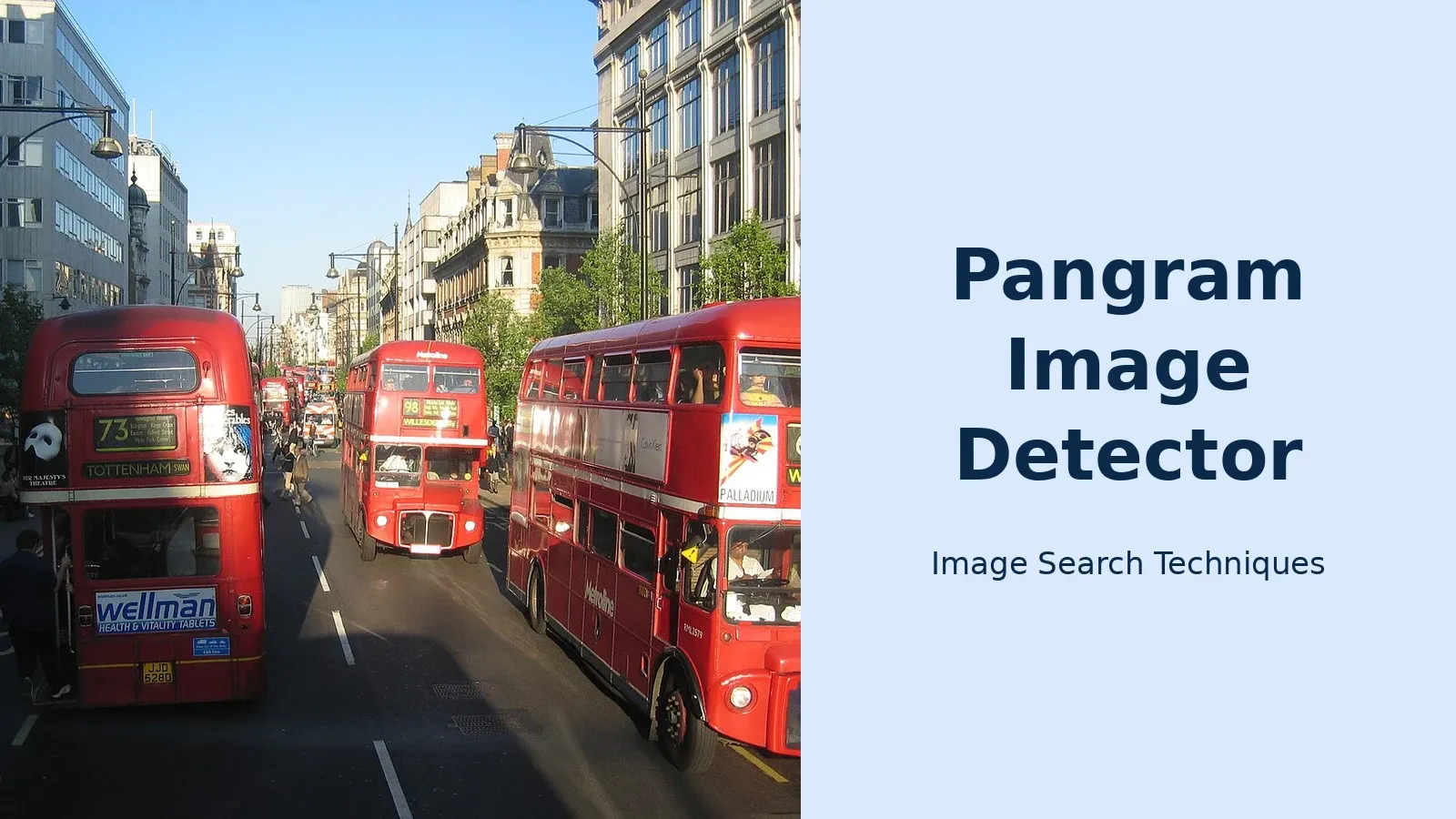
The test photo is a real Wikimedia Commons photograph of heavy bus traffic on Oxford Street in London: red double-decker buses, shop fronts, and a clear sky. It measures 1280 by 960 pixels, above Pangram’s 512 pixel minimum. A second version was made by editing exactly one region of that photo with an AI image editor: a bright red British post box was added on the pavement at the right-hand edge, in the bottom-right corner. Nothing else in the scene was changed. The buses, buildings, people and road markings are identical in both versions.
Both versions were uploaded to the Pangram homepage image checker on 13 November 2026, edited version first. The upload itself worked: the checker accepted the 1824 by 1376 pixel file with no size warning and no daily-limit message. But the scan never ran. A yellow banner read: “Please check the ‘Verify you are human’ box at the bottom of the page to continue scanning”, and the “Check for AI” button stayed greyed out until that box was ticked. Ticking the box three times, across two browser tabs and with and without a file uploaded, sent us to Pangram’s sign-up page every time instead of enabling the scan, and the upload was lost on each navigation. The sign-up page offers Google, Apple, single sign-on or email, and promises “20 free AI checks a day”. No Pangram verdict, score or heatmap exists for either photo, because no scan ran. We did not create an account, so we are not inventing a result. That is itself the finding: on 13 November 2026, the free image checker could not be used without signing up, whatever the launch coverage implies.
So the mixed-photo test was run through the second half of the method instead: reverse image search. The edited photo, post box and all, went through the site’s own reverse image search tool on 13 November 2026, and the result is the honest core of this test.
| Engine | Result on the edited photo | Original found? |
|---|---|---|
| Google Lens | Found it. Its AI Overview identified the Routemaster bus (registration JJD 579D, route 6 to Willesden, Oxford Street) and listed two exact matches, including the Wikimedia Commons file dated 16 April 2003. | Yes |
| TinEye | Found it. 21 results from 86.7 billion images, first indexed 11 January 2011, with the original “Heavy Bus Traffic on Oxford Street” file top of the list. | Yes |
| Yandex | Found it. First similar image and first site listed were the original file on Wikipedia and Wikimedia Commons, in sizes up to 2272 by 1704. | Yes |
| Bing | Scene only. It labelled the image “London Double-Decker Bus” and returned similar Oxford Street bus photos, but no clear link to the exact original file in what we saw. | No |
| Did not search the image at all. The tool’s Pinterest button opened a keyword search for the tool’s own domain, with unrelated results. | No |
What this test shows: three of the four real reverse-search engines traced an AI-edited photo back to its original, even with a whole object added in one corner. The edit did not hide the photo’s history. That is the point of the “not a verdict” framing. A detector would have told us about the pixels. Reverse search told us about the source, and it answered the question the detector could not reach that day. If Pangram had run, the heatmap should have lit up the bottom-right corner where the post box sits and stayed calm over the buses, buildings and road. We cannot show you that heatmap, because the scan never ran, and this article will not pretend otherwise.
One more honest note. The sign-up redirect may behave differently for a human reader than it did for our browser test, and Pangram may change the flow. What we can say, dated 13 November 2026, is that three attempts all ended at the sign-up page, no scan ran, and no credits were spent. If you try it yourself and the verification box works without an account, you will know more than we could verify.
What Pangram cannot prove
A detector result is one signal beside reverse search and source. That sentence is the whole point of this section, so here it is again in plain terms: no detector verdict, from Pangram or anyone else, proves a photo is real or fake on its own.
Four limits to keep in mind. First, a clean result on an edited photo is possible. Small edits, heavy compression and screenshots can all soften the traces a detector looks for. Second, a flagged result on a real photo is possible too. Noise, sharpening and odd lighting can push a genuine camera photo over the line. Third, Pangram’s accuracy figures are its own, from its own test sets, and no independent test of the image detector existed in November 2026. Fourth, the tool cannot tell you who made a photo or why. It can only say the pixels look like generator output. When the tool might be Microsoft’s, the file itself can answer that question: our guide on how to tell if an image was made with Microsoft Copilot reads the C2PA record and the watermark on a real Copilot image.
Use it the way you would use a smoke alarm: a warning worth checking, never a court verdict. If Pangram flags a photo, look for the source, check the metadata, and ask the sender for the original. If the photo is a Stable Diffusion PNG, the original may carry its own answer: our guide to how to tell if an image was made with Stable Diffusion shows how to read the generation settings saved inside the file. If Pangram clears a photo, remember that a clean result is the absence of a signal, not proof of a camera.
Pangram vs Hive and other AI image detectors
Pangram is not the only detector that reads photos. The best-known alternatives are Hive, Illuminarty, AI or Not, Sightengine and TruthScan. They differ in what they show you, what they cost, and how much they explain. Hive, for example, gives a score and a breakdown by model type, and our Hive detector guide walks through it in the same single-tool format as this article. For the wider picture, our guide to telling if an image is AI-generated puts detectors, reverse search and provenance checks in one place. FLUX is the generator detectors struggle with most: both Hive and Illuminarty missed a genuine FLUX.2 image in our test, as our guide to telling if an image was made with FLUX shows. Our AI or Not image detector guide walks through that checker step by step, including the account step its free check now asks for and what its generator breakdown actually means.
| Detector | What you get | Free allowance | What it does not do |
|---|---|---|---|
| Pangram Image 1.0 | Score, image-type call, heatmap | 20 free credits a day; 5 per image | No independent image accuracy test yet |
| Hive | Score plus likely-model breakdown | Free checks on its site | No region heatmap |
| AI or Not | Simple AI or human verdict | Free checks on its site | Thin explanation of why |
| Sightengine | Score plus API access | Free tier with limits | Built for developers first |
The honest way to use two detectors is to run the same photo through both and compare. If both flag the same region, your suspicion has support. If they disagree, you have learned something too: the photo sits in the grey area where detectors are weakest. Never shop around for the verdict you want. Pick your second detector before you see the first result, and report both.
Common mistakes when using the Pangram image detector
Uploading a screenshot of the photo instead of the photo. A screenshot adds its own compression and can change the result. Save the original file and upload that.
Reading the score and skipping the heatmap. The score is one number for the whole frame. The heatmap is where the useful detail lives, especially for partly edited photos.
Spending all four free image checks on the same photo. Cropping or re-saving the same file and re-checking it burns your daily allowance and tells you little. Spend one scan, then use reverse search and source checks for the rest.
Treating a vendor accuracy figure as a fact. Pangram’s 99.96% figure is Pangram’s own claim about its own test set. It is not an independent measurement, and it says nothing about the specific photo in front of you.
Checking a photo that is too small. Below 512 pixels Pangram warns the result carries reduced confidence. A tiny thumbnail is the worst input you can give a detector. Get the largest version you can before you upload.
When to use Pangram, and when to use something else
Use Pangram when you have a photo that might be partly AI-edited and you want to know where the edit sits. That is the job its heatmap was built for: a product shot with a swapped background, a profile photo with a smoothed face, a news image with one added object. Run it early, while you still have the original file, and pair it with a reverse image search.
Use something else when the question is about the source rather than the pixels. If you want to know where a photo first appeared, who published it, or whether it is stolen, a reverse image search answers that and a detector cannot. If you want to know whether a file carries a provenance credential, check its Content Credentials instead. If the file came from Canva, our guide to how to tell if an image was made with Canva AI runs all three checks on a real Canva image. And if the photo is evidence in a dispute, a scam report or a legal matter, save the original file, keep the messages around it, and report it through the proper channel. A detector screenshot is not evidence on its own.
Pangram Image 1.0 is a useful new tool with an honest limit: it is young, its image accuracy figures are its own, and its free checker gives you about four image checks a day once you have an account. Used the way this guide describes, as one signal beside reverse search and source, it earns its place. Used as a verdict machine, it will mislead you sooner or later.
FAQs
Is the Pangram image detector free?
Yes, with a small daily allowance. The checker shows 20 free credits a day, and each image costs 5 credits, so you get about four image checks a day. Pangram’s pricing page separately lists three image scans a day on the free plan. Paid plans start at $20 a month billed annually.
Do I need a Pangram account to check a photo?
In our test on 13 November 2026, yes. The free checker looks open, but its human-verification step sent us to the sign-up page on all three attempts, and no scan ran without an account. Pangram offers sign-up with Google, Apple or email, and promises 20 free checks a day.
How accurate is the Pangram image detector?
Pangram claims 99.96% accuracy for its image detector, but that is Pangram’s own figure from its own test set, not an independent result. The set was 1,200 synthetic images made by mirroring 100 real photos with 12 generators. No independent test of the image detector had been published when this article was written in November 2026.
Can Pangram detect a photo that is only partly AI-edited?
That is what the heatmap is for. Pangram says the heatmap marks only the regions it thinks are AI-made, so an object added to a real photo should light up while the rest stays calm. Pangram’s own launch example shows a real photo containing an AI image, located by the heatmap. A single whole-image score cannot do this job.
What does the Pangram heatmap show?
The heatmap colours the parts of a photo Pangram thinks are AI-generated. Warm, bright areas are the ones it suspects, and cool or uncoloured areas are the ones it reads as ordinary camera pixels. Read it region by region, and compare the hot spots with what looks added or oddly lit in the photo itself.
Is a Pangram result proof a photo is AI-generated?
No. A detector result is one signal beside reverse search and source, never a verdict on its own. A clean result can miss an edit, and a flagged result can be wrong about a real photo. If a photo matters, check where it first appeared, look at its provenance, and ask the sender for the original file before you act.






