


🔎 Reverse Image Search
Image search techniques made simple: upload a photo or paste a URL and search 6 engines at once. 100% free, nothing stored.
🔒 Your image is never stored on our servers longer than 24 hours and is never shared.
You can ask to remove a photo from Wikimedia Commons, but there is no delete button. The four routes are a speedy deletion tag for clear-cut cases, a public deletion request, an email to the Volunteer Response Team, or a courtesy request if you are the person in the photo.
That short answer hides two hard truths, so here they are before anything else. First, a free licence you granted cannot be taken back. Commons only accepts licences that are perpetual and non-revocable, and the release form makes you acknowledge that you cannot withdraw the agreement. Second, deletion only removes the file from Commons. Anyone who already downloaded it keeps their copy, because the licence you granted lets anyone use, copy and modify the work. What deletion can do is take the photo off Commons and off every Wikipedia article that shows it, and stop new downloads from the source. That is worth doing, and it is the whole point of this guide.
This guide is written for someone who has never edited a wiki. Every step uses plain English and the exact page names you will see on screen. It covers all four routes, the decision tree that picks the right one, what to write so regulars take the request seriously, and the realistic odds for each route. It does not promise deletion. The routes and the honest odds are the value.
A note on Wikipedia itself: Wikipedia does not host its own images. Nearly every photo you see in a Wikipedia article lives on Wikimedia Commons and is shown in the article from there. Remove the file from Commons and it stops appearing in the article. There is no separate Wikipedia deletion to file for a photo.
Can you remove a photo from Wikimedia Commons?
Yes, in many cases, but the answer depends on who you are and why the photo should go. Commons is a free media library, not a photo hosting service, and it keeps a file when the file is freely licensed, in scope, and lawful. A removal request succeeds when it gives the administrators a reason grounded in Commons policy, copyright law, or the facts of the photo. A request that only says you do not like the photo will fail. The subject of a photo, the photographer, or the uploader may all ask, and each of them uses a different route. The sections below take them in turn, and the decision tree in the next section tells you which one fits your case.
Three situations are strong. A photo uploaded without the copyright owner’s permission is a copyright violation, and Commons deletes those. A photo uploaded by mistake within the last seven days, and not yet used anywhere, can go by speedy deletion at the uploader’s own request. A photo of an identifiable person taken in a private place without consent is a privacy case, and administrators are normally sympathetic when the reason is specific. Three situations are weak. A photo you freely licensed years ago and now regret is a courtesy request, not a right. A lawfully taken photo of a person in a public place with no consent problem is the hardest case of all. And a photo you dislike but which is lawful, licensed and in scope will almost certainly stay.
What should you check before you ask for anything?
Do this first. It takes five minutes, and it decides which route you take and how strong your case is. You need three facts: who holds the copyright, what licence the file carries, and where the file is used. If you are on the other side of the question and want to use a Commons photo properly, our guide to using Wikipedia images on your blog walks through the licence check and the credit line.
- Open the file page. Search Commons for the file name, or click the photo in the Wikipedia article and then click the file name. The file page shows the photo, the description, the uploader, the date, and the licence.
- Read the licence line. Most Commons photos carry a Creative Commons licence such as CC BY-SA 4.0. That line tells you whether the uploader released it freely. If the licence is free, remember the first hard truth: it cannot be withdrawn. Your request is then a courtesy or policy request, not a licence withdrawal.
- Check where the file is used. Scroll to the “File usage” section on the file page. It lists every Wikipedia article and other wiki page that shows the photo. Commons policy tells administrators to check this GlobalUsage list before deleting anything, because deletion breaks every page that uses the file. A photo used in ten articles faces a harder discussion than a photo used in none.
- Save your evidence now. Screenshot the file page with the licence, the uploader name and the date visible, and save the file URL. If the photo is removed, the page goes with it, and your proof goes too. Keep a copy of the photo itself if you need it for a report or a complaint later.
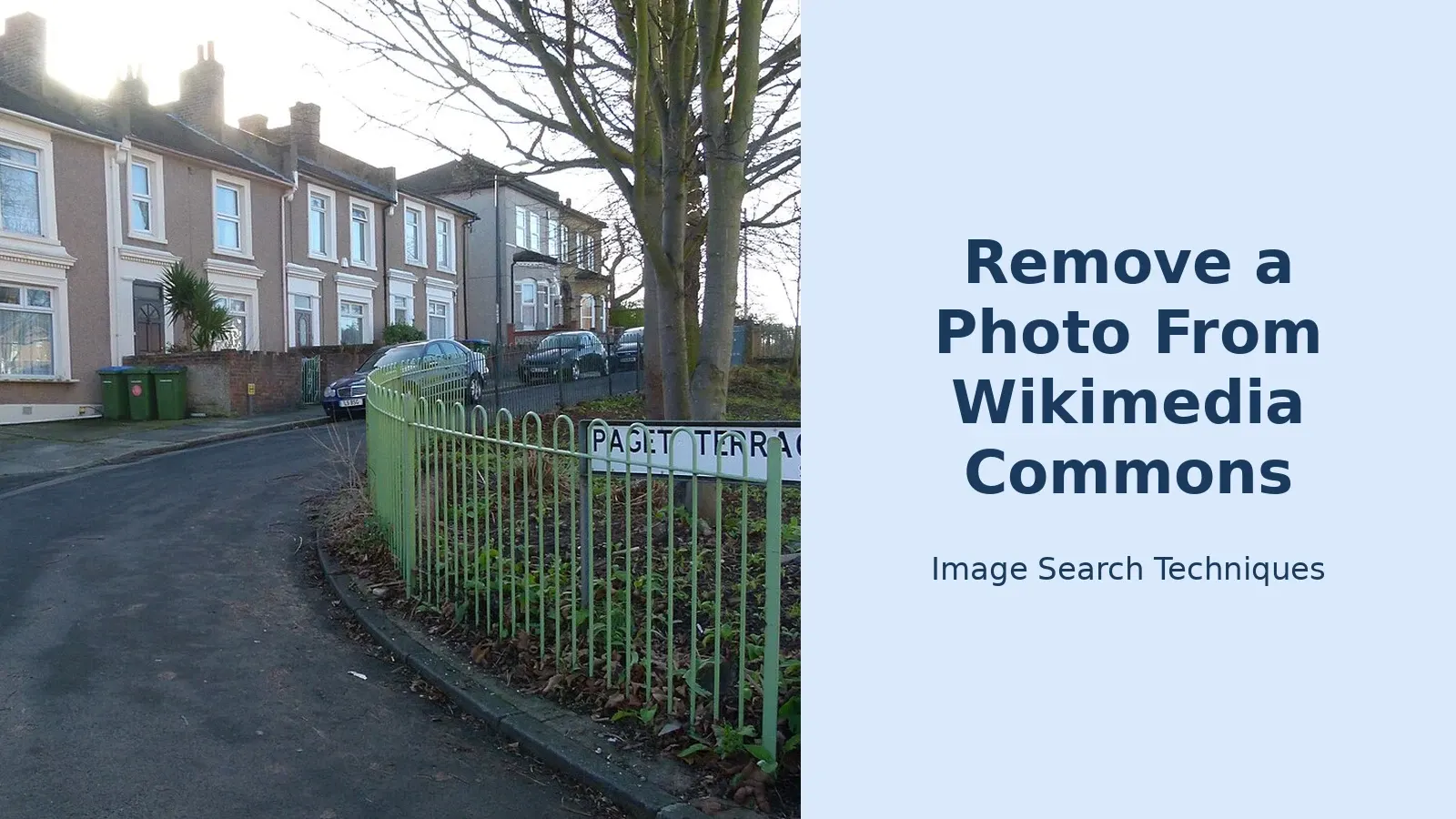
A worked example, checked on 14 November 2026. Take a real Commons file, “File:London, Woolwich, Paget Terrace 1.jpg”, a street photo of Paget Terrace in Woolwich, south east London. Its file page says it was taken on 31 December 2015 by the Commons user Kleon3, it measures 4,119 by 2,597 pixels, and it carries a CC BY-SA 4.0 licence. A check of its GlobalUsage list on the same day showed it is used on no wiki page at all. Those four facts settle the route for this file. The licence is free and cannot be taken back, so the uploader cannot withdraw it. The file is ten years old and used nowhere, so the speedy deletion route for a recent upload does not apply. The only route open is a public deletion request asking for a courtesy deletion as the uploader, and the honest odds are mixed: the file is unused, which helps, but it is a lawful street photo in scope for Commons, which counts against removal. That is the kind of clear-eyed read the three checks give you before you write a word.
Which of the four routes fits your situation?
Pick your route from this table. If two rows seem to fit, take the faster one first. A speedy deletion that fails costs you nothing, and you can still file a full deletion request afterwards.
| Your situation | Route | How fast | Realistic odds |
|---|---|---|---|
| You uploaded it yourself, less than 7 days ago, and it is not used anywhere | Speedy deletion, code G7 | Hours to a day | Good, if the file is genuinely recent and unused |
| The photo is yours and was uploaded without your permission | Speedy deletion, code F1, or email the Volunteer Response Team | Days | Good, with proof you own the copyright |
| It is an exact copy of a file already on Commons | Speedy deletion, code F8 | Hours to a day | Good, when the duplicate is exact |
| It is a personal photo with no educational value, uploaded by someone with no other contributions | Speedy deletion, code F10 | Days | Fair, and only for non-contributors |
| Anything else, including an older upload you regret, an out-of-scope file, or a disputed case | Standard deletion request | At least 7 days, often weeks or months | Depends entirely on the reason you give |
| You are the person in the photo and want it down for privacy reasons | Deletion request, or the private route through Commons:Contact us/Problems | At least 7 days for a public request | Fair with a specific reason, poor on dislike alone |
| You own the copyright and need the matter handled privately | Email the Volunteer Response Team | Around 14 days for English tickets | Good, with clear proof of ownership |
The rest of this guide walks through each route in the order of the table, with the exact steps and the exact words to use.
How does speedy deletion work?
Speedy deletion is for cases where there is no doubt. An administrator deletes the file more or less immediately, without a public discussion. It only covers the most obvious cases, and administrators are not compelled to delete even when a criterion applies, so a borderline case will be pushed to a full deletion request instead. You start it by editing the file page and adding a tag. The tag is {{speedydelete|reason}}, or the shortcut {{SD|G7}} using the code for your case. You must also notify the uploader, and the tag page tells you how.
These are the codes that matter for removal requests.
- G7, author or uploader requests deletion. This is the one uploaders reach for first. It only applies to content created less than seven days ago that is not used on any sister project. If the file is older, or used anywhere, file a deletion request instead. Our worked example file from 2015 fails this test on age alone.
- F1, clear copyright violation. Use this when there is evidence that no Commons-compatible licence was ever issued. The tag is
{{copyvio|1=Reason|source=URL}}, with the source where the photo was first published. It does not apply if there is a plausible public-domain argument. - F8, exact or scaled-down duplicate. The file must be the same type with exactly the same content. The newer duplicate is normally the one deleted. A bitmap that has been replaced by a vector version is not an exact duplicate and needs a full deletion request.
- F10, personal files by non-contributors. Low to medium quality selfies and other personal files of or by users with no constructive contributions to Commons. This is the only speedy route for “personal photo with no educational value”, and it is narrow. Out-of-scope files from real contributors go to a full deletion request.
- F4 and F5, missing permission or missing information. Files missing a source, licence or permission are tagged and the uploader gets seven days to fix the problem. A file tagged as permission pending for more than 30 days can go under F4. These codes are mostly used by regulars patrolling new uploads, not by outsiders, but they are worth knowing because a file you report as unlicensed will usually travel this path.
If your case does not fit one of these codes cleanly, do not force it. A speedy tag on a doubtful case wastes the administrator’s time and yours. File a deletion request instead.
How do you file a deletion request?
A deletion request is the standard route, and it is the one most outsiders will use. It is a public discussion on Commons, and anyone can comment. The debates are not votes. The closing administrator applies copyright law and Commons policy, and consensus can never override either. Under the precautionary principle, if the administrator cannot say with reasonable certainty that the file can validly be kept, it should be deleted. The burden of showing the file can be hosted lies with the uploader and anyone arguing to keep it. That burden rule is good news for a removal request with a solid reason.
Here is the process, step by step.
- Open the file page and click “Nominate for deletion”. It sits in the Tools menu on the left of the file page. It uses a gadget called AjaxQuickDelete, which is switched on by default, and it needs JavaScript. The gadget creates the request page and lists it for you. If you would rather do it by hand, add
{{delete|reason|day=14|month=November|year=2026}}to the file page, list it at Commons:Deletion requests, and tell the uploader. The manual listing instructions live at Commons:Deletion requests/Listing a request manually. - Write the reason the way regulars accept it. Ground it in copyright law, Commons policy, or the facts: the date and place of publication, the author, the licence history. For a suspected copyright violation, say why it is a violation. A vague accusation can be ruled incomplete, and the policy says so in plain terms. Small size and missing EXIF data alone are not a deletion reason. If the image shows nudity or sexual content, say so in the nomination so reviewers can choose whether to look.
- Wait, and watch the discussion. Less clear cases should stay open at least seven days. Obvious copyright violations can be closed sooner. Complicated cases can stay open for weeks or even months. Be realistic about the queue: Commons’ own deletion requests page showed 11,813 open requests, the oldest 249 days old, when it was checked on 6 November 2026. A contested request can sit for a long time. You can add a comment to your own request if new facts turn up, and you can ask for early closure if the problem gets fixed another way.
- Accept the decision, or appeal it properly. If the file is kept, you can only re-nominate it with new information or clarification. If it is deleted and you disagree, first raise it on the closing administrator’s talk page, then use Commons:Undeletion requests. Administrators cannot ignore policy or copyright law even if most commenters want them to.
What to write: a template that works. For an uploader asking for their own older file to go, the following shape is accepted by regulars. “I am the uploader of this file. I uploaded it on [date] and licensed it CC BY-SA 4.0. I am asking for courtesy deletion because [specific reason]. The file is not used on any wiki page [check the File usage list first and say so only if it is true]. I understand the licence is irrevocable and that copies already downloaded cannot be recalled.” For a photo subject, the shape is different. “I am the person in this photograph, taken at [place, date]. It was published without my consent [and, if true: in a private place / with a caption that identifies me / in a context that embarrasses me because…]. I am asking for removal under Commons:Photographs of identifiable people.” Specific facts beat general complaints every time.
When should you email the Volunteer Response Team?
The Volunteer Response Team, known as VRT, is the group of volunteers who handle email sent to Commons. They have done this since September 2004. Each email gets a ticket number, and the correspondence is not visible to the public, which makes this the right route when discretion matters. There are two addresses, and using the wrong one slows everything down.
- commons-copyvio@wikimedia.org is for copyright owners whose work is hosted on Commons without permission. Send the URL of the file on Commons and, if you can, the URL of the place it was originally published, with as much information as possible about the problem. The VRT page says the team will review the request and delete the file if it finds the file was uploaded without proper permission.
- permissions-commons@wikimedia.org is for sending evidence that a copyright holder released a file under a free licence, and for permission problems generally. Your email should name the copyright holder, give the exact file URL, and state the specific free licence. It should come from an address recognisably connected to the content, such as the website it appeared on or an official organisation address.
While permission is pending, the file is tagged {{subst:PP}}, and accepted permissions are marked by VRT members with a ticket number. The stated backlog is approximately 14 days for tickets in English. One warning from the VRT page itself: the Wikimedia Foundation cannot guarantee confidential treatment of sensitive information sent by email, so do not include personal details you do not need to send, such as home addresses. VRT volunteers can also restore a file that was deleted before permission could be verified, so there is no need to file a separate undeletion request in that situation.
Choose email over a public deletion request when you are the copyright owner and want the matter handled without a public debate, or when the file shows something sensitive and you do not want to draw attention to it in a public forum. Choose the public request when you want the community to weigh in, or when the case turns on policy rather than ownership.
What if you are the person in the photo?
This is the route most readers of this guide will actually need, and it has its own rules. Commons’ policy on photographs of identifiable people starts from a simple point: a free licence covers only the photographer’s rights. It says nothing about the subject’s rights. Consent to be photographed is not consent to upload, and consent for one use, such as a portfolio, is not consent for publication on the internet.
The consent rules depend on where the photo was taken. In the United States, where Commons’ servers are, consent is not as a rule required for photos taken in public places. In the United Kingdom, no consent is needed to take or publish a photo in a public place, with exceptions, while commercial use is different. In some countries even taking the photo requires consent. Commons expects consent for photos of identifiable people in private places even where the law does not require it. The policy’s country table is indicative only, not legally binding, so treat it as a starting point, not a legal answer.
Commons also respects subjects’ moral rights even when the law does not require it. Sexualised photos taken without consent, upskirt or downblouse shots, and telephoto shots of nude sunbathers are described on the policy page as morally unacceptable. In extraordinary cases a photo’s educational value can outweigh the moral issue, but only where it cannot be replaced by a consensual equivalent. The policy is blunt about the baseline: Commons is not required to host any photo of a person, and it may delete doubtful photos regardless of educational value.
To ask for removal as a subject, use the normal public deletion request described above, and say plainly that you are the subject. The policy’s own removal section says the subject, photographer or uploader may request removal, and gives examples of reasons such as “It causes embarrassment” or “It was published without my consent”. It also says, honestly, that images are not generally removed simply because the subject does not like them, but administrators are normally sympathetic to removal requests if good reasons can be given. If discretion is required, you can send the request privately through Commons:Contact us/Problems instead of posting it in public.
Be specific about the harm. “This photo shows me at my home address, taken through my front window” is a reason. “I do not like this photo” is not. A private-place photo, a photo with a defamatory caption, or a photo that identifies a child all carry more weight than a lawful public-place photo of an adult. A lawfully taken public-place photo of a non-famous person with no consent issue is the hardest case to get removed, and this guide will not pretend otherwise. If that is your case, the courtesy-deletion ask is still worth making, but go in knowing the odds.
What happens to Wikipedia pages that used the photo?
Before a file is deleted, Commons policy requires that all local links to it are corrected and updated, and it is good practice for the deleting administrator to run GlobalUsage and orphan the file’s usage first. In practice that means the photo stops rendering in every Wikipedia article that showed it, and the article text carries on without it. Editors of the affected articles can replace the image with another freely licensed one, or leave the gap.
What deletion does not do is reach beyond Commons. Copies already downloaded, copies on other websites, and copies in search engine caches are outside Commons’ control, and the licence the photo carried already permitted anyone to keep and re-use those copies. That is the second hard truth from the start of this guide, and it is why the first step in this process was to find every copy of the photo. A Commons deletion is still worth having, because it kills the source that feeds new copies, but it is not a recall. For photos of yourself appearing elsewhere on the web, the removal routes differ by site, and our guide to removing your photos from Google covers the search side of the same problem.
How do you find every copy of the photo first?
Before you file anything, find out where else the photo lives. A Commons deletion only removes the Commons copy, so a removal request written without knowing about the other copies is half a job. There are two checks, and both are free.
First, the file page itself. The “File usage” section lists every wiki page using the photo, as the worked example above showed. Second, a reverse image search of the photo, which finds copies on the open web: news sites, blogs, social media, and other image libraries. Run the search on the original file, not a screenshot of it, because a screenshot loses the detail the engines match on. Save every result page you care about, with the URL and the date, before you file. Our guide to reverse image search walks through the process step by step.
Worked example, continued. The Paget Terrace photo from the earlier section was run through a reverse image search on 14 November 2026, using the site’s own tool on the original Commons file. The results show why you check every engine, not just one.
| Engine | What it found |
|---|---|
| Google Lens | Ran, after the first session expired. Its AI Overview correctly named the scene Paget Terrace in Woolwich, London SE18, and showed about 50 visual matches of similar terraced streets, none the same photo. Exact matches returned exactly one: a resized 1,280 by 807 copy on the Dutch news site Engeland Vandaag, in an article published 19 October 2026, credited “Foto: Kleon3, Wikimedia Commons, CC BY-SA”. The Commons file page itself did not appear in Google’s exact matches. |
| TinEye | Ran. Zero matches across 86.7 billion images. It found neither the Commons file page nor the Engeland Vandaag reuse. |
| Bing | Ran. Zero pages with this image. Bing misread the street sign as “Pacey Terrace” and showed about 12 thumbnails of similar residential streets, none the same photo. |
| Yandex | Ran, and was the only engine to find the original. Its top result was the Commons file page itself, with the full-size version listed as 4,119 by 2,597 pixels, plus about 40 similar images. Its Sites tab listed four pages, all on Commons. It did not surface the Engeland Vandaag reuse. |
| Did not run a true reverse search. The tool’s Pinterest button opens a keyword search for the upload domain, which returned 32 unrelated pin cards and zero matches for this photo. |
That test settles the worked example. Deleting the Commons file would stop new downloads from the source, but it would not remove the Engeland Vandaag copy, which is lawfully used under the same CC BY-SA licence. And the photo is only traceable to its Commons page through Yandex, while Google Lens found the outside reuse that Yandex missed. No single engine sees the whole picture, so run them all.
The lesson from that test is the same one every removal guide should carry. A reverse search finds copies; it does not judge them. A copy on a news site that licensed the photo properly is not a problem Commons can fix. A copy on a site using it without a licence is a separate takedown, on that site, under its own rules. File the Commons request for the Commons copy, and keep a separate list for everywhere else.
What can you do if your request is refused?
A refused request is not the end of the road, but the next steps are narrow, and it helps to know them before you start. If the closing administrator kept the file, first set out your reasons on that administrator’s talk page and ask for reconsideration. Administrators are expected to explain their decisions on request, and the more complex the discussion, the clearer the explanation has to be. If the administrator declines to reverse the decision, a file that was kept can only be re-nominated with new information or clarification. Repeating the same request with the same reason will be closed quickly.
If the file was deleted and you think that was wrong, the route is Commons:Undeletion requests. The same talk-page-first rule applies. And if the problem is not the decision but the policy itself, a deletion request is the wrong place to argue it. Policy changes go to the Village Pump or the policy talk page, and a request filed simply to make a point can be closed on the spot.
There is one more route worth knowing about if the photo is yours and it is being used commercially without your permission. A Commons deletion removes the free source, but it does not pursue the people who already took copies. That is a copyright matter for the user of the photo, not for Commons, and the takedown routes for commercial reuse are covered in our complete guide to protecting your photos online, which also covers watermarking your work before you publish it so the next dispute starts from a stronger position.
What mistakes sink most removal requests?
Most failed requests fail for avoidable reasons. These are the ones administrators see again and again.
- Asking to withdraw a free licence. You cannot take back a licence you granted. Frame the request as a courtesy deletion or a policy case, and say you understand the licence is irrevocable. A request that demands the licence be cancelled reads as if you have not understood the rules, and it gets treated that way.
- Writing “please delete this” with no reason. A deletion request needs a reason grounded in policy, copyright, or the facts of the photo. One sentence of complaint is not a case. Use the templates in the deletion request section above.
- Filing a speedy deletion tag for a case that needs discussion. If the file is old, used, or disputed, speedy deletion does not apply. Tagging it anyway wastes an administrator’s time and does not make the file go away faster.
- Forgetting the usage list. A photo used in eight Wikipedia articles will draw comments from the editors of those articles. Check the File usage section first, and say in your request how many pages use the file. If you are the uploader asking for courtesy deletion, an unused file is a much easier ask.
- Threatening legal action in the request. Commons has a process for copyright complaints, and it is the VRT email route. A public threat in a deletion request makes regulars defensive and does not speed anything up. If you have a legal claim, use the email route and keep the public request factual.
- Expecting deletion to recall every copy. It will not. If your real goal is to stop a photo appearing in search results or on a specific website, a Commons deletion is only one step. The photo of your house, for example, may also sit on a mapping service, and that needs its own request. Our guide to blurring your house on Google Street View covers that side, and the opt-out steps for AI training data are in our guide to opting your photos out of AI training.
Removing a photo from Wikimedia Commons is a process, not a button. Find the file page, read the licence, check where the photo is used, pick the route that fits your situation from the decision tree, and write the reason the way regulars accept it. The two honest limits stay with you throughout: the licence cannot be taken back, and deletion never recalls copies already downloaded. Within those limits, the four routes in this guide are the ones that work, and the worked example above shows exactly how to walk them with a real file.
Once the Commons file is deleted, the photo can still show in Google Images until Google’s index refreshes. Our guide to removing a photo from Google Images explains how to ask Google to refresh the result, and how to find every other copy first.
Frequently asked questions
Can I delete a photo I uploaded to Wikimedia Commons?
Yes, you can ask, but you cannot delete it yourself unless you are an administrator. If you uploaded it less than seven days ago and it is not used anywhere, tag it for speedy deletion under code G7. For an older file, file a deletion request asking for courtesy deletion and note the licence cannot be withdrawn.
Can I take back a Creative Commons licence I granted?
No. Every licence Commons accepts must be perpetual and non-revocable, and the release form makes you acknowledge that you cannot withdraw the agreement. Deletion, when it is granted, is a courtesy or policy decision by Commons, not a withdrawal of the licence. Copies already downloaded under that licence stay lawful.
How long does a Commons deletion request take?
Less clear cases should stay open at least seven days, and complicated cases can remain open for weeks or even months. Commons showed 11,813 open deletion requests, the oldest 249 days old, when the page was checked on 6 November 2026, so a contested request can sit for a long time. Obvious copyright violations can be closed sooner.
Can I get a photo of me removed from Wikimedia Commons?
Yes, you can ask, and administrators are normally sympathetic when the reason is specific. File a deletion request saying you are the person in the photo, and explain the problem: a private place, no consent, or an identifying or embarrassing caption. Dislike alone is rarely enough, and you can use the private contact route if discretion matters.
Does deleting a photo from Commons remove it from Wikipedia?
Yes. Wikipedia articles do not host their own images; nearly every photo in an article lives on Commons and is shown from there. When the Commons file is deleted, it stops appearing in every article that used it. Editors may replace it with another freely licensed image, or leave the gap.
Who do I email about a photo on Commons that is mine?
Email commons-copyvio@wikimedia.org if your copyrighted photo was uploaded without your permission, with the Commons file URL and the URL where it was first published. For permission problems generally, use permissions-commons@wikimedia.org. The Volunteer Response Team aims to answer English tickets in around 14 days.






