


🔎 Reverse Image Search
Image search techniques made simple: upload a photo or paste a URL and search 6 engines at once. 100% free, nothing stored.
🔒 Your image is never stored on our servers longer than 24 hours and is never shared.
Short answer: A US visa photo is 2 by 2 inches (51 by 51 mm), in colour, taken within the last 6 months, with your head 1 to 1 3/8 inches tall on a plain white or off-white background. The digital file is a JPEG, at least 600 by 600 pixels and no more than 240 KB. Glasses are not allowed.
A US visa photo has one job: to look like you, right now, on a plain white background. The US Department of State checks it against the US visa photo requirements, a fixed set of numbers, and a photo that misses any of them can hold up your application. This guide gives you every number, taken from the State Department pages themselves, and then checks one real photo against all of them so you can see how the rules work in practice. Nothing here comes from a photo-tool seller. Where the State Department pages disagree with each other, this guide says so.
Which form are you filling in? A nonimmigrant visa (a visit, study or work trip) uses form DS-160, and you upload the photo digitally in the form. An immigrant visa uses form DS-260, and you bring two identical printed photos to the interview. A green card is a different document from the visa that gets you into the country, and its photo rules split by form: our guide to US Green Card photo requirements maps the three routes, I-485, DS-260 and I-90, and the December 2025 change under which USCIS no longer uses photos you send. Diversity Visa selectees also bring two printed photos. The photo rules are the same either way. Only the way you hand the photo over changes.
What are the US visa photo requirements?
The State Department publishes one photo page for visas, plus two short sub-pages: a photo composition template and a digital image requirements page. Together they set every figure in this guide. The rules fall into four groups: size, face, background and clothing, and the digital file. Get all four right and the photo passes. Miss one and the consulate can ask for a new photo, which costs you time at the interview.
One thing to settle first: a US visa photo is not a US passport photo, even though the two share the 2 by 2 inch size and most of the same rules. They belong to different documents and different forms, so submit the photo the form you are filling in asks for. Our guide to US passport photo requirements covers the passport side if that is the document you need. The rest of this guide stays on the visa.
Answer capsule: The visa photo rules come from the State Department, not from photo shops. Size, face, background and file format each have a fixed figure, and every figure is listed in the table below.
What size does a US visa photo have to be?
Size is where most rejections start, because there are two sizes to get right at once: the printed size and the digital size. A photo that is right for printing can still fail the upload, and a photo that uploads fine can still print wrong. Here is the full spec table, with the State Department source for each figure.
| Rule | The figure | State Department source |
|---|---|---|
| Printed photo size | 2 by 2 inches (51 by 51 mm), on photo-quality paper | Photo Requirements page |
| Head size, chin to crown | 1 to 1 3/8 inches (25 to 35 mm), or 50 to 69 percent of the image height | Photo Composition Template |
| Eye height from the bottom of the photo | 1 1/8 to 1 3/8 inches (28 to 35 mm), or 56 to 69 percent of the image height | Photo Composition Template |
| Digital image size | Square, minimum 600 by 600 pixels, maximum 1200 by 1200 pixels | Digital Image Requirements page |
| Digital file size | 240 KB or less | Digital Image Requirements page |
| Digital file format | JPEG (.jpg), colour, 24 bits per pixel, sRGB colour space | Digital Image Requirements page |
| Compression | Compression ratio of 20 to 1 or less | Digital Image Requirements page |
| Printed photos at the interview | Two identical photos for immigrant and Diversity Visa interviews; one photo for a nonimmigrant interview if the embassy asks for it | Photo Requirements page |
Two traps sit inside this table. The first is a mistake on the State Department site itself. The main photo page gives the head size as 1 to 1 3/8 inches and then prints “(22 mm and 35 mm)” beside it. The composition template gives the same range as “(25 mm to 35 mm)”. One inch is 25.4 mm, so 25 mm is the figure that matches 1 inch, and 22 mm is wrong. Use 25 to 35 mm. Tool-seller guides that copy the main page repeat the 22 mm figure, which is one more reason to check the numbers against the State Department template rather than a shop.
The second trap is the digital size. The file must be square, and it must sit between 600 by 600 and 1200 by 1200 pixels. A photo straight from a phone camera is neither square nor in that range, so it has to be cropped and resized before it uploads. The State Department offers a free photo tool that crops your image to exactly 600 by 600 pixels. Use it, or any editor that lets you set the exact pixel size. Guessing the crop by eye is how a photo ends up with the head too small.
If you are scanning an existing printed photo instead of taking a new one, the scan has its own rule: the printed photo must be 2 by 2 inches, scanned at 300 pixels per inch (12 pixels per mm). A scan from a driving licence or another official document is not accepted at all, and neither is a snapshot, a magazine photo, a low-quality vending machine photo or a full-length photograph.
Answer capsule: Print 2 by 2 inches, upload a square JPEG between 600 by 600 and 1200 by 1200 pixels at 240 KB or less, and keep the head between 50 and 69 percent of the frame.
How should your face look in the photo?
Face the camera directly, with a full-face view and both eyes open. The State Department wants a neutral expression. A slight closed-mouth smile is usually accepted, but a broad smile, visible teeth or a laugh will get the photo questioned. Look straight at the lens, not slightly to one side, and keep your head level. A tilted head changes where the eyes sit in the frame, and the eye-height rule is measured from the bottom of the photo, so tilt can push a good photo out of range.
The head-size rule is the one people get wrong most often, because it is a proportion, not a fixed size. Your head, measured from the bottom of the chin to the top of the head, must fill 50 to 69 percent of the image height. In inches that is 1 to 1 3/8 inches on a 2 inch print. Too far from the camera and the head is a small face in a big frame. Too close and the top of the head is cut off. The eyes sit inside the same frame: between 56 and 69 percent of the image height from the bottom, or 1 1/8 to 1 3/8 inches up from the bottom edge of a print.
Hair is part of the face check. It must not cover your eyes, and it should not cast a shadow across your face. Long hair pulled back is fine. Hair across one eye is not. If you wear a head covering for religious reasons, the rules for it are in the clothing section below, but the face itself must still be fully visible.
Answer capsule: Face the camera, neutral expression, both eyes open, head filling 50 to 69 percent of the frame with the eyes 56 to 69 percent up from the bottom.
Can you wear glasses in a US visa photo?
No. Since 1 November 2016, eyeglasses have not been allowed in new US visa photos. Take them off for the photo, even if you wear them every day. The State Department gives exactly one exception: glasses that cannot be removed for medical reasons, for example after recent eye surgery, where the glasses are needed to protect your eyes. Even then you must provide a medical statement signed by a medical professional or health practitioner.
If your photo is accepted with glasses for medical reasons, the frames must not cover your eyes, and there must be no glare, shadow or refraction hiding any part of an eye. That is a hard standard to meet, and most applicants with a medical exception still find the photo easier without glasses. Sunglasses are never accepted, and neither are tinted lenses.
This is the rule the top-ranking tool-seller guide gets weakest. Its text never states a glasses rule at all. Glasses appear only in its infographic, where a man wearing eyeglasses is marked with a cross. A reader who skims the text walks away without knowing the ban exists, or that it dates from 2016. If you wear glasses daily, plan the photo around taking them off, and take a few frames so you can pick the sharpest one.
Answer capsule: No glasses in a US visa photo since 1 November 2016, with a medical exception only, backed by a signed statement.
What background, clothes and head coverings are allowed?
The background must be plain white or off-white, with no patterns, no texture and no shadows on the face or on the wall behind you. Stand close enough to a plain wall and the wall can pick up a shadow from your head, so step back a little and use even light from the front. A bedsheet hung flat works if it has no creases. A patterned curtain, a bookshelf or a doorway does not.
Wear the clothes you normally wear every day. Uniforms are not allowed, unless the uniform is religious clothing you wear daily. A work uniform, a sports kit or a costume will get the photo rejected. The same everyday rule applies to head coverings. A hat or head covering that hides your hair or hairline is not allowed, unless you wear it every day for a religious purpose. Even then your full face must stay visible and no shadow may fall across it.
Two small rules catch people out. Do not wear headphones or wireless hands-free devices in the photo. Hearing devices are allowed and can stay in. And do not use a photo that has been filtered, retouched or altered. The State Department wants the photo to show your current appearance, with no smoothing, no slimming and no colour filters.
Answer capsule: Plain white or off-white background, everyday clothes, no uniforms, no headphones, and head coverings only for daily religious wear with the full face visible.
How do you upload the photo to the DS-160?
For a nonimmigrant visa, the photo goes into the DS-160 form itself. The form asks you to upload the digital image, and it checks the file size and dimensions as you go. If the upload fails, the problem is almost always the file: not square, smaller than 600 by 600 pixels, larger than 1200 by 1200 pixels, over 240 KB, or not a JPEG. Fix the file and try again rather than trying a different photo.
The State Department free photo tool does the cropping for you. You pick the digital image from your computer, resize and rotate it if needed, crop it to a square of exactly 600 by 600 pixels, and save it. Two limits matter. The tool only crops, it does not check image quality, so a blurry photo comes out blurry at the right size. And the tool is meant for paper-form applications and renewals, not for renewing online. A State Department employee makes the final decision on whether the photo is accepted, so a photo the tool produces can still be refused at the interview.
If the upload will not accept your photo at all, the DS-160 lets you continue and bring a printed photo to the interview instead, but check what your embassy asks for first. Some embassies and consulates ask nonimmigrant applicants to bring one printed photo to the interview anyway. Immigrant visa and Diversity Visa applicants should plan on two identical printed photos, as the table above shows. The same size rules apply to the print as to the upload, so get the file right once and print from it.
If your photo is rejected, the fix is a new photo, not an argument. The State Department asks for a photo taken within the last 6 months that reflects your current appearance, and it will ask for a new one even if the photo is less than 6 months old when your appearance has changed a lot, for example after significant facial surgery or trauma, many large new piercings or tattoos, or significant weight loss or gain. Take the photo close to the date you apply, not months ahead.
Before you upload, it is worth checking whether the photo you plan to use already appears on the web. A quick reverse image search on our free reverse image search tool shows where a photo of you is already published, which is useful to know before that photo goes on a government form.
Answer capsule: Upload a square JPEG to the DS-160, use the free State Department tool to crop it to 600 by 600, and bring printed photos to the interview if your embassy asks for them.
Worked example: one real photo checked against every rule
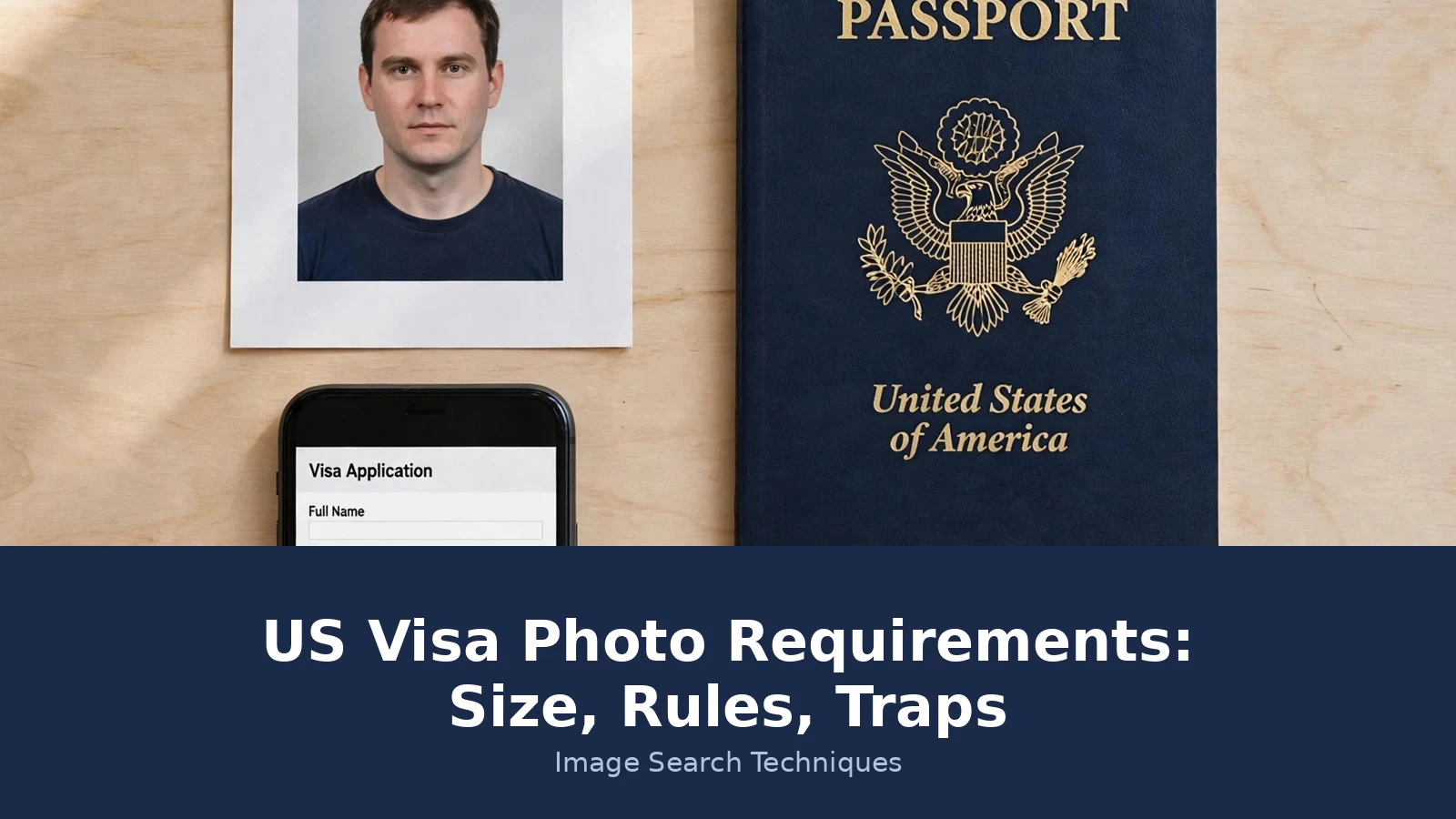
Rules are easier to trust when you see them applied. For this article we produced a passport-style portrait in November 2026 and checked it against every rule in the US visa photo requirements. The file is a JPEG, 1920 by 1280 pixels, 243,032 bytes. The subject faces the camera directly, wears no glasses and no head covering, and stands against a plain white background in a plain dark top. Here is how it scores.
| Rule | What this photo shows | Result |
|---|---|---|
| Format JPEG | The file is a JPEG | Pass |
| File size 240 KB or less | 243,032 bytes, which sits right on the line: about 237 KB in the 1,024-byte sense and about 243 KB in the 1,000-byte sense | Borderline |
| Square, 600 to 1200 pixels | 1920 by 1280 pixels, not square and over the 1200 maximum | Fail |
| Head height 50 to 69 percent | Head measures about 61 percent of the image height, measured on the file from crown to chin | Pass |
| Eye height 56 to 69 percent from the bottom | Eyes sit about 64 percent up from the bottom of the frame | Pass |
| Background plain white or off-white | Plain white background, no pattern, no shadow on the face or wall | Pass |
| No glasses | No glasses worn | Pass |
| Neutral expression, both eyes open | Neutral expression, mouth closed, both eyes open, facing the camera | Pass |
| Everyday clothing | Plain dark top, everyday wear, no uniform | Pass |
| Taken within the last 6 months | Produced for this article in November 2026 | Pass |
The verdict is 7 passes, 1 borderline and 2 fails, and the two fails share one fix. Crop the photo to a square of 600 by 600 pixels with the State Department free photo tool and both disappear: the square crop brings the size inside the 600 to 1200 range, and a 600 by 600 JPEG of this photo lands far under the 240 KB limit. The borderline file size disappears with it, since the cropped file is a fraction of the original. The head and eye proportions stay inside their ranges after the crop as long as the crop keeps the head centred, so check the percentages again on the cropped file before you upload.
That is the pattern to copy. Check the file first, then the face, then the background. Fix size problems with a crop, not with a new photo, and only retake the photo when the face or the background fails. If your photo is rejected at the interview, our guide to fixing a rejected passport photo walks through the same kind of rule-by-rule check, and the habit transfers directly to visa photos.
The US visa photo requirements are only one set. Canada and the Schengen area each publish their own photo spec, and the numbers differ, so do not reuse a US visa photo for another visa without checking. Our guides to Canada visa photo requirements and Schengen visa photo requirements give the same table treatment for those two. The full official figures are on the State Department photo requirements page, and the digital file figures are on its digital image requirements page.
FAQs
Can I take my US visa photo with my phone?
Yes, if the finished file meets every rule. Use good even light, a plain white wall and no filter, then crop the photo to a square of 600 by 600 pixels as a JPEG. The State Department warns against low-quality mobile phone photos, so check the result is sharp, with both eyes open and no shadow, before you upload it.
Can I smile in a US visa photo?
Keep a neutral expression. A slight closed-mouth smile is usually accepted, but a broad smile, visible teeth or a laugh risks rejection. The safest choice is a relaxed mouth, both eyes open and a straight look at the camera. If you are unsure, take several frames and pick the most neutral one.
How many photos do I need for a US visa interview?
For a nonimmigrant visa you upload one digital photo in the DS-160 form, and some embassies ask you to bring one printed photo to the interview as well. For an immigrant visa or a Diversity Visa, bring two identical printed photos. Check what your embassy asks for before the day.
Can I wear a hijab in a US visa photo?
Yes, if you wear it every day for religious reasons. Your full face must stay visible, with no shadow falling across it, and the covering must not hide your hairline in a way that obscures your face. A hijab worn for religious reasons is accepted, while a fashion head covering or a hat is not.
What should I do if my US visa photo is rejected?
Take a new photo that meets the spec and upload it again, or bring a new printed photo to the interview. Check the file first, since most rejections are a wrong size, a non-square image or a file over 240 KB. A State Department employee makes the final decision, so a photo the crop tool produces can still be refused.
Is a US visa photo the same as a US passport photo?
They share the 2 by 2 inch size and most of the same rules, including the glasses ban and the plain white background, but they belong to different documents and different forms. Submit the photo the form you are filling in asks for, and do not assume a photo accepted for one is automatically accepted for the other.






