


🔎 Reverse Image Search
Image search techniques made simple: upload a photo or paste a URL and search 6 engines at once. 100% free, nothing stored.
🔒 Your image is never stored on our servers longer than 24 hours and is never shared.
Short answer: if a house is for sale on Zillow and the photos turn up in a cheaper “for rent” post on Facebook, treat the rental as a clone. Reverse search the photos, compare price and contacts against the original sale listing, and check the owner in the county records before you send any money. The check takes ten minutes.
A cloned listing is the engine of the zillow rental scam: a fake rental advert built from a real home. The scammer copies the photos and the description from a genuine for-sale listing, usually on Zillow or another MLS fed site, changes the contact details to their own, drops the price, and reposts the home as a rental on Facebook Marketplace, in a Facebook group, or on Craigslist. The house is real. The photos are real. The landlord is not. That is what makes the trick work, and it is also what makes it catchable, because the same photos that sell the lie also give it away.
The numbers explain why this one matters. People told the FTC about nearly 65,000 rental scams between January 2020 and June 2025, with about $65 million in reported losses and a median loss of $1,000, according to the FTC’s December 2025 data spotlight. In the 12 months to June 2025, about half of the people who reported a rental scam said it started with a fake ad on Facebook, and another 16% said it started with a fake listing on Craigslist. The FTC also found that many would-be renters discovered the scammer had copied an ad for a property that was really for sale, not for rent. This guide covers only that photo-cloning angle. For the wider payment and red-flag side of rental fraud, see our rental listing scams guide, which owns that ground.
What is a cloned listing, exactly?
A cloned listing is a copy of a real property advert, reposted under a different name, price and contact route. The original is almost always a for-sale listing, because sale listings carry the best photos: professional shots, a full set of rooms, a garden, a street view, sometimes a floor plan. The scammer needs none of that work. They save the photos, paste the description, and invent a landlord.
Three things separate a clone from a merely sloppy genuine listing. First, the same photo set appears at two addresses, or at one address under two different prices and two different contacts. Second, the rental price sits well below comparable homes nearby, because the scammer wants a flood of replies fast. Third, the “landlord” cannot show you the inside with someone who controls the home, and instead asks for money before a viewing. One of these alone is a reason to slow down. Two together mean you should stop and run the checks in this guide before you pay anything. Cloned listings sit at the centre of the photo scams playbook, and the photo check below is the fastest way to break one.
It helps to know why Zillow photos are the usual source. Zillow listings are fed by the MLS, the shared database estate agents use, so one home’s photos appear on Zillow, Realtor.com and the agent’s own site at the same time. A scammer only needs one of those pages. They do not need an account, a password or any access to the house. The photos are public, the address is public, and the sale price is public. Everything else in the fake advert is invented.
How does a zillow rental scam work, from Zillow to Facebook?
The clone follows the same five moves almost every time. Knowing the pattern lets you spot where it breaks.
- The scammer picks a for-sale home. They look for a house with a full photo set, a desirable area and a price that makes a low rent look plausible. Homes that have just sold, or that sit empty between tenants, are favourites, because nobody is there to notice the fake advert.
- They copy the photos and the description. The text is often pasted word for word, including details that only make sense for a sale, such as “new roof 2023” or “close to top rated schools”. That wording is a tell, and it is also searchable.
- They repost it as a rental, cheaper. The new advert appears on Facebook Marketplace or in a local housing group, with a rent far below the area norm and a friendly story: the owner has moved abroad, or the house is empty and they want a good tenant quickly.
- They move you off the platform. Once you reply, the “landlord” asks you to continue on WhatsApp, Telegram or text. That move matters, because it takes the conversation away from the platform’s report tools and leaves you with only a phone number.
- They ask for money before a viewing. A holding deposit, an application fee, the first month’s rent, or a fee to “reserve” the keys. The payment route is usually a wire transfer, a gift card, crypto or a payment app, which the FTC compares to sending cash. A real landlord or agent takes payment after a viewing and a signed lease, not before.
Two details in that pattern are worth remembering. The scammer never needs to have seen the house, and the house never needs to be for rent. The whole fraud runs on photos. That is why the photo check in the next sections is the fastest way to break it.
What do the photos themselves give away?
Cloned photos carry small marks of their real origin. Look for these before you look at anything else.
| Photo tell | What it means | What to do |
|---|---|---|
| An MLS watermark or a brokerage logo in a corner | The photo came from a for-sale listing fed by the MLS, not from a landlord’s phone | Search the watermark text with the address; the original sale listing should appear |
| Professional staging that does not match the rent | Sale photos are staged and shot wide; a cheap rental rarely looks like a show home | Ask why a home at that rent has a full professional set, and check the same photos on Zillow |
| The same photos at two addresses | One photo set cannot belong to two homes | Reverse search two or three photos; note every address each one returns |
| Season or light that does not fit the date | Sale photos may be months or years old, so snow, bare trees or summer light can betray the copy | Compare the photo season with the advert date and the listing history |
| A “for sale” sign, a sold sticker or agent boards in a shot | The photo was taken for a sale, and the scammer missed the detail | Zoom into the edges of the exterior shots; scammers often crop badly |
| Different photo quality inside one advert | A copied set mixed with a few phone photos the scammer took from Street View or another site | Reverse search the odd ones out as well as the best ones |
| Text in the description that fits a sale, not a let | Pasted sale copy, such as “ideal for first time buyers” in a rental ad | Search a distinctive sentence from the description in quotes |
None of these proves a scam on its own. A genuine landlord can reuse old photos, and a real agent can stage a rental. But a watermark plus a below-market rent plus a landlord who will not meet you is a pattern, not a coincidence. The cross-check below turns that pattern into a yes or no answer.
How do I run the 5-step sale-vs-rent cross-check?
This is the ranking asset of this guide: five steps, in order, using only free tools and public records. Work through them on the listing in front of you, and write down what each step returns. A genuine listing survives all five. A clone usually fails at step two.
- Save three photos from the rental advert. Pick the front exterior, the main living room and one bedroom. Save the best quality versions you can, not screenshots of a phone screen, because a screenshot can lose the detail the search engines need. If the advert only lets you view the photos, take a screenshot of each one at full size and crop to the photo only.
- Reverse search each photo. Run all three through a reverse image search. Our guide to how to reverse image search covers the method step by step, and our free tool on the Image Search Techniques homepage runs the main engines from one page. You are looking for the same photo on a sale listing: Zillow, Realtor.com, Redfin or an agent’s site, under the same address or a different one. Note the earliest date any engine gives for the photo, because a photo first indexed years ago did not come from a landlord’s phone last week.
- Compare the two listings side by side. Put the rental advert next to the sale listing you found. Compare the address, the price, the room count, the description and the contact name. A clone keeps the photos and the description but changes the price and the contact. If the description matches word for word but the landlord’s name is different, you have your answer.
- Check who owns the address. Look up the owner of record on the county tax assessor or recorder site for the address, using the county’s own site, not a link the “landlord” sends you. The FTC advises this check, and so does the FBI. Compare the owner’s name with the name of the person asking for money. If they do not match, ask how the person is connected to the owner, and check that answer with the owner or their agent at a number you find yourself.
- Ask for a live showing you control. Ask for a video tour you direct: start outside at the house number, open a cupboard you pick, show the view from a window you name. A recorded video or a lockbox code is not a showing, because a scammer can reuse a video and can pass on a code they were given. If the “landlord” refuses, or says they are abroad and will post the keys, stop. That refusal is the answer.
One honesty note belongs here. A clean result does not prove the listing is genuine. A scammer can use photos that have never been indexed, or photos from a listing that has since been taken down, so no search engine has a copy to match. The photo check catches the common clone, which reuses a live or recently live sale listing. It does not catch every fake. That is why steps four and five matter even when step two comes back empty.
Worked example: one real house photo, run through the check
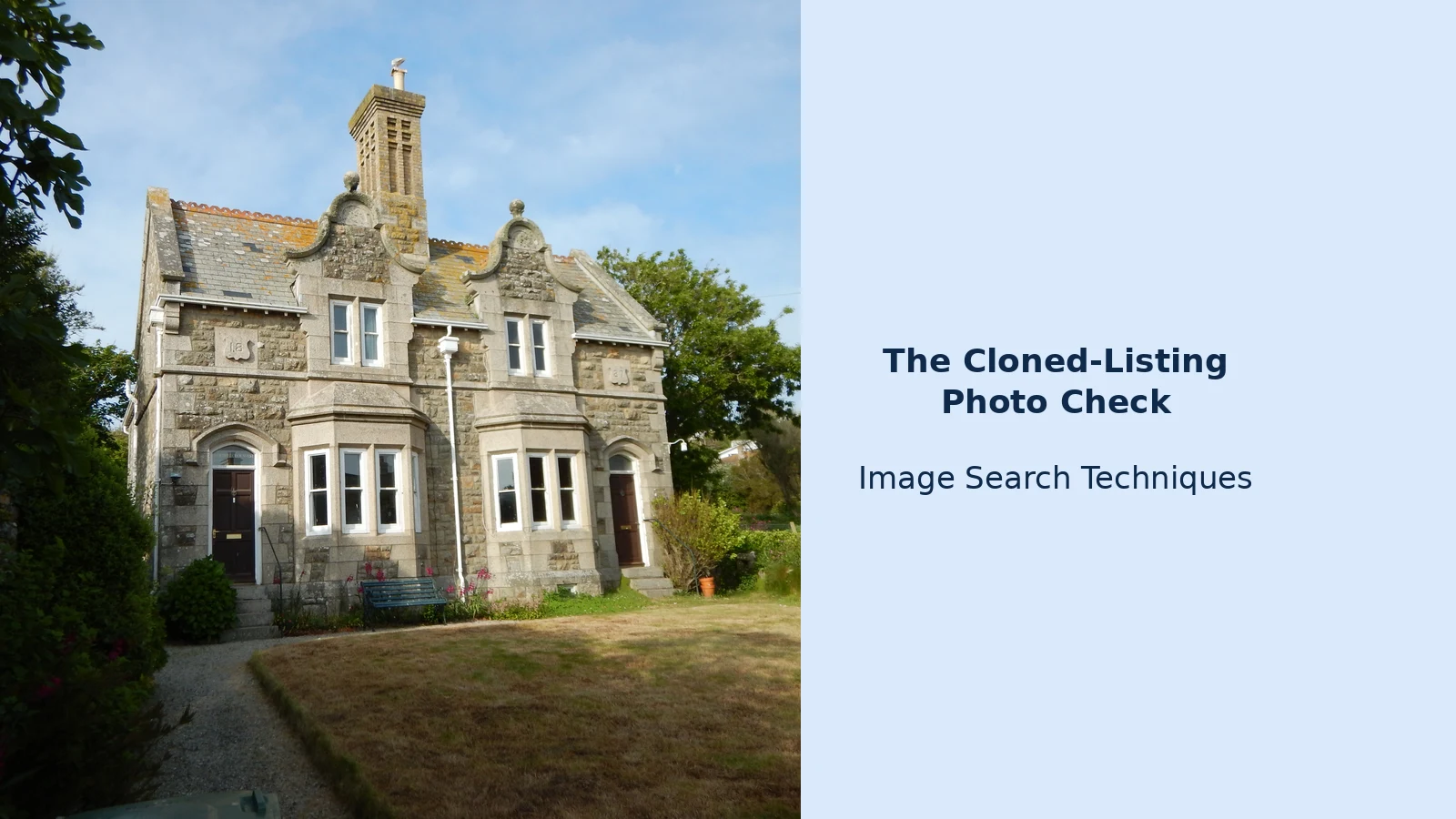
Here is the check run for real, on 12 November 2026, so you can see what the engines actually return. The test photo is a real CC BY-SA 2.0 picture of a Victorian semi-detached house on the sea front in Marazion, Cornwall: Geograph photo 5004644, 4608 by 3456 pixels. Imagine it appears in a Facebook post offering the house “for rent” at a price well below the area norm, posted by a landlord who says they are abroad. I pasted the photo URL into the free tool on the Image Search Techniques homepage and ran every engine it offers, between 19:28 and 19:33 UTC.
The tool itself loaded the image URL correctly and needed no sign-up. Its “Search All” button, though, opened only the Google tab, even with all six engines ticked, so each engine was tested on its own after that. The Google and Lens buttons lead to the same Google visual search page in the end.
| Engine | Result | What it found |
|---|---|---|
| Google Lens | Failed twice, 0 results | “Something went wrong, No image at the URL”, once after a cleared CAPTCHA and once with no CAPTCHA at all. The Commons source was not found. |
| Bing | Ran, 0 pages with this image | Labelled it “Historic Stone Country House In The Uk” and returned 42,900 results for that inferred query, but no page carrying the photo. Visual matches were only similar stone houses, including a different Geograph photo. |
| TinEye | Worked, 1 match of 86.7 billion images | The only engine to find the exact image: a Flickr mirror (flickrhivemind.net), first indexed 9 July 2016, tagged Cornwall and Marazion. The Commons original itself was not shown. |
| Yandex | Ran after one reload, exact file not found | Generic tags only, 20 plus similar images and 20 sites. Its top site was a near miss from the same town, Trelawney Lodge in Marazion, but the thumbnail was a different, ivy covered house. |
| Not a visual search | The button opens a keyword search for pins from the photo host domain. Thirty unrelated pins loaded, including the Taj Mahal and the Empire State Building. The house was not among them. |
Read that table the way a renter should. TinEye’s single match is the lead that matters: it proves the photo is at least ten years old and already circulating online, which no genuine landlord’s fresh phone photo would be, and its Marazion tags tie the house to Cornwall. Bing and Yandex failing to find the exact page does not clear the listing, it only shows their indexes missed this file. And Lens failing twice is a reminder that the biggest engine can fail on a perfectly good image URL, so a “no results” answer from one engine is never the end of the check. Run more than one engine, and run the ownership and showing checks from the previous section as well.
How do I check the address itself is real?
Photos can be copied, but an address has a paper trail. Use this checklist on any rental where the photos raised a doubt.
- Search the exact address in quotes. A real home for rent or sale leaves traces: past listings, tax records, map results. A made-up or borrowed address often returns only the fake advert itself.
- Check the address on Zillow and on Google Maps. Look for the home’s sale history and its Street View image. Compare the Street View frontage with the advert’s exterior photo: the door colour, the porch, the fence and the neighbouring houses should match.
- Compare the rent with nearby homes. Search the same area on Zillow for similar homes. If the advert’s rent is hundreds below the local range for the same size, that gap is the bait, not a bargain.
- Check the listing history. Zillow shows a price and listing history for most homes. A house that sold six months ago and is now offered as a cheap rental by a different person is a clone until proven otherwise.
- Look up the owner of record. The county assessor or recorder site names the owner. A name mismatch is the strongest single check after the photo search, because it does not depend on the scammer’s photos at all.
- Drive past, or ask someone local to. A genuine landlord expects this. A scammer discourages it, because a drive-by shows whether the home is occupied, for sale, or empty.
Keep a note of what you find at each step, with screenshots and dates. If you report the listing later, that note is your evidence pack, and it takes two minutes to make while you are already looking.
What should I do if the photos match a for-sale listing?
Stop the conversation, keep the evidence, and report the advert in three places. Do not confront the “landlord” and do not send any money, not even a small “holding” payment to test them.
- Report it where you found it. On Facebook, use the report option on the listing, the post or the profile. On Zillow, if the fake is on Zillow itself, open the listing, click “Report Listing” and choose “Listing seems to be fraudulent or illegal”. Zillow’s own scams page gives that exact route, and says never to wire money to someone you have not met in person. Reporting matters even if you did not lose money, because it gets the fake taken down before the next person replies.
- Report it to the FTC. File at ReportFraud.ftc.gov with the listing link, the photos, the address and the contact details the scammer used. The FTC does not investigate individual cases, but its data spotlight figures come from these reports, and they are what warn the next renter.
- Tell the real owner or agent. If the photos came from a genuine sale listing, contact the owner or the listing agent through details you find yourself, not through any contact in the fake advert. They can ask the platform to remove the clone, and they usually want to know: their photos are being used to steal from strangers.
If you already sent money, the payment and recovery steps belong to the wider rental fraud picture, and the rental listing scams guide linked above covers what to do first with your bank or payment app, and how to protect your identity if you shared documents. This guide stays on the photo check, by design, so the two guides do not repeat each other.
Why does this trick keep working?
The clone works because it borrows trust from the real home. The photos are professional, the house exists, the address is real, and the price feels like a lucky find rather than an obvious fraud. A renter in a hurry, or renting from another city, has every reason to believe what they see, and the scammer’s story explains away the one thing that should slow them down: the landlord is abroad, the keys will be posted, the viewing can wait until after the deposit.
The defence is not suspicion of every listing. It is one habit: never pay for a home whose photos you have not checked. A reverse image search takes a minute, the county record takes five, and a live video tour you direct takes ten. A scammer’s whole business depends on you skipping those steps. Run them, and the clone falls apart, because the photos that make the fake convincing are the same photos that prove it is fake. If you own the home in the photos, you can also get the original listing pictures taken down. Our guide to removing house photos from Zillow, Redfin and Realtor.com walks through the owner steps on each portal.
How can I tell if a Zillow listing photo is being used in a rental scam?
Run the listing photos through a reverse image search. If the same photos appear on a for-sale listing on Zillow, Realtor.com or an agent’s site, under the same address or a different one, the rental is likely a clone. Check the price against nearby homes, look for an MLS watermark, and compare the contact name with the owner of record.
Is it safe to rent a house I found on Facebook Marketplace?
It can be, but a Facebook listing proves nothing on its own. About half of the rental scams reported to the FTC in the year to June 2025 started with a fake Facebook ad. Before you pay, reverse search the photos, check the owner of record, and insist on a tour. Never pay before a viewing and a signed lease.
What should I do if the same house is for sale on Zillow and for rent on Facebook?
Treat the rental as a clone until you prove otherwise. Save the photos, reverse search them, and compare the two listings side by side. If the description matches but the price and contact differ, stop the conversation, report the rental on Facebook, file a report at ReportFraud.ftc.gov, and tell the real owner or agent through contact details you find yourself.
Can a reverse image search prove a rental listing is genuine?
No, and that limit matters. A clean result means no search engine found the photo elsewhere, not that the listing is real. A scammer can use photos from a listing that was taken down, or photos that were never indexed. Use the photo check with the county ownership check and a live tour, and never pay on one search alone.






