


🔎 Reverse Image Search
Image search techniques made simple: upload a photo or paste a URL and search 6 engines at once. 100% free, nothing stored.
🔒 Your image is never stored on our servers longer than 24 hours and is never shared.
You have seen the adverts. Upload a selfie, let AI tidy it up, and download a passport photo that looks perfect. So can I use an AI photo for my passport? It sounds like a shortcut around the photo booth and the strict rules. The problem is that the rules are the point. A passport photo is a biometric record, not a profile picture, and every one of the five authorities in this guide says the same thing about AI: do not use it.
Direct answer: No, you cannot use an AI photo for your passport. The United States, the United Kingdom, Canada, New Zealand and Australia all refuse photos that were generated or edited with AI. A photo that looks perfect can still be rejected, and a rejection means a delay and a new photo. Take a real photo, check it against the authority’s own rules, and send that in.
This guide compares the five authorities side by side, using each one’s own published words, checked on 21 November 2026. It also runs a real test: a genuine self-portrait photograph against an AI-generated portrait that looks ready for a passport at first glance. The results show why the authorities draw the line where they do. This is general information about passport photo rules, not legal advice. Acceptance always rests with the issuing authority, not with any tool or website.
Our guide to telling if an image is AI-generated covers the wider checks. This article stays on one question: AI photos for passports.
Can I use an AI photo for my passport?
Answer capsule: No. All five authorities refuse AI-generated and AI-edited passport photos, and three of them name AI tools in the rule itself.
The table below is the short version. Each row gives the authority, its rule in short, and the exact words it publishes. The sections after the table give the full wording and the figures behind each rule.
| Authority | AI photo allowed? | What the authority says |
|---|---|---|
| United States (State Department) | No | Submit the original, unchanged photo. Do not change it using software, phone apps or filters. The AI example is listed as unacceptable. |
| United Kingdom (GOV.UK / HMPO) | No | Photo must be unaltered by computer software. Digital enhancement is not acceptable. |
| Canada (IRCC) | No | Original photo that is not altered or edited in any way. This includes photo editing software, filters, and AI tools. |
| New Zealand (Dept. of Internal Affairs) | No | Your image must show your natural appearance. Do not edit, apply filters, or use AI tools to modify how you look. |
| Australia (Passport Office) | No | Clear, unedited photo. No retouching, such as removing moles, wrinkles or scars. |
Two of the five do not use the letters AI in their published rule. The UK and Australia ban the same thing without naming it: any digital change to the face is out. The outcome is the same in all five countries. A generated face is not your face as the camera saw it, and a biometric system cannot be asked to match a face that was partly invented.
One wording note matters for the United States. Older copies of the State Department page, and several guides quoting it in September to November 2026, give the same sentences with the words “artificial intelligence” in them. The live page on 21 November 2026 says “digital technology” and “digital tools” instead. The rule has not changed. Only the wording has. This guide quotes the live wording.
What is the difference between preparing a photo and generating one?
Answer capsule: Preparing a photo means taking a real photograph and fitting it to the size and format rules. Generating one means creating or changing the face itself. Only the first is allowed.
Definition: preparation. Preparation is what you do to a real photograph so it fits the rules: cropping it to the right size, rotating it upright, saving it in the right format. The face in the file is the face the camera captured.
Definition: generation. Generation is when software creates a face, or changes the face in a photograph: smoothing skin, opening closed eyes, removing a smile, straightening a head, replacing a background by redrawing the outline of the head and neck. The face in the file is partly invented.
The line between the two is the line every authority draws. The US State Department allows crop, rotate and resize, which is what its own photo tool does. It does not allow filters, beauty modes, retouching, skin smoothing, background replacement, or AI generation and enhancement. Canada goes further and lists the banned edits one by one, including changing colour, brightness, contrast and sharpness, cutting and pasting your image against a white background, editing facial features, editing to improve your appearance, editing your clothing, and changing the background, including removing shadows.
That last point surprises people. Removing a shadow from a background sounds harmless, and the UK caseworker guidance does allow a background edit that only removes shadows or marks, as long as it does not affect the image of the customer. But Canada bans changing the background outright, including removing shadows. The same edit can be fine in one country and a rejection in another. Read the rules for the country you are applying to, not a general guide.
A “passport ready” label from a photo tool is not evidence of official approval. The tool seller Visafoto says this itself on its own page about AI passport photos: it has no exception or approval from any authority. A tool can check sizes and framing. It cannot make an authority accept a photo the authority’s own rules refuse.
What does the US State Department say about AI passport photos?
Answer capsule: Submit the original, unchanged photo. The State Department lists an AI-created image as an unacceptable example and says it checks all photos for digital changes.
The US rule sits on the State Department’s Passport Photos page. Its short version is one sentence: “Submit the original, unedited photo without filters or digital changes.” The longer version, under the heading “Digital changes”, reads: “Submit the original, unchanged photo. Do not change your photo using computer software, phone apps or filters. We check all photos to ensure they were not digitally enhanced or altered.” For the full rule and the examples, see the US State Department Passport Photos page.
The page shows seven examples in the digital changes section: six unacceptable and one acceptable. The AI example is captioned: “While the image may appear acceptable, it was created using digital technology based on the previous photo example. Take a new photo without making digital changes or enhancements.” That sentence is the whole argument in one line. Looking acceptable is not the test. Being a real, unchanged photograph is the test.
The other unacceptable examples on the same page are a background cropped with a retouching tool, changing the outline of the head, face and neck; a stretched photo that alters natural appearance; red eye; a purple skin filter; and an original photo with a non-white background, captioned “Do not enhance or change the photo using software or digital tools.”
The online renewal page repeats the rule for digital uploads: “If your photo is edited or filtered, we will not accept it. Do not change your photo using computer software, phone apps or filters.” It adds two practical points: “Do not use any kind of filter or retouching tools to change your appearance” and “You can reposition or crop your photo in the application.” So cropping and repositioning inside the official application are fine. Editing the face is not.
The US figures, from the same pages: a printed photo is 2 by 2 inches (51 by 51 mm), the head measures 1 to 1 3/8 inches (25 to 35 mm) from chin to crown, and the photo must have been taken within the last 6 months. A digital upload must be a JPG, JPEG, PNG, HEIC or HEIF file between 54 KB and 10 MB.
What does the UK say about AI passport photos?
Answer capsule: The UK does not name AI in its public photo rules, but it bans the same thing: the photo must be unaltered by computer software.
The GOV.UK passport photo page says a digital photo must be “unaltered by computer software”, and the same words apply to printed photos. The page gives no AI-specific wording at all. That does not mean AI photos are allowed. It means the UK rule is written more widely, so it catches AI edits without naming them. For the full rule, see the GOV.UK passport photo rules.
The Home Office guidance for photographers, published by HM Passport Office, is blunter: “Digital enhancement is not acceptable as this can result in the capture of an inaccurate biometric.” It adds: “Photos must not be manipulated, for example, by removing spots or softening lines or shadows.” Removing a spot or softening a line is a small change, and it is still a manipulation under the UK rule.
There is one narrow exception in the caseworker guidance, and it is worth stating carefully because it is easy to read too widely. HMPO’s Photo Standards guidance for caseworkers says a photo that has been digitally edited can be accepted if the edit does not affect the image of the customer, for example if the background has been edited to remove shadows or marks. It also says caseworkers must reject any photo where the customer has digitally enhanced their facial image, for example by altering the hairline, removing blemishes, or making facial features larger or smaller. Brightness and contrast only filters are accepted; textures, special effects and filters that make the customer look younger or older are rejected. The standard does not mention AI by name. This summary comes from the caseworker guidance as reported by secondary sources; the official PDF itself could not be opened at write time, so treat the wording as reported rather than directly quoted.
The UK figures, from GOV.UK: a printed photo is 45 mm high by 35 mm wide, the head measures 29 to 34 mm from crown to chin, and the photo must have been taken in the last month. A digital photo must be at least 600 pixels wide by 750 pixels tall and between 50 KB and 10 MB. A printed photo needs a plain cream or light grey background.
If your UK photo is rejected, our passport photo rejected guide explains what the checker messages mean, and the US passport photo rejected guide does the same for American applications. Both are about real photos that failed a check, which is a different problem from an AI photo, and the fixes are different too.
What do Canada, New Zealand and Australia say?
Answer capsule: Canada names AI tools directly and bans any alteration at all. New Zealand bans AI tools that modify how you look. Australia bans retouching without naming AI, and warns against online photo services.
Canada: the clearest AI wording of the five
Canada’s passport photo instructions, published by Immigration, Refugees and Citizenship Canada, say the photo must “be an original photo that isn’t altered or edited in any way. This includes photo editing software, filters, and AI tools. We’ll reject your application if the photos have been altered in any way.” No other authority in this guide states the consequence so plainly. An altered photo means the whole application is rejected, not just the photo.
Canada also defines what counts as altered, and the list is long: making technical corrections or enhancements, such as changes to colour, brightness, contrast or sharpness; cropping around the head and shoulders, for example cutting and pasting your image against a white background; editing your facial features; editing to improve your appearance; editing your clothing; and changing the background, including removing shadows. The digital renewal page repeats the point in one line: “The photo must not be altered in any way. Altering includes using photo-editing software, filters, or AI tools.”
The Canadian figures: a printed photo is 50 mm wide by 70 mm high, the face measures 31 to 36 mm from chin to crown, the photo must have been taken within 6 months, and you need two identical unaltered photos taken in person by a commercial photographer or studio. A digital photo must be a JPEG in 3:2 portrait, 1,800 by 1,200 to 4,500 by 3,000 pixels, 200 KB to 5 MB, with the chin to crown measuring 45 to 50 percent of the image height.
New Zealand: natural appearance, no AI tools
New Zealand’s passport photo page, published by the Department of Internal Affairs, says: “Your image must show your natural appearance. Do not edit, apply filters, or use AI tools to modify how you look.” That wording is quoted identically by three independent sources that checked the page between 3 and 16 November 2026. The live page itself loads the “taking a photo with your own device” section separately, so the sentence could not be read directly on the official page at write time, and it is given here as reported wording from those sources.
The figures on the live page are clear: a colour portrait photo with a 3:4 aspect ratio, a digital photo in .jpg or .jpeg format, between 250 KB and 5 MB, 900 to 4,500 pixels wide and 1,200 to 6,000 pixels high, and less than 6 months old. Scans of printed photos will not be accepted, and the page offers an online photo checker to test technical requirements before you start the application.
Australia: no retouching, and a warning about photo apps
The Australian Passport Office does not name AI in its photo guidelines, but its rule is just as firm: “They must not have: any retouching, such as removing moles, wrinkles or scars.” Its unacceptable examples include “Retouching/skin smoothing” and “Background not plain and edited”. The official camera operator guidelines say the same thing in plainer words: no retouching of photographs permitted, adjust brightness and contrast only, moles, wrinkles and scars must not be removed, and the final image must be a true likeness of the subject.
Australia also warns against the route most AI passport photo adverts sell. The Passport Office says: “We do not recommend using an online passport photo service or a mobile app. These may put you in danger of identity fraud.” An official news article from 16 February 2026 gives the reason: “Filters, retouching, shadows, reflections… can change key facial features and prevent biometric systems from matching your face correctly.” Even small edits, it says, like smoothing skin, brightening the background or removing shadows, can affect the accuracy of biometric checks.
The Australian figures: 35 to 40 mm wide and 45 to 50 mm high, the face 32 to 36 mm from chin to crown, less than 6 months old, and two photos. Printed photos must be dye-sublimation prints on heavy glossy paper, minimum 200 gsm.
For the German and Japanese rules, which follow the same pattern of a real, unaltered photo, see our German passport photo requirements and our Japan visa photo requirements. Both were checked against the issuing authority’s own pages.
Worked test: a real photo against an AI portrait
Answer capsule: The real photo traces back to its photographer. The AI portrait traces back to nobody, and one engine’s top match was an AI face catalogue. Looking real is not the same as being real.
The brief for this article asked for the writer’s own selfie as the control and a ChatGPT portrait as the test. Neither was available: there is no ChatGPT login on this account, and there is no writer selfie to use. The substitution is stated plainly. The control is a genuine self-portrait published by its photographer on Wikimedia Commons, and the test portrait is a fictional man generated for this test with Muse image generation, the same substitution used in our earlier AI logo test. The AI portrait was not made from the control photo. Making an AI version of a real person’s face would be the exact manipulation this article warns against.
Photo A, the real photo: “Franek Vetulani self portrait 2021 10 04.jpg”, taken 4 October 2021 on a Fujifilm FinePix X100, published as own work under CC BY-SA 4.0 by Franek Vetulani, a photographer and blogger. It shows him outdoors by a lake, head tilted, strong sunlight and shadow across his face. It is a real, unedited photograph.
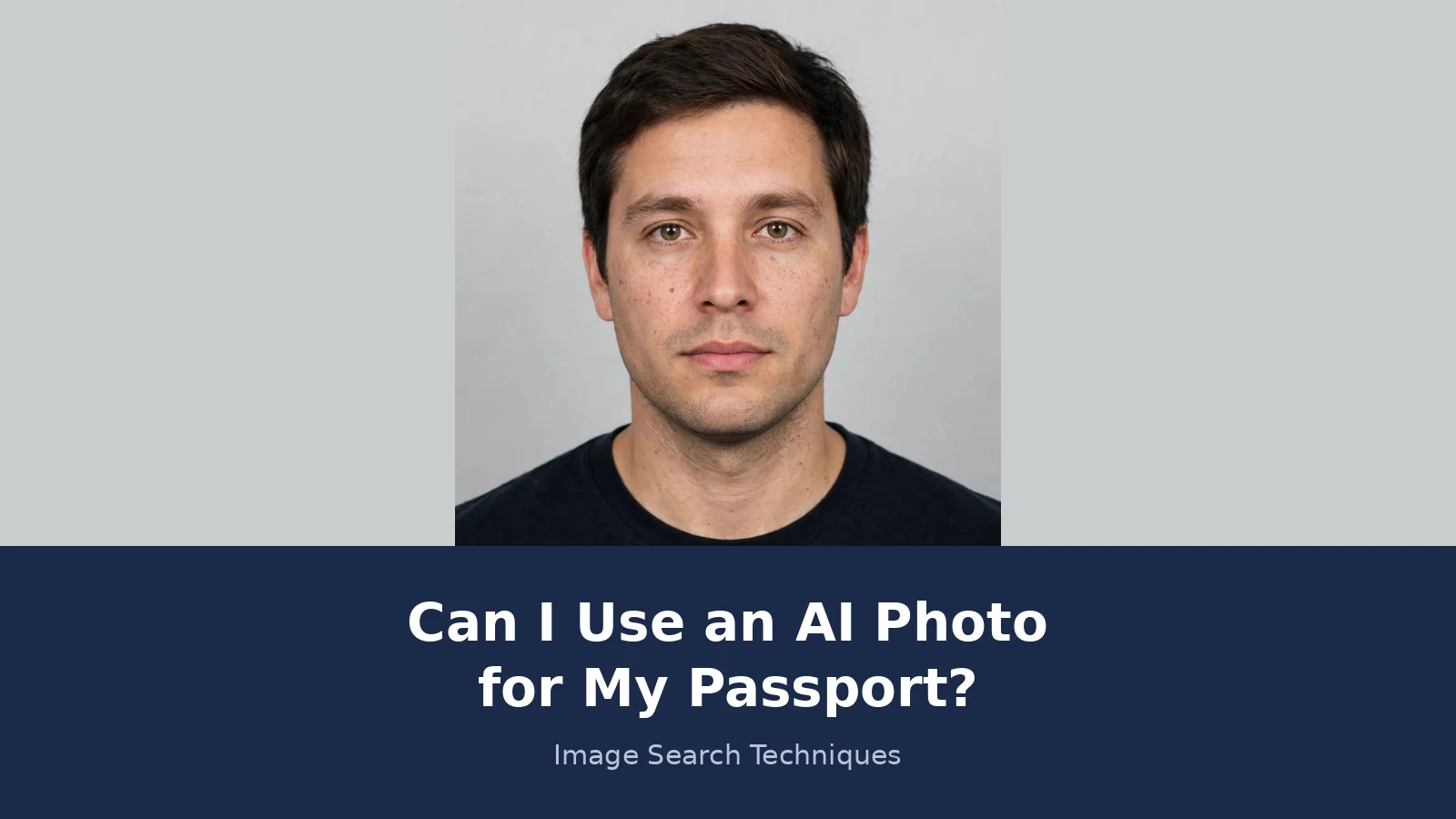
Photo B, the AI portrait: generated on 21 November 2026 for this test. A fictional man in his thirties, neutral expression, mouth closed, eyes at the camera, plain light grey background, even light, dark shirt. It looks like a passport photo at first glance. It is not a photograph of anyone.
Both photos were reverse searched live on 21 November 2026, on Google Lens, TinEye and Yandex, and both were run through the Hive AI detector at deploy.com/detect/. Neither photo was submitted to any official passport checker. Both were checked against the published rules instead, because submitting a test photo to a government system would be a false application.
| Check | Photo A: real self-portrait | Photo B: AI portrait |
|---|---|---|
| Google Lens | Named the photographer, 1 exact match listed (YouTube). Its AI Overview said the photo appears to be Franek Vetulani. | 0 exact matches. Its AI Overview described only the clothing: a basic black crew-neck t-shirt. |
| TinEye | 0 matches out of 86.8 billion images searched. | 87 results out of 86.8 billion, first indexed 23 April 2008. None is the uploaded file. They are similar-looking portraits, the top two sponsored stock listings. |
| Yandex Images | Did not identify him. About 26 similar thumbnails on the search page and 50 plus on the Similar tab, mostly lookalike young men. The sites listed changed between loads and included dating profiles. | Did not name a person. Top similar and site match was a Generated.photos AI-face listing, “Neutral white young-adult male with short black hair and brown eyes”, with about 35 similar thumbnails and 4 sites. |
| Hive detector (deploy.com/detect/) | Failed twice. Both uploads ended with “Something went wrong. Please try again.” No score was shown. | Failed twice, same error. No score was shown. |
The contrast is the point. Lens found the real photo’s owner and found nothing for the AI portrait, because the AI man has never existed and has never been photographed. TinEye found nothing for the real photo and 87 loose lookalikes for the AI one, because a generic face matches many generic faces. Yandex’s best match for the AI portrait was a catalogue of generated faces. None of this proves anything on its own, and a detector score would have been one test on one image, never proof. The Hive detector failed on both photos, so no score is reported here at all. A failed test is reported as a failure, not as a zero.
Now the verdict under each authority’s rules. Photo A is a real, unedited photograph, so it passes the generation test in all five countries. It would still fail as a passport photo on other grounds: an outdoor lake background, shadows across the face, and a tilted head break the background, lighting and position rules. Being real is necessary, not sufficient. Photo B fails the generation test in all five countries even though it looks ready: the US rule covers anything created using digital technology, Canada names AI tools directly, New Zealand bans AI tools that modify how you look, the UK requires the photo to be unaltered by computer software, and Australia requires a true likeness with no retouching. The State Department’s own sentence fits Photo B exactly: while the image may appear acceptable, it was created using digital technology.
What happens if you send in an AI photo, and how do I get one that is accepted?
Answer capsule: The photo is rejected and the application is delayed. Canada rejects the application itself. Take a new real photo and check it against the authority’s own rules before you send it.
A rejection is not a fine and it is not a ban. It is a delay. The authority sends the photo back, or refuses the application, and you start the photo step again with a real photograph. Canada states the consequence most plainly: “We’ll reject your application if the photos have been altered in any way.” The other four reject the photo and hold the application until a compliant photo arrives. Either way you lose the time you were trying to save, and a refund from a photo tool, where one is offered, covers the photo service only, not the passport fee.
If a photo is rejected, read the authority’s specific reason before changing the photo again. That is the one piece of advice from the Visafoto page that holds up: a rejection message tells you what failed, and changing the wrong thing wastes another round. Our rejected-photo guides explain the common messages for the UK and the US.
Use this checklist before you send any photo in. It is the preparation against generation test, and every item comes from the five authorities quoted above.
| Check | Allowed? | Why |
|---|---|---|
| Was the photo taken by a camera, of a real person? | Must be yes | All five authorities require an original, real photograph. |
| Did any tool change the face? | Must be no | Filters, smoothing, eye opening, smile removal and AI generation all change the face. |
| Did you only crop, rotate or resize it? | Yes | The US State Department allows crop, rotate and resize. That is what its own photo tool does. |
| Did you use a filter, beauty mode or skin smoothing? | No | Named as banned by the US, Canada, New Zealand and Australia. |
| Did you replace or redraw the background? | No | Canada bans changing the background outright, including removing shadows. The UK caseworker guidance allows a background-only edit that removes shadows or marks, but do not rely on it outside the UK. |
| Does the tool promise a “passport ready” result? | A label is not approval | No tool has an exception or approval from any authority. Check the photo against the authority’s own rules. |
| Have you checked the photo with the authority’s own checker? | Do this last | New Zealand offers an online photo checker. The US publishes its unacceptable examples. Use those, not a vendor’s verdict. |
To take a photo that will be accepted, use a real camera or phone, a plain light background, even light with no shadows on the face, a neutral expression with the mouth closed, and the head straight and facing the camera. Then check the size figures for your country from the table near the top of this guide, and run the file through the authority’s own checker where one is offered. In the United States, a pharmacy, a shipping store or a passport acceptance facility will take a compliant photo for you on the spot, which is the easiest option if you cannot get a clean shot at home. If you are applying for a visa rather than a passport, the same rule applies: the US visa photo requirements say a photo must not be digitally enhanced or altered to change your appearance in any way, so check the issuing authority for the exact document before you rely on any tool.
FAQs
Can I use an AI photo for my passport?
No. The United States, the United Kingdom, Canada, New Zealand and Australia all refuse photos that were generated or edited with AI. A photo that looks perfect can still be rejected, and a rejection means a delay and a new photo. Take a real photo, check it against the official rules, and send that in.
Can I use an AI tool to fix a bad passport photo?
No, not if the fix changes the face. Cropping, rotating and resizing a real photo are allowed, because they only change the size and framing. Filters, beauty modes, skin smoothing, eye opening and smile removal all change the face itself, and every authority in this guide bans them. If the photo is bad, take a new real one.
Will the passport office know my photo is AI generated?
Probably, and you should not rely on passing unnoticed. The US State Department says it checks all photos to ensure they were not digitally enhanced or altered. A generated face can fail the biometric match, because the system compares the photo with the person in front of it. A photo that looks real to you can still fail that check.
Can I use a photo that AI only enhanced slightly?
No. Slight is still a change, and the rules ban changes, not just obvious ones. Canada bans any alteration at all, including colour, brightness, contrast and sharpness. The UK bans digital enhancement. A brightness and contrast only filter may be accepted under UK caseworker guidance, but it is banned in Canada, so a new real photo is the safe route.
What happens if my passport photo is rejected?
The application is delayed while you send in a new real photo. Canada rejects the application itself when the photo has been altered in any way. The other authorities reject the photo and hold the application until a compliant photo arrives. Read the rejection reason first, then take a new photo that fixes that exact problem.
Can I use an AI photo for a visa instead of a passport?
No, the same rule applies. The US visa photo requirements say a photo must not be digitally enhanced or altered to change your appearance in any way. Other countries apply the same idea to their own visa photos. Check the issuing authority for the exact document before you rely on any tool or website.






