


🔎 Reverse Image Search
Image search techniques made simple: upload a photo or paste a URL and search 6 engines at once. 100% free, nothing stored.
🔒 Your image is never stored on our servers longer than 24 hours and is never shared.
A figure with no box, no paperwork and no name is a familiar problem: it could be a childhood toy, a car-boot find, or a listing photo you are thinking of buying. Board games turn up the same way, a box with no name you recognise or a bag of loose pieces, and our guide to identify a board game from a photo shows the same photo-first method applied to a real box, with the publisher mark and copyright line doing the work the figure stamp does here.
Short answer: you can identify a toy from a photo by photographing it properly, running it through a scanner app such as ToySnap or FigureScout, then confirming the match with a reverse image search and the markings stamped on the figure itself, because no single app is reliable enough to trust on its own.
Toy identification means naming the exact figure in front of you: the character, the toy line, the release year and, where it matters, the variant. A “Batman figure” is not an identification. A “1997 Kenner Batman: The Animated Series, Battle Helmet Batman” is. The difference matters because two figures that look alike can belong to different lines, different years and very different prices. This guide works through the whole routine, the photo, the scanner apps, the free fallback, the markings and the value check, so you can identify a toy from a photo and know how much confidence to place in the answer.
If the toy is a soft plush rather than a hard figure, our guide to identifying a lost plush toy works through the tush tag and the reverse search that name its brand.
This is an identification guide, not an authentication guide. It answers “what is this figure?”, the question a collector, a seller or a buyer asks first. Whether a figure is genuine is a different job, with different checks; our guide to how to tell if a Pokémon card is fake shows the same photo-first discipline applied to a verdict. If the toy in your photo is a LEGO minifigure, use our separate guide to identifying LEGO minifigures from a photo instead, this article covers figures and toys generally, and does not teach LEGO identification.
What does it mean to identify a toy from a photo?
A toy scanner app gives you a name, not a verdict. When ToySnap or FigureScout recognises a figure, it is matching the shape, colours and sculpt against a database of known figures, and then, in FigureScout’s case, pricing that match against completed sales. The identification is only as good as the photo and the database behind it. A common modern figure in good light is usually identified in seconds. A loose vintage figure with rubbed paint, a custom repaint or a rare variant can defeat every app, because the thing that makes it different is exactly the thing the database has never seen.
That is why this guide treats identification as a chain of evidence, not a single scan. The chain has four links: a good photograph, a scanner app, a reverse image search, and the physical markings on the figure. If three of the four agree, you have an identification you can act on. If only the app agrees with itself, you have a lead, and the rest of this guide is about how to test it. The same photo-first method works across collectibles, our guide to identifying a coin, stamp or collectible from a photo follows the same logic of photographing the fixed details and confirming the match in a catalogue before relying on it.
Before you start, decide what you actually need. A parent clearing a loft usually needs the line and the character, enough to list it honestly. A buyer checking a listing photo needs the exact variant, because a repaint or a reissue can be worth a fraction of the original. A collector cataloguing a shelf needs the release year and the accessories, because an incomplete figure is a different item from a complete one. The routine below is the same in all three cases; only how far down it you go changes.
How to photograph a toy so an app can actually identify it
Scanner apps and reverse image search both fail on the same thing: a bad photo. A figure photographed at an angle, in yellow indoor light, half in shadow, against a busy shelf, gives the software little to match. Ten minutes with the camera saves an hour of wrong answers. Work through these steps in order.
- Clean the figure gently. Dust the figure with a soft dry brush or cloth. Do not wash painted vintage figures or use solvents, water and cleaning products can lift paint and damage decals, and a damaged figure is harder to identify, not easier.
- Use plain daylight. Put the figure on a plain white or light-grey background near a window in diffuse daylight. Avoid direct sun, which blows out pale plastic, and avoid flash, which flattens the sculpt and turns dark plastic into a black silhouette.
- Photograph it straight on, front and back. Fill the frame with the figure, square to the camera, at the figure’s own height, not looking down on it. Take the front, then the back: the back often carries the sculpt details, the cape fixings and the copyright stamp that separate one release from another.
- Photograph the markings. Turn the figure over and photograph the foot, the back of a leg or the inside of the torso, wherever the stamp sits, in sharp focus. These markings are the subject of a later section, and a scanner app cannot read what the camera cannot see.
- Photograph the box and accessories separately. If you have the box, photograph the front, the back panel and the barcode area. Photograph each accessory on its own. A figure with its original weapon or cape is a different item from the same figure loose, and the box often carries the line name and the year.
- Add a scale object, then remove it. Put a ruler or a coin beside the figure for one shot so you can record its height, then take the same shot without it. Search engines match more cleanly without the extra object in frame.
- Keep the originals. Save the full, uncropped photographs as masters and make separate tight crops for searching. A tight crop around the figure’s face and chest is usually the best single image for a scanner app; a full-body shot is the best one for a reverse image search.
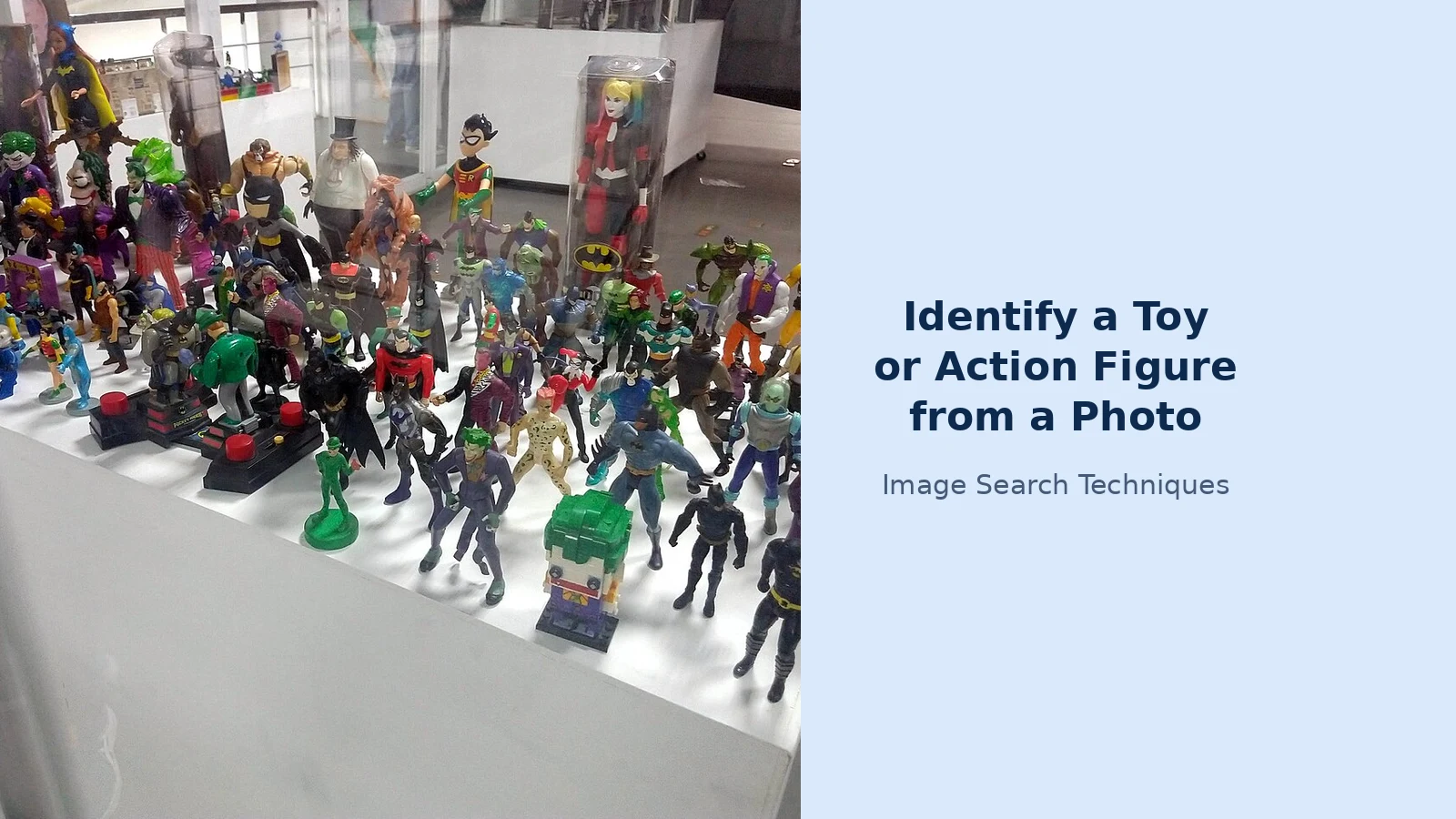
One warning about the shelf photo: scanning a whole shelf in one photograph, the way FigureScout advertises, is convenient, but it is the weakest photo you can give an app. Figures overlap, faces turn away, and small figures at the back are a few pixels tall. If the shelf scan returns nothing useful, photograph the figure on its own before concluding the app cannot identify it. The app may be fine; the photo was the problem.
ToySnap vs FigureScout: which scanner app is better?
There is no single guide to beat for this topic, because the search results are dominated by app-store listings rather than guides, and that gap is the point of this article. The two dedicated scanner apps worth comparing are ToySnap, on Google Play, and FigureScout, on the Apple App Store. Both promise the same thing, point a camera at a figure and learn what it is, but they are built differently, and the difference decides which one fits your question. They are not the only scanner apps: others, such as Figure Finder Scan on iOS and free AI toy identifiers on the web, work the same way, so judge any of them by the same photo-first routine and the same confirmation checks.
ToySnap’s Google Play listing, updated 4 August 2026, says the app identifies a figure’s name, brand, series and release year from a photo, and adds a “Real vs. Fake” scanner that checks for visual inconsistencies and packaging errors, plus a collection manager and a value estimate drawn from real-time market data. FigureScout’s App Store listing takes a different approach: it identifies the figure and then prices it against real completed sales, giving a BUY, WATCH or PASS verdict with the numbers behind it, and it says plainly when it does not know, “a confident wrong answer is worse than an honest” admission of thin evidence. FigureScout is iPhone only and requires iOS 17.0 or later, according to its App Store listing, and it covers vintage Kenner Star Wars, Masters of the Universe, G.I. Joe, Marvel Legends, NECA, McFarlane, Hot Toys, S.H.Figuarts and Funko Pop. ToySnap is the Android option, and it is also listed for iPhone.
| Feature | ToySnap | FigureScout |
|---|---|---|
| Platform | Android (Google Play); also on iPhone | iPhone only; requires iOS 17.0 or later |
| What a scan returns | Name, brand, series, release year | Identification plus a BUY, WATCH or PASS price verdict |
| Value basis | Real-time market data, per its listing | Real completed sales, with the numbers shown |
| Shelf scanning | Single-figure scans | One photo values every figure on a shelf |
| Variant and packaging detail | Packaging-error checks in its fake scanner | Reads packaging and prices the exact variant, including exclusives |
| Graded pieces | Not a stated feature | AFA and CAS graded pieces priced on their own 0–100 scale |
| When it cannot identify a figure | Not stated in the listing | Says so explicitly instead of inventing a number |
| Cost | Free to download; subscription for full features | Free to download; optional subscription for unlimited scans |
| Known weakness | Recent Google Play reviews report the collection feature breaking after a paid subscription | iPhone only, so Android users cannot use it at all |
The honest summary is that FigureScout is the stronger tool for a buyer who needs a price, because it shows its working, completed sales rather than a single unexplained estimate, and it admits uncertainty. ToySnap is the more available tool, because it runs on Android, and its fake scanner is useful as a second opinion. Neither replaces the checks that follow. An app that prices a figure is estimating from the sales it can see; it cannot see the figure’s condition, its missing accessories or whether the box in the listing photo belongs to the figure at all. Treat every app answer as a candidate, and confirm it.
Both apps are free to download with paid subscriptions for full use, and both are worth trying on the same figure before you pay for either. Run the free scan first, compare the two answers, and only subscribe if the app keeps identifying your figures correctly. A subscription that unlocks unlimited scans is only worth it if the free scans were right.
Worked example: the same shelf photo through both apps
Here is how the comparison plays out on one realistic test: a shelf of mixed Batman figures of different eras, photographed as a single wide shot at a toy fair, the kind of shelf photo a collector actually takes. This walk-through is illustrative, built from the two apps’ documented behaviour as described in their store listings, and labelled as such: a live same-shelf run across both apps was not performed for this article, and individual results vary with the photo, the figures and the version of the app. The point is the routine, not a score.
- Start with FigureScout’s shelf scan. One photograph of the whole shelf is the app’s advertised strength: each figure is detected, identified and priced on its own, with a total for the shelf. On a mixed Batman shelf, expect the common modern figures, the mass-market Batman and Robin figures in the foreground, to be identified and priced, because they match many completed sales. Expect the small, partially hidden figures at the back to be missed or priced with a warning that the evidence is thin. That is the app working as described: it says when it does not know.
- Run the same shelf through ToySnap. ToySnap is built for single-figure scans, so a shelf photograph is outside its best use. Expect it to identify the largest, clearest figure in the frame and to struggle with the rest, or to return a generic match, “Batman action figure” rather than a line and a year. That is not a failure of the app; it is a mismatch between the photo and the tool.
- Photograph the three most interesting figures individually. Pick the figure at the front of the shelf, the one in the sealed blister pack, and the one whose sculpt you do not recognise. Photograph each one front, back and foot stamp, using the method above, and scan each individually in both apps.
- Compare the two answers for each figure. Where ToySnap and FigureScout agree on the line and the year, you have a strong candidate. Where they disagree, one says a 1997 Kenner release, the other a 2003 reissue, the foot stamp and the reverse image search, covered below, are the tie-breakers. The apps disagree most often on reissues and repaints, because the sculpt is the same and only the paint, the stamp or the packaging changed.
- Record the result, including the misses. Note which figures each app identified, which it missed, and what each one priced them at. A record of three identified figures and two misses is more useful than a vague memory that “the app worked”. It also tells you which app to reach for next time: the one that identified your figures, not the one with the better store page.
The lesson of the exercise is that the shelf scan is a triage tool, not an identification. It tells you which figures are worth photographing properly. The individual scan, backed by the markings and a reverse image search, is where the identification actually happens.
The no-app route: Google Lens and reverse image search
If you do not want another app, or the scanner apps have failed, Google Lens and a reverse image search will often identify a toy from a photo on their own, and they are free. The method is the same discipline, applied with general tools.
- Search the tight crop first. Upload the tight crop of the figure’s face and chest to Google Lens, or to the free reverse image search tool on this site, which checks the picture across several engines at once. A tight crop removes the shelf, the background and the other figures, and gives the search engine one object to match.
- Read the results as candidates, not answers. Lens returns visually similar images: marketplace listings, collector-database entries, forum posts and retailer pages. Open the three most promising and check whether the figure in the result matches yours in every visible detail, sculpt, paint, costume, accessories, not just in general shape.
- Search the foot stamp as text. Type the words and numbers from the foot stamp into a normal web search in quotation marks, together with the character name. Text search often resolves what image matching leaves ambiguous, because a stamp reading “© 1997 DC Comics” plus a character name narrows the field to one line.
- Search the box number too. If you have the box, search its barcode number and any printed code. Collector databases and marketplace listings index by these numbers, and a code search can identify a figure that no image search recognised. The same trick works for a loose part on its own: search its markings as text, or filter a parts database by franchise, part type and colour, for example Transformers, Star Wars or G.I. Joe, and compare it against the figures it belongs to.
- Try a second engine when the first fails. Lens is strongest on common modern figures; TinEye and Yandex sometimes find older listings and forum posts that Google has not indexed. Our guide to what is this picture walks through the same first step for any mystery object, and the same ladder applies here.
Reverse image search has one more use that the scanner apps do not offer: it catches stolen listing photos. If you are buying from a listing and the seller’s photo appears in an older listing, a forum post or someone else’s sale, the seller may not own the figure at all. Our guide to searching eBay by image shows the same workflow on the marketplace where most of these figures change hands, and it is worth running before any payment.
How to identify a Funko Pop from a photo, and read any figure’s markings
Funko Pops are the easiest figures to identify from a photo, and the most commonly misidentified, because the same character appears in dozens of numbered releases that look nearly identical. The box is the identification. A standard Pop carries its number on the front of the box, beside the character name, and a longer item code on the bottom of the box. Photograph both. The number plus the character name is usually enough to pin the exact release: the number distinguishes the standard release from the chase, the exclusive and the reissue, which can all share the same sculpt.
Three details separate the releases. First, the exclusive sticker: a sticker naming a retailer or a convention on the top corner of the box means the figure was sold only through that channel, and the same character without the sticker is a different item. Second, the bottom stamp: the figure’s foot or base carries a moulded copyright line and a date, which you should photograph and read rather than guess from the box. Third, the box itself: a damaged, creased or replaced box lowers the item’s value even when the figure inside is perfect, so photograph the box honestly and record its condition.
The same markings-first method applies to every action figure, not just Funko Pops. Most figures carry a moulded stamp on the foot, the back of a leg or the inside of the torso, giving the manufacturer, a copyright year and sometimes a country of manufacture. Read it in this order: the manufacturer and the year first, because they place the figure in a line; then the country, because the same figure made in two countries can differ in paint and plastic; then any number or code, because that is what collector databases index by. Vintage toy identification by photo often turns on exactly these stamps: a 1978 figure and its 1990s reissue can share a sculpt, and only the stamp and the packaging tell them apart.
Two cautions keep the markings honest. First, a stamp year is the copyright year of the sculpt or the character, not necessarily the year your figure was made, a figure stamped 1997 may have been produced in 1999. Second, a missing stamp proves nothing on its own: stamps wear off, repaints cover them, and some figures never had one. A stamp that agrees with the app and the reverse search is strong evidence. A stamp that disagrees with both is a reason to keep looking, not a reason to declare the figure a fake.
How to check what a toy is worth, without believing one number
Identification done, the next question is usually value, and this is where the most money is lost. An app’s price is an estimate, not a sale. ToySnap’s listing says its value estimates use real-time market data; FigureScout’s listing says its prices come from real completed sales. Completed sales are the better basis, because an asking price is only what a seller hopes for, and anyone can ask anything. But even a completed-sales price is only a starting point: it does not know your figure’s condition, whether its accessories are present, or whether its box is original.
Check the value yourself, in three steps. First, search eBay’s sold listings for the exact figure, line, year, variant and condition, and look at the last ten sales, not the highest one. Second, check the same figure on a second marketplace or collector database, and note where the two disagree. Third, adjust for your figure honestly: a loose figure without accessories, a figure with paint wear, or a figure in a damaged box is worth less than the complete, boxed example the app priced. Apps estimate from completed sales and figures vary by condition, so no single number is a promise, and no guide should tell you your toy is worth a fixed sum from a photograph alone.
That hedged language is deliberate. A scanner app that returns a confident price for a figure it has barely identified is doing you no favour, and the honest apps say so. FigureScout’s listing makes this its selling point: when the evidence is thin, it says so instead of inventing a number. Judge every tool by that standard. If an app never admits uncertainty, it is not more accurate than the ones that do, it is only more confident.
Finally, remember the boundary this guide started with. Identification tells you what a figure is. It does not tell you whether the figure in a listing photograph is genuine, complete or even owned by the seller. For the verdict, the fake checks, the seller checks and the payment checks, use the authentication guides on this site, and ask the seller for the photographs they have not shown you before you pay. An identified figure is a good start. A verified one is a safe purchase.
FAQs
Can an app identify any toy from a photo?
No. Scanner apps identify common figures reliably and struggle with rare variants, repaints, customs and loose vintage figures with worn paint. A failed scan means the photo or the database fell short, not that the toy is worthless. Photograph the figure properly, try a second app, and confirm with a reverse image search and the foot stamp.
How do I identify a Funko Pop from a photo?
Read the box number beside the character name and the item code on the bottom of the box, and photograph any exclusive sticker. The number separates the standard release from the chase, the exclusive and the reissue. With no box, photograph the foot stamp and run a tight crop through Google Lens, then confirm by sculpt and paint.
Why does the same toy get different values in different apps?
Apps use different data: FigureScout prices from real completed sales, while ToySnap’s listing describes real-time market data, and each app sees a different set of sales. Condition, accessories and the box also change the value, and no app can see all three from one photo. Compare the last ten sold listings yourself before trusting any single figure.
What if no app or search recognises my toy?
Photograph the foot stamp and search its text in quotation marks with the character name, then try a collector forum or database for that toy line with clear front, back and stamp photos. Rare, custom and very old figures often need a human expert. Never accept a single app’s guess as the answer when every other check comes back blank.






