


🔎 Reverse Image Search
Image search techniques made simple: upload a photo or paste a URL and search 6 engines at once. 100% free, nothing stored.
🔒 Your image is never stored on our servers longer than 24 hours and is never shared.
Found a bug on the windowsill, in the garden or on a walk, and want to know what it is? A photo is usually enough to get started, but only if you treat the answer as a group name to check, not a species name to trust. This guide shows you how to identify an insect from a photo using a group-level decision path, the free tools that do it best, and the checks that stop a confident-looking match from misleading you.
Short answer: To identify an insect from a photo, photograph it from above with a coin beside it, then narrow it to a group using three traits: six legs and three body parts, wing count and shape, and antennae shape. Run the photo through a reverse image search or an ID app, and verify the match against size, place and season.
What is an insect, and why does that matter for photo identification?
An insect is a small animal with three body parts, head, thorax and abdomen, six legs, and usually one or two pairs of wings. That definition is the first filter in insect identification by photo, because many of the creatures people photograph and call “bugs” are not insects at all. A spider has eight legs and two body parts, a woodlouse has fourteen legs, and a centipede has one pair of legs per body segment. If your photo shows eight legs and no antennae, you are looking at an arachnid, and an insect identifier will only waste your time.
Counting legs and body parts sounds basic, but it is the step most photo identifications skip. Apps that return a species name in one second rarely show their working, so when they are wrong there is nothing to check. The group-level approach in this guide works the other way round: you narrow the insect to a group yourself, using traits you can see, and then use the tools to confirm or correct that group. A group name you have verified, “a ladybird beetle” rather than a guessed species, is far more useful than a species name you cannot defend.
That honesty matters because most insects cannot be identified to species from a single photo. Some species are separated only by wing veins, mouthparts, microscopic structures or dissection, and many look identical as larvae and utterly different as adults. A good identification from a photo therefore ends at the level the photo supports: order, family or genus, and species only when the visible traits genuinely rule out the look-alikes.
How do you photograph an insect so an identifier can read it?
Most failed identifications are failed photographs. A blurry close-up of one wing, a top-down shot with the legs hidden in shadow, or a heavy digital zoom that turns hairs and scales into soft blocks will defeat any tool. Take the photo as if a stranger had to identify the insect from it alone, because that is exactly what will happen.
- Photograph from directly above. Keep the whole body, all six legs, the antennae and the wing edges in the frame. Tap the insect on your phone screen to set focus on its body, not on the leaf or carpet behind it.
- Add a side view. A second photo from the side can reveal a humped back, a flattened body, folded wings or long mouthparts that the top view hides. Two angles are worth more than ten near-identical ones.
- Show the size. Put a coin or a ruler beside the insect without touching it. A beetle that is 6 mm long and one that is 25 mm long are different animals, and memory is a poor ruler, especially for a specimen only a few millimetres long.
- Use natural light and no flash. Photograph in daylight where you can. Flash washes out colour and pattern, and colour is often the first thing a tool uses. If the insect is indoors, move it, or yourself, towards the nearest window.
- Record the context. Note the room or plant it was on, the date, what it was doing and whether there was more than one. A beetle on a windowsill, a larva under a wool rug and a winged insect coming out of a wall point to very different groups, and the setting can rule out a visually similar match from another continent.
- Do not squash it first. If the insect can be contained safely, a clear jar with a lid lets you photograph it calmly and release it afterwards. If it is already damaged, photograph the wings, head, legs or shed skin that remain, fragments still carry identifying detail.
One practical note: if the insect is moving too fast to photograph, a sealed clear jar in a refrigerator for a few minutes can slow a specimen for photography. Keep the container away from food, and do not capture or chill an insect you cannot already see clearly enough to know it is safe to handle.
What is the group-level decision path?
The decision path is the ranking asset of this guide: a short sequence of visible checks that narrows any insect to its group before any app or search engine gets involved. Work through the steps in order, and stop at the first step that answers your question. If a step is unclear in your photo, that tells you what to re-photograph, it does not mean you should guess.
| Step | What to look at | What it tells you |
|---|---|---|
| 1. Legs and body | Count the legs; count the body parts | Six legs and three body parts confirm an insect. Eight legs means a spider or mite; more than eight means a centipede, millipede or woodlouse. |
| 2. Wings | How many wings, and are they hard covers, clear membranes or scales? | Hard wing cases mean a beetle. Two clear wings mean a true fly. Four membranous wings with a narrow waist mean a bee, wasp or ant. Scaled wings mean a butterfly or moth. |
| 3. Antennae | Long or short, straight or elbowed, feathery or clubbed? | Long thread-like antennae suggest a cricket, grasshopper or longhorn beetle. Elbowed antennae point to ants. Feathery antennae usually mean a male moth. Clubbed antennae suggest a butterfly. |
| 4. Body shape | Waist, shield shape, tail filaments, snout or hump | A pinched waist with four wings means a bee, wasp or sawfly relative. A shield-shaped body means a shield bug. Tail filaments at the rear mean a silverfish or mayfly. A long snout means a weevil. |
| 5. Life stage | Is it a larva, nymph, pupa or adult? | Larvae, nymphs and adults of one species can look unrelated. A white grub in soil may become a dark beetle; a caterpillar becomes a moth or butterfly. Identify the stage first, then the insect. |
Try it on a familiar insect. A ladybird photographed from above shows six legs, three body parts, and hard wing cases that meet in a straight line down the middle, step two alone puts it in the beetles. The domed, rounded wing cases and short clubbed antennae narrow it to the ladybird family. That is the group-level answer, and it is honest: it says “ladybird beetle” with confidence and leaves the exact species to the verification step below.
The decision path also tells you when to stop. If the wings are folded and the antennae are hidden, the photo cannot support a group answer, and no app can fix that, take another photo from a different angle instead of accepting a guess.
Which tools can identify an insect from a photo?
Three kinds of tool can help, and they work best in combination: reverse image search finds visually similar photos and the pages behind them; dedicated ID apps give a structured suggestion from a photo; and community identification asks other naturalists to confirm what you found. Each has a different strength, and each fails in a different way.
| Tool | How it works | Best for | Watch out for |
|---|---|---|---|
| Google Lens | Free reverse image search through the Google app or lens.google.com; upload a photo or paste an image URL | Finding visually similar photos and the web pages behind them | Results can mix insect web pages, products and mislabelled photos; check the source behind each match |
| Picture Insect | Dedicated insect identifier app for iPhone and Android; photograph or upload a photo for an AI suggestion | A dedicated insect interface with reference material for the suggested match | Free download with restricted access; full use is tied to an optional subscription, so check the current terms in the store listing |
| Seek by iNaturalist | Free camera-based identification from iNaturalist; point the camera at the insect for live suggestions | Families and outdoor observation, with no registration and no user data collected | Camera-based, so it needs a live view; it does not carry the community discussion of the main iNaturalist service |
| iNaturalist | Free observation platform; upload a photo and the community suggests and discusses identifications | Human confirmation and a permanent observation record | A useful response can take time, and rare observations may stay at a broad group level |
| Yandex Images / TinEye | Reverse image search by photo URL; Yandex returns visually similar images, TinEye finds where the exact image appears online | Checking whether a photo has appeared elsewhere, and finding similar images when Lens is unavailable | TinEye matches the exact image, not the species; a photo nobody has published before returns nothing |
Start with the tool that fits your photo. If you photographed the insect live, Seek by iNaturalist is the quickest honest route: it is free, asks for no registration, and its suggestions draw on millions of wildlife observations submitted to iNaturalist and identified by its community. If you already have a saved photo, a reverse image search through our Google reverse image search guide or our general how to reverse image search guide will show you visually similar images and, more importantly, the pages they came from. A match that leads to a stock-photo site is worth far less than one that leads to a university extension page or a natural-history society guide.
Picture Insect suits a reader whose main interest is insects: its listing describes an AI identifier covering more than 4,000 species, with an encyclopedia of names, appearance and characteristics for each match. That species count is the developer’s own claim, and it is also the warning, a library that large makes a confident-sounding wrong answer easy to accept, so run its suggestion through the verification checks in the next section rather than taking it at face value.
How do you check a photo match before trusting it?
A suggested name is a hypothesis, not an answer. Check it against four things before you accept it: anatomy, life stage, geography and setting. If the suggestion fails any one of them, it is probably wrong, however confident the app sounded.
- Match anatomy before colour. Compare antenna shape, wing count, waist, leg structure, body segments and any hard wing covers. Colour alone is weak evidence, many unrelated insects share the same red, black or yellow pattern.
- Confirm the life stage. An adult reference photo is useless for identifying an egg, grub, caterpillar, nymph or pupa. If your photo shows a larva and the suggestion shows an adult, the match is unproven.
- Use geography and season. Check that the suggested species is recorded in your country and active at this time of year. A visually similar species from another continent is usually a poor conclusion.
- Consider the setting. Stored grain suggests pantry pests; damaged natural-fibre clothing points towards clothes moth larvae or carpet beetle; a garden plant points to the insects that feed on it. The place your photo was taken is evidence, not background.
- Ask for human confirmation when it matters. If the answer affects pest treatment, crop reporting, a structural repair or an invasive-species report, ask a local entomologist, extension service or pest professional to confirm the result.
Worked example: a seven-spot ladybird, tested on 12 November 2026
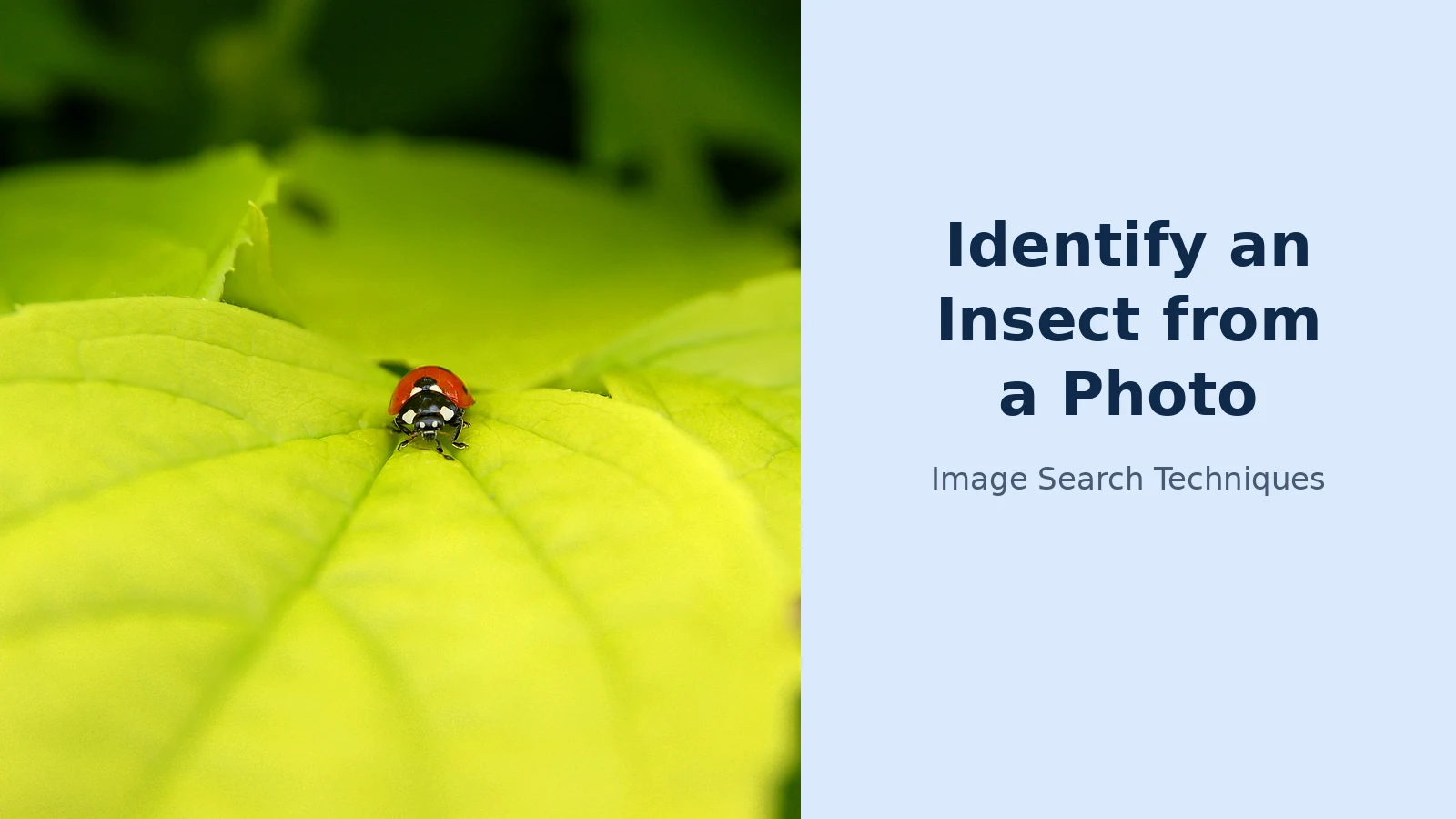
To test this guide honestly, I ran a real photograph through the tools exactly as a reader would. The photo is a seven-spot ladybird (Coccinella septempunctata) on a green leaf, taken by Luc Viateur and shared on Wikimedia Commons under a CC BY-SA 3.0 licence. The Woodland Trust describes the 7-spot as the UK’s most common ladybird, and its key features are seven black spots on bright red wing cases, three on each wing case and one at the junction, on an adult 6–8 mm long.
Google Lens, run by image URL from a signed-out browser, returned a visual-search results page but no readable identification text that a signed-out fetch could extract, a reminder that Lens is built for the app, not for a plain web request. TinEye, run the same way, returned a 403 bot-block page and no result at all. Yandex Images worked: it tagged the photo “ladybug insect” and returned visually similar ladybird photos, including the original Wikimedia Commons file. Yandex got the group right, ladybug, but did not name the exact species in the readable results. That is the honest outcome of this test: the tools confirmed the group, and the species name came from the visible traits, seven spots, red wing cases, domed beetle body, checked against the Woodland Trust’s description, not from an app’s confident label.
Common look-alikes and how to separate them
| What you see | Often confused with | Quick visible tell |
|---|---|---|
| Seven-spot ladybird | Harlequin ladybird | The 7-spot always has seven spots and black legs. Harlequins vary widely in colour and spot count, so a variable spot pattern argues against a 7-spot. |
| Beetle | Cockroach | Beetles have hard wing cases meeting in a straight line down the back. Cockroaches have leathery forewings that overlap, and long antennae. |
| Termite swarmer | Flying ant | Termite swarmers have straight antennae, a thick waist and two pairs of equal-length wings. Flying ants have elbowed antennae, a pinched waist and longer front wings. |
| Silverfish | Firebrat | Silverfish are usually evenly silver or grey. Firebrats are mottled brown-grey and favour hot spots near boilers and ovens. |
| Butterfly | Day-flying moth | Butterflies usually rest with wings closed upright and have clubbed antennae. Many day moths rest flat and have feathery or tapered antennae, our butterfly identification guide covers the split in detail. |
If you find the insect in a bed, stop here: bed bugs need their own check, and a general insect guide is the wrong tool for them. Use our bed bug photo guide instead, which covers the look-alikes and the inspection routine properly.
What can a photo match not tell you?
A photo match tells you what an insect looks like. It does not tell you what it does, what it eats, whether it is a pest in your situation, or what to do about it, and this guide deliberately stops at identification. For the same reason, this guide deliberately gives no verdicts on whether an insect is dangerous, or whether it bites or stings. Those questions need a local expert who can see the live specimen, the place it was found and the circumstances, and a photo alone cannot answer them. If that is your real question, contact a local entomologist, your council’s pest control team or an extension service, and keep the insect, or a clear photo of it, to show them.
A photo match also cannot prove a species. Two species can share every trait visible in a photograph and differ only in wing veins, mouthparts, genitalia or DNA. When a tool names a species from one photo, it is offering its best guess from a library, and the honest answer is often the genus or family, not the species. That is not a failure of the method; it is the method working correctly. A group name you can defend beats a species name you cannot.
The same caution applies to life stage and geography. A caterpillar and the moth it becomes share almost nothing visible, and a species that is common in one country may be absent from yours. If the suggested name comes from another continent, or the reference photos show a different life stage from yours, treat the match as unproven and look for a local source, a national recording scheme, a county wildlife trust or a university extension page, before going further.
What should you do once you have a group name?
Once the group is verified, the next step depends on why you asked. If the insect was in the garden, search the group name together with the plant it was on, the host plant often narrows the identification faster than another photo. If it was indoors, search the group name with the room and the material nearby, such as stored grain, wool or wood, and look for the signs that go with that group rather than for more photos of the insect itself.
If your photo was a butterfly or a moth, the wing-shape and antennae checks in our what is this picture guide are the place to start, and the butterfly guide linked above carries the full split between butterflies and day-flying moths. For anything else, keep the verified group name and the original photo together: a dated record with a place, a size and a group name is useful to a local expert, to a recording scheme, and to your future self if the same insect appears again.
Finally, remember what a photo identification is for. It is a way to put a name to something you saw, to learn what group it belongs to, and to decide whether a human expert is worth asking. It is not a species certificate, and it is not a safety assessment. Used that way, photograph carefully, narrow to a group, verify the match, and ask a person when the answer matters, a single photo can tell you a great deal, and it will not mislead you into thinking it told you more.
FAQs
What insect is this in my photo?
Start by counting legs and body parts: six legs and three body parts confirm an insect. Then note wing count and shape, antennae shape and body shape, and run the photo through a reverse image search or an ID app. Check the suggested name against size, place and season, and treat a group name as the honest answer.
Can I identify a beetle from a photo?
Yes, beetles are one of the easiest groups to identify from a photo, because their hard wing cases meeting in a straight line down the back are unmistakable. Photograph the beetle from above with a coin for scale, note the antennae and any spots, then compare it with reference images and check the species are recorded in your area.
What bug is this picture showing?
Work through the visible traits in order: count the legs and body parts, then look at wing count and shape, antennae shape and body shape. That narrows the insect to a group, such as a beetle, a true fly or a butterfly. Run the photo through a reverse image search, and verify the name against size, location and season.
Can an app identify an insect from a photo accurately?
An app can name the right group from a clear photo, but a species name from one photo is a best guess, not a certainty. Apps return the closest match from a library, which can be wrong when two species look alike. Check the suggestion against anatomy, life stage, size and location, and ask an expert when the answer matters.






