


🔎 Reverse Image Search
Image search techniques made simple: upload a photo or paste a URL and search 6 engines at once. 100% free, nothing stored.
🔒 Your image is never stored on our servers longer than 24 hours and is never shared.
To identify a butterfly from a photo, photograph the open upperwings and the closed underwings, then run the clearest shot through Google Lens and iNaturalist and check the top suggestion against one field mark you can see, a hindwing line, an eyespot count or a tail. Colour alone never settles it, because lookalikes share the same colours on purpose.
A butterfly lands on a flower in your garden, you take a quick photo, and then the question starts: what butterfly is this? A photo can answer it, usually in under a minute, but only if the photo shows the right details and you check the app’s answer instead of accepting it blindly. This guide walks through the whole workflow: how to photograph a butterfly for identification, which free tools to use, how to separate the classic lookalike pairs, and how to tell a butterfly from a day-flying moth. It also includes a real worked test, run on 10 November 2026, so you can see what the tools actually return on a known butterfly photo.
What “identify a butterfly from a photo” means: matching a photograph of a butterfly to a species using visible wing patterns, body shape, antennae and behaviour, helped by reverse image search and identification apps, without catching or handling the insect.
What Does a Good Butterfly Photo for Identification Need?
Most failed identifications are failed photographs, not failed apps. Before you search, check whether your photo actually contains the information an identification needs. A butterfly identification app can only work with what the pixels show, and the features that separate species are small: a line across a hindwing, the number of eyespots underneath, a tail on the wing edge.
Take two shots whenever the butterfly stays still long enough. The first is the open-wing (dorsal) view, taken from above while the butterfly basks with its wings flat, this shows the upperwing colours and veins. The second is the closed-wing (ventral) view, taken from the side while the butterfly rests with its wings shut, this shows the underwing pattern, which is often the deciding evidence. The Painted Lady and the American Lady, for example, look almost identical from above; the difference is underneath, in the eyespots. If you only have one photo, the open-wing shot is usually more useful, but a closed-wing shot can rescue an identification that the open view cannot settle.
Get close, but do not chase, touch or catch the butterfly. Photograph it while it rests on a flower or leaf, keep the sun behind you so the wings are lit rather than silhouetted, and fill the frame with the insect. A flower in the shot is a bonus twice over: it gives the identification apps a scale reference, and the plant itself is a clue, since many butterflies only visit certain flowers. Record where and when you saw it, the location and date narrow the candidate species dramatically, because most butterflies only fly in certain regions and seasons. A photo of an orange butterfly in a British garden in July and the same-looking insect in Florida in January are rarely the same species.
If the butterfly has already flown off and you only have an old photo, do not give up. Crop the image tightly around the butterfly before you search, cutting out sky, foliage and background helps reverse image search focus on the wings instead of the scene. Our guide to how to reverse image search a cropped photo shows the exact steps. Keep the original file as well: apps and community identifiers often want the unedited version, and a crop that cuts off a wingtip can remove the very mark that settles the species.
How Do You Identify a Butterfly from a Photo Step by Step?
Follow these steps in order. Each one narrows the answer, and the last one is the check that stops a confident-looking wrong answer from sticking.
- Crop and clean up the photo. Crop tightly to the butterfly, straighten the image if the wings are at a steep angle, and brighten it only enough to see the pattern clearly. Do not apply filters that change the colours, colour is evidence, and a warmed-up filter can turn a pale species into a bright one.
- Run a reverse image search first. Open Google Lens, upload the photo, and read the top results. Lens matches your image against pictures already published online, so it is strongest on common, well-photographed species and weakest on rare or regional ones. Note the species name Lens suggests and, just as importantly, whether the suggested photos actually look like yours wing-for-wing.
- Run the same photo through iNaturalist. Upload it as an observation with the location and date. The app’s computer vision suggests species, and, unlike a plain image search, a community of naturalists can confirm or correct the suggestion. iNaturalist is a joint initiative of the California Academy of Sciences and the National Geographic Society, and its homepage reports more than 300 million observations covering over 550,000 species, which is why its suggestions are worth taking seriously.
- Check one field mark yourself. Do not accept an app’s top suggestion on trust. Pick the single mark that separates the suggested species from its closest lookalike, the hindwing line for a monarch, the eyespot count for a lady, the tail for a swallowtail, and look for it in your own photo. If you cannot see it, the identification is uncertain, and that is a result in itself.
- Cross-check with a field guide or identification page. Compare your photo side by side with reference photos of the suggested species, paying attention to the underside and to worn individuals, which can look faded or ragged compared with the perfect specimens in guides. Butterfly Conservation, the UK charity that manages over 8,510 hectares of habitat, publishes free identification pages for British species; for North American species, the same role is filled by regional guides and by iNaturalist’s own taxon pages.
- Record the identification at the level you can defend. If the species is certain, record the species. If only the genus or family is certain, record that instead and note what is missing, “orange lady, underside not visible, eyespots uncounted” is an honest record; a guessed species name is not.
This sequence matters because each tool fails differently. Lens can be fooled by a similar-looking species that is simply more photographed. iNaturalist’s suggestions improve with location and date, which Lens ignores. A field guide cannot search a photo at all, but it is the only tool that tells you why two species differ. Used together, they cover each other’s blind spots.
Which Butterfly Identification Apps and Tools Actually Work?
There are dozens of butterfly identification apps, and most of them do the same two things: match your photo against a database, and show you reference pictures to compare. The differences that matter are whether the app is free, whether it covers your region, and whether a human ever checks its answer. This table compares the options worth trying first.
| Tool | How it identifies | Cost | Best for | Watch out for |
|---|---|---|---|---|
| Google Lens | Reverse image search against the web | Free | Common species; a fast first guess | Ignores location and date; can suggest a similar species from another continent |
| iNaturalist | Computer vision plus community confirmation | Free | Almost any species, anywhere; records your sighting for science | Suggestions are only a starting point until the community agrees |
| Seek by iNaturalist | Live camera identification, no account needed | Free | Children and casual walks; instant on-the-spot guesses | Less precise than a full iNaturalist observation |
| Picture Insect / Butterfly ID apps | Photo recognition against an insect database | Free with paid extras | Quick identification when you want a dedicated insect app | Subscription prompts; accuracy varies by region and species |
| Butterfly Conservation ID pages | Manual comparison with reference photos and tips | Free | UK species; learning the field marks properly | UK species only; no photo upload or automatic matching |
For most people, Google Lens plus iNaturalist is enough, and both are free. Start with Lens for speed, then use iNaturalist for the identification that has to be right, a garden list, a school project, a record you plan to share. The paid insect apps are worth trying only if the free pair leaves you stuck, and even then, treat their answer the same way: verify one field mark yourself before you believe it.
The same photo-first method works beyond butterflies. If you photograph other wildlife while you are out, the steps are nearly identical, our guide to reverse image search for animals covers the wider workflow, and the species-specific guides for identifying a bird from a photo and identifying a dog breed from a photo use the same “app suggestion, then check one field mark yourself” discipline.
Monarch or Viceroy? How Do You Tell Lookalike Butterflies Apart?
Lookalike pairs are the real test of butterfly identification from a photo, because the species involved evolved to look alike. Colour will mislead you every time; the separating marks are structural, a line, a count, a shape. This table is the article’s ranking asset: the three separations people search for most, with the one field mark that settles each and the supporting clues that confirm it. Learn the checklist underneath it and you can work through almost any lookalike pair, not just these three.
| Pair | The one mark that settles it | Supporting clues | If the mark is not visible |
|---|---|---|---|
| Monarch vs Viceroy | Viceroy: a curved black line crosses each hindwing. Monarch: black veins only, no crossing line. | Viceroy is smaller (wingspan about 6.3–8.6 cm vs the monarch’s 8.6–12.4 cm); monarch glides with wings in a shallow V, viceroy beats faster and glides flatter; monarch caterpillars eat milkweed, viceroy caterpillars eat willow and poplar. | Mark it uncertain. Do not decide on size alone, a photo with no scale reference makes any butterfly fill the frame. |
| Painted Lady vs American Lady | Count the eyespots on the hindwing underside: American Lady has two large eyespots; Painted Lady has four smaller ones. | American Lady usually shows a small white spot inside the orange of the forewing, which the Painted Lady never has; the Painted Lady is the most widespread butterfly species in the world, according to iNaturalist, so location rarely rules it out. | Wait for a closed-wing photo. From above alone the two are easy to confuse, and guessing from the upperside is how most misidentifications happen. |
| Butterfly vs day-flying moth | Antennae: butterflies have thin antennae with a clubbed tip; moths have feathery or tapering antennae with no club. | Butterflies rest with wings held upright and closed or flat open; many day-flying moths rest with wings flat or tent-like over the body; moth bodies are usually thicker and hairier. | Photograph the head and antennae close up, the antennae are the fastest separator when the wings are ambiguous. |
Wing-feature checklist, run through it on every photo: (1) Tails: does the hindwing have a tail-like extension? Swallowtails do; admirals and ladies do not. (2) Eyespots: how many are on the hindwing underside, and how large? Two large versus four small separates the ladies. (3) Underwing: what does the closed-wing pattern show, marbled, banded, plain? The underwing is often more distinctive than the upperside. (4) Wing shape: rounded, pointed, scalloped or tailed? (5) Body and antennae: slender body and clubbed antennae point to butterfly; thick, hairy body and feathery antennae point to moth.
The Monarch versus Viceroy pair deserves a closer look because it is the most searched lookalike question and the easiest to get wrong. Both are orange with black veins and a black border dotted with white, and the viceroy evolved that pattern as a mimic of the monarch. The scientific names tell the story of how unrelated they are: the monarch is Danaus plexippus, a milkweed butterfly, while the viceroy is Limenitis archippus, an admiral. The monarch’s caterpillars eat milkweed, which makes the adult taste bad to birds; the viceroy’s caterpillars eat willow and poplar instead. Research published in Nature found evidence that viceroys are themselves unpalatable, so the relationship is now understood as mutual mimicry rather than a tasty species simply copying a toxic one. For identification, though, none of that history matters as much as the hindwing line: find the curved black line crossing the hindwing and you have a viceroy; find only veins running from the body to the edge and you have a monarch. One caution, the small black scent patch on a male monarch’s hindwing sits on a single vein and does not cross the wing, so do not mistake it for the viceroy’s line.
Is It a Butterfly or a Day-Flying Moth?
Not every bright, day-flying insect with patterned wings is a butterfly. Day-flying moths, the Jersey Tiger, the Cinnabar, the Six-spot Burnet, fly in sunshine, visit flowers and photograph beautifully, and they are the commonest reason a butterfly identification app returns a confident wrong answer. This article covers butterflies and moths only as a confusion pair; to name the moth itself, see our guide to identify a day moth from a photo. No other insects are covered here. For other insects, our guide to identifying an insect from a photo covers the group-level decision path, legs, wings and antennae, that narrows any insect to its group.
The same photo routine, scale, top-down shot, antennae in frame, works for less welcome insects too. The same photo-first approach works for wildlife signs as well: our guide to identify animal tracks from a photo shows how to read toe counts, claw marks and trail patterns from a photograph of prints in snow or mud. If the insect you found was in a bed rather than a garden, our guide to identifying a bed bug from a photo shows which details separate a bed bug from its look-alikes.
Start with the antennae, because they are the most reliable separator and they show up in close-up photos. A butterfly’s antennae are thin and end in a small club, like a pin with a rounded head. A moth’s antennae taper to a point or are openly feathery, and never end in a club. Next, look at the body: butterflies are slender with a smooth body, while moths are usually thicker and hairier. Then look at how it rests. A butterfly at rest usually holds its wings upright and pressed together above its back, or flat open while basking. Many moths rest with their wings spread flat like a tent over the body, or wrapped around it. None of these clues is absolute on its own, some butterflies rest flat, some moths hold their wings upright, but antennae plus body plus resting posture together settle almost every case.
Caterpillars appear in this guide only where they help separate the adult lookalikes, as with the monarch and viceroy caterpillars above. If you photograph a caterpillar rather than an adult, identify it as a caterpillar: its colours, hairs, stripes and food plant are the evidence, and an adult butterfly guide will not help you. The same honesty applies to worn butterflies. A butterfly that has flown for weeks can lose scales, fade and tear, so a ragged individual may not match the crisp reference photos. When wear has erased the key mark, say so and leave the identification at genus level rather than forcing a species name.
If you are still unsure whether your insect is a butterfly at all, what is this picture, our hub guide to identifying anything in a photo, walks through the same photo-first method for any unknown image, and it is the right place to start when the subject itself is in doubt.
Worked Example: What Happened When We Ran a Real Monarch Photo Through Lens and TinEye?
Everything above is advice; this section is evidence. On 10 November 2026 we ran a real, known butterfly photograph through Google Lens and TinEye and recorded exactly what each tool returned, including the small mistakes. The photo was Derek Ramsey’s well-known 2007 photograph of a monarch butterfly (Danaus plexippus) feeding on a purple coneflower (Echinacea purpurea) at the Tyler Arboretum, a featured picture on Wikimedia Commons. We chose it deliberately: the species is certain, the photo is sharp and widely republished, and if the tools cannot identify this one, they cannot be trusted on a harder photo. The photograph is not public domain, it is licensed under the GNU Free Documentation Licence 1.2, with attribution to Derek Ramsey, so we describe it here rather than republishing it.
First, Google Lens. We gave Lens the image’s direct Wikimedia URL, and Lens identified it correctly on the spot. Its AI Overview said the image showed a monarch butterfly (Danaus plexippus) perched on a coneflower and feeding on nectar, and its top visual match was the Wikipedia file page for that exact photograph. The Exact matches tab also led with the same file. So far, a clean pass, with one telling slip. Lens called the flower an “orange coneflower”, while the Commons description says purple coneflower (Echinacea purpurea). The butterfly identification was right; the plant detail was wrong. That is the pattern to remember: Lens is strong on the main subject and can still be confidently wrong on a detail, which is why the “check one field mark yourself” step matters.
Then TinEye. Searching the same image URL, TinEye reported 309 matches after searching 86.6 billion images, and said it first indexed the image on 8 March 2008, a year after the photo was taken. But the original Commons file page did not appear on the best-match or oldest-first pages we inspected. The first non-sponsored result was the Wikipedia mirror of the file page, and the two results above it were sponsored stock images from Shutterstock and Adobe Stock. We did not page through all 31 pages of results, so we cannot claim the Commons page appears nowhere in the full set, but a reader looking for the original source would not have found it on the first page. TinEye’s “filter by website” box also returned “No matches” when we typed “commons.wikimedia.org”, a site quirk rather than a real absence.
| Check | Google Lens | TinEye |
|---|---|---|
| Species named? | Yes, monarch (Danaus plexippus), correctly | No species name; TinEye finds copies, it does not identify |
| Original source found? | Yes, Wikipedia file page was the top visual match and led Exact matches | Not on the pages checked, Wikipedia mirror first; Commons file page not seen |
| Match count | Exact matches shown, no total given | 309 results; first indexed 8 March 2008 |
| Mistakes or quirks | Called the flower an “orange coneflower”; Commons says purple coneflower | Sponsored stock results sat above the real matches; website filter returned “No matches” |
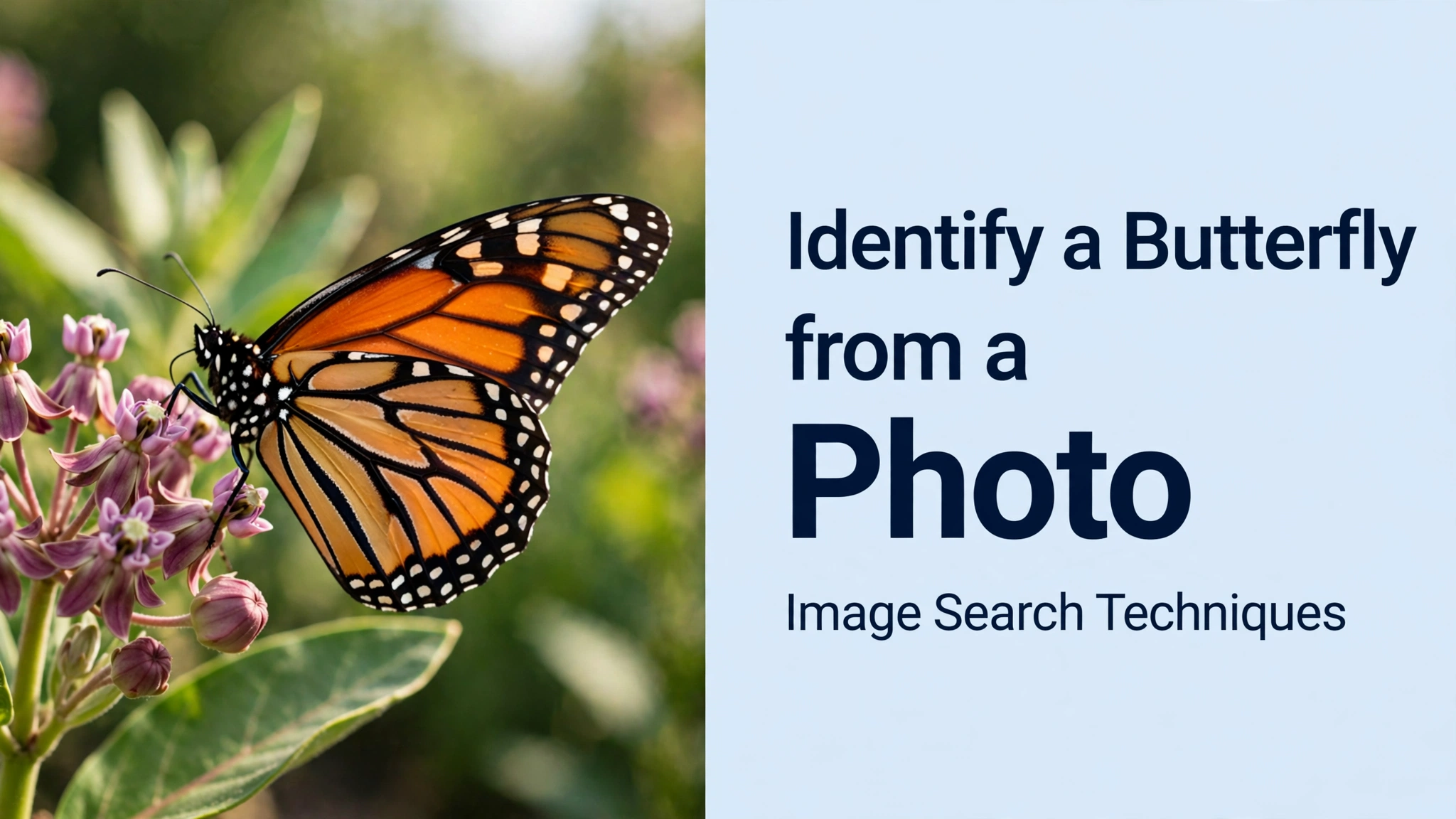
What does this mean for your own photo? Three practical lessons. First, run Lens first when you want a name: on a clear, well-photographed species it names the butterfly and finds the original image. Second, run TinEye when you want the history of an image, where it has been used and how old it is, but do not expect it to name the species or to put the original source on the first page. Third, verify the field mark yourself even when the tool is right: our monarch photo shows no black line crossing the hindwing, which is exactly the mark that separates a monarch from a viceroy, and that single check confirms Lens’s answer better than any number of matching thumbnails. If your photo is a rarer species, a worn individual or a butterfly photographed in a region the apps cover poorly, expect weaker results and lean harder on iNaturalist’s community and on a field guide.
What If the Photo Still Won’t Identify?
Sometimes the honest answer is that the photo cannot settle the species, and knowing when to stop is part of identifying butterflies well. A distant, blurry or badly lit photo may show the colour but not the field marks. A worn butterfly may have lost the eyespots or the hindwing line. Two species may be genuinely inseparable from a single photograph without the underside, the location or the date. In each case, do the useful thing instead of guessing: record the identification at the level the evidence supports, family, genus or “orange lady, underside not seen”, and keep the photo with its date and location.
Then ask a human. Upload the photo to iNaturalist as an observation with the location and date, and let the community weigh in; a “research grade” identification there means the community agrees, which is a stronger result than any single app’s guess. Butterfly Conservation’s identification pages and local butterfly groups can also help, especially for regional species that global apps handle poorly. When you ask, include everything you have: the original photo, any second angle, where and when you saw it, and what it was doing, nectaring, basking, flying. The more context you give, the better the answer you get back.
Finally, keep your records. A dated photo with a location is useful twice: it identifies the butterfly today, and it becomes part of the record of what flies where and when, the same record that conservationists use to track how butterfly populations are changing. That is the quiet payoff of identifying a butterfly from a photo properly: your garden sighting, recorded well, is a small piece of real science.
FAQs
Can Google Lens identify a butterfly from a photo?
Yes, Google Lens can identify many common butterflies from a clear photo by matching it against images published online. It works best on well-photographed species and a sharp open-wing shot. Always check its top suggestion against one field mark you can see yourself, because Lens ignores location and date and can suggest a similar species from another continent.
What is the best free app to identify a butterfly from a photo?
iNaturalist is the best free option for most people, because it combines computer-vision suggestions with confirmation from a community of naturalists, and it uses your photo’s location and date. Google Lens is faster for a first guess. Seek by iNaturalist is the simplest choice for children or a quick walk, with no account needed.
How can you tell a monarch from a viceroy butterfly?
Look at the hindwings. A viceroy has a curved black line crossing each hindwing, while a monarch has black veins only and no crossing line. The viceroy is also smaller, with a wingspan of about 6.3 to 8.6 centimetres against the monarch’s 8.6 to 12.4 centimetres. Size alone never settles it without a scale reference in the photo.
Can a photo identify a butterfly species with certainty?
Often yes, when the photo is sharp and shows the key field mark, the location and the date. Sometimes no: worn wings, a missing underside view or two near-identical species can leave the answer uncertain. In those cases record the identification at genus or family level, or ask the iNaturalist community, rather than guessing a species name.
The same photo-first method works for other animals too, learn how to identify a fish from a photo, including fin counts, lookalike pairs and the safety rules to follow first.






