


🔎 Reverse Image Search
Image search techniques made simple: upload a photo or paste a URL and search 6 engines at once. 100% free, nothing stored.
🔒 Your image is never stored on our servers longer than 24 hours and is never shared.
Quick answer: OfferUp scam listing photos are the first thing to check before you pay: reverse-search the main listing photo in Google Lens, compare every photo in the set for matching backgrounds, lighting and seasons, and read the seller’s profile for a TruYou badge, reviews and other listings. If the photos appear elsewhere online, the set looks stitched together, or the seller pushes you off the app, walk away.
OfferUp is one of the biggest local marketplaces in the United States for buying and selling used goods, and its whole model runs on photos. You cannot hold the item before you message the seller, so the listing photos are almost everything you have to judge. Scammers know this, which is why stolen and stock photos sit at the centre of most OfferUp scams. The good news is that the photos themselves usually give the scam away, if you know how to check them.
What is OfferUp, and why do its scams start with photos?
OfferUp is a US-only mobile marketplace, launched in 2011, where people buy and sell used items locally or through OfferUp shipping. Buyers and sellers message inside the app, and OfferUp offers buyer protection on items paid for and shipped through the platform, protection that disappears the moment a deal moves off the app. OfferUp’s own help centre lists the most common scams on the platform, and almost every one of them leans on photos or messages: fake listings with stock photos, links to fake OfferUp pages, verification-code theft and requests to move the conversation to email.
That is the key difference from a shop. In a shop, the product is in front of you. On OfferUp, a photo is a claim: “I own this item, it looks like this, and it is in this condition.” A reverse image search tests that claim in seconds, which is why this guide treats the photos as evidence to be checked, not as a catalogue to be admired.
How to check OfferUp scam listing photos with a reverse image search
OfferUp scam listing photos are usually not taken by the seller at all. They are copied from a retailer, a manufacturer’s site, an old listing or another seller’s photos. A reverse image search finds those earlier copies. Do this before you message the seller, not after you have already decided you want the item.
- Save or screenshot the main listing photo. On the OfferUp app, long-press the photo and save it; on the website, right-click and save the image. Use the clearest photo of the item itself, not a photo that is mostly packaging or a box.
- Open Google Lens. Go to lens.google.com in your browser or open the Google app on your phone and tap the camera icon. Upload the saved photo.
- Read the results honestly. Three outcomes are possible, and they mean different things. If Lens shows the exact photo on a retailer’s site, a manufacturer’s page or another marketplace listing, the seller almost certainly does not own the item. If Lens shows visually similar items but not the same photo, the photo may be genuine, keep checking the rest of the set. If Lens finds nothing at all, that proves nothing either way: new photos taken by a real seller often have no matches, so a no-result is neutral, not a pass.
- Repeat for one or two more photos from the same listing. Scammers sometimes mix one real photo with stolen ones. Checking a second photo catches the mix.
- Search the item’s distinctive details as text too. Copy any serial number, model number or unusual wording from the description into a normal web search. A listing that copies a description word for word from another seller is copying the photos too.
For the full step-by-step method, see our guide to how to reverse image search any photo, and the main reverse image search guide for every tool that can do this check.
Worked example: reverse-searching a used iPhone listing photo
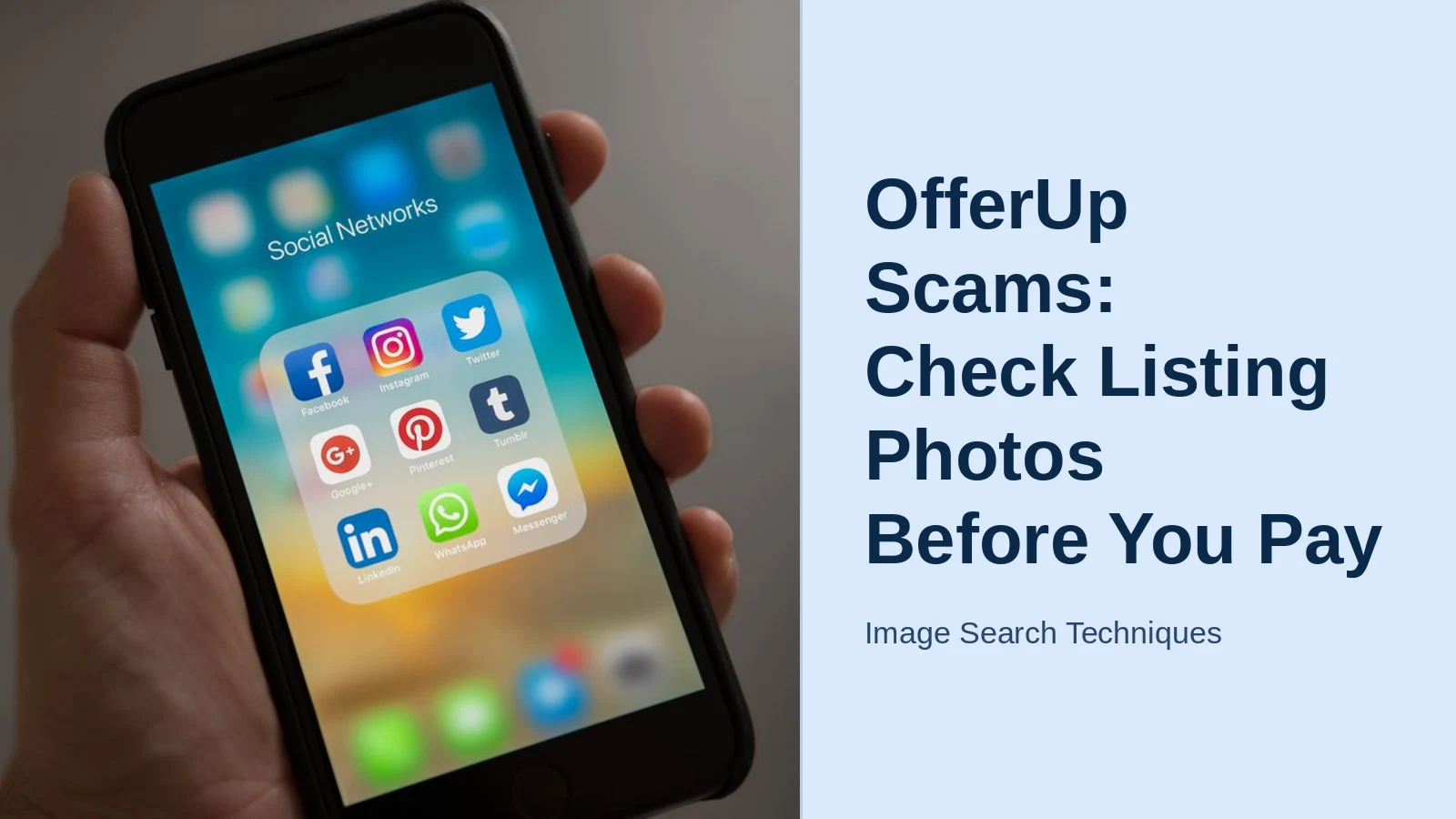
To see how this works in practice, take a real photo of a hand holding an iPhone, the kind of close-up a seller might use for a used-phone listing, and upload it to Google Lens. I ran exactly this test on 9 November 2026, and the result shows why the check matters. Lens returned a full “Exact matches” tab: the same photo appeared on Manatal.com, Arcane Marketing, PixelFree Studio, That’s Good HR and 80 DAYS, plus The Stanford Daily, Psychology Today, The Guardian, How-To Geek and others, almost all of them social-media articles reusing the same stock image. No retailer or product listing appeared among the matches, and Lens did not identify a specific iPhone model at all; its AI Overview simply described a person holding an iPhone showing a folder of social-media apps labelled “Social Networks”.
That is the whole lesson in one test. The photo looks exactly like a genuine seller’s snapshot, a hand, a phone, a real screen, yet it is a stock image used on dozens of unrelated websites. If a listing photo behaves like this one, with exact matches on sites that have nothing to do with selling the item, the seller almost certainly copied it, and the listing is not safe to pay for. The same test on a genuine seller’s photo usually returns either no exact matches or only the seller’s own earlier listings, which is the result you want to see.
The photo-set consistency checklist: your Ranking Asset
One photo can be faked. A whole set of photos is much harder to fake consistently, because a scammer stitching a listing together from stolen pictures has to match backgrounds, lighting, seasons and small details across every shot, and they almost never manage it. Run every listing through this checklist before you pay.
| Check | What a genuine set looks like | What a stitched stolen set looks like |
|---|---|---|
| Backgrounds | Same room, table or garden across photos | Different rooms, floors or outdoor scenes photo to photo |
| Lighting | Same time of day and colour tone throughout | Harsh daylight in one shot, warm lamp light in the next |
| Season and clothing | Consistent with today’s date | Snow in one photo, summer clothes in another |
| Hands and surfaces | Same hands, same table marks, same scratches | Different hands, different surfaces, no repeating detail |
| Item condition | Same scuffs and marks visible in every angle | A scratch appears in one photo and vanishes in the next |
| Image quality | Similar resolution and phone-camera look | One sharp photo mixed with blurry, compressed or watermarked ones |
| Packaging and extras | Box, charger and accessories match the item | Box photo is a stock image; accessories never appear again |
One mismatch on its own is not proof of a scam, a genuine seller may add an old photo to a listing. Two or three mismatches together, especially combined with a too-low price or a brand-new account, is a strong reason to stop. A genuine seller can also fix the doubt in seconds by sending a new photo of the item next to today’s newspaper or a handwritten note with your name on it. A scammer cannot, because they do not have the item.
What does the OfferUp TruYou badge actually prove?
TruYou is OfferUp’s voluntary identity-verification programme. A seller with a TruYou badge has confirmed their identity to OfferUp with a government-issued ID. That is useful, but it is widely misunderstood, so read it carefully: a TruYou badge proves the person behind the account is who they say they are. It does not prove the item is real, that the photos are theirs, that the item works, or that the seller is honest. OfferUp itself presents TruYou as identity verification, not as a guarantee of any transaction.
Use the badge as one signal among several. A TruYou badge plus reviews, a history of sold items and consistent photos is a good sign. A TruYou badge on a week-old account selling five brand-new iPhones at half price is not, stolen or bought verified accounts exist, and a badge never outweighs what the photos tell you. The reverse is also true: a genuine first-time seller may have no badge and no reviews at all. No badge alone is not a verdict; a badge plus bad photos still is.
Repeated stolen photo sets and burner accounts
The most common OfferUp photo scam is not one fake listing but a pattern: the same stolen photo set appears across several listings, sometimes under different accounts. Open the seller’s profile before you message them. Look for a seller whose listings all use the same style of photo, retailer-white backgrounds, identical framing, across unrelated items, or who lists the same high-value item twice at slightly different prices. Genuine sellers photograph their own things, and their photos look like they were taken in the same home. Burner accounts curate a catalogue.
Also check the dates. An account created this week with twenty high-value listings and no sold history deserves far more suspicion than an account that has sold a few household items over two years. If the same photo set appears in listings in different cities, that is a near-certain sign the photos were harvested: one real item cannot be for sale in Miami and Seattle at the same time. The same photo-led checks apply on other local marketplaces too, our guide to checking seller photos on Facebook Marketplace walks through the identical pattern on that platform.
“Send more photos by email”, the phishing variant
A buyer-side variant targets sellers, and it starts with a reasonable-sounding request: a “buyer” asks you to send more photos of your item to their email address. OfferUp’s own guidance and independent scam guides both flag this pattern, because the email address is the prize, not the photos. Once a scammer has your email, they can send phishing messages pretending to be OfferUp, a payment service or a shipping company, or sell the address onward. The same trick runs in reverse: a seller asks for your email to “send more photos” of the item, then the phishing begins.
The rule is simple: keep every photo, question and payment inside OfferUp. The app has everything a genuine transaction needs, messaging, photos, payment and shipping. Anyone who insists on moving to email, text or another app is either careless or running a scam, and you cannot tell which, so treat it as a red flag either way. Never share verification codes with another user for any reason; OfferUp states plainly that it never asks users to share verification codes to verify a listing, and a code request is an attempt to take over your account.
How do you tell if an OfferUp listing is fake before you pay?
Put the photo checks together with the listing itself. A fake OfferUp listing usually shows several of these signs at once: a price far below the going rate for the item, stock or retailer photos instead of real ones, a vague one-line description copied from elsewhere, a seller with no reviews and no history, and pressure to pay quickly or off the app. Any one of these can have an innocent explanation, a genuine seller may price low for a quick sale, but three or more together should stop you.
Price-check the item first. Search the same model on OfferUp, eBay and the retailer’s site so you know the realistic used price. OfferUp’s own help centre gives the example of a new iPhone 15 Pro listed for $50 against a $1,000 retail price: the gap itself is the warning. Then check the description for the classic hiding trick, the “box only” disclaimer buried in a wall of text, where the seller is technically selling an empty box, not the item in the photo. Read the whole description, not just the first two lines.
Local-pickup safety: meeting, inspecting and paying
Most OfferUp deals end in a local meeting, and that meeting is your last and best check. Never pay before you have seen the item in person and confirmed it works. OfferUp provides Community MeetUp Spots, well-lit, public meeting places, often with video surveillance, and meeting at one of these, or at a police station car park, is the safest option. Tell someone where you are going and when you expect to be back.
At the meeting, inspect the item against its photos: same marks, same accessories, same condition. Switch electronics on. Check serial numbers against the box. If the item does not match the photos, or the seller has brought something different from what was listed, walk away, you owe a stranger nothing. Pay in cash or through OfferUp’s own payment system, never by gift card, wire transfer or an instant payment app a stranger insists on, because those payments cannot be reversed. If the seller refuses to meet in person and insists you pay first, that is itself the answer: do not pay.
What to do if you already paid a scammer on OfferUp
Act fast, and in this order. First, save everything: screenshots of the listing, the photos, the messages and the payment. Do this before reporting, because a banned account can take the evidence with it. Second, report the listing and the user inside OfferUp, and contact OfferUp support. If you paid through OfferUp shipping, request a refund through the app, OfferUp offers two-day buyer protection on items shipped through the platform, and you can file a claim if the item never arrived, arrived damaged or differed from the description.
Third, if you paid outside OfferUp, contact your bank or payment provider immediately and ask about a chargeback; the sooner you report, the better the chance. Fourth, if you shared personal or financial information, report the scam to the Federal Trade Commission at ReportFraud.ftc.gov and change any passwords that may have been exposed. If someone scammed you in person, report it to your local police. Finally, leave honest feedback on the seller’s profile so the next buyer sees the warning.
For the wider picture, how photo scams work across every marketplace, not just OfferUp, read our complete guide to photo scams. And if the item you were chasing was actually your own stolen property being resold, our guide to finding stolen goods in resale listings covers the reverse search: finding your item instead of checking someone else’s.
FAQs
Can you get scammed on OfferUp?
Yes. OfferUp is generally safe, but scammers operate on both sides of the platform, using stolen photos, fake listings, phishing links and off-app payment tricks. The risk is manageable if you reverse-search the listing photos, check the seller’s history and TruYou badge, and keep every payment and message inside the app.
How do I check if an OfferUp listing photo is stolen?
Save the listing photo and upload it to Google Lens. If the exact photo appears on a retailer’s site, another marketplace or an older listing, the seller almost certainly does not own the item. Then compare the rest of the photo set for mismatched backgrounds, lighting and seasons, which reveal a stitched-together stolen set.
Does a TruYou badge mean an OfferUp seller is safe?
No. A TruYou badge only proves OfferUp verified the seller’s identity with a government-issued ID. It does not prove the item is genuine, the photos are theirs or the seller is honest. Treat the badge as one positive signal alongside reviews, selling history and consistent listing photos, never as a guarantee.
Is it safe to meet an OfferUp seller in person?
Yes, if you meet in a public, well-lit place such as an OfferUp Community MeetUp Spot or a police station car park, inspect the item before paying, and tell someone where you are going. Never pay in advance, never meet somewhere isolated, and walk away if the item does not match its photos.
Buying on Craigslist instead? See our Craigslist listing photo check for the same photo check applied to Craigslist goods ads.
Buying on Gumtree instead? See our Gumtree scam listing check for the same photo check applied to Gumtree goods ads.






