


🔎 Reverse Image Search
Image search techniques made simple: upload a photo or paste a URL and search 6 engines at once. 100% free, nothing stored.
🔒 Your image is never stored on our servers longer than 24 hours and is never shared.
Can I use Unsplash photos commercially? Yes. The Unsplash Licence lets you download, change and use photos on a business website, in marketing and in ads, with no fee and no credit required. But it only covers the photographer’s copyright. It does not clear the people, logos or artwork in the photo, and you cannot sell it as it is.
That short answer settles the question most bloggers ask, and it is also where most of the trouble starts. People read “free for commercial use” and stop there. Government photos invite the same mistake: our guide to whether you can use government photos for free shows which ones are genuinely free and which ones only look that way. They do not read the second half of the licence, and they do not check what is actually in the photo. This article does both. I read the Unsplash Licence and the Unsplash Terms live on 19 November 2026, and I ran one real Unsplash photo through Google Lens, TinEye and Yandex to see what a reverse image search says about where it came from and where else it appears. Everything below is general information, not legal advice. If a project carries real legal exposure, take the licence pages named here to a lawyer.
Answer in one line: the licence gives you the photographer’s permission, and nothing else, so your job is to check the rest of the photo yourself.
Can I use Unsplash photos commercially on a blog?
Answer in one line: you may download, change, share and use a free Unsplash photo for commercial and non-commercial purposes, without paying and without crediting anyone.
The licence page is short, and it is worth reading in full rather than trusting a summary. It says all images can be downloaded and used for free, for commercial and non-commercial purposes, with no permission needed, though attribution is appreciated. The longer form of the grant says Unsplash gives you an irrevocable, nonexclusive, worldwide copyright licence to download, copy, modify, distribute, perform and use images for free, including for commercial purposes, without permission from or attributing the photographer or Unsplash. You can read it yourself on the Unsplash Licence page.
Commercial use, defined. In this article, commercial use means using a photo to promote, advertise or sell something, or to support a business: a company website, a blog that earns money, a social media ad, a brochure, a slide deck for a client, or a product page. It does not mean selling the photo itself. That distinction is the whole point of this article.
Three words in the grant do real work. Irrevocable means the photographer cannot take the permission back later. If they delete the photo from Unsplash after you downloaded it, your download stays licensed. Nonexclusive means you are not the only person who can use it, and the photographer can license the same photo to anyone else. Worldwide means the permission is not limited to one country. None of those three words helps you with the people or brands inside the photo, because the grant covers the photographer’s copyright only.
The licence page also states two limits in plain terms. First, images cannot be sold without significant modification, so printing an unaltered photo on a poster, a mug or a T-shirt and selling it is not covered. Second, you cannot compile images from Unsplash to replicate a similar or competing service, so bulk downloading the catalogue to start your own stock site is out. Keep those two limits in mind, because the worked example later in this article turns on the first one.
Attribution is the part people argue about most, and the answer is simple. The licence does not require it. Unsplash says photographers appreciate a credit because it gives them exposure and encourages them to keep sharing, and it gives the example “Photo by Jeremy Bishop on Unsplash”. Crediting is good manners and good practice, especially on a blog, but a missing credit is not a licence breach. What matters more is the record you keep, which is covered in the checklist section below.
What are the three traps that catch bloggers?
Answer in one line: selling the photo as it is, using a recognisable person as if they endorse you, and using a visible brand as if it sponsors you.
The licence covers one right, the photographer’s copyright. A photo can carry three more sets of rights, and the licence does not touch any of them. Unsplash puts this in section 5 of its Terms, not on the licence page itself, which is why so many people miss it. Section 5 says the Unsplash Licence does not include the right to use trademarks, logos or brands that appear in images, people’s images if they are recognisable in the images, or works of art or authorship that appear in images. It then warns that you may need the permission of the brand owner, the artist or the individual, depending on how you use the image, and that if you are still unsure you should talk to a lawyer who knows about these things.
Section 15 of the same Terms adds a second warning that matters just as much. Unsplash provides the service on an as-is and as-available basis, without any warranty of any kind, and it specifically disclaims warranties of non-infringement and title. In plain words, Unsplash does not promise that a photo is clean to use. If a photo turns out to be a stolen upload, or if a person in it objects, that is your problem, not Unsplash’s. This is the reason the reverse image search in the next section is not optional decoration. It is the only check that can tell you whether the photo you downloaded is really an Unsplash photo at all.
Here is the checklist, the ranking asset for this article. Run every Unsplash photo through it before it goes on a business website or into an ad.
| Trap | What to look for | What to do |
|---|---|---|
| 1. Selling the unaltered photo | The photo is the product: a print, a poster, a mug, a T-shirt, a phone case, or a stock file for sale. | Do not sell it as it is. Change it enough that it is genuinely your own work, or pick a different image. A small crop or a filter is not significant modification. |
| 2. The person in the frame | A recognisable face, especially in an ad or a testimonial layout where the person looks like they recommend your product. | Do not use it in ads or endorsements. Use it as a plain illustration, or get a release, or choose a photo where nobody stands out. Unsplash does not show you the model’s release, so you cannot rely on one existing. |
| 3. The logo in the frame | A brand name, a logo on a laptop or a shirt, a shop sign, a product label, or a poster for a film or a band. | Do not let a brand dominate the frame in commercial work, and never use a photo in a way that suggests the brand sponsors or endorses you. Crop it out or pick another photo. |
Two points in that table deserve emphasis. First, a release you cannot see does not protect you. Unsplash asks photographers to hold proper model and trademark releases before they upload, and it also admits it does not have the capacity to check every upload. You have no way to see the release for a given photo, so for advertising you should assume there is no release you can rely on. Our guide to do I need a model release for my photos explains when a signed release is required and what it should cover. Second, credit is not permission. Adding “Photo by X on Unsplash” under a photo does not clear the person or the brand in it. Credit thanks the photographer. It does nothing for the other rights in the frame.
How did one real Unsplash photo check out?
Answer in one line: a popular cafe photo is fine as a blog illustration, but its recognisable man and its Apple logo make it unsafe for an ad or for merchandise.
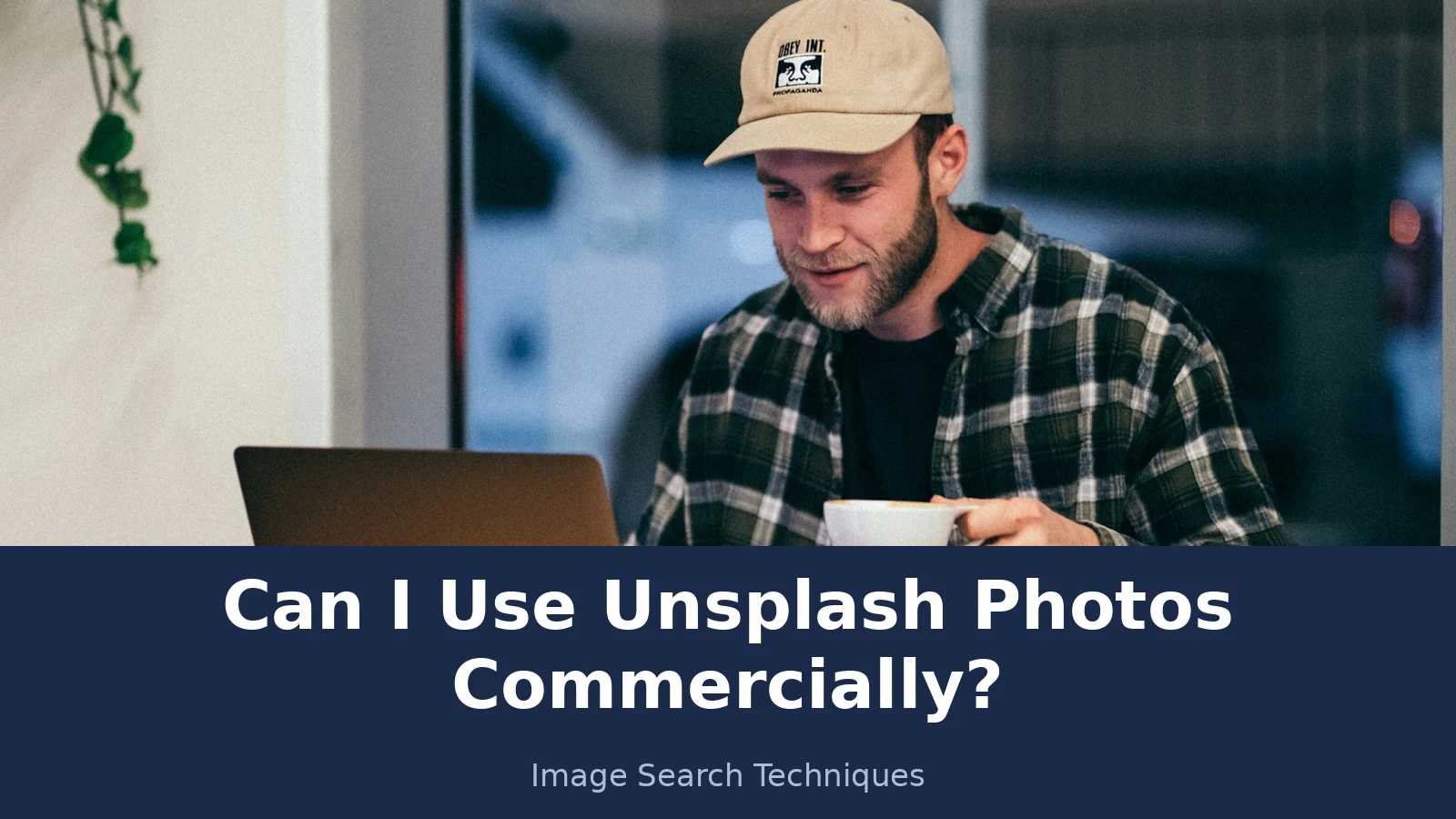
The photo is “man sitting while having coffee and using laptop” by Kyle Loftus, published on Unsplash in December 2018. It shows a bearded man in a beige cap and a black and white plaid shirt, holding a white coffee cup at a wooden cafe table by a window, with a silver laptop open in front of him. The black Apple logo is clearly visible on the back of the laptop, and his cap carries a small logo patch that is not legible. The photo page says it is free to use under the Unsplash License, not Unsplash+, and it carries the tags Apple, Coffee Shop, Digital Nomad and Business and Work. At the time I checked, it had 5,687,935 views and 56,607 downloads.
I downloaded the photo from Unsplash and reverse-searched the file on 19 November 2026. Here is what each engine returned, honestly, including the places where an engine showed no number at all.
Google Lens. I searched twice, once by the image URL and once by uploading the file itself, and both gave the same result. Lens described the scene correctly, a man at a wooden table in a cafe holding a white coffee cup with a laptop open in front of him, wearing a plaid shirt and a beige cap. It did not name Kyle Loftus or Unsplash. Lens shows no numeric total for visual matches or exact matches, only endless scrolling lists, so I cannot give you a count. The exact matches list did include the source, shown as the Unsplash page with the same title, dated 18 December 2018, at 3,000 by 4,501 pixels. The first visual matches were the same photo reused on Instagram, on a guest house site and on Medium.
TinEye. TinEye returned 240 results after searching 86.8 billion images, and it said the photo was first indexed by TinEye on 21 May 2019. The results span 24 pages. The Unsplash result is listed, dated 2 August 2019 and 22 September 2019, with three matches shown. TinEye also offers a filter for the 22 results found in stock, which shows how widely a free photo can travel into paid listings.
Yandex. Yandex gave no total number of similar images, only a grid. On the search tab, 18 similar thumbnails were visible before a “show more” button, and the similar images tab is an endless grid with no count. Under “image appears to contain” it listed “working on laptop”, “man in a cafe”, “web developer”, “in a cafe” and “in a coffee shop”. Yandex read the scene correctly, but it could not name the photographer or the source.
Now apply the three traps to this photo.
Trap 1, selling: the photo fails as merchandise. Printing it on a poster or a mug and selling it would be selling the unaltered photo, which the licence bars. It passes as a blog hero image or an illustration inside an article, because the photo is not the product there.
Trap 2, the person: the man is clearly recognisable, face visible, looking down at his laptop. Using this photo in an ad for a coffee brand or a laptop stand would make him look like he endorses the product. That is the exact use the Terms warn about. As a plain illustration for an article about working from cafes, with no endorsement implied, the risk is far lower, though it is never zero, because no release is visible to you.
Trap 3, the logo: the Apple logo is the most visible brand in the frame. In an ad for your own software, that logo would imply Apple endorses your product, which it does not. In a blog illustration, the logo is incidental, but a crop that removes the laptop lid would remove the problem entirely.
The verdict is the one most bloggers need. Use this photo on a blog post about cafes, remote work or coffee, credit Kyle Loftus, and keep a note of where you got it. Do not put it on a product you sell, and do not build an ad around the man’s face or the Apple logo. That is the difference between a licence that covers the photographer’s copyright and a photo that is safe for every commercial use. They are not the same thing.
How do you check any Unsplash photo before you publish it?
Answer in one line: confirm it is a free photo, confirm it is really from Unsplash, look for people and brands, then write down what you did.
Run these five steps in order. They take a few minutes, and they are the difference between a photo you can defend and a photo you only hope is fine.
1. Check the badge. On the photo page, confirm it says free to use under the Unsplash License, not Unsplash+. Unsplash+ photos sit under a separate licence with different rules, covered in the next section. If the badge says Unsplash+, stop and read that licence before you plan anything around the photo.
2. Read the licence page, not a summary. Open the licence page and read the two limits yourself: no selling without significant modification, and no compiling images to build a competing service. Summaries on other sites are usually accurate, but the licence page is the document that counts, and it is short enough to read in a minute.
3. Reverse-search the photo. Upload the file to Google Lens and TinEye before you publish it. You are checking two things. First, does the exact match list include the Unsplash page, which confirms the photo is genuinely an Unsplash upload rather than a stolen image someone re-uploaded? Second, where else does it appear, and does any of those appearances look like a paid stock listing or a different photographer’s portfolio? A photo that appears on twenty stock sites under different names is a warning sign. Our own guide to checking a photo’s licence walks through the same checks in more detail, and it is worth reading before you trust any free download.
4. Look for people, logos and artwork. Open the photo at full size and scan it slowly. Is there a recognisable face? A logo on a shirt, a laptop, a cup or a sign? A poster, a painting or a book cover in the background? A private house or a car number plate? Each one is a separate right that the licence does not cover. If your use is editorial, a blog illustration or a news context, these are usually manageable. If your use is an ad, a product page hero or a testimonial layout, they are the reason to pick a different photo.
5. Keep a dated record. Save the photo page URL, the photographer’s name, the date you downloaded it, and a screenshot of the licence badge. Keep it in a folder with the photo itself. This record is your answer if anyone ever questions the photo. It also matters for the history problem in the next section: a photo downloaded before mid-2017 may have come under a different licence, and only your own dated record can show that.
If you are checking a photo you already published, the same five steps work in reverse. Start with the reverse search, because that tells you whether the photo is what you thought it was, and work outwards from there. If the photo fails step three, replace it. Do not wait for a complaint to arrive.
What about Unsplash+ and old CC0 photos?
Answer in one line: Unsplash+ is a separate paid licence with its own bars, and photos downloaded before mid-2017 may sit under the old CC0 licence instead.
Unsplash+ is not the free licence with a price tag. It is a separate licence with separate terms, and the two differ in ways that matter for commercial work. Unsplash+ images cannot be used in digital templates, for machine learning or AI, or for biometric tracking, and Unsplash+ asks for a disclaimer when an image illustrates a sensitive topic. On the other side, an independent clause-by-clause read of the Unsplash+ licence published in October 2026 reports that it warrants that using the images will not infringe third party IP rights or publicity rights, up to US$10,000 per licensed photo. The free licence gives no such warranty at all. That warranty is the main thing you pay for, and it is the reason you should check which badge a photo carries before you plan around either licence. A photo that looks free but carries the Unsplash+ badge is not free.
The history matters too. Unsplash did not always use its own licence. Creative Commons reported on 22 June 2017 that Unsplash had removed CC0 from its platform, and that the earlier CC0 uploads, estimated at about 200,000 images, were no longer marked. A photo downloaded before mid-2017 may therefore have come under CC0, which carries no conditions at all. But there is no mark on the photo to prove it, so only your own dated download record can show which licence applied when you got it. If you have no record, treat the photo as if it came under the current Unsplash Licence.
One more distinction is worth making, because it confuses people. Public domain is not the same as free on Unsplash. A public domain photo has no copyright restrictions at all, while an Unsplash photo has a copyright owner, the photographer, who has licensed it to you on stated terms. Our guide to telling whether a photo is public domain covers the public domain test separately, and it is the right place to start if you think a photo might be public domain rather than merely free to download.
Does the answer change in the UK?
Answer in one line: the Unsplash Licence works the same way, but the law around the people and brands in the photo is different in the UK and the US, so do not mix the two.
The licence itself is worldwide, so a blogger in London gets the same grant as a blogger in New York. What changes is the law that sits behind the traps. In the US, fair use is a broad defence that weighs the purpose of the use, the nature of the work, the amount used and the effect on the market. In the UK, fair dealing is narrower, and it applies only to specific purposes such as criticism, review, quotation, news reporting and research or private study. A use that looks defensible under US fair use may not be fair dealing in the UK, and you should not present one country’s rule as the other country’s rule.
The same split applies to the people in a photo. The US has a right of publicity in many states, which lets a person control commercial use of their likeness. The UK has no US-style publicity right. Privacy in the UK works through other routes, including the law of confidence, data protection law and the tort of misuse of private information, and passing off can apply where a photo falsely suggests an endorsement. That is a different shape of risk, not a smaller one, and it is the reason this article keeps the two systems separate instead of blending them into one rule.
None of this changes the practical advice. Check the badge, reverse-search the photo, look for people and brands, and keep a record. Those steps work in both countries. What they cannot do is give you legal advice, and this article does not try to. If a photo will front a paid campaign or carry real money, ask a lawyer in your own country before you publish it.
When should you just pick a different photo?
Answer in one line: whenever a recognisable person or a dominant brand is doing the selling for you, choose a photo where neither appears.
Editorial use is the safest category. A blog illustration, a news image or a how-to guide photo rarely triggers the traps, because nobody in the photo is being presented as endorsing anything. Paid ads are the riskiest, because an ad by definition presents the people and brands in it as connected to your product. Print on demand is barred outright unless you change the photo significantly. A stock pack or a wallpaper app built from Unsplash downloads is barred by the competing service rule.
The simplest test is a one-sentence question. If you removed the photo, would the page still say the same thing? If yes, the photo is decoration, and the licence probably covers your use. If no, because the photo is the product, or the face is the testimonial, or the logo is the proof, then the licence does not cover that use, and you need a different photo or a proper release. Unsplash gives you a huge library for free. The cost of swapping a risky photo for a safe one is a minute of searching, which is far cheaper than a takedown notice or a demand letter.
If you want to credit the photographer properly when you do use a photo, our guide to crediting a photo explains the format Unsplash suggests and where to put it on a blog post. And if you are unsure whether a photo is copyrighted at all, run the checks in our guide to telling whether an image is copyrighted before you publish anything with it. For the wider picture, including how to stop other people reusing your own photos this way, see our complete guide to protecting your photos online. The same question comes up for Flickr: see can I use Flickr photos commercially, which works through the six Creative Commons licences and the All Rights Reserved default. Pexels works on a similar model, with its own limits: see can I use Pexels photos commercially, which covers the licence, the five forbids, and the trademark trap in a real Starbucks cup photo. Shutterstock works differently from Unsplash: its images are licensed, not free, and the licence decides everything, so see can you use Shutterstock images on your blog for the Standard versus Enhanced versus Editorial table and a live check of a real image page.
FAQs
Can I use Unsplash photos on my business website?
Yes. The Unsplash Licence lets you use free photos on a business website, in marketing and in ads, with no fee and no credit required. Check the photo first, though. If it shows a recognisable person or a brand logo, keep it as a plain illustration and do not present the person or brand as endorsing your business.
Do I need to credit the photographer on Unsplash?
No, credit is not required by the Unsplash Licence, though Unsplash says photographers appreciate it. A credit line such as Photo by Jeremy Bishop on Unsplash is good practice on a blog, and it costs nothing. Remember that credit is not permission. It thanks the photographer, but it does not clear the people, logos or artwork shown in the photo.
Can I sell a product with an Unsplash photo on it?
No, not as it is. The licence says images cannot be sold without significant modification, so printing an unaltered photo on a poster, a mug or a T-shirt and selling it is not covered. You may use the photo on a website that sells something else, but the photo itself must not be the product.
Can I use an Unsplash photo in a Facebook ad?
Yes, if the photo is safe for that use. The licence allows commercial use including ads, but it does not clear the people or brands in the photo. Avoid ads where a recognisable person looks like they endorse your product, and avoid frames dominated by a brand logo. A plain landscape shot is a much safer choice for an ad.
What if the photo shows a recognisable person or a brand logo?
Then the licence alone is not enough. The Unsplash Terms say the licence does not cover trademarks, logos, brands, recognisable people or works of art in a photo, and you may need permission from the brand owner or the individual. For a blog illustration the risk is usually low. For an ad, pick a different photo or get a release.
What happens if the photographer deletes the photo from Unsplash?
Nothing changes for you. The licence is irrevocable, so a photographer who deletes a photo does not withdraw permission from people who already downloaded it. Your download stays licensed on the terms you downloaded it under. Keep a download record, with the photo page URL and a screenshot of the licence badge, so you can show when you got it.
Pixabay works much like Unsplash on the headline questions, free commercial use and no credit needed, but its licence eras and its zero-indemnity rule are different, so read our guide to using a photo from Pixabay before you download from there.






