


🔎 Reverse Image Search
Image search techniques made simple: upload a photo or paste a URL and search 6 engines at once. 100% free, nothing stored.
🔒 Your image is never stored on our servers longer than 24 hours and is never shared.
The message arrives out of nowhere. A photo of a crumpled bumper or a smashed headlight, a story about a crash you were nowhere near, and a demand for money before the police or the insurers get involved. The photo is doing all the work. It is meant to make you feel guilty, rushed, and ready to pay.
A fake car accident damage photo is usually a recycled, edited or AI-made image sent with a demand to pay privately. Run it through a reverse image search, check the plate, reflections and shadows, and compare the claimed date and place with what the photo shows. If anything fails, do not pay. Send the photo to your insurer instead.
This guide is for the person who received the photo, not the person filing a claim. If you are on the other side, facing a bill from a hire firm, our hire car damage claim photo check shows how to read the photos they send you, from timestamps to AI scanner reports. If you are putting together your own claim photos, our guide to verifying insurance claim photos covers that side. And if the other driver hands you an insurance card photo too, check it the same way: our guide to checking a fake insurance card after a crash walks through the dates, the VIN and the insurer call. Here, the question is simpler: is the photo in front of you real, and should you pay anything because of it? The short version is no, not on the strength of a photo alone. The rest of this guide shows you how to check it properly, in about ten minutes, and what to say back.
The checks below sit inside our wider photo scams guide, which covers every common photo lie, from dating profiles to rental listings. A car damage photo is the same trick in a different setting: a picture that asks you to act before you think.
What does a fake car accident damage photo look like?
A fake car damage photo is any image of vehicle damage that is presented as proof of a crash it does not show. That sounds narrow, but it covers four different tricks, and they need different checks.
Definition: a recycled damage photo is a real photo of a real damaged car, taken from somewhere else on the internet and reused for a crash that never happened. Salvage auction listings, news reports, forum posts and stock libraries are the usual sources. The damage is genuine. The story attached to it is not.
| Type | What it is | How you catch it |
|---|---|---|
| Recycled photo | A real crash photo copied from another listing, article or auction | Reverse image search finds the original |
| AI-generated photo | A whole scene made by an image generator | Impossible details, wrong plates, warped text |
| Exaggerated photo | A real photo of a real car, with the damage edited to look worse | Shadow and edge checks, a second angle |
| Staged photo | A real car, damaged on purpose or photographed to look crashed | The story does not match the scene, the plate or the place |
This is not a rare edge case. Verisk, the insurance data firm, published its State of Insurance Fraud study in March 2026, based on surveys of 1,000 US consumers and 300 insurance claims professionals. It found that 98 percent of insurers agree AI-powered editing tools are driving a rise in digital insurance fraud, 99 percent say they have encountered manipulated or AI-altered documentation, and 76 percent say AI-altered claim submissions have become more sophisticated in the past year. More than one in three consumers surveyed, 36 percent, said they would consider digitally altering a claim image or document even though it would break insurer rules. Those are Verisk’s figures, from Verisk’s own announcement of the study, and they explain why a damage photo on its own is no longer good evidence.
The pattern is easy to recognise once you have seen it. The sender has no claim number, no insurer name, and no police report. They have one photo, one story, and one deadline. The pressure is the tell. A genuine claimant wants their insurer involved, because that is how they get paid. A scammer wants the insurer kept out, because that is how they get paid.
How do you reverse search a damage photo?
Reverse image search is the first check because it is fast and it settles the most common trick. If the photo is recycled, one of the search engines has usually seen it before. Here is the sequence.
- Ask the sender for the original photo file, not a screenshot of it. A screenshot strips the file data and shrinks the image, which makes every later check weaker.
- Save the file they send. Do not re-photograph your screen. Open our free reverse image search tool, upload the file, and run it through Google Lens, TinEye, Bing and Yandex. One engine is not enough, because each one indexes different corners of the web.
- Read the results for the original source, not just for similar images. You want the earliest page that published this exact photo, and the date it appeared there.
- Compare dates. If the photo appeared online before the crash the sender describes, the story is finished. If it appears on a salvage auction listing, a news report or a forum, the story is finished too.
- Run a second photo from the same sender if they send one. A genuine set of photos from one crash will behave the same way. A recycled set usually falls apart, with one photo tracing back to one source and the next to a different one.
If you have never run a reverse search before, our step-by-step guide to reverse image search walks through each engine on phone and computer. The steps take under a minute once you know them.
Worked example: a real crash photo, run through all five engines
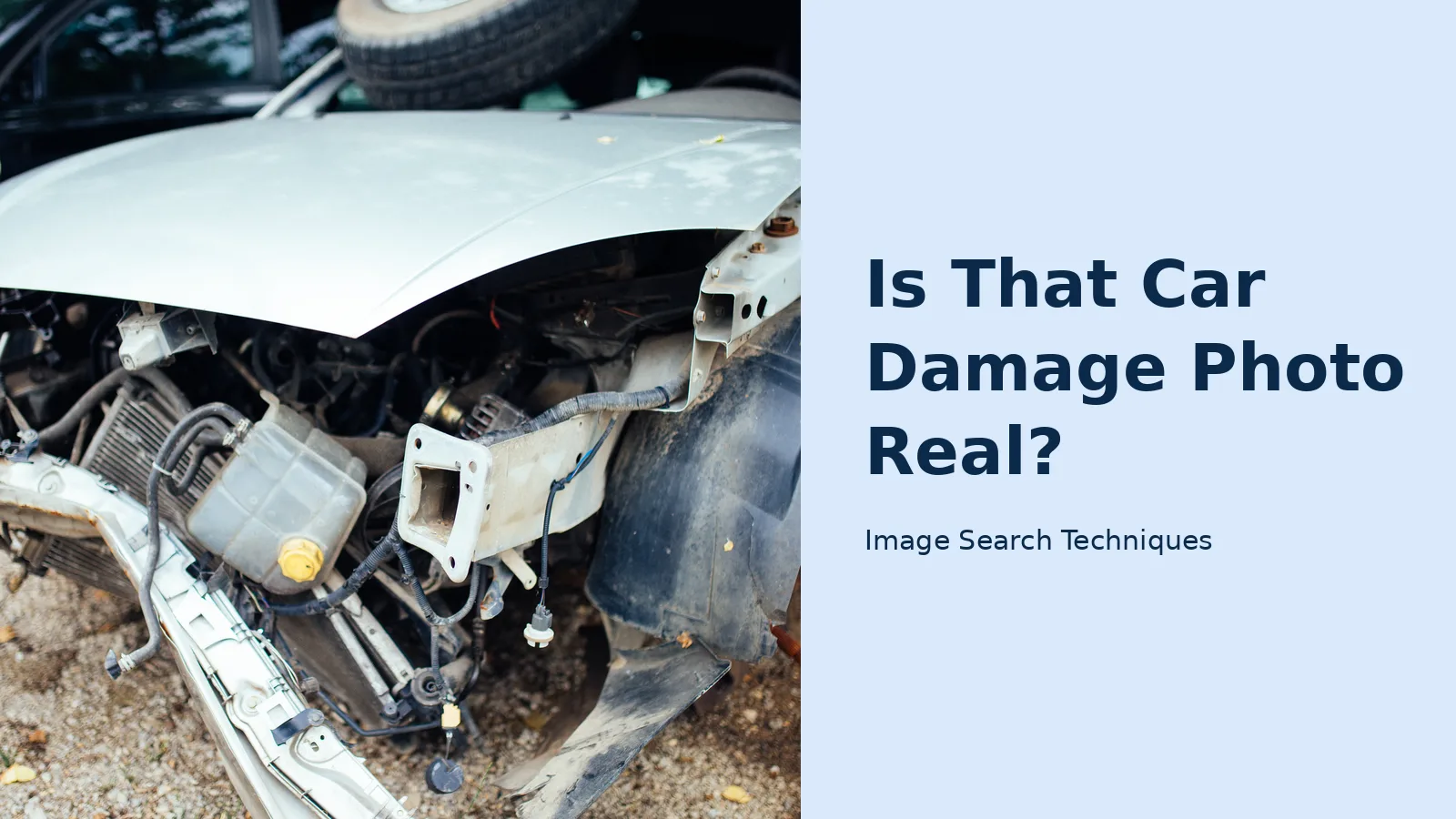
To show what a normal result looks like, I ran a real photo of a crash-damaged car through the same tool you would use. The photo is a Wikimedia Commons image, “The front of a car shows major damage”, by Shixart1985, dated 17 June 2020. It shows the front of a silver car with the bumper torn away and the engine bay exposed. It is a genuine crash photo, and it has been online for years, so it is a fair test of what each engine can find.
| Engine | Result on 13 November 2026 | What it found |
|---|---|---|
| Google Lens | Failed twice | “Something went wrong. No image at the URL.” No results, 0 exact matches |
| TinEye | Ran, 0 matches | Searched over 86.7 billion images and found no match, even though this photo has been online since 2020 |
| Bing Visual Search | Failed twice | The tool link opened the plain Bing Images homepage, and Bing’s own upload dialog showed “Image uploaded successfully” but never showed a results page |
| Yandex Images | Ran, and found it | Tagged it as a car accident photo, showed 18 similar images and 20 sites, several hosting this exact photo, including Vecteezy and Dreamstime. The Wikimedia Commons file page was not among the results |
| Not a visual search | The tool button opens a keyword search for the image host domain, about 30 unrelated pins. Pinterest’s own Lens needs a file upload, which could not be completed in this test |
Three lessons sit in that table, and they are the whole point of this guide. First, a genuine photo that has been online since 2020 still returned zero matches on TinEye, which searched over 86.7 billion images. A blank result never proves a photo is new or real. It can mean the engine has not crawled the page where the photo lives. Second, Yandex was the only engine to find it, and it found the photo on stock sites, including Vecteezy and Dreamstime. That is exactly how a recycled damage photo is born: a real crash photo is sold as stock, downloaded by anyone, and then sent to a stranger as proof of a crash that never happened. Third, two engines failed for technical reasons, not because of anything about the photo. A failed search is not a result. Run more than one engine, and never read a blank or broken result as proof of anything.
That is the honest shape of a reverse search. It is powerful when it finds something, and quiet when it finds nothing. Both outcomes are useful, as long as you know which one you are looking at.
What does the photo itself give away?
A reverse search only catches recycled photos. The other three types need you to read the photo itself. Work through these tells in order, and write down anything that fails. One small fail is a question. Three together are an answer.
Is it a photo of a screen?
Ask for the original file. If the sender only ever sends screenshots, that is already a flag. A screenshot of a photo is the easiest way to hide editing, because it flattens everything into one flat image. Look for the bezel of a monitor or phone at the edges, a status bar or a mouse cursor, curved edges where a phone screen was photographed at an angle, and the faint wavy pattern called moire that appears when a camera photographs a screen. A real crash photo taken by the person at the scene does not have a screen in it.
Does the file still have its data?
Every photo a phone takes carries hidden file data, called EXIF, with the date, the camera model, and sometimes the location. Open the file’s properties on your phone or computer and look for it. A photo with no file data at all has been through an editor, a messaging app that stripped it, or a generator. That alone does not prove it is fake, because WhatsApp and other apps strip this data when they send a photo. But a photo that claims to be an untouched original and carries no data at all deserves a harder look, and a photo whose file date is weeks before the claimed crash date is finished.
Do the plate, reflections and shadows agree?
This is the check that catches most edited photos, because editors fix the damage and forget the rest of the scene.
| Check | What a real photo shows | What a fake one shows |
|---|---|---|
| Number plate | Same plate, same font, same country format in every photo | Different plates across photos, a blurred plate in one shot and sharp in another, or a plate format that does not match the country in the story |
| Reflections | Windows and paint reflect the same street, sky and buildings | A reflection that shows a different place, a missing reflection where one should be, or a reflection of the photographer’s phone in a supposed crash scene |
| Shadows | Every shadow falls the same way, from one sun | Shadows pointing in two directions, a damaged part with no shadow under it, or a shadow that does not match the shape above it |
| Damage and model | The damage sits on parts that car actually has | Damage on a part that trim level never had, a headlight shape from a different model year, or a left-hand drive car in a UK story |
Read the plate carefully. If the sender sends two photos and the plate changes between them, you are looking at two different cars. If the plate is blurred in one photo and readable in another, ask why. In the UK, you can also run the registration through the free GOV.UK MOT history check, which shows the car’s real make, model and test history. If the seller sends a certificate photo as well, our ghost MOT check shows how to match every field on it against that record. If the car in the photo is not the car on that record, the story is over. In the US there is no free public plate lookup, so the plate check is visual only: same plate, same format, same car, in every photo.
How do you check the claimed date and place?
A photo carries its own weather and its own street. Compare both with the story.
Start with the weather. If the sender says the crash happened on a dry Tuesday in July, but the road in the photo is wet, the trees are bare, or there is snow on the roof of the car, something is wrong. Check the date they claim against a weather record for that place if you need to, but usually your eyes are enough. Leaves, coats, daylight and road surface all date a photo roughly, and roughly is enough to catch a lie.
Then read the street furniture. Road markings, sign shapes, shop fronts, phone boxes, post boxes and number plate formats all belong to a country. A photo that claims to show a crash in Manchester but has American yellow centre lines, or a US style stop sign, or a licence plate in a format no UK car carries, is not from Manchester. Street View is your friend here. Open the claimed location and compare the buildings, the kerb, the pavement width and the shop signs. A real crash photo will match the street it claims to be on. A recycled one almost never does, because it was taken somewhere else entirely.
Finally, search the damage itself. Salvage auction sites such as Copart and IAA publish photos of damaged cars with the damage in full view. Search the plate, or a distinctive phrase from the listing, or run the photo through the reverse search again and look for auction domains in the results. If the same crumpled front end is sitting on an auction listing from last year, the sender did not take that photo. They downloaded it.
What if the photo passes every check?
Sometimes a photo passes everything. No match online, file data intact, plate consistent, shadows clean, weather right. That does not prove the photo is real. It proves the photo has not been caught yet. A staged photo of a real car, damaged on purpose, will pass every technical check because nothing in the file is fake. Only the story is fake.
So ask for more. A genuine person at a real crash can always give you more, and a scammer usually cannot. Ask for a second photo from a different angle, taken now, with something in the frame that proves the date, such as today’s newspaper or the lock screen of their phone showing the date. Better still, ask for a live video walkaround of the car on a video call. A live video is hard to fake on the spot, and it answers every question at once: the car exists, the damage exists, and the person talking to you is standing next to it.
Also ask for the paperwork that should exist. A real crash leaves a trail: a police report number, an insurer name, a claim number. Ask for all three. If the sender has none of them, and their only evidence is a photo and a deadline, treat the photo as unproven no matter how clean it looks.
What should you say back?
Do not argue about the photo. Do not accuse the sender of fraud. Do not admit fault, do not agree a figure, and do not send money, a bank transfer, a gift card code, or your insurance details to someone who contacted you out of the blue. The safest reply is short, polite, and moves the whole thing to the insurers. Use this script, word for word if you like:
“Thanks for sending this. I need to check it with my insurer before I can discuss payment. Please send me your insurer’s name, your claim number, and the police report number, and I will pass this to my insurer. I cannot pay privately.”
That script does three things. It refuses the private payment without an argument. It asks for the three things a genuine claimant can produce in minutes. And it creates a written record that you acted properly, which matters if the matter ever reaches an insurer or a court.
If the sender pushes back, threatens court, or gives you a deadline of hours, that is more evidence, not less. A genuine claimant has no reason to rush you, because their insurer will handle it. Save every message, keep the original photo files, and note the date and time of each message. Then send the photo to your own insurer and let them deal with it. That is what you pay them for.
The payment pressure is the same trick used in other photo scams. A buyer who waves a payment confirmation at a seller is running the same play with a different picture, as our guide to fake payment screenshots explains. The defence is the same too: verify through an independent channel, never through the channel the sender controls.
If you believe the photo was sent to defraud you, report it. In the US, report it to the FTC at Report Fraud, and to your insurer’s fraud line. In the UK, report it to Report Fraud and to your insurer. Keep the photo and the messages, because the insurer and the police will both want the originals.
Which mistakes make a fake photo look real?
Most people who pay on a fake photo do not fail one check. They skip the checks. These are the mistakes that cost money.
- Trusting one search engine. Google Lens missing a photo means nothing on its own. TinEye, Bing and Yandex each index different parts of the web, and a photo that is invisible to one of them often shows up on another.
- Accepting a screenshot. A screenshot is a copy of a copy. Always ask for the original file, and treat a sender who cannot produce one as a sender who cannot prove their claim.
- Paying to keep it out of insurance. “Let’s settle this between us” is the scammer’s favourite sentence. It sounds reasonable and it removes the one party who would have caught the fraud. Never agree to it.
- Checking the car and ignoring the story. The photo can be genuine and the story still false. The damage may be real, but from a different car, a different crash, or a different year. Check the story as hard as you check the photo.
- Believing a clean result is proof. No match online, no visible edit, no wrong shadow. None of that proves the photo is real. It only proves you have not found the lie yet. Ask for the second angle and the live video before you believe it.
A fake car accident damage photo is only a starting point. Run the reverse search, read the plate and the shadows, check the date and the place against the street, and then ask for the paperwork. If any step fails, stop, keep the evidence, and let your insurer handle it. The photo is the sender’s problem to prove, not yours to disprove.
Can a reverse image search prove a car damage photo is fake?
Yes, when it finds the original. If the same photo appears on a salvage auction listing or a news report dated before the claimed crash, the story is finished. A reverse search proves a photo is fake by finding where it really came from. It cannot prove a photo is real, because a new photo has no history to find.
What if the damage photo does not appear anywhere online?
That is normal, and it proves nothing either way. A staged photo of a real car will not appear online, because nobody has published it yet. A new AI image will not appear either. So move to the other checks: the plate, the reflections and the shadows. Then ask for a second angle and a live video of the car.
How can I tell if a car damage photo is AI-generated?
Look for details that make no sense. AI images often get number plates wrong, with letters that blur into shapes, or headlights that do not match on the two sides. Text on signs turns to gibberish. Run the photo through a detector and a reverse search together, and treat either result as one signal, not a verdict.
Should I pay privately if the damage in the photo looks real?
No. Paying privately removes the insurer, which is the one party that would check the photo properly. A genuine claimant has no reason to refuse an insurance claim, because that is how they get paid. If the damage is real, the insurer will pay for it. If you pay and the photo is fake, getting the money back is hard.
What details should I ask the sender for?
Ask for the sender’s insurer name, their claim number, and the police report number. Then ask for a second photo of the same car from a different angle, and a live video walkaround. A genuine person at a real crash can produce all of these. A scammer with a downloaded photo usually cannot produce any of them.
Where do I report a fake car damage photo?
In the US, report it to the FTC at Report Fraud, and to your insurer’s fraud line. In the UK, report it to Report Fraud and to your insurer. Keep the original photo files and every message, with dates, because the insurer and the police will both want the originals. Do not delete anything, even if the sender stops replying.






