


🔎 Reverse Image Search
Image search techniques made simple: upload a photo or paste a URL and search 6 engines at once. 100% free, nothing stored.
🔒 Your image is never stored on our servers longer than 24 hours and is never shared.
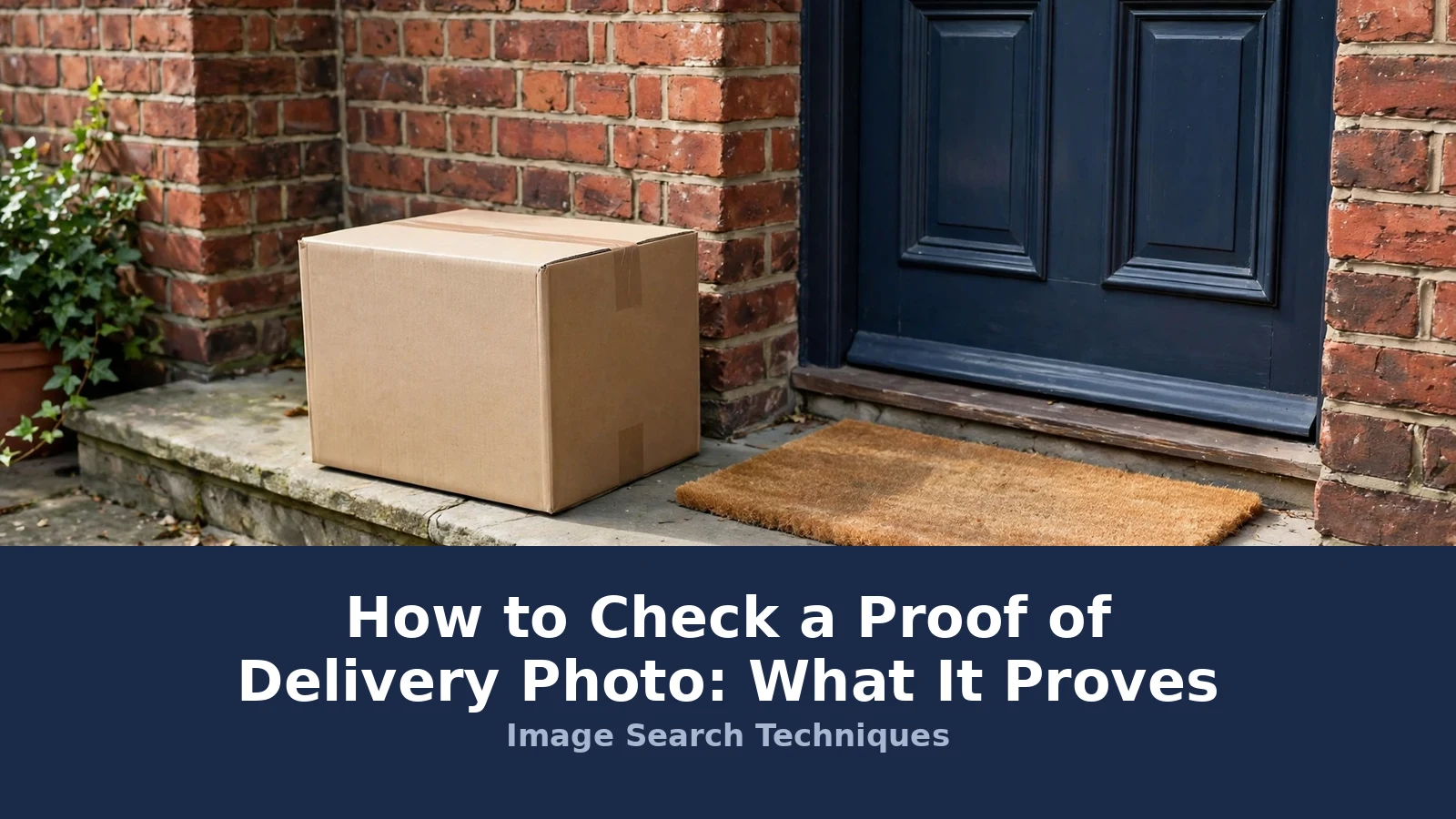
Your tracking page says delivered, but there is no parcel at your door. The only evidence you have is a small photo of a box on a doorstep. Before you accept it or argue about it, you need to know how to read it. A proof of delivery photo check is a quick routine: find the photo, compare it with your own door, and reverse-search it to see whether it is a reused or stock image.
Direct answer: A proof of delivery photo is a picture the driver takes when a parcel is left without a signature. It proves a parcel was placed at a spot at a recorded time, nothing more. It does not prove the parcel stayed there, that it was your door, or that you received it. Compare it with your door and reverse-search it.
That short answer is the whole article in miniature. The rest of this guide shows you where each carrier keeps its photo, what each photo can and cannot prove, and the reverse-search check that catches a reused image. The focus is on the UK, with the big US carriers covered too, because the rules are not the same on both sides of the Atlantic.
What a proof of delivery photo is: a photograph taken by the courier at the moment of delivery, attached to the tracking record. It usually shows the parcel at a door, in a safe place, or in the hands of the person who took it. Some carriers add a GPS pin and a timestamp. The photo is evidence of a delivery event, not evidence that you personally received the parcel.
What is a proof of delivery photo?
A proof of delivery photo, sometimes called a photo on delivery, is the picture a driver takes with a handheld device when a parcel is left unattended. Amazon calls it Photo on Delivery. FedEx calls it picture proof of delivery. Royal Mail and Evri call it photo on delivery. The name changes, but the job is the same: to show where the parcel was left.
The photo normally appears on the tracking page next to the delivered scan. Some carriers also email it to you, or show it in their app. A few add a map pin showing where the driver scanned the parcel. The photo is taken for the carrier and the sender, not for you, which is why it is sometimes hard to find, slow to appear, or missing entirely.
In short: the photo is the carrier’s record of where the parcel was left, taken at the moment of delivery.
Where do I find my delivery photo?
Every carrier keeps its photo in a different place, and some do not take one at all. Start with the tracking page for your parcel, using the tracking number from the dispatch email. If the photo is there, save it at once. Tracking pages change, and a photo that is visible today may be gone when you need it for a claim. Some tracking portals ask you to enter and verify the email address used for the order before they show the photo. If you cannot find the delivery notification at all, check your spam folder before you contact the sender.
Amazon: Photo on Delivery
Open Your Orders, find the order, and choose Track your package. If the driver took a photo, it appears on the tracking page once the status shows Delivered. Amazon’s own drivers take a photo for most unattended deliveries. Parcels delivered by other carriers through Amazon may not have one. Amazon gives third-party sellers no delivery report of the kind UPS or FedEx provide, so your own screenshots are the evidence chain if a dispute follows.
FedEx: picture proof of delivery
FedEx offers picture proof of delivery for residential deliveries in the US and Canada when no signature is required, and the photo is free to view. You do not need an account or a login. Enter the tracking number on the FedEx tracking page and the picture appears with the final delivery scan. FedEx also photographs some delivery attempts, so a photo of a closed door with a door tag is a record of an attempt, not a delivery. Account holders can see a static map and GPS coordinates showing where the parcel was marked delivered, in Canada and the US.
UPS: delivery photos in tracking and My Choice
UPS attaches delivery photos to the confirmation email, the tracking page, and the UPS My Choice dashboard. The free Basic level of My Choice covers alerts and photos. UPS does not promise a photo of every delivery attempt, only of deliveries, so a missing photo is not by itself proof of a failed delivery. Business accounts can pull a full proof of delivery report with the signature image, delivery time, address, and drop point label.
Royal Mail: Tracked 24, Tracked 48 and Special Delivery
Royal Mail takes a photo on delivery for its tracked services. Tracked 24 and Tracked 48 include a delivery photograph and online delivery confirmation with a GPS map. Special Delivery Guaranteed by 1pm includes a photograph and a signature. If the parcel goes through your letterbox, the delivery officer photographs it halfway through the letterbox first, then pushes it fully through. You can view the photo, the signature, and the GPS location through Royal Mail Track and Trace. If a parcel was marked delivered today and you cannot find it, Royal Mail advises allowing one extra day, because a rare scanning error can mark a parcel delivered early.
Evri: safe place and neighbour photos
Evri takes a photo whenever a parcel is left in a safe place or with a neighbour, and the photo shows on the tracking page with a map pin and the courier’s name. Evri’s tracking number has 16 characters. The courier makes up to three delivery attempts on consecutive working days. Evri also sells a digital signature service, which gives photographic proof that the parcel was handed to someone at the delivery address or a neighbour. If you set a safe place in the Evri app, you can add a photo of it, which makes the comparison with the delivery photo much easier later.
USPS: no photo at all
USPS is the exception. Ordinary USPS parcels have no delivery photo and no signature. Delivered means a scan on a handheld device, with GPS coordinates attached that USPS says are accurate to within 6 feet, about 1.8 metres. That can show whether the parcel was scanned at the front door, the back door, or a side porch, but it cannot show a recipient or a photo. Informed Delivery, the daily email preview of your mail, is often mistaken for proof of delivery. It is not. It is a coming soon notice for letters, and it carries no weight in a dispute. A real signature record costs extra: Signature Confirmation runs about $3.95 online or $4.95 at the counter, and Adult Signature Required about $9.70. Those are approximate rates, so check the USPS site for the current price. USPS has tested picture proof of delivery, but it is not generally available as a customer photo lookup.
In short: check the tracking page first, then the carrier app or your email. Save the photo and a screenshot of the tracking page the moment they appear.
What does a delivery photo actually prove?
A delivery photo proves less than most people assume, and more than nothing. It proves that a parcel was at a place at a time. It does not prove that the place was your address, that the parcel stayed there, or that you ever had it in your hands. Porch theft is the gap in the middle: the photo can be perfectly genuine and the parcel can still be gone, taken minutes after the driver left.
Security.org reports that about 58 million Americans experienced package theft in 2024, and the share of people hit within the past year rose from 21 percent in 2022 to 25 percent in 2024. That is why the photo matters and why it is not enough on its own. A photo of a parcel on a doorstep is the start of a claim, not the end of one.
| What the photo shows | What it proves | What it does NOT prove |
|---|---|---|
| A parcel on a doorstep | A parcel was placed there at the recorded time | That the doorstep is yours |
| A house number in the frame | The address the driver photographed | That the number matches your address |
| A parcel in a safe place | The driver used the agreed spot | That you chose that spot, or that the parcel stayed there |
| A person holding the parcel | Someone accepted it | That the person was you, or someone you nominated |
| A GPS pin on a map | Where the driver scanned the parcel | The exact door, since GPS can be metres out |
| A timestamp | When the delivery scan happened | When the parcel was taken, or by whom |
Read the photo the way a claims handler reads it. Look for the house number, the door colour, the doormat, the plants, and anything else that identifies the property. Then compare it with a photo of your own door taken from the same angle. If the two do not match, the photo is evidence of a misdelivery, not evidence against you. Also check the condition of the parcel in the photo. Visible damage, an opened box, or signs of tampering are worth noting before you treat the delivery as complete.
In short: a delivery photo proves a parcel was somewhere at some time. It never proves you received it.
Carrier by carrier: where the photo lives and what it shows
This table is the quick reference for the six carriers in this guide. Keep it open while you check your own parcel. The two US carriers and the two UK carriers are listed separately where their rules differ, because a US rule quoted for a UK parcel will only slow your claim down.
| Carrier | Where the photo lives | What it shows | What it does NOT prove |
|---|---|---|---|
| Amazon Photo on Delivery | Your Orders, Track your package, once Delivered shows | Parcel at the door or safe spot | No delivery report for sellers; your screenshots are the record |
| UPS My Choice | Tracking page, delivery email, My Choice dashboard | Parcel at the drop point, with time and location label | No photo promised for every attempt; signature is a paid add-on |
| FedEx Delivery Manager | Tracking page, no account needed, just the tracking number | Photo of delivery or of a delivery attempt, plus GPS map for account holders | Attempt photos are not delivery photos; GPS can be metres out |
| USPS | Nowhere, USPS takes no delivery photos | Scan timestamp and GPS coordinates only | Who received it, or that a photo exists at all |
| Royal Mail | Track and Trace, with photo, signature and GPS map | Parcel at the door, halfway through the letterbox, or with the recipient | That the parcel stayed there, or that the scan was not an error |
| Evri | Tracking page, with photo, map pin and courier name | Parcel in a safe place or with a neighbour | That the safe place was the one you chose |
Two details in that table catch people out. First, FedEx photographs delivery attempts as well as deliveries, so a photo of a door tag proves the driver came, not that the parcel was left. Second, USPS takes no photo at all, so if a seller sends you a USPS proof photo, it did not come from USPS. That is a useful thing to know before you argue about it.
In short: Amazon, FedEx, UPS, Royal Mail and Evri all photograph deliveries. USPS does not, and its proof is a scan and a set of coordinates.
How to do a proof of delivery photo check
This is the check the other guides skip, and it is the one this site exists to teach. A photo a seller or a driver sends you can be a real delivery photo, a photo of the wrong house, or a picture that was never a delivery photo at all. Reverse image search tells you which one it is. If the same picture appears on a stock site, a packaging company’s website, or a news article from years ago, it proves nothing about your parcel.
Follow these steps in order. The whole check takes a few minutes.
- Save the photo. Download the delivery photo from the tracking page or the message the seller sent you. Save the tracking screenshot too, with the delivered time and date visible.
- Open a reverse image search. Use Google Lens or TinEye, or the free tool on the Image Search Techniques homepage, which searches six engines at once. Upload the photo file from your device rather than pasting a web address, because Lens sometimes refuses a URL upload.
- Read the results, not just the count. Look at where else the image appears and when it first appeared. A genuine delivery photo taken today should appear nowhere else. A reused image will show up on other sites, often with an older date.
- Compare the photo with your door. Take a photo of your own door, porch, or safe place from the same angle. Check the house number, the door colour, the doormat, the brickwork, and any plants or bins. Small details settle it: the wrong doormat is stronger evidence than a feeling. If the shipping label is readable in the photo, check it matches your name and order, and crop your full name and address out of the photo before you share it anywhere.
- Check the metadata if you have the file. A photo sent as a file may still carry its original date and camera details. A screenshot of a tracking page carries none. Our guide to how to reverse image search walks through the full method.
Worked example: a doorstep photo that was never a delivery photo
To show how this works in practice, I used a real photograph of a damaged cardboard parcel with a fragile sticker, waiting at a door. The picture is a genuine photograph by Meanwell Packaging, released under a Creative Commons licence in June 2022 for the company’s own website. It is exactly the kind of ordinary doorstep photo a seller could send as proof of delivery. I reverse-searched it through TinEye and Google Lens on 17 November 2026, and the results were a useful lesson in what these tools can and cannot do.
TinEye searched over 86.8 billion images and found no matches at all. Its results page said it had yet to crawl any pages where the image appears. That is worth understanding: the photo is on Wikimedia Commons and on Flickr, but TinEye had not crawled those pages, so a zero on TinEye does not mean the image is unique. Google Lens was worse. Its upload-by-URL route failed three times with the message “No image at the URL”, and a file upload was not possible in that browser session, so Lens returned no result at all. I am reporting that failure rather than a number, because there is no number to report.
What settles the question here is the image’s own page, not the search engines. The Commons page gives the date, June 2022, and the source, a packaging company, which means this photo could never prove a delivery made today. The search engines did not surface that. The lesson is to use more than one engine, to upload the file rather than a link when Lens refuses a URL, and to check the image’s own page when you find one. A zero on one engine is not proof of anything.
The lesson is simple. A photo of a parcel on a doorstep is easy to find and easy to reuse. A reverse search takes a few minutes and it separates a real delivery photo from a picture that has been circulating for years. If the photo a seller sends you turns out to be a stock or marketing image, say so plainly in your reply and ask for the carrier’s own tracking record instead.
In short: save the photo, reverse-search it, and compare it with your own door. A photo that appears elsewhere on the web proves nothing about your parcel.
What if the photo shows a door that is not mine?
This is the most common delivery photo problem, and it has a clear fix. Work through the checklist below before you contact anyone. Each step gives you one piece of evidence, and the pieces together make a claim that is hard to dismiss.
| Check | What to do | Why it matters |
|---|---|---|
| Photo shows a porch that is not yours | Screenshot the delivery photo, then photograph your own door from the same angle | A side by side comparison proves the misdelivery at a glance |
| No house number visible | Note the door colour, doormat, plants, and brickwork, and compare each one | Details identify a property when the number is missing |
| Photo is a reused or stock image | Reverse-search it and save the results showing the older source | A reused image cannot prove your parcel was delivered |
| No photo at all | Screenshot the tracking page showing Delivered with no photo attached | The absence of a photo is part of your evidence |
| Photo shows a neighbour’s door | Ask the neighbour first, then tell the retailer the photo shows their address | Many misdeliveries are solved with one knock on a door |
| Photo shows a communal hallway or bin area | Photograph the same spot yourself and note that anyone could have taken the parcel | A shared area is weak proof of delivery to you |
| Photo shows only sky, ground or a shadow | Screenshot the tracking page and ask the carrier to retake the photo | A photo with no door and no parcel in it proves nothing |
Our guide to what to do when a delivery photo is not my house goes deeper on the comparison photo and the wording to use with the retailer.
In short: photograph your own door, compare it with the delivery photo, and keep both pictures. The comparison is the claim.
What if there is no photo at all?
A missing photo is common and it is not, on its own, proof that the parcel never arrived. Some carriers do not take photos. USPS takes none. UPS does not promise one for every attempt. Amazon does not take one for attended deliveries or for parcels carried by other couriers. A photo can also be slow to appear, so check again after a few hours before you conclude there is none.
If there really is no photo, write that down with the date and time, and screenshot the tracking page as it stands. Then ask the retailer or the carrier for the full delivery record: the timestamp, the GPS location, the safe place note, and any signature. A scan on its own does not establish that the goods reached you. In the UK, the Consumer Rights Act 2015 keeps the goods at the retailer’s risk until they reach you or someone you nominated to receive them, so the retailer cannot close the matter by pointing at a tracking scan alone.
In short: note the missing photo, screenshot the tracking page, and ask for the full delivery record.
What should I do next if the parcel is missing?
Act in this order, and keep a copy of everything. Speed matters, because tracking pages change and photos disappear.
- Save the evidence now. Screenshot the tracking page with the delivered status, time, and photo. Save the delivery photo itself. Photograph your own door, safe place, and any neighbour’s door shown in the photo.
- Check the obvious places. Porches, sheds, bins, meter cupboards, neighbours, reception areas, and ParcelShops. Evri allows up to three attempts, so check whether a second attempt is already scheduled.
- Contact the retailer first. For an online order, the retailer is the one who owes you the goods, not the carrier. Send them the delivery photo, your comparison photo, and the tracking screenshot, and ask them to compare the two and explain how the photo proves delivery to your address.
- Ask for the full record. If the retailer refuses, ask for the complete delivery evidence: the photo, the GPS location, the timestamp, the safe place note, and the courier’s notes. A tracking scan alone is not the full record.
- Escalate if the photo does not match. If the photo shows a different property, a reused image, or a communal area, say so in writing and ask for a replacement or a refund. In the UK, the retailer must sort this out with the carrier; that argument is theirs, not yours. If a scam is involved, our photo scams complete guide covers the wider patterns, and our fake courier collection scam guide covers the messages that pretend to be from a courier.
- Use Google reverse image search on any photo a seller sends you. Our Google reverse image search guide shows the exact steps, and it is the fastest way to catch a reused image.
One habit prevents most of this trouble. The moment a tracking page shows Delivered, screenshot it, photo included. Sellers keep screenshots too, and in a dispute the person with the dated evidence wins the argument. Amazon gives third-party sellers no delivery report, so for Amazon orders your own screenshots are the only record you control.
In short: save the evidence first, contact the retailer with both photos side by side, and ask for the full delivery record if they push back.
FAQs
Where can I see my proof of delivery photo?
Check the tracking page for your parcel first, using the tracking number from the dispatch email. Amazon shows it under Track your package in Your Orders. FedEx shows it on the tracking page with no login needed. Royal Mail and Evri show it in Track and Trace and in their apps. Save it at once, because tracking pages change.
Does a delivery photo prove I received my parcel?
No. A delivery photo proves a parcel was placed at a spot at a recorded time. It does not prove the spot was your door, that the parcel stayed there, or that you received it. A genuine photo and a stolen parcel can both be true: the parcel can be taken minutes after the driver leaves.
How can I tell if a delivery photo is fake?
Reverse-search the photo with Google Lens or TinEye. A genuine delivery photo taken today should appear nowhere else on the web. If the same image shows up on a stock site, a company website, or an old news article, it is reused and proves nothing about your parcel. Compare the door with your own door too.
Why is there no delivery photo for my parcel?
Some carriers do not take photos. USPS takes none, and UPS does not promise one for every attempt. Amazon takes no photo for attended deliveries or parcels carried by other couriers. A photo can also be slow to appear, so check again after a few hours, then screenshot the tracking page and ask for the full record.
What should I do if the delivery photo shows the wrong house?
Screenshot the delivery photo, then photograph your own door from the same angle. Send both pictures to the retailer and ask them to explain how the photo proves delivery to your address. Check with the neighbour in the photo first, since many misdeliveries are solved with one knock. Keep both pictures for any claim that follows.
Can I get a refund if the photo proves nothing?
Often, yes. Contact the retailer first, because the retailer owes you the goods, not the carrier. Send the delivery photo, your comparison photo, and the tracking screenshot. In the UK, the Consumer Rights Act keeps the goods at the retailer’s risk until they reach you. If the retailer refuses, ask for the full delivery record in writing.






