


🔎 Reverse Image Search
Image search techniques made simple: upload a photo or paste a URL and search 6 engines at once. 100% free, nothing stored.
🔒 Your image is never stored on our servers longer than 24 hours and is never shared.
A room in London for £550 a month, photos that look like a show home, and an advertiser who cannot do a viewing but can take your deposit today. That is the shape of most SpareRoom scams, and the photos are the fastest way to test whether the advert is real. This SpareRoom scam check shows you how to reverse image search the advert photos, read what the results mean, and score the advert before you pay anything.
Direct answer: run every advert photo through Google Lens, TinEye and Bing Visual Search before you pay or send documents. If the same photos appear on an estate agent’s site, a stock library or another listing, the advert is using stolen pictures, walk away. Never pay a deposit before viewing the room, and never send ID copies to an unverified advertiser.
A SpareRoom scam check is a photo-first verification of a room or flatshare advert: you test the advert’s pictures, price, advertiser and payment request against independent sources instead of taking the listing at face value. SpareRoom is a genuine, long-established UK flatshare site, and most adverts on it are real, the check exists for the minority that are not.
What does a SpareRoom scam actually look like?
SpareRoom publishes its own list of the scams its moderators see most often, and the patterns repeat across every flatshare platform. Knowing the four advert-based patterns below matters more than memorising a list of red flags, because the photo check in this guide catches all four.
The “no live advert” scam. Someone messages you about a room that was never listed. They say the property matches your search area, or that they know landlords who can help. There is no advert to report and no viewing is possible, yet they ask for a deposit based on photos alone. SpareRoom’s own advice is blunt: a simple Google image search may reveal that the property is not even for rent, or that the photos were taken of a completely different property.
The “too good to be true” advert. A beautifully staged room at a price far below the area’s market rate. The advertiser asks for rent or a deposit before you have seen the room, claiming the payment secures it. SpareRoom advises treating a heavily discounted rent as a major red flag and asking yourself why a viewing is not possible.
The fake Airbnb link. The advertiser moves you off SpareRoom quickly, shows you a video because they supposedly cannot arrange a viewing, then sends a link to a property page that looks exactly like Airbnb. The page asks for a direct bank transfer to an international account. SpareRoom advises checking whether the link is a genuine URL and contacting the original site directly, never through the link you were sent.
The short-let or “for sale” advert. Someone with access to an empty property, often one listed on a holiday-let site, advertises it for rent, takes deposits, and disappears. A related version copies a property that is for sale, uses the real owner’s name from the Land Registry, and asks tenants to pose as buyers to view it. Any landlord who asks you to pretend to be a buyer is not a legitimate landlord, according to SpareRoom.
These are not rare edge cases. Which? reported in February 2023 that Action Fraud received more than 6,000 reports of online rental scams in the year to December 2022, with victims losing more than £10 million. Which? also found a fraudulent SpareRoom listing whose photos were later traced to a legitimate estate agent’s website, the exact reuse this guide teaches you to find. If the advert you are checking is for a whole property rather than a room in a shared home, use our rental listing photo check instead; this guide covers rooms and flatshares only. For the wider picture, our photo scams complete guide explains how stolen photos work across every platform.
How do you reverse image search a SpareRoom advert photo?
Check every photo in the advert, not just the first one. Scammers often mix one stolen hero photo with genuine-looking filler shots, and the photo that exposes the advert is rarely the one at the top. Work through the steps below for at least three photos: the main room shot, the exterior or street view if there is one, and any photo that looks professionally staged.
- Save the photos. On SpareRoom, long-press or right-click each photo and save it to your device. Do not screenshot them if you can avoid it: a screenshot adds your screen’s borders and text, which makes matching harder. If the advertiser sent photos by message instead, save the originals from the message thread.
- Run the first photo through Google Lens. Go to Lens, upload the saved photo, and look at the exact matches first. Lens is usually the fastest at finding the same image on other websites. Our Google reverse image search guide walks through the upload steps on phone and desktop.
- Run the same photo through TinEye. TinEye indexes images differently and often finds older copies Lens misses, including the first date an image appeared online. A first-indexed date years before the advert was posted is strong evidence the photo was not taken for this room.
- Run the same photo through Bing Visual Search. Bing sometimes surfaces pages the other two miss, and its “pages with this image” count is a useful cross-check. If Lens and TinEye disagree, Bing is the tie-breaker.
- Search the address and the advertiser separately. Put the street name and the advertiser’s name or username into a normal web search. A genuine landlord or live-in landlord usually leaves some trace, a previous listing, a review, a social profile. A name that exists nowhere except this advert is a warning sign, not proof of a scam on its own.
- Compare the photos with the map. SpareRoom itself advises using online maps to check the surroundings and confirm the photos match the area. Open the street on a map service and check that the building, the street layout and anything visible through the windows fit the advert’s location.
Our how to reverse image search guide covers all three engines in detail, including what to do when an engine returns no matches. Three engines matter because no single one indexes the whole web: in the worked test below, the same bedroom photo produced very different results on each.
What do the search results actually tell you?
A match is evidence about the photo, not a verdict on the advert. Read the results with the table below before you decide anything.
| What you find | What it usually means | What to do |
|---|---|---|
| Same photos on an estate agent’s or letting agent’s site | The photos were taken for a different listing and copied | Walk away and report the advert |
| Same photos on a stock library such as Pexels or Unsplash | The advert uses free stock, not photos of the real room | Walk away, a real room has real photos |
| Same photos on a holiday-let or short-let site | A short-let property is being re-advertised as a long let | Walk away; this matches SpareRoom’s short-let scam |
| Same photos in a different city or country | The photos were harvested from another listing entirely | Walk away and report the advert |
| Same photos, but only on SpareRoom itself | The advert may be genuine, or the photos may be new | Continue the other checks below |
| No matches anywhere | The photos are new, private, or simply not indexed yet | Do not treat this as proof the advert is real |
Two mistakes undo most photo checks. The first is treating “no matches” as a clean bill of health: a scammer can photograph a real room they briefly had access to, or use photos that search engines have not indexed yet. The second is checking one photo and stopping: test at least three, because a single genuine photo proves nothing about the rest of the advert.
A match on an estate agent’s site deserves one extra step. Note the agent, the address and the price on the original listing, then compare them with the SpareRoom advert. In the Which? investigation, the fraudulent advert’s photos came from a legitimate Purplebricks listing, and in a related case the victim’s own family home photos were reused on a Facebook Marketplace rental advert with their full address attached. If the original listing is a property for sale, you are looking at SpareRoom’s “for sale” scam pattern, and the advertiser is not the owner.
What happened when I checked a real bedroom photo?
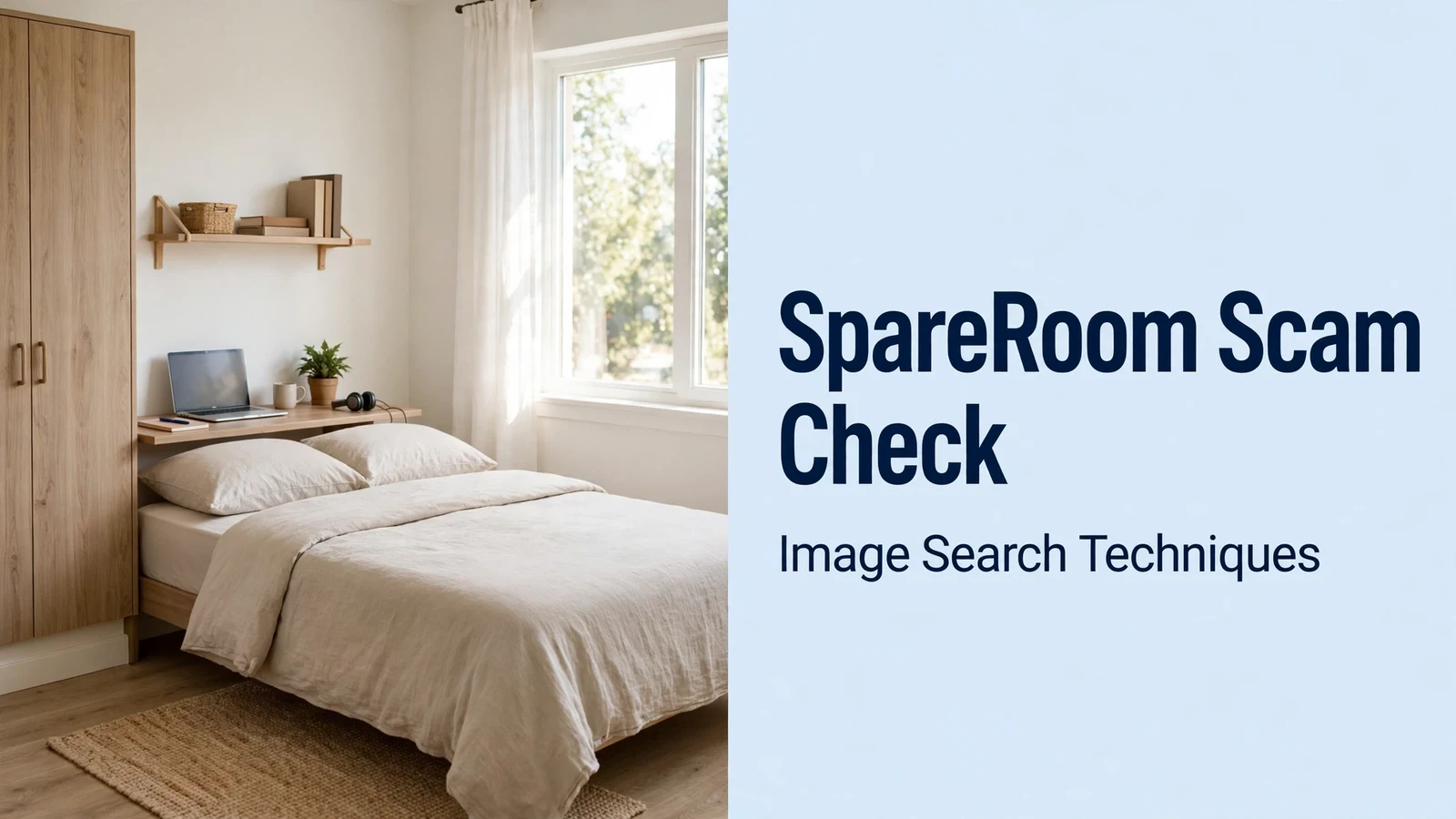
To show how the three engines actually behave, I ran one real bedroom photo through all three on 11 November 2026. The photo is a Pexels stock image, “a bedroom with white walls and wooden floors”, photographed by Ahmet ÇÖTÜR and published on Pexels on 7 August 2024, showing a spacious, airy modern double bedroom with stylish furnishings. It is exactly the kind of bright, professional-looking room photo that appears in flatshare adverts. I searched it by its Pexels image URL on each engine, with no logins.
| Search engine | Exact matches | Where the photo turned up |
|---|---|---|
| Google Lens | 45 exact matches counted (Lens shows no total) | Flooring company Refix Alanya, a recessed-lighting article, hotel listings in Mysore and Delhi, and Czech property listings for the same 1,800 m² facility in Znojmo, Pohořelice and Mikulov |
| TinEye | 0 matches | Nowhere, TinEye reported searching over 86.7 billion images with no matches, confirmed twice |
| Bing Visual Search | 1 page | Only the Pexels page itself; Bing also misdescribed the residential bedroom as “a modern hotel room” |
The lesson is the disagreement. Lens found 45 exact matches, including the photo reused on property listings and hotel pages, the precise pattern a SpareRoom check is looking for. TinEye found nothing at all, even though the photo is plainly reused across the web. Bing found only the Pexels source page and misclassified the room as a hotel room. If I had used TinEye alone, I would have concluded the photo was unused. If I had used Bing alone, I would have missed the property-listing reuse entirely.
Two details from the Lens results are worth noting. First, the photo’s top match was a Turkish flooring company’s page using it as a “bedroom with new flooring” illustration, with no credit to the photographer, stock photos travel far from their source. Second, none of the sites reusing the photo credited Ahmet ÇÖTÜR, and no SpareRoom result appeared in the Lens list. A photo that is free stock can still be the hero image of a fake advert: the point of the check is not whether the photo is stock, but whether the advert’s story about it is true.
How do you score a SpareRoom advert before you pay anything?
Score the advert out of the table below before you send money or documents. The photo check is only one row: a clean photo result does not cancel out the other rows, and a single stolen photo is enough to stop on its own.
| Red flag | Points | Why it matters |
|---|---|---|
| Advert photos found on another site (estate agent, stock, other city) | 10, stop immediately | Stolen photos are the clearest sign of a fake advert |
| No live advert, the room was offered by message only | 10, stop immediately | SpareRoom’s “no live advert” scam; nothing to report or verify |
| Deposit or rent demanded before any viewing | 8 | A genuine advertiser can wait for a viewing |
| Advertiser cannot do a viewing and gives shifting reasons | 6 | Distance, illness and travel are the standard excuses |
| Price far below similar rooms in the same area | 6 | Cheap rent is the bait; check comparable listings |
| Asked to move the conversation off SpareRoom immediately | 5 | Off-platform chats cannot be investigated by SpareRoom |
| Payment by bank transfer, Western Union, MoneyGram, crypto or gift cards | 5 | These are hard or impossible to reverse |
| Advertiser sends a link to pay or “verify” on another site | 5 | Fake Airbnb-style links are a documented SpareRoom scam |
| Advertiser asks for ID copies before you have viewed anything | 5 | Never send ID copies to unverified advertisers |
| Advertiser is newly registered with no history or verification | 3 | New accounts are cheap; check for the green verified symbol |
| English in messages is much weaker than in the advert | 3 | SpareRoom lists this as a warning sign |
| Pressure, urgency or a deadline to pay today | 3 | Urgency is designed to stop you checking |
How to read your score: 10 or more on any single “stop immediately” row means walk away and report the advert. A total of 8 or more across the other rows means do not pay anything until every flag is resolved with evidence, not reassurance. A total under 8 with a clean photo check means proceed, but still view the room first, in person or on a live video call, and still pay by a reversible method.
SpareRoom’s green “verified user” symbol is worth checking while you score the advertiser: according to SpareRoom, users with the symbol have been verified using photo ID and a background check. It raises confidence in who you are talking to, but it does not verify the room, the photos or the price, run the photo check even on verified accounts. Students searching in London and other university cities should be extra careful: fraudsters deliberately target students looking for accommodation, particularly through SpareRoom, Facebook and Gumtree, according to student-union scam guidance.
What should you never send or pay before a viewing?
Never send copies of your passport, driving licence or other ID to an advertiser you have not verified. This is the single most important rule in this guide. A common SpareRoom scam asks for ID “to check you” before a viewing that never happens; the document can then be reused for other fraud, including fake tenancy applications. A genuine landlord or live-in landlord checks ID at the viewing or through a proper referencing process, not by asking a stranger to email passport scans. If an advertiser demands ID before you have seen the room, stop and report the advert. Landlords face the same problem from the other side: fake tenant documents are a known fraud route, which our fake tenant documents guide covers from the landlord’s point of view.
Use the deposit-safety checklist below before any money moves. Every item must be true before you pay.
- You have viewed the room in person, or on a live video call where you asked the advertiser to show you something unplanned, such as the view from the window or the inside of a cupboard.
- You have a written tenancy agreement to read before paying, and you know which tenancy deposit scheme will hold your deposit.
- You know the deposit amount is lawful: GOV.UK guidance states a deposit is capped at five weeks’ rent where annual rent is under £50,000, and a holding deposit at one week’s rent.
- You know the deposit protection rule: GOV.UK states your landlord must put your deposit in a government-approved scheme, the Deposit Protection Service, MyDeposits or the Tenancy Deposit Scheme, within 30 days of receiving it.
- You are paying by a reversible method, ideally a credit card: SpareRoom itself advises using a credit card for a deposit because it gives you extra protection to claim if something goes wrong. Never pay by Western Union, MoneyGram, cryptocurrency or gift cards, SpareRoom lists all four as payment methods to refuse.
- You have checked the sort code before any bank transfer: SpareRoom advises using a sort code checker, which shows whether the account is a real bank account or a pre-paid card service.
- You have not been asked to pay an “application fee” or holding fee before seeing the tenancy agreement. A holding deposit becomes a real deposit once you become a tenant, and GOV.UK states it must then be protected like any other deposit.
If the advertiser is a letting agent rather than a private landlord, add two checks from SpareRoom’s own advice: search the business name on Companies House, and confirm the agency is registered with a Property Redress Scheme. An agent operating from a temporary or co-working office with no verifiable history is a warning sign, not a deal-breaker on its own, combine it with the score above.
What should you do if you have already paid or sent documents?
Act in this order, and do not let embarrassment slow you down: rental scams succeed because victims stay quiet while the money is still recoverable.
- Stop paying immediately and stop sending documents. Do not send a “final” payment to unlock a refund, that is the overpayment scam pattern SpareRoom warns about.
- Contact your bank or card provider now. Tell them it was a fraud, not a dispute about a service. If you paid by credit card, SpareRoom notes you have extra protection to claim; your bank can also try to recall a bank transfer, and speed matters.
- Report the advert to SpareRoom using the “report this ad” link at the bottom of every advert, or contact SpareRoom directly. Reporting protects the next person searching for the same room.
- Report the fraud to Action Fraud, the UK’s national fraud reporting centre, at actionfraud.police.uk. Give them the advert text, the photos, the payment details and the advertiser’s messages. Action Fraud’s figures are the source for the scale of rental fraud quoted earlier in this guide.
- If you sent ID documents, protect yourself against identity fraud. Contact the fraud team at your bank, consider a protective registration with CIFAS, and watch for unexpected accounts or credit applications in your name. You cannot “un-send” a passport scan, so monitoring is the practical response.
- Keep everything. Save the advert, the photos, the message thread, the payment confirmation and any emails. Screenshots with dates visible are useful evidence for your bank and for Action Fraud.
A SpareRoom scam check takes about ten minutes and costs nothing. The photo search is the part most people skip, and it is the part that catches the most common scam: photos stolen from a real listing and reused on a fake one. Check the photos, score the advert, view the room, and only then talk about money, in that order.
FAQs
Can I trust a SpareRoom advert with a verified badge?
Mostly, but not blindly. SpareRoom’s green verified symbol means the user passed a photo ID and background check, so you can be more confident about who you are messaging. It does not verify the room, the photos or the price, so still run the reverse image search on the advert photos and still view the room before paying anything.
Is it safe to pay a deposit before viewing a room on SpareRoom?
No. Never pay a deposit or rent for a room you have not viewed in person or on a live video call. SpareRoom’s scam guidance lists payment before viewing as the core of the “no live advert” and “bank transfer” scams, and bank transfers are non-refundable. If the advertiser says the room will go to someone else, let it go.
What should I do if a SpareRoom advertiser asks for a copy of my passport?
Do not send it. Never send ID copies to an advertiser you have not verified, and never send them before you have viewed the room. A genuine landlord checks ID at the viewing or through proper referencing. If ID is demanded upfront, stop, report the advert through SpareRoom’s “report this ad” link, and find another room.
How do I report a fake SpareRoom advert?
Use the “report this ad” link at the bottom of every SpareRoom advert, or contact SpareRoom’s customer services team directly. Include the advert text, the photos and the advertiser’s messages. If you paid money or sent documents, also report the fraud to Action Fraud and tell your bank immediately, since speed improves the chance of recovering a payment.






