


🔎 Reverse Image Search
Image search techniques made simple: upload a photo or paste a URL and search 6 engines at once. 100% free, nothing stored.
🔒 Your image is never stored on our servers longer than 24 hours and is never shared.
A builder knocks, quotes a fair price and shows you a phone full of beautiful finished kitchens and extensions. Everything looks right, until you check where those photos actually came from. In November 2026 Checkatrade’s ScamWatch warned that rogue traders are now using AI to generate convincing fake trade certificates and accreditation logos, and even building whole fake “local, family-run” business identities complete with AI-generated photos of a shopfront or a smiling owner who does not exist. That is why knowing how to check a builder is genuine starts with the photos, not the paperwork.
To check a builder is genuine, reverse-search their portfolio photos to see whether they belong to another business, and verify every certificate number on the official register yourself. A clean photo search alone proves nothing, but a copied photo, or a certificate number that does not exist, is a reason to walk away.
A rogue trader is a person who presents themselves as a qualified tradesperson in order to take money for work they cannot or will not do properly. The most common jobs they offer are roofing, driveways and gardening, according to NatWest’s fraud guide, and they usually work in spring and summer, when people want work done on their home and garden. This guide shows you how to check a builder is genuine using the photos they show you, before you pay a deposit or sign anything.
Why a builder’s photos are now the first check
Until recently, a portfolio of finished work was decent evidence. A trader who could show you ten kitchens had probably built ten kitchens. AI has broken that shortcut. Checkatrade’s ScamWatch platform reported in November 2026 that rogue operators use AI to generate convincing fake trade certificates and accreditation logos, and can build a whole fake local business identity in minutes: shopfront photo, owner portrait and all. The warning is blunt: “scammers have always tried to look legitimate but AI tools now make it far easier for a rogue trader to appear trustworthy in minutes.”
The scale of the problem is growing. Checkatrade reported in October 2026 that it blocked 1,223 unqualified applicants in the first eight months of 2026, already more than the total it rejected in the whole of 2025. Monthly rejections rose from an average of 89 in 2025 to 152 in 2026, a year-on-year increase of 71%, as unqualified traders tried to join ahead of planning reforms due on 31 October 2026. Those are only the applicants a single platform caught. Plenty of rogue traders never apply to a platform at all, they find work through social media, leaflets and door-knocking.
Fake reviews are part of the same picture. Since April 2025, the Digital Markets, Competition and Consumers Act has banned fake reviews in the UK, yet Checkatrade’s ScamWatch found multiple websites selling false five-star reviews written by people who had never used the trade’s business, for as little as £7. A five-star profile and a glowing set of photos can both be bought. That is why this guide treats nothing on a trader’s own website or social media page as evidence on its own, every claim gets checked against an independent source.
The good news is that the checks are free and take about half an hour. You need no special software: a reverse image search, the official registers, and a willingness to walk away when something does not add up.
How to check a builder is genuine: the six-step profile-verification routine
Work through this routine in order, before you agree a price or pay anything. Each step has a clear pass and a clear walk-away trigger. Stop at the first fail. You do not need to complete the rest to know the answer.
If you found the trader through a recommendation on Nextdoor, run the same checks on the Nextdoor account first. Our Nextdoor scam photo check walks through the profile photo, the work photo and the listing photo, because a recommendation on a neighbourhood app is only as good as the account behind it.
| Step | What to do | Pass looks like | Walk away if… |
|---|---|---|---|
| 1. Reverse-search the portfolio photos | Save two or three of their best work photos and search each one by image on Google Lens, TinEye and Yandex Images | Each photo appears only on the trader’s own pages, or nowhere at all | The same photo appears on another builder’s website, a stock library, or a listing under a different business name |
| 2. Reverse-search the “owner” photo | Search the portrait of the owner or team the same way | It appears only on their own profiles | It is a stock portrait, an AI-generated face, or a photo of a different person entirely |
| 3. Check the certificates on the real registers | Ask for the registration or licence number, then search it yourself on the official register: Gas Safe, NICEIC or NAPIT, TrustMark | The number returns the trader’s own name, in date, covering the work you need | There is no number, the number returns a different name, or the registration has expired |
| 4. Check the business exists | Look up a limited company on Companies House and check the trading address on a map | The company name, address and directors match what the trader told you | There is no trace of the business, the address is a house with no connection to them, or the details keep changing |
| 5. Check the reviews properly | Read reviews on an independent platform, look at the dates and wording, and ask for two recent references you can phone | Reviews span months or years, mention specific jobs, and the references check out | Dozens of five-star reviews appeared in one week, the wording repeats, or no reference can be reached |
| 6. Check the paperwork before paying | Get a written quote, a written contract and staged payments: a small deposit, instalments as work is done, the final payment only when you are happy | Everything is in writing, with a real address and a VAT or company number where applicable | They want a large cash payment up front, refuse a written quote, or pressure you to decide today |
Two points about this routine matter more than the rest. First, a clean result at step 1 or 2 proves nothing on its own. Search engines have not crawled every page on the internet, and a photo that has never been indexed will return no matches even if it was stolen. Second, a fail at step 1 or 3 is enough by itself. A copied portfolio photo proves the portfolio is dishonest, and a certificate number that does not exist on the register proves the certificate claim is false. You do not need a second opinion on either.
Reverse-search the portfolio photos, step by step
Start with the photos, because they are the fastest check and the one most rogue traders fail. Ask the trader to send you two or three photos of their best recent work, ideally the same photos that appear on their website or social media page. Then search each one by image.
- Save the photo. On a phone, long-press the image and save it, or ask the trader to send the originals by email or message. A screenshot works too, but crop it to the photo itself so the search engine is not distracted by the screen around it.
- Search it on Google Lens. Open Lens, upload the photo, and look at the “Exact matches” tab first. An exact match on another builder’s website or a stock-photo library is a direct hit. Visual matches that show the same room or extension under a different name are just as telling.
- Search it on TinEye. TinEye searches its own index of tens of billions of images and is good at finding where a photo first appeared. A match on a different business’s site, or a match dated years before the trader claims the work was done, is a red flag.
- Search it on Yandex Images. Yandex is often the strongest of the three for finding a photo’s origin, and it works well on images the other two miss. Check both the similar images and the “Sites” list, which names the pages where the image appears.
- Compare the details, not just the image. If a match appears, read the page it sits on. Does the other listing show the same room but a different town, a different company name, or a date before the trader says they did the work? Any of those is a fail. If the photo appears on a stock library, the trader did not build what it shows.
Search more than one photo. A rogue trader may have one genuine job photo mixed in with stolen ones, and a single clean search tells you little. Three photos from different jobs is a reasonable sample. If you want the full method, our guide to reverse image search walks through each engine in detail.
One more check belongs here: the before-and-after photos. A dramatic transformation shot is the easiest kind of portfolio image to fake, and it deserves its own scrutiny. Our fake before-and-after photo check explains how to test those pairs: the two halves should show the same room, the same light and the same fixed features, and both halves should survive a reverse search.
We tested it: what three search engines found on a real bricklayer’s photo
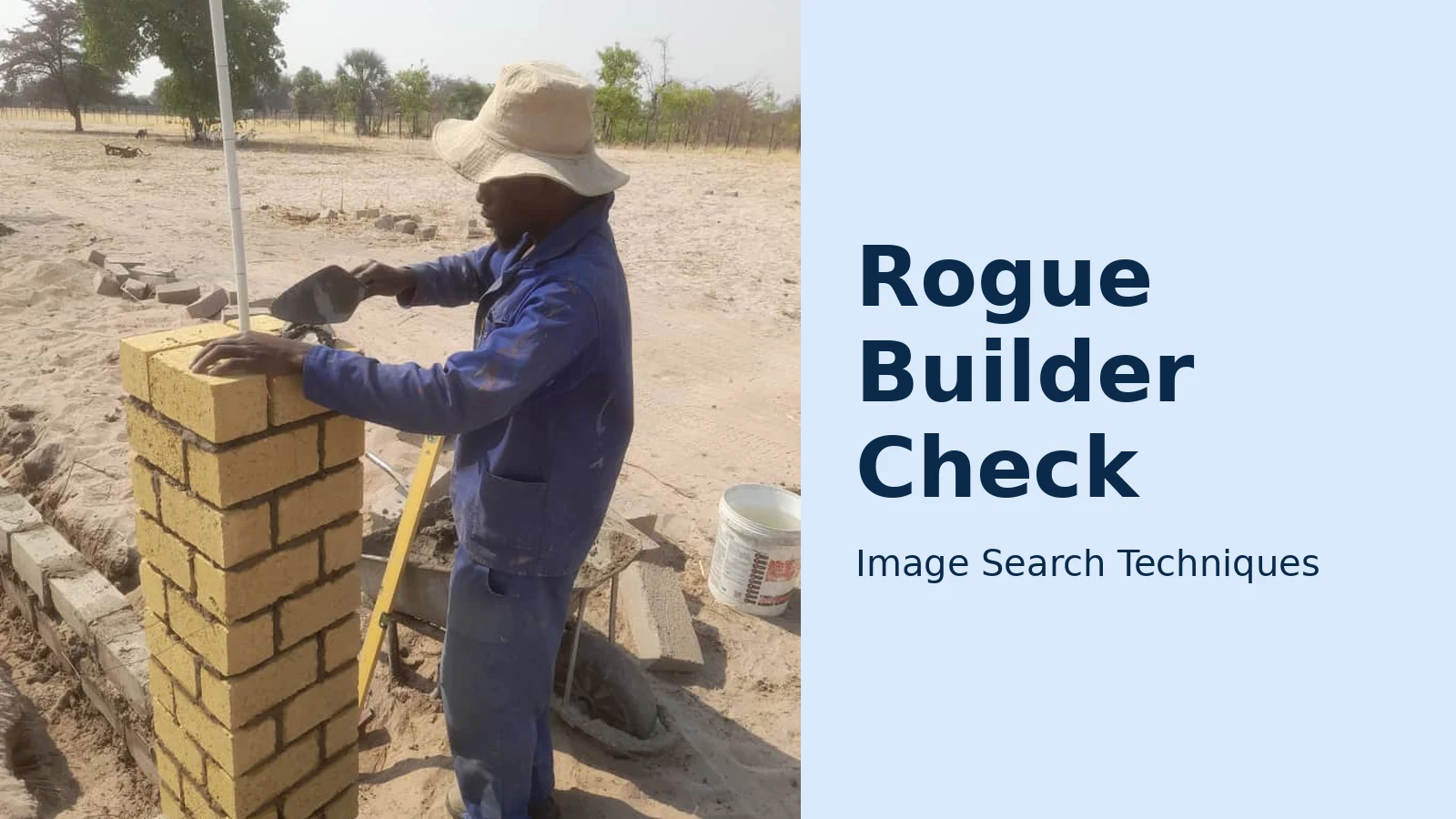
To show what these checks look like in practice, we ran a real test on 12 November 2026. The test photo was “A bricklayer at it”, a Wikimedia Commons photograph by Suzeen Simon (CC BY-SA 4.0, April 2024), showing a bricklayer building a pillar outdoors. It is exactly the kind of ordinary work photo a builder might show a customer, and it has a known, public source, so we could judge each engine against the truth.
Google Lens failed outright. The first attempt was blocked by Google’s “unusual traffic” page and a reCAPTCHA challenge; after the challenge was cleared, the results page showed “Expired visual search” and an empty AI answer stuck on “Thinking / Generating”. Both the “Exact matches” and “Visual matches” tabs then reported “Something went wrong: No image at the URL. Try again with a different URL or image”. A second fresh attempt loaded without a challenge but ended the same way: no identification, no source named. Lens is the best-known tool for this job, and on this photo it produced nothing at all.
TinEye loaded and searched without a block, and returned 0 matches: “TinEye searched over 86.7 billion images but didn’t find any matches for your search image. That’s probably because we have yet to crawl any pages where this image appears.” It displayed the query image but did not name the original Commons file page or any source. A genuine, publicly available photo, invisible to TinEye.
Yandex Images worked. It recognised the image immediately, tagging it with the Russian words for brick, brick production, construction and clay brick, plus “commons wikimedia”. It listed the image in other sizes and showed similar images, including other Wikimedia Commons bricklaying photographs. Its “Sites” tab listed one site: the Wikimedia Commons category page for Wiki Loves Africa 2024 images, but it did not name the exact original file page.
The lesson is the point of the whole routine: no single engine is reliable, and a “no match” result proves nothing about a photo. Two of the three engines could not find a photo that genuinely exists on a major public site. So treat a match on another business’s website as strong evidence of a copied photo, ,and treat a clean result as neutral, never as proof the photo is theirs. Always run all three engines, and always pair the photo check with the register checks below, which do not depend on any search engine’s index.
Verify the certificates on the real registers
A logo on a van or website is not a certificate. Logos are images; anyone can copy one. A certificate is a number on an official register, and the only check that counts is searching that number yourself. Never accept a photograph of a certificate as proof. A photo of a card can be edited, borrowed or faked, and Checkatrade’s ScamWatch specifically warns that fake trade certificates are now being generated with AI.
Which register you check depends on the trade:
- Gas work: Gas Safe Register. Gas Safe Register is the official list of businesses legally permitted to carry out gas work in the UK. Ask for the business registration number (1–6 digits) or the engineer’s 7-digit licence number, which appears on their Gas Safe ID card, and check it on the register yourself. The register also shows what each engineer is qualified to do, not every registered engineer is qualified for every type of gas work, so check the qualifications match your job. Engineers are issued a new ID card annually, so an old card with an old number is not current proof. Use the official Gas Safe Register search and always ask to see the ID card before work starts.
- Electrical work: NICEIC or NAPIT. Electricians who do notifiable work belong to a competent-person scheme such as NICEIC or NAPIT. Each scheme has its own online register: search the business name or membership number there, not on the trader’s own site.
- General building work: TrustMark. TrustMark is the government-endorsed quality scheme for tradespeople working in or around the home. Its website has a “find a tradesperson” search, enter the trade and your postcode, and only lists busineses that have passed its checks. We verified the search live on 12 November 2026.
- Trade associations: Federation of Master Builders and others. Membership of a trade body is worth checking the same way: search the member directory on the body’s own website. A membership claim that does not appear in the directory is a fail.
- Review platforms: Checkatrade and similar. Checkatrade says every applicant must pass up to 12 individual checks and uphold the Checkatrade Standard. If a trader claims to be Checkatrade-approved, search for them on Checkatrade itself. But remember the platform’s own limits: its guarantee is often capped, and a listing is a starting point, not a safety net. The register checks above still matter.
Three rules apply to every register check. First, type the number in yourself. Do not click a link the trader sends you, which could lead to a lookalike page. Second, check the name matches: the number must return the same person or business that quoted you, not a different name. Third, check the dates: a registration that expired last year is not a registration. If a trader cannot give you a number, or gets defensive when you ask, treat that as the answer. A genuine tradesperson expects to be checked and hands over the number without a fuss.
How to spot an AI-generated “owner” or shopfront photo
The newest trick in the rogue trader’s kit is the fake identity itself: an AI-generated portrait of an owner who does not exist, in front of a shopfront that was never built. Checkatrade’s ScamWatch described exactly this in November 2026: whole fake “local, family-run” business identities, complete with AI-generated photos of a shopfront or a smiling owner. The tells are the same ones that give away AI images everywhere else, applied to a trade profile:
| Tell | What to look for |
|---|---|
| Hands and tools | Extra or missing fingers, tools that melt into a hand, a trowel with no handle, a drill that bends |
| Text on signs and vans | Lettering that is gibberish, misspelled, or warps mid-word. AI still struggles with text on signs, uniforms and van livery |
| Too-perfect presentation | A spotless white van, a pristine shopfront, a smiling team in matching uniforms with no dust, no clutter and no real-world mess. Real building sites are messy |
| Inconsistent light and shadow | Shadows falling in different directions, a face lit from one side while the background is lit from the other, reflections that do not match |
| Repeated faces and places | The same “owner” face appearing on other businesses, or the same shopfront behind different company names. Reverse-search the portrait, not just the work photos |
| No history anywhere | A business that claims twenty years of trading but has no trace older than a few weeks: no old reviews, no archived website, no Companies House record |
Reverse-search the owner portrait the same way you search the work photos. A genuine local builder usually appears in more than one place under the same name: a review platform, a trade directory, a local news mention. An AI face appears nowhere, or appears under different names. Our guide to telling whether an image is AI-generated covers the full set of tells, and the same checks apply to the wedding photographer’s portfolio in our fake wedding photographer check. The pattern is identical, only the trade changes./p>
What a copied photo does, and does not, prove
This is the part that needs care, because getting it wrong is unfair to honest traders. A copied portfolio photo proves that the portfolio is dishonest. It does not prove that the person is unqualified, has never done good work, or is a criminal. And the reverse is just as important: many honest small traders use stock imagery on their websites, a generic photo of a finished kitchen on a homepage is not a crime, and it is not evidence of fraud on its own.
So frame the result as verify-and-walk-away, not as an accusation. The distinction is in what the photo claims to be. A stock photo labelled as an example, or used as decoration, is normal marketing. A photo presented as “our recent extension in Leeds” that actually belongs to a builder in Bristol is a lie about the work, and a trader who lies about their work is not someone to trust with your home and your money. You do not need to prove intent, and you should never name a firm publicly as a scammer on the strength of a photo match alone. You only need to decide not to hire them.
The same restraint applies to reviews. A cluster of suspicious reviews is a reason to walk away, not a reason to post an accusation. If you believe a trader has broken the law, the right route is a report to Trading Standards through Citizens Advice, described below, not a public post that could itself land you in trouble.
One more boundary: a clean photo search and a valid certificate still do not guarantee good work. They prove identity and qualification, not competence or reliability. That is what the written quote, the references you actually phone, and the staged payments are for. The photo checks remove the fakes from your shortlist; the rest of the routine picks the best of the real traders who remain.
If the checks fail: walk away safely and report it
If any step of the routine fails, the safest move is simple: do not hire them, do not pay anything, and do not get into an argument about it. A polite “we’ve decided to go with someone else” is enough. If a trader is already at your door, do not let pressure decide for you, a genuine professional will not make you decide or sign on the spot, and you can always ask them to leave.
Then report what you found, because reporting is what stops the same trader reaching your neighbours. If you think a business has broken the law or acted unfairly, report them to Trading Standards through Citizens Advice. Trading Standards use the information you give them to investigate unfair trading and illegal business activity, like rogue traders and scams. They can take a business to court or stop it operating, but they will not help you fix your own problem, for example by getting a refund, so keep your own money safe first.
If you have already paid and the work is bad, dangerous or unfinished, Citizens Advice’s guidance on problems with building work is the starting point: take the problem up with the trader who arranged the work, even if they sub-contracted it, and know that the Consumer Rights Act 2015 is on your side. If the work is dangerous, stop using it straight away and report a dangerous building or structure to your local council. If you agreed the work at your home, consumer law generally gives you 14 days to cancel, check the position with Citizens Advice before you sign anything.
For the money itself, NatWest’s advice is sound: get at least three written quotes, pay only a small deposit, pay in stages as the work is done, and pay the final amount only when the job is finished and you are happy. Paying by credit card is safer than cash, because it gives you a route to claim the money back if things go wrong. Our complete photo scams guide puts this check alongside the other photo-based scams, from fake payment screenshots to cloned holiday villas, so you can spot the pattern wherever it appears.
Checking a builder is genuine takes about half an hour and costs nothing. The alternative, discovering the truth after the deposit is paid and the roof is off, costs far more. Search the photos, check the numbers on the real registers, and walk away the moment something does not add up. The same dated-photo habit protects a tenant’s deposit too: move-in photos that win deposit disputes are built from the same wide-shot-then-close-up routine, emailed to the landlord on the day they were taken.
How can I check if a builder is genuine before hiring them?
Reverse-search their portfolio photos on Google Lens, TinEye and Yandex Images to see whether the photos belong to another business, then verify every certificate number on the official register: Gas Safe for gas work, NICEIC or NAPIT for electrics, TrustMark for general building work. Also check the company on Companies House and ask for references you can phone.
What should I do if a builder’s portfolio photos belong to someone else?
Walk away and do not hire them. A photo presented as their own work that actually belongs to another builder proves the portfolio is dishonest, and that is enough on its own. Do not accuse them publicly, instead report the business to Trading Standards through Citizens Advice, who can investigate unfair trading.
Can I trust a builder’s Gas Safe certificate photo?
No. Never accept a photograph of a certificate as proof, because a photo of a card can be edited or borrowed. Ask for the business registration number or the engineer’s 7-digit licence number and search it yourself on the Gas Safe Register, which shows the name, the qualifications and whether the registration is current.
How do I spot a fake builder profile created with AI?
Look for hands and tools that do not make sense, gibberish or misspelled text on signs and van livery, a suspiciously spotless shopfront or team, and shadows falling in different directions. Reverse-search the owner portrait too. An AI face appears nowhere under that name, or appears under different names on other businesses.






