


🔎 Reverse Image Search
Image search techniques made simple: upload a photo or paste a URL and search 6 engines at once. 100% free, nothing stored.
🔒 Your image is never stored on our servers longer than 24 hours and is never shared.
Short answer: To identify a cat breed from a photo, upload a photo to Google Lens or a breed app such as Cat Scanner, then treat the top result as a visual guess, not a verdict. Most pet cats are mixed-breed, and apps often mistake a coat pattern for a breed: only a DNA test or pedigree papers can settle it.
You found a cat, adopted a kitten, or simply wondered about your own sofa companion: what breed is my cat? A photo is the fastest way to start answering that, and the tools are genuinely useful, if you know what they can and cannot do. Cat breed identification is the process of matching a cat’s visible traits (face shape, ears, coat length, colour and pattern) against recognised breed standards to suggest the closest match.
Before we go further, one honest fact frames everything in this guide: most pet cats have no breed at all. In the UK, an estimated 89 to 92 percent of pet cats are of non-pedigree lineage, according to Wikipedia, and in the United States domestic shorthairs and longhairs make up around 95 percent of the cat population. Your cat is most likely a beautiful mixed-breed domestic cat (a moggy) and no app can change that. What a photo tool can do is tell you which pedigree breed your cat most resembles, useful as long as you read it as a resemblance, not a family tree. If you are trying to work out what is in any animal photo at all, our guide to what is this picture explains the general approach first. And if the animal in question is a dog, our sibling guide shows how to identify a dog breed from a photo, the same cautions about mixed breeds apply there too, and rabbits work the same way: our guide to identifying a rabbit breed from a photo runs the same three-engine test on a Holland Lop.
What can a photo actually tell you about a cat’s breed?
A photo can tell you a surprising amount about a cat’s appearance, and almost nothing about its ancestry. That distinction is the whole subject of this guide, so it is worth stating plainly at the start.
What a photo shows well is the visible evidence: coat length and texture, colour and pattern, face shape, ear size and set, eye colour, body size and tail length. A long-haired cat with a flat face looks Persian; a huge cat with ear tufts looks Maine Coon. Those visual clues are real, and they are exactly what breed-identification tools measure.
What a photo cannot show is ancestry. A breed is not a look; it is a recorded lineage. A pedigree cat has a registration with a body such as the Governing Council of the Cat Fancy, and that paperwork is what makes it a Persian rather than a cat that looks like one. A photo contains no DNA, no pedigree and no family history, so every photo-based breed result is a visual similarity score dressed up as an answer.
A photo result is a starting point, not proof: useful for narrowing down possibilities before talking to a vet, describing a found cat accurately, or choosing a grooming routine, but misleading when treated as proof, as when someone pays pedigree prices because an app said “Bengal”.
The same photo-first method works beyond pets. Our guide to identify a phone model from a photo applies it to a phone camera layout, logo and ports, and shows what a reverse search can and cannot prove.
Cats are harder for photo tools than dogs: cat breeds are a much newer project, and most differ by subtle degrees. Expect close calls, and be suspicious of any tool that returns a single breed with total confidence.
How do cat breed identifier apps work?
A cat breed identifier app analyses a photo of a cat and returns one or more breed names, usually with a percentage or confidence label. You upload a picture, the app sends it to a trained image-recognition model, and the model compares it with its training set of labelled breed photos. The answer arrives in seconds, and that speed is the whole appeal.
The best-known app in this niche is Cat Scanner, available on Android and iOS. Its Google Play listing (checked 10 November 2026) shows a 4.1 out of 5 rating from more than 17,000 ratings, and says the app covers around 60 breeds; Insiderbits (May 2026) reports more than 1 million downloads and a premium version from $1.49, figures that describe popularity, not accuracy. The app’s own website, catscanner.org, claims it recognises “500+ breeds” and offers “97% accuracy”. Those are the vendor’s own claims, and we have not verified them. There are only around 70 to 75 recognised cat breeds in the world, so a claim of hundreds is counting coat varieties as if they were breeds.
The weakness is the training data. Breed photos online are heavily skewed: pedigree cats photographed by breeders in perfect light, in show poses. Your cat, photographed on a sofa in warm evening light, looks nothing like the training set. The model returns the nearest match anyway, with a confidence figure that looks more certain than the evidence deserves. A 97 percent confidence score means the model found your picture 97 percent similar to its idea of that breed, not that the answer is 97 percent likely to be right.
Cat scanner app accuracy is also affected by the cat itself: kittens change as they grow, long coats hide body shape, and a photo taken from above flattens the face. The same cat can get three different breed answers from three different photos: the honest result of judging a three-dimensional animal from a flat image.
To use one of these apps well, treat it as a suggestion engine rather than a test:
- Download Cat Scanner from the official Google Play listing, and avoid similarly named copies.
- Photograph your cat in daylight, at eye level, with the whole face and as much of the body as possible in frame.
- Read the top three results, not just the first. If all three are similar breeds, the model is seeing a real signal; if they are wildly different, it is guessing.
- Check the breed descriptions yourself: does your cat have the ear shape, coat texture and body type described, or just the colour?
- Repeat with a second photo taken on a different day; if the same breed tops both runs, the guess is stronger.
Why do apps call a tortoiseshell or a tuxedo a breed?
This is the most common failure in cat breed identification from a photo. A black-and-white cat may come back as “Tuxedo”; a tortoiseshell as “Tortoiseshell”; a striped cat as “Tabby”. None of those is a breed. They are coat patterns, and confusing a pattern with a breed is like calling a person’s hair colour their nationality.
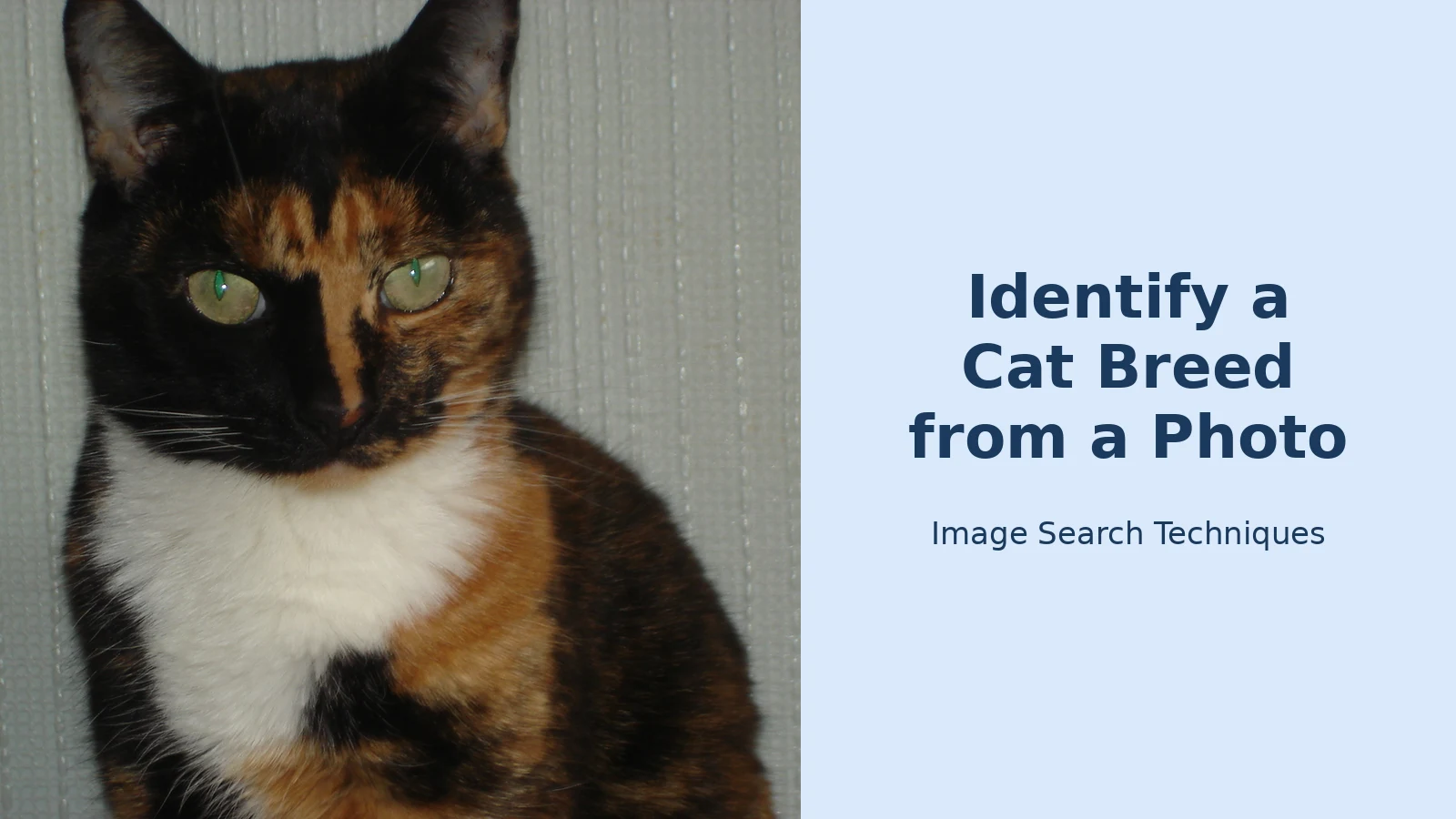
The tortoiseshell pattern vs breed confusion is the clearest example. Tortoiseshell is a coat colouration (a mosaic of black and orange, sometimes with cream) that appears in many breeds and in non-pedigree domestic cats alike, according to Wikipedia. It is not a breed, and it never has been. The same is true of the tuxedo, calico, tabby and colourpoint patterns: each describes what the coat looks like; none describes where the cat came from. An app that returns “tortoiseshell” as a breed has described the coat and stopped there.
Why do apps make this mistake? Because their training data is full of photos labelled by pattern. People tag pictures of their tortoiseshell cats “tortoiseshell”, the model learns to associate that look with that label, and the app presents the label as a breed name. It is most visible with striking patterns: a split-face tortoiseshell, half black and half orange down the middle of the face, is so distinctive that models return the pattern name with high confidence.
One useful fact hides in the tortoiseshell pattern. Tortoiseshell cats are almost exclusively female, according to Wikipedia, because the orange colour gene sits on the X chromosome and a cat needs two X chromosomes to show both black and orange. Male tortoiseshells are rare (roughly 1 in 3,000, according to Wikipedia) and are usually sterile. So if an app tells you your tortoiseshell cat is female, it is probably right, not because it identified a breed, but because it read a pattern genetics has already explained. The same applies to calico cats, which are nearly always female too.
Use the table below as a quick check: if the “breed” in your result is in the left-hand column, the app has named a pattern, not a breed.
| Pattern the app names | What the app calls it | What it actually means | What to do next |
|---|---|---|---|
| Tortoiseshell | “Tortoiseshell breed” | Black and orange patches. Appears in many breeds and mixed-breed cats; almost exclusively female. | Ignore the breed label; look at face shape, coat length and body type instead. |
| Tuxedo | “Tuxedo breed” | A black-and-white bicolour coat. A colour pattern, not a breed, found in domestic cats of every background. | Ignore the breed label. A tuxedo cat is almost always a domestic shorthair or longhair. |
| Calico | “Calico breed” | Tortoiseshell with large white patches. A pattern, not a breed, and nearly always female for the same genetic reason. | Ignore the breed label. The white patches come from a separate gene and say nothing about ancestry. |
| Tabby | “Tabby breed” | A striped, spotted or swirled coat pattern: the ancestral wildcat pattern, found in almost every breed and most mixed-breed cats. | Ignore the breed label. Note the tabby type (mackerel, classic, spotted) and move on to body shape. |
| Colourpoint | “Colourpoint breed” or “Siamese” | Darker ears, face, paws and tail on a paler body. Found in Siamese, Ragdoll, Birman and many other breeds, and in mixed-breed cats. | Do not accept “Siamese” on colour alone; check body shape, head shape and eye colour first. |
Cat Scanner vs Google Lens vs AI chatbots: which is best?
You have three realistic ways to identify a cat breed from a photo in 2026: a dedicated breed app such as Cat Scanner, Google Lens, or an AI chatbot such as ChatGPT or Gemini. They do different things, and the best choice depends on what you want.
Google Lens does not classify your cat into a breed list; it searches the web for visually similar images and shows you what it found, with links to their source pages. That is both its strength and its weakness. Lens shows its working: you can see the photos it matched and judge for yourself whether the match is convincing. But it gives you no breed label or score, so you must judge the matches yourself, and they are influenced by whatever is popular on the web.
AI chatbots sit in the middle. Upload a photo to ChatGPT or Gemini and you will usually get a fluent, confident answer that names a breed and explains the reasoning. That fluency is the trap: chatbots sound certain even when a photo is ambiguous, and can describe traits (“the ear tufts suggest a Maine Coon”) that are not visible in your photo. Treat a chatbot answer as a second opinion, never the deciding vote.
| Tool | Cost | What it returns | Mixed-breed handling | Weak spots |
|---|---|---|---|---|
| Cat Scanner app | Free with adverts; premium from $1.49, according to Insiderbits (May 2026) | A breed name, a confidence percentage and a breed description | Poor: it must pick a breed, so a mixed-breed cat is forced into the nearest pedigree label | Names coat patterns as breeds; confidence figures look more certain than they are; the vendor’s “97% accuracy” is unverified |
| Google Lens | Free | Visually similar web images, with links to their source pages | Better: it shows a spread of matches, so a mixed-breed cat returns mixed results instead of one forced answer | No breed label or score: you judge the matches yourself; popular breeds are over-represented |
| ChatGPT / Gemini | Free tiers available; paid plans add features | A written breed guess with reasoning | Weak: it usually names one breed confidently and rarely says “this cat has no breed” | Can describe traits not in the photo; sounds certain even when guessing |
Start with Google Lens, then Cat Scanner. Lens first, because seeing the matching photos shows how ambiguous the result is before any tool dresses it up as a verdict. If the app’s top breed also dominates the Lens results, you have a genuine lead. If the app says one breed and Lens shows five others, trust Lens: the spread is the truth. Use the same photo in every tool: run it through Lens at lens.google.com, then Cat Scanner from its official Google Play listing, and write down all the answers before you decide. The worked example later in this guide shows exactly that process on a real photo.
How do I take a photo that gives the best breed guess?
Most bad breed results start with a bad photo, not a bad app. The model can only measure what the picture shows, so a blurry, dark or half-hidden cat will get a bad answer from a good tool. The ideal photo shows the cat’s face and body together, in focus, in good light, and for breed identification, the cute photo of a sleeping ball of fur is the wrong photo. Take a deliberate one instead.
- Use daylight, not flash. Photograph the cat near a window, with light on its face. Flash washes out coat colour and hides eye colour.
- Get down to the cat’s eye level. Photos taken from above flatten the face and make every cat look rounder than it is.
- Capture the face and the full body in the same shot. A face-only photo gives the head shape but nothing about body length, tail or coat.
- Add a side profile as a second photo. Breed standards describe the head from the side (forehead slope, nose length, ear set) and a front photo hides all of it.
- Photograph one cat at a time. Two cats in the frame will confuse most tools, which may analyse the wrong one or blend both.
- Keep the background plain and the cat still. A busy background confuses the model, and a moving cat blurs the edges it measures: use a plain wall, a treat, and a burst of shots to pick the sharpest.
- Show the tail and the paws. Tail length and paw size are part of several breed standards, so do not crop them out.
What to avoid: photos taken through glass, heavily filtered shots, kitten photos for an adult breed, and photos of a photo on a screen. If your cat will not cooperate, photograph it while it is eating, which keeps the head still and the body in a natural standing position.
How do I identify a mixed breed cat from a photo?
Here is the honest answer for most readers: you probably cannot, and that is the correct result. To identify a mixed breed cat from a photo is to accept that the photo shows a mix of traits with no single breed behind them, and the right conclusion is “domestic shorthair” or “domestic longhair” rather than a pedigree name. Those labels are what vets, shelters and registries use for the vast majority of cats: a real population of random-bred domestic cats with a wide gene pool, not a breed that does not exist.
The signs are straightforward. The first is a mismatch between traits: a Persian-like long coat with a short, ordinary face, or Siamese colouring on a stocky, round body. Pedigree breeds are consistent (their traits were selected together) while mixed-breed cats combine traits freely. The second sign is a lack of extremes: the flat face of the Persian, the long ears of the Oriental, the hairlessness of the Sphynx. A cat with moderate everything is almost certainly mixed-breed.
The third sign is the app disagreeing with itself. Run three photos of the same mixed-breed cat through Cat Scanner and you will often get three different breeds. That is not a malfunction: the cat sits between breeds, and each photo tips it a different way. A pedigree cat tends to return the same breed across photos. If your results keep changing, believe the change.
A mixed-breed cat is not a failed pedigree. Domestic shorthairs and longhairs are the original cats (the population from which every breed was developed) and they are typically healthy and long-lived precisely because they come from a wide gene pool. Knowing your cat is a moggy tells you to stop chasing a breed name and pay attention to the individual cat instead.
When does only a DNA test settle it?
Only a DNA test settles a cat’s breed, and even then with limits worth understanding before you pay. A consumer DNA test compares your cat’s DNA against a reference database of pedigree breeds and reports which breeds appear in its ancestry, usually as percentages. For a typical mixed-breed cat, expect “mostly domestic shorthair with traces of several breeds”: the genetic equivalent of what the photo already told you.
A DNA test is worth considering in four situations:
- You are paying pedigree prices. Pedigree papers are the proof; a DNA test is the backup if they look doubtful. A photo result is never a substitute.
- You need the ancestry for a vet. Some inherited conditions are more common in certain breeds; a DNA test gives the vet something to work with, and an app screenshot does not.
- You are registering or showing the cat. Breed registries and show categories require documentation, not a photo guess.
- You are simply curious. If you accept the answer may be “mostly mixed”, a DNA test is a harmless way to satisfy curiosity.
Be careful where a photo result is actively dangerous. Never buy a kitten on the strength of an app result, and never pay a premium because a seller’s photo “looks Bengal” or “looks Ragdoll”. Pet-sale scams routinely use stolen photos of pedigree cats to advertise ordinary kittens at pedigree prices, and a breed-app result on a stolen photo will confirm the lie. Before you pay anything, check the listing against our guide to puppy and pet sale scams: check the photos, which explains how to reverse image search a seller’s photos. If the same photo appears in older listings under a different name, walk away, whatever the app says.
Never trust a single photo sent by a seller without checking it first. A genuine breeder will happily provide more photos, a video call, and pedigree papers; a scammer will send one polished photo and pressure you to pay quickly. If you are unsure whether a photo is genuine, our guide to how to tell if a photo is real walks through the checks (reverse image search, metadata, and the visual signs of an AI-generated or stolen image) before any money changes hands.
Finally, never predict temperament or health from a photo result. Breed descriptions are full of personality claims (“Maine Coons are gentle giants”, “tortoiseshells have attitude”) and none of them applies to an individual cat. Temperament comes from genetics, early socialisation and life experience, not from a coat pattern, and “tortitude” has no scientific basis. A photo cannot tell you whether a cat carries a gene for heart disease, and a breed label is not a health screening. For health questions, ask a vet, not an app.
Worked example: Lens and Cat Scanner on a split-face tortoiseshell
We ran this test ourselves on 10 November 2026, signed out, using the same photo in both tools: the Wikimedia Commons image “Split face tortoiseshell cat.jpg”, a cat with a black half and an orange half split down the middle of its face. Here is exactly what happened.
Step 1: Google Lens. We uploaded the photo at lens.google.com through “Search by image” and “upload a file”. Lens showed tabs for “AI Mode”, “All”, “Exact matches” and “Visual matches”, and its AI Overview said, word for word: “The image shows a domestic cat with a distinct split-face tortoiseshell and white coat pattern (often referred to as a calico or tortie-and-white).” That is the whole answer. No breed name appeared anywhere on the page, no confidence percentage, and no “match” wording at all. The top result was the exact same Wikimedia photo, followed by similar tortoiseshell-cat images, and the “Related searches” were “Tortoiseshell cat”, “Calico cat” and “Moggy”. Lens did exactly what this guide predicts: it named the coat pattern honestly and refused, by design, to invent a breed. “Domestic cat” is the correct answer for most pet cats.
Step 2: Cat Scanner. We could not get a result at all. The Cat Scanner website, catscanner.org, does have a web upload area (“Drop your cat photo here or click to browse”) advertising “3 Free Scans”, “97% Accuracy” and “500+ Breeds”. But above the drop zone it displayed “Free scan limit reached. Buy Credits to Continue”, even though the page header claimed “3 of 3 lifetime free scans remaining”. Clicking the drop zone opened no file picker, no scan ran, and no breed name or confidence percentage was produced. Getting any result would have required buying credits, which we did not do. So Cat Scanner’s free web route could not be tested: the site contradicts its own free-scan claim and gates the scan behind payment.
Verdict. The two tools did not disagree (one answered and the other would not run) and both outcomes teach the same lesson. Lens gave the honest answer, a pattern rather than a breed, and Cat Scanner showed that a breed app is only as useful as the access it actually gives you: a tool that advertises free scans may still ask for payment before it looks at your photo. If you try this yourself and an app returns “tortoiseshell” as a breed, you have your answer already: it has described the coat, not the ancestry, and no single label settles a mixed-breed cat.
Small pets need the same treatment: see identify a hamster breed from a photo, which works through size, colour and the dorsal stripe for the five pet hamster species.
FAQs
What is the best app to identify a cat breed from a photo?
Cat Scanner is the best-known dedicated option, rated 4.1 out of 5 from more than 17,000 ratings on Google Play (checked 10 November 2026), with over 1 million downloads reported by Insiderbits in May 2026. For the most honest result, pair it with Google Lens: check the matching photos first, then compare Cat Scanner’s breed label against them. When both agree, the guess is stronger.
Can Google Lens identify a cat breed from a photo?
Google Lens does not label breeds directly, but it finds visually similar cat photos from across the web and shows you their source pages. If the top matches are consistently one breed, that is useful evidence. If the matches are a spread of different breeds, your cat is probably mixed-breed and no single label fits.
Is a tortoiseshell cat a breed?
No. Tortoiseshell is a coat pattern of black and orange patches, not a breed, and it appears in many breeds and in mixed-breed cats, according to Wikipedia. Tortoiseshell cats are almost exclusively female, because the orange colour gene sits on the X chromosome. An app calling it a breed has described the coat, not the ancestry.
How accurate are cat breed identifier apps?
Accuracy varies and is hard to verify, because no independent test covers every breed and photo. Cat Scanner’s vendor claims 97 percent accuracy on its own website, but that is an unverified marketing claim, not an independent finding. Treat any result as a visual guess, confirm it with a second tool, and use a DNA test if it matters.






