


🔎 Reverse Image Search
Image search techniques made simple: upload a photo or paste a URL and search 6 engines at once. 100% free, nothing stored.
🔒 Your image is never stored on our servers longer than 24 hours and is never shared.
You have just caught a fish you do not recognise, spotted one on a reef, or found one in a tank at a pet shop, and the only thing you have is a photo. A reverse image search can name it in seconds, but a fish photo is trickier than a bird or a butterfly: colours change with age, juveniles look like different species, and two fish can be near-identical until you count their fins. This guide shows you how to identify a fish from a photo properly, and the safety rules that come first.
Direct answer: To identify a fish from a photo, take a clear side-on shot showing the fins, tail and markings, then run it through Google Lens and TinEye and check the top match against FishBase or iNaturalist using where you saw it. A photo ID is a lead, not proof: never eat, handle or keep a fish based on a photo alone.
Read this first, four rules that apply to every fish in this guide.
- Never eat a fish based on a photo ID. A photo match is a lead, not a guarantee, and some safe-looking fish have poisonous lookalikes.
- Never handle a fish based on a photo ID. Venomous and stinging species exist in British waters and abroad, and a wrong guess can put a spine through your hand.
- Never keep a protected species. Check local fisheries rules before you keep anything, some fish must be returned whatever their size.
- When in doubt, release it and don’t touch it. Photograph it, check it later, and let it go.
Fish identification from a photo means naming a fish species by matching visible features, body shape, fin count, markings and size, in a photograph against known species, instead of handling or killing the fish to work it out.
This guide covers aquarium fish, caught fish and wild fish, in that order of risk: a tank fish is safe to photograph, a caught fish needs care, and a wild fish on a beach may be venomous. The method is the same for all three, and it is the same method our what is this picture hub uses for anything you photograph and cannot name.
How do you identify a fish from a photo?
Work in this order and you will get a reliable answer most of the time. Skip a step and the apps will happily give you the wrong fish with full confidence.
- Photograph it side-on. Get the whole fish in frame from the side, with the dorsal fin, tail fin and any markings visible. A photo of a fish held up by the tail distorts its shape, and a head-only shot hides the fin count that often settles the ID.
- Take a second, closer shot of the head and mouth. Mouth position, barbels (the whisker-like feelers some fish carry) and eye placement separate species that look alike from a distance.
- Note where you saw it. Fresh water or salt water, river or sea, country and coast. A species that does not live where you are is almost certainly a wrong match, however confident the app sounds.
- Run the photo through Google Lens. Upload the image at lens.google.com or use the Lens button in the Google app. Lens names the species and shows exact matches, other pages using the same photo, and visually similar fish.
- Run the same photo through TinEye. TinEye is better at showing where a photo has appeared before, which tells you whether the image is a stock photo, a known species page, or something mislabelled.
- Check the top match against FishBase or iNaturalist. FishBase is the global fish species database edited by Rainer Froese and Daniel Pauly, and it lists fin counts, size ranges and distribution for each species. iNaturalist adds community-reviewed sightings, so you can see whether anyone has actually recorded that species where you are. If the app’s answer disagrees with FishBase on fin count or range, trust FishBase.
- Confirm with a second source before acting on the ID. One app agreeing with a field guide or a second app is a solid ID. One app alone is a suggestion.
That is the whole method. The sections below explain the parts that go wrong: the photo, the features, the lookalikes, and the rules.
What makes a fish photo identifiable?
A fish photo is identifiable when it shows the features that separate species, not just the colour. Colour is the least reliable clue in fish ID: it changes with age, sex, breeding season, stress and lighting, and many species have a drab juvenile form and a bright adult one. The features below are what the apps and the field guides actually use, and they are what your photo must capture.
For a caught fish, work quickly and keep the fish wet. Lay it flat on a wet surface, take the wide side-on shot and the head close-up, note the location, and return it promptly if you are not keeping it. Never lay a fish on dry ground or hot sand for a photo session, and never hold it up by the tail, the shape distorts and the fish is harmed. If the fish is on a beach and you did not catch it, do not touch it at all: it may be a lesser weever buried in the sand, and its spines are venomous. Photograph it from above and walk on.
For an aquarium fish, photograph it through clean glass with the tank lights on and the room lights off, so reflections do not hide the fins. A short video clip is often better than a still: pause it on a frame where the fish is side-on with its fins spread. For a fish on a reef or in a rockpool, take the photo from the side if you can, and note the depth and the habitat, sandy bottom, reef, weed, because habitat narrows the shortlist as much as shape does.
If your photo is blurred, cropped to the head, or taken from directly above, say so to yourself before you trust the result. An app will still give you an answer. It will just be guessing from too little information, and the confident tone is not evidence.
Which body features actually identify a fish?
Use this checklist on your photo before you believe any app result. Tick each feature you can see, then compare the ticks against the species the app suggests. If two or more features disagree with the suggestion, the suggestion is wrong.
| Feature to check | What to look for in the photo | Why it matters |
|---|---|---|
| Body shape | Long and eel-like, deep and disc-shaped, torpedo-shaped, or flattened like a ray | Shape alone rules out whole families before you look at colour |
| Dorsal fin count and shape | One fin or two, spiny or soft, long-based or short, and how many spines it has | Fin counts are fixed for a species and separate near-identical lookalikes |
| Tail (caudal) fin shape | Forked, rounded, square, pointed, or with trailing filaments | Tail shape is stable across ages and does not change with breeding colour |
| Markings and bars | Stripes, spots, blotches or bands, count them, and note where they sit | Bar counts and positions are often the difference between two species |
| Mouth position and barbels | Mouth pointing up, forward or down; whisker-like barbels present or absent | Barbels separate carp-like fish from similar species that have none |
| Colour and pattern | Base colour, belly colour, and whether the pattern is on the fins too | Useful as a supporting clue, never as the only clue, colour varies |
| Size | Length against a known object in the frame, such as a coin or a ruler | A fish far outside the species’ normal size range is a wrong match |
| Where it was seen | Fresh or salt water, river or sea, country, coast and habitat | A species that does not occur there is the wrong answer, however good the photo match |
Work through the list in that order: shape, fins, tail, markings, mouth, colour, size, place. Most wrong IDs fail on the first three rows. The worked test below shows how that plays out on a real photo.
What did Google Lens and TinEye say about a real clownfish photo?
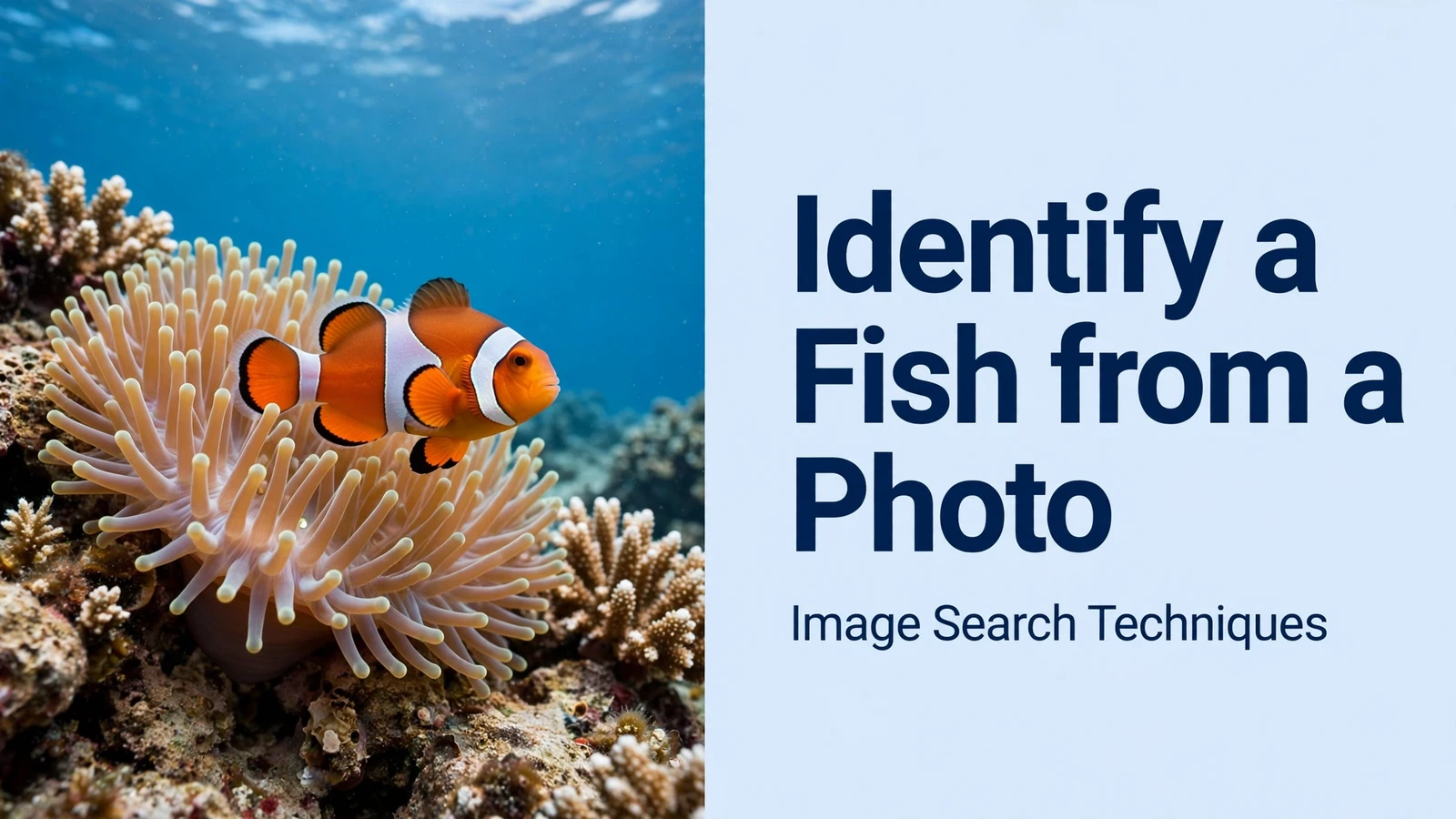
To test the method honestly, I ran a real, known fish photo through both engines on 11 November 2026, without signing in to either service. The photo is a public-domain Wikimedia Commons image: a common clownfish (Amphiprion ocellaris) in its magnificent sea anemone (Heteractis magnifica) home on the Great Barrier Reef, Australia, photographed by Jan Derk in November 2002. I knew the species before I searched, so I could judge whether the engines got it right.
| Engine | What it said | Verdict |
|---|---|---|
| Google Lens | Top identification: “Ocellaris Clownfish (Amphiprion ocellaris)”. Its AI overview added that it is also known as the false clownfish or common clownfish, and correctly named the anemone as Heteractis magnifica. | Correct on the species, but read on |
| Google Lens exact matches | No total count was shown; 22 entries were visible in the list. The top pages were the Wikipedia, IUCN Red List and FishBase pages for Amphiprion ocellaris, plus Aquarium Science, PBS NOVA, iNaturalist and the Aquarium of the Pacific. | Strong, the top results all agree on the same species |
| Google Lens visual matches | Mixed in the different species Amphiprion percula, labelled “True Percula Clownfish” and “Black Percula Clownfish”, and a zoo snippet that called it “the peacock clownfish”. Many exact-match pages were unrelated sites that merely reuse the image. | Confusing, the lookalike appears beside the right answer |
| TinEye | 485 results after searching 86.7 billion images. First indexed by TinEye on 5 February 2008. Top results were stock listings on Alamy and Adobe Stock, then the Wikipedia file page for the same photo. | Correct on the photo’s history, but the top hits are stock copies, not species pages |
The lesson is in the confusion, not the success. Lens named the right fish, but its visual matches also offered the true percula clownfish, a different species that looks almost the same. The two are separated by one countable feature: the ocellaris clownfish has 11 dorsal spines (rarely 10), while the closely related true percula has 10 (rarely 9), according to Wikipedia’s species account. You cannot count spines from Lens’s thumbnail view, so the app cannot settle it for you. The ocellaris also grows to about 11 cm and carries three white stripes with a fine black outline, and it lives in the eastern Indian Ocean and the western Pacific, all facts that fit the Great Barrier Reef photo, and all worth checking on FishBase before you accept the name.
TinEye’s job was different and it did it well: it showed the photo is a widely reused 2002 image, first indexed in 2008, with hundreds of copies across the web. That is useful when you want to know whether a photo is really of the fish in front of you, or a stock image someone has reused. Use Lens for the name and TinEye for the photo’s history, then confirm the name against the body-feature checklist above.
Which fish lookalikes fool photo apps most often?
Photo apps fail most often on pairs of species that share colour and shape and differ in one countable feature. Treat any single-app answer on these pairs as a guess until you have checked the feature in the right-hand column.
| Pair that gets confused | What they share | The feature that separates them |
|---|---|---|
| Ocellaris clownfish vs true percula clownfish | Orange body, three white bars, anemone home | Dorsal spines: 11 in ocellaris, 10 in percula; the black outline of the white bars is thicker in percula |
| Goldfish vs common carp and crucian carp | Deep golden body, same family, same waters | Carp have barbels at the mouth corners; goldfish have none. Carp also grow far larger |
| Lionfish vs scorpionfish | Spiny, striped or mottled reef fish that sit still | Lionfish carry long, banded, fan-like separate spines; scorpionfish are mottled and camouflaged against rock. Both are venomous, do not handle either |
| Juvenile vs adult of the same species | Same fish at two ages can look like two species | Check the fin shape and bar count, which stay stable, rather than the colour, which changes |
If the app gives you one half of a lookalike pair, search the other half by name and compare the two photos side by side. That one extra minute is the difference between an ID and a guess. Our guide to identify a bird from a photo uses the same trick for feather lookalikes, and the identify a butterfly from a photo guide does it for wing patterns, the method transfers because the failure is the same.
Which fish identification app should you use?
No single app covers aquarium fish, caught fish and wild fish equally well, so pick by where you fish or dive. The table below is based on the apps’ own sites and store listings as checked in October 2026 by an independent comparison, plus the tools used in this guide.
| Tool | Best for | Cost | Limit to know |
|---|---|---|---|
| Google Lens | First guess on any fish photo, free on web and phone | Free | Mixes lookalikes into visual matches; verify the name elsewhere |
| TinEye | Finding where a fish photo has appeared before | Free | Identifies the photo, not the species, use it alongside Lens |
| iNaturalist and Seek | Wild fish, with community-reviewed sightings by place | Free | Suggestions are community-checked, not instant; best for wild sightings |
| Fishbrain | Anglers: catch log, spots and local reports | Free version; paid tiers exist | Its own page claims 99% accuracy for its top-five suggestions without publishing how that was measured, treat it as a claim, not a fact |
| FishVerify | Anglers who want the ID plus size and bag limits | Trial only | Rules data is US-focused; check your own country’s rules separately |
| FishAngler | Anglers: AI fish ID covering 866+ species, per its own listing | Free tier; paid tiers exist | An AI match is a suggestion, not a legal check on whether you can keep the fish |
| Lens AI | Aquarium and tropical fish whose colours change as they grow | Free | General photo ID app, not a fish specialist, confirm against FishBase |
Two free tools deserve a note for readers outside the usual markets. FishBase itself offers identification keys and a quick-identification tool on its site, and it is the reference the other apps should be checked against. In Singapore, the free SGFish app launched in September 2026 identifies more than 900 local species from a photo, built from over 90,000 vetted photos and reported at 82.7% accuracy by its developer, according to the Straits Times, a reminder that a local app, trained on local fish, will usually beat a global one on its own patch.
For aquarium keepers, the workflow is simple: Lens first, then FishBase for the fin count and adult size, then a check that the fish is actually sold under that name. Pet-shop labels are often wrong, and a juvenile sold as one species can grow into another. The same caution applies to reverse image search for plants, where young plants are routinely mislabelled, the photo-ID habit is the same, only the subject changes.
What are the rules before you keep, eat or handle a fish?
Identifying the fish is only half the job. What you may do with it depends on the species, the place and the law, and a photo ID is never enough on its own to decide any of these. The table below is the red-flag check to run before you touch, keep or eat anything.
| Red flag | What it means | What to do |
|---|---|---|
| You are about to eat it | Never eat a fish based on a photo ID, toxic lookalikes exist, and some fish carry toxins no cooking removes | Do not eat it. A photo match is not a food-safety check |
| You are about to pick it up | Never handle a fish based on a photo ID, venomous spines, sharp gill covers and stinging species are common | Do not touch it. Use pliers and a towel for a caught fish, or leave a beached fish alone |
| It may be protected | Never keep a protected species, some fish must be returned whatever their size | Check local fisheries rules first, then release it unharmed if it is protected or undersized |
| It is a weever or looks like one | Both British weever species carry venom in the black dorsal fin and the gill-cover spines | Do not touch it. NHS guidance for a sting is to soak the area in water as hot as can be tolerated for 30 to 90 minutes and to seek a lifeguard or first aider |
| You want to keep a caught fish | England’s rod fishing byelaws set daily catch limits and size limits, and breaking them can mean a fine of up to £50,000 | Check the GOV.UK byelaws for your area: the daily limit is 15 coarse fish of not more than 20 cm, 2 grayling between 30 and 38 cm, and 1 pike of not more than 65 cm |
| You want to keep it in a tank | In England, keeping certain fish in inland waters needs an Environment Agency permit under the Keeping and Introduction of Fish Regulations 2015 | Check whether the species is on the permitted list before you keep it, and never release an aquarium fish into the wild, introducing fish without a permit is an offence |
| You are not sure what it is | When in doubt, release it and don’t touch it | Photograph it, identify it later from the photo, and let the fish go |
Two British rules are worth knowing by heart. First, in England and Wales you must hold a rod fishing licence if you are aged 13 or older and fishing for salmon, trout, freshwater fish, smelt or eel with a rod and line, even on private fisheries, according to GOV.UK. Second, the annual close season for coarse fishing is 15 March to 15 June on rivers, streams and drains, and eels you catch must be returned to the same water unharmed. The full byelaws are on GOV.UK’s national rod fishing byelaws for England, and the rules differ in Scotland, Wales and Northern Ireland, so check the local version where you fish.
The weever deserves a closer look because it is the fish most likely to hurt someone who only wanted a photo. The lesser weever (Echiichthys vipera) is a small fish that buries itself in sand in shallow water in summer, with just its eyes and black spiny dorsal fin showing. Anglers who mistake it for a sprat and swing it into their hands get a deeply unpleasant surprise, and bathers step on buried ones. Its venom causes severe pain, swelling and sometimes numbness, and the only recorded UK death was a fisherman off Dungeness in 1933 after multiple stings. If you find a small fish half-buried in sand on a British beach, photograph it from above and leave it alone, that is the whole procedure.
For the full picture on how reverse search fits into animal identification generally, see our reverse image search for animals guide, and cross-check any species name on FishBase before you act on it.
The same routine works for amphibians too. Our guide to identify a frog from a photo runs the same steps on a garden frog, mask, legs and all.
The same routine works for reptiles too. Our guide to identify a lizard from a photo runs it on a common wall lizard, with a pattern and location table and the same three-engine check.
FAQs
Can I eat a fish I identified from a photo?
No. Never eat a fish based on a photo ID, and never handle one based on a photo ID, venomous and toxic lookalikes exist. Never keep a protected species; check local fisheries rules first. A photo match is a lead, not a guarantee. When in doubt, release it and don’t touch it.
What is the best fish identification app?
Start free: Google Lens for the first guess, TinEye to check where the photo has appeared, and iNaturalist for community-reviewed sightings by place. Anglers should add Fishbrain or FishVerify for catch logs and size limits, and aquarium keepers should confirm every match on FishBase before trusting a shop label.
Can Google Lens identify a fish from a photo?
Yes. In a test run on 11 November 2026, Lens correctly named a clownfish photo as ocellaris clownfish, Amphiprion ocellaris, with the top exact matches agreeing. But its visual matches also mixed in the near-identical true percula clownfish, so confirm the name against the fin count and range on FishBase before you rely on it.
What should I do if I catch a fish I cannot identify?
Photograph it side-on with the fins and tail visible, note whether the water is fresh or salt and where you are, then release it promptly and identify it later from the photo. Do not handle it more than you must, do not keep it, and do not eat it. When in doubt, release it and don’t touch it.
For chickens, the same photo-first method works too, learn how to identify a chicken breed from a photo, including comb types, a 12-breed chart and a worked Lens and TinEye test.






